


Raindrop.io Review 2026: The Ultimate Guide to Digital Curation & PKM Excellence
Affiliate disclosure: This article may contain affiliate links. Recommendations are independent and editorially driven.
In the relentless current of information that defines our digital age, the ability to effectively capture, organize, and retrieve valuable web content is no longer a luxury—it’s a fundamental pillar of productivity, learning, and personal knowledge management (PKM). As architects of our own digital ecosystems, we constantly seek tools that can transform the chaotic deluge of links, articles, videos, and research papers into an accessible, intelligent, and personalized library. Among the myriad of options available, Raindrop.io has consistently emerged as a frontrunner, lauded by enthusiasts and power users alike for its robust feature set and elegant design.
This comprehensive Raindrop.io review for 2026 delves deep into what makes this bookmark manager a standout choice for anyone serious about digital curation. We’ll explore its core functionalities, scrutinize its user experience, evaluate its pricing structure, and pit it against its closest competitors. Whether you’re a student building a research database, a professional curating industry insights, a creative stockpiling inspiration, or simply someone overwhelmed by an ever-growing browser bookmark bar, understanding Raindrop.io’s capabilities is crucial. Join us as we unpack every facet of Raindrop.io, helping you determine if it’s the missing piece in your tech productivity arsenal.
Understanding Raindrop.io: A Paradigm Shift in Bookmark Management
At its heart, Raindrop.io transcends the traditional definition of a bookmark manager. While it excels at saving web pages, it’s more accurately described as a comprehensive digital content curator and knowledge repository. Instead of a mere list of links, Raindrop.io transforms your saved content into a rich, visual, and highly organized database. It addresses the common pain points associated with conventional bookmarking—lost links, disorganized folders, and the inability to quickly find specific information later.
Raindrop.io’s philosophy centers on making saved content not just accessible, but actionable. It understands that a link without context, without categorization, and without the ability to be easily rediscovered is essentially useless. By integrating advanced features like full-text search, automatic categorization, and powerful tagging, it empowers users to build a personalized library that truly reflects their interests and needs. This isn’t just about saving URLs; it’s about preserving knowledge, building research collections, and creating a personal archive that grows more valuable over time.
The Genesis and Evolution of a Modern Curator
Raindrop.io was conceived out of a need for a more intelligent and visually appealing way to manage web resources. Since its inception, it has continually evolved, incorporating user feedback and adapting to the ever-changing landscape of web content. What started as a promising alternative to browser-native bookmarking has blossomed into a sophisticated platform supporting multiple devices and complex workflows. Its commitment to a clean, intuitive interface while simultaneously packing powerful features is a testament to its thoughtful development.
Who Benefits Most from Raindrop.io?
- Researchers & Academics: For compiling articles, papers, and sources for projects, with robust tagging and search.
- Students: Organizing study materials, course readings, and external resources for assignments.
- Content Creators & Marketers: Curating inspiration, competitor analysis, and industry trends.
- Designers & Artists: Building mood boards, saving visual references, and tracking creative ideas.
- Developers & Engineers: Archiving tutorials, documentation, and useful code snippets.
- Journalists & Writers: Storing research, interviews, and background information for stories.
- Everyday Users: Anyone looking to declutter their browser bookmarks and create a more organized digital life.
In essence, if your digital life involves saving links for future reference, and you find yourself struggling to locate them when needed, Raindrop.io offers a compelling solution. Its focus on visual presentation, deep organization, and powerful search capabilities makes it an indispensable tool for proactive knowledge managers.
Core Features: Unpacking Raindrop.io’s Powerful Functionality
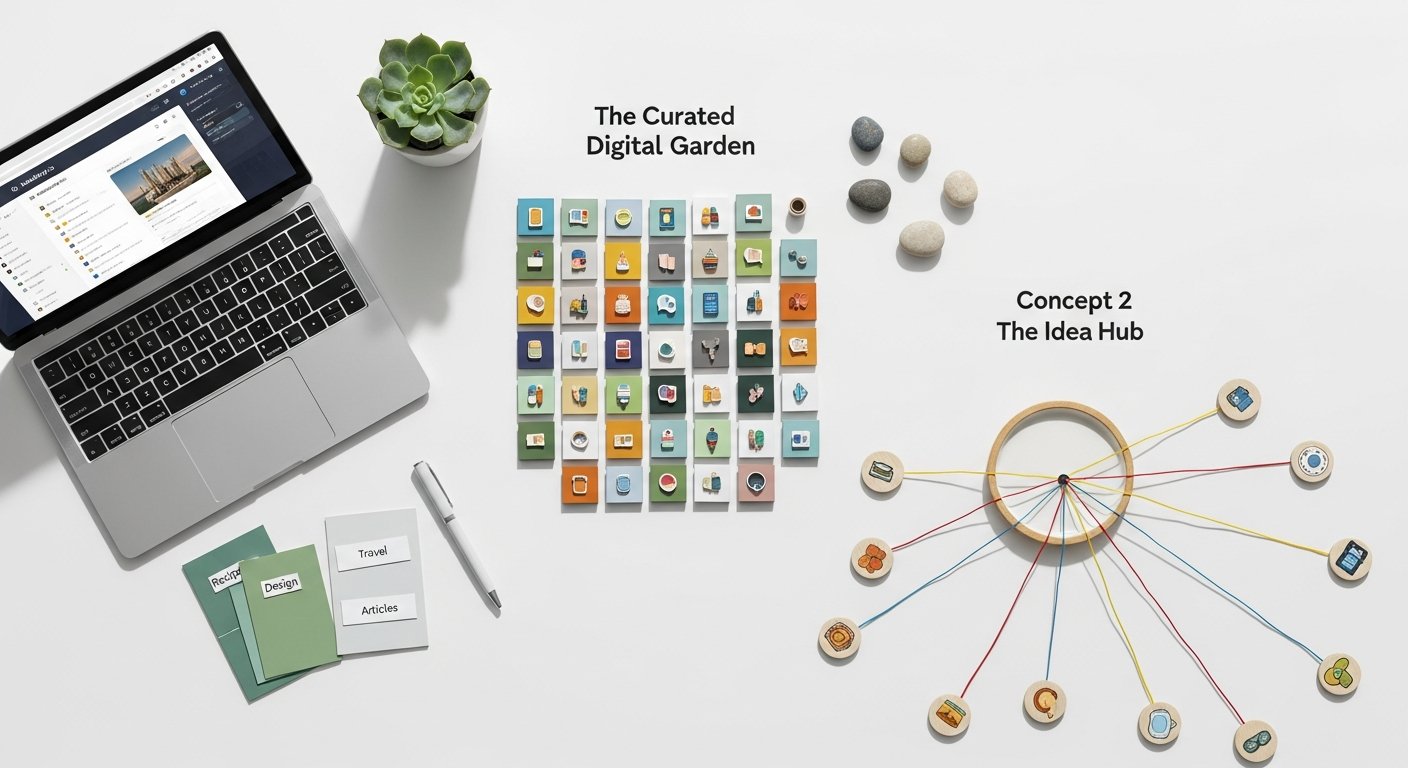
The true strength of Raindrop.io lies in its comprehensive suite of features, designed to cover every aspect of the bookmarking and content curation process. From initial capture to long-term organization and retrieval, Raindrop.io offers tools that elevate it far beyond a simple link saver.
Effortless Capture Across All Platforms
The first step in effective knowledge management is frictionless capture, and Raindrop.io excels here. It provides multiple ways to save content, ensuring you can grab anything, anywhere, anytime.
- Browser Extensions: Available for Chrome, Firefox, Edge, Safari, and Opera, these extensions allow one-click saving. They automatically detect the page title, description, and often a relevant image. You can also add tags, select a collection, and even highlight text directly before saving.
- Mobile Apps: Dedicated apps for iOS and Android offer a seamless “Share Sheet” integration, allowing you to save links from any app on your device. The mobile experience mirrors the desktop, ensuring consistency.
- Desktop Applications: Native applications for Windows, macOS, and Linux provide a dedicated interface for managing your bookmarks outside the browser, often with keyboard shortcuts for quick saving.
- Web Clipper/Screenshot: Beyond just links, Raindrop.io allows you to save screenshots of entire pages or selected areas, providing visual context.
- “Add Manually” & Import: For existing links or bulk imports from other services (e.g., Pocket, Instapaper, browser bookmarks via HTML), Raindrop.io offers robust import options, making migration simple.
Intelligent Organization: Collections, Tags, and Nested Structures
This is where Raindrop.io truly shines, offering unparalleled flexibility in structuring your saved content.
- Collections: Think of these as primary folders. You can create an unlimited number of collections to categorize broad topics (e.g., “AI Research,” “Recipe Ideas,” “Travel Plans”). Each collection can have its own icon for easy visual identification.
- Nested Collections (Pro Feature): For deeper hierarchies, Pro users can create sub-collections within collections, allowing for incredibly granular organization. This transforms a flat folder structure into a rich, navigable tree, essential for complex research projects or extensive personal knowledge bases.
- Tags: A powerful complement to collections, tags offer cross-cutting categorization. A single bookmark can belong to multiple tags (e.g., an article in the “AI Research” collection could be tagged “machine learning,” “ethics,” and “future trends”). This provides immense flexibility for retrieval, allowing you to find content based on themes that span across different collections.
- Highlights and Annotations (Pro Feature): For active reading and retention, Pro users can highlight specific text on a saved page and add personal notes or annotations. These highlights are searchable, turning your saved articles into active learning tools.
- Smart Collections: These are dynamic collections based on specific rules (e.g., all bookmarks tagged “productivity” saved in the last month, or all articles from a specific domain). They automatically update, providing powerful filtered views of your library without manual organization.
Rich Visuals and Enhanced Previews
Unlike traditional bookmark managers that often display bland text lists, Raindrop.io prioritizes visual richness.
- Visual Bookmarks: Every saved item gets a rich preview with a thumbnail image, title, and description. This makes browsing your library much more intuitive and engaging. Missing thumbnails are often automatically generated or can be manually uploaded.
- Article View/Reader Mode: For articles, Raindrop.io can extract the main content, stripping away ads and distractions, presenting it in a clean, readable format. This is invaluable for focused reading and reduces visual fatigue.
- Permanent Copies (Pro Feature): Raindrop.io saves a full-page screenshot and a text-based permanent copy of every page you save. This is a critical feature for archiving, ensuring that even if the original website goes offline or changes, you still retain access to the content as it was when you saved it. This makes it an excellent tool for evidence-based research or digital preservation.
[INLINE IMAGE 1: place after second H2 | alt=”raindrop.io review concept illustration”]
Powerful Search and Retrieval
An organized library is only useful if you can find what you need quickly. Raindrop.io’s search capabilities are a major differentiator.
- Full-Text Search (Pro Feature): This is arguably one of Raindrop.io’s most compelling features. Pro users can search not just titles and descriptions, but the entire content of every saved web page. This includes the text from PDFs, images (via OCR), and permanent copies. This transforms your bookmark library into a personal search engine, making it virtually impossible to lose information.
- Advanced Search Operators: You can refine searches using operators like
tag:,url:,type:,collection:, and date ranges to pinpoint exactly what you’re looking for. - Content Type Recognition: Raindrop.io automatically categorizes saved items by type (article, image, video, document, presentation, link). This allows for filtering and focused browsing, for instance, only showing saved videos or PDFs.
Collaboration and Sharing (Pro Feature)
For teams, study groups, or families, Raindrop.io offers collaborative features.
- Shared Collections: Pro users can share entire collections with others, allowing multiple users to view, add, and organize bookmarks within that collection. This is ideal for team research, project collaboration, or sharing resources with a study group.
- Public Links: Any collection can be made public via a shareable link, creating a curated resource hub for a broader audience.
Backup and Export
Ensuring data ownership and peace of mind, Raindrop.io provides robust backup options.
- JSON Export: You can export your entire Raindrop.io library, including all metadata, tags, and links, in a JSON format. This ensures you always have a copy of your data outside the platform.
- HTML Export: For easier portability, you can also export your library as a standard HTML file, which can be imported into other bookmark managers or even browsers.
The cumulative effect of these features is a bookmarking solution that is not only powerful but also deeply integrated into how you interact with information online. It moves beyond passive saving to active management and meaningful retrieval.
User Experience and Accessibility: Navigating Raindrop.io’s Interface
A tool, no matter how powerful, is only effective if its users can navigate it intuitively and efficiently. Raindrop.io has consistently received high marks for its user experience (UX) and overall accessibility across various platforms. Its design philosophy prioritizes clarity, speed, and visual appeal, making the often-daunting task of information management a surprisingly pleasant one.
Aesthetic Appeal and Visual Hierarchy
Upon logging into Raindrop.io, users are greeted with a clean, modern interface that is visually distinct from the often-cluttered dashboards of other productivity tools. The use of rich previews for each bookmark immediately brings your library to life, making it easy to scan and identify content at a glance. The layout is thoughtfully designed, with collections neatly organized on the left, content displayed prominently in the center, and relevant filters or details available as needed. This visual hierarchy guides the eye and reduces cognitive load.
- Dark Mode: A popular feature, Raindrop.io offers a well-implemented dark mode, reducing eye strain during prolonged use, especially in low-light environments.
- Customization: While not overly customizable to the point of complexity, users can choose different view modes (list, cards, covers) and sort options, tailoring the display to their preference.
- Responsive Design: The web interface adapts beautifully to different screen sizes, providing a consistent experience whether you’re on a large monitor or a smaller tablet.
Intuitive Navigation and Workflow
Raindrop.io’s strength lies in its ability to handle complex organization without feeling overwhelming. The navigation is straightforward:
- Side Panel: Collections and Smart Collections are easily accessible in a persistent left-hand panel. This allows for quick switching between different categories of content.
- Search Bar: A prominent search bar at the top ensures that the most powerful feature—search—is always just a click or keyboard shortcut away.
- Quick Actions: Hovering over a bookmark reveals quick action icons for editing, deleting, or opening the original link, streamlining common tasks.
- Keyboard Shortcuts: For power users, a comprehensive set of keyboard shortcuts dramatically speeds up tasks like saving, organizing, and navigating, allowing for a keyboard-first workflow.
Consistency Across Platforms
A key aspect of a good user experience is consistency. Raindrop.io delivers this remarkably well across its ecosystem:
- Web App: The primary interface, robust and feature-rich.
- Desktop Apps: Native applications for Windows, macOS, and Linux mirror the web experience closely, offering similar features and a familiar layout. This ensures that users don’t have to relearn the interface when switching environments.
- Mobile Apps (iOS & Android): The mobile applications are not just simplified versions but fully functional clients. They maintain the visual aesthetic and core organizational capabilities, optimized for touch interaction. The seamless integration with the mobile “Share Sheet” is particularly intuitive, making saving on the go incredibly easy.
Performance and Reliability
In 2026, slow loading times or unreliable syncing are deal-breakers. Raindrop.io generally performs very well:
- Speed: The interface loads quickly, and actions like saving, tagging, and searching are typically instantaneous, even with large libraries.
- Syncing: Bookmarks and their metadata sync almost in real-time across all devices, ensuring that your library is always up-to-date, whether you saved a link on your phone or tagged an article on your desktop.
- Uptime: Raindrop.io boasts a strong record of uptime and stability, which is crucial for a tool that serves as a central knowledge repository.
Accessibility Considerations
While not explicitly focused on advanced accessibility features, Raindrop.io’s clean design, clear typography, and consistent navigation contribute to a generally accessible experience. The ability to use keyboard shortcuts further aids users who prefer keyboard navigation over mouse interaction. However, for users requiring specific screen reader compatibility or highly customizable color contrast options, it might be worth testing thoroughly.
Overall, Raindrop.io’s UX is a significant selling point. It manages to balance powerful features with an interface that remains intuitive and enjoyable to use, reducing the friction often associated with managing large volumes of digital information. This focus on user satisfaction is a core reason for its loyal user base and positive Raindrop.io review scores.
Pricing, Plans, and Value Proposition: Is Raindrop.io Premium Worth It?
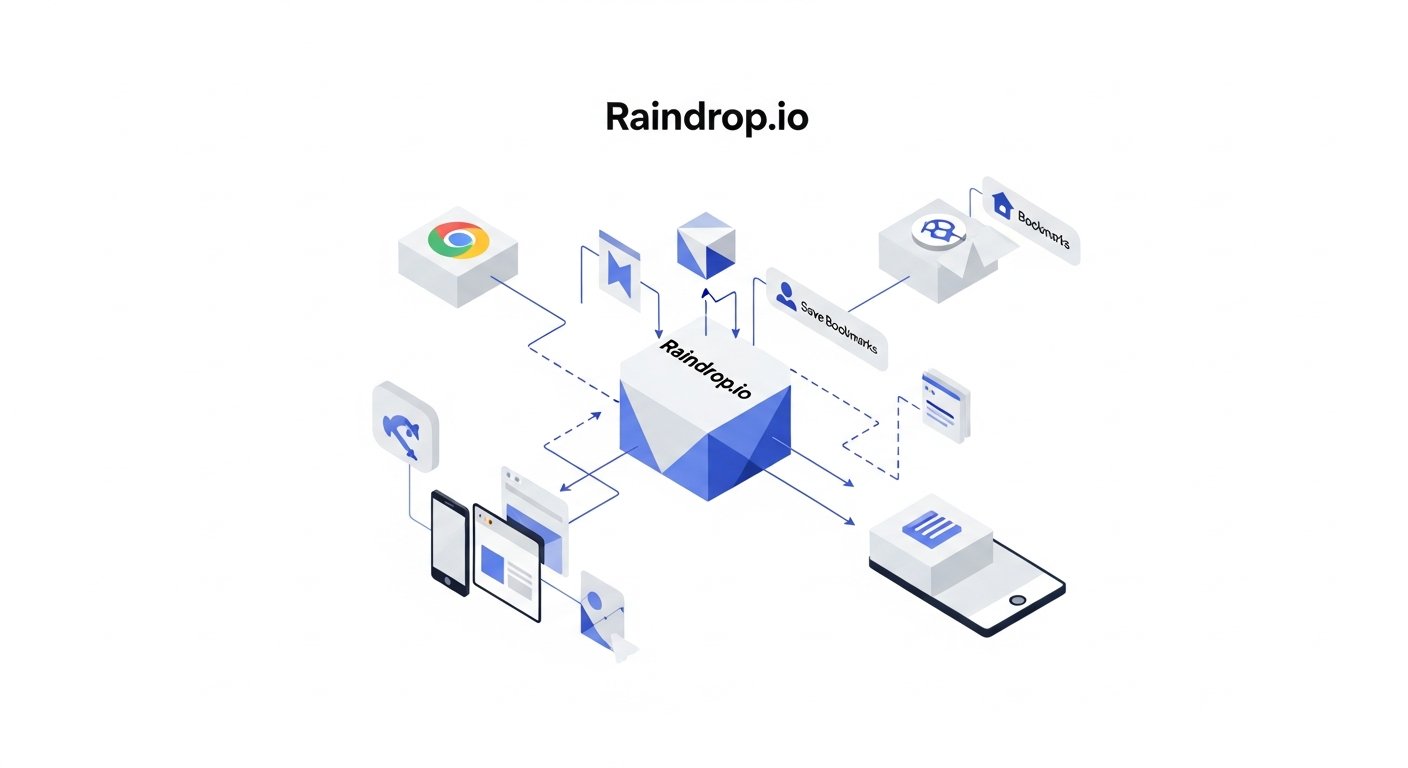
Like many cloud-based services, Raindrop.io operates on a freemium model, offering a robust free tier alongside a more feature-rich premium subscription. Understanding the differences between these tiers is crucial for determining if Raindrop.io provides sufficient value for your specific needs and budget.
The Free Tier: A Capable Starting Point
The free version of Raindrop.io is surprisingly generous and serves as an excellent entry point for new users or those with moderate bookmarking needs. It provides:
- Unlimited Bookmarks: Save as many links as you want, without an arbitrary cap.
- Unlimited Collections & Tags: Organize your content without restriction.
- Browser Extensions & Mobile Apps: Full access to all capture methods.
- Visual Bookmarks: Rich previews for all saved items.
- Basic Full-Text Search: Search within titles, descriptions, and URLs.
- Image/Video Uploads (Limited): A small quota for saving local files.
For casual users who primarily need a more organized and visual alternative to browser bookmarks, the free tier might be all they ever need. It provides a significant upgrade in organization and aesthetics over standard browser bookmark bars.
Raindrop.io Pro: Unlocking Advanced Power Features
The Pro subscription is where Raindrop.io truly transforms into a professional-grade knowledge management tool. Priced competitively, it unlocks a suite of features essential for power users, researchers, and anyone relying on their bookmark library as a primary information hub.
Key Pro Features include:
- Permanent Copies & Cloud Backup: This is arguably the most valuable Pro feature. Raindrop.io saves a full-page screenshot and a text-based permanent copy of every page, ensuring content longevity even if the original link dies. This acts as a robust archive.
- Full-Text Search (Enhanced): Go beyond titles and descriptions. Search the entire content of every saved page, PDF, and permanent copy. This is a game-changer for retrieval.
- Nested Collections: Create multi-level hierarchies for unparalleled organizational depth. Essential for complex projects.
- Highlights & Annotations: Actively engage with content by highlighting text and adding notes directly to saved articles. These annotations are also searchable.
- Unlimited Uploads: Save as many local files (PDFs, images, videos) directly to Raindrop.io as needed.
- Shared Collections & Collaboration: Collaborate with others on shared collections, perfect for teams or study groups.
- Priority Support: Faster response times from the Raindrop.io support team.
- No Ads: A completely ad-free experience.
Pricing Structure (as of 2026)
Raindrop.io typically offers two payment options for its Pro plan:
- Monthly Subscription: A flexible option for those who prefer to pay month-to-month.
- Annual Subscription: Often provides a significant discount, making it more cost-effective for long-term users.
While specific prices can fluctuate, Raindrop.io Pro generally sits in the mid-range for productivity apps. Compared to other services that offer similar archival and full-text search capabilities, its pricing often represents excellent value, especially considering its elegant interface and cross-platform compatibility.
Is Raindrop.io Pro Worth the Investment?
The answer largely depends on your usage patterns and needs:
- For casual users: If you only save a few links occasionally and don’t require advanced organization or archival, the free tier is more than adequate.
- For students, researchers, content creators, and power users: If your digital workflow heavily relies on saving, organizing, and retrieving a large volume of web content, the Pro tier is an undeniable investment. The permanent copies alone mitigate the frustration of broken links, and the full-text search capability transforms your library into a personal knowledge engine. The ability to annotate and collaborate further solidifies its value for those who actively engage with their saved content.
Consider the cost not just as a subscription fee, but as an investment in your personal productivity, knowledge retention, and digital peace of mind. The time saved from not having to hunt for lost articles or rebuild dead links can easily justify the cost for dedicated users. In a landscape where information is power, Raindrop.io Pro empowers you to harness that power effectively.
[INLINE IMAGE 2: place after fourth H2 | alt=”raindrop.io review comparison illustration”]
Raindrop.io vs. The Competition: A Head-to-Head Analysis
The market for bookmark managers and knowledge management tools is vibrant and diverse, with various platforms offering different strengths and weaknesses. To truly understand the value proposition of Raindrop.io, it’s essential to compare it against some of its most prominent competitors. This section will highlight key differentiators and help you decide where Raindrop.io fits in the broader ecosystem.
Raindrop.io vs. Instapaper & Pocket (Read-It-Later Services)
Instapaper and Pocket are perhaps the most direct competitors, primarily known as “read-it-later” services. They excel at saving articles for distraction-free reading.
- Raindrop.io:
- Strength: Superior organization with nested collections and powerful tagging. Excellent visual presentation for all content types (images, videos, links, articles). Robust full-text search (Pro) across all content, including PDFs and permanent copies. Strong archival capabilities (permanent copies).
- Weakness: While it has a reader mode, its primary focus is not solely on the reading experience like Instapaper.
- Instapaper & Pocket:
- Strength: Optimized reading experience with customizable fonts, themes, and robust offline reading. Excellent text extraction for articles.
- Weakness: Organization is often flatter (tags, basic folders). Search is usually limited to titles and basic text. Less emphasis on visual bookmarks or archival of non-article content types. Their free tiers are often more restrictive on features than Raindrop.io’s.
Verdict: Raindrop.io is better for comprehensive knowledge management and archiving a variety of content types. Instapaper/Pocket are superior if your sole need is a highly optimized “read-it-later” experience for articles.
Raindrop.io vs. Pinboard (Minimalist, Tag-Focused)
Pinboard is the antithesis of Raindrop.io in terms of visual design, prioritizing pure functionality and speed with a text-heavy interface.
- Raindrop.io:
- Strength: Rich visual previews, intuitive UI, powerful full-text search, permanent copies, nested collections, multimedia support.
- Weakness: While fast, it’s visually heavier than Pinboard.
- Pinboard:
- Strength: Extremely fast, pure text-based, excellent for tag-heavy users who prefer minimalism. Very affordable one-time payment for archiving. RSS feeds for tags.
- Weakness: Zero visual appeal, no rich previews, no nested organization, no full-text search of content (only titles/descriptions), basic mobile experience, relies heavily on user-generated tags for organization.
Verdict: Raindrop.io is for users who value a modern, visual, and feature-rich experience. Pinboard is for ultra-minimalists who live and breathe tags and prioritize speed and raw data over aesthetics.
Raindrop.io vs. Native Browser Bookmarks (Chrome, Firefox, Safari)
The default option for most, browser bookmarks are free and integrated.
- Raindrop.io:
- Strength: Cross-browser and cross-device syncing, superior organization (collections, nested collections, tags, smart collections), full-text search (Pro), permanent copies, rich visual previews, dedicated apps, collaboration.
- Weakness: A separate application to manage, requires an additional subscription for full features.
- Browser Bookmarks:
- Strength: Free, deeply integrated into the browser, simple for basic needs.
- Weakness: Limited organization (flat folders), no full-text search, no rich previews, no permanent copies, syncing issues or lack of cross-browser support, often cluttered and hard to manage at scale.
Verdict: Raindrop.io is a massive upgrade for anyone whose browser bookmark bar has become unmanageable and largely useless.
Raindrop.io vs. Evernote/Notion (Note-Taking/PKM Suites)
While not direct competitors in “bookmarking,” tools like Evernote and Notion are often used for web clipping and knowledge management.
- Raindrop.io:
- Strength: Purpose-built for web content curation. Superior visual bookmarking, automated content type detection, permanent copies, optimized for link-heavy libraries. Faster and lighter for just capturing web resources.
- Weakness: Limited note-taking capabilities (only annotations/highlights), not designed for creating documents or complex databases.
- Evernote/Notion:
- Strength: Comprehensive note-taking, document creation, database management. Web clipper integrates captured content into a broader note-taking context.
- Weakness: Web clips often lack the visual richness and dedicated organizational structure of Raindrop.io. Can become bloated with links, making them harder to manage purely as bookmarks. Full-text search might not be as optimized for web content across all formats.
Verdict: Raindrop.io excels as the dedicated “front door” for web resources, which can then be selectively linked or integrated into a larger PKM system like Notion or Evernote for deeper processing. They can complement each other effectively. Explore how Raindrop.io integrates with your existing PKM tools.
Comparison Table: Raindrop.io vs. Key Competitors (2026)
| Feature | Raindrop.io | Instapaper / Pocket | Pinboard | Browser Bookmarks | Notion (Web Clipper) |
|---|---|---|---|---|---|
| Primary Focus | Comprehensive Bookmark & Content Curator | Read-It-Later Articles | Minimalist Tag-Based Bookmarking | Basic Link Saving | General PKM & Document Creation |
| Visual Bookmarks | ✅ Excellent (Rich Previews, Covers) | Limited (Thumbnails for articles) | ❌ None (Text-only) | ❌ Basic (Favicons only) | Limited (Depends on page) |
| Nested Collections | ✅ Yes (Pro) | ❌ No | ❌ No | ❌ No | ✅ Yes (Pages/Databases) |
| Full-Text Search | ✅ Yes (Pro – entire page content, PDFs, OCR) | ✅ Yes (Article content, limited) | ❌ No (Only URL, title, description, tags) | ❌ No | ✅ Yes (Within Notion page content) |
| Permanent Copies / Archiving | ✅ Yes (Pro – full page, text) | ✅ Yes (Article text, limited) | ✅ Yes (Archival add-on) | ❌ No | ❌ No (Saves current state) |
| Annotations / Highlights | ✅ Yes (Pro) | ✅ Yes | ❌ No | ❌ No | ✅ Yes |
| Collaboration | ✅ Yes (Pro – Shared Collections) | ❌ No | ❌ No | ❌ No | ✅ Yes (Shared Pages/Workspaces) |
| Multimedia Support | ✅ Excellent (Videos, Images, PDFs) | Limited (Primarily articles) | ❌ No | Basic (Links to media) | ✅ Yes (Embeds) |
| Cross-Platform Apps | ✅ Web, Desktop, iOS, Android, Browser Ext. | ✅ Web, iOS, Android, Browser Ext. | ✅ Web, 3rd party apps | Browser-specific | ✅ Web, Desktop, iOS, Android |
| Free Tier Value | ✅ Generous (Unlimited bookmarks, good features) | 🟡 Moderate (Often limited features/sync) | ❌ None (Paid only) | ✅ Full features (Browser native) | 🟡 Moderate (Page limits for blocks) |
In conclusion, Raindrop.io carved out a unique and valuable niche. It’s not just a “read-it-later” service, nor is it a full-blown PKM suite. It’s a highly specialized and extremely effective tool for anyone whose core need is to curate, organize, and reliably retrieve web-based information, making it a powerful asset in a modern digital workflow. Discover more about how digital curation impacts productivity.
Advanced Use Cases and Workflow Integrations
Raindrop.io’s true potential is realized when it’s integrated into a broader digital workflow. Beyond simply saving links, its advanced features enable sophisticated knowledge management strategies for both individuals and teams. Here, we explore how Raindrop.io can be leveraged for specific professional and personal use cases, and how it plays nicely with other tools.
Building a Comprehensive Research Database
For academics, journalists, consultants, or anyone engaged in deep research, Raindrop.io becomes an invaluable asset. Imagine researching a complex topic: you’re encountering articles, scientific papers (PDFs), video lectures, news reports, and blog posts. With Raindrop.io:
- Granular Organization: Create a primary collection for your project (e.g., “Quantum Computing Ethics”). Within this, establish nested collections for sub-topics (“Policy Implications,” “Historical Context,” “Technical Challenges”).
- Cross-Referencing with Tags: Apply tags like “AI_bias,” “privacy_law,” “future_predictions” to bookmarks across different collections. This allows you to pull up all content related to “privacy_law” regardless of its primary collection.
- Active Reading & Synthesis: Use the highlighting and annotation features (Pro) to mark key passages and add your own insights or questions directly to saved articles. These annotations become searchable, turning passive reading into active knowledge creation.
- Permanent Archival: Rely on permanent copies (Pro) to ensure that even if a source changes or disappears, your research integrity is maintained. This is critical for academic citations and evidence-based reporting.
- Full-Text Discovery: When you need to recall a specific detail but can’t remember which article it was in, the full-text search (Pro) will scan every word of every saved document, pinpointing the information instantly.
Content Curation for Marketing & Social Media
Marketing professionals and social media managers constantly need to curate relevant content—competitor campaigns, industry news, design inspiration, viral trends, and potential shareable articles. Raindrop.io streamlines this:
- Inspiration Libraries: Create collections like “Ad Campaigns,” “Social Media Strategies,” “Visual Design Trends.” Tag specific elements like “typography,” “call_to_action,” “storytelling.”
- Competitor Intelligence: Have a dedicated collection for each competitor, saving their articles, ads, and product launches. Use permanent copies to track changes over time.
- Shareable Content Hub: Curate articles and resources that align with your brand’s voice in a shared collection (Pro). Your team can then pull from this pre-vetted content for social media posts, newsletters, or blog ideas.
- Trend Tracking: Use Smart Collections to monitor new content tagged with specific keywords like “metaverse marketing” or “gen_z consumer behavior” as it comes in.
Personal Knowledge Management (PKM) Beyond Bookmarks
For individuals building a comprehensive PKM system, Raindrop.io can act as the primary capture point for external web resources.
- Digital Zettelkasten Integration: Save articles, highlight key concepts, and add annotations. Then, use those annotations as prompts to create atomic notes in a tool like Obsidian or Logseq, linking back to the Raindrop.io entry for the full context. Learn more about integrating Raindrop.io into a Zettelkasten system.
- Project Resource Management: For personal projects (e.g., learning a new skill, planning a trip, home renovation), create dedicated collections for web resources. This keeps them separate from other project notes while making them instantly accessible.
- Reading List & Review: Combine Raindrop.io’s reader mode with highlights to deeply engage with articles, then export your annotations for review or integration into a learning journal.
Integrations and Ecosystem
While Raindrop.io isn’t known for a vast array of direct third-party integrations, its open nature allows for powerful workflows through indirect means:
- IFTTT & Zapier (via RSS): While not a direct API, you can leverage Raindrop.io’s RSS feeds for collections (Pro feature) with automation tools like IFTTT or Zapier. For example, you could set up an automation to:
- Send new bookmarks from a specific collection to a Slack channel.
- Create a new task in your task manager (e.g., Todoist, Asana) whenever an article is tagged “actionable.”
- Add new bookmarks to a Notion database as an entry.
- API Access: For developers, Raindrop.io offers a public API, allowing for custom integrations and extensions. This means advanced users can build bespoke solutions to fit very specific workflow needs, connecting Raindrop.io with almost any other web service.
- Export for Other Tools: The ability to export your entire library as JSON or HTML means you can always migrate your data or use it with other applications, ensuring vendor independence.
By thinking beyond simple link saving and leveraging its organizational depth, archival power, and potential for automation, Raindrop.io transforms from a utility into a central pillar of an efficient and robust digital workflow. It empowers users to not just collect information, but to actively manage, learn from, and ultimately leverage it effectively.
Security, Privacy, and Data Ownership
In an era where data breaches and privacy concerns are paramount, evaluating the security and privacy practices of any cloud service is non-negotiable. For a tool like Raindrop.io, which often holds links to sensitive research, personal projects, or proprietary information, these considerations are particularly critical. This section addresses how Raindrop.io handles your data and what users can expect in terms of security and ownership.
Data Encryption and Protection
Raindrop.io employs standard industry practices to protect user data:
- Data in Transit: All communication between your devices and Raindrop.io servers is encrypted using HTTPS/SSL protocols. This ensures that your data is secure while it’s being transmitted over the internet, protecting against eavesdropping and tampering.
- Data at Rest: While specific details on server-side encryption methods are often proprietary, reputable cloud services typically store data encrypted at rest. Users should consult Raindrop.io’s official privacy policy for the most up-to-date and detailed information.
- Secure Infrastructure: Raindrop.io utilizes robust cloud infrastructure providers (e.g., Amazon Web Services, Google Cloud) known for their high security standards, physical security, and regular audits.
Privacy Policy and Data Usage
Understanding a service’s privacy policy is crucial. Raindrop.io’s policy typically outlines:
- No Sale of Data: Raindrop.io generally states that it does not sell user data to third parties. Its business model relies on premium subscriptions, not on monetizing user information.
- Data Collection: It collects necessary operational data, such as your email address for account management, usage statistics to improve the service, and of course, the bookmarks and content you save.
- Anonymized Usage Data: Like many services, Raindrop.io may collect anonymized usage data to understand how the service is used and identify areas for improvement. This data is aggregated and does not identify individual users.
- Third-Party Processors: Raindrop.io may use third-party services for analytics, payment processing, and cloud hosting. These partners are typically vetted for their own security and privacy compliance.
It
Raindrop.io Review 2026: The Ultimate Guide to Digital Curation & PKM Excellence
Affiliate disclosure: This article may contain affiliate links. Recommendations are independent and editorially driven.
In the relentless current of information that defines our digital age, the ability to effectively capture, organize, and retrieve valuable web content is no longer a luxury—it’s a fundamental pillar of productivity, learning, and personal knowledge management (PKM). As architects of our own digital ecosystems, we constantly seek tools that can transform the chaotic deluge of links, articles, videos, and research papers into an accessible, intelligent, and personalized library. Among the myriad of options available, Raindrop.io has consistently emerged as a frontrunner, lauded by enthusiasts and power users alike for its robust feature set and elegant design.
This comprehensive Raindrop.io review for 2026 delves deep into what makes this bookmark manager a standout choice for anyone serious about digital curation. We’ll explore its core functionalities, scrutinize its user experience, evaluate its pricing structure, and pit it against its closest competitors. Whether you’re a student building a research database, a professional curating industry insights, a creative stockpiling inspiration, or simply someone overwhelmed by an ever-growing browser bookmark bar, understanding Raindrop.io’s capabilities is crucial. Join us as we unpack every facet of Raindrop.io, helping you determine if it’s the missing piece in your tech productivity arsenal.
Understanding Raindrop.io: A Paradigm Shift in Bookmark Management
At its heart, Raindrop.io transcends the traditional definition of a bookmark manager. While it excels at saving web pages, it’s more accurately described as a comprehensive digital content curator and knowledge repository. Instead of a mere list of links, Raindrop.io transforms your saved content into a rich, visual, and highly organized database. It addresses the common pain points associated with conventional bookmarking—lost links, disorganized folders, and the inability to quickly find specific information later.
Raindrop.io’s philosophy centers on making saved content not just accessible, but actionable. It understands that a link without context, without categorization, and without the ability to be easily rediscovered is essentially useless. By integrating advanced features like full-text search, automatic categorization, and powerful tagging, it empowers users to build a personalized library that truly reflects their interests and needs. This isn’t just about saving URLs; it’s about preserving knowledge, building research collections, and creating a personal archive that grows more valuable over time.
The Genesis and Evolution of a Modern Curator
Raindrop.io was conceived out of a need for a more intelligent and visually appealing way to manage web resources. Since its inception, it has continually evolved, incorporating user feedback and adapting to the ever-changing landscape of web content. What started as a promising alternative to browser-native bookmarking has blossomed into a sophisticated platform supporting multiple devices and complex workflows. Its commitment to a clean, intuitive interface while simultaneously packing powerful features is a testament to its thoughtful development.
Who Benefits Most from Raindrop.io?
- Researchers & Academics: For compiling articles, papers, and sources for projects, with robust tagging and search.
- Students: Organizing study materials, course readings, and external resources for assignments.
- Content Creators & Marketers: Curating inspiration, competitor analysis, and industry trends.
- Designers & Artists: Building mood boards, saving visual references, and tracking creative ideas.
- Developers & Engineers: Archiving tutorials, documentation, and useful code snippets.
- Journalists & Writers: Storing research, interviews, and background information for stories.
- Everyday Users: Anyone looking to declutter their browser bookmarks and create a more organized digital life.
In essence, if your digital life involves saving links for future reference, and you find yourself struggling to locate them when needed, Raindrop.io offers a compelling solution. Its focus on visual presentation, deep organization, and powerful search capabilities makes it an indispensable tool for proactive knowledge managers.
Core Features: Unpacking Raindrop.io’s Powerful Functionality
The true strength of Raindrop.io lies in its comprehensive suite of features, designed to cover every aspect of the bookmarking and content curation process. From initial capture to long-term organization and retrieval, Raindrop.io offers tools that elevate it far beyond a simple link saver.
Effortless Capture Across All Platforms
The first step in effective knowledge management is frictionless capture, and Raindrop.io excels here. It provides multiple ways to save content, ensuring you can grab anything, anywhere, anytime.
- Browser Extensions: Available for Chrome, Firefox, Edge, Safari, and Opera, these extensions allow one-click saving. They automatically detect the page title, description, and often a relevant image. You can also add tags, select a collection, and even highlight text directly before saving.
- Mobile Apps: Dedicated apps for iOS and Android offer a seamless “Share Sheet” integration, allowing you to save links from any app on your device. The mobile experience mirrors the desktop, ensuring consistency.
- Desktop Applications: Native applications for Windows, macOS, and Linux provide a dedicated interface for managing your bookmarks outside the browser, often with keyboard shortcuts for quick saving.
- Web Clipper/Screenshot: Beyond just links, Raindrop.io allows you to save screenshots of entire pages or selected areas, providing visual context.
- “Add Manually” & Import: For existing links or bulk imports from other services (e.g., Pocket, Instapaper, browser bookmarks via HTML), Raindrop.io offers robust import options, making migration simple.
Intelligent Organization: Collections, Tags, and Nested Structures
This is where Raindrop.io truly shines, offering unparalleled flexibility in structuring your saved content.
- Collections: Think of these as primary folders. You can create an unlimited number of collections to categorize broad topics (e.g., “AI Research,” “Recipe Ideas,” “Travel Plans”). Each collection can have its own icon for easy visual identification.
- Nested Collections (Pro Feature): For deeper hierarchies, Pro users can create sub-collections within collections, allowing for incredibly granular organization. This transforms a flat folder structure into a rich, navigable tree, essential for complex research projects or extensive personal knowledge bases.
- Tags: A powerful complement to collections, tags offer cross-cutting categorization. A single bookmark can belong to multiple tags (e.g., an article in the “AI Research” collection could be tagged “machine learning,” “ethics,” and “future trends”). This provides immense flexibility for retrieval, allowing you to find content based on themes that span across different collections.
- Highlights and Annotations (Pro Feature): For active reading and retention, Pro users can highlight specific text on a saved page and add personal notes or annotations. These highlights are searchable, turning your saved articles into active learning tools.
- Smart Collections: These are dynamic collections based on specific rules (e.g., all bookmarks tagged “productivity” saved in the last month, or all articles from a specific domain). They automatically update, providing powerful filtered views of your library without manual organization.
Rich Visuals and Enhanced Previews
Unlike traditional bookmark managers that often display bland text lists, Raindrop.io prioritizes visual richness.
- Visual Bookmarks: Every saved item gets a rich preview with a thumbnail image, title, and description. This makes browsing your library much more intuitive and engaging. Missing thumbnails are often automatically generated or can be manually uploaded.
- Article View/Reader Mode: For articles, Raindrop.io can extract the main content, stripping away ads and distractions, presenting it in a clean, readable format. This is invaluable for focused reading and reduces visual fatigue.
- Permanent Copies (Pro Feature): Raindrop.io saves a full-page screenshot and a text-based permanent copy of every page you save. This is a critical feature for archiving, ensuring that even if the original website goes offline or changes, you still retain access to the content as it was when you saved it. This makes it an excellent tool for evidence-based research or digital preservation.
[INLINE IMAGE 1: place after second H2 | alt=”raindrop.io review concept illustration”]
Powerful Search and Retrieval
An organized library is only useful if you can find what you need quickly. Raindrop.io’s search capabilities are a major differentiator.
- Full-Text Search (Pro Feature): This is arguably one of Raindrop.io’s most compelling features. Pro users can search not just titles and descriptions, but the entire content of every saved web page. This includes the text from PDFs, images (via OCR), and permanent copies. This transforms your bookmark library into a personal search engine, making it virtually impossible to lose information.
- Advanced Search Operators: You can refine searches using operators like
tag:,url:,type:,collection:, and date ranges to pinpoint exactly what you’re looking for. - Content Type Recognition: Raindrop.io automatically categorizes saved items by type (article, image, video, document, presentation, link). This allows for filtering and focused browsing, for instance, only showing saved videos or PDFs.
Collaboration and Sharing (Pro Feature)
For teams, study groups, or families, Raindrop.io offers collaborative features.
- Shared Collections: Pro users can share entire collections with others, allowing multiple users to view, add, and organize bookmarks within that collection. This is ideal for team research, project collaboration, or sharing resources with a study group.
- Public Links: Any collection can be made public via a shareable link, creating a curated resource hub for a broader audience.
Backup and Export
Ensuring data ownership and peace of mind, Raindrop.io provides robust backup options.
- JSON Export: You can export your entire Raindrop.io library, including all metadata, tags, and links, in a JSON format. This ensures you always have a copy of your data outside the platform.
- HTML Export: For easier portability, you can also export your library as a standard HTML file, which can be imported into other bookmark managers or even browsers.
The cumulative effect of these features is a bookmarking solution that is not only powerful but also deeply integrated into how you interact with information online. It moves beyond passive saving to active management and meaningful retrieval.
User Experience and Accessibility: Navigating Raindrop.io’s Interface
A tool, no matter how powerful, is only effective if its users can navigate it intuitively and efficiently. Raindrop.io has consistently received high marks for its user experience (UX) and overall accessibility across various platforms. Its design philosophy prioritizes clarity, speed, and visual appeal, making the often-daunting task of information management a surprisingly pleasant one.
Aesthetic Appeal and Visual Hierarchy
Upon logging into Raindrop.io, users are greeted with a clean, modern interface that is visually distinct from the often-cluttered dashboards of other productivity tools. The use of rich previews for each bookmark immediately brings your library to life, making it easy to scan and identify content at a glance. The layout is thoughtfully designed, with collections neatly organized on the left, content displayed prominently in the center, and relevant filters or details available as needed. This visual hierarchy guides the eye and reduces cognitive load.
- Dark Mode: A popular feature, Raindrop.io offers a well-implemented dark mode, reducing eye strain during prolonged use, especially in low-light environments.
- Customization: While not overly customizable to the point of complexity, users can choose different view modes (list, cards, covers) and sort options, tailoring the display to their preference.
- Responsive Design: The web interface adapts beautifully to different screen sizes, providing a consistent experience whether you’re on a large monitor or a smaller tablet.
Intuitive Navigation and Workflow
Raindrop.io’s strength lies in its ability to handle complex organization without feeling overwhelming. The navigation is straightforward:
- Side Panel: Collections and Smart Collections are easily accessible in a persistent left-hand panel. This allows for quick switching between different categories of content.
- Search Bar: A prominent search bar at the top ensures that the most powerful feature—search—is always just a click or keyboard shortcut away.
- Quick Actions: Hovering over a bookmark reveals quick action icons for editing, deleting, or opening the original link, streamlining common tasks.
- Keyboard Shortcuts: For power users, a comprehensive set of keyboard shortcuts dramatically speeds up tasks like saving, organizing, and navigating, allowing for a keyboard-first workflow.
Consistency Across Platforms
A key aspect of a good user experience is consistency. Raindrop.io delivers this remarkably well across its ecosystem:
- Web App: The primary interface, robust and feature-rich.
- Desktop Apps: Native applications for Windows, macOS, and Linux mirror the web experience closely, offering similar features and a familiar layout. This ensures that users don’t have to relearn the interface when switching environments.
- Mobile Apps (iOS & Android): The mobile applications are not just simplified versions but fully functional clients. They maintain the visual aesthetic and core organizational capabilities, optimized for touch interaction. The seamless integration with the mobile “Share Sheet” is particularly intuitive, making saving on the go incredibly easy.
Performance and Reliability
In 2026, slow loading times or unreliable syncing are deal-breakers. Raindrop.io generally performs very well:
- Speed: The interface loads quickly, and actions like saving, tagging, and searching are typically instantaneous, even with large libraries.
- Syncing: Bookmarks and their metadata sync almost in real-time across all devices, ensuring that your library is always up-to-date, whether you saved a link on your phone or tagged an article on your desktop.
- Uptime: Raindrop.io boasts a strong record of uptime and stability, which is crucial for a tool that serves as a central knowledge repository.
Accessibility Considerations
While not explicitly focused on advanced accessibility features, Raindrop.io’s clean design, clear typography, and consistent navigation contribute to a generally accessible experience. The ability to use keyboard shortcuts further aids users who prefer keyboard navigation over mouse interaction. However, for users requiring specific screen reader compatibility or highly customizable color contrast options, it might be worth testing thoroughly.
Overall, Raindrop.io’s UX is a significant selling point. It manages to balance powerful features with an interface that remains intuitive and enjoyable to use, reducing the friction often associated with managing large volumes of digital information. This focus on user satisfaction is a core reason for its loyal user base and positive Raindrop.io review scores.
Pricing, Plans, and Value Proposition: Is Raindrop.io Premium Worth It?
Like many cloud-based services, Raindrop.io operates on a freemium model, offering a robust free tier alongside a more feature-rich premium subscription. Understanding the differences between these tiers is crucial for determining if Raindrop.io provides sufficient value for your specific needs and budget.
The Free Tier: A Capable Starting Point
The free version of Raindrop.io is surprisingly generous and serves as an excellent entry point for new users or those with moderate bookmarking needs. It provides:
- Unlimited Bookmarks: Save as many links as you want, without an arbitrary cap.
- Unlimited Collections & Tags: Organize your content without restriction.
- Browser Extensions & Mobile Apps: Full access to all capture methods.
- Visual Bookmarks: Rich previews for all saved items.
- Basic Full-Text Search: Search within titles, descriptions, and URLs.
- Image/Video Uploads (Limited): A small quota for saving local files.
For casual users who primarily need a more organized and visual alternative to browser bookmarks, the free tier might be all they ever need. It provides a significant upgrade in organization and aesthetics over standard browser bookmark bars.
Raindrop.io Pro: Unlocking Advanced Power Features
The Pro subscription is where Raindrop.io truly transforms into a professional-grade knowledge management tool. Priced competitively, it unlocks a suite of features essential for power users, researchers, and anyone relying on their bookmark library as a primary information hub.
Key Pro Features include:
- Permanent Copies & Cloud Backup: This is arguably the most valuable Pro feature. Raindrop.io saves a full-page screenshot and a text-based permanent copy of every page, ensuring content longevity even if the original link dies. This acts as a robust archive.
- Full-Text Search (Enhanced): Go beyond titles and descriptions. Search the entire content of every saved page, PDF, and permanent copy. This is a game-changer for retrieval.
- Nested Collections: Create multi-level hierarchies for unparalleled organizational depth. Essential for complex projects.
- Highlights & Annotations: Actively engage with content by highlighting text and adding notes directly to saved articles. These annotations are also searchable.
- Unlimited Uploads: Save as many local files (PDFs, images, videos) directly to Raindrop.io as needed.
- Shared Collections & Collaboration: Collaborate with others on shared collections, perfect for teams or study groups.
- Priority Support: Faster response times from the Raindrop.io support team.
- No Ads: A completely ad-free experience.
Pricing Structure (as of 2026)
Raindrop.io typically offers two payment options for its Pro plan:
- Monthly Subscription: A flexible option for those who prefer to pay month-to-month.
- Annual Subscription: Often provides a significant discount, making it more cost-effective for long-term users.
While specific prices can fluctuate, Raindrop.io Pro generally sits in the mid-range for productivity apps. Compared to other services that offer similar archival and full-text search capabilities, its pricing often represents excellent value, especially considering its elegant interface and cross-platform compatibility.
Is Raindrop.io Pro Worth the Investment?
The answer largely depends on your usage patterns and needs:
- For casual users: If you only save a few links occasionally and don’t require advanced organization or archival, the free tier is more than adequate.
- For students, researchers, content creators, and power users: If your digital workflow heavily relies on saving, organizing, and retrieving a large volume of web content, the Pro tier is an undeniable investment. The permanent copies alone mitigate the frustration of broken links, and the full-text search capability transforms your library into a personal knowledge engine. The ability to annotate and collaborate further solidifies its value for those who actively engage with their saved content.
Consider the cost not just as a subscription fee, but as an investment in your personal productivity, knowledge retention, and digital peace of mind. The time saved from not having to hunt for lost articles or rebuild dead links can easily justify the cost for dedicated users. In a landscape where information is power, Raindrop.io Pro empowers you to harness that power effectively.
[INLINE IMAGE 2: place after fourth H2 | alt=”raindrop.io review comparison illustration”]
Raindrop.io vs. The Competition: A Head-to-Head Analysis
The market for bookmark managers and knowledge management tools is vibrant and diverse, with various platforms offering different strengths and weaknesses. To truly understand the value proposition of Raindrop.io, it’s essential to compare it against some of its most prominent competitors. This section will highlight key differentiators and help you decide where Raindrop.io fits in the broader ecosystem.
Raindrop.io vs. Instapaper & Pocket (Read-It-Later Services)
Instapaper and Pocket are perhaps the most direct competitors, primarily known as “read-it-later” services. They excel at saving articles for distraction-free reading.
- Raindrop.io:
- Strength: Superior organization with nested collections and powerful tagging. Excellent visual presentation for all content types (images, videos, links, articles). Robust full-text search (Pro) across all content, including PDFs and permanent copies. Strong archival capabilities (permanent copies).
- Weakness: While it has a reader mode, its primary focus is not solely on the reading experience like Instapaper.
- Instapaper & Pocket:
- Strength: Optimized reading experience with customizable fonts, themes, and robust offline reading. Excellent text extraction for articles.
- Weakness: Organization is often flatter (tags, basic folders). Search is usually limited to titles and basic text. Less emphasis on visual bookmarks or archival of non-article content types. Their free tiers are often more restrictive on features than Raindrop.io’s.
Verdict: Raindrop.io is better for comprehensive knowledge management and archiving a variety of content types. Instapaper/Pocket are superior if your sole need is a highly optimized “read-it-later” experience for articles.
Raindrop.io vs. Pinboard (Minimalist, Tag-Focused)
Pinboard is the antithesis of Raindrop.io in terms of visual design, prioritizing pure functionality and speed with a text-heavy interface.
- Raindrop.io:
- Strength: Rich visual previews, intuitive UI, powerful full-text search, permanent copies, nested collections, multimedia support.
- Weakness: While fast, it’s visually heavier than Pinboard.
- Pinboard:
- Strength: Extremely fast, pure text-based, excellent for tag-heavy users who prefer minimalism. Very affordable one-time payment for archiving. RSS feeds for tags.
- Weakness: Zero visual appeal, no rich previews, no nested organization, no full-text search of content (only titles/descriptions), basic mobile experience, relies heavily on user-generated tags for organization.
Verdict: Raindrop.io is for users who value a modern, visual, and feature-rich experience. Pinboard is for ultra-minimalists who live and breathe tags and prioritize speed and raw data over aesthetics.
Raindrop.io vs. Native Browser Bookmarks (Chrome, Firefox, Safari)
The default option for most, browser bookmarks are free and integrated.
- Raindrop.io:
- Strength: Cross-browser and cross-device syncing, superior organization (collections, nested collections, tags, smart collections), full-text search (Pro), permanent copies, rich visual previews, dedicated apps, collaboration.
- Weakness: A separate application to manage, requires an additional subscription for full features.
- Browser Bookmarks:
- Strength: Free, deeply integrated into the browser, simple for basic needs.
- Weakness: Limited organization (flat folders), no full-text search, no rich previews, no permanent copies, syncing issues or lack of cross-browser support, often cluttered and hard to manage at scale.
Verdict: Raindrop.io is a massive upgrade for anyone whose browser bookmark bar has become unmanageable and largely useless.
Raindrop.io vs. Evernote/Notion (Note-Taking/PKM Suites)
While not direct competitors in “bookmarking,” tools like Evernote and Notion are often used for web clipping and knowledge management.
- Raindrop.io:
- Strength: Purpose-built for web content curation. Superior visual bookmarking, automated content type detection, permanent copies, optimized for link-heavy libraries. Faster and lighter for just capturing web resources.
- Weakness: Limited note-taking capabilities (only annotations/highlights), not designed for creating documents or complex databases.
- Evernote/Notion:
- Strength: Comprehensive note-taking, document creation, database management. Web clipper integrates captured content into a broader note-taking context.
- Weakness: Web clips often lack the visual richness and dedicated organizational structure of Raindrop.io. Can become bloated with links, making them harder to manage purely as bookmarks. Full-text search might not be as optimized for web content across all formats.
Verdict: Raindrop.io excels as the dedicated “front door” for web resources, which can then be selectively linked or integrated into a larger PKM system like Notion or Evernote for deeper processing. They can complement each other effectively. Explore how Raindrop.io integrates with your existing PKM tools.
Comparison Table: Raindrop.io vs. Key Competitors (2026)
| Feature | Raindrop.io | Instapaper / Pocket | Pinboard | Browser Bookmarks | Notion (Web Clipper) |
|---|---|---|---|---|---|
| Primary Focus | Comprehensive Bookmark & Content Curator | Read-It-Later Articles | Minimalist Tag-Based Bookmarking | Basic Link Saving | General PKM & Document Creation |
| Visual Bookmarks | ✅ Excellent (Rich Previews, Covers) | Limited (Thumbnails for articles) | ❌ None (Text-only) | ❌ Basic (Favicons only) | Limited (Depends on page) |
| Nested Collections | ✅ Yes (Pro) | ❌ No | ❌ No | ❌ No | ✅ Yes (Pages/Databases) |
| Full-Text Search | ✅ Yes (Pro – entire page content, PDFs, OCR) | ✅ Yes (Article content, limited) | ❌ No (Only URL, title, description, tags) | ❌ No | ✅ Yes (Within Notion page content) |
| Permanent Copies / Archiving | ✅ Yes (Pro – full page, text) | ✅ Yes (Article text, limited) | ✅ Yes (Archival add-on) | ❌ No | ❌ No (Saves current state) |
| Annotations / Highlights | ✅ Yes (Pro) | ✅ Yes | ❌ No | ❌ No | ✅ Yes |
| Collaboration | ✅ Yes (Pro – Shared Collections) | ❌ No | ❌ No | ❌ No | ✅ Yes (Shared Pages/Workspaces) |
| Multimedia Support | ✅ Excellent (Videos, Images, PDFs) | Limited (Primarily articles) | ❌ No | Basic (Links to media) | ✅ Yes (Embeds) |
| Cross-Platform Apps | ✅ Web, Desktop, iOS, Android, Browser Ext. | ✅ Web, iOS, Android, Browser Ext. | ✅ Web, 3rd party apps | Browser-specific | ✅ Web, Desktop, iOS, Android |
| Free Tier Value | ✅ Generous (Unlimited bookmarks, good features) | 🟡 Moderate (Often limited features/sync) | ❌ None (Paid only) | ✅ Full features (Browser native) | 🟡 Moderate (Page limits for blocks) |
In conclusion, Raindrop.io carved out a unique and valuable niche. It’s not just a “read-it-later” service, nor is it a full-blown PKM suite. It’s a highly specialized and extremely effective tool for anyone whose core need is to curate, organize, and reliably retrieve web-based information, making it a powerful asset in a modern digital workflow. Discover more about how digital curation impacts productivity.
Advanced Use Cases and Workflow Integrations
Raindrop.io’s true potential is realized when it’s integrated into a broader digital workflow. Beyond simply saving links, its advanced features enable sophisticated knowledge management strategies for both individuals and teams. Here, we explore how Raindrop.io can be leveraged for specific professional and personal use cases, and how it plays nicely with other tools.
Building a Comprehensive Research Database
For academics, journalists, consultants, or anyone engaged in deep research, Raindrop.io becomes an invaluable asset. Imagine researching a complex topic: you’re encountering articles, scientific papers (PDFs), video lectures, news reports, and blog posts. With Raindrop.io:
- Granular Organization: Create a primary collection for your project (e.g., “Quantum Computing Ethics”). Within this, establish nested collections for sub-topics (“Policy Implications,” “Historical Context,” “Technical Challenges”).
- Cross-Referencing with Tags: Apply tags like “AI_bias,” “privacy_law,” “future_predictions” to bookmarks across different collections. This allows you to pull up all content related to “privacy_law” regardless of its primary collection.
- Active Reading & Synthesis: Use the highlighting and annotation features (Pro) to mark key passages and add your own insights or questions directly to saved articles. These annotations become searchable, turning passive reading into active knowledge creation.
- Permanent Archival: Rely on permanent copies (Pro) to ensure that even if a source changes or disappears, your research integrity is maintained. This is critical for academic citations and evidence-based reporting.
- Full-Text Discovery: When you need to recall a specific detail but can’t remember which article it was in, the full-text search (Pro) will scan every word of every saved document, pinpointing the information instantly.
Content Curation for Marketing & Social Media
Marketing professionals and social media managers constantly need to curate relevant content—competitor campaigns, industry news, design inspiration, viral trends, and potential shareable articles. Raindrop.io streamlines this:
- Inspiration Libraries: Create collections like “Ad Campaigns,” “Social Media Strategies,” “Visual Design Trends.” Tag specific elements like “typography,” “call_to_action,” “storytelling.”
- Competitor Intelligence: Have a dedicated collection for each competitor, saving their articles, ads, and product launches. Use permanent copies to track changes over time.
- Shareable Content Hub: Curate articles and resources that align with your brand’s voice in a shared collection (Pro). Your team can then pull from this pre-vetted content for social media posts, newsletters, or blog ideas.
- Trend Tracking: Use Smart Collections to monitor new content tagged with specific keywords like “metaverse marketing” or “gen_z consumer behavior” as it comes in.
Personal Knowledge Management (PKM) Beyond Bookmarks
For individuals building a comprehensive PKM system, Raindrop.io can act as the primary capture point for external web resources.
- Digital Zettelkasten Integration: Save articles, highlight key concepts, and add annotations. Then, use those annotations as prompts to create atomic notes in a tool like Obsidian or Logseq, linking back to the Raindrop.io entry for the full context. Learn more about integrating Raindrop.io into a Zettelkasten system.
- Project Resource Management: For personal projects (e.g., learning a new skill, planning a trip, home renovation), create dedicated collections for web resources. This keeps them separate from other project notes while making them instantly accessible.
- Reading List & Review: Combine Raindrop.io’s reader mode with highlights to deeply engage with articles, then export your annotations for review or integration into a learning journal.
Integrations and Ecosystem
While Raindrop.io isn’t known for a vast array of direct third-party integrations, its open nature allows for powerful workflows through indirect means:
- IFTTT & Zapier (via RSS): While not a direct API, you can leverage Raindrop.io’s RSS feeds for collections (Pro feature) with automation tools like IFTTT or Zapier. For example, you could set up an automation to:
- Send new bookmarks from a specific collection to a Slack channel.
- Create a new task in your task manager (e.g., Todoist, Asana) whenever an article is tagged “actionable.”
- Add new bookmarks to a Notion database as an entry.
- API Access: For developers, Raindrop.io offers a public API, allowing for custom integrations and extensions. This means advanced users can build bespoke solutions to fit very specific workflow needs, connecting Raindrop.io with almost any other web service.
- Export for Other Tools: The ability to export your entire library as JSON or HTML means you can always migrate your data or use it with other applications, ensuring vendor independence.
By thinking beyond simple link saving and leveraging its organizational depth, archival power, and potential for automation, Raindrop.io transforms from a utility into a central pillar of an efficient and robust digital workflow. It empowers users to not just collect information, but to actively manage, learn from, and ultimately leverage it effectively.
Security, Privacy, and Data Ownership
In an era where data breaches and privacy concerns are paramount, evaluating the security and privacy practices of any cloud service is non-negotiable. For a tool like Raindrop.io, which often holds links to sensitive research, personal projects, or proprietary information, these considerations are particularly critical. This section addresses how Raindrop.io handles your data and what users can expect in terms of security and ownership.
Data Encryption and Protection
Raindrop.io employs standard industry practices to protect user data:
- Data in Transit: All communication between your devices and Raindrop.io servers is encrypted using HTTPS/SSL protocols. This ensures that your data is secure while it’s being transmitted over the internet, protecting against eavesdropping and tampering.
- Data at Rest: While specific details on server-side encryption methods are often proprietary, reputable cloud services typically store data encrypted at rest. Users should consult Raindrop.io’s official privacy policy for the most up-to-date and detailed information.
- Secure Infrastructure: Raindrop.io utilizes robust cloud infrastructure providers (e.g., Amazon Web Services, Google Cloud) known for their high security standards, physical security, and regular audits.
Privacy Policy and Data Usage
Understanding a service’s privacy policy is crucial. Raindrop.io’s policy typically outlines:
- No Sale of Data: Raindrop.io generally states that it does not sell user data to third parties. Its business model relies on premium subscriptions, not on monetizing user information.
- Data Collection: It collects necessary operational data, such as your email address for account management, usage statistics to improve the service, and of course, the bookmarks and content you save.
- Anonymized Usage Data: Like many services, Raindrop.io may collect anonymized usage data to understand how the service is used and identify areas for improvement. This data is aggregated and does not identify individual users.
- Third-Party Processors: Raindrop.io may use third-party services for analytics, payment processing, and cloud hosting. These partners are typically vetted for their own security and privacy compliance.
It


