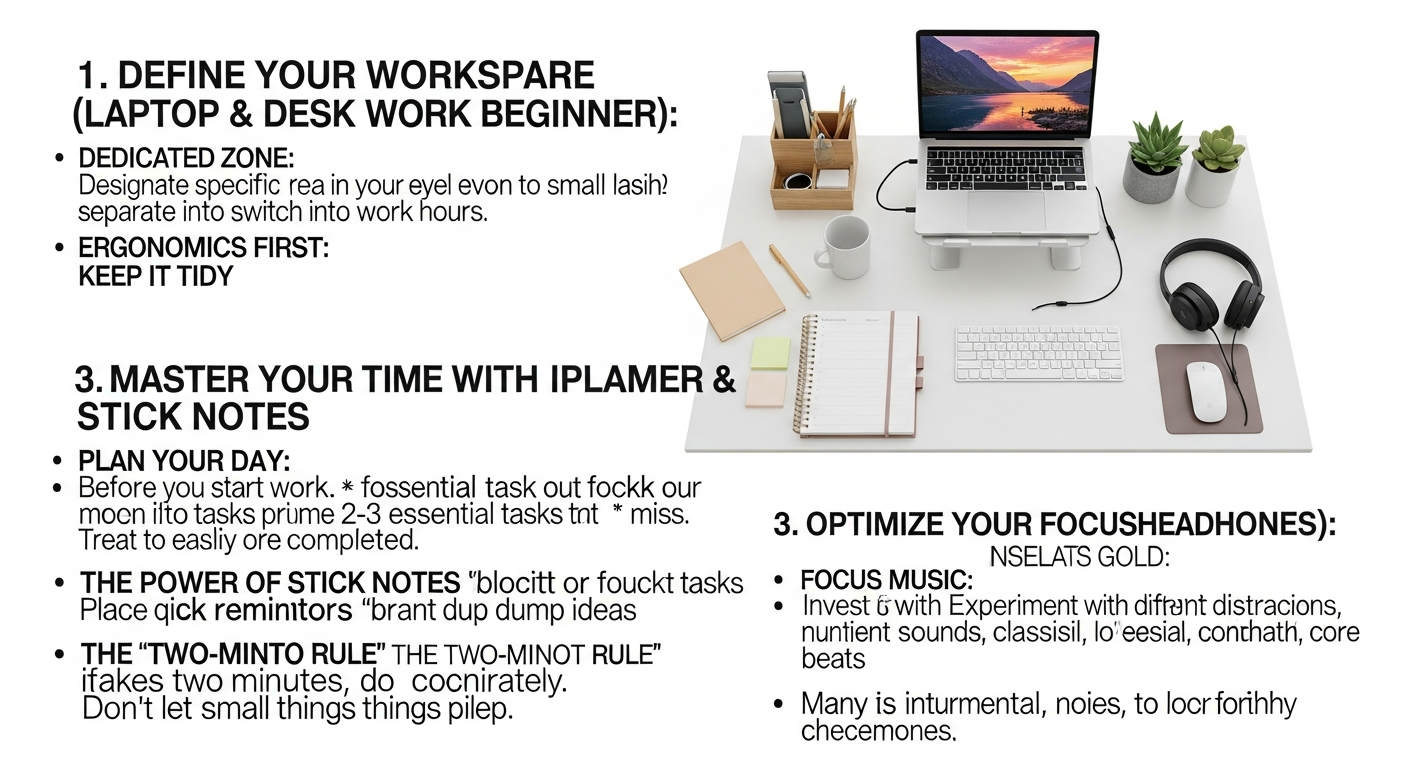

Establishing Your Optimal Remote Workspace
The foundation of successful remote work begins with your physical environment. Unlike a traditional office, your home or chosen workspace needs to be intentionally designed to foster productivity, minimize distractions, and support your well-being. This isn’t just about having a desk; it’s about creating a dedicated sanctuary for your professional endeavors.
Designing an Ergonomic Setup
Your body will thank you for prioritizing ergonomics. A poorly set up workspace can lead to discomfort, strain, and long-term health issues, ultimately impacting your productivity. Investing in ergonomic equipment is not an expense; it’s an investment in your health and sustained efficiency.
- Ergonomic Chair: This is arguably the most critical piece of equipment. Look for a chair with adjustable height, lumbar support, armrests, and a recline feature. Your feet should be flat on the floor or on a footrest, with your knees at a 90-degree angle.
- Adjustable Desk: A standing desk, or one that allows you to easily switch between sitting and standing, can significantly reduce the sedentary nature of remote work. Varying your posture throughout the day can improve circulation, reduce back pain, and boost energy levels.
- Monitor Positioning: Your monitor should be at arm’s length, with the top of the screen at or slightly below eye level. This prevents neck strain. For those wondering How To Choose Monitor For Work, consider factors like size (a larger screen can reduce eye strain and improve multitasking), resolution (4K for crisp visuals), and panel type (IPS for wide viewing angles). Dual monitors are often a game-changer for productivity, allowing you to manage multiple applications simultaneously without constant alt-tabbing.
- Keyboard and Mouse: Opt for an ergonomic keyboard and mouse that fit comfortably in your hands. Mechanical keyboards can offer a more satisfying typing experience, while vertical mice can alleviate wrist strain.
- Proper Lighting: Natural light is ideal, so position your desk near a window if possible. Supplement with good artificial lighting that minimizes glare on your screen and provides even illumination. Avoid working in dimly lit rooms, which can cause eye fatigue.
Creating a Dedicated Work Zone
While some might romanticize working from the couch, a dedicated workspace is paramount for establishing boundaries and psychological separation between work and personal life. This physical distinction signals to your brain that it’s time to focus.
- Physical Separation: Ideally, this means a separate room with a door. If that’s not possible, designate a specific corner of a room that is exclusively for work. Avoid working from your bedroom if you can, as it can blur the lines between rest and activity.
- Minimize Distractions: Keep your workspace tidy and free of personal clutter. Consider noise-canceling headphones if you have a busy household. Inform family members or housemates about your work hours and the importance of uninterrupted focus.
- Personalize and Organize: While keeping it tidy, personalize your space with elements that inspire you, such as plants, motivational quotes, or photos. Ensure essential supplies are within easy reach, and cables are managed to avoid visual clutter. A well-organized space contributes significantly to a clear mind.
Ensuring Reliable Connectivity and Hardware
In the digital realm, your connection to the internet is your lifeline. Don’t underestimate the importance of robust infrastructure.
- High-Speed Internet: Invest in the fastest and most reliable internet plan available in your area. A stable connection is non-negotiable for video calls, file transfers, and accessing cloud-based applications. Consider a backup internet option, like a mobile hotspot, for emergencies.
- Reliable Computer: Your laptop or desktop should be powerful enough to handle your daily tasks, especially if you work with demanding software. Ensure it has sufficient RAM, processor speed, and storage. Regular software updates and virus scans are also crucial for security and performance.
- Quality Peripherals: A good webcam and microphone are essential for professional video conferencing. Built-in laptop cameras and mics are often sufficient, but external options can provide superior quality, especially in noisy environments.
Mastering Your Time and Productivity in a Remote Setting
One of the biggest misconceptions about remote work is that it offers endless flexibility to work whenever you feel like it. While flexibility is a benefit, structure and discipline are the true keys to sustained productivity. Without the natural rhythms of an office, you must proactively manage your time and attention.
Developing a Consistent Daily Routine
Routines provide predictability and help you transition smoothly between different modes of activity. They reduce decision fatigue and ensure you allocate time effectively.
- Establish Start and End Times: Treat your remote workday like a traditional one. Set a specific time to start and, more importantly, a time to stop. This helps create boundaries and prevents work from bleeding into your personal life.
- Morning Rituals: Begin your day with a consistent morning routine that isn’t work-related. This could include exercise, meditation, reading, or a leisurely breakfast. This helps you ease into work mode rather than jumping straight into emails.
- Scheduled Breaks: Integrate regular short breaks (e.g., 5-10 minutes every hour) and a longer lunch break. Use these breaks to step away from your screen, stretch, grab a snack, or even take a short walk. The Pomodoro Technique (25 minutes of work, 5 minutes of break) is a popular method for structured breaks.
Effective Task Management and Prioritization
With no manager physically looking over your shoulder, you become the primary custodian of your task list. Efficient management is critical to avoid feeling overwhelmed.
- Prioritization Frameworks: Learn to prioritize. Methods like the Eisenhower Matrix (Urgent/Important) or ABCDE method can help you identify what truly needs your immediate attention versus what can wait. Focus on impact and deadlines.
- To-Do Lists: Maintain a clear and actionable to-do list. Break large tasks into smaller, manageable steps. Tools like Todoist, Trello, or Asana (which often feature in lists of the Best Productivity Apps 2026) can be incredibly helpful for organizing and tracking your progress.
- Batching Similar Tasks: Group similar tasks together (e.g., answering emails, making calls, reviewing documents). This reduces context switching, which can be a major drain on cognitive energy.
Minimizing Distractions and Cultivating Focus
The home environment is rife with potential distractions, from household chores to social media. Developing strategies to mitigate these is essential for deep work.
- Digital Distraction Blockers: Use website blockers or productivity apps that limit access to distracting sites during work hours. Put your phone on silent and keep it out of reach.
- Inform Your Household: If you live with others, communicate your work schedule and politely request minimal interruptions during your focus times.
- Designate Focus Blocks: Schedule specific times for deep work, where you turn off notifications and concentrate solely on a single, important task. Protect these blocks fiercely.
- Music and Soundscapes: Experiment with instrumental music, ambient sounds, or white noise to create a conducive auditory environment that blocks out external sounds and aids concentration.
Effective Communication in a Remote Setting
Choosing the Right Communication Channel
Not all communication methods are created equal. Understanding when to use which tool is a skill that remote workers must master.
- Asynchronous Communication (Email, Chat, Project Management Tools): Best for non-urgent matters, sharing information, providing updates, or discussing topics that don’t require immediate back-and-forth. It allows recipients to respond at their convenience, respecting different time zones and focus times.
- Synchronous Communication (Video Calls, Phone Calls): Ideal for urgent discussions, brainstorming sessions, complex problem-solving, emotional conversations, or when non-verbal cues are important. Schedule these deliberately to respect everyone’s time.
- Documentation: Utilize shared documents, wikis, and project management platforms to centralize information. This reduces repetitive questions and ensures everyone has access to the latest details.
Cultivating Clarity and Conciseness
When you can’t rely on body language or immediate clarification, the written word carries extra weight. Be precise, thorough, and easy to understand.
- Be Explicit: Avoid jargon or vague language. Assume your audience has limited context and provide all necessary information.
- Structure Your Messages: Use bullet points, bold text, and clear headings to make long messages digestible. Get straight to the point but provide sufficient detail.
- Proofread: Always review your messages before sending to catch typos or unclear phrasing. A professional tone is maintained through error-free communication.
- Confirm Understanding: Especially for critical tasks, end your message with a call to action or a request for confirmation to ensure the recipient has grasped the intent.
Mastering Digital Communication Etiquette
Remote work introduces its own set of unwritten rules for digital interactions that foster respect and efficiency.
- Responsiveness: While asynchronous communication allows flexibility, aim for a reasonable response time. Communicate your availability and when people can expect to hear back from you.
- Respecting Time Zones: Be mindful of colleagues in different time zones when scheduling meetings or sending urgent messages. Schedule meetings at times that are reasonable for the majority.
- Video Call Best Practices:
- Test your audio and video before the call.
- Find a quiet space with good lighting and a neutral background.
- Maintain eye contact by looking at your camera.
- Mute yourself when not speaking to avoid background noise.
- Dress appropriately, even if only your top half is visible.
- Email Management: For beginners, understanding email best practices is paramount. Leverage tools often featured in lists like the Best Email Management Tools 2026 to categorize, prioritize, and automate your inbox. Use clear subject lines, keep emails concise, and know when to use “reply all” versus a direct reply.
Maintaining Work-Life Balance and Well-being
One of the siren songs of remote work is the promise of enhanced work-life balance. However, without intentional effort, the lines between professional and personal life can quickly blur, leading to burnout. Prioritizing your well-being is not a luxury; it’s a necessity for sustained productivity and happiness.
Setting Clear Boundaries
The absence of a physical commute can make it tempting to work longer hours. Establishing boundaries is crucial for preventing work creep.
- Define Work Hours: As mentioned before, stick to a consistent start and end time. When your workday is over, physically or mentally “leave” your office.
- “Unplug” Rituals: Create a ritual to signify the end of your workday. This could be shutting down your computer, going for a walk, changing clothes, or engaging in a hobby. This helps your brain switch from work mode to personal mode.
- No Work in Personal Spaces: Avoid working from your bed or other personal relaxation zones. This reinforces the mental separation.
- Communicate Your Boundaries: Inform your team and clients of your working hours. While flexibility is great, setting expectations about your availability outside those hours is vital.
Prioritizing Physical and Mental Health
Your health is your greatest asset. Remote work can sometimes lead to more sedentary habits and increased feelings of isolation, making proactive health management essential.
- Regular Physical Activity: Schedule time for exercise, even if it’s just a brisk walk around the block. Physical activity boosts mood, reduces stress, and improves cognitive function.
- Healthy Eating Habits: The proximity to your kitchen can be a blessing or a curse. Plan your meals and snacks to avoid mindless grazing or relying on unhealthy convenience foods.
- Adequate Sleep: Ensure you’re getting 7-9 hours of quality sleep each night. A consistent sleep schedule, even on weekends, can significantly improve your energy and focus.
- Stress Management Techniques: Practice mindfulness, meditation, deep breathing exercises, or hobbies that help you unwind. Recognize the signs of stress and burnout and address them proactively.
Combating Isolation and Fostering Connection
One of the most frequently cited challenges for remote workers is loneliness. Proactively building and maintaining social connections is vital for mental well-being.
- Regular Social Interaction: Schedule virtual coffee breaks or casual chats with colleagues. Join online communities related to your industry or interests.
- In-Person Connections: Make an effort to connect with friends and family outside of work. Join local clubs, volunteer, or participate in community events.
- Team Building Activities: Encourage your team to organize virtual team-building games, happy hours, or even co-working sessions.
- Seek Support: If you’re struggling with feelings of isolation or loneliness, don’t hesitate to reach out to a mental health professional or a trusted friend/family member.
Leveraging Technology for Remote Success
Technology is the backbone of remote work, transforming geographical barriers into seamless connections. For beginners, understanding and effectively utilizing the right tools isn’t just about efficiency; it’s about enabling collaboration, maintaining transparency, and securing your digital workspace.
Collaboration and Communication Platforms
These tools are the virtual equivalent of your office floor, allowing teams to communicate, share files, and work together regardless of location.
- Video Conferencing Tools: Platforms like Zoom, Microsoft Teams, and Google Meet are indispensable for face-to-face interactions, team meetings, and client calls. Familiarize yourself with their features, such as screen sharing, virtual backgrounds, and recording options.
- Instant Messaging/Chat Tools: Slack, Microsoft Teams, and other similar platforms facilitate quick, informal communication, reducing email clutter. They allow for dedicated channels for projects, teams, or topics, keeping conversations organized.
- Shared Document Collaboration: Google Workspace (Docs, Sheets, Slides) and Microsoft 365 (Word, Excel, PowerPoint) enable real-time co-editing and commenting on documents, ensuring everyone is working on the latest version and fostering collaborative content creation.
Project Management and Task Tracking Software
Keeping track of tasks, deadlines, and project progress is crucial in a distributed team. These tools provide visibility and accountability.
- Project Management Suites: Tools like Asana, Trello, Jira, and Monday.com offer comprehensive features for task assignment, progress tracking, deadline management, and team collaboration. They help visualize workflows and keep everyone aligned.
- Time Tracking Software: Depending on your role or company policy, you might need to use time tracking tools (e.g., Toggl Track, Clockify). These help monitor hours spent on projects, improve personal accountability, and sometimes contribute to invoicing.
- Note-Taking and Knowledge Management: Tools like Notion, Evernote, or OneNote are invaluable for organizing personal notes, meeting minutes, research, and creating a centralized knowledge base for your team.
Security and Data Management
Working remotely often means accessing sensitive company data from potentially less secure networks. Cybersecurity should be a top priority.
- Virtual Private Networks (VPNs): Many companies require employees to connect via a VPN to encrypt internet traffic and secure network access, especially when using public Wi-Fi. Always use your company’s recommended VPN.
- Strong Passwords and Two-Factor Authentication (2FA): Implement unique, complex passwords for all accounts and enable 2FA wherever possible. A password manager can help you securely store and generate these.
- Cloud Storage Solutions: Utilize secure cloud storage (e.g., Google Drive, Dropbox, OneDrive) for all work-related files. This ensures data is backed up, accessible from anywhere, and easily shareable with team members. Avoid storing critical work files solely on your local device.
- Antivirus Software and Updates: Keep your operating system, applications, and antivirus software updated. These updates often include critical security patches that protect against new threats.
Overcoming Common Remote Work Challenges
While remote work offers many advantages, it’s not without its hurdles. Being aware of common challenges and having strategies to address them is crucial for long-term success and job satisfaction, especially for beginners navigating this new terrain.
Combating Procrastination and Lack of Motivation
Without the direct oversight of a manager or the peer pressure of an office environment, it’s easy to fall into procrastination traps.
- Structure Your Day: As discussed, a solid routine provides a framework. Break down large tasks into smaller, more manageable chunks.
- Set Clear Goals: Define daily and weekly goals. Seeing what you need to achieve can provide motivation and a sense of accomplishment upon completion.
- Reward System: Implement a personal reward system. After completing a challenging task, treat yourself to a short break, a favorite snack, or a few minutes of browsing.
- Accountability Partners: Connect with a colleague or friend who also works remotely. Share your daily goals and check in with each other to stay accountable.
Managing Overwork and Burnout
The flexibility of remote work can sometimes lead to an “always-on” mentality, blurring boundaries and leading to exhaustion.
- Strict Boundaries: Reiterate the importance of setting firm start and end times for your workday. Unplug completely when your work hours are over.
- Take Regular Breaks: Step away from your screen, stretch, and move your body. These micro-breaks prevent mental fatigue.
- Learn to Say No: Don’t overcommit. Understand your capacity and be comfortable declining additional tasks if your plate is full.
- Recognize Warning Signs: Be aware of symptoms of burnout, such as persistent fatigue, cynicism, reduced performance, and increased irritability. If you notice these, take a step back and reassess your workload and habits.
Dealing with Technical Glitches and Connectivity Issues
Technology is a blessing and a curse. When it fails, it can bring your workday to a screeching halt.
- Have Backup Plans: Always have a backup for critical components. This might mean a mobile hotspot for internet, a charged power bank for your devices, or a secondary device if your primary one fails.
- Know Your Resources: Familiarize yourself with your company’s IT support channels. Know who to contact and how to quickly troubleshoot common issues.
- Local Copies: While cloud storage is great, having local copies of essential files (if company policy allows) can be a lifesaver during internet outages.
- Patience and Communication: When technical issues arise, communicate proactively with your team about the problem and your expected return to full capacity.
Overcoming Feelings of Isolation and Disconnection
As covered in the work-life balance section, the lack of spontaneous social interaction can be a significant challenge.
- Proactive Engagement: Don’t wait for others to reach out. Initiate casual chats with colleagues, join virtual coffee breaks, and participate actively in team discussions.
- Virtual Team Building: Encourage and participate in virtual team-building activities, from online games to themed video calls.
- External Socializing: Make a conscious effort to socialize outside of work. Join local clubs, meet friends for coffee, or engage in community activities.
- Mentorship: Seek out a mentor or become one. These professional relationships can provide valuable connection and support.
Continuous Growth and Adaptation in Remote Work
The remote work landscape is constantly evolving, with new tools, methodologies, and challenges emerging regularly. For beginners, adopting a mindset of continuous learning and adaptation is not just beneficial, but essential for long-term career success and personal development in this dynamic environment.
Embracing New Technologies and Tools
The tech world moves fast, and remote work relies heavily on digital solutions. Staying current with relevant tools can significantly boost your efficiency and value.
- Stay Informed: Regularly read industry blogs, attend webinars, and subscribe to newsletters from tech and productivity experts. Bookmark Sharer, for instance, often provides insights into emerging tools and strategies.
- Experiment and Evaluate: Don’t be afraid to try new apps or features within existing platforms. Many tools offer free trials. Evaluate how they might improve your workflow or collaboration with your team.
- Advocate for Improvement: If you discover a tool or method that could benefit your team, prepare a well-researched proposal to present to your manager. This demonstrates initiative and a commitment to efficiency.
Seeking Feedback and Self-Improvement
In a remote setting, formal feedback might be less frequent. Proactively seeking it out and engaging in self-reflection is key to growth.
- Request Regular Check-ins: Schedule consistent one-on-one meetings with your manager to discuss your performance, challenges, and career goals.
- Solicit Peer Feedback: Ask trusted colleagues for constructive criticism on your communication, collaboration, or specific project contributions.
- Self-Assessment: Regularly review your own performance. What went well? What could be improved? Where did you struggle, and why? Journaling can be a useful tool for this.
- Skill Development: Identify areas where you can improve your skills – whether it’s mastering a new software, enhancing your presentation abilities, or learning a new programming language. Online courses and tutorials are readily available.
Building a Professional Network Remotely
Networking is crucial for career advancement, even more so when you’re not physically present in an office environment.
- Leverage LinkedIn and Professional Platforms: Actively engage on professional social media platforms. Connect with colleagues, industry leaders, and potential mentors.
- Participate in Virtual Events: Attend online conferences, workshops, and industry meetups. These are excellent opportunities to learn and connect with like-minded professionals.
- Contribute to Online Communities: Join forums, Slack groups, or other online communities related to your field. Share your insights, ask questions, and build your reputation as an expert.
- Informational Interviews: Reach out to professionals in your desired field or role for informational interviews. Many people are happy to share their experiences and advice.
The journey into remote work is a continuous process of learning and refinement. By embracing these tips for continuous growth and adaptation, beginners can not only navigate the initial challenges but also carve out a highly successful, fulfilling, and future-proof career in the evolving world of remote employment. Your proactive approach to learning, improving, and connecting will be your greatest asset.
Frequently Asked Questions
What are the absolute essentials I need for a productive remote work setup?▾
How can I stay motivated when working alone from home?▾
What are the best strategies to avoid distractions at home?▾
How do I effectively communicate with my remote team?▾
How can I ensure work-life balance when my office is at home?▾
What productivity apps are recommended for remote work beginners in 2026?▾
Recommended Resources
You might also enjoy Information Architecture Explained from Layout Scene.
Check out How To Protect Your Business Data From Hackers on Eamped for a deeper dive.