
Understanding the Evolving Threat Landscape
The nature of cybersecurity threats is constantly evolving, making it crucial for individuals and organizations alike to stay informed and adapt their protection strategies. Cybercriminals are becoming more sophisticated, utilizing advanced social engineering techniques, AI-powered malware, and exploiting emerging technologies. Understanding the types of threats you might encounter is the first step in building effective defenses.
Common Cybersecurity Threats in 2026
- Phishing and Spear Phishing: These remain dominant vectors for initial compromise. Phishing attempts, often disguised as legitimate communications from trusted sources (banks, government agencies, popular services), aim to trick users into revealing sensitive information or clicking malicious links. Spear phishing is more targeted, often tailored to specific individuals or organizations, increasing its success rate.
- Ransomware: This malicious software encrypts your files or locks down your computer system, demanding a ransom payment—usually in cryptocurrency—for their release. Ransomware attacks have become more prevalent and damaging, targeting both individuals and large enterprises, causing significant data loss and operational disruption.
- Malware and Viruses: A broad category encompassing various harmful software like Trojans, spyware, adware, and worms. These can infiltrate systems to steal data, disrupt operations, or gain unauthorized access. Detecting and removing malware requires vigilance and robust security software.
- Identity Theft: The fraudulent acquisition and use of a person’s private identifying information for financial gain. This can stem from data breaches, phishing scams, or physical theft of documents. Protecting your personal data across all online platforms is paramount.
- Social Engineering: Beyond technical exploits, many attacks rely on manipulating human psychology. This includes pretexting (creating a believable fabricated scenario), baiting (offering something enticing to lure victims), and quid pro quo (promising a service in exchange for information).
- IoT Vulnerabilities: As smart devices proliferate in homes and businesses, they introduce new entry points for attackers. Many IoT devices have weak default security, making them targets for botnets or unauthorized access to networks.
The Impact of Data Breaches
Data breaches, where sensitive, protected, or confidential data is accessed or disclosed without authorization, can have far-reaching consequences. For individuals, this can mean identity theft, financial fraud, and reputational damage. For businesses, it can lead to massive financial losses, regulatory fines, erosion of customer trust, and long-term reputational harm. The average cost of a data breach continues to climb, highlighting the critical need for proactive cybersecurity measures.
Staying informed about the latest attack vectors and understanding how these threats manifest is the bedrock of a strong cybersecurity posture. Regular education and awareness training are essential, as human error often remains the weakest link in any security chain.
Fortifying Your Digital Defenses: Essential Software & Practices
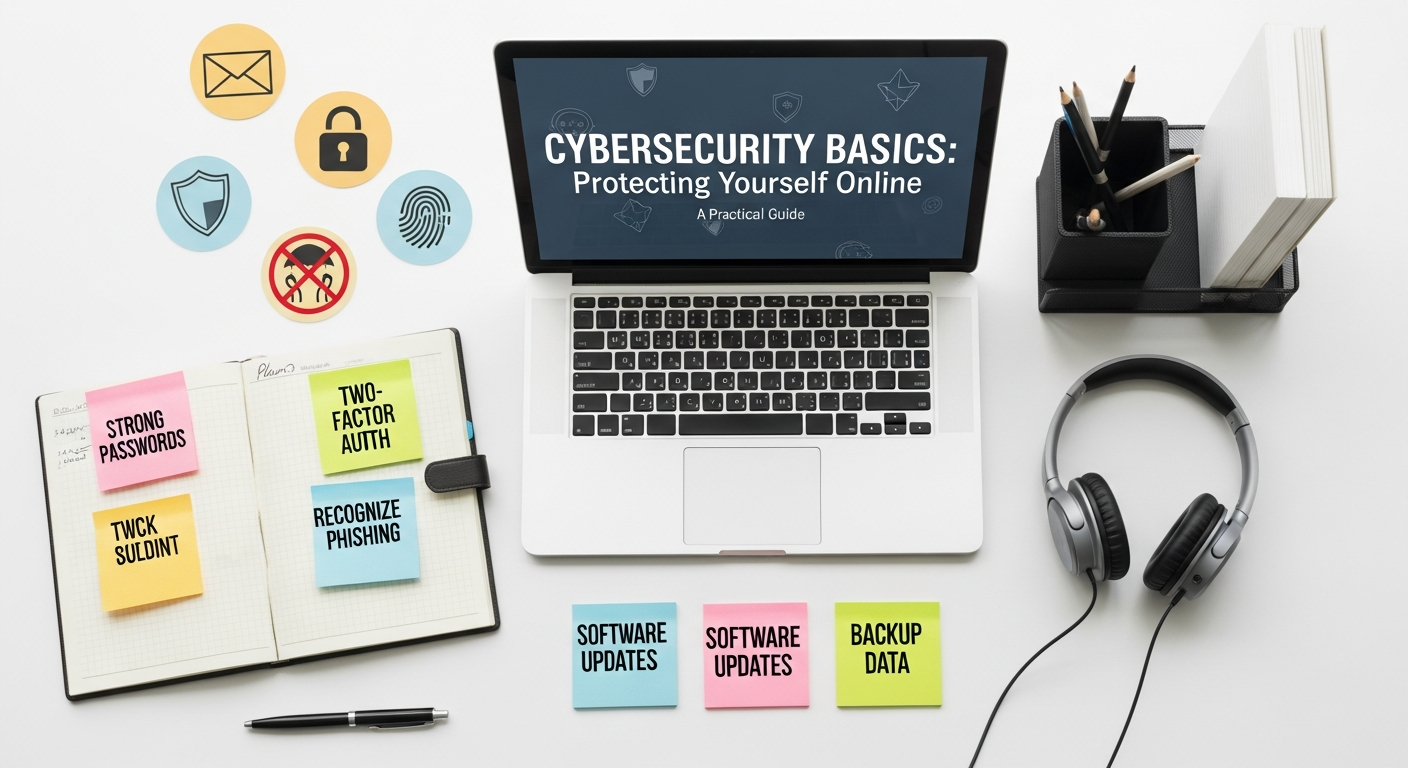
Building a robust defense against cybersecurity threats requires a multi-layered approach that combines reliable software with diligent user practices. This section outlines the fundamental tools and habits necessary to protect your digital life.
Strong Passwords and Multi-Factor Authentication (MFA)
The simplest yet most effective defense often starts with strong, unique passwords for every online account. A strong password:
- Is at least 12-16 characters long.
- Combines uppercase and lowercase letters, numbers, and symbols.
- Does not use easily guessable information (birthdays, names, common words).
- Is unique to each account.
Managing numerous complex passwords can be challenging, which is why a password manager is an indispensable tool. These applications securely store all your login credentials, allowing you to use complex, unique passwords without having to remember them all. Many of the Best Productivity Apps 2026 lists will include a top-tier password manager, underscoring its importance for digital efficiency and security.
Beyond passwords, Multi-Factor Authentication (MFA) adds a critical layer of security. MFA requires two or more verification factors to gain access to an account, typically something you know (password), something you have (a phone or hardware token), or something you are (biometrics like a fingerprint). Enabling MFA wherever available—especially for email, banking, and social media—significantly reduces the risk of unauthorized access even if your password is compromised.
Antivirus and Anti-Malware Software
High-quality antivirus and anti-malware software are your first line of automated defense against malicious programs. These tools actively scan your system for threats, detect and block suspicious activity, and remove infected files. Key considerations for choosing and maintaining these tools include:
- Real-time Protection: Ensures continuous monitoring of your system for threats.
- Automatic Updates: Malware definitions are constantly updated to combat new threats, so automatic updates are crucial.
- Regular Scans: Schedule full system scans to catch anything that might have slipped past real-time protection.
- Firewall: Many security suites include a firewall, which monitors incoming and outgoing network traffic and blocks unauthorized access.
Ensure that your chosen software is from a reputable vendor and kept up-to-date. Outdated security software offers little protection against contemporary threats.
Software Updates and Patch Management
Cybercriminals frequently exploit vulnerabilities in outdated software. Software vendors regularly release patches and updates to fix these security flaws. Therefore, it is paramount to:
- Enable Automatic Updates: For your operating system (Windows, macOS, Linux) and all applications (browsers, productivity suites, etc.).
- Promptly Install Updates: When automatic updates aren’t available, make it a habit to manually install updates as soon as they are released.
This applies to everything from your web browser to your mobile apps and even firmware for routers and IoT devices. Neglecting updates is like leaving a back door open for attackers.
Secure Wi-Fi Networks
Your home or office Wi-Fi network is a common entry point for attackers. To secure it:
- Change Default Router Credentials: The default username and password for your router are widely known. Change them immediately to something unique and strong.
- Enable WPA3 Encryption: WPA3 is the latest and most secure encryption standard for Wi-Fi networks. If your router supports it, enable it. Otherwise, use WPA2-AES. Avoid WEP or WPA.
- Create a Guest Network: Isolate guest devices from your main network to prevent potential compromises from affecting your primary devices.
- Disable Remote Management: Unless absolutely necessary, disable remote access to your router’s administration interface.
Public Wi-Fi networks are inherently less secure. Avoid conducting sensitive transactions (banking, shopping) on public Wi-Fi without a Virtual Private Network (VPN).
Mastering Data Security and Privacy
Regular Data Backups
One of the most effective defenses against data loss from ransomware, hardware failure, or accidental deletion is a robust backup strategy. Follow the “3-2-1 rule”:
- 3 Copies of Your Data: The original and at least two backups.
- 2 Different Media Types: For example, a local hard drive and cloud storage.
- 1 Offsite Copy: To protect against local disasters like fire or theft.
Cloud backup services offer convenience and offsite storage, often with versioning capabilities that allow you to restore older versions of files. For critical data, consider encrypted external hard drives. Regularly test your backups to ensure they can be restored successfully.
Encryption for Data at Rest and in Transit
Encryption scrambles your data so that only authorized parties with the correct decryption key can read it. It’s a fundamental pillar of data security.
- Full Disk Encryption: Tools like BitLocker (Windows) or FileVault (macOS) encrypt your entire hard drive, protecting your data even if your device is lost or stolen.
- File and Folder Encryption: For specific sensitive documents, consider using dedicated encryption software or features within your operating system.
- Encrypted Communications: Use services that offer end-to-end encryption for messaging and video calls.
- HTTPS for Web Browsing: Always ensure websites use HTTPS (indicated by a padlock icon in your browser’s address bar), which encrypts data exchanged between your browser and the website.
By encrypting your data, you add a significant barrier for unauthorized access, making it much harder for cybercriminals to profit from stolen information.
Privacy Settings and Data Minimization
Many online services and social media platforms collect vast amounts of personal data. Taking control of your privacy settings is crucial:
- Review Privacy Policies: Understand what data services collect and how they use it.
- Adjust Privacy Settings: On social media, apps, and browsers, configure settings to limit data sharing and visibility.
- Data Minimization: Only provide the essential information required by a service. Avoid oversharing personal details online.
- Opt-Out of Data Collection: Where possible, opt out of personalized advertising and data tracking.
- Regularly Clear Browser Data: Delete cookies, cache, and browsing history to reduce tracking.
Consider using privacy-focused browsers or browser extensions that block trackers. Remember that every piece of information you share online can potentially be used against you.
Secure Disposal of Data and Devices
When you dispose of old devices (computers, smartphones, USB drives) or sensitive documents, ensure that the data on them is irretrievably erased. Simply deleting files isn’t enough, as data can often be recovered.
- Data Wiping Software: Use specialized software to securely overwrite the entire disk multiple times.
- Physical Destruction: For highly sensitive data, physically destroy hard drives or memory chips.
- Shred Documents: Use a cross-cut shredder for paper documents containing personal information.
Failing to securely dispose of data can lead to identity theft and data breaches from discarded devices.
Safeguarding Your Online Communications and Productivity
Our digital lives are heavily reliant on communication and productivity tools. Protecting these avenues is vital for maintaining security and efficiency.
Email Security Best Practices
Email remains a primary target for phishing, malware, and business email compromise (BEC) attacks. Protecting your email is paramount:
- Be Skeptical of Unsolicited Emails: Always question emails from unknown senders, or even known senders if something feels off. Look for inconsistencies in sender addresses, grammatical errors, and unusual requests.
- Never Click Suspicious Links: Hover over links to see the actual URL before clicking. If it looks suspicious, don’t click.
- Avoid Opening Suspicious Attachments: Malicious attachments are a common way to deliver malware. Be cautious, especially with executables or compressed files from unknown sources.
- Enable MFA: As mentioned, MFA on your email account is non-negotiable.
- Use Strong Email Passwords: A compromised email account can be a gateway to all your other online services.
- Regularly Review Forwarding Rules: Attackers might set up forwarding rules to covertly receive copies of your emails.
Many of the Best Email Management Tools 2026 offer advanced security features like spam filtering, attachment scanning, and phishing detection that can significantly enhance your protection.
Secure Browsing Habits
Your web browser is your window to the internet, making secure browsing habits essential:
- Use a Reputable Browser: Choose browsers that prioritize security and privacy, and keep them updated.
- Enable Browser Security Features: Many browsers have built-in protections against phishing and malware. Ensure these are enabled.
- Be Mindful of Extensions: Browser extensions can be powerful but also pose security risks. Only install extensions from trusted sources and regularly review their permissions.
- Avoid Public Wi-Fi for Sensitive Transactions: If you must use public Wi-Fi, always use a VPN.
- Clear Cookies and Cache: Regularly clear your browser’s data to limit tracking.
- Bookmark Sharer: For frequently visited and trusted sites, use a bookmarking tool like Bookmark Sharer to access them directly, reducing the risk of typing errors that could lead to malicious lookalike sites.
Virtual Private Networks (VPNs)
A VPN encrypts your internet connection and routes it through a server operated by the VPN provider, masking your IP address and protecting your online activities from snoopers. VPNs are particularly valuable when:
- Using Public Wi-Fi: A VPN creates a secure tunnel, protecting your data from interception.
- Accessing Sensitive Information: For online banking, shopping, or work-related tasks.
- Bypassing Geo-Restrictions: While not a direct security feature, it’s a common use.
Choose a reputable VPN provider with a strong no-logging policy and robust encryption standards.
Secure Communication Platforms
Beyond email, other communication platforms also require attention:
- End-to-End Encrypted Messaging: Use apps that offer end-to-end encryption for private conversations, ensuring only the sender and intended recipient can read messages.
- Video Conferencing Security: Be aware of the security settings of video conferencing platforms. Use strong passwords for meetings, enable waiting rooms, and avoid sharing meeting links publicly.
- Social Media Awareness: Be cautious about what you share on social media, as personal details can be used for social engineering or identity theft.
Navigating Cloud Security and Remote Work
The shift to cloud computing and widespread remote work has introduced new dimensions to cybersecurity, requiring specific strategies to maintain protection.
Understanding Cloud Computing Security
Many individuals and businesses now rely heavily on cloud services for data storage, applications, and infrastructure. While cloud providers invest heavily in security, users share responsibility. To fully grasp the nuances, it helps to understand Cloud Computing Explained Simply. It means leveraging remote servers hosted on the internet to store, manage, and process data, rather than a local server or personal computer.
- Shared Responsibility Model: Cloud providers secure the “cloud itself” (infrastructure, hardware, networking), but you are responsible for security “in the cloud” (your data, configurations, access management, applications).
- Strong Access Controls: Implement robust identity and access management (IAM) for all cloud resources. Use MFA for every cloud account.
- Data Encryption: Ensure data stored in the cloud is encrypted, both at rest and in transit. Most major cloud providers offer this by default, but always verify.
- Regular Audits: Periodically review your cloud configurations, user permissions, and activity logs for suspicious behavior.
- Vendor Security: Choose cloud providers with strong security certifications and a transparent security posture.
Never assume that because data is in the cloud, it’s automatically secure from all threats. Your configurations and user practices play a critical role.
Securing the Remote Work Environment
Remote work setups often extend the corporate network perimeter into less controlled home environments, increasing potential vulnerabilities.
- Secure Home Network: As discussed, ensure home Wi-Fi is secure, using strong passwords and WPA3/WPA2 encryption.
- Company-Issued Devices: Whenever possible, use company-issued and managed devices for work. These are typically configured with enterprise-grade security software and policies.
- VPN for Corporate Access: Always use a corporate VPN when accessing company resources from a remote location. This encrypts your connection and ensures you’re on the company’s secure network.
- Data Handling Policies: Adhere strictly to company policies for handling sensitive data, especially regarding where it can be stored (e.g., no storing sensitive work data on personal cloud drives).
- Physical Security: Protect your work devices from physical theft or unauthorized access. Lock your screen when away from your device.
- Separate Work and Personal Usage: Avoid mixing work and personal activities on the same device where sensitive information is handled, if possible. This minimizes the risk of personal browsing habits introducing malware into a work environment.
Education and training for remote employees on cybersecurity best practices are vital to mitigate the unique risks associated with working outside traditional office boundaries.
Building a Resilient Cybersecurity Mindset
Technology alone cannot guarantee complete protection. The human element is often the strongest defense or the weakest link. Cultivating a resilient cybersecurity mindset means fostering continuous awareness, skepticism, and proactive habits.
Continuous Learning and Awareness
The cybersecurity landscape is dynamic. New threats emerge, and existing ones evolve. Staying informed is not a one-time task but an ongoing commitment:
- Follow Reputable Cybersecurity News: Subscribe to newsletters, blogs (like Bookmark Sharer), and security advisories from trusted sources.
- Participate in Training: If your employer offers cybersecurity training, take it seriously. For individuals, seek out free or paid online courses.
- Understand Social Engineering Tactics: Regularly refresh your knowledge on common phishing, pretexting, and baiting techniques.
A curious and informed mind is much harder for cybercriminals to exploit.
Practicing Healthy Skepticism
One of the most powerful tools against social engineering attacks is a healthy dose of skepticism. If something seems too good to be true, or if an email or message creates a sense of urgency or fear, pause and consider:
- Verify Before Acting: If you receive an unexpected request for information or action (especially financial) from a seemingly legitimate source, verify it through an independent channel (e.g., call the organization using a number from their official website, not one provided in the email).
- Question Unexpected Communications: Be wary of unsolicited emails, texts, or calls, especially those asking for personal details.
- Recognize Urgency Tactics: Cybercriminals often try to rush victims into making mistakes. Take your time to assess the situation.
Proactive Monitoring and Incident Response
Even with the best defenses, incidents can occur. Being prepared for a potential breach can significantly mitigate its impact:
- Monitor Your Accounts: Regularly check bank statements, credit card reports, and credit scores for suspicious activity. Use credit monitoring services.
- Review Account Activity: Many online services show recent login activity. Periodically check these logs for unrecognized access.
- Create an Incident Response Plan: For individuals, this might be a simple checklist:
- Isolate the compromised device (disconnect from the internet).
- Change affected passwords (start with your email and critical financial accounts).
- Notify relevant parties (bank, credit card company, email provider).
- Report the incident (to law enforcement, FTC, or employer).
- Restore from backup (if data was lost or corrupted).
- Regularly Review Security Settings: Periodically revisit the security and privacy settings of your most important accounts.
By cultivating a proactive and vigilant approach to cybersecurity, you transform yourself from a potential victim into a formidable line of defense.
Leveraging Productivity Tools for Security
Interestingly, some of the very tools designed to boost your efficiency can also enhance your security posture. For example, the Best Productivity Apps 2026 often integrate security features like password protection, secure sharing, and compliance with data privacy regulations. Project management tools can help track security tasks, and secure note-taking apps can store sensitive information with encryption. Similarly, efficient email management, facilitated by the Best Email Management Tools 2026, can help you quickly identify and flag suspicious emails, reducing the likelihood of falling victim to phishing scams. By choosing productivity tools wisely, you can often gain security benefits as a byproduct.
In conclusion, protecting yourself from cybersecurity threats in 2026 requires a comprehensive, multi-faceted strategy that combines robust technical measures with continuous human vigilance and education. By understanding the threats, implementing strong digital defenses, mastering data security, safeguarding communications, navigating cloud and remote work challenges, and cultivating a resilient mindset, you can significantly reduce your risk and maintain your digital integrity in an ever-evolving threat landscape.
Frequently Asked Questions
Recommended Resources
Learn more about this topic in How To Build A Mobile App For Your Business at Eamped.
Check out How To Use Adobe Indesign For Layouts on Layout Scene for a deeper dive.