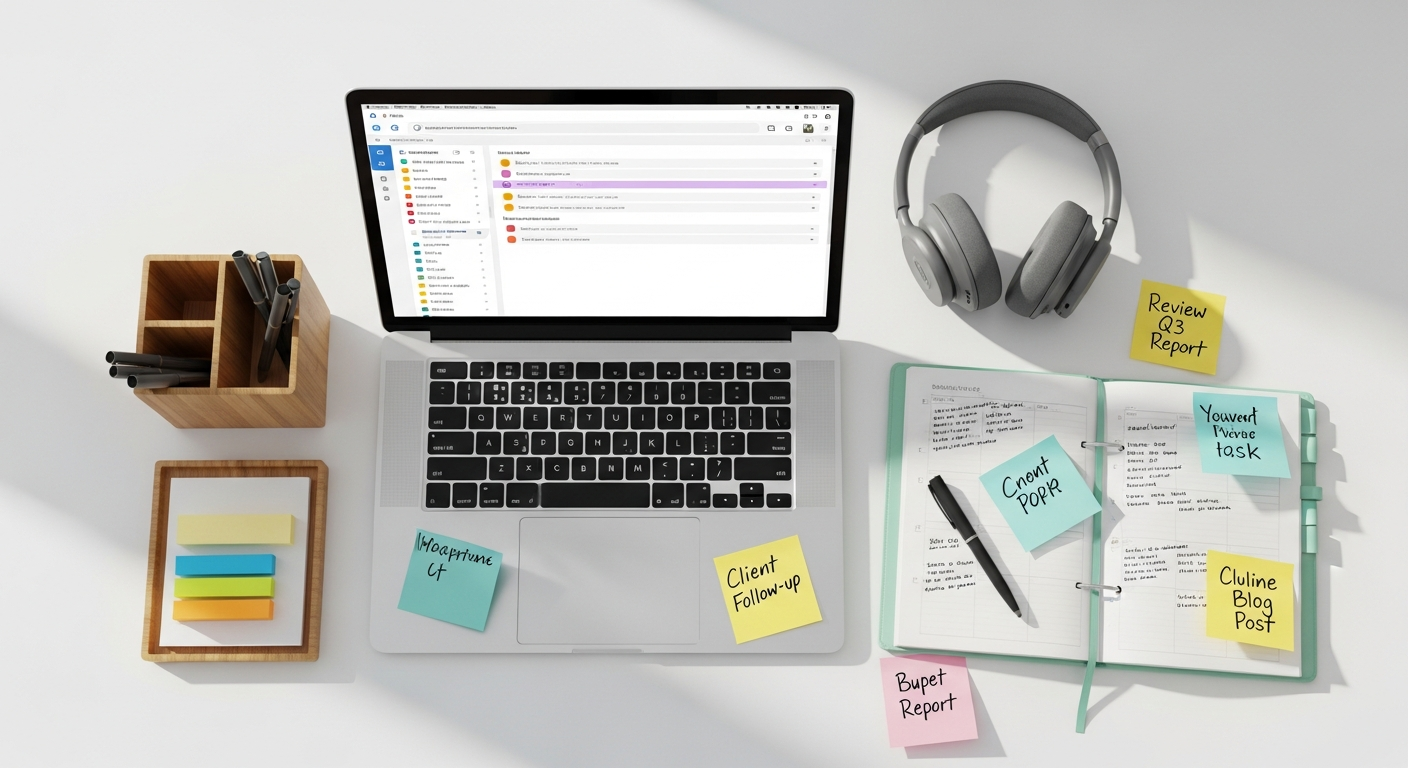

Establishing Your Foundation: The Productive Home Workspace and Routine
The cornerstone of successful remote work productivity is a well-defined physical and temporal structure. Without the inherent boundaries of an office, it’s all too easy for work and life to bleed into one another, leading to diminished focus and eventual burnout. Therefore, the first step in mastering how to be productive working from home involves meticulously crafting your environment and daily schedule.
Designing Your Dedicated Workspace
One of the most critical, yet often overlooked, aspects is the creation of a dedicated workspace. This doesn’t necessarily mean a separate office room, though that’s ideal. It could be a specific corner of a living room, a quiet spot in a bedroom, or even a section of a dining table that is exclusively used for work during working hours. The key is psychological separation. When you enter this space, your brain should register that it’s time to work; when you leave, it’s time to disengage.
- Minimize Distractions: Your workspace should be as free from personal distractions as possible. This means no TV, fewer personal items, and ideally, a quiet location away from high-traffic areas of your home.
- Ergonomics are Key: Invest in a comfortable, ergonomic chair and a desk at an appropriate height. Poor posture can lead to discomfort, fatigue, and a significant drop in concentration. Consider a standing desk option to break up long periods of sitting. When it comes to visual comfort and efficiency, understanding How To Choose Monitor For Work is paramount. A monitor that offers good resolution, appropriate size for your tasks (often a larger ultrawide or dual-monitor setup can boost productivity), and features like blue light reduction can significantly reduce eye strain and enhance your ability to focus for extended periods. The right monitor setup can literally be the window to your most productive self.
- Lighting: Natural light is best, as it helps regulate your circadian rhythm and improves mood. If natural light is scarce, ensure you have good artificial lighting that mimics daylight and prevents shadows or glare on your screen.
- Personalize (Slightly): While minimizing distractions is important, don’t make your space sterile. A plant, a motivational quote, or a small, personal item can make the space more inviting and conducive to positive mental states.
Crafting Your Daily Routine
Just as important as your physical space is your temporal structure. A consistent daily routine provides a framework for your workday, helping to signal to your brain when it’s time to be productive and when it’s time to rest.
- Start Your Day Right: Resist the urge to roll out of bed and immediately open your laptop. Mimic your pre-commute routine: get dressed (even if it’s just smart casual), have breakfast, and engage in a non-work activity like exercise or meditation. This ritual helps transition your mind into work mode.
- Define Working Hours: Set clear start and end times for your workday, and stick to them. This creates boundaries and prevents work from encroaching on your personal life. Communicate these hours to colleagues and family.
- Schedule Breaks: Regular breaks are not a luxury; they are essential for sustained focus. Schedule short breaks every 60-90 minutes to stretch, grab a drink, or step away from your screen. A longer lunch break away from your workspace is also crucial for mental refreshment.
- End Your Day Deliberately: Just as you start your day with a routine, create an end-of-day ritual. This could involve reviewing your accomplishments, planning for the next day, or simply tidying your workspace. This ritual helps you mentally switch off and transition back to personal time, crucial for maintaining work-life balance and long-term productivity.
Mastering Time Management and Prioritization for Remote Success
Once your physical and temporal foundations are laid, the next crucial step in being productive working from home is to develop robust time management and prioritization skills. Without the immediate oversight of a manager or the peer pressure of an office, self-discipline becomes paramount. Effective strategies in this area ensure that your efforts are directed towards the most impactful tasks, preventing wasted time and fostering a sense of accomplishment.
Strategic Time Management Techniques
Successful remote workers don’t just work hard; they work smart. This involves employing techniques that optimize their focus and energy throughout the day.
- The Pomodoro Technique: This popular method involves working in focused 25-minute intervals, separated by short 5-minute breaks. After four “Pomodoros,” take a longer break of 15-30 minutes. This technique helps maintain high levels of concentration and prevents burnout by segmenting work into manageable chunks.
- Time Blocking: Dedicate specific blocks of time in your calendar for particular tasks or types of work. Treat these blocks as non-negotiable appointments. For example, block out an hour for “deep work” on a critical project, another for “email management,” and so on. This proactive scheduling ensures that important tasks get done and reduces decision fatigue.
- Batching Similar Tasks: Group similar activities together to minimize context-switching. For instance, respond to all emails at designated times, make all necessary phone calls in one block, or handle administrative tasks together. This boosts efficiency and helps maintain focus.
- The “Two-Minute Rule”: If a task takes less than two minutes to complete, do it immediately. This prevents small tasks from accumulating and becoming overwhelming.
Effective Prioritization Frameworks
Not all tasks are created equal. Learning to distinguish between urgent, important, and trivial tasks is fundamental to maximizing your impact when working remotely.
- Eisenhower Matrix: Categorize tasks into four quadrants:
- Urgent & Important: Do these first.
- Important, Not Urgent: Schedule these for later.
- Urgent, Not Important: Delegate these if possible.
- Not Urgent, Not Important: Eliminate these.
This matrix provides a clear visual guide for daily task management.
- ABCDE Method: Assign an “A” to your most important tasks, “B” for tasks you should do, “C” for tasks that would be nice to do, “D” for tasks to delegate, and “E” for tasks to eliminate. Always tackle your “A” tasks before moving to “B”s, and so on.
- Setting SMART Goals: For larger projects or objectives, ensure your goals are Specific, Measurable, Achievable, Relevant, and Time-bound. Clearly defined goals provide direction and motivation, making it easier to prioritize the steps needed to achieve them.
- Daily Top 3: At the start of each day, identify the three most critical tasks you need to accomplish. Focus on completing these before moving on to less important items. This ensures that even if the day goes awry, your most significant contributions are made.
By integrating these time management techniques and prioritization frameworks into your daily remote work routine, you’ll gain a powerful sense of control over your workload. This proactive approach not only helps you to be productive working from home but also reduces stress and fosters a greater sense of achievement.
Leveraging Technology for Enhanced Remote Productivity
Project Management and Task Tracking Tools
Keeping multiple projects and tasks organized is challenging, especially when working asynchronously with a team. Project management software provides a centralized hub for tracking progress, assigning tasks, and facilitating communication.
- Comprehensive Platforms: Tools like Asana, Trello, Jira, and Monday.com offer features such as Kanban boards, Gantt charts, task dependencies, and custom workflows. They allow teams to visualize project progress, identify bottlenecks, and ensure everyone is aligned on objectives and deadlines.
- Personal Task Managers: For individual task tracking, apps like Todoist, Microsoft To Do, or Things 3 (for Apple users) are invaluable. They help you capture ideas, set deadlines, create recurring tasks, and prioritize your daily to-do list, ensuring nothing slips through the cracks.
Communication and Collaboration Platforms
Effective communication is the lifeblood of any remote team. Choosing the right tools can bridge geographical gaps and foster a sense of connection and shared purpose.
- Instant Messaging: Slack, Microsoft Teams, and Google Chat are essential for real-time communication, quick questions, and informal team interactions. They reduce email clutter and allow for rapid information exchange.
- Video Conferencing: Zoom, Google Meet, and Microsoft Teams provide reliable platforms for virtual meetings, screen sharing, and presentations. Establishing clear meeting etiquette (e.g., using mute, having an agenda, camera on when possible) maximizes their effectiveness.
- Document Collaboration: Google Workspace (Docs, Sheets, Slides) and Microsoft 365 (Word, Excel, PowerPoint) allow for simultaneous editing and commenting on documents, facilitating seamless teamwork on shared files. Version control and cloud storage are built-in, preventing data loss and ensuring everyone works on the latest version.
Specialized Productivity Apps and Email Management
Beyond the core platforms, a range of specialized applications can enhance specific aspects of your remote work productivity.
- Focus & Distraction Blockers: Apps like Forest, Freedom, or Cold Turkey help you block distracting websites and applications during designated work periods, fostering deep work sessions.
- Note-Taking Tools: Evernote, Notion, or OneNote are excellent for capturing ideas, organizing research, and creating knowledge bases. Notion, in particular, has become a favorite for its versatility, allowing users to create databases, wikis, and project trackers all in one place.
- Password Managers: LastPass, 1Password, or Bitwarden securely store your login credentials, saving time and improving security across your many online tools.
- The Best Productivity Apps 2026: Looking ahead, the landscape of productivity tools is constantly evolving. In 2026, we anticipate continued advancements in AI-powered assistants that can automate mundane tasks, intelligent scheduling tools that optimize your calendar based on energy levels, and integrated platforms that seamlessly combine project management, communication, and personal organization. Keep an eye on innovations in personalized workflow automation and predictive analytics within your chosen suite of tools, as these will be key differentiators for the Best Productivity Apps 2026.
- Best Email Management Tools 2026: Email remains a critical communication channel, and managing it effectively is crucial for remote productivity. In 2026, the leading tools will likely offer even more sophisticated AI-driven sorting, smart reply suggestions, robust integration with other productivity platforms, and advanced analytics to help you understand and optimize your email habits. Tools like Superhuman, Front, and even enhanced versions of Gmail and Outlook will compete to provide features that minimize inbox clutter, prioritize important messages, and automate responses, making them indispensable components of the Best Email Management Tools 2026 for any remote professional.
By thoughtfully integrating these technological solutions, you can create a highly efficient and collaborative remote work environment. The key is to select tools that genuinely enhance your workflow and reduce friction, rather than adding complexity. Regularly review your tech stack to ensure it continues to meet your evolving needs as you master how to be productive working from home.
Effective Communication and Collaboration in a Remote Setup
One of the most significant challenges of being productive working from home is maintaining seamless communication and collaboration with colleagues and clients. The absence of spontaneous office interactions means that remote teams must be more deliberate and strategic about how they connect. Clear, consistent, and proactive communication is not just beneficial; it’s absolutely essential for preventing misunderstandings, ensuring project alignment, and fostering a cohesive team environment.
Strategies for Clear and Proactive Communication
When you’re not sharing a physical space, the nuances of communication can easily be lost. Remote workers must compensate by being extra clear and deliberate.
- Be Explicit and Detailed: Avoid ambiguity. When giving instructions or providing updates, assume your recipient lacks context. Provide all necessary information, including deadlines, expected outcomes, and any relevant background.
- Choose the Right Channel: Not all communications are suited for the same medium.
- Instant Messaging (Slack, Teams): Ideal for quick questions, informal chats, and urgent notifications.
- Email: Best for formal communications, detailed project updates, attaching documents, and anything that requires a written record or is non-urgent. This is where mastering the Best Email Management Tools 2026 becomes invaluable, helping you to categorize, prioritize, and respond to critical messages efficiently.
- Video Calls (Zoom, Google Meet): Essential for complex discussions, brainstorming, emotional conversations, or when non-verbal cues are important.
- Project Management Tools (Asana, Trello): For task-specific discussions, updates on progress, and attaching relevant files directly to tasks.
Knowing when to use which tool prevents information overload and ensures your message reaches the right audience effectively.
- Over-Communicate, Especially Early On: It’s better to provide too much information than too little. Regularly check in with your team, provide status updates, and proactively share any blockers or challenges you encounter. This builds trust and transparency.
- Summarize and Confirm: After meetings or important discussions, send a brief summary of key decisions, action items, and who is responsible for what. This ensures everyone is on the same page and reduces the chances of misinterpretation.
Fostering Remote Collaboration and Team Cohesion
Beyond individual communication, promoting a collaborative spirit among remote team members is critical for collective productivity and morale.
- Regular Check-ins and Stand-ups: Schedule daily or weekly virtual stand-up meetings (even 15 minutes) to discuss what everyone worked on yesterday, what they plan to do today, and any impediments. This fosters accountability and keeps everyone informed of team progress.
- Dedicated Collaboration Tools: Utilize shared document platforms (Google Docs, Microsoft 365) for real-time co-editing and feedback. Whiteboarding tools like Miro or Mural can facilitate virtual brainstorming sessions, replicating the in-person creative process.
- Set Clear Expectations for Response Times: Agree as a team on expected response times for different communication channels (e.g., instant message within 30 minutes, email within 4 hours). This manages expectations and reduces anxiety about delayed responses.
- Encourage Informal Interactions: Remote work can be isolating. Create virtual “water cooler” channels in your messaging app for non-work chatter, host virtual coffee breaks, or even organize online team building activities. These informal interactions are vital for building rapport and strengthening team bonds.
- Provide and Solicit Feedback: Regularly give constructive feedback and actively seek it from your colleagues and managers. A culture of open feedback helps individuals grow and improves team processes.
By prioritizing thoughtful communication and strategic collaboration, remote teams can overcome the geographical divide and build a productive, supportive environment. These practices are fundamental to mastering how to be productive working from home, ensuring that individuals and teams remain connected, aligned, and highly effective.
Combating Distractions and Cultivating Deep Focus at Home
The home environment, while offering comfort, is often a minefield of distractions that can severely impact your ability to be productive working from home. From the allure of social media to household chores, children, and pets, maintaining deep focus requires intentional strategies and unwavering discipline. Cultivating the ability to concentrate deeply on a single task for extended periods is a superpower for any remote worker.
Managing Digital Distractions
Our digital devices, while enabling remote work, are also primary sources of interruption. Taming these digital beasts is crucial.
- Turn Off Notifications: This is perhaps the most fundamental step. Disable all non-essential notifications on your phone, computer, and even smartwatches. Constant pings from emails, social media, and news apps fragment your attention and make deep work impossible.
- Use Website Blockers: Install browser extensions or dedicated apps (like Freedom, Cold Turkey, or StayFocusd) that block distracting websites and apps during your designated work hours. Schedule these blocks to automatically activate when you need to focus most.
- Close Unnecessary Tabs and Applications: A cluttered digital workspace is a cluttered mind. Before starting a focused work session, close all browser tabs and applications not directly related to the task at hand.
- Designate “Email Time”: Instead of checking emails throughout the day, which can constantly pull you away from important tasks, designate specific times to process your inbox. This could be once in the morning, once after lunch, and once before logging off. This applies to internal messaging tools as well.
- Utilize Focus Music/Sound: Some people find instrumental music, white noise, or ambient sounds helpful for blocking out external noise and enhancing concentration. Experiment with different options to see what works for you.
Minimizing Household and Personal Distractions
Beyond the digital realm, the unique challenges of the home environment demand specific strategies.
- Communicate Your Work Hours: If you live with family or housemates, clearly communicate your working hours and explain the need for uninterrupted focus. Establish “do not disturb” signals (e.g., a closed door, headphones on).
- Manage Childcare/Pet Needs: For parents working from home, this is often the biggest challenge. Explore options like childcare, staggered work schedules with a partner, or engaging children with independent activities during your peak focus times. Similarly, ensure pets have been fed, walked, or entertained before you start a deep work session.
- Schedule Chores and Errands: Resist the urge to do “just one quick chore” during work hours. Batch household tasks and schedule them outside your designated work blocks, preferably during your breaks or after hours.
- Physical Disconnection: When you’re not in your dedicated workspace, try to physically disconnect from work. Put your laptop away, silence work notifications, and engage in non-work activities. This mental break is vital for returning to your tasks refreshed.
Cultivating Deep Work Habits
Combating distractions is only half the battle; the other half is actively cultivating the ability to enter a state of “deep work” – focused, uninterrupted concentration on a cognitively demanding task.
- Identify Your Peak Productivity Hours: Pay attention to when you feel most alert and focused. Schedule your most challenging tasks during these peak hours.
- Create a Pre-Focus Ritual: Develop a short routine before diving into deep work. This might involve getting a drink, reviewing your task, doing a quick meditation, or putting on your focus music. This signals to your brain that it’s time to concentrate.
- Break Down Large Tasks: Overwhelming tasks can lead to procrastination. Break them down into smaller, more manageable sub-tasks. Focusing on one small step at a time makes the overall goal less daunting.
- Practice Mindfulness: Short mindfulness exercises or meditation can improve your ability to stay present and refocus when your mind wanders. Even a few minutes of deep breathing can make a difference.
By implementing these strategies, you can transform your home environment from a source of distraction into a sanctuary of productivity. Mastering the art of focus and distraction management is a continuous process, but it’s an indispensable skill for anyone aiming to be truly productive working from home.
Prioritizing Well-being and Preventing Burnout in Remote Work
While the goal of working from home is often increased productivity, it’s a hollow victory if it comes at the expense of your well-being. The blurred lines between work and personal life, the potential for isolation, and the pressure to always be “on” can quickly lead to stress and burnout. Therefore, an essential aspect of learning how to be productive working from home is actively prioritizing your physical and mental health. Sustainable productivity is rooted in a healthy, balanced lifestyle.
Setting Clear Boundaries and Disconnecting
The lack of a physical commute can make it difficult to mentally switch off from work. Establishing deliberate boundaries is critical.
- Strict Start and End Times: As mentioned earlier, adhere to your defined working hours. When your workday ends, close your laptop, put away work-related items, and avoid checking emails or messages until the next morning.
- Create a “Commute” Replacement: Since you don’t have a physical commute, create a ritual to transition from work to personal life. This could be a short walk, listening to music, reading a book, or spending time with family. This signals to your brain that the workday is over.
- Designate No-Work Zones: Avoid working in areas that are typically for relaxation, like your bedroom or living room sofa. Keep your workspace confined to your dedicated area.
- Take Regular Breaks and Vacations: Do not skip your breaks during the day, and use your vacation days. Truly disconnect from work during these times to recharge both mentally and physically.
Nurturing Physical and Mental Health
Your physical and mental state directly impacts your ability to focus and perform. Neglecting these areas is a fast track to decreased productivity and burnout.
- Prioritize Physical Activity: Incorporate regular exercise into your daily routine. Even a short walk, some stretching, or a home workout can boost energy levels, improve mood, and combat the sedentary nature of remote work.
- Healthy Nutrition: Avoid the temptation to snack continuously or eat unhealthy foods when your kitchen is always within reach. Plan and prepare nutritious meals and snacks to maintain stable energy levels and cognitive function. Stay hydrated by drinking plenty of water throughout the day.
- Ensure Adequate Sleep: Good sleep hygiene is non-negotiable for mental clarity and sustained energy. Stick to a consistent sleep schedule, create a relaxing bedtime routine, and ensure your bedroom is dark, quiet, and cool.
- Mindfulness and Stress Reduction: Practice mindfulness, meditation, or deep breathing exercises to manage stress and improve focus. Even 5-10 minutes a day can make a significant difference in your ability to handle pressure and maintain emotional balance.
Combating Isolation and Maintaining Social Connections
Remote work can sometimes feel isolating, which can negatively impact mood and motivation.
- Stay Connected with Colleagues: Beyond work-related discussions, make an effort to connect with colleagues on a personal level. Participate in virtual team social events, use casual messaging channels, or schedule quick non-work chats.
- Nurture Personal Relationships: Actively schedule time for friends and family outside of work. Regular social interaction is vital for mental well-being and a sense of belonging.
- Engage in Hobbies and Interests: Pursue activities you enjoy outside of work. Hobbies provide an outlet for creativity, reduce stress, and give you something to look forward to.
Recognizing and Addressing Signs of Burnout
Being proactive about preventing burnout also means knowing how to identify its symptoms.
- Watch for Warning Signs: Be aware of symptoms like chronic fatigue, irritability, cynicism towards work, decreased job satisfaction, difficulty concentrating, and physical ailments (headaches, stomach issues).
- Seek Support: If you recognize these signs, don’t ignore them. Talk to a trusted friend, family member, manager, or a mental health professional. Organizations often provide employee assistance programs (EAPs) that offer confidential support.
- Re-evaluate Workload and Expectations: If you’re consistently feeling overwhelmed, it might be time to reassess your workload, delegate tasks, or discuss realistic expectations with your manager.
By consciously integrating these well-being practices into your remote work life, you’re not just preventing burnout; you’re building a sustainable foundation for long-term success and happiness. True productivity, especially when working from home, is a holistic endeavor that encompasses your entire self.
Continuous Improvement and Adaptation in the Remote Work Landscape
The world of remote work is dynamic, constantly evolving with new technologies, methodologies, and best practices. To truly master how to be productive working from home, it’s not enough to implement a set of strategies once; you must embrace a mindset of continuous improvement and adaptation. What works today might not be optimal tomorrow, and being open to experimentation and learning is key to sustained success and resilience in your remote career.
Regularly Reviewing and Refining Your Approach
Just like any project, your personal productivity system benefits from periodic review and optimization.
- Weekly Reflection: Dedicate a short block of time each week (e.g., Friday afternoon or Monday morning) to reflect on your past week.
- What went well?
- What challenges did you face?
- Where did you lose focus or waste time?
- What adjustments can you make for the upcoming week?
This reflective practice helps you identify patterns and make informed changes.
- Monthly or Quarterly Deep Dives: Every month or quarter, conduct a more comprehensive review. Assess your overall workflow, the effectiveness of your tools, your work-life balance, and your general satisfaction with your remote setup. This is a good time to evaluate if your current monitor setup is still serving you well, perhaps prompting another look at How To Choose Monitor For Work if you’re experiencing eye strain or wish for more screen real estate.
- Seek Feedback: Don’t be afraid to ask colleagues, managers, or even family members for feedback on your communication style, responsiveness, or boundaries. External perspectives can reveal blind spots.
Experimenting with New Tools and Techniques
The tech landscape for remote work is constantly innovating. Staying curious and open to trying new things can unlock significant productivity gains.
- Explore New Apps: Keep an eye on new releases and updates, especially concerning the Best Productivity Apps 2026 and the Best Email Management Tools 2026. New features or entirely new solutions might offer a better fit for your evolving needs. Don’t be afraid to try a free trial of a new task manager, communication platform, or focus app.
- Test Different Methodologies: If the Pomodoro Technique isn’t working for you, try time blocking. If your current prioritization method feels clunky, experiment with another. There’s no one-size-fits-all solution; find what resonates with your personal working style.
- Read and Learn: Follow industry blogs (like Bookmark Sharer!), podcasts, and thought leaders in remote work and productivity. Continuously educating yourself on best practices will provide new ideas to test.
Adapting to the Evolving Remote Work Environment
The remote work world itself is not static. External changes will always require you to adapt your approach.
- Embrace Flexibility: While routines are important, rigid adherence can be counterproductive when unexpected situations arise (e.g., a child getting sick, a home emergency). Learn to be flexible and adapt your schedule when necessary, then return to your routine when possible.
- Stay Current with Team/Company Changes: Companies regularly update their remote work policies, preferred tools, and communication norms. Stay informed and adapt your practices to align with organizational guidelines.
- Anticipate Future Trends: Consider how advancements in AI, virtual reality, and other emerging technologies might impact remote work in the coming years. Proactively learning about these trends can give you a significant advantage.
By embedding a mindset of continuous learning, experimentation, and adaptation, you transform the challenge of being productive working from home into an ongoing journey of growth and optimization. This proactive approach ensures that you remain at the forefront of remote work efficiency, consistently refining your ability to thrive in a distributed environment.
Frequently Asked Questions
Recommended Resources
Explore What Is Api Integration And Why It Matters For Business for additional insights.
You might also enjoy Color Theory In Ui Design from Layout Scene.