Taming the Torrent: The Best Email Management Tools for Peak Productivity in 2026
Ah, email. The indispensable, often overwhelming, backbone of modern communication. For many of us, the inbox isn’t just a place where messages land; it’s a digital battleground where productivity is won or lost. As we hurtle towards 2026, the sheer volume and complexity of email continue to escalate, making effective management less of a luxury and more of a critical survival skill. Gone are the days when a simple set of filters and a prayer were enough. Today, and increasingly so in the coming years, taming the email beast demands sophisticated tools, intelligent automation, and a strategic mindset.
At Bookmark Sharer, we’re all about empowering you with the smartest digital tools to amplify your output. That’s why we’ve dived deep into the evolving landscape of email management, peering into the near future to identify the solutions that will genuinely make a difference in 2026. This isn’t just about finding a new email client; it’s about leveraging AI, consolidating workflows, and adopting practices that reclaim your focus from the relentless ping of notifications. Get ready to transform your inbox from a source of dread into a finely tuned engine of efficiency.
The Shifting Sands of Email in 2026: What’s New?
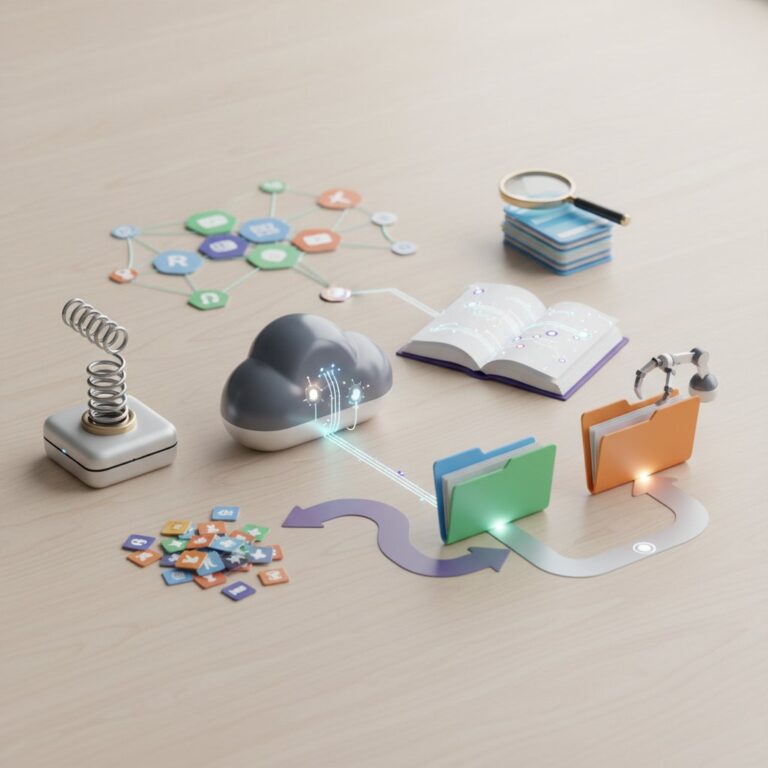
The email experience of 2026 is a significant evolution from just a few years prior. The most profound shift is the ubiquitous integration of Artificial Intelligence and Machine Learning. AI is no longer a futuristic concept; it’s the invisible hand guiding our inboxes, performing tasks that once consumed valuable human brainpower. We’re seeing hyper-personalization, where AI understands not just the sender, but the context and urgency of a message to prioritize it with uncanny accuracy. Proactive email management is the new frontier, with tools predicting needs, suggesting responses, and even drafting entire messages before you’ve lifted a finger.
Beyond AI, the emphasis is heavily on integration. Email isn’t an island; it’s a continent connected to your calendar, CRM, project management tools, and chat applications. The standalone email client is rapidly giving way to the “communication hub” – a unified workspace where context switching is minimized, and collaboration is seamless. Privacy and security, too, remain paramount, with enhanced encryption, advanced phishing detection, and granular control over data becoming standard expectations. The trend towards “deep work” also means tools are designed to reduce distractions, batch processing, and provide insights into your email habits to foster healthier digital boundaries. By 2026, a truly effective email management strategy isn’t just about clearing your inbox, but about optimizing your entire digital communication workflow.
AI as Your Inbox Co-Pilot: Smart Triage & Automation
If there’s one defining characteristic of email management in 2026, it’s the pervasive and sophisticated role of AI. Think of AI not just as a filter, but as a highly trained co-pilot, constantly scanning, categorizing, and even drafting, allowing you to focus on what truly matters. This isn’t theoretical; these capabilities are already maturing and will be indispensable by 2026 for anyone serious about productivity.
One of the pioneers in intelligent filtering and clean-up is SaneBox. By 2026, SaneBox continues to excel in using AI to analyze your email habits and automatically sort incoming mail into various smart folders (e.g., SaneLater, SaneNews, SaneBulk). Its “BlackHole” feature makes unsubscribing a one-click affair, and its “SaneReminders” ensure important emails don’t slip through the cracks. It works on top of your existing email client, making it a powerful augmentation without requiring a full platform switch. Similarly, Clean Email leverages AI to identify and group emails by sender, subject, or type, making bulk cleaning, archiving, and unsubscribing incredibly efficient. Its “Auto Clean” feature allows you to set rules that automatically apply actions to future similar emails, saving countless hours.
For those seeking more dynamic AI interaction, tools like Shortwave (built on Gmail) are at the forefront. By 2026, Shortwave’s AI-powered bundling and summarization capabilities will be highly refined. It intelligently groups related emails into a single “bundle” and provides concise summaries, allowing you to process dozens of messages in minutes. Its AI can also suggest quick replies and even draft longer responses based on context, significantly reducing typing time. Similarly, platforms like Superhuman are rapidly integrating more advanced AI features, moving beyond just speed to offering intelligent insights, sentiment analysis, and even proactive outreach suggestions, all designed to make your email workflow predictive and exceptionally efficient. The future of email isn’t just about processing; it’s about leveraging AI to anticipate and automate, freeing up your cognitive load for more complex tasks.
The “Communication Hub” Revolution: Email Beyond the Inbox
The siloed email client is becoming a relic of the past. In 2026, the most effective email management tools are those that seamlessly integrate email with other critical communication and collaboration channels, transforming your inbox into a comprehensive “communication hub.” This approach drastically reduces context switching, streamlines team workflows, and provides a unified view of all your interactions.
Leading this charge are platforms like Front and Missive. These tools are designed from the ground up for teams, allowing shared inboxes (e.g., support@, sales@) to be managed collaboratively. By 2026, their AI capabilities will be even more advanced, automatically routing messages, suggesting responses based on past interactions, and providing real-time insights into team performance. What makes them true hubs is their integration with internal chat, task management, and even CRMs. You can discuss an email with a colleague right alongside the message, assign it as a task, and track its progress without ever leaving the platform. This means customer service, sales outreach, and project coordination become far more cohesive and efficient.
Spike takes a different, yet equally powerful, approach to the communication hub concept by transforming email into a chat-like experience. By 2026, Spike’s conversational interface, combined with its integrated notes, tasks, and video calls, will have matured into a highly intuitive personal and team communication platform. It strips away the traditional email clutter, presenting messages in a clean, threaded chat format, making it feel more like a messaging app than an email client. This focus on real-time, conversational flow, coupled with its ability to bring all your communication tools into one place, makes Spike an excellent choice for dynamic teams and individuals who prefer a more fluid interaction style.
Even the giants like Microsoft Outlook and Gmail are rapidly evolving into communication hubs, primarily through the power of AI-driven features like Microsoft Copilot and Google Workspace’s advanced AI capabilities. By 2026, expect Copilot in Outlook to not only summarize long email threads but also draft entire responses, schedule meetings, and even pull relevant data from other Microsoft 365 apps like Teams or Dynamics. Similarly, Gmail’s AI will offer more sophisticated smart replies, predictive searches, and seamless integration with Google Chat, Meet, and Docs, making it a robust central point for your digital life. The future is clearly about consolidation and intelligent assistance, ensuring your communication tools work harmoniously, not in isolation.
Speed Demons & Deep Work Enablers: Premium Clients for Power Users
For many, email isn’t just a communication channel; it’s a critical tool that demands speed, precision, and an environment conducive to deep work. In 2026, a new breed of premium email clients caters specifically to power users and professionals who measure productivity in seconds saved and distractions eliminated. These tools are engineered for maximum efficiency, offering a blend of minimalist design, keyboard-driven workflows, and features designed to get you to “inbox zero” faster than ever.
At the pinnacle of speed and efficiency is Superhuman. By 2026, its reputation as the “fastest email experience ever built” will only have strengthened, further integrating its AI features for contextual insights and rapid drafting. Superhuman’s core strength lies in its obsessive focus on keyboard shortcuts, its lightning-fast search, and its emphasis on an “inbox zero” philosophy. It’s not just about sending emails quickly; it’s about processing, acting, and archiving with minimal friction. Its “Undo Send” and “Snippets” features are productivity mainstays, and its read statuses and scheduling tools provide an unparalleled level of control. While it comes with a premium price tag, for those whose livelihood is tied to their inbox, Superhuman is an investment in reclaimed time and reduced cognitive load.
Hey.com, by Basecamp, offers a radical rethinking of the inbox experience. By 2026, Hey’s unique approach to email will continue to appeal to users frustrated by traditional email norms. Its “Imbox” (Important Box) ensures only emails from senders you’ve screened get through, while less critical messages are shunted to “The Feed” or “The Paper Trail.” This built-in screening mechanism is a powerful deep-work enabler, protecting your focus from unsolicited noise. Hey also boasts features like “Reply Later” and “Set Aside,” which are digital equivalents of physical stacks for processing, allowing you to batch your email work and avoid constant interruptions. It’s not just a client; it’s an entirely new philosophy for email interaction.
Finally, Spark Mail by Readdle continues to be a favorite for those seeking a highly customizable and intelligent email client across all platforms (iOS, Android, macOS, Windows). By 2026, Spark’s “Smart Inbox” will have further refined its ability to automatically categorize emails as Personal, Notifications, and Newsletters, allowing you to prioritize effectively. Its “Snooze,” “Send Later,” and “Follow-up Reminders” are essential tools for ensuring timely responses and managing your commitments. Spark also offers excellent team collaboration features, allowing shared drafts and private comments on emails, striking a balance between individual productivity and collaborative efficiency, making it a robust choice for individuals and small teams alike.
The Toolkit Approach: Augmenting Your Existing Setup
Not everyone needs or wants to completely overhaul their email client. For many, the comfort and familiarity of Gmail or Outlook are hard to abandon. The good news is that in 2026, a vibrant ecosystem of add-ons, extensions, and complementary tools exists to augment your existing setup, injecting advanced email management capabilities without requiring a full platform migration. This “toolkit approach” allows you to cherry-pick features that address your specific pain points, customizing your inbox for peak performance.
For scheduling and follow-up, tools like Boomerang for Gmail (and now for Outlook) are indispensable. By 2026, Boomerang’s AI-powered “Respondable” feature, which helps you write more effective emails, will be even more sophisticated, offering real-time feedback on tone, clarity, and engagement. Its core features—scheduling emails to be sent later, snoozing emails to reappear when needed, and setting reminders if an email doesn’t receive a reply—remain critical for proactive email management. Similarly, Gmelius transforms Gmail into a collaborative workspace with shared inboxes, email tracking, and project management features directly within your familiar interface. By 2026, its integration with other productivity tools will be even deeper, creating a powerful overlay for teams.
Meeting scheduling, a perennial time-sink, is effortlessly managed with tools like Calendly and Chili Piper. These services integrate directly with your calendar and email, allowing recipients to book meetings with you based on your availability, eliminating the back-and-forth of finding a suitable time. By 2026, these tools will offer even more intelligent scheduling, suggesting optimal times based on meeting type, participant time zones, and even historical data on meeting efficiency. You can embed your scheduling link directly into your email signature or use quick links to propose specific meeting slots, transforming a tedious task into a seamless, automated process.
Finally, for those repetitive email responses, TextExpander is a godsend. While not strictly an email management tool, it’s a productivity powerhouse that dramatically speeds up email composition. By 2026, its ability to expand short abbreviations into full sentences, paragraphs, or even entire email templates will be crucial for maintaining consistency and saving countless keystrokes. You can store frequently used phrases, customer support responses, or common explanations and insert them with a few characters. The beauty of the toolkit approach is its flexibility: you can combine these powerful augmentations with your preferred client, creating a highly personalized and efficient email workflow without having to learn an entirely new system.
Choosing Your Digital Sentinel: A Practical Guide for 2026
With such a robust and evolving landscape of email management tools, selecting the right “digital sentinel” for your inbox in 2026 can feel daunting. However, by adopting a strategic approach, you can pinpoint the solution that best aligns with your needs and supercharges your productivity. Here’s a practical guide to making an informed decision:
-
Assess Your Needs & Workflow: Before looking at tools, look at yourself (or your team). Are you an individual drowning in personal emails, a freelancer juggling clients, or part of a large team managing shared inboxes? Do you prioritize speed, deep work, collaboration, or advanced automation? What are your biggest email pain points: clutter, slow responses, missed follow-ups, or context switching?
-
Consider Your Volume & Complexity: If you receive hundreds of emails daily, AI-powered triage and summarization (like SaneBox or Shortwave) will be more critical than for someone with a lighter load. If your emails are highly collaborative, a communication hub (like Front or Missive) is essential. High-volume, high-stakes users might lean towards premium clients like Superhuman for their sheer speed.
-
Evaluate AI & Automation Capabilities: In 2026, AI is non-negotiable. Look for tools that offer intelligent sorting, summarization, smart replies, and proactive suggestions. Ensure the automation features go beyond simple rules and can truly learn from your behavior to streamline repetitive tasks.
-
Integration is Key: How well does the tool play with your other essential apps – calendar, CRM, project management, chat? A true communication hub minimizes context switching and keeps your workflow cohesive. If you use Google Workspace or Microsoft 365, consider how well the tool integrates or augments those ecosystems (e.g., Outlook with Copilot, Gmail with Shortwave).
-
Prioritize Security & Privacy: With increasing data breaches, scrutinize the security features. Look for end-to-end encryption, advanced spam/phishing detection, and clear privacy policies. Understand how your data is handled and whether it aligns with your (and your organization’s) compliance requirements.
-
Budget & Value: Many powerful tools come with a subscription fee. While free options exist, the advanced features of premium tools often pay for themselves many times over in saved time and reduced stress. Weigh the cost against the productivity gains and features offered. Most offer free trials – take advantage of them!
-
Test Drive & Iterate: Don’t commit to a year-long subscription without a trial. Most tools offer free trials or freemium versions. Test a few contenders for a week or two, observing how they fit into your daily routine. Be prepared to iterate; your ideal setup might be a combination of a core client and a few powerful add-ons.
By systematically evaluating these factors, you can confidently choose an email management solution that not only tackles your current inbox challenges but also future-proofs your digital communication strategy for 2026 and beyond. The right tool isn’t just about managing email; it’s about mastering your time and maximizing your impact.
FAQ: Your Burning Questions About Email Management in 2026
- Q1: Is “Inbox Zero” still relevant in 2026, or is it an outdated concept?
- A1: “Inbox Zero” remains a powerful ideal, but its definition has evolved by 2026. It’s less about having a literally empty inbox and more about having an empty mind regarding your inbox. Modern tools, especially with AI, help achieve “cognitive inbox zero” by intelligently triaging, summarizing, and automating responses, ensuring that only what truly demands your attention is visible, and everything else is processed or filed efficiently. It’s about mental clarity, not just an empty folder.
- Q2: How important is AI in email management tools for 2026, really?
- A2: AI is no longer a luxury; it’s foundational. By 2026, AI capabilities like intelligent filtering, summarization, smart drafting, and predictive actions are critical for managing the ever-increasing email volume. Without AI, you’ll be spending significantly more time on manual triage and response, losing precious productivity hours. It’s the co-pilot that makes navigating the digital communication landscape manageable.
- Q3: What are the key security and privacy features to look for in 2026 email tools?
- A3: In 2026, look for end-to-end encryption, two-factor authentication (2FA), advanced spam and phishing detection algorithms, and clear, transparent privacy policies (e.g., how your data is stored, processed, and whether it’s used for AI training without consent). Tools with built-in VPNs or anonymizing features are also gaining traction for enhanced privacy, especially for sensitive communications.
- Q4: Can I effectively use multiple email management tools together?
- A4: Absolutely! The “toolkit approach” is highly effective. You might use a core email client (like Gmail or Outlook) for primary communication, augment it with an AI sorting tool like SaneBox, a scheduling tool like Calendly, and a text expander for quick replies. The key is to ensure these tools integrate smoothly and don’t create more friction than they solve. Experiment to find your optimal stack.
- Q5: Are free email management tools sufficient in 2026, or do I need to pay?
- A5: For basic personal use, free tools like Gmail or Outlook’s web client offer robust features, especially with their built-in AI. However, for serious productivity, professional use, or team collaboration, the advanced features of paid tools (e.g., enhanced AI, deep integrations, dedicated support, superior speed, collaborative inboxes) often justify the investment. The value of your time saved typically far outweighs the subscription cost, especially as email volume continues to climb.
Conclusion: Your Inbox, Reimagined for 2026
The relentless tide of email isn’t slowing down. In fact, as our digital lives become more intertwined, the demands on our inboxes will only intensify. But here’s the good news: you don’t have to drown in the deluge. As we’ve explored, the landscape of email management tools in 2026 is rich with innovative, powerful, and intelligent solutions designed to transform your relationship with your inbox.
From AI co-pilots that triage and draft, to communication hubs that unify your entire workflow, to speed-demon clients built for hyper-efficiency, the options are more sophisticated than ever. The key isn’t to fight the current, but to navigate it with the right vessel. Whether you opt for a complete overhaul with a premium client, embrace a communication hub for seamless collaboration, or augment your existing setup with smart add-ons, the goal remains the same: to reclaim your focus, boost your productivity, and ensure your inbox serves you, not the other way around.
Stop merely reacting to your email. Start proactively managing it with the intelligence and efficiency that 2026 demands. Explore the tools we’ve highlighted, assess your unique needs, and embark on a journey to a more productive, less stressful digital life. Your future self (and your sanity) will thank you.
“`json
{
“@context”: “https://schema.org”,
“@type”: “Article”,
“mainEntityOfPage”: {
“@type”: “WebPage”,
“@id”: “https://www.bookmarksharer.com/blog/best-email-management-tools-2026”
},
“headline”: “Taming the Torrent: The Best Email Management Tools for Peak Productivity in 2026”,
“description”: “Master your inbox in 2026! Discover the top email management tools, AI-powered solutions, and smart strategies for ultimate productivity. Dive into our expert guide for taming the email beast.”,
“image”: [
“https://www.bookmarksharer.com/images/email-management-2026-hero.jpg”,
“https://www.bookmarksharer.com/images/email-ai-assistant.jpg”
],
“author”: {
“@type”: “Organization”,
“name”: “Bookmark Sharer”
},
“publisher”: {
“@type”: “Organization”,
“name”: “Bookmark Sharer”,
“logo”: {
“@type”: “ImageObject”,
“url”: “https://www.bookmarksharer.com/images/bookmarksharer-logo.png”
}
},
“datePublished”: “2024-05-15T08:00:00+08:00”,
“dateModified”: “2024-05-15T08:00:00+08:00”,
“keywords”: “email management tools, 2026, productivity, inbox zero, AI email, digital tools, email clients, automation, communication hub, smart inbox”,
“articleSection”: [
“The Shifting Sands of Email in 2026: What’s New?”,
“AI as Your Inbox Co-Pilot: Smart Triage & Automation”,
“The \”Communication Hub\” Revolution: Email Beyond the Inbox”,
“Speed Demons & Deep Work Enablers: Premium Clients for Power Users”,
“The Toolkit Approach: Augmenting Your Existing Setup”,
“Choosing Your Digital Sentinel: A Practical Guide for 2026”
],
“articleBody”: “The full article content goes here, but for the schema, we typically put a summary or the first paragraph to indicate content, not the whole body.”
}
,
{
“@context”: “https://schema.org”,
“@type”: “FAQPage”,
“mainEntity”: [
{
“@type”: “Question”,
“name”: “Is \”Inbox Zero\” still relevant in 2026, or is it an outdated concept?”,
“acceptedAnswer”: {
“@type”: “Answer”,
“text”: “A1: \”Inbox Zero\” remains a powerful ideal, but its definition has evolved by 2026. It’s less about having a literally empty inbox and more about having an empty mind regarding your inbox. Modern tools, especially with AI, help achieve \”cognitive inbox zero\” by intelligently triaging, summarizing, and automating responses, ensuring that only what truly demands your attention is visible, and everything else is processed or filed efficiently. It’s about mental clarity, not just an empty folder.”
}
},
{
“@type”: “Question”,
“name”: “How important is AI in email management tools for 2026, really?”,
“acceptedAnswer”: {
“@type”: “Answer”,
“text”: “A2: AI is no longer a luxury; it’s foundational. By 2026, AI capabilities like intelligent filtering, summarization, smart drafting, and predictive actions are critical for managing the ever-increasing email volume. Without AI, you’ll be spending significantly more time on manual triage and response, losing precious productivity hours. It’s the co-pilot that makes navigating the digital communication landscape manageable.”
}
},
{
“@type”: “Question”,
“name”: “What are the key security and privacy features to look for in 2026 email tools?”,
“acceptedAnswer”: {
“@type”: “Answer”,
“text”: “A3: In 2026, look for end-to-end encryption, two-factor authentication (2FA), advanced spam and phishing detection algorithms, and clear, transparent privacy policies (e.g., how your data is stored, processed, and whether it’s used for AI training without consent). Tools with built-in VPNs or anonymizing features are also gaining traction for enhanced privacy, especially for sensitive communications.”
}
},
{
“@type”: “Question”,
“name”: “Can I effectively use multiple email management tools together?”,
“acceptedAnswer”: {
“@type”: “Answer”,
“text”: “A4: Absolutely! The \”toolkit approach\” is highly effective. You might use a core email client (like Gmail or Outlook) for primary communication, augment it with an AI sorting tool like SaneBox, a scheduling tool like Calendly, and a text expander for quick replies. The key is to ensure these tools integrate smoothly and don’t create more friction than they solve. Experiment to find your optimal stack.”
}
},
{
“@type”: “Question”,
“name”: “Are free email management tools sufficient in 2026, or do I need to pay?”,
“acceptedAnswer”: {
“@type”: “Answer”,
“text”: “