


The Undeniable Case for Automation: Why Repetitive Tasks Are Productivity Killers
The modern professional’s day is often a battleground against a barrage of recurring tasks. From formatting reports and inputting data to managing email inboxes and scheduling meetings, these tasks, while seemingly small, accumulate into a significant drain on time and resources. Understanding the true cost of these repetitive actions is the first step towards embracing automation as a critical solution.
The Hidden Costs of Manual Repetition
- Time Consumption: Perhaps the most obvious cost, manual repetition directly consumes hours that could be dedicated to creative problem-solving, strategic planning, or professional development. An hour spent manually updating a spreadsheet is an hour not spent innovating.
- Increased Error Rates: Human error is an unavoidable reality, especially when performing monotonous tasks. Fatigue, distraction, or sheer volume can lead to mistakes in data entry, calculations, or report generation, which can have costly repercussions, from financial inaccuracies to compromised decision-making.
- Decreased Employee Morale and Engagement: Few things are more demotivating than spending a significant portion of your day on tasks that offer little intellectual stimulation or challenge. Repetitive work can lead to boredom, burnout, and a feeling of being underutilized, directly impacting job satisfaction and overall engagement.
- Opportunity Cost: Every minute spent on a repetitive task is a minute not spent on a higher-value activity. This opportunity cost means foregoing potential growth, innovation, and strategic advancement that could significantly benefit the individual and the organization.
- Scalability Challenges: As businesses grow, the volume of repetitive tasks often scales proportionally. Relying on manual execution means that scaling operations becomes increasingly difficult, expensive, and prone to bottlenecks. Automation, by contrast, offers inherent scalability.
The Transformative Benefits of Automation
By shifting repetitive tasks from human hands to automated systems, individuals and organizations can unlock a cascade of benefits that redefine productivity and potential.
- Enhanced Efficiency and Speed: Automated processes execute tasks significantly faster than humans, often around the clock, without breaks. This leads to dramatically quicker turnaround times for processes that were once bottlenecks.
- Superior Accuracy and Consistency: Once configured correctly, automation tools perform tasks with near-perfect accuracy and unwavering consistency. This eliminates human error, ensures data integrity, and produces reliable outputs every time.
- Reallocation of Human Capital: Freeing employees from menial tasks allows them to focus on work that requires human judgment, creativity, critical thinking, and interpersonal skills. This elevates the nature of work, fostering innovation and strategic contributions.
- Cost Savings: While there’s an initial investment in automation tools and setup, the long-term savings from reduced labor costs, fewer errors, and increased efficiency can be substantial.
- Improved Employee Satisfaction: When employees are empowered to engage in more meaningful and challenging work, their job satisfaction and engagement naturally increase. This leads to higher retention rates and a more motivated workforce.
- Better Data and Analytics: Automated systems can collect and process vast amounts of data more efficiently, providing richer insights and enabling more informed, data-driven decision-making.
The case for automating repetitive tasks is clear and compelling. It’s not just about doing things faster; it’s about doing the right things, better, and empowering people to contribute at their highest potential.
Identifying Automation Opportunities: Where to Start Your Digital Transformation
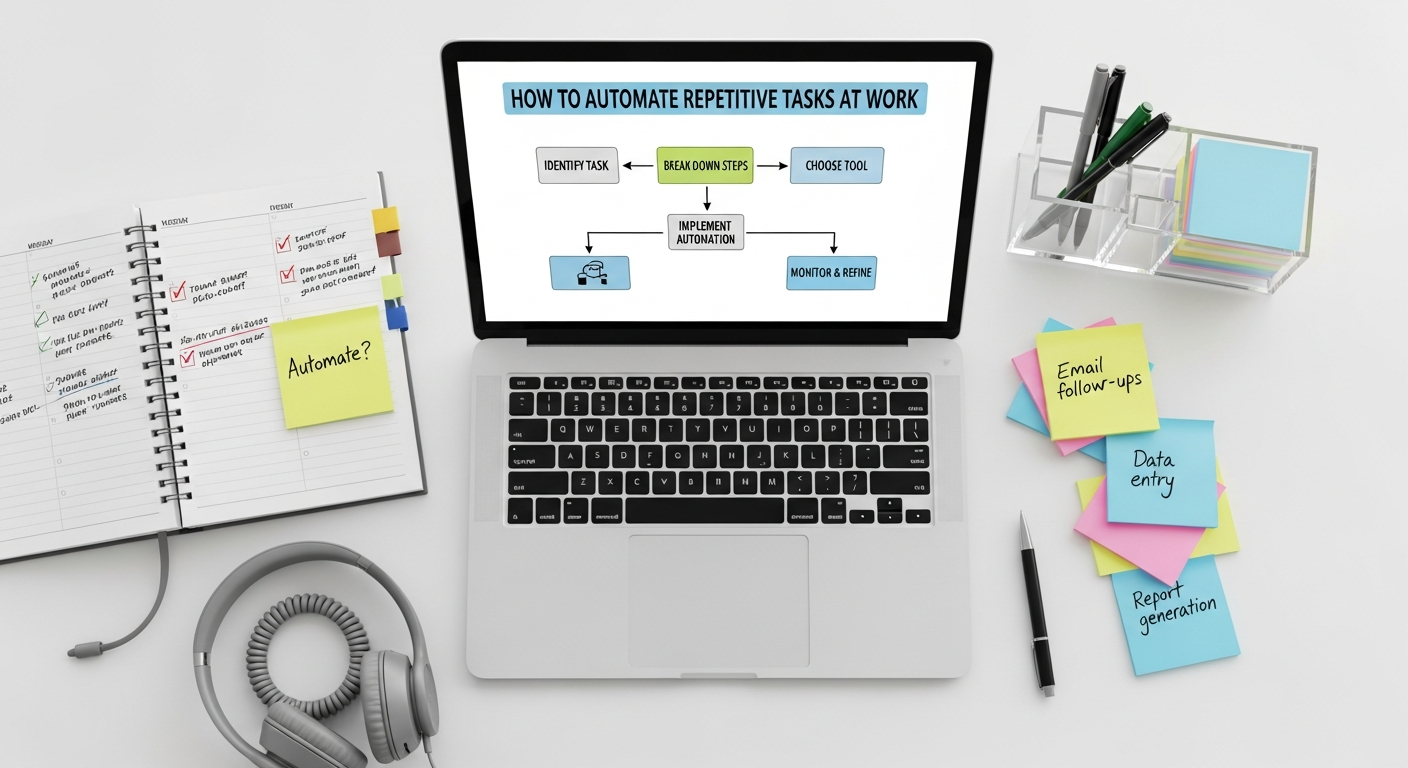
The journey to automation begins with a thorough understanding of your current workflow. It’s not about automating everything, but intelligently identifying the tasks that will yield the greatest return on investment in terms of time saved, accuracy improved, and morale boosted. This section will guide you through a systematic approach to pinpointing those prime automation candidates.
Common Culprits: Tasks Ripe for Automation
While every role and organization has its unique set of repetitive tasks, certain categories frequently emerge as prime candidates for automation:
- Data Entry and Transfer: Moving information between spreadsheets, databases, CRM systems, or other applications. This often includes copy-pasting, re-typing, and basic formatting.
- Email Management: Sending routine emails, categorizing incoming messages, unsubscribing from newsletters, or generating automated responses.
- Report Generation: Compiling data from various sources into reports, dashboards, or presentations on a regular basis. This often involves data aggregation, calculations, and formatting.
- Scheduling and Calendar Management: Coordinating meetings, sending reminders, and managing conflicting appointments.
- File Management: Organizing, renaming, moving, backing up, and archiving digital files according to specific rules.
- Onboarding/Offboarding Processes: Setting up new accounts, assigning access, or revoking permissions for employees.
- Social Media Scheduling: Posting content across multiple platforms at predetermined times.
- Invoice Processing: Extracting data from invoices, entering it into accounting systems, and initiating payments.
A Systematic Approach to Task Identification
To effectively identify automation opportunities, adopt a structured methodology:
- Document Your Day/Week: For a period of a few days or a week, meticulously log every task you perform. Note down:
- The task name.
- How long it takes to complete.
- How frequently you perform it (daily, weekly, monthly).
- Any specific tools or applications used.
- The steps involved.
- The input and output of the task.
This detailed audit provides a clear picture of where your time is actually going.
- Quantify the Impact: Once you have your task log, calculate the total time spent on each repetitive task over a month or year. This will highlight the biggest time sinks. For example, a task that takes 10 minutes but is done 20 times a day costs significantly more than a task that takes an hour but is done once a month.
- Apply the “3 D’s” Rule: Evaluate each task against these criteria:
- Dull: Is the task boring, monotonous, and mentally unstimulating?
- Difficult: Is the task prone to human error, complex in its manual execution, or requires significant attention to detail that could be better handled by a machine?
- Data-Intensive: Does the task involve processing, transferring, or manipulating large volumes of data?
Tasks that tick multiple boxes here are strong candidates for automation.
- Look for Repetitive Patterns and Triggers:
- Are there specific events that always trigger a series of actions? (e.g., “When a new client signs up, I always send a welcome email, create a folder, and update the CRM.”)
- Do you find yourself performing the same sequence of clicks, keystrokes, or data manipulations repeatedly?
- Consider the “If This, Then That” Logic: Many automation tools operate on conditional logic. Think about your tasks in terms of triggers and actions. “If X happens, then Y should occur.” This mental model helps in structuring potential automation workflows.
- Seek Input from Colleagues: What are the biggest pain points for your team? What tasks do they dread? Collective insight can reveal widespread inefficiencies that might not be apparent from an individual perspective.
By systematically identifying and quantifying these opportunities, you can build a prioritized list of tasks that, once automated, will deliver the most significant impact on your productivity and overall job satisfaction. This methodical approach ensures that your automation efforts are strategic, targeted, and ultimately successful.
Tools and Technologies for Automation: Your Digital Toolkit for 2026
1. Robotic Process Automation (RPA)
What it is: RPA utilizes software robots (bots) to mimic human interactions with digital systems. These bots can open applications, log in, copy and paste data, navigate websites, extract information, and perform tasks exactly as a human would, but faster and without errors. RPA is particularly effective for highly repetitive, rule-based tasks that involve structured data and multiple applications.
Key Players: UiPath, Automation Anywhere, Blue Prism, Microsoft Power Automate Desktop.
Use Cases: Invoice processing, data migration, customer service inquiries, HR onboarding, report generation across disparate systems.
2. No-Code/Low-Code Automation Platforms
These platforms empower users, even those without programming knowledge, to create powerful automated workflows using intuitive drag-and-drop interfaces. They typically connect different web applications and services, triggering actions based on predefined conditions.
- Integrations Platforms (iPaaS Lite):
- Zapier: Connects thousands of web apps (e.g., “If new email in Gmail, then create a task in Asana”). Excellent for cross-application workflows.
- IFTTT (If This Then That): Similar to Zapier but often focused on simpler personal and smart home automations, though it has business applications.
- Microsoft Power Automate (formerly Flow): Integrates deeply with Microsoft 365 services and a growing number of external apps. Offers cloud flows, desktop flows (RPA), and business process flows.
- Make (formerly Integromat): A more powerful and visual alternative to Zapier, allowing for complex multi-step scenarios and data manipulation.
- Workflow Automation within SaaS Platforms: Many popular business tools now include native automation capabilities:
- CRM Systems (e.g., Salesforce, HubSpot): Automate lead assignment, email sequences, task creation upon deal stage changes.
- Project Management Tools (e.g., Asana, Trello, ClickUp): Automate task creation, status updates, notifications based on due dates or task completion.
- Email Marketing Platforms (e.g., Mailchimp, ActiveCampaign): Automate welcome series, abandoned cart reminders, segmentation.
- Communication Platforms (e.g., Slack, Microsoft Teams): Automate notifications, reminders, channel updates from other apps.
Use Cases: Automating social media posts, syncing contacts between platforms, sending automated follow-up emails, creating tasks from form submissions, data synchronization.
3. Scripting and Programming Languages
For those with a technical background, scripting languages offer unparalleled flexibility and power to automate highly customized and complex tasks, especially those involving local files or specific system interactions.
- Python: A versatile and widely used language, Python is excellent for data manipulation, web scraping, automating interactions with APIs, file system operations, and even creating simple desktop automations. Its extensive libraries make it a go-to for many automation challenges.
- JavaScript: Primarily a web language, JavaScript can automate browser tasks, interact with web pages, and, with Node.js, perform server-side automation and system scripts.
- VBA (Visual Basic for Applications): Embedded within Microsoft Office applications, VBA allows users to write macros to automate repetitive tasks within Excel, Word, Outlook, and PowerPoint. This is particularly powerful for spreadsheet-heavy workflows.
- Shell Scripting (Bash, PowerShell): Essential for automating tasks directly on operating systems, such as file management, system administration, and executing command-line utilities.
Use Cases: Automating complex data cleaning in Excel, generating custom reports from a database, web scraping for market research, managing server tasks, batch processing files.
4. Advanced Automation Concepts and Future Trends
The future of automation is already here, with increasingly sophisticated technologies integrating to create hyper-efficient workflows.
- AI-Powered Automation: Integrating Artificial Intelligence and Machine Learning enhances automation capabilities, allowing systems to handle unstructured data, make decisions, and learn from patterns. This moves automation beyond purely rule-based tasks into more cognitive processes.
- Hyperautomation: A concept coined by Gartner, hyperautomation involves orchestrating multiple advanced technologies—such as RPA, AI/ML, process mining, and intelligent business process management (iBPMS)—to automate as many business and IT processes as possible.
- Cloud-Native Automation: Many of the powerful automation platforms we discuss today operate seamlessly in the cloud, leveraging the principles of Cloud Computing Explained Simply to offer scalability, accessibility, and robust processing power without needing on-premise hardware. This enables global teams to collaborate on and benefit from automated processes securely and efficiently.
- Personal Knowledge Management (PKM) Automation: While tools like How To Use Obsidian For Note Taking are primarily manual, automation can enhance them. Scripts can automatically tag notes, link related concepts based on content, or integrate external data sources. For instance, an automated script could pull highlights from articles you read and format them directly into an Obsidian note, or automatically create daily journal templates.
Choosing the right tools depends on the specific tasks you need to automate, your technical comfort level, and the scale of your automation ambitions. Start with simple, no-code solutions for immediate impact, and gradually explore more advanced options as your needs and skills evolve.
Strategies for Implementing Automation Successfully
Implementing automation isn’t just about selecting the right tools; it’s about adopting a strategic approach that maximizes benefits and minimizes potential pitfalls. A thoughtful implementation plan ensures that automation becomes a seamless and valuable part of your workflow.
1. Start Small and Scale Gradually
The temptation might be to automate every identified task at once, but a phased approach is far more effective.
- Pilot Projects: Begin with one or two high-impact, low-complexity tasks. Successfully automating these “quick wins” builds confidence, demonstrates value, and provides valuable lessons learned without overwhelming resources.
- Iterative Improvement: Automation is rarely a one-and-done process. Start with a functional solution, gather feedback, and then refine and optimize it. This iterative approach allows for continuous improvement and adaptation.
2. Thorough Planning and Process Mapping
Before you even touch an automation tool, meticulously map out the “as-is” and “to-be” processes.
- Document the Current Process: Understand every single step, decision point, input, and output of the task you wish to automate. Identify any exceptions or edge cases.
- Design the Automated Workflow: Clearly define how the automated process will operate. What are the triggers? What are the sequential actions? What happens if an error occurs? Visual flowcharts can be incredibly helpful here.
- Define Clear Objectives and Metrics: What do you hope to achieve with this automation? (e.g., reduce processing time by 50%, eliminate 90% of data entry errors). Establish key performance indicators (KPIs) to measure success.
3. Data Quality and Standardization
Automation thrives on structured, consistent data. Poor data quality is a common reason for automation failures.
- Standardize Inputs: Ensure that the data entering your automated process is consistent in format, naming conventions, and structure.
- Clean Your Data: Before automating a data-intensive task, take the time to clean existing data to remove duplicates, correct errors, and fill in missing information. “Garbage in, garbage out” applies emphatically to automation.
4. Documentation and Training
Even if an automation runs perfectly, understanding its mechanics is crucial for maintenance and scaling.
- Document the Automation: Record how the automation was built, what tools it uses, its purpose, its triggers, and its expected outputs. This documentation is vital for troubleshooting, modifications, and for future team members.
- Train Users (Where Applicable): If the automation impacts how others work or requires specific inputs from them, provide clear training. Explain what the automation does, its benefits, and any changes to their workflow.
5. Security and Compliance
Automating tasks, especially those involving sensitive data, requires careful consideration of security and compliance.
- Access Control: Ensure that automation tools and accounts have only the necessary permissions and access levels.
- Data Privacy: Verify that your automation complies with all relevant data privacy regulations (e.g., GDPR, CCPA).
- Audit Trails: Implement logging and audit trails for automated processes to track actions and facilitate troubleshooting and compliance checks.
6. Continuous Monitoring and Optimization
Automation is not a set-it-and-forget-it solution.
- Monitor Performance: Regularly check that your automations are running as expected, achieving their objectives, and not encountering errors.
- Review and Refine: Business processes and technologies evolve. Periodically review your automations to ensure they are still relevant, efficient, and aligned with current needs. Look for opportunities to optimize or expand them.
- Error Handling: Design your automations with robust error handling mechanisms. What happens if a file isn’t found, an application isn’t open, or a data field is empty? Proactive error handling prevents disruptions.
7. Change Management and Communication
Introducing automation can sometimes be met with resistance or apprehension from employees worried about job security.
- Communicate Benefits Clearly: Emphasize that automation is about augmenting human capabilities, not replacing them. Highlight how it frees up employees for more engaging and valuable work.
- Involve Stakeholders: Get buy-in from employees who will be impacted by the automation. Their input can be invaluable in designing effective solutions and fostering acceptance.
- Celebrate Successes: Share the positive outcomes of automation to build momentum and encourage further adoption.
By following these strategies, you can ensure that your automation initiatives are not only technically sound but also effectively integrated into your organizational culture, leading to sustained productivity gains and a more empowered workforce.
Measuring the Impact of Automation: Proving Your Productivity Gains
Implementing automation is a significant investment of time and resources. To truly understand its value and justify further initiatives, it’s crucial to measure its impact effectively. This involves tracking key metrics that demonstrate the tangible benefits of your automated workflows.
Key Performance Indicators (KPIs) for Automation Success
When assessing the impact of automation, focus on metrics that directly reflect the goals you set during the planning phase. These typically fall into categories of efficiency, accuracy, cost, and human capital.
- Time Saved:
- Task Execution Time Reduction: Compare the time it took to complete a task manually versus the time it takes with automation. Quantify this in hours, days, or even weeks per month/year.
- Employee Time Reallocation: Track how employees are reallocating the time freed up by automation. Are they focusing on strategic projects, skill development, or higher-value client interactions?
- Accuracy and Quality Improvement:
- Error Rate Reduction: Measure the number of errors (e.g., data entry mistakes, calculation errors) before and after automation. Aim for near-zero errors in automated processes.
- Compliance Adherence: For tasks with regulatory requirements, track how consistently the automated process adheres to compliance standards compared to manual execution.
- Data Integrity: Assess the consistency and reliability of data processed by automated systems.
- Cost Savings:
- Operational Cost Reduction: Calculate savings from reduced labor hours, fewer rework efforts due to errors, and potentially reduced infrastructure costs (if automating server tasks, for example).
- Avoided Costs: Consider costs that would have been incurred if the task scaled manually (e.g., needing to hire additional staff for data entry).
- Software/License ROI: For paid automation tools, track how quickly the savings generated offset the cost of the software.
- Throughput and Scalability:
- Increased Throughput: How many more transactions, reports, or processes can be completed in a given timeframe with automation?
- Process Completion Rate: Track the percentage of tasks or processes successfully completed by the automation without human intervention.
- Employee Satisfaction and Engagement:
- Reduced Burnout/Stress: Conduct surveys or qualitative feedback sessions to gauge employee sentiment regarding reduced repetitive work.
- Increased Engagement in Value-Added Work: Observe or survey employees on their ability to focus on more strategic or creative tasks.
- Faster Decision-Making:
- Report Generation Time: If automation speeds up the creation of critical reports, this can lead to faster, more informed business decisions.
Calculating Return on Investment (ROI)
Beyond individual KPIs, a holistic ROI calculation helps quantify the overall financial benefit of automation.
Simple ROI Formula:
ROI = (Benefits - Costs) / Costs * 100%
Where:
- Benefits: Include quantifiable savings (labor, error reduction, avoided costs) and revenue gains (from faster processes, improved customer service, etc.).
- Costs: Include software licenses, development/implementation costs, maintenance, and training.
For example, if automating a data entry process saves 20 hours per week (at an average hourly cost of $30) and reduces errors that previously cost $500 per month, the benefits quickly add up. Comparing this to the cost of a Zapier subscription or an RPA bot helps determine profitability.
Best Practices for Measurement
- Establish Baselines: Always measure “before” state (manual process) to have a clear benchmark for comparison.
- Consistent Tracking: Implement a system for consistently tracking your chosen KPIs. This might involve dashboards, regular reports, or integrated analytics from your automation tools.
- Regular Review: Schedule periodic reviews (monthly, quarterly) to assess automation performance, identify areas for optimization, and communicate successes to stakeholders.
- Qualitative Feedback: Don’t underestimate the value of anecdotal evidence and employee feedback. While not numerical, it provides crucial context and insights into the human impact of automation.
By diligently measuring the impact of your automation efforts, you not only validate your initial investment but also build a compelling business case for expanding automation across more areas of your work, cementing its role as a cornerstone of your productivity strategy.
FAQ: Automating Repetitive Tasks at Work
Is automation only for large companies or tech-savvy individuals?
Absolutely not! While large enterprises use sophisticated RPA solutions, the rise of no-code/low-code tools like Zapier, Microsoft Power Automate, and even built-in features within common applications means that anyone can automate tasks. If you can identify a repetitive task and understand basic “if this, then that” logic, you have the foundational skills to start automating. Many of the Best Productivity Apps 2026 are designed with user-friendliness in mind, making automation accessible to a broad audience.
What are the most common mistakes to avoid when implementing automation?
Several pitfalls can hinder automation success. Firstly, trying to automate a broken or inefficient manual process without first optimizing it. Secondly, neglecting thorough documentation of your automated workflows, making them difficult to maintain or troubleshoot. Thirdly, overlooking error handling, which can lead to frustrating failures. Finally, failing to communicate the benefits of automation to your team, leading to resistance or fear rather than collaboration.
How do I convince my boss or team to adopt automation?
Focus on quantifiable benefits. Start with a small pilot project that addresses a common pain point and delivers clear, measurable results (e.g., “we saved X hours per week” or “reduced errors by Y%”). Present a clear business case highlighting time savings, cost reductions, increased accuracy, and the opportunity for employees to focus on higher-value, more engaging work. Emphasize that automation augments human capabilities, rather than replacing them, fostering a culture of innovation and efficiency.
Can automating tasks replace my job?
While automation can certainly change job roles by taking over repetitive, rule-based tasks, it rarely leads to wholesale job replacement. Instead, it frees up human employees to focus on more complex, creative, strategic, and interpersonal aspects of their work—tasks that machines cannot easily replicate. Automation is best viewed as a tool that enhances your capabilities and elevates the nature of your job, allowing you to contribute at a higher level and develop new, valuable skills.
What’s the difference between RPA (Robotic Process Automation) and macros?
Macros, often found in applications like Microsoft Excel (VBA macros), are typically confined to automating tasks within a single application or suite of applications. They record and playback sequences of actions. RPA, on the other hand, is much broader. RPA bots can interact with multiple, disparate applications (web browsers, desktop apps, databases), mimicking human actions across different interfaces. Think of macros as automating within a single room, while RPA automates across an entire house, connecting different rooms and their functions.
How do I choose the right automation tool for my needs?
Consider these factors: 1) Complexity of the task: Simple “if this, then that” tasks might suit Zapier; multi-application, rule-based tasks might need RPA; complex data manipulation might require Python. 2) Technical skill level: No-code/low-code tools are great for beginners, while scripting requires coding knowledge. 3) Budget: Tools range from free options to enterprise-level platforms with significant costs. 4) Integration needs: How many different applications need to communicate? 5) Scalability: Will your automation needs grow? Start by identifying your most significant pain points and choosing a tool that specifically addresses them, then expand as your comfort and needs evolve.
Recommended Resources
Check out Photoshop Vs Illustrator For Web Design on Layout Scene for a deeper dive.
Explore How To Build A Mobile App For Your Business for additional insights.


