

Understanding Workflow Automation: Why It Matters for Productivity
The digital age has ushered in an unprecedented era of tool proliferation. From project management software to CRM systems, email marketing platforms, and communication apps, the average professional juggles numerous applications daily. While each tool serves a vital purpose, the constant switching between them and the manual transfer of data can become a significant drain on productivity. This is where workflow automation steps in, acting as the digital glue that binds these applications together.
Workflow automation involves designing and implementing sequences of tasks that execute automatically based on predefined triggers and conditions. Imagine a scenario where a new lead in your CRM automatically gets added to your email marketing list, or a new file uploaded to cloud storage triggers a notification in your team chat. These are just simple examples of how automation can eliminate tedious, repetitive work, allowing teams to focus on higher-value activities that require human intellect and creativity.
For organizations striving for peak performance, automation contributes significantly to operational efficiency, data accuracy, and scalability. It reduces human error, ensures consistency in processes, and empowers businesses to do more with existing resources. In a world where the search for the Best Productivity Apps 2026 is ongoing, integrating an automation platform is often the missing link that amplifies the effectiveness of all other tools in your tech stack. It’s not just about saving time; it’s about optimizing the entire operational pipeline, ensuring that every digital interaction serves a purpose without requiring constant manual oversight.
Zapier: The Market Leader’s Approach to Simplification
Zapier has long been recognized as the undisputed market leader in the no-code automation space, building a reputation for its user-friendliness and extensive app ecosystem. Founded on the principle of making automation accessible to everyone, regardless of technical expertise, Zapier empowers users to connect thousands of web applications without writing a single line of code.
Core Philosophy and Strengths
- Ease of Use: Zapier’s primary strength lies in its simplicity. Its interface is highly intuitive, guiding users through a step-by-step process to build automated workflows, which they call “Zaps.” Creating a Zap involves selecting a trigger app and event, then choosing one or more action apps and events. This linear, wizard-style approach makes it incredibly easy for beginners and non-technical users to get started with automation quickly.
- Vast App Integrations: With connections to over 6,000 applications and counting, Zapier boasts the largest integration library in the industry. This extensive reach means that chances are, if you use a popular web application, Zapier can connect to it. This broad compatibility is a major draw for businesses that rely on a diverse set of tools across departments.
- Quick Deployment: Due to its straightforward interface and predefined app integrations, Zaps can often be set up and deployed in minutes. This rapid prototyping capability allows users to experiment with automation quickly and iterate on workflows without significant time investment.
- Path Logic: For slightly more complex scenarios, Zapier introduced “Paths,” which allow users to create conditional branching within a Zap. This means a single Zap can take different actions based on specific criteria, adding a layer of sophistication without compromising ease of use.
Key Features
- Triggers & Actions: The fundamental building blocks of Zaps. A trigger is an event that starts a Zap (e.g., a new email in Gmail), and an action is an event the Zap performs (e.g., create a new task in Asana).
- Multi-Step Zaps: Allows for a sequence of actions to occur after a single trigger, connecting multiple applications in a single workflow.
- Filters: Enable Zaps to run only when specific conditions are met, preventing unnecessary actions.
- Formatters: Tools to modify data between steps, such as changing date formats or extracting text.
- Scheduled Zaps: Automate tasks to run at specific intervals (e.g., daily, weekly).
Zapier’s pricing structure typically revolves around the number of tasks performed per month and the frequency at which Zaps run (update time). While it offers a free tier for basic usage, more advanced features and higher task volumes require paid subscriptions. For many small businesses and marketing teams focused on common integrations and quick wins, Zapier remains an incredibly powerful and accessible tool in the Best Productivity Apps 2026 lineup.
Make (formerly Integromat): The Visual Powerhouse for Complex Flows
Core Philosophy and Strengths
- Visual Workflow Builder: Make’s standout feature is its drag-and-drop visual builder. Users construct “scenarios” by connecting modules on a canvas, creating a flow chart-like representation of their automation. This visual approach provides an immediate understanding of how data flows through a workflow, making complex logic easier to design and debug.
- Advanced Logic and Data Manipulation: Unlike Zapier’s more linear approach, Make offers unparalleled flexibility in manipulating data at every step of a scenario. Users can apply complex functions, aggregate data, iterate over arrays, and implement sophisticated conditional routing. This makes it ideal for transforming data between applications, handling edge cases, and building truly robust automations.
- Cost-Effectiveness for Scale: Make’s pricing model is often more favorable for high-volume or complex automations. It typically charges based on “operations” (the number of steps executed) and data transfer, which can result in significant cost savings compared to Zapier’s task-based model when dealing with intricate, multi-step scenarios or large datasets.
- Custom HTTP Requests: For applications not natively integrated, Make allows users to make direct HTTP requests, providing a powerful way to connect to virtually any API. This capability is a game-changer for developers and power users who need to integrate with niche or custom-built systems.
Key Features
- Scenarios: The equivalent of Zapier’s Zaps, but built visually with interconnected modules.
- Modules: Individual blocks representing actions, searches, or triggers for specific apps. Make offers a vast array of general tools like aggregators, iterators, routers, and data stores.
- Routers & Filters: Allow for sophisticated branching logic and conditional execution within a scenario, guiding data along different paths based on specific criteria.
- Error Handling: Make provides robust error handling capabilities, allowing users to define what should happen if an error occurs at any point in a scenario, ensuring greater reliability.
- Data Stores: Virtual databases within Make that can be used to store and retrieve data between scenario runs, adding statefulness to workflows.
- Iterators & Aggregators: Powerful tools for processing collections of items (e.g., line items in an order) and then combining or summarizing them.
Make caters to a slightly more technical audience or those with a deeper understanding of data flows, but its visual nature makes it accessible to determined non-developers as well. It’s a top contender for those who need precise control, complex logic, and cost-effective scaling, making it a powerful component for enterprises and agencies looking for advanced automation solutions in 2026.
Head-to-Head: Key Comparison Points
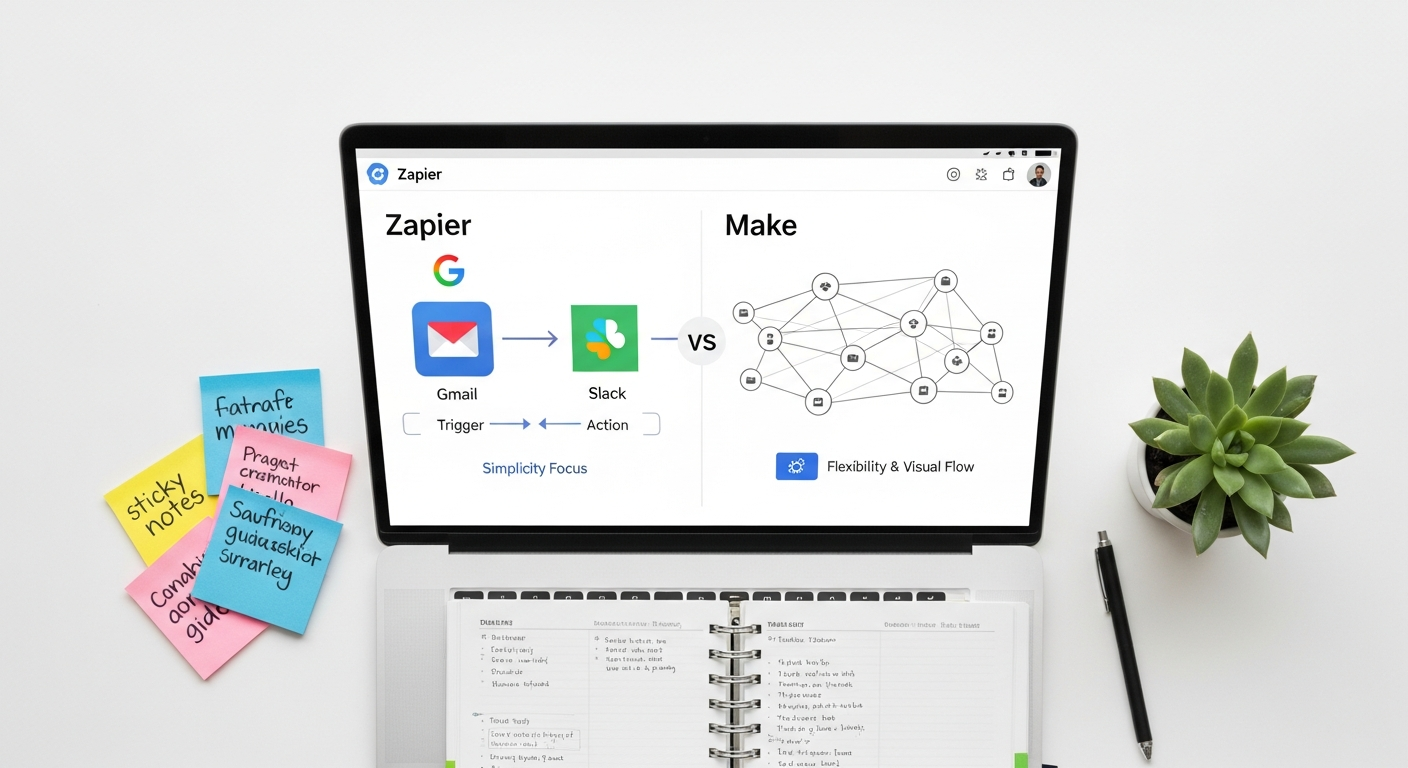
Choosing between Zapier and Make often comes down to a detailed assessment of specific needs, technical comfort, and budget. Here’s a direct comparison across critical dimensions:
Ease of Use & User Interface
- Zapier: Excels in simplicity. Its guided, step-by-step wizard is ideal for beginners and those who prefer a linear setup. The interface is clean, uncluttered, and focuses on getting Zaps running quickly. There’s a minimal learning curve, making it perfect for rapid prototyping and common integrations.
- Make: Offers a steeper learning curve initially. Its visual canvas, while incredibly powerful, can feel overwhelming for new users. However, once mastered, the visual representation provides an unparalleled overview of complex data flows. It requires a more logical, architectural mindset to design scenarios effectively.
- Verdict: Zapier for beginners and quick setups; Make for power users who value visual clarity for complex logic.
App Integrations
- Zapier: Boasts a staggering 6,000+ app integrations. If an app is popular, Zapier likely integrates with it directly, often with multiple trigger and action options. This vast ecosystem is a significant advantage for users who rely on a wide array of mainstream tools.
- Make: Offers integration with around 1,500+ apps, which is still a substantial number and covers most major platforms. Crucially, Make’s ability to make custom HTTP requests means it can connect to virtually any API, even if a native integration doesn’t exist. This provides a level of flexibility that Zapier generally lacks without using its Code by Zapier feature, which requires programming.
- Verdict: Zapier for sheer breadth of popular app integrations; Make for deep, custom integrations with any API.
Pricing & Cost Efficiency
- Zapier: Pricing is primarily task-based (each action in a Zap counts as a task) and also considers update frequency. While affordable for simple, low-volume automations, costs can escalate quickly for complex multi-step Zaps or high-volume workflows. Its free tier is generous for initial exploration.
- Make: Charges based on “operations” (each module’s execution counts as an operation) and data transfer. For highly complex scenarios with many steps or large data volumes, Make often proves significantly more cost-effective. Its free tier is also robust, allowing for substantial experimentation.
- Verdict: Make is generally more cost-efficient for complex, high-volume automations; Zapier can be more economical for simple, low-volume tasks.
Flexibility & Advanced Features
- Zapier: Provides good flexibility for common use cases with multi-step Zaps, filters, and paths. It’s designed for “if this, then that” logic and straightforward data movement. Its built-in formatting tools are useful but limited compared to Make.
- Make: Shines in advanced flexibility. Features like routers, iterators, aggregators, error handling, and webhooks allow for incredibly sophisticated data manipulation and workflow branching. You can build complex conditional logic, process collections of items, and even store data within Make itself. This makes it suitable for complex business processes that require dynamic decision-making.
- Verdict: Make offers superior flexibility and advanced features for complex, data-intensive workflows; Zapier is excellent for straightforward, common automations.
Performance & Reliability
- Both platforms are generally robust and reliable, designed to handle millions of operations daily.
- Zapier: Zaps run on a polling system (checking for new data at intervals) or instant webhooks. While generally fast, polling can introduce slight delays.
- Make: Often relies more heavily on webhooks for instant triggers, leading to near real-time execution. Its visual nature can also make it easier to diagnose and troubleshoot issues within a complex scenario.
- Verdict: Both are highly reliable. Make might offer slightly better real-time performance due to its webhook-centric approach for many integrations and robust error handling capabilities.
Support & Community
- Zapier: Offers extensive documentation, tutorials, and a responsive support team. Its large user base also means a vast community forum where solutions are often readily available.
- Make: Provides detailed documentation, video tutorials, and a knowledgeable support team. Its community is growing rapidly, and resources are becoming more plentiful.
- Verdict: Both offer excellent support resources, with Zapier having a slight edge in community size due to its longer market presence.
Use Cases & Who Benefits Most
Understanding the strengths of Zapier and Make helps in identifying which platform is best suited for different user profiles and business needs.
When to Choose Zapier
- Small Businesses & Solopreneurs: For those just starting with automation or with simpler needs, Zapier’s ease of use and quick setup are invaluable.
- Marketing & Sales Teams: Automating lead capture, CRM updates, email follow-ups, and social media posting. For example, connecting your lead form to your CRM and then triggering a personalized email via one of the Best Email Management Tools 2026.
- Users Prioritizing Speed and Simplicity: If your goal is to automate common, repetitive tasks quickly without diving deep into complex logic or data manipulation, Zapier is the clear winner.
- Broad App Ecosystem Users: If your tech stack involves a wide variety of popular SaaS applications, Zapier’s extensive integration library ensures you can connect almost everything out-of-the-box.
- Basic Data Movement: When you need to move data from App A to App B with minimal transformation.
When to Choose Make
- Developers & Power Users: Individuals comfortable with logical thinking, API concepts, and who need granular control over every aspect of their workflow.
- Agencies & Enterprises: Organizations that require complex, scalable automations, advanced data manipulation, custom API integrations, and robust error handling across multiple clients or departments.
- Data Transformation Needs: If your workflow involves significant data aggregation, filtering, parsing, or transformation between applications, Make’s tools are far superior.
- Cost-Sensitive High-Volume Automation: For scenarios that generate a large number of operations or process substantial data, Make often offers a more economical pricing model.
- Custom Integrations: When you need to connect to niche applications, internal tools, or develop highly customized integrations via HTTP requests.
- Complex Conditional Logic: Building workflows that require multiple branching paths, dynamic decision-making, and sophisticated flow control.
Consider, for instance, a scenario where you’re managing customer support. With Zapier, you might automate creating a new ticket in your help desk when an email arrives in a specific inbox. With Make, you could do that, but also parse the email content, categorize the issue based on keywords, fetch customer history from a database, assign it to the appropriate agent based on their workload and skill set, and then update a separate spreadsheet for analytics – all within a single, visually represented scenario. The depth of possibility is significantly greater with Make for such intricate processes.
Getting Started: Tips for Successful Automation
Embarking on your automation journey with either Zapier or Make requires a thoughtful approach to ensure success and maximize your return on investment. Just as you’d carefully consider How To Choose Monitor For Work to optimize your physical workspace, selecting and implementing an automation tool demands strategic planning.
- Identify Your Pain Points: Before diving into either platform, clearly define which manual, repetitive tasks consume the most time or are prone to errors. Start with one or two clear, impactful processes that, once automated, will provide immediate relief and demonstrate value.
- Map Out Your Workflow: Visually sketch or write down the exact steps of the process you want to automate. Include triggers, actions, decisions, and data points. This clarity will be invaluable whether you’re building a linear Zap or a complex Make scenario.
- Understand Your Data: Know what data you have, where it lives, and how it needs to be transformed between applications. Make sure your data is clean and consistent, as automation thrives on structured information.
- Start Simple, Then Iterate: Don’t try to automate your entire business on day one. Begin with a basic version of your workflow, test it thoroughly, and then gradually add complexity, conditions, and additional steps as you gain confidence and understanding.
- Leverage Free Tiers and Trials: Both Zapier and Make offer generous free plans or trials. Use these to experiment with different automations, understand each platform’s interface, and test integrations with your specific apps before committing to a paid plan.
- Monitor and Optimize: Automation is not a “set it and forget it” solution. Regularly monitor your Zaps or Scenarios to ensure they are running correctly, identify any errors, and look for opportunities to optimize or expand their functionality. As your business evolves and new Best Productivity Apps 2026 emerge, your automations may need adjustments.
- Educate Yourself and Your Team: Invest time in learning the nuances of your chosen platform. Both Zapier and Make have extensive documentation, video tutorials, and active communities. Empowering your team to understand and even build simple automations can significantly boost overall productivity.
By following these tips, you’ll be better equipped to harness the power of workflow automation, whether you opt for Zapier’s straightforward simplicity or Make’s robust flexibility. The right approach ensures that your chosen tool becomes a true asset in your digital productivity toolkit, rather than another piece of unoptimized software.
The Future of Automation: Trends for 2026 and Beyond
As we look towards 2026 and beyond, the landscape of workflow automation is poised for even greater transformation. The core principles of connecting applications and automating tasks will remain, but the sophistication and intelligence of these platforms are set to dramatically increase.
Key Trends to Watch:
- AI and Machine Learning Integration: Expect deeper integration of AI and ML capabilities directly within automation platforms. This will enable more intelligent decision-making within workflows, such as automatically categorizing customer inquiries, predicting optimal response times, or even generating personalized content based on user behavior. Automation will move beyond simple rules to adaptive, learning systems.
- Hyperautomation: This concept, coined by Gartner, refers to the combination of multiple advanced technologies, including Robotic Process Automation (RPA), AI, Machine Learning, and traditional workflow automation, to automate as many business processes as possible. Platforms like Zapier and Make will likely expand their capabilities to integrate more seamlessly with RPA tools, extending automation to legacy systems and desktop applications.
- Event-Driven Architectures: A shift towards more real-time, event-driven automation where triggers instantly initiate workflows, minimizing latency and enhancing responsiveness. This is already a strong point for Make with its webhook capabilities, and Zapier will continue to enhance its instant trigger offerings.
- Natural Language Processing (NLP) for Workflow Creation: Imagine being able to describe your desired automation in plain English, and the platform generates the workflow for you. Advancements in NLP could make automation design even more accessible, breaking down the remaining barriers for non-technical users.
- Increased Focus on Low-Code/No-Code Development: The demand for citizen developers will continue to grow, and platforms like Zapier and Make will be central to this movement. They will empower more business users to build sophisticated applications and automations without relying solely on IT departments.
- Security and Governance Enhancements: As automation becomes more pervasive, robust security, compliance, and governance features will be paramount, especially for enterprise users. Platforms will invest heavily in ensuring data privacy and secure access controls within automated workflows.
The imperative to optimize productivity will only intensify, making tools like Zapier and Make indispensable for navigating the complexities of the digital future. They will continue to evolve, offering more intuitive interfaces, powerful features, and intelligent automation capabilities that redefine what’s possible for businesses in 2026 and beyond. Staying abreast of these trends and continually evaluating the Best Productivity Apps 2026, including automation platforms, will be key to maintaining a competitive edge.
Frequently Asked Questions
Recommended Resources
You might also enjoy Best Accounting Software For Startups And Smbs from Eamped.
For more on Zapier vs Make, see Best Fonts For Graphic Designers 2025 on Layout Scene.


