
What Is a Bookmark Manager? Your Essential Guide to Digital Organization and Productivity
Affiliate disclosure: This article may contain affiliate links. Recommendations are independent and editorially driven.
In the vast, ever-expanding ocean of information that is the internet, finding a way to not just navigate but also effectively catalog and revisit valuable resources has become paramount. Gone are the days when a handful of browser favorites sufficed. Today, professionals, students, researchers, and casual web users alike are grappling with an overwhelming influx of links, articles, videos, and tools. This is where the concept of what is a bookmark manager truly shines as a critical component of modern digital life.
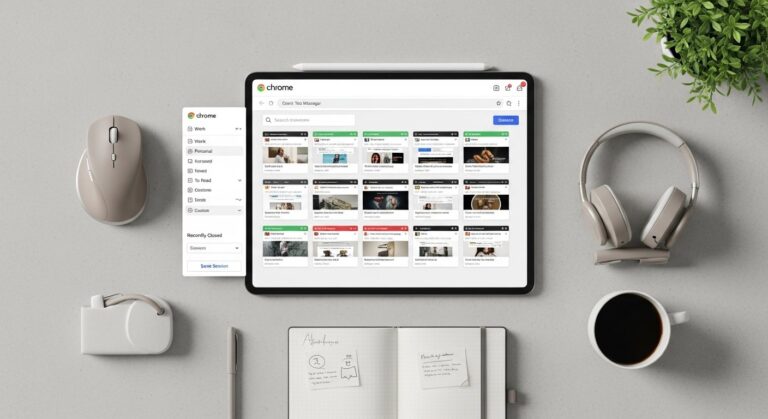
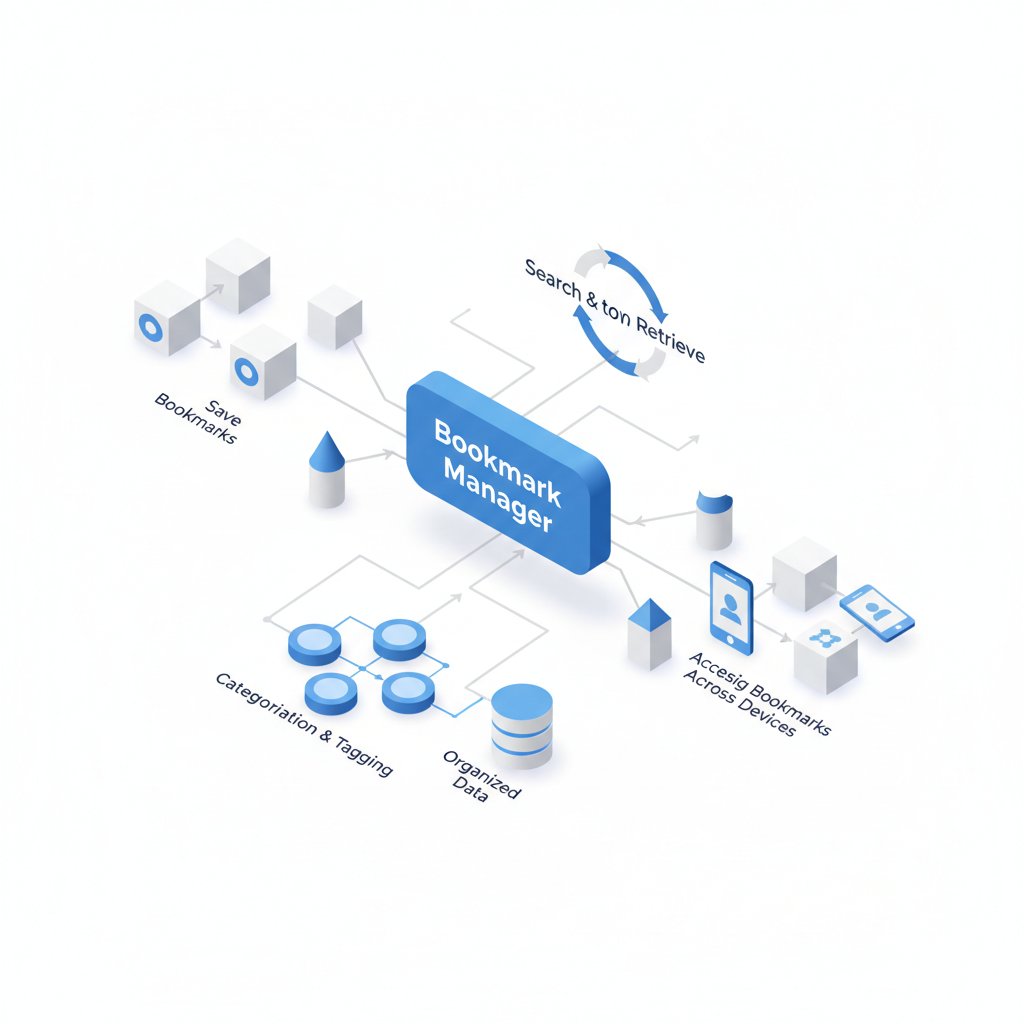
At its core, a bookmark manager is far more than just a place to save website links. It’s a sophisticated tool designed to help you organize, categorize, annotate, search, and retrieve your saved web content efficiently. Think of it as your personal, digital librarian for the internet, ensuring that no valuable piece of information ever gets lost in the digital shuffle again. Whether you’re curating resources for a research project, collecting articles for professional development, or simply saving interesting reads for later, a robust bookmark manager transforms chaos into order.
This comprehensive guide from bookmarksharer will delve deep into the world of bookmark managers. We will explore their fundamental purpose, dissect their diverse features, examine various types available, and walk you through the process of choosing the perfect tool for your specific needs. By the end of this article, you’ll not only understand what a bookmark manager is but also how it can revolutionize your productivity, enhance your knowledge management, and empower your digital workflows.
Understanding the Core Purpose of a Bookmark Manager
The primary function of any bookmark manager is to transcend the rudimentary “favorites” or “bookmarks” feature built into web browsers. While native browser bookmarks offer basic saving capabilities, they quickly become unwieldy as your collection grows. Imagine trying to find a specific article from months ago, buried deep within an undifferentiated list of hundreds – or even thousands – of links. This is the common frustration that bookmark managers aim to solve.
Beyond Basic Saving: Why Native Browser Bookmarks Fall Short
Browser-native bookmarking tools are designed for simplicity. You click a star icon, and the link is saved. While convenient for occasional use, their limitations become glaringly obvious with heavy usage:
- Lack of Advanced Organization: Most browser bookmark panels offer only basic folder structures. Hierarchies can become complex and difficult to navigate.
- Limited Search Capabilities: Searching is often restricted to titles or URLs, making it hard to find content based on its actual subject matter or your notes.
- No Cross-Browser Sync (Often): While some browsers offer sync across their own instances, truly cross-browser and cross-device syncing is often limited or requires additional setup, hindering seamless access.
- Absence of Rich Metadata: You can’t easily add tags, personal notes, highlights, or categorize items in multiple ways.
- Ephemeral Nature: Bookmarks can be lost due to browser crashes, reinstallation, or new device setup if not properly synced or backed up.
- No Content Archiving: If a webpage changes or disappears, your bookmark becomes a dead link. Browser bookmarks don’t preserve the content itself.
The Transformative Power of Advanced Link Curation
A dedicated bookmark manager elevates link curation from a chore to a strategic asset. It empowers users with tools for:
- Intelligent Categorization: Moving beyond simple folders, bookmark managers allow for tagging, custom fields, and even AI-driven categorization, enabling multiple ways to find the same content.
- Enhanced Search and Retrieval: Search functionality often includes full-text search of saved pages, not just titles. This means you can find a specific concept or keyword within the content of a page you saved, even if you don’t remember the title.
- Cross-Device and Cross-Browser Accessibility: A good bookmark manager provides a centralized, cloud-based repository for all your links, accessible from any device (desktop, tablet, smartphone) and any browser, ensuring your digital library is always at your fingertips.
- Annotation and Contextualization: The ability to add private notes, highlights, and even screenshots directly to your saved pages helps you remember why you saved something and what was important about it.
- Content Archiving and Resilience: Many advanced bookmark managers save a copy of the webpage content, ensuring that even if the original link goes dead or the content changes, you still have access to the information you originally saved. This is invaluable for research and historical reference.
- Collaboration and Sharing: Some tools facilitate sharing collections of links with colleagues, friends, or the public, making them powerful for team projects or content curation.
In essence, a bookmark manager transforms a static collection of links into a dynamic, searchable, and always-available knowledge base. It’s about bringing structure and intelligence to your web exploration, ensuring that every valuable discovery contributes meaningfully to your personal or professional knowledge graph.
[INLINE IMAGE 1: what is a bookmark manager concept illustration]
Key Features and Functionalities of Modern Bookmark Managers

The modern bookmark manager is a multifaceted tool, packed with capabilities designed to streamline your digital life. While specific features vary between different services, several core functionalities define the utility and sophistication of these platforms.
Advanced Tagging and Categorization Systems
One of the most significant upgrades over basic browser bookmarks is the superior organizational schema offered by a dedicated manager. Instead of rigid folder structures, you typically get:
- Tags: Apply multiple descriptive tags to a single bookmark, allowing it to appear in various contextual searches. For example, an article about “AI ethics” could be tagged “AI,” “ethics,” “machine learning,” and “philosophy.”
- Folders/Collections: While still present, folders are often more flexible, allowing for nesting and sometimes even the assignment of multiple folders to a single item in some advanced systems.
- Smart Lists/Saved Searches: Some managers allow you to create dynamic lists based on specific criteria (e.g., all links tagged “AI” that also have the keyword “future” in their content).
- Automatic Categorization (AI-Powered): Newer tools leverage AI to automatically suggest tags, categories, or even summarize content, significantly reducing manual effort.
Robust Search and Filtering Capabilities
Finding what you need, when you need it, is paramount. Bookmark managers excel here:
- Full-Text Search: Search not just the title and URL, but the actual content of the saved page. This is a game-changer for retrieving specific snippets or articles you vaguely remember.
- Filter by Tag, Date, Source, Type: Quickly narrow down results using various filters. Looking for all PDFs saved last week from a specific domain? No problem.
- Boolean Search and Advanced Operators: For power users, the ability to use “AND,” “OR,” “NOT,” and other operators allows for highly precise queries.
Cross-Device Syncing and Accessibility
In a multi-device world, seamless access is non-negotiable:
- Cloud-Based Synchronization: Most managers store your bookmarks in the cloud, ensuring they are always backed up and accessible from any internet-connected device.
- Browser Extensions: Easy “save-to-bookmark-manager” buttons directly in Chrome, Firefox, Edge, Safari, and other browsers for quick capturing.
- Mobile Apps: Dedicated apps for iOS and Android allow you to save, view, and organize bookmarks on the go, integrating with mobile sharing sheets.
- Web Interface: A comprehensive web application serves as the central hub for managing your entire collection.
Annotation, Highlighting, and Note-Taking
Adding context and personal insight is crucial for knowledge retention:
- Private Notes: Jot down your thoughts, summaries, or reasons for saving a particular link.
- In-Page Highlighting: Some tools allow you to highlight specific text directly on the saved webpage, similar to highlighting a physical book.
- Screenshot Capture: Capture specific sections or the entire page as an image alongside your bookmark.
- Read-Later Functionality: Integration with “read-it-later” features or dedicated queues helps manage articles you intend to consume.
Content Archiving and Offline Access
Protecting against link rot is a valuable feature:
- Full-Page Archiving: Save a complete, static copy of the webpage at the moment it was bookmarked. This “snapshot” or “web archive” ensures that even if the original site disappears or changes, you retain the information.
- PDF Conversion: Some managers can convert webpages to PDF for easier long-term storage and annotation.
- Offline Access: For archived content, some services offer offline access, allowing you to read saved articles without an internet connection, perfect for travel or unreliable networks.
Sharing and Collaboration Features
For teams, students, or content curators, sharing is key:
- Public/Private Sharing: Share individual bookmarks or entire collections with others. Options often include public links, shareable only with specific collaborators, or entirely private.
- Collaborative Collections: Allow multiple users to contribute to and manage a shared set of bookmarks, ideal for group projects or team research.
- Integrations with productivity suites: Some bookmark managers integrate with tools like Slack, Notion, or Trello for seamless workflow inclusion.
By leveraging these advanced features, users can transform their sprawling collection of links into a highly organized, intelligently searchable, and reliably accessible personal knowledge base, making the answer to “what is a bookmark manager?” far more profound than just “a place to save links.”
Different Types of Bookmark Managers Explained
Not all bookmark managers are created equal. They come in various forms, each with its own strengths and ideal use cases. Understanding these categories is crucial for selecting the tool that best aligns with your personal or professional workflows.
Browser-Native Extensions (Enhanced)
These are extensions that integrate directly into your web browser, building upon or replacing the native bookmark functionality. They often offer a good balance of convenience and extended features.
- Examples: Raindrop.io, Pocket (browser extension component), Instapaper (browser extension component), Diigo.
- Pros:
- Deep browser integration for quick saving and access.
- Often lightweight and fast.
- Can offer a more visual bookmarking experience with thumbnails.
- Some provide annotation tools directly within the browser.
- Cons:
- Primarily tied to browser usage; managing bookmarks outside the browser might require their web app.
- Cross-browser compatibility can vary (some are optimized for one browser, while others are truly universal).
- Less emphasis on long-term archival or complex knowledge management compared to dedicated apps.
- Ideal For: Everyday web users, content consumers, light to moderate researchers who prioritize ease of saving within their browsing flow.
Standalone Web Applications (Cloud-Based)
These managers operate primarily as dedicated websites, often with accompanying browser extensions and mobile apps. They are platform-agnostic and focus on providing a centralized hub for your links.
- Examples: Pinboard, Wallabag, Refind, hypothesis.is.
- Pros:
- Truly cross-browser and cross-device compatible.
- Often offer robust search, tagging, and organization features.
- Centralized data storage provides security and accessibility from anywhere.
- Can be more feature-rich, particularly in archival and sharing capabilities.
- Some offer API access for custom integrations.
- Cons:
- Saving typically involves a multi-step process (clicking an extension, then possibly opening the web app to organize).
- May require a subscription for full features.
- Can sometimes feel disjointed from the core browsing experience.
- Ideal For: Power users, researchers, knowledge managers, and anyone needing a highly robust, accessible, and future-proof system for their digital library.
Integrated Note-Taking and PKM Tools
Some personal knowledge management (PKM) systems and advanced note-taking applications have incorporated robust bookmarking features, aiming to consolidate all your digital information in one place.
- Examples: Notion, Obsidian (with plugins), Evernote, Roam Research, DEVONthink.
- Pros:
- Bookmarks become integral parts of your notes, projects, and knowledge graphs.
- Enables deep contextualization, linking web resources directly to your thoughts and other information.
- Reduces tool switching, creating a more unified workspace.
- Excellent for cross-referencing and building complex knowledge networks.
- Cons:
- Bookmarking is often a secondary feature, potentially less polished than dedicated managers.
- Can have a steeper learning curve due to the broader scope of the PKM tool itself.
- Bulk importing/exporting of bookmarks might be less straightforward.
- Some are local-first, limiting cloud accessibility without additional setup.
- Ideal For: Students, academics, writers, and professionals who actively build interconnected knowledge bases and want their web resources to live alongside their thoughts and projects.
Read-It-Later Services
While often categorized differently, many “read-it-later” apps function as specialized bookmark managers, focusing on saving articles for later consumption in an optimized reading format.
- Examples: Pocket, Instapaper, Wallabag.
- Pros:
- Excellent for saving long-form articles, removing clutter and ads.
- Offer optimized reading experiences, often with text-to-speech.
- Good for creating a queue of content to consume.
- Robust mobile apps for offline reading.
- Cons:
- Less emphasis on general link organization (e.g., social media posts, software tools, images).
- May not offer full-page archiving of original content, focusing only on the “article view.”
- Organization features (tagging, folders) can be more basic.
- Ideal For: Avid readers, researchers who primarily save articles and blog posts, and anyone looking to declutter their reading queue.
[INLINE IMAGE 2: what is a bookmark manager comparison illustration]
Choosing the right type depends heavily on your specific habits and requirements. Do you need robust archiving? Do you prioritize a clean reading experience? Is deep integration with your notes essential? Answering these questions will guide you to the most suitable category.
Who Needs a Bookmark Manager and Why It Matters
The utility of a bookmark manager extends far beyond just “saving links.” It’s a foundational tool for effective digital organization, making it relevant for a surprisingly wide range of individuals and professions. Understanding what is a bookmark manager in the context of different user needs highlights its versatile importance.
For Students and Academics: Research and Learning Reinvented
The academic world thrives on information, making robust knowledge management critical:
- Streamlined Research: Students and academics constantly find articles, journals, studies, and websites relevant to their coursework or research. A bookmark manager allows them to save these resources, tag them by project, course, or topic, and add notes on their relevance or key takeaways.
- Reference Management: Easily organize sources for bibliographies and citations. Some advanced managers or integrated PKM tools can even connect to reference managers like Zotero or Mendeley.
- Preventing Information Overload: Instead of having dozens of tabs open or an incoherent list of browser bookmarks, all research materials are centralized and searchable.
- Collaborative Projects: Students working on group projects can share curated collections of resources, ensuring everyone has access to the same foundational information.
- Thesis and Dissertation Support: For long-term projects, the ability to store vast amounts of information, annotate it, and retrieve specific content months or years later is invaluable.
For Professionals: Boosting Productivity and Knowledge Retention
In any professional setting, efficiency and access to relevant information are key drivers of success:
- Market Research & Competitive Analysis: Marketing and business development professionals can save competitor websites, industry reports, and market trend articles, tagging them for easy comparison and analysis.
- Developer & Designer Resources: Engineers, developers, and designers can curate libraries of code snippets, design inspiration, API documentation, tutorials, and frameworks. This saves countless hours searching for that “one solution” they saw last month.
- Project Management Assets: Project managers can save and share client requirements, project documentation, relevant case studies, and tools, keeping all project-specific web resources organized.
- Continuous Learning & Skill Development: Professionals in quickly evolving fields need to constantly learn. A bookmark manager helps them save online courses, webinars, industry best practices, and new tool documentation for ongoing skill development.
- Client & Business Intelligence: Sales and account managers can keep track of client websites, industry news affecting their clients, and relevant business articles, ensuring they are always informed.
For Content Creators and Curators: Building Curated Libraries
Individuals who generate content or curate information for an audience find bookmark managers indispensable:
- Content Inspiration: Bloggers, YouTubers, podcasters, and social media managers can save articles, videos, images, and other forms of content that spark ideas for future work.
- Source Material: Easily reference and retrieve facts, statistics, quotes, or visuals for their content, attributing sources accurately.
- Curated Feeds/Newsletters: For those who run curated newsletters or social media feeds, a bookmark manager helps organize content, add personal commentary, and schedule posts.
- Building a Niche Resource Hub: Create public or private collections of resources focused on a specific niche, establishing expertise and providing value to an audience.
For Everyday Web Users: Personal Organization and Digital Decluttering
Even for those not in a specific professional role, the general benefits are substantial:
- Recipe & Hobby Collections: Save recipes, DIY guides, craft tutorials, travel ideas, or gardening tips in an organized manner, making them easy to find later.
- Shopping & Wish Lists: Keep track of products you’re interested in, compare prices, or build wish lists across different retailers.
- Digital Memory: Preserve articles, news stories, or interesting finds that might otherwise be forgotten, creating a personal archive of web discovery.
- Reading List Management: Use “read-it-later” features to queue up articles without cluttering your browser tabs.
In essence, if you spend any significant time online and frequently encounter information you want to revisit, reference, or share, a bookmark manager is not just a convenience – it’s an essential tool for maintaining sanity, enhancing productivity, and transforming casual browsing into strategic knowledge acquisition. It helps you tame the internet, making it work for you instead of overwhelming you.
Choosing the Right Bookmark Manager: A Decision Guide
With a plethora of options available, selecting the perfect bookmark manager can feel daunting. The “best” tool isn’t universal; it’s the one that best fits your specific needs, workflow, and budget. Here’s a structured approach to making an informed decision, extending our explanation of what is a bookmark manager into practical application.
Step 1: Assess Your Needs and Workflow
Before diving into features, consider how you currently use (or want to use) your web bookmarks:
- Volume of Bookmarks: Are you saving a few links a week, or hundreds? High volume users will need robust search and archiving.
- Primary Content Type: Do you mostly save long articles, images, specific tools, recipes, or a mix? Some tools excel with certain content types (e.g., read-it-later for articles).
- Importance of Archiving: Is it critical to save a static copy of the webpage content, or is just saving the link sufficient?
- Collaboration Needs: Do you need to share collections with others or work on shared link lists?
- Integration with Other Tools: Do you want it to play nicely with your note-taking app, project management software, or PKM system?
- Device Compatibility: Do you need seamless access across desktop, laptop, tablet, and smartphone? Are specific operating systems (Linux, Mac, Windows, iOS, Android) a priority?
- Budget: Are you looking for a free solution, or are you willing to pay a one-time fee or a monthly/annual subscription for premium features?
- Technical Comfort Level: Are you comfortable with a more complex system that offers deep customization, or do you prefer something simple and intuitive?
Step 2: Key Features to Prioritize
Based on your needs, prioritize these features:
- Organization: Decide between simple folders, robust tagging, or AI-powered categorization. How granular do you need to be?
- Search: Is basic title/URL search enough, or do you require full-text search of saved content, including notes and highlights?
- Accessibility: Ensure it has reliable browser extensions for your preferred browser(s) and native mobile apps if you bookmark on the go.
- Annotation: Do you need to add notes, highlight text, or capture screenshots?
- Archiving: If link rot is a concern, prioritize tools that offer full-page archiving or PDF conversion.
- Sharing: If collaboration is key, look for granular sharing controls (public, private, team-based).
- Offline access to saved articles is a niche but valuable feature for many.
Step 3: Compare Popular Bookmark Managers (Table)
Here’s a comparison table highlighting some popular options, demonstrating how different tools approach what is a bookmark manager:
| Feature/Tool | Raindrop.io | Pinboard | Diigo | Notion (as a PMK tool) | |
|---|---|---|---|---|---|
| Primary Focus | Visual bookmarking, rich media | Read-It-Later, articles | Plain text, robust tagging | Annotation, research | All-in-one workspace, PKM |
| Organization | Folders, Tags, Collections, Icon Library | Tags, Lists | Tags (power user focused) | Tags, Outliner, Folders | Databases, Pages, Relations |
| Archiving | Yes (Pro) | Yes (Premium) | Yes (Paid archival subscription) | Yes (Screenshot & Text) | Can embed/screenshot links |
| Annotation/Notes | Notes (basic) | Highlights (Premium), Notes (basic) | Notes (basic) | Highlights, Sticky Notes, Outliner | Extensive notes, content embeds |
| Search | Full-text (Pro) | Full-text (Premium) | Full-text (Paid archival), URL, Tag | Full-text, Annotations | Powerful full-workspace search |
| Sharing/Collaboration | Collections (Shared) | Basic shares | Public/Private | Shared Groups | Extensive collaboration |
| Pricing Model | Free, Pro subscription | Free, Premium subscription | Paid one-time fee + optional archival | Free, Premium subscription | Free, Paid tiers |
| Browser Extensions | Chrome, Firefox, Edge, Safari | Chrome, Firefox, Edge, Safari | Chrome, Firefox | Chrome, Firefox, Edge | Web clipper for Chrome, Firefox |
| Mobile Apps | iOS, Android | iOS, Android | No official app, 3rd party | iOS, Android | iOS, Android |
Step 4: Trial and Evaluate
Once you’ve narrowed down your choices to 2-3 options, activate free trials or use the free versions. Actively use them for a week or two:
- Save New Links: Use the browser extension frequently. How seamless is the saving process?
- Organize & Annotate: Experiment with tagging, adding notes, and categorizing. Does it feel intuitive?
- Search & Retrieve: Try to find previously saved links. How effective is the search?
- Access on Other Devices: Test syncing and mobile app functionality.
- Consider the Interface: Does the UI feel clean and efficient, or cluttered and overwhelming?
Step 5: Make Your Decision and Commit (for a while)
After your trial period, choose the manager that aligns best with your workflow and feels most comfortable. While it’s possible to switch later, consistency is key for building a useful digital library. Stick with your chosen tool for a few months to truly integrate it into your habits. Remember that investing time in learning a robust bookmark manager today will pay dividends in saved time and enhanced productivity for years to come.
By following this methodical approach, you can move beyond simply asking “what is a bookmark manager?” to effectively leveraging one as a cornerstone of your personal and professional knowledge management strategy.
Integrating Bookmark Managers into Your Digital Workflow

Simply having a bookmark manager isn’t enough; its true power is unleashed when it’s seamlessly integrated into your daily digital habits. This section moves beyond just answering what is a bookmark manager to demonstrating how it becomes an indispensable part of your productivity ecosystem.
Beyond Just Saving: Establishing a Consistent Capture Habit
The first step is making the act of saving a link effortless and automatic. Here’s how:
- Always Use the Extension: Install the bookmark manager’s browser extension on all your browsers. Make it a reflex to click it whenever you encounter valuable content.
- Mobile Integration: Configure the bookmark manager’s mobile app to appear in your phone’s share sheet. This allows you to save articles, videos, or product pages directly from any app.
- Keyboard Shortcuts: Learn and utilize any keyboard shortcuts your manager offers for quick saving.
- “Inbox Zero” for Bookmarks: Treat your newly saved links like an email inbox. Periodically review new captures, add tags, notes, or assign them to specific collections before they pile up. This prevents an overwhelming backlog.
Optimizing for Retrieval: Your Future Self Will Thank You
The goal isn’t just to save, but to retrieve. Thoughtful organization makes all the difference:
- Develop a Tagging Strategy:
- Consistency is Key: Use consistent tags (e.g., “AI_Ethics” not “AI ethics” or “AI-Ethics”).
- Broad & Specific: Use a combination of broad categories (e.g., “Marketing,” “Development,” “Research”) and specific descriptors (e.g., “SEO,” “Python,” “Machine_Learning_Trends”).
- Action Tags: Consider tags like “Read_Later,” “Reference,” “Implement,” “Share,” to indicate next steps.
- Source Tags: If important, tag by source (e.g., “NYT,” “Harvard_Business_Review”).
- Utilize Notes & Highlights: Whenever you save a link, take an extra minute to add a quick note about why you saved it, what was important about it, or how you might use it. This context is invaluable months later. For articles, highlight key passages.
- Leverage Collections/Folders: Create logical groupings for projects, clients, hobbies, or areas of study. Don’t let your “uncategorized” section grow too large.
- Regular Review: Schedule a weekly or monthly review of your bookmark collection. Delete obsolete links, refine tags, or consolidate similar resources.
Integrating with Other Productivity Tools (PKM Workflows)
For advanced knowledge management, a bookmark manager doesn’t operate in a vacuum:
- Linking to Note-Taking Apps:
- Direct Integration: Some bookmark managers have direct integrations (e.g., send to Evernote, Notion web clipper).
- Manual Linking: Copy the URL of your archived or bookmarked page and paste it into your notes (e.g., in Obsidian, Roam, Craft, Logseq). You can then link your notes and web resources together.
- Embedding: Tools like Notion allow you to embed entire web pages or specific content blocks directly into your notes, creating a rich, interconnected document.
- Project Management Tools: For project-specific research, save links directly into a dedicated section of your project management tool (e.g., as a card in Trello, a task in Asana, a page in Monday.com).
- Research Databases: If you’re an academic, a bookmark manager complements rather than replaces dedicated reference managers. Use the bookmark manager for discovery and preliminary saving, then export or manually add critical items to your reference database.
- Content Curation Platforms: If you curate content professionally, use the bookmark manager as your central repository, then feed selected, annotated links into platforms like Ghost, Substack, or social media schedulers.
Automation and Advanced Usage
For those who want to push the boundaries of what is a bookmark manager, consider automation:
- IFTTT/Zapier Integrations: Some managers offer integrations with automation tools. For instance, automatically save articles from a specific RSS feed, or send newly saved links with a certain tag to a Slack channel.
- Newsletter Feeds: Use services that can aggregate your bookmarked reads into a daily or weekly newsletter delivered to your inbox, offering a digest of your saved content.
- Public Sharing for Expertise: Curate public collections of resources on topics where you want to be recognized as an expert. This is a low-effort way to add value to your professional brand.
By consciously integrating your bookmark manager into these routines, it evolves from a simple tool into a powerful extension of your digital mind, ensuring that every valuable piece of information you encounter is not just saved, but organized, contextualized, and readily available for when inspiration or necessity strikes.
The Future of Bookmark Managers: Emerging Trends in 2026 and Beyond
The landscape of digital information is constantly evolving, and with it, the tools we use to manage it. Understanding what is a bookmark manager in 2026 means looking at current innovations and anticipating future trends. These tools are becoming increasingly sophisticated, blurring lines with broader knowledge management and AI-driven intelligence.
Artificial Intelligence and Machine Learning Integration
AI is poised to transform bookmark managers in profound ways:
- Automated Tagging and Categorization: Expect more intelligent systems that can analyze content and automatically suggest highly relevant tags, categorize links into existing collections, or even create new categories based on themes.
- Content Summarization: AI will likely offer instant summaries of saved articles, allowing users to quickly grasp the essence of a page without reading it fully. This is invaluable for triage and review.
- Personalized Recommendations: Based on your saved content, reading habits, and search queries, bookmark managers could start suggesting related articles, research papers, or tools you might find useful.
- Semantic Search: Moving beyond keyword matching, AI-powered semantic search will understand the intent and context of your queries, retrieving more relevant results even if the exact keywords aren’t present.
- Duplicate Detection and Merging: AI can identify duplicate links or highly similar content, offering to consolidate or remove redundancies.
Enhanced Integration with Personal Knowledge Management (PKM) Systems
The trend towards unified digital workspaces will continue:
- Deeper Bi-directional Linking: Bookmarked content will seamlessly link to and from notes, projects, and other elements within PKM tools like Notion, Obsidian, and Roam Research, creating true knowledge graphs.
- Graph View and Visualization: Visualize the connections between your bookmarked web pages and your personal notes, revealing relationships and insights you might otherwise miss.
- Workflow Automation with No-Code Tools: More robust integrations with platforms like Zapier, Make (formerly Integromat), and IFTTT will allow users to create complex automated workflows, automating the saving, tagging, and distribution of web resources.
- Dedicated Capture Workflows: PKM tools will increasingly refine their capture mechanisms for web content, offering more sophisticated web clippers and archival options directly integrated into their ecosystem.
Collaborative and Social Bookmarking Reinvented
While social bookmarking platforms had their heyday, the concept is being re-evaluated for more focused, professional use cases:
- Team Knowledge Bases: Bookmark managers tailored for teams will offer advanced collaborative features, allowing groups to collectively build and manage shared repositories of research, competitive intelligence, and internal resources.
- Expert Curation Platforms: The rise of “curated” content will see bookmark managers evolve into platforms where experts can publicly share highly organized and annotated collections of resources, potentially monetized or subscription-based.
- Decentralized Bookmarking: Experimentation with decentralized technologies (like Web3 or IPFS) could emerge, offering more resilient and censorship-resistant ways to archive web content, reducing reliance on single-service providers.
Focus on Privacy, Data Ownership, and Archival Longevity
As concerns about data privacy and digital longevity grow, bookmark managers will respond:
- Enhanced Privacy Controls: More granular control over what data is collected, how it’s used, and options for self-hosting or end-to-end encrypted storage will become more common.
- “Own Your Data” Features: Emphasis on easy data export in universal formats (e.g., JSON, HTML, Markdown) to facilitate migration between services or for personal backup.
- Robust Archival Solutions: The importance of saving entire webpages will increase. More services will offer advanced archival features, including historical versioning and more resilient storage solutions, beyond simple PDF conversions.
- Offline-First Approaches: For critical data, local-first syncing and robust offline access will be prioritized, ensuring constant access regardless of internet connectivity.
The future of what is a bookmark manager is one where these tools are less about simply “saving links” and more about intelligent knowledge assistants. They will become smarter, more interconnected, and more personalized, empowering users to not just collect information but to truly absorb, synthesize, and leverage it for greater understanding and productivity in an increasingly complex digital world.
Frequently Asked Questions
Q1: Is a bookmark manager different from a “read-it-later” app?
A1: While there’s overlap, a bookmark manager is generally a broader tool for organizing and categorizing various types of links (articles, websites, tools, videos). A “read-it-later” app, like Pocket or Instapaper, specifically focuses on saving long-form articles for later consumption in an optimized, distraction-free reading format, often without the broader organizational features for non-article links that a dedicated bookmark manager provides. However, some bookmark managers do incorporate read-it-later functionality.
Q2: Can I import my existing browser bookmarks into a bookmark manager?
A2: Yes, almost all dedicated bookmark managers offer import functionality. They typically support importing bookmarks from common browsers like Chrome, Firefox, Edge, and Safari, often via an HTML file export from your browser’s bookmark manager. This makes the transition smooth and ensures you don’t lose your existing collection when moving to a more powerful tool.
Q3: Are bookmark managers secure and private?
A3: Reputable bookmark managers employ various security measures like encryption for data in transit and at rest. However, privacy policies vary significantly between services. It’s crucial to read the terms of service and privacy policy of any tool you consider, especially if you’re saving sensitive information. Some services offer end-to-end encryption or self-hosting options for users with higher privacy requirements.
Q4: What happens if the bookmark manager service I use shuts down?
A4: This is a legitimate concern. Most good bookmark managers provide robust export functionalities, allowing you to download all your saved links, notes, and often even archived content. This ensures you can migrate your data to another service or keep it as a local backup. Always choose a service that allows easy data portability.
Q5: Is a paid bookmark manager worth it, or are free options sufficient?
A5: The value depends on your needs. Free bookmark managers (or free tiers of paid services) are often sufficient for casual users who only need basic saving, tagging, and cross-device syncing. However, power users, researchers, and professionals often find significant value in paid plans that offer advanced features like full-text search of archived content, comprehensive content archiving (to prevent link rot), priority support, more storage, and robust collaboration features. The cost savings in time and improved information retrieval often justify the subscription fee.
What Is a Bookmark Manager? Your Essential Guide to Digital Organization and Productivity
Affiliate disclosure: This article may contain affiliate links. Recommendations are independent and editorially driven.
In the vast, ever-expanding ocean of information that is the internet, finding a way to not just navigate but also effectively catalog and revisit valuable resources has become paramount. Gone are the days when a handful of browser favorites sufficed. Today, professionals, students, researchers, and casual web users alike are grappling with an overwhelming influx of links, articles, videos, and tools. This is where the concept of what is a bookmark manager truly shines as a critical component of modern digital life.
At its core, a bookmark manager is far more than just a place to save website links. It’s a sophisticated tool designed to help you organize, categorize, annotate, search, and retrieve your saved web content efficiently. Think of it as your personal, digital librarian for the internet, ensuring that no valuable piece of information ever gets lost in the digital shuffle again. Whether you’re curating resources for a research project, collecting articles for professional development, or simply saving interesting reads for later, a robust bookmark manager transforms chaos into order.
This comprehensive guide from bookmarksharer will delve deep into the world of bookmark managers. We will explore their fundamental purpose, dissect their diverse features, examine various types available, and walk you through the process of choosing the perfect tool for your specific needs. By the end of this article, you’ll not only understand what a bookmark manager is but also how it can revolutionize your productivity, enhance your knowledge management, and empower your digital workflows.
Understanding the Core Purpose of a Bookmark Manager
The primary function of any bookmark manager is to transcend the rudimentary “favorites” or “bookmarks” feature built into web browsers. While native browser bookmarks offer basic saving capabilities, they quickly become unwieldy as your collection grows. Imagine trying to find a specific article from months ago, buried deep within an undifferentiated list of hundreds – or even thousands – of links. This is the common frustration that bookmark managers aim to solve.
Beyond Basic Saving: Why Native Browser Bookmarks Fall Short
Browser-native bookmarking tools are designed for simplicity. You click a star icon, and the link is saved. While convenient for occasional use, their limitations become glaringly obvious with heavy usage:
- Lack of Advanced Organization: Most browser bookmark panels offer only basic folder structures. Hierarchies can become complex and difficult to navigate.
- Limited Search Capabilities: Searching is often restricted to titles or URLs, making it hard to find content based on its actual subject matter or your notes.
- No Cross-Browser Sync (Often): While some browsers offer sync across their own instances, truly cross-browser and cross-device syncing is often limited or requires additional setup, hindering seamless access.
- Absence of Rich Metadata: You can’t easily add tags, personal notes, highlights, or categorize items in multiple ways.
- Ephemeral Nature: Bookmarks can be lost due to browser crashes, reinstallation, or new device setup if not properly synced or backed up.
- No Content Archiving: If a webpage changes or disappears, your bookmark becomes a dead link. Browser bookmarks don’t preserve the content itself.
The Transformative Power of Advanced Link Curation
A dedicated bookmark manager elevates link curation from a chore to a strategic asset. It empowers users with tools for:
- Intelligent Categorization: Moving beyond simple folders, bookmark managers allow for tagging, custom fields, and even AI-driven categorization, enabling multiple ways to find the same content.
- Enhanced Search and Retrieval: Search functionality often includes full-text search of saved pages, not just titles. This means you can find a specific concept or keyword within the content of a page you saved, even if you don’t remember the title.
- Cross-Device and Cross-Browser Accessibility: A good bookmark manager provides a centralized, cloud-based repository for all your links, accessible from any device (desktop, tablet, smartphone) and any browser, ensuring your digital library is always at your fingertips.
- Annotation and Contextualization: The ability to add private notes, highlights, and even screenshots directly to your saved pages helps you remember why you saved something and what was important about it.
- Content Archiving and Resilience: Many advanced bookmark managers save a copy of the webpage content, ensuring that even if the original link goes dead or the content changes, you still have access to the information you originally saved. This is invaluable for research and historical reference.
- Collaboration and Sharing: Some tools facilitate sharing collections of links with colleagues, friends, or the public, making them powerful for team projects or content curation.
In essence, a bookmark manager transforms a static collection of links into a dynamic, searchable, and always-available knowledge base. It’s about bringing structure and intelligence to your web exploration, ensuring that every valuable discovery contributes meaningfully to your personal or professional knowledge graph.
[INLINE IMAGE 1: what is a bookmark manager concept illustration]
Key Features and Functionalities of Modern Bookmark Managers
The modern bookmark manager is a multifaceted tool, packed with capabilities designed to streamline your digital life. While specific features vary between different services, several core functionalities define the utility and sophistication of these platforms.
Advanced Tagging and Categorization Systems
One of the most significant upgrades over basic browser bookmarks is the superior organizational schema offered by a dedicated manager. Instead of rigid folder structures, you typically get:
- Tags: Apply multiple descriptive tags to a single bookmark, allowing it to appear in various contextual searches. For example, an article about “AI ethics” could be tagged “AI,” “ethics,” “machine learning,” and “philosophy.”
- Folders/Collections: While still present, folders are often more flexible, allowing for nesting and sometimes even the assignment of multiple folders to a single item in some advanced systems.
- Smart Lists/Saved Searches: Some managers allow you to create dynamic lists based on specific criteria (e.g., all links tagged “AI” that also have the keyword “future” in their content).
- Automatic Categorization (AI-Powered): Newer tools leverage AI to automatically suggest tags, categories, or even summarize content, significantly reducing manual effort.
Robust Search and Filtering Capabilities
Finding what you need, when you need it, is paramount. Bookmark managers excel here:
- Full-Text Search: Search not just the title and URL, but the actual content of the saved page. This is a game-changer for retrieving specific snippets or articles you vaguely remember.
- Filter by Tag, Date, Source, Type: Quickly narrow down results using various filters. Looking for all PDFs saved last week from a specific domain? No problem.
- Boolean Search and Advanced Operators: For power users, the ability to use “AND,” “OR,” “NOT,” and other operators allows for highly precise queries.
Cross-Device Syncing and Accessibility
In a multi-device world, seamless access is non-negotiable:
- Cloud-Based Synchronization: Most managers store your bookmarks in the cloud, ensuring they are always backed up and accessible from any internet-connected device.
- Browser Extensions: Easy “save-to-bookmark-manager” buttons directly in Chrome, Firefox, Edge, Safari, and other browsers for quick capturing.
- Mobile Apps: Dedicated apps for iOS and Android allow you to save, view, and organize bookmarks on the go, integrating with mobile sharing sheets.
- Web Interface: A comprehensive web application serves as the central hub for managing your entire collection.
Annotation, Highlighting, and Note-Taking
Adding context and personal insight is crucial for knowledge retention:
- Private Notes: Jot down your thoughts, summaries, or reasons for saving a particular link.
- In-Page Highlighting: Some tools allow you to highlight specific text directly on the saved webpage, similar to highlighting a physical book.
- Screenshot Capture: Capture specific sections or the entire page as an image alongside your bookmark.
- Read-Later Functionality: Integration with “read-it-later” features or dedicated queues helps manage articles you intend to consume.
Content Archiving and Offline Access
Protecting against link rot is a valuable feature:
- Full-Page Archiving: Save a complete, static copy of the webpage at the moment it was bookmarked. This “snapshot” or “web archive” ensures that even if the original site disappears or changes, you retain the information.
- PDF Conversion: Some managers can convert webpages to PDF for easier long-term storage and annotation.
- Offline Access: For archived content, some services offer offline access, allowing you to read saved articles without an internet connection, perfect for travel or unreliable networks.
Sharing and Collaboration Features
For teams, students, or content curators, sharing is key:
- Public/Private Sharing: Share individual bookmarks or entire collections with others. Options often include public links, shareable only with specific collaborators, or entirely private.
- Collaborative Collections: Allow multiple users to contribute to and manage a shared set of bookmarks, ideal for group projects or team research.
- Integrations with productivity suites: Some bookmark managers integrate with tools like Slack, Notion, or Trello for seamless workflow inclusion.
By leveraging these advanced features, users can transform their sprawling collection of links into a highly organized, intelligently searchable, and reliably accessible personal knowledge base, making the answer to “what is a bookmark manager?” far more profound than just “a place to save links.”
Different Types of Bookmark Managers Explained
Not all bookmark managers are created equal. They come in various forms, each with its own strengths and ideal use cases. Understanding these categories is crucial for selecting the tool that best aligns with your personal or professional workflows.
Browser-Native Extensions (Enhanced)
These are extensions that integrate directly into your web browser, building upon or replacing the native bookmark functionality. They often offer a good balance of convenience and extended features.
- Examples: Raindrop.io, Pocket (browser extension component), Instapaper (browser extension component), Diigo.
- Pros:
- Deep browser integration for quick saving and access.
- Often lightweight and fast.
- Can offer a more visual bookmarking experience with thumbnails.
- Some provide annotation tools directly within the browser.
- Cons:
- Primarily tied to browser usage; managing bookmarks outside the browser might require their web app.
- Cross-browser compatibility can vary (some are optimized for one browser, while others are truly universal).
- Less emphasis on long-term archival or complex knowledge management compared to dedicated apps.
- Ideal For: Everyday web users, content consumers, light to moderate researchers who prioritize ease of saving within their browsing flow.
Standalone Web Applications (Cloud-Based)
These managers operate primarily as dedicated websites, often with accompanying browser extensions and mobile apps. They are platform-agnostic and focus on providing a centralized hub for your links.
- Examples: Pinboard, Wallabag, Refind, hypothesis.is.
- Pros:
- Truly cross-browser and cross-device compatible.
- Often offer robust search, tagging, and organization features.
- Centralized data storage provides security and accessibility from anywhere.
- Can be more feature-rich, particularly in archival and sharing capabilities.
- Some offer API access for custom integrations.
- Cons:
- Saving typically involves a multi-step process (clicking an extension, then possibly opening the web app to organize).
- May require a subscription for full features.
- Can sometimes feel disjointed from the core browsing experience.
- Ideal For: Power users, researchers, knowledge managers, and anyone needing a highly robust, accessible, and future-proof system for their digital library.
Integrated Note-Taking and PKM Tools
Some personal knowledge management (PKM) systems and advanced note-taking applications have incorporated robust bookmarking features, aiming to consolidate all your digital information in one place.
- Examples: Notion, Obsidian (with plugins), Evernote, Roam Research, DEVONthink.
- Pros:
- Bookmarks become integral parts of your notes, projects, and knowledge graphs.
- Enables deep contextualization, linking web resources directly to your thoughts and other information.
- Reduces tool switching, creating a more unified workspace.
- Excellent for cross-referencing and building complex knowledge networks.
- Cons:
- Bookmarking is often a secondary feature, potentially less polished than dedicated managers.
- Can have a steeper learning curve due to the broader scope of the PKM tool itself.
- Bulk importing/exporting of bookmarks might be less straightforward.
- Some are local-first, limiting cloud accessibility without additional setup.
- Ideal For: Students, academics, writers, and professionals who actively build interconnected knowledge bases and want their web resources to live alongside their thoughts and projects.
Read-It-Later Services
While often categorized differently, many “read-it-later” apps function as specialized bookmark managers, focusing on saving articles for later consumption in an optimized reading format.
- Examples: Pocket, Instapaper, Wallabag.
- Pros:
- Excellent for saving long-form articles, removing clutter and ads.
- Offer optimized reading experiences, often with text-to-speech.
- Good for creating a queue of content to consume.
- Robust mobile apps for offline reading.
- Cons:
- Less emphasis on general link organization (e.g., social media posts, software tools, images).
- May not offer full-page archiving of original content, focusing only on the “article view.”
- Organization features (tagging, folders) can be more basic.
- Ideal For: Avid readers, researchers who primarily save articles and blog posts, and anyone looking to declutter their reading queue.
[INLINE IMAGE 2: what is a bookmark manager comparison illustration]
Choosing the right type depends heavily on your specific habits and requirements. Do you need robust archiving? Do you prioritize a clean reading experience? Is deep integration with your notes essential? Answering these questions will guide you to the most suitable category.
Who Needs a Bookmark Manager and Why It Matters
The utility of a bookmark manager extends far beyond just “saving links.” It’s a foundational tool for effective digital organization, making it relevant for a surprisingly wide range of individuals and professions. Understanding what is a bookmark manager in the context of different user needs highlights its versatile importance.
For Students and Academics: Research and Learning Reinvented
The academic world thrives on information, making robust knowledge management critical:
- Streamlined Research: Students and academics constantly find articles, journals, studies, and websites relevant to their coursework or research. A bookmark manager allows them to save these resources, tag them by project, course, or topic, and add notes on their relevance or key takeaways.
- Reference Management: Easily organize sources for bibliographies and citations. Some advanced managers or integrated PKM tools can even connect to reference managers like Zotero or Mendeley.
- Preventing Information Overload: Instead of having dozens of tabs open or an incoherent list of browser bookmarks, all research materials are centralized and searchable.
- Collaborative Projects: Students working on group projects can share curated collections of resources, ensuring everyone has access to the same foundational information.
- Thesis and Dissertation Support: For long-term projects, the ability to store vast amounts of information, annotate it, and retrieve specific content months or years later is invaluable.
For Professionals: Boosting Productivity and Knowledge Retention
In any professional setting, efficiency and access to relevant information are key drivers of success:
- Market Research & Competitive Analysis: Marketing and business development professionals can save competitor websites, industry reports, and market trend articles, tagging them for easy comparison and analysis.
- Developer & Designer Resources: Engineers, developers, and designers can curate libraries of code snippets, design inspiration, API documentation, tutorials, and frameworks. This saves countless hours searching for that “one solution” they saw last month.
- Project Management Assets: Project managers can save and share client requirements, project documentation, relevant case studies, and tools, keeping all project-specific web resources organized.
- Continuous Learning & Skill Development: Professionals in quickly evolving fields need to constantly learn. A bookmark manager helps them save online courses, webinars, industry best practices, and new tool documentation for ongoing skill development.
- Client & Business Intelligence: Sales and account managers can keep track of client websites, industry news affecting their clients, and relevant business articles, ensuring they are always informed.
For Content Creators and Curators: Building Curated Libraries
Individuals who generate content or curate information for an audience find bookmark managers indispensable:
- Content Inspiration: Bloggers, YouTubers, podcasters, and social media managers can save articles, videos, images, and other forms of content that spark ideas for future work.
- Source Material: Easily reference and retrieve facts, statistics, quotes, or visuals for their content, attributing sources accurately.
- Curated Feeds/Newsletters: For those who run curated newsletters or social media feeds, a bookmark manager helps organize content, add personal commentary, and schedule posts.
- Building a Niche Resource Hub: Create public or private collections of resources focused on a specific niche, establishing expertise and providing value to an audience.
For Everyday Web Users: Personal Organization and Digital Decluttering
Even for those not in a specific professional role, the general benefits are substantial:
- Recipe & Hobby Collections: Save recipes, DIY guides, craft tutorials, travel ideas, or gardening tips in an organized manner, making them easy to find later.
- Shopping & Wish Lists: Keep track of products you’re interested in, compare prices, or build wish lists across different retailers.
- Digital Memory: Preserve articles, news stories, or interesting finds that might otherwise be forgotten, creating a personal archive of web discovery.
- Reading List Management: Use “read-it-later” features to queue up articles without cluttering your browser tabs.
In essence, if you spend any significant time online and frequently encounter information you want to revisit, reference, or share, a bookmark manager is not just a convenience – it’s an essential tool for maintaining sanity, enhancing productivity, and transforming casual browsing into strategic knowledge acquisition. It helps you tame the internet, making it work for you instead of overwhelming you.
Choosing the Right Bookmark Manager: A Decision Guide
With a plethora of options available, selecting the perfect bookmark manager can feel daunting. The “best” tool isn’t universal; it’s the one that best fits your specific needs, workflow, and budget. Here’s a structured approach to making an informed decision, extending our explanation of what is a bookmark manager into practical application.
Step 1: Assess Your Needs and Workflow
Before diving into features, consider how you currently use (or want to use) your web bookmarks:
- Volume of Bookmarks: Are you saving a few links a week, or hundreds? High volume users will need robust search and archiving.
- Primary Content Type: Do you mostly save long articles, images, specific tools, recipes, or a mix? Some tools excel with certain content types (e.g., read-it-later for articles).
- Importance of Archiving: Is it critical to save a static copy of the webpage content, or is just saving the link sufficient?
- Collaboration Needs: Do you need to share collections with others or work on shared link lists?
- Integration with Other Tools: Do you want it to play nicely with your note-taking app, project management software, or PKM system?
- Device Compatibility: Do you need seamless access across desktop, laptop, tablet, and smartphone? Are specific operating systems (Linux, Mac, Windows, iOS, Android) a priority?
- Budget: Are you looking for a free solution, or are you willing to pay a one-time fee or a monthly/annual subscription for premium features?
- Technical Comfort Level: Are you comfortable with a more complex system that offers deep customization, or do you prefer something simple and intuitive?
Step 2: Key Features to Prioritize
Based on your needs, prioritize these features:
- Organization: Decide between simple folders, robust tagging, or AI-powered categorization. How granular do you need to be?
- Search: Is basic title/URL search enough, or do you require full-text search of saved content, including notes and highlights?
- Accessibility: Ensure it has reliable browser extensions for your preferred browser(s) and native mobile apps if you bookmark on the go.
- Annotation: Do you need to add notes, highlight text, or capture screenshots?
- Archiving: If link rot is a concern, prioritize tools that offer full-page archiving or PDF conversion.
- Sharing: If collaboration is key, look for granular sharing controls (public, private, team-based).
- Offline access to saved articles is a niche but valuable feature for many.
Step 3: Compare Popular Bookmark Managers (Table)
Here’s a comparison table highlighting some popular options, demonstrating how different tools approach what is a bookmark manager:
| Feature/Tool | Raindrop.io | Pinboard | Diigo | Notion (as a PMK tool) | |
|---|---|---|---|---|---|
| Primary Focus | Visual bookmarking, rich media | Read-It-Later, articles | Plain text, robust tagging | Annotation, research | All-in-one workspace, PKM |
| Organization | Folders, Tags, Collections, Icon Library | Tags, Lists | Tags (power user focused) | Tags, Outliner, Folders | Databases, Pages, Relations |
| Archiving | Yes (Pro) | Yes (Premium) | Yes (Paid archival subscription) | Yes (Screenshot & Text) | Can embed/screenshot links |
| Annotation/Notes | Notes (basic) | Highlights (Premium), Notes (basic) | Notes (basic) | Highlights, Sticky Notes, Outliner | Extensive notes, content embeds |
| Search | Full-text (Pro) | Full-text (Premium) | Full-text (Paid archival), URL, Tag | Full-text, Annotations | Powerful full-workspace search |
| Sharing/Collaboration | Collections (Shared) | Basic shares | Public/Private | Shared Groups | Extensive collaboration |
| Pricing Model | Free, Pro subscription | Free, Premium subscription | Paid one-time fee + optional archival | Free, Premium subscription | Free, Paid tiers |
| Browser Extensions | Chrome, Firefox, Edge, Safari | Chrome, Firefox, Edge, Safari | Chrome, Firefox | Chrome, Firefox, Edge | Web clipper for Chrome, Firefox |
| Mobile Apps | iOS, Android | iOS, Android | No official app, 3rd party | iOS, Android | iOS, Android |
Step 4: Trial and Evaluate
Once you’ve narrowed down your choices to 2-3 options, activate free trials or use the free versions. Actively use them for a week or two:
- Save New Links: Use the browser extension frequently. How seamless is the saving process?
- Organize & Annotate: Experiment with tagging, adding notes, and categorizing. Does it feel intuitive?
- Search & Retrieve: Try to find previously saved links. How effective is the search?
- Access on Other Devices: Test syncing and mobile app functionality.
- Consider the Interface: Does the UI feel clean and efficient, or cluttered and overwhelming?
Step 5: Make Your Decision and Commit (for a while)
After your trial period, choose the manager that aligns best with your workflow and feels most comfortable. While it’s possible to switch later, consistency is key for building a useful digital library. Stick with your chosen tool for a few months to truly integrate it into your habits. Remember that investing time in learning a robust bookmark manager today will pay dividends in saved time and enhanced productivity for years to come.
By following this methodical approach, you can move beyond simply asking “what is a bookmark manager?” to effectively leveraging one as a cornerstone of your personal and professional knowledge management strategy.
Integrating Bookmark Managers into Your Digital Workflow
Simply having a bookmark manager isn’t enough; its true power is unleashed when it’s seamlessly integrated into your daily digital habits. This section moves beyond just answering what is a bookmark manager to demonstrating how it becomes an indispensable part of your productivity ecosystem.
Beyond Just Saving: Establishing a Consistent Capture Habit
The first step is making the act of saving a link effortless and automatic. Here’s how:
- Always Use the Extension: Install the bookmark manager’s browser extension on all your browsers. Make it a reflex to click it whenever you encounter valuable content.
- Mobile Integration: Configure the bookmark manager’s mobile app to appear in your phone’s share sheet. This allows you to save articles, videos, or product pages directly from any app.
- Keyboard Shortcuts: Learn and utilize any keyboard shortcuts your manager offers for quick saving.
- “Inbox Zero” for Bookmarks: Treat your newly saved links like an email inbox. Periodically review new captures, add tags, notes, or assign them to specific collections before they pile up. This prevents an overwhelming backlog.
Optimizing for Retrieval: Your Future Self Will Thank You
The goal isn’t just to save, but to retrieve. Thoughtful organization makes all the difference:
- Develop a Tagging Strategy:
- Consistency is Key: Use consistent tags (e.g., “AI_Ethics” not “AI ethics” or “AI-Ethics”).
- Broad & Specific: Use a combination of broad categories (e.g., “Marketing,” “Development,” “Research”) and specific descriptors (e.g., “SEO,” “Python,” “Machine_Learning_Trends”).
- Action Tags: Consider tags like “Read_Later,” “Reference,” “Implement,” “Share,” to indicate next steps.
- Source Tags: If important, tag by source (e.g., “NYT,” “Harvard_Business_Review”).
- Utilize Notes & Highlights: Whenever you save a link, take an extra minute to add a quick note about why you saved it, what was important about it, or how you might use it. This context is invaluable months later. For articles, highlight key passages.
- Leverage Collections/Folders: Create logical groupings for projects, clients, hobbies, or areas of study. Don’t let your “uncategorized” section grow too large.
- Regular Review: Schedule a weekly or monthly review of your bookmark collection. Delete obsolete links, refine tags, or consolidate similar resources.
Integrating with Other Productivity Tools (PKM Workflows)
For advanced knowledge management, a bookmark manager doesn’t operate in a vacuum:
- Linking to Note-Taking Apps:
- Direct Integration: Some bookmark managers have direct integrations (e.g., send to Evernote, Notion web clipper).
- Manual Linking: Copy the URL of your archived or bookmarked page and paste it into your notes (e.g., in Obsidian, Roam, Craft, Logseq). You can then link your notes and web resources together.
- Embedding: Tools like Notion allow you to embed entire web pages or specific content blocks directly into your notes, creating a rich, interconnected document.
- Project Management Tools: For project-specific research, save links directly into a dedicated section of your project management tool (e.g., as a card in Trello, a task in Asana, a page in Monday.com).
- Research Databases: If you’re an academic, a bookmark manager complements rather than replaces dedicated reference managers. Use the bookmark manager for discovery and preliminary saving, then export or manually add critical items to your reference database.
- Content Curation Platforms: If you curate content professionally, use the bookmark manager as your central repository, then feed selected, annotated links into platforms like Ghost, Substack, or social media schedulers.
Automation and Advanced Usage
For those who want to push the boundaries of what is a bookmark manager, consider automation:
- IFTTT/Zapier Integrations: Some managers offer integrations with automation tools. For instance, automatically save articles from a specific RSS feed, or send newly saved links with a certain tag to a Slack channel.
- Newsletter Feeds: Use services that can aggregate your bookmarked reads into a daily or weekly newsletter delivered to your inbox, offering a digest of your saved content.
- Public Sharing for Expertise: Curate public collections of resources on topics where you want to be recognized as an expert. This is a low-effort way to add value to your professional brand.
By consciously integrating your bookmark manager into these routines, it evolves from a simple tool into a powerful extension of your digital mind, ensuring that every valuable piece of information you encounter is not just saved, but organized, contextualized, and readily available for when inspiration or necessity strikes.
The Future of Bookmark Managers: Emerging Trends in 2026 and Beyond
The landscape of digital information is constantly evolving, and with it, the tools we use to manage it. Understanding what is a bookmark manager in 2026 means looking at current innovations and anticipating future trends. These tools are becoming increasingly sophisticated, blurring lines with broader knowledge management and AI-driven intelligence.
Artificial Intelligence and Machine Learning Integration
AI is poised to transform bookmark managers in profound ways:
- Automated Tagging and Categorization: Expect more intelligent systems that can analyze content and automatically suggest highly relevant tags, categorize links into existing collections, or even create new categories based on themes.
- Content Summarization: AI will likely offer instant summaries of saved articles, allowing users to quickly grasp the essence of a page without reading it fully. This is invaluable for triage and review.
- Personalized Recommendations: Based on your saved content, reading habits, and search queries, bookmark managers could start suggesting related articles, research papers, or tools you might find useful.
- Semantic Search: Moving beyond keyword matching, AI-powered semantic search will understand the intent and context of your queries, retrieving more relevant results even if the exact keywords aren’t present.
- Duplicate Detection and Merging: AI can identify duplicate links or highly similar content, offering to consolidate or remove redundancies.
Enhanced Integration with Personal Knowledge Management (PKM) Systems
The trend towards unified digital workspaces will continue:
- Deeper Bi-directional Linking: Bookmarked content will seamlessly link to and from notes, projects, and other elements within PKM tools like Notion, Obsidian, and Roam Research, creating true knowledge graphs.
- Graph View and Visualization: Visualize the connections between your bookmarked web pages and your personal notes, revealing relationships and insights you might otherwise miss.
- Workflow Automation with No-Code Tools: More robust integrations with platforms like Zapier, Make (formerly Integromat), and IFTTT will allow users to create complex automated workflows, automating the saving, tagging, and distribution of web resources.
- Dedicated Capture Workflows: PKM tools will increasingly refine their capture mechanisms for web content, offering more sophisticated web clippers and archival options directly integrated into their ecosystem.
Collaborative and Social Bookmarking Reinvented
While social bookmarking platforms had their heyday, the concept is being re-evaluated for more focused, professional use cases:
- Team Knowledge Bases: Bookmark managers tailored for teams will offer advanced collaborative features, allowing groups to collectively build and manage shared repositories of research, competitive intelligence, and internal resources.
- Expert Curation Platforms: The rise of “curated” content will see bookmark managers evolve into platforms where experts can publicly share highly organized and annotated collections of resources, potentially monetized or subscription-based.
- Decentralized Bookmarking: Experimentation with decentralized technologies (like Web3 or IPFS) could emerge, offering more resilient and censorship-resistant ways to archive web content, reducing reliance on single-service providers.
Focus on Privacy, Data Ownership, and Archival Longevity
As concerns about data privacy and digital longevity grow, bookmark managers will respond:
- Enhanced Privacy Controls: More granular control over what data is collected, how it’s used, and options for self-hosting or end-to-end encrypted storage will become more common.
- “Own Your Data” Features: Emphasis on easy data export in universal formats (e.g., JSON, HTML, Markdown) to facilitate migration between services or for personal backup.
- Robust Archival Solutions: The importance of saving entire webpages will increase. More services will offer advanced archival features, including historical versioning and more resilient storage solutions, beyond simple PDF conversions.
- Offline-First Approaches: For critical data, local-first syncing and robust offline access will be prioritized, ensuring constant access regardless of internet connectivity.
The future of what is a bookmark manager is one where these tools are less about simply “saving links” and more about intelligent knowledge assistants. They will become smarter, more interconnected, and more personalized, empowering users to not just collect information but to truly absorb, synthesize, and leverage it for greater understanding and productivity in an increasingly complex digital world.
Frequently Asked Questions
Q1: Is a bookmark manager different from a “read-it-later” app?
A1: While there’s overlap, a bookmark manager is generally a broader tool for organizing and categorizing various types of links (articles, websites, tools, videos). A “read-it-later” app, like Pocket or Instapaper, specifically focuses on saving long-form articles for later consumption in an optimized, distraction-free reading format, often without the broader organizational features for non-article links that a dedicated bookmark manager provides. However, some bookmark managers do incorporate read-it-later functionality.
Q2: Can I import my existing browser bookmarks into a bookmark manager?
A2: Yes, almost all dedicated bookmark managers offer import functionality. They typically support importing bookmarks from common browsers like Chrome, Firefox, Edge, and Safari, often via an HTML file export from your browser’s bookmark manager. This makes the transition smooth and ensures you don’t lose your existing collection when moving to a more powerful tool.
Q3: Are bookmark managers secure and private?
A3: Reputable bookmark managers employ various security measures like encryption for data in transit and at rest. However, privacy policies vary significantly between services. It’s crucial to read the terms of service and privacy policy of any tool you consider, especially if you’re saving sensitive information. Some services offer end-to-end encryption or self-hosting options for users with higher privacy requirements.
Q4: What happens if the bookmark manager service I use shuts down?
A4: This is a legitimate concern. Most good bookmark managers provide robust export functionalities, allowing you to download all your saved links, notes, and often even archived content. This ensures you can migrate your data to another service or keep it as a local backup. Always choose a service that allows easy data portability.
Q5: Is a paid bookmark manager worth it, or are free options sufficient?
A5: The value depends on your needs. Free bookmark managers (or free tiers of paid services) are often sufficient for casual users who only need basic saving, tagging, and cross-device syncing. However, power users, researchers, and professionals often find significant value in paid plans that offer advanced features like full-text search of archived content, comprehensive content archiving (to prevent link rot), priority support, more storage, and robust collaboration features. The cost savings in time and improved information retrieval often justify the subscription fee.
Wallabag Review: A Self-Hosted Read-It-Later App Worth Setting Up?