


The Ultimate Guide to Choosing the Best Team Bookmark Manager for Enhanced Collaboration in 2026
Affiliate disclosure: This article may contain affiliate links. Recommendations are independent and editorially driven.
In the rapidly evolving digital landscape of 2026, information is both a company’s most valuable asset and its greatest challenge. Teams are constantly bombarded with a deluge of links, articles, research papers, internal documentation, and essential web resources. Without a structured approach, this wealth of information can quickly transform into an unmanageable mess, leading to wasted time, duplicated efforts, and missed opportunities. This is where a robust team bookmark manager becomes not just a convenience, but a critical tool for success.
Forget the days of scattered browser bookmarks, endless email threads containing links, or reliance on individual team members remembering where a crucial piece of information lives. Modern teams demand a centralized, collaborative, and intelligent system to curate, organize, and share web resources. A dedicated team bookmark manager provides this essential infrastructure, transforming how knowledge is captured, accessed, and utilized across an organization. It’s more than just saving links; it’s about building a shared knowledge base that fuels productivity, streamlines workflows, and fosters genuine collaboration.
This comprehensive guide will delve deep into the world of team bookmark managers. We’ll explore why they are indispensable in 2026, the key features to look for, the leading solutions available, and best practices for successful implementation. Whether your team is fully remote, hybrid, or co-located, understanding and adopting the right team bookmark manager can significantly impact your operational efficiency and competitive edge.
The Evolving Need for a Team Bookmark Manager in 2026
The way we work has fundamentally shifted. The rise of remote and hybrid work models, coupled with an explosion of online content, has amplified the need for effective digital information management. What was once an individual struggle has now become a collective organizational challenge. In 2026, the case for a dedicated team bookmark manager is stronger than ever.
The Digital Deluge: Why Traditional Bookmarking Fails Teams
Every day, professionals across all industries encounter a staggering amount of digital information. From market research reports and competitor analysis to industry news, technical documentation, design inspirations, and learning resources, the web is an endless repository of critical data. Traditionally, individuals would save these links using their browser’s built-in bookmarking feature. While adequate for personal use, this approach quickly breaks down in a team environment:
- Information Silos: Each team member’s bookmarks are private, creating isolated pockets of valuable information. What one person knows, others might not, leading to redundant research and missed opportunities.
- Lack of Centralization: There’s no single source of truth. Finding a specific resource might involve asking multiple colleagues, sifting through chat histories, or guessing who might have saved it.
- Disorganization and Inconsistency: Personal bookmarking habits vary widely. Some might use folders, others just a flat list. Without consistent tagging or categorization, even personal bookmarks can become unsearchable over time, let alone shared ones.
- Version Control and Relevance: Links can become outdated, and without a collaborative system, it’s hard to know if a saved link is the most current or relevant version of a document or article.
- Poor Searchability: Browser bookmarks offer limited search capabilities, typically only by title or URL. Rich metadata, tags, or content previews are often absent, making effective discovery nearly impossible.
- Onboarding Challenges: New team members struggle to quickly get up to speed when critical resources are not systematically organized and easily accessible. They have to re-learn or re-discover information already known to existing team members.
- Security Concerns: Sharing links via insecure methods like email or chat can pose security risks, especially when dealing with proprietary or sensitive information.
These issues accumulate, leading to significant inefficiencies. Teams spend an inordinate amount of time searching for information rather than acting on it, ultimately impacting productivity, innovation, and overall business performance. The ad-hoc, individualistic nature of traditional bookmarking is simply incompatible with the collaborative demands of modern work.
Bridging the Information Gap: The Collaboration Imperative
In an increasingly interconnected world, collaboration is the bedrock of success. Whether a team is developing a new product, conducting market research, creating marketing campaigns, or managing client projects, shared access to information is paramount. A team bookmark manager directly addresses this collaboration imperative by:
- Creating a Shared Brain: It acts as a collective memory for the team, capturing valuable links and resources in a central, accessible location. This ensures everyone is on the same page and has access to the same foundational knowledge.
- Facilitating Knowledge Transfer: When a team member leaves or moves to a different project, their accumulated knowledge, particularly the web resources they’ve curated, doesn’t disappear. It remains within the shared system, preserving institutional knowledge.
- Enhancing Decision-Making: With all relevant information easily discoverable, teams can make more informed decisions faster. Discussions are grounded in shared facts and resources, reducing ambiguity and debate based on incomplete data.
- Promoting Best Practices: A centralized system allows teams to curate “golden links” – approved resources, industry best practices, or essential guides – ensuring everyone uses the most accurate and up-to-date information.
- Fostering a Culture of Sharing: By providing an easy and intuitive platform for sharing, a team bookmark manager encourages team members to contribute insights and valuable resources, transforming individual discoveries into collective assets.
By consciously moving away from fragmented personal bookmarking to a unified, collaborative platform, organizations in 2026 can unlock significant efficiencies and cultivate a more informed, cohesive, and productive workforce.
What Exactly is a Team Bookmark Manager?
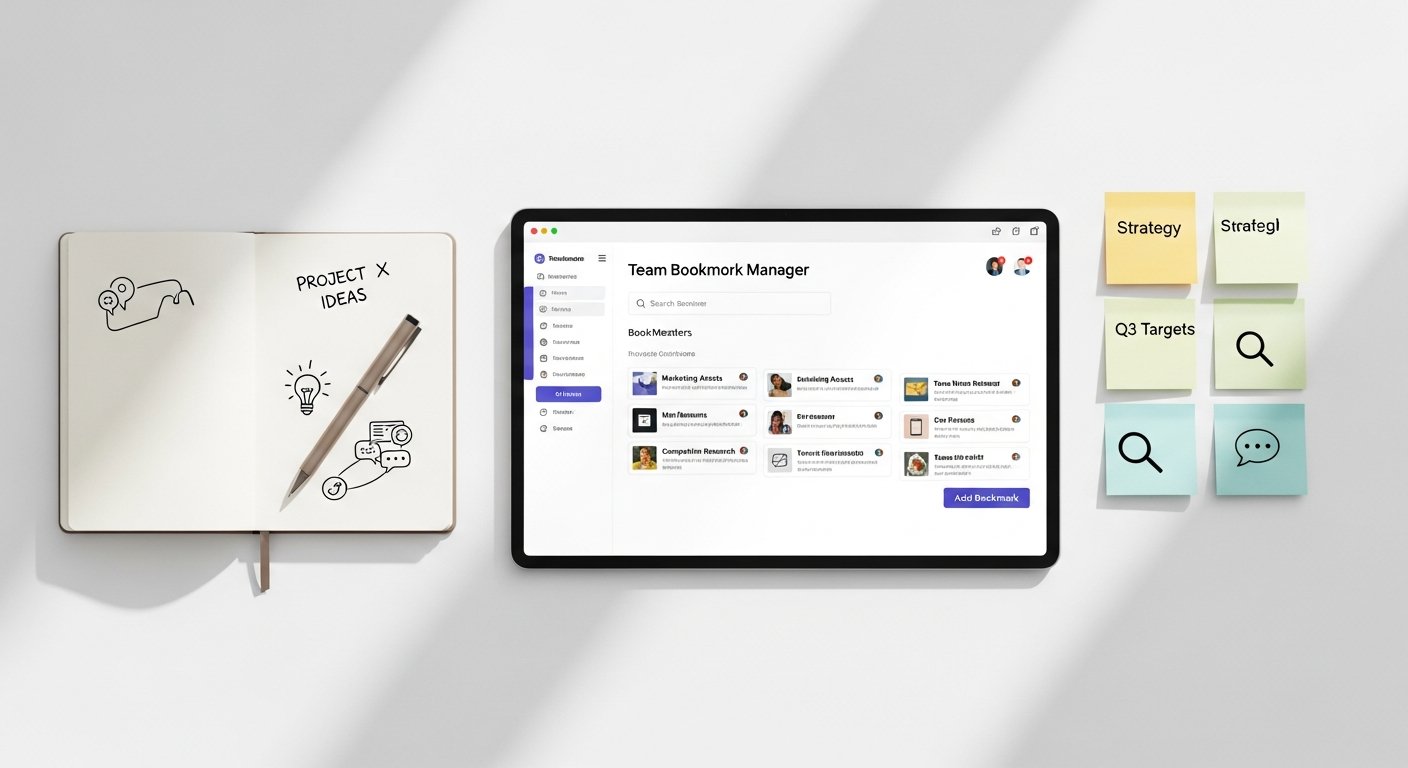
At its core, a team bookmark manager is a specialized software application or platform designed to help multiple users collaboratively save, organize, share, and discover web links and other online resources. Unlike a personal bookmarking tool, its primary focus is on enabling seamless information exchange and collective knowledge management within a group, department, or entire organization.
Core Functionalities and Differentiating Features
While the basic function of saving a link remains, a team bookmark manager elevates this process with a suite of features tailored for collaboration and complex information environments:
- Centralized Repository: All saved links reside in a single, accessible database, not on individual devices or browsers. This provides a “single source of truth.”
- Collaborative Saving: Team members can contribute links, often with notes, tags, and annotations, directly to shared collections or projects.
- Advanced Organization: Beyond simple folders, these tools typically offer robust tagging systems, collections, boards, and sometimes even custom fields to categorize links granularly.
- Powerful Search & Filtering: Users can search not only by title or URL but also by tags, notes, content previews, and contributor, making discovery highly efficient.
- Permission Management: Admins can control who can view, add, edit, or delete links, ensuring data integrity and security. This is crucial for managing access to sensitive information.
- Commenting & Discussion: Many tools allow team members to leave comments or start discussions directly on saved links, providing context and facilitating collaborative analysis.
- Browser Extensions & Integrations: Seamless integration with popular browsers for quick saving, and often with other productivity tools (e.g., Slack, Notion, project management software).
- Content Previews & Archiving: Some managers fetch and display a preview of the saved page, or even archive a copy of the content, ensuring links remain valuable even if the original page disappears.
These features differentiate a true team bookmark manager from simple shared document lists or general-purpose note-taking apps that might have rudimentary link-saving capabilities. It’s built from the ground up to handle the specific complexities of managing shared web resources.
Beyond Simple Link Saving: A Centralized Knowledge Hub
Thinking of a team bookmark manager as merely a place to save links misses its broader potential. In 2026, the best solutions function as miniature knowledge management systems, contributing significantly to a team’s overall Personal Knowledge Management (PKM) strategy and its collective intelligence.
Instead of being just a digital Rolodex of URLs, it becomes a:
- Curated Resource Library: A repository where critical articles, research, and industry insights are not just stored but also vetted, contextualized, and organized for easy consumption.
- Project-Specific Information Hub: Teams can create dedicated collections for ongoing projects, bringing together all relevant external links, competitor analyses, inspiration, and client resources in one place.
- Onboarding Accelerator: New hires can quickly access a curated set of essential resources, product documentation, and industry overviews, significantly reducing their ramp-up time.
- Decision Support System: When faced with complex choices, teams can quickly pull up relevant research, case studies, or competitor strategies that have been previously saved and annotated.
- Source for Internal Training & Development: A collection of best practices, tutorials, and learning materials can be maintained and updated collaboratively.
By empowering teams to collectively capture, structure, and disseminate web-based information, a team bookmark manager transforms passive data into active, actionable knowledge. It minimizes the “reinventing the wheel” syndrome and maximizes the collective intelligence of the group.
[INLINE IMAGE 1: place after second H2 | alt=”team bookmark manager concept illustration”]
Key Benefits of Implementing a Team Bookmark Manager
The strategic deployment of a team bookmark manager brings a multitude of tangible and intangible benefits to any organization. These advantages extend beyond mere convenience, impacting productivity, collaboration, security, and ultimately, a team’s bottom line.
Boosted Productivity and Reduced Redundancy
One of the most immediate and significant benefits is the dramatic increase in productivity. Consider the time saved when:
- Eliminating Repetitive Searching: Instead of multiple team members independently searching for the same piece of information, a shared manager ensures that once a valuable link is found and saved, it’s accessible to everyone who needs it. This drastically cuts down on redundant research efforts.
- Quick Access to Critical Resources: Project-specific resources, frequently referenced documentation, or essential tools are no longer buried in individual browser histories or chat logs. They are organized and available at a moment’s notice, reducing context-switching and interruptions.
- Streamlined Onboarding: New hires can gain immediate access to a curated set of foundational resources, accelerating their learning curve and allowing them to become productive members of the team much faster.
- Reduced “Knowledge Gaps”: Team members spend less time asking colleagues for links or struggling to remember where they saw something important. The information is simply there, waiting to be accessed.
These small, repeated time savings across an entire team accumulate into substantial productivity gains over weeks and months, freeing up valuable time for more strategic, high-value work.
Enhanced Knowledge Sharing and Onboarding
A team bookmark manager is a powerful catalyst for knowledge sharing, transforming how information flows within an organization. It helps to:
- Break Down Silos: By providing a shared space, it naturally encourages cross-pollination of ideas and resources between different departments or project teams. A marketing team might benefit from research saved by the product team, and vice versa.
- Centralize Institutional Knowledge: Over time, the shared repository becomes a rich archive of the team’s collective discoveries, insights, and external learning. This institutional knowledge is invaluable for continuity and growth.
- Improve Decision-Making: With a broader, more accessible pool of information, teams can make more informed and data-driven decisions, reducing risks and increasing the likelihood of successful outcomes.
- Facilitate Smoother Transitions: When team members move roles or leave the company, their accumulated web resources and insights remain accessible to their successors, ensuring a seamless transition and preventing loss of vital information.
The ability to effortlessly share and access curated knowledge fosters a more intelligent, adaptable, and resilient team capable of learning and evolving together.
Improved Information Security and Compliance
In 2026, data security and compliance are non-negotiable. Using a dedicated team bookmark manager significantly enhances both:
- Controlled Access: Unlike sharing links via public chat channels or unencrypted emails, a team bookmark manager allows for granular permission settings. You can dictate who can view, edit, or delete specific collections of links, ensuring sensitive information is only accessible to authorized personnel.
- Centralized Audit Trail: Many advanced tools offer logging features, allowing administrators to track who saved what, when, and who accessed it. This provides an audit trail crucial for compliance requirements.
- Reduced Shadow IT: By providing an official, secure platform for link sharing, organizations can reduce the reliance on unsanctioned tools and methods (shadow IT), which often pose significant security risks.
- Data Retention & Backup: Reputable team bookmark managers offer robust data backup and recovery options, safeguarding against accidental deletion or data loss.
These security features are particularly vital for teams handling proprietary research, client information, or operating in regulated industries where data governance is paramount.
Streamlined Project Management and Research
For project-oriented teams and those heavily involved in research, a team bookmark manager can become an indispensable part of their workflow:
- Project-Specific Collections: Create dedicated boards or collections for each project, consolidating all relevant external links – competitor analysis, design inspirations, technical documentation, market trends, client feedback – in one easily navigable place.
- Collaborative Research: Multiple team members can contribute to a shared research pool, tagging and annotating resources to build a comprehensive knowledge base for a project. This avoids duplication and ensures everyone benefits from individual discoveries.
- Enhanced Context: Links are saved with notes, comments, and tags, providing immediate context that might be lost if simply shared as a raw URL. This enriches the information and makes it more actionable.
- Efficient Review Processes: Teams can collaboratively review and discuss linked resources, facilitating faster feedback cycles and more informed decision-making during project execution.
Whether you’re managing a complex software development sprint, launching a new marketing campaign, or conducting in-depth academic research, a team bookmark manager provides the organizational backbone needed to keep all project-related web resources aligned and accessible.
Explore how robust link-curation workflows integrate with productivity tools for maximum efficiency.
Essential Features to Look for in a Team Bookmark Manager
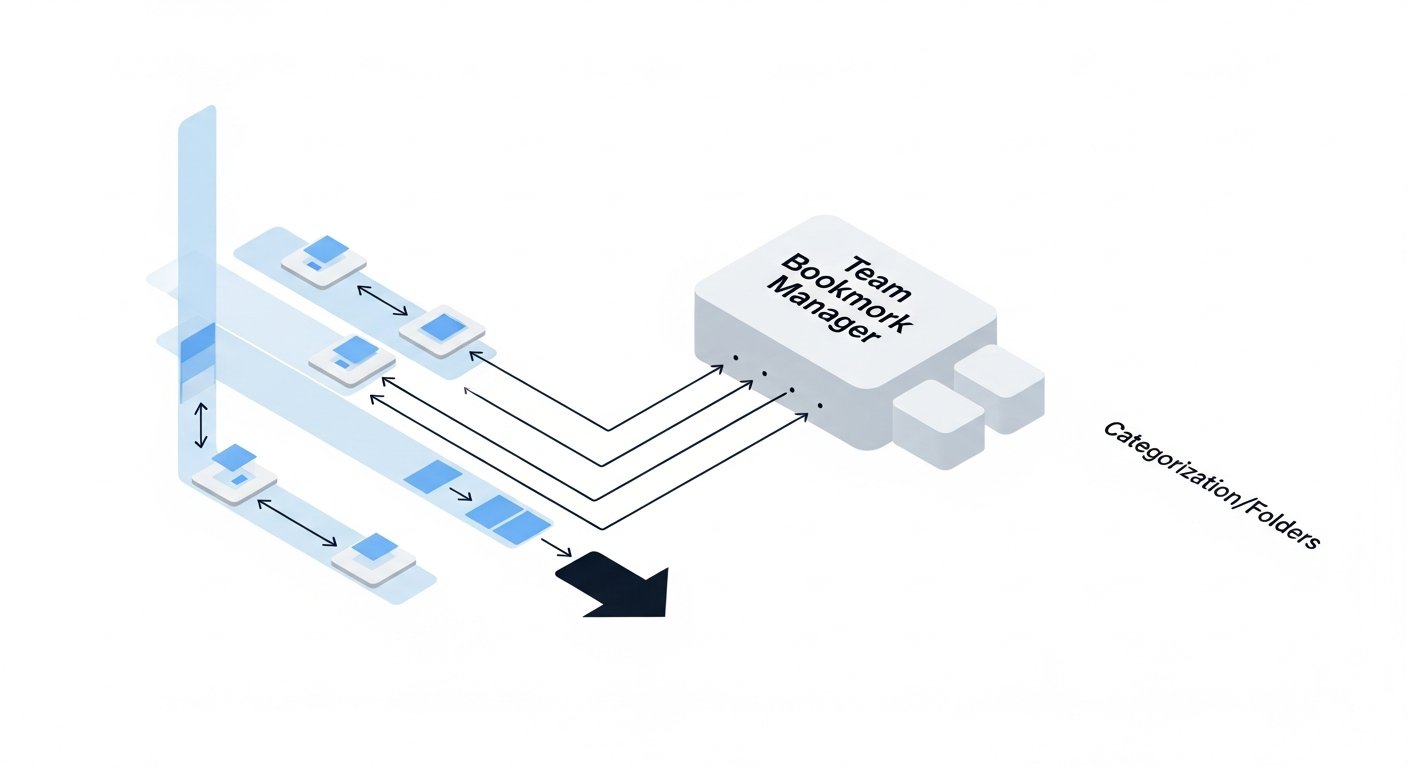
When selecting a team bookmark manager, it’s crucial to look beyond basic link-saving capabilities and focus on features that truly empower collaboration, organization, and discovery. The ideal solution will align with your team’s specific workflows and information management needs.
Centralized Storage and Organization (Tags, Folders, Collections)
The foundation of any effective team bookmark manager is its ability to centralize and organize information intuitively. Look for:
- Hierarchical Folders/Collections: The ability to create nested folders or distinct collections allows for logical grouping of links based on projects, clients, topics, or departments. This provides a clear structure.
- Flexible Tagging System: A robust tagging system is paramount for cross-referencing and granular categorization. Teams should be able to apply multiple tags to a single link, allowing for dynamic filtering and discovery. The system should ideally support tag suggestions and auto-completion.
- Custom Fields: For more specific data, some advanced tools allow you to add custom fields to each bookmark (e.g., project lead, status, expiry date), turning a simple link into a rich data point.
- Visual Organization: Boards, kanban-style layouts, or gallery views can make collections more visually appealing and easier to navigate, especially for creative or design-focused teams.
The best tools offer a hybrid approach, combining the rigidity of folders with the flexibility of tags, allowing teams to create an organizational structure that best suits their needs.
Robust Search and Discovery Capabilities
Saving links is only half the battle; finding them when needed is the other. Powerful search and discovery features are non-negotiable:
- Full-Text Search: Beyond titles and URLs, the ability to search within the actual content of the linked page (or at least its cached preview/description) is incredibly valuable. This ensures that even if a link isn’t perfectly tagged, it can still be found.
- Advanced Filtering: Users should be able to filter by multiple criteria simultaneously – by tag, collection, contributor, date added, link type, or even custom fields.
- Saved Searches/Smart Folders: The option to save frequently used search queries as “smart folders” or filtered views can provide dynamic, always-up-to-date collections of relevant links.
- Recommendations (AI-driven): Some cutting-edge tools are starting to offer AI-powered recommendations based on your team’s saved content and viewing habits, suggesting related resources.
A tool with subpar search capabilities will quickly become a digital graveyard for valuable links, defeating the purpose of centralization.
Collaboration and Sharing Features (Permissions, Comments, Annotations)
Since the core purpose is team use, collaborative features are critical:
- Granular Permissions: The ability to set different access levels (viewer, editor, admin) for individual links, collections, or entire workspaces. This is vital for managing sensitive information and ensuring data integrity.
- Comments & Discussions: Team members should be able to add comments, notes, or start discussion threads directly on each bookmark. This provides context, facilitates feedback, and allows for collaborative analysis of resources.
- Real-time Co-editing/Co-curation: For some teams, the ability for multiple members to simultaneously add tags, edit notes, or organize collections can be a significant advantage.
- Public/Private Sharing: Options to share specific links or collections publicly (e.g., with clients or external stakeholders) or privately within the team, usually via a shareable link.
- Activity Feeds: A feed that shows recent activity – who saved what, who commented, what changes were made – keeps everyone informed and aware of new additions to the shared knowledge base.
Browser Extensions and Integrations
Seamless integration with existing workflows is key to user adoption:
- Browser Extensions: Essential for quick and frictionless saving of links directly from any webpage with a single click. These extensions should also allow for adding tags, notes, and selecting collections on the fly.
- Integration with Productivity Tools: Look for integrations with popular tools like Slack (for sharing and notifications), Notion, Asana, Trello (for linking resources to projects), Google Drive/Microsoft 365, or other PKM tools your team uses. API access can also allow for custom integrations.
- Email Integration: The ability to save links directly from emails, or forward emails containing links to the bookmark manager.
Data Import/Export and Backup Options
You need control over your data:
- Easy Import: The ability to import existing browser bookmarks (from Chrome, Firefox, Safari) or lists of URLs from spreadsheets is crucial for initial setup.
- Robust Export: You should be able to export your data (e.g., as CSV, JSON, HTML) for backup purposes or migration to another service. This ensures you’re not locked into a single platform.
- Regular Backups: The service provider should have clear policies on data backups and recovery.
Security and Privacy Safeguards
Protecting your team’s information is paramount:
- Encryption: Data should be encrypted both in transit (SSL/TLS) and at rest.
- User Authentication: Support for strong passwords, two-factor authentication (2FA), and potentially Single Sign-On (SSO) for enterprise environments.
- Compliance: Adherence to relevant data protection regulations (e.g., GDPR, CCPA).
- Privacy Policy: A transparent privacy policy outlining how your data is used and protected.
By carefully evaluating these features against your team’s specific requirements, you can select a team bookmark manager that genuinely enhances your collective information management capabilities.
[INLINE IMAGE 2: place after fourth H2 | alt=”team bookmark manager comparison illustration”]
Top Team Bookmark Manager Solutions in 2026
The market for team bookmark managers has matured considerably by 2026, offering a diverse range of solutions. These can broadly be categorized into dedicated bookmarking tools and more general-purpose productivity or knowledge management suites that include robust link-saving functionalities. Choosing the right one depends heavily on your team’s size, specific needs, budget, and existing tech stack.
Dedicated Bookmark Management Tools
These platforms are built specifically for link curation and collaboration. They typically offer the most advanced features for organizing, tagging, and sharing web resources.
- Raindrop.io Teams:
- Overview: Raindrop.io is a powerful, visually appealing bookmark manager that extends its robust personal features to teams. It’s known for its beautiful interface, rich media previews, and extensive organization options.
- Team Features: Shared collections, collaborative tagging, granular access permissions, ability to comment on bookmarks, and an activity feed for team updates. Supports multiple workspaces.
- Strengths: Excellent visual organization, powerful search, broad integration with browsers and apps, permanent link archiving (Pro feature), very active development.
- Considerations: While rich in features, extensive team collaboration (like deep discussion threads) might be less prominent than in dedicated PKM tools.
- Pocket Business (formerly GetPocket):
- Overview: While Pocket is famous as a “read-it-later” service, its business-oriented features provide solid team bookmarking capabilities, particularly for content curation and research teams.
- Team Features: Shared lists, collaborative tagging, article highlights, and the ability to add notes to saved items. Focuses on content consumption and sharing articles.
- Strengths: Excellent article parsing for distraction-free reading, offline access, integration with many news apps, and a clean user experience.
- Considerations: More focused on saving articles for reading than general link management. Collaboration features are functional but may not be as extensive as some dedicated team tools for very complex organizational needs.
- Linktree for Teams (Enhanced):
- Overview: While primarily known for “link-in-bio,” Linktree has evolved to offer team features for managing and sharing curated lists of links, often for marketing, content distribution, or PR purposes.
- Team Features: Shared dashboards, user roles, link scheduling, analytics, and centralized management of multiple link-in-bio profiles or specific resource pages.
- Strengths: Very intuitive for sharing curated lists, excellent analytics for link performance, great for external-facing resource management, easy to set up.
- Considerations: Less about internal knowledge management and more about presenting specific curated links to an audience. Not ideal for deep internal research or collaborative tagging of vast link libraries.
All-in-One Productivity Suites (PKM Tools with Bookmarking Capabilities)
Many modern Personal Knowledge Management (PKM) tools and productivity suites have evolved to include sophisticated bookmarking functionalities, often integrated seamlessly with note-taking, project management, and document creation.
- Notion:
- Overview: A highly versatile workspace that can be customized for almost any use case, including team bookmark management. Its database functionality makes it exceptionally powerful for organizing links.
- Team Features: Shared pages and databases, collaborative editing, granular permissions, discussion features, and the ability to link bookmarks directly to projects or tasks.
- Strengths: Extreme flexibility and customizability, powerful database features (filters, views, relations), strong collaboration, excellent for integrating bookmarks with other team knowledge.
- Considerations: Can have a learning curve due to its flexibility; requires thoughtful setup to optimize for bookmark management. Browser extension is good but less specialized than dedicated tools.
- Coda:
- Overview: Similar to Notion, Coda blends documents, spreadsheets, and apps into a single flexible canvas. Its “packs” and robust table features allow for powerful link organization.
- Team Features: Real-time collaboration, shared docs/tables, automation, and the ability to build custom ‘docks’ for link management, complete with contextual notes and related data.
- Strengths: Excellent for building custom workflows around links, powerful automation capabilities, good for data-rich bookmark management, strong community support.
- Considerations: Like Notion, requires some effort to set up effectively. Its strength lies in custom application building, which might be overkill for simple bookmarking needs.
- Slite:
- Overview: Designed as a knowledge base for modern teams, Slite excels at centralizing internal documentation and includes strong features for integrating external links.
- Team Features: Collaborative note-taking, shared documents (which can include embedded links), easy search, content verification, and access controls.
- Strengths: Excellent for blending external web resources with internal documentation, very user-friendly interface, strong search, good for team knowledge sharing and onboarding.
- Considerations: While it handles links well within documents, it’s not a pure-play bookmark manager; its focus is on documentation first, links second.
Browser-Based Solutions with Team Features
While most native browser bookmark managers lack robust team functionality, some third-party browser extensions or integrated cloud solutions provide a bridge.
- Toby for Teams (extension):
- Overview: Toby is a popular browser extension that organizes your tabs and bookmarks into “collections.” Toby for Teams extends this to shared workspaces.
- Team Features: Shared collections, collaborative saving, and synchronization of resources across team members’ browsers. Good for immediate project-based link sharing.
- Strengths: Extremely intuitive for users who live in their browser tabs, quick to set up, visually appealing organization.
- Considerations: More geared towards tab and quick session management than deep, long-term knowledge archiving. Collaboration features are more basic compared to dedicated platforms.
Discover other powerful note-taking apps that can double as link curators for your team.
Comparison Table: Leading Team Bookmark Managers (2026)
To help you visualize the differences, here’s a comparison of some of the top team bookmark managers and related tools:
| Feature / Tool | Raindrop.io Teams | Notion | Pocket Business | Slite |
|---|---|---|---|---|
| Primary Focus | Dedicated Link Management, Visual Curation | All-in-One Workspace, PKM, Databases | Content Curation, Read-It-Later, Articles | Team Knowledge Base, Documentation |
| Collaborative Saving & Sharing | Yes (Shared Collections, Permissions) | Yes (Shared Pages/Databases, Permissions) | Yes (Shared Lists) | Yes (Shared Docs, Embedded Links) |
| Advanced Tagging & Organization | Excellent (Tags, Folders, Collections, Rich Previews) | Excellent (Database Properties, Relations, Views) | Good (Tags, Lists) | Good (Tags, Document Structure) |
| Full-Text Search | Yes (including content of saved pages) | Yes (across all content) | Yes (across article content) | Yes (across all documents) |
| Commenting & Discussion | Yes (on individual bookmarks) | Yes (on blocks, pages, databases) | Yes (notes, highlights) | Yes (inline comments) |
| Browser Extension | Excellent, Feature-rich | Good, Save to specific pages | Excellent, Save articles seamlessly | Good, Save as new note or link to existing |
| Integrations | Zapier, RSS, Slack (via API) | Extensive (API, Zapier, specific apps) | IFTTT, Zapier, various apps | Slack, Zapier, Google Docs |
| Pricing Model | Freemium (Paid for Pro features, Team plans) | Freemium (Paid for Teams/Enterprise) | Freemium (Pocket Premium for individuals, Business plan for teams) | Freemium (Paid for advanced features, Teams) |
| Best For | Teams prioritizing visual, rich link curation and archival. | Teams needing an adaptable all-in-one knowledge and project management hub. | Content-heavy teams focused on reading, sharing, and annotating articles. | Teams needing a centralized knowledge base for internal docs blended with external resources. |
When making your choice, consider piloting a few options with a small subgroup of your team. This hands-on experience will provide invaluable insights into usability, feature relevance, and overall fit with your team’s unique dynamic.
Implementing a Team Bookmark Manager: Best Practices
Adopting a new tool, even one as beneficial as a team bookmark manager, requires more than just subscribing to a service. Successful implementation hinges on strategic planning, clear guidelines, and consistent effort to ensure strong user adoption and long-term value. In 2026, a well-implemented manager can truly transform a team’s knowledge workflow.
Define Your Team’s Needs and Objectives
Before even looking at specific tools, articulate why your team needs a team bookmark manager and what you hope to achieve. This clarity will guide your selection process and define success metrics.
- Identify Pain Points: What specific problems are you trying to solve? (e.g., “We can’t find past research,” “New hires struggle with resource discovery,” “Too much time is wasted searching for links”).
- Outline Core Requirements: What are the absolute must-have features? (e.g., “Must have robust tagging,” “Needs granular permissions,” “Must integrate with Slack”).
- Set Clear Objectives: What does success look like? (e.g., “Reduce redundant research by 20%,” “Improve new hire onboarding time by 15%,” “Create a central repository for all project-related links”).
- Consider Team Size and Structure: Will it be used by a small project team or an entire department? Does your team work synchronously or asynchronously? This influences the required level of collaboration features.
- Budget Constraints: Be realistic about what you can afford, balancing features with cost.
This foundational step ensures you’re not just buying a tool, but investing in a solution to a clearly defined problem.
Pilot Program and Phased Rollout
Don’t implement organization-wide overnight. A phased approach allows for testing, feedback, and refinement.
- Select a Pilot Group: Choose a small, tech-savvy, and enthusiastic team or department to be the first users. Their feedback will be invaluable.
- Gather Feedback: Actively solicit feedback from the pilot group on usability, missing features, and workflow integration. Be open to making adjustments based on their experiences.
- Refine Configuration: Use the pilot phase to fine-tune your organizational structure, tagging conventions, and permission settings.
- Iterate and Expand: Once successful with the pilot, expand to other teams, leveraging the lessons learned and best practices established.
A successful pilot builds internal champions and smooths the path for broader adoption.
Establish Naming Conventions and Tagging Structures
Consistency is key to effective information retrieval. Without it, even the best tool will devolve into chaos.
- Develop Clear Guidelines: Create a short, accessible document outlining how links should be saved, named, tagged, and organized. Share this widely.
- Standardize Tags: Agree on a core set of universal tags (e.g.,
#project-X,#marketing,#research,#competitor) and provide examples of when to use them. Avoid free-for-all tagging initially. - Define Collection/Folder Structure: Determine a logical hierarchy for collections (e.g., by department, by ongoing project, by content type).
- Enforce Best Practices: Encourage contributors to add descriptions, notes, and context to each link, not just the URL.
- Conduct Regular Audits: Periodically review the saved links and tags to identify inconsistencies, remove duplicates, and update outdated information. Designate a “knowledge champion” or small group for this task.
Think of it as setting up the “rules of the road” for your team’s collective digital library.
Learn more about effective PKM tools and strategies for personal and team knowledge management.
Regular Maintenance and Curation
A team bookmark manager is a living system. It requires ongoing attention to remain valuable.
- Scheduled Review Sessions: Designate specific times (e.g., weekly, monthly) for teams to review their shared collections, remove dead links, update information, and refine tags.
- “Archive” or “Cleanup” Policies: Establish policies for archiving or deleting old, irrelevant, or duplicate links. This prevents clutter and ensures the system remains lean and efficient.
- Content Audits: Occasionally conduct larger audits to ensure alignment with current team goals and to identify any gaps in content.
- Encourage Proactive Curation: Foster a culture where team members see it as their responsibility to not just save, but also to curate and maintain the shared knowledge base.
Without regular maintenance, even the most promising system can become a cluttered, unreliable mess.
Training and User Adoption Strategies
The best tool is useless if nobody uses it. Effective training and adoption strategies are paramount.
- Provide Comprehensive Training: Offer workshops, video tutorials, and written guides covering basic usage, best practices, and advanced features. Make it engaging and interactive.
- Highlight Benefits: Clearly communicate the “what’s in it for me” for individual team members (e.g., “You’ll save X hours a week,” “You’ll never lose a key resource again”).
- Appoint Champions: Identify and empower enthusiastic team members to be internal advocates and first-line support for the new system.
- Integrate into Workflows: Show how the bookmark manager fits seamlessly into existing daily routines (e.g., “After your morning research, save your findings here,” “Before your project meeting, check the project collection”).
- Gamification/Incentives: Consider small incentives or recognition for active contributors and those who consistently follow best practices.
- Feedback Loop: Maintain an open channel for ongoing feedback and suggestions, showing that user input is valued and acted upon.
Successful adoption isn’t just about telling people to use a tool; it’s about demonstrating its value, making it easy to use, and integrating it into their daily habits.
Challenges and Considerations in Team Bookmark Management
While the benefits of a team bookmark manager are significant, organizations should be aware of potential challenges and carefully consider them during selection and implementation. Addressing these proactively can smooth the path to successful adoption and long-term value.
Overcoming Resistance to Change
One of the most common hurdles for any new tool is user adoption. People are creatures of habit, and moving away from individual browser bookmarks can feel like an unnecessary burden to some.
- Fear of the Unknown: Employees might be comfortable with their existing, albeit
The Ultimate Guide to Choosing the Best Team Bookmark Manager for Enhanced Collaboration in 2026
Affiliate disclosure: This article may contain affiliate links. Recommendations are independent and editorially driven.
In the rapidly evolving digital landscape of 2026, information is both a company’s most valuable asset and its greatest challenge. Teams are constantly bombarded with a deluge of links, articles, research papers, internal documentation, and essential web resources. Without a structured approach, this wealth of information can quickly transform into an unmanageable mess, leading to wasted time, duplicated efforts, and missed opportunities. This is where a robust team bookmark manager becomes not just a convenience, but a critical tool for success.
Forget the days of scattered browser bookmarks, endless email threads containing links, or reliance on individual team members remembering where a crucial piece of information lives. Modern teams demand a centralized, collaborative, and intelligent system to curate, organize, and share web resources. A dedicated team bookmark manager provides this essential infrastructure, transforming how knowledge is captured, accessed, and utilized across an organization. It’s more than just saving links; it’s about building a shared knowledge base that fuels productivity, streamlines workflows, and fosters genuine collaboration.
This comprehensive guide will delve deep into the world of team bookmark managers. We’ll explore why they are indispensable in 2026, the key features to look for, the leading solutions available, and best practices for successful implementation. Whether your team is fully remote, hybrid, or co-located, understanding and adopting the right team bookmark manager can significantly impact your operational efficiency and competitive edge.
The Evolving Need for a Team Bookmark Manager in 2026
The way we work has fundamentally shifted. The rise of remote and hybrid work models, coupled with an explosion of online content, has amplified the need for effective digital information management. What was once an individual struggle has now become a collective organizational challenge. In 2026, the case for a dedicated team bookmark manager is stronger than ever.
The Digital Deluge: Why Traditional Bookmarking Fails Teams
Every day, professionals across all industries encounter a staggering amount of digital information. From market research reports and competitor analysis to industry news, technical documentation, design inspirations, and learning resources, the web is an endless repository of critical data. Traditionally, individuals would save these links using their browser’s built-in bookmarking feature. While adequate for personal use, this approach quickly breaks down in a team environment:
- Information Silos: Each team member’s bookmarks are private, creating isolated pockets of valuable information. What one person knows, others might not, leading to redundant research and missed opportunities.
- Lack of Centralization: There’s no single source of truth. Finding a specific resource might involve asking multiple colleagues, sifting through chat histories, or guessing who might have saved it.
- Disorganization and Inconsistency: Personal bookmarking habits vary widely. Some might use folders, others just a flat list. Without consistent tagging or categorization, even personal bookmarks can become unsearchable over time, let alone shared ones.
- Version Control and Relevance: Links can become outdated, and without a collaborative system, it’s hard to know if a saved link is the most current or relevant version of a document or article.
- Poor Searchability: Browser bookmarks offer limited search capabilities, typically only by title or URL. Rich metadata, tags, or content previews are often absent, making effective discovery nearly impossible.
- Onboarding Challenges: New team members struggle to quickly get up to speed when critical resources are not systematically organized and easily accessible. They have to re-learn or re-discover information already known to existing team members.
- Security Concerns: Sharing links via insecure methods like email or chat can pose security risks, especially when dealing with proprietary or sensitive information.
These issues accumulate, leading to significant inefficiencies. Teams spend an inordinate amount of time searching for information rather than acting on it, ultimately impacting productivity, innovation, and overall business performance. The ad-hoc, individualistic nature of traditional bookmarking is simply incompatible with the collaborative demands of modern work.
Bridging the Information Gap: The Collaboration Imperative
In an increasingly interconnected world, collaboration is the bedrock of success. Whether a team is developing a new product, conducting market research, creating marketing campaigns, or managing client projects, shared access to information is paramount. A team bookmark manager directly addresses this collaboration imperative by:
- Creating a Shared Brain: It acts as a collective memory for the team, capturing valuable links and resources in a central, accessible location. This ensures everyone is on the same page and has access to the same foundational knowledge.
- Facilitating Knowledge Transfer: When a team member leaves or moves to a different project, their accumulated knowledge, particularly the web resources they’ve curated, doesn’t disappear. It remains within the shared system, preserving institutional knowledge.
- Enhancing Decision-Making: With all relevant information easily discoverable, teams can make more informed decisions faster. Discussions are grounded in shared facts and resources, reducing ambiguity and debate based on incomplete data.
- Promoting Best Practices: A centralized system allows teams to curate “golden links” – approved resources, industry best practices, or essential guides – ensuring everyone uses the most accurate and up-to-date information.
- Fostering a Culture of Sharing: By providing an easy and intuitive platform for sharing, a team bookmark manager encourages team members to contribute insights and valuable resources, transforming individual discoveries into collective assets.
By consciously moving away from fragmented personal bookmarking to a unified, collaborative platform, organizations in 2026 can unlock significant efficiencies and cultivate a more informed, cohesive, and productive workforce.
What Exactly is a Team Bookmark Manager?
At its core, a team bookmark manager is a specialized software application or platform designed to help multiple users collaboratively save, organize, share, and discover web links and other online resources. Unlike a personal bookmarking tool, its primary focus is on enabling seamless information exchange and collective knowledge management within a group, department, or entire organization.
Core Functionalities and Differentiating Features
While the basic function of saving a link remains, a team bookmark manager elevates this process with a suite of features tailored for collaboration and complex information environments:
- Centralized Repository: All saved links reside in a single, accessible database, not on individual devices or browsers. This provides a “single source of truth.”
- Collaborative Saving: Team members can contribute links, often with notes, tags, and annotations, directly to shared collections or projects.
- Advanced Organization: Beyond simple folders, these tools typically offer robust tagging systems, collections, boards, and sometimes even custom fields to categorize links granularly.
- Powerful Search & Filtering: Users can search not only by title or URL but also by tags, notes, content previews, and contributor, making discovery highly efficient.
- Permission Management: Admins can control who can view, add, edit, or delete links, ensuring data integrity and security. This is crucial for managing access to sensitive information.
- Commenting & Discussion: Many tools allow team members to leave comments or start discussions directly on saved links, providing context and facilitating collaborative analysis.
- Browser Extensions & Integrations: Seamless integration with popular browsers for quick saving, and often with other productivity tools (e.g., Slack, Notion, project management software).
- Content Previews & Archiving: Some managers fetch and display a preview of the saved page, or even archive a copy of the content, ensuring links remain valuable even if the original page disappears.
These features differentiate a true team bookmark manager from simple shared document lists or general-purpose note-taking apps that might have rudimentary link-saving capabilities. It’s built from the ground up to handle the specific complexities of managing shared web resources.
Beyond Simple Link Saving: A Centralized Knowledge Hub
Thinking of a team bookmark manager as merely a place to save links misses its broader potential. In 2026, the best solutions function as miniature knowledge management systems, contributing significantly to a team’s overall Personal Knowledge Management (PKM) strategy and its collective intelligence.
Instead of being just a digital Rolodex of URLs, it becomes a:
- Curated Resource Library: A repository where critical articles, research, and industry insights are not just stored but also vetted, contextualized, and organized for easy consumption.
- Project-Specific Information Hub: Teams can create dedicated collections for ongoing projects, bringing together all relevant external links, competitor analyses, inspiration, and client resources in one place.
- Onboarding Accelerator: New hires can quickly access a curated set of essential resources, product documentation, and industry overviews, significantly reducing their ramp-up time.
- Decision Support System: When faced with complex choices, teams can quickly pull up relevant research, case studies, or competitor strategies that have been previously saved and annotated.
- Source for Internal Training & Development: A collection of best practices, tutorials, and learning materials can be maintained and updated collaboratively.
By empowering teams to collectively capture, structure, and disseminate web-based information, a team bookmark manager transforms passive data into active, actionable knowledge. It minimizes the “reinventing the wheel” syndrome and maximizes the collective intelligence of the group.
[INLINE IMAGE 1: place after second H2 | alt=”team bookmark manager concept illustration”]
Key Benefits of Implementing a Team Bookmark Manager
The strategic deployment of a team bookmark manager brings a multitude of tangible and intangible benefits to any organization. These advantages extend beyond mere convenience, impacting productivity, collaboration, security, and ultimately, a team’s bottom line.
Boosted Productivity and Reduced Redundancy
One of the most immediate and significant benefits is the dramatic increase in productivity. Consider the time saved when:
- Eliminating Repetitive Searching: Instead of multiple team members independently searching for the same piece of information, a shared manager ensures that once a valuable link is found and saved, it’s accessible to everyone who needs it. This drastically cuts down on redundant research efforts.
- Quick Access to Critical Resources: Project-specific resources, frequently referenced documentation, or essential tools are no longer buried in individual browser histories or chat logs. They are organized and available at a moment’s notice, reducing context-switching and interruptions.
- Streamlined Onboarding: New hires can gain immediate access to a curated set of foundational resources, accelerating their learning curve and allowing them to become productive members of the team much faster.
- Reduced “Knowledge Gaps”: Team members spend less time asking colleagues for links or struggling to remember where they saw something important. The information is simply there, waiting to be accessed.
These small, repeated time savings across an entire team accumulate into substantial productivity gains over weeks and months, freeing up valuable time for more strategic, high-value work.
Enhanced Knowledge Sharing and Onboarding
A team bookmark manager is a powerful catalyst for knowledge sharing, transforming how information flows within an organization. It helps to:
- Break Down Silos: By providing a shared space, it naturally encourages cross-pollination of ideas and resources between different departments or project teams. A marketing team might benefit from research saved by the product team, and vice versa.
- Centralize Institutional Knowledge: Over time, the shared repository becomes a rich archive of the team’s collective discoveries, insights, and external learning. This institutional knowledge is invaluable for continuity and growth.
- Improve Decision-Making: With a broader, more accessible pool of information, teams can make more informed and data-driven decisions, reducing risks and increasing the likelihood of successful outcomes.
- Facilitate Smoother Transitions: When team members move roles or leave the company, their accumulated web resources and insights remain accessible to their successors, ensuring a seamless transition and preventing loss of vital information.
The ability to effortlessly share and access curated knowledge fosters a more intelligent, adaptable, and resilient team capable of learning and evolving together.
Improved Information Security and Compliance
In 2026, data security and compliance are non-negotiable. Using a dedicated team bookmark manager significantly enhances both:
- Controlled Access: Unlike sharing links via public chat channels or unencrypted emails, a team bookmark manager allows for granular permission settings. You can dictate who can view, edit, or delete specific collections of links, ensuring sensitive information is only accessible to authorized personnel.
- Centralized Audit Trail: Many advanced tools offer logging features, allowing administrators to track who saved what, when, and who accessed it. This provides an audit trail crucial for compliance requirements.
- Reduced Shadow IT: By providing an official, secure platform for link sharing, organizations can reduce the reliance on unsanctioned tools and methods (shadow IT), which often pose significant security risks.
- Data Retention & Backup: Reputable team bookmark managers offer robust data backup and recovery options, safeguarding against accidental deletion or data loss.
These security features are particularly vital for teams handling proprietary research, client information, or operating in regulated industries where data governance is paramount.
Streamlined Project Management and Research
For project-oriented teams and those heavily involved in research, a team bookmark manager can become an indispensable part of their workflow:
- Project-Specific Collections: Create dedicated boards or collections for each project, consolidating all relevant external links – competitor analysis, design inspirations, technical documentation, market trends, client feedback – in one easily navigable place.
- Collaborative Research: Multiple team members can contribute to a shared research pool, tagging and annotating resources to build a comprehensive knowledge base for a project. This avoids duplication and ensures everyone benefits from individual discoveries.
- Enhanced Context: Links are saved with notes, comments, and tags, providing immediate context that might be lost if simply shared as a raw URL. This enriches the information and makes it more actionable.
- Efficient Review Processes: Teams can collaboratively review and discuss linked resources, facilitating faster feedback cycles and more informed decision-making during project execution.
Whether you’re managing a complex software development sprint, launching a new marketing campaign, or conducting in-depth academic research, a team bookmark manager provides the organizational backbone needed to keep all project-related web resources aligned and accessible.
Explore how robust link-curation workflows integrate with productivity tools for maximum efficiency.
Essential Features to Look for in a Team Bookmark Manager
When selecting a team bookmark manager, it’s crucial to look beyond basic link-saving capabilities and focus on features that truly empower collaboration, organization, and discovery. The ideal solution will align with your team’s specific workflows and information management needs.
Centralized Storage and Organization (Tags, Folders, Collections)
The foundation of any effective team bookmark manager is its ability to centralize and organize information intuitively. Look for:
- Hierarchical Folders/Collections: The ability to create nested folders or distinct collections allows for logical grouping of links based on projects, clients, topics, or departments. This provides a clear structure.
- Flexible Tagging System: A robust tagging system is paramount for cross-referencing and granular categorization. Teams should be able to apply multiple tags to a single link, allowing for dynamic filtering and discovery. The system should ideally support tag suggestions and auto-completion.
- Custom Fields: For more specific data, some advanced tools allow you to add custom fields to each bookmark (e.g., project lead, status, expiry date), turning a simple link into a rich data point.
- Visual Organization: Boards, kanban-style layouts, or gallery views can make collections more visually appealing and easier to navigate, especially for creative or design-focused teams.
The best tools offer a hybrid approach, combining the rigidity of folders with the flexibility of tags, allowing teams to create an organizational structure that best suits their needs.
Robust Search and Discovery Capabilities
Saving links is only half the battle; finding them when needed is the other. Powerful search and discovery features are non-negotiable:
- Full-Text Search: Beyond titles and URLs, the ability to search within the actual content of the linked page (or at least its cached preview/description) is incredibly valuable. This ensures that even if a link isn’t perfectly tagged, it can still be found.
- Advanced Filtering: Users should be able to filter by multiple criteria simultaneously – by tag, collection, contributor, date added, link type, or even custom fields.
- Saved Searches/Smart Folders: The option to save frequently used search queries as “smart folders” or filtered views can provide dynamic, always-up-to-date collections of relevant links.
- Recommendations (AI-driven): Some cutting-edge tools are starting to offer AI-powered recommendations based on your team’s saved content and viewing habits, suggesting related resources.
A tool with subpar search capabilities will quickly become a digital graveyard for valuable links, defeating the purpose of centralization.
Collaboration and Sharing Features (Permissions, Comments, Annotations)
Since the core purpose is team use, collaborative features are critical:
- Granular Permissions: The ability to set different access levels (viewer, editor, admin) for individual links, collections, or entire workspaces. This is vital for managing sensitive information and ensuring data integrity.
- Comments & Discussions: Team members should be able to add comments, notes, or start discussion threads directly on each bookmark. This provides context, facilitates feedback, and allows for collaborative analysis of resources.
- Real-time Co-editing/Co-curation: For some teams, the ability for multiple members to simultaneously add tags, edit notes, or organize collections can be a significant advantage.
- Public/Private Sharing: Options to share specific links or collections publicly (e.g., with clients or external stakeholders) or privately within the team, usually via a shareable link.
- Activity Feeds: A feed that shows recent activity – who saved what, who commented, what changes were made – keeps everyone informed and aware of new additions to the shared knowledge base.
Browser Extensions and Integrations
Seamless integration with existing workflows is key to user adoption:
- Browser Extensions: Essential for quick and frictionless saving of links directly from any webpage with a single click. These extensions should also allow for adding tags, notes, and selecting collections on the fly.
- Integration with Productivity Tools: Look for integrations with popular tools like Slack (for sharing and notifications), Notion, Asana, Trello (for linking resources to projects), Google Drive/Microsoft 365, or other PKM tools your team uses. API access can also allow for custom integrations.
- Email Integration: The ability to save links directly from emails, or forward emails containing links to the bookmark manager.
Data Import/Export and Backup Options
You need control over your data:
- Easy Import: The ability to import existing browser bookmarks (from Chrome, Firefox, Safari) or lists of URLs from spreadsheets is crucial for initial setup.
- Robust Export: You should be able to export your data (e.g., as CSV, JSON, HTML) for backup purposes or migration to another service. This ensures you’re not locked into a single platform.
- Regular Backups: The service provider should have clear policies on data backups and recovery.
Security and Privacy Safeguards
Protecting your team’s information is paramount:
- Encryption: Data should be encrypted both in transit (SSL/TLS) and at rest.
- User Authentication: Support for strong passwords, two-factor authentication (2FA), and potentially Single Sign-On (SSO) for enterprise environments.
- Compliance: Adherence to relevant data protection regulations (e.g., GDPR, CCPA).
- Privacy Policy: A transparent privacy policy outlining how your data is used and protected.
By carefully evaluating these features against your team’s specific requirements, you can select a team bookmark manager that genuinely enhances your collective information management capabilities.
[INLINE IMAGE 2: place after fourth H2 | alt=”team bookmark manager comparison illustration”]
Top Team Bookmark Manager Solutions in 2026
The market for team bookmark managers has matured considerably by 2026, offering a diverse range of solutions. These can broadly be categorized into dedicated bookmarking tools and more general-purpose productivity or knowledge management suites that include robust link-saving functionalities. Choosing the right one depends heavily on your team’s size, specific needs, budget, and existing tech stack.
Dedicated Bookmark Management Tools
These platforms are built specifically for link curation and collaboration. They typically offer the most advanced features for organizing, tagging, and sharing web resources.
- Raindrop.io Teams:
- Overview: Raindrop.io is a powerful, visually appealing bookmark manager that extends its robust personal features to teams. It’s known for its beautiful interface, rich media previews, and extensive organization options.
- Team Features: Shared collections, collaborative tagging, granular access permissions, ability to comment on bookmarks, and an activity feed for team updates. Supports multiple workspaces.
- Strengths: Excellent visual organization, powerful search, broad integration with browsers and apps, permanent link archiving (Pro feature), very active development.
- Considerations: While rich in features, extensive team collaboration (like deep discussion threads) might be less prominent than in dedicated PKM tools.
- Pocket Business (formerly GetPocket):
- Overview: While Pocket is famous as a “read-it-later” service, its business-oriented features provide solid team bookmarking capabilities, particularly for content curation and research teams.
- Team Features: Shared lists, collaborative tagging, article highlights, and the ability to add notes to saved items. Focuses on content consumption and sharing articles.
- Strengths: Excellent article parsing for distraction-free reading, offline access, integration with many news apps, and a clean user experience.
- Considerations: More focused on saving articles for reading than general link management. Collaboration features are functional but may not be as extensive as some dedicated team tools for very complex organizational needs.
- Linktree for Teams (Enhanced):
- Overview: While primarily known for “link-in-bio,” Linktree has evolved to offer team features for managing and sharing curated lists of links, often for marketing, content distribution, or PR purposes.
- Team Features: Shared dashboards, user roles, link scheduling, analytics, and centralized management of multiple link-in-bio profiles or specific resource pages.
- Strengths: Very intuitive for sharing curated lists, excellent analytics for link performance, great for external-facing resource management, easy to set up.
- Considerations: Less about internal knowledge management and more about presenting specific curated links to an audience. Not ideal for deep internal research or collaborative tagging of vast link libraries.
All-in-One Productivity Suites (PKM Tools with Bookmarking Capabilities)
Many modern Personal Knowledge Management (PKM) tools and productivity suites have evolved to include sophisticated bookmarking functionalities, often integrated seamlessly with note-taking, project management, and document creation.
- Notion:
- Overview: A highly versatile workspace that can be customized for almost any use case, including team bookmark management. Its database functionality makes it exceptionally powerful for organizing links.
- Team Features: Shared pages and databases, collaborative editing, granular permissions, discussion features, and the ability to link bookmarks directly to projects or tasks.
- Strengths: Extreme flexibility and customizability, powerful database features (filters, views, relations), strong collaboration, excellent for integrating bookmarks with other team knowledge.
- Considerations: Can have a learning curve due to its flexibility; requires thoughtful setup to optimize for bookmark management. Browser extension is good but less specialized than dedicated tools.
- Coda:
- Overview: Similar to Notion, Coda blends documents, spreadsheets, and apps into a single flexible canvas. Its “packs” and robust table features allow for powerful link organization.
- Team Features: Real-time collaboration, shared docs/tables, automation, and the ability to build custom ‘docks’ for link management, complete with contextual notes and related data.
- Strengths: Excellent for building custom workflows around links, powerful automation capabilities, good for data-rich bookmark management, strong community support.
- Considerations: Like Notion, requires some effort to set up effectively. Its strength lies in custom application building, which might be overkill for simple bookmarking needs.
- Slite:
- Overview: Designed as a knowledge base for modern teams, Slite excels at centralizing internal documentation and includes strong features for integrating external links.
- Team Features: Collaborative note-taking, shared documents (which can include embedded links), easy search, content verification, and access controls.
- Strengths: Excellent for blending external web resources with internal documentation, very user-friendly interface, strong search, good for team knowledge sharing and onboarding.
- Considerations: While it handles links well within documents, it’s not a pure-play bookmark manager; its focus is on documentation first, links second.
Browser-Based Solutions with Team Features
While most native browser bookmark managers lack robust team functionality, some third-party browser extensions or integrated cloud solutions provide a bridge.
- Toby for Teams (extension):
- Overview: Toby is a popular browser extension that organizes your tabs and bookmarks into “collections.” Toby for Teams extends this to shared workspaces.
- Team Features: Shared collections, collaborative saving, and synchronization of resources across team members’ browsers. Good for immediate project-based link sharing.
- Strengths: Extremely intuitive for users who live in their browser tabs, quick to set up, visually appealing organization.
- Considerations: More geared towards tab and quick session management than deep, long-term knowledge archiving. Collaboration features are more basic compared to dedicated platforms.
Discover other powerful note-taking apps that can double as link curators for your team.
Comparison Table: Leading Team Bookmark Managers (2026)
To help you visualize the differences, here’s a comparison of some of the top team bookmark managers and related tools:
Feature / Tool Raindrop.io Teams Notion Pocket Business Slite Primary Focus Dedicated Link Management, Visual Curation All-in-One Workspace, PKM, Databases Content Curation, Read-It-Later, Articles Team Knowledge Base, Documentation Collaborative Saving & Sharing Yes (Shared Collections, Permissions) Yes (Shared Pages/Databases, Permissions) Yes (Shared Lists) Yes (Shared Docs, Embedded Links) Advanced Tagging & Organization Excellent (Tags, Folders, Collections, Rich Previews) Excellent (Database Properties, Relations, Views) Good (Tags, Lists) Good (Tags, Document Structure) Full-Text Search Yes (including content of saved pages) Yes (across all content) Yes (across article content) Yes (across all documents) Commenting & Discussion Yes (on individual bookmarks) Yes (on blocks, pages, databases) Yes (notes, highlights) Yes (inline comments) Browser Extension Excellent, Feature-rich Good, Save to specific pages Excellent, Save articles seamlessly Good, Save as new note or link to existing Integrations Zapier, RSS, Slack (via API) Extensive (API, Zapier, specific apps) IFTTT, Zapier, various apps Slack, Zapier, Google Docs Pricing Model Freemium (Paid for Pro features, Team plans) Freemium (Paid for Teams/Enterprise) Freemium (Pocket Premium for individuals, Business plan for teams) Freemium (Paid for advanced features, Teams) Best For Teams prioritizing visual, rich link curation and archival. Teams needing an adaptable all-in-one knowledge and project management hub. Content-heavy teams focused on reading, sharing, and annotating articles. Teams needing a centralized knowledge base for internal docs blended with external resources. When making your choice, consider piloting a few options with a small subgroup of your team. This hands-on experience will provide invaluable insights into usability, feature relevance, and overall fit with your team’s unique dynamic.
Implementing a Team Bookmark Manager: Best Practices
Adopting a new tool, even one as beneficial as a team bookmark manager, requires more than just subscribing to a service. Successful implementation hinges on strategic planning, clear guidelines, and consistent effort to ensure strong user adoption and long-term value. In 2026, a well-implemented manager can truly transform a team’s knowledge workflow.
Define Your Team’s Needs and Objectives
Before even looking at specific tools, articulate why your team needs a team bookmark manager and what you hope to achieve. This clarity will guide your selection process and define success metrics.
- Identify Pain Points: What specific problems are you trying to solve? (e.g., “We can’t find past research,” “New hires struggle with resource discovery,” “Too much time is wasted searching for links”).
- Outline Core Requirements: What are the absolute must-have features? (e.g., “Must have robust tagging,” “Needs granular permissions,” “Must integrate with Slack”).
- Set Clear Objectives: What does success look like? (e.g., “Reduce redundant research by 20%,” “Improve new hire onboarding time by 15%,” “Create a central repository for all project-related links”).
- Consider Team Size and Structure: Will it be used by a small project team or an entire department? Does your team work synchronously or asynchronously? This influences the required level of collaboration features.
- Budget Constraints: Be realistic about what you can afford, balancing features with cost.
This foundational step ensures you’re not just buying a tool, but investing in a solution to a clearly defined problem.
Pilot Program and Phased Rollout
Don’t implement organization-wide overnight. A phased approach allows for testing, feedback, and refinement.
- Select a Pilot Group: Choose a small, tech-savvy, and enthusiastic team or department to be the first users. Their feedback will be invaluable.
- Gather Feedback: Actively solicit feedback from the pilot group on usability, missing features, and workflow integration. Be open to making adjustments based on their experiences.
- Refine Configuration: Use the pilot phase to fine-tune your organizational structure, tagging conventions, and permission settings.
- Iterate and Expand: Once successful with the pilot, expand to other teams, leveraging the lessons learned and best practices established.
A successful pilot builds internal champions and smooths the path for broader adoption.
Establish Naming Conventions and Tagging Structures
Consistency is key to effective information retrieval. Without it, even the best tool will devolve into chaos.
- Develop Clear Guidelines: Create a short, accessible document outlining how links should be saved, named, tagged, and organized. Share this widely.
- Standardize Tags: Agree on a core set of universal tags (e.g.,
#project-X,#marketing,#research,#competitor) and provide examples of when to use them. Avoid free-for-all tagging initially. - Define Collection/Folder Structure: Determine a logical hierarchy for collections (e.g., by department, by ongoing project, by content type).
- Enforce Best Practices: Encourage contributors to add descriptions, notes, and context to each link, not just the URL.
- Conduct Regular Audits: Periodically review the saved links and tags to identify inconsistencies, remove duplicates, and update outdated information. Designate a “knowledge champion” or small group for this task.
Think of it as setting up the “rules of the road” for your team’s collective digital library.
Learn more about effective PKM tools and strategies for personal and team knowledge management.
Regular Maintenance and Curation
A team bookmark manager is a living system. It requires ongoing attention to remain valuable.
- Scheduled Review Sessions: Designate specific times (e.g., weekly, monthly) for teams to review their shared collections, remove dead links, update information, and refine tags.
- “Archive” or “Cleanup” Policies: Establish policies for archiving or deleting old, irrelevant, or duplicate links. This prevents clutter and ensures the system remains lean and efficient.
- Content Audits: Occasionally conduct larger audits to ensure alignment with current team goals and to identify any gaps in content.
- Encourage Proactive Curation: Foster a culture where team members see it as their responsibility to not just save, but also to curate and maintain the shared knowledge base.
Without regular maintenance, even the most promising system can become a cluttered, unreliable mess.
Training and User Adoption Strategies
The best tool is useless if nobody uses it. Effective training and adoption strategies are paramount.
- Provide Comprehensive Training: Offer workshops, video tutorials, and written guides covering basic usage, best practices, and advanced features. Make it engaging and interactive.
- Highlight Benefits: Clearly communicate the “what’s in it for me” for individual team members (e.g., “You’ll save X hours a week,” “You’ll never lose a key resource again”).
- Appoint Champions: Identify and empower enthusiastic team members to be internal advocates and first-line support for the new system.
- Integrate into Workflows: Show how the bookmark manager fits seamlessly into existing daily routines (e.g., “After your morning research, save your findings here,” “Before your project meeting, check the project collection”).
- Gamification/Incentives: Consider small incentives or recognition for active contributors and those who consistently follow best practices.
- Feedback Loop: Maintain an open channel for ongoing feedback and suggestions, showing that user input is valued and acted upon.
Successful adoption isn’t just about telling people to use a tool; it’s about demonstrating its value, making it easy to use, and integrating it into their daily habits.
Challenges and Considerations in Team Bookmark Management
While the benefits of a team bookmark manager are significant, organizations should be aware of potential challenges and carefully consider them during selection and implementation. Addressing these proactively can smooth the path to successful adoption and long-term value.
Overcoming Resistance to Change
One of the most common hurdles for any new tool is user adoption. People are creatures of habit, and moving away from individual browser bookmarks can feel like an unnecessary burden to some.
- Fear of the Unknown: Employees might be comfortable with their existing, albeit


