
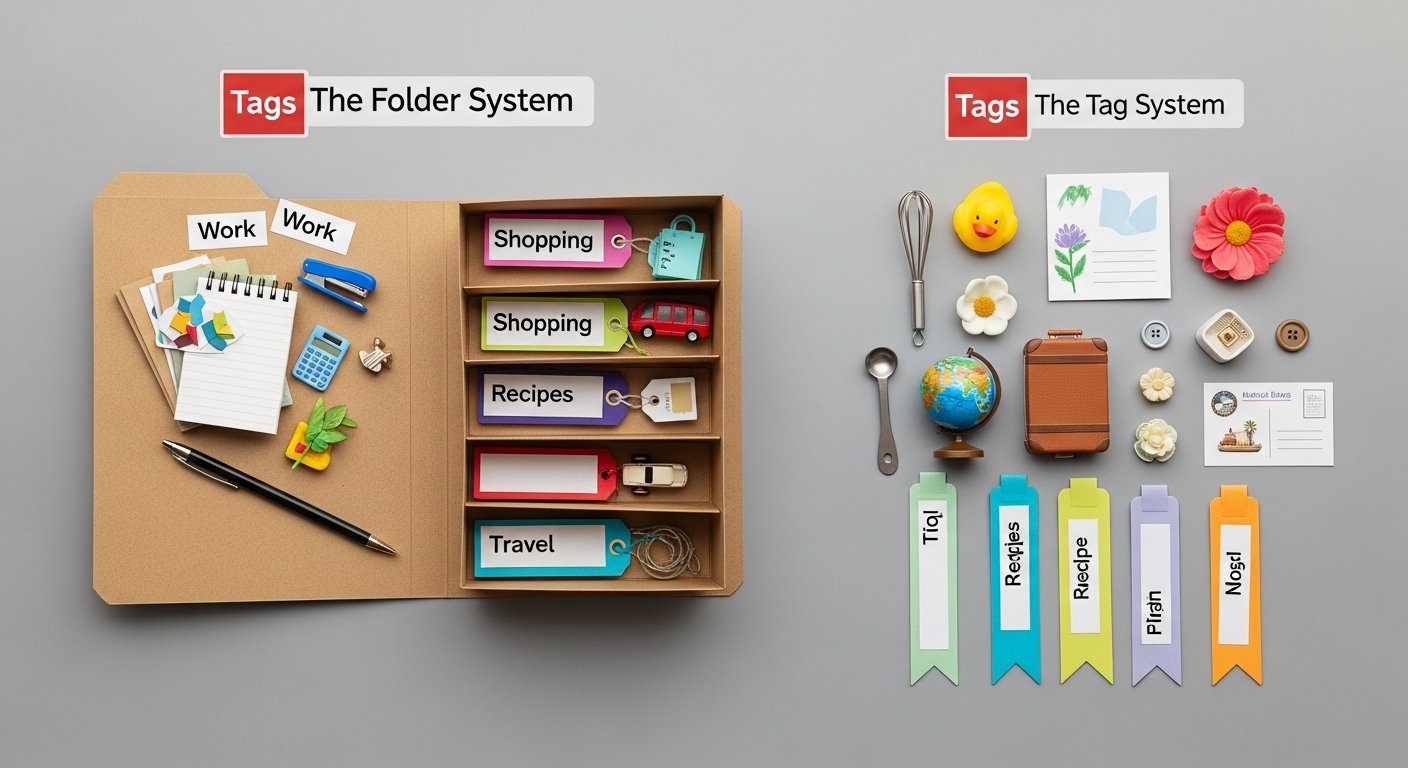

Tags vs Folders for Bookmarks: The Ultimate Guide to Digital Organization in 2026
Affiliate disclosure: This article may contain affiliate links. Recommendations are independent and editorially driven.
TL;DR: Deciding between tags vs folders for bookmarks is a fundamental choice in digital organization. While folders offer clear, hierarchical structure, tags provide unparalleled flexibility for multi-contextual classification. For most users in 2026, a well-implemented hybrid system is the most powerful approach, combining the best aspects of both to ensure your digital resources are both structured and easily discoverable.
Table of Contents
- Introduction: The Perennial Debate in Digital Organization
- Understanding the Foundations: Tags and Folders Defined
- Tags vs. Folders: A Direct Comparison for Bookmarks
- When to Use Which: Tailoring Your Approach
- The Power of the Hybrid System: Combining Tags and Folders
- Practical Strategies for Effective Bookmark Organization
- Tools for Tags and Folders in 2026: A Comparative Look
- Future Trends in Knowledge Management and Bookmarking
- Conclusion: The Evolving Landscape of Digital Organization
- Frequently Asked Questions
- Further Reading
Introduction: The Perennial Debate in Digital Organization
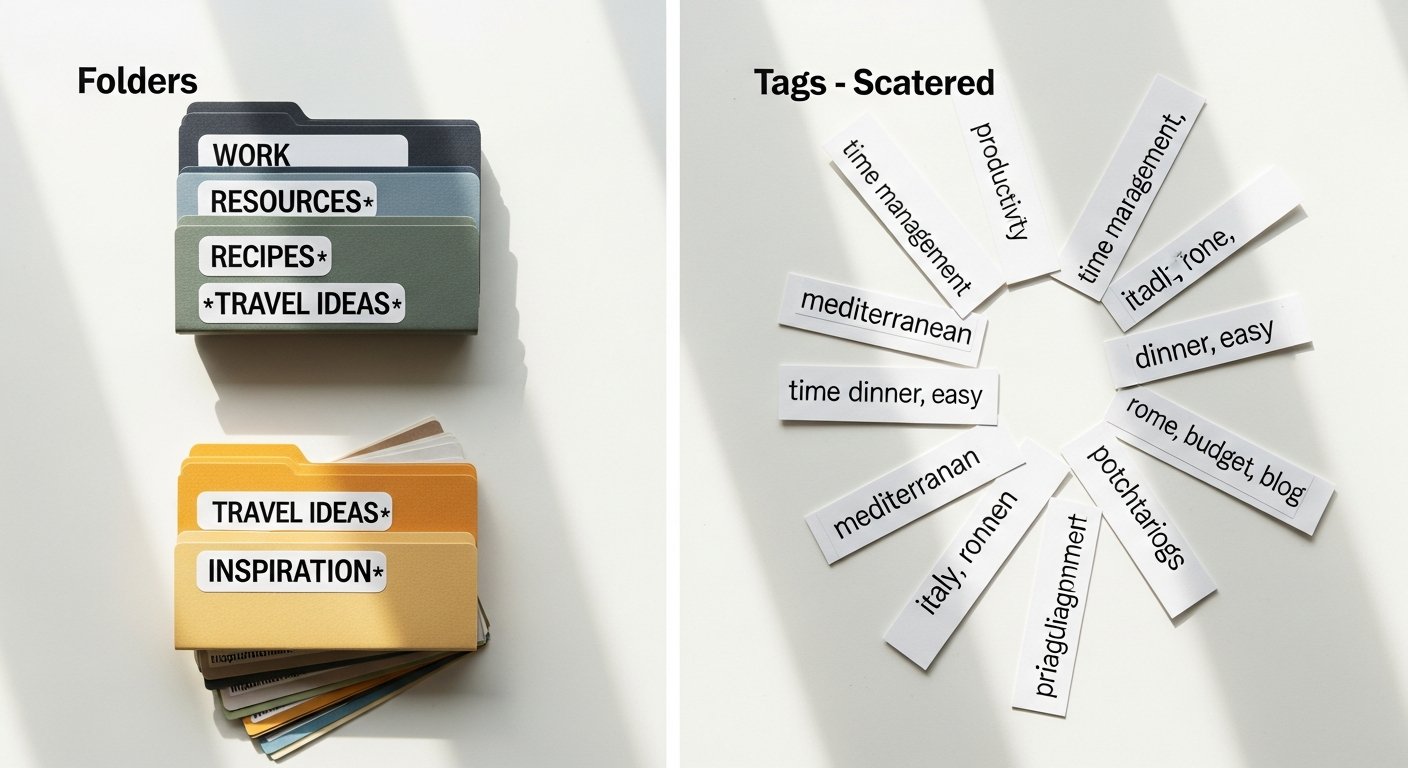
In the vast and ever-expanding landscape of the internet, keeping track of valuable information is more crucial than ever. Every day, we encounter articles, resources, tools, and inspirations that we want to save, revisit, and integrate into our workflows. This challenge gives rise to a critical question for anyone serious about productivity and knowledge management: what is the most effective way to organize these digital treasures? Specifically, the debate between tags vs folders for bookmarks stands as a cornerstone of efficient digital organization. This comprehensive guide will dissect both approaches, explore their strengths and weaknesses, and ultimately reveal how you can leverage them to create a robust and future-proof system for managing your bookmarks in 2026 and beyond.
For decades, folders have been the default method for digital classification, mimicking the physical filing systems we’ve known. They offer a clear, hierarchical structure, intuitive for many. However, as information becomes increasingly interconnected and multidisciplinary, the limitations of rigid folder structures become apparent. Enter tags: a flexible, non-hierarchical method that allows for multi-contextual classification, enabling a single item to belong to numerous categories simultaneously. This article will not only compare these two fundamental approaches but also delve into advanced strategies, real-world applications, and the best tools available today to help you master your bookmark organization. Whether you’re a student, a researcher, a professional, or simply someone looking to tame their digital chaos, understanding the nuances of tags and folders is the first step towards a more productive and less cluttered digital life.
Understanding the Foundations: Tags and Folders Defined
Before we dive into the comparative analysis, it’s essential to clearly define what we mean by “tags” and “folders” in the context of bookmark organization. While these concepts might seem straightforward, their distinct characteristics form the basis of the entire debate.
What Are Folders?
Folders, in the digital realm, are containers used to group related items. They are inherently hierarchical, meaning one folder can contain sub-folders, which can contain further sub-folders, creating a tree-like structure. Think of them like physical file folders in a cabinet. Each bookmark typically resides in only one folder at a time, reflecting a singular organizational path. This structure is intuitive because it mirrors how we often categorize physical objects in the real world.
- Characteristics: Hierarchical, mutually exclusive (usually), visually navigable.
- Analogy: A filing cabinet, a family tree, or a physical library’s sectioning.
- Common Use: Organizing documents by project, emails by sender, or bookmarks by broad category like “Work,” “Personal,” or “Reference.”
What Are Tags?
Tags are keywords or terms assigned to an item to describe its content or context. Unlike folders, tags are non-hierarchical and non-exclusive. A single bookmark can have multiple tags associated with it, allowing it to be classified under various, overlapping categories simultaneously. This flexibility is a significant departure from the rigid “one item, one folder” model.
- Characteristics: Non-hierarchical, multi-contextual, additive, searchable.
- Analogy: Keywords on a blog post, hashtags on social media, or index terms in a book.
- Common Use: Describing a bookmark by its topic, type, urgency, or associated people, for instance, “productivity,” “AI,” “article,” “read_later,” “tools.”
[INLINE IMAGE 1: place after second H2 | alt=”tags vs folders for bookmarks concept illustration”]
Tags vs. Folders: A Direct Comparison for Bookmarks
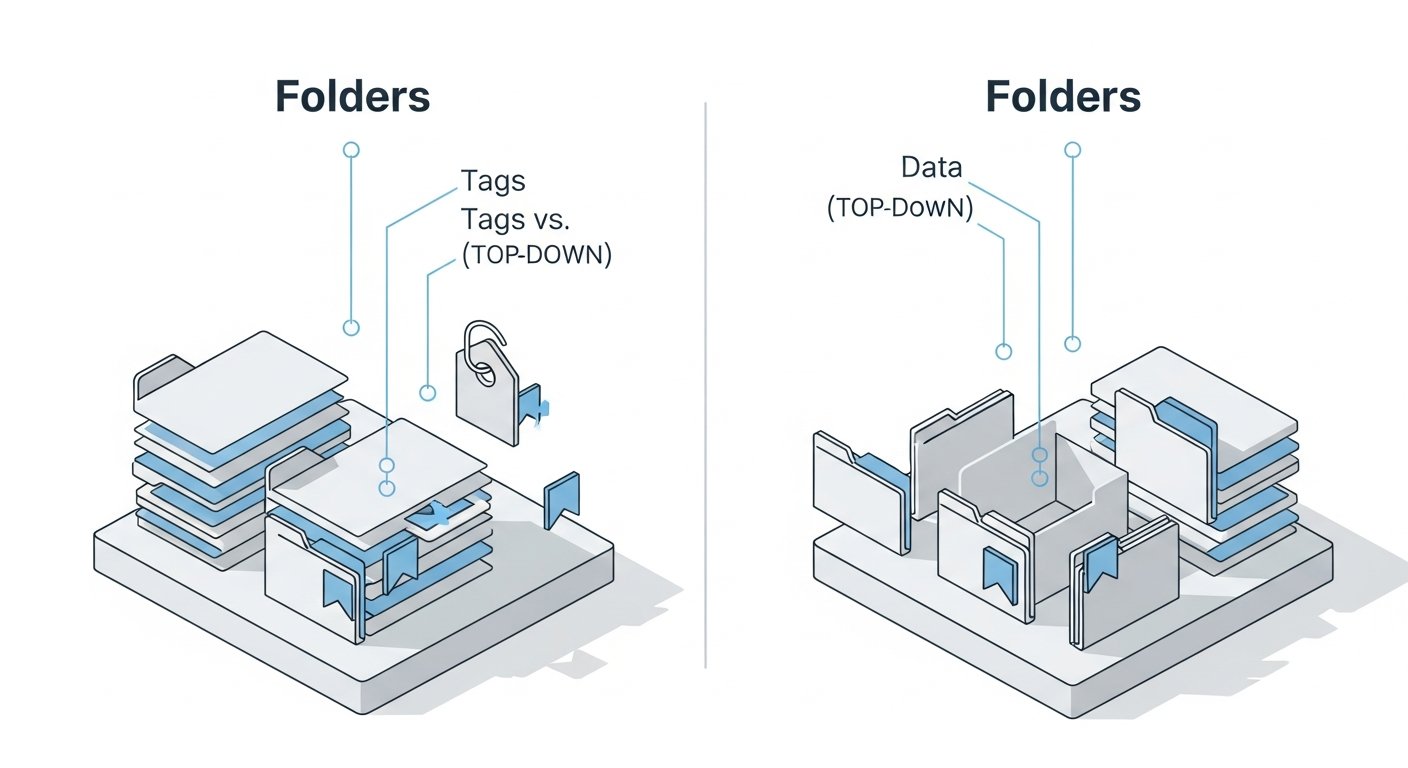
The choice between tags and folders for bookmarks isn’t about one being inherently “better” than the other. Instead, it’s about understanding their fundamental differences and how those differences impact your ability to store, retrieve, and leverage your saved digital information. Let’s break down the advantages and disadvantages of each.
To provide a quick overview, here’s a comparison table summarizing the key aspects:
| Feature | Folders for Bookmarks | Tags for Bookmarks | Hybrid System |
|---|---|---|---|
| Structure | Hierarchical, tree-like, mutually exclusive paths. | Flat, non-hierarchical, multi-dimensional. | Combines hierarchy with flexible, overlapping contexts. |
| Flexibility | Low – a bookmark belongs to one category. | High – a bookmark can have multiple classifications. | Highest – leverages both structured grouping and dynamic categorization. |
| Discoverability | Good for known paths, difficult for cross-category searches. | Excellent for cross-contextual searches, potential for “tag sprawl.” | Optimal – structured by folders, enhanced by multi-contextual tags. |
| Maintenance | Can lead to deep nesting, requires occasional re-shuffling. | Requires consistent naming conventions, occasional clean-up to prevent sprawl. | Requires thoughtful setup and ongoing governance for both elements. |
| Scalability | Poor for very large, complex, or overlapping collections. | Good for large collections if managed well, but can become chaotic. | Excellent for managing extensive and diverse knowledge bases. |
| Learning Curve | Low, intuitive for most users. | Moderate, requires foresight in naming and application. | Moderate to High, requires understanding of both systems and their interplay. |
| Best Use Case | Strictly defined projects, clear silos, small collections. | Dynamic topics, research, personal learning, large, interconnected datasets. | Professional knowledge management, extensive personal archives, complex research. |
Advantages of Folders for Bookmarks
- Clarity and Visual Structure: Folders provide an immediate, visual overview of your organizational scheme. You can see your main categories and subcategories at a glance, making it easy to navigate known paths. This is particularly beneficial for visual thinkers.
- Intuitive for Beginners: Most users are familiar with folder systems from operating systems. The mental model of putting “things into boxes” is deeply ingrained, making folders an easy starting point for bookmark organization.
- Project-Based Organization: For distinct projects with clear boundaries, folders excel. You can create a folder for “Project X,” and all related resources live there, neatly separated from “Project Y.”
- Hierarchy Enforcement: If you need to enforce a strict hierarchy (e.g., Department > Team > Project > Specific Task), folders are the natural choice. They clearly delineate parent-child relationships.
- Easier to Batch Manage: Moving, deleting, or sharing an entire category of bookmarks can be simpler when they are all contained within a single folder.
Disadvantages of Folders for Bookmarks
- Lack of Flexibility (The “One Place” Problem): This is the biggest drawback. What if a bookmark relates to two projects? Or three different topics? With folders, you’re forced to choose one primary location, or duplicate the bookmark (which leads to maintenance nightmares).
- Deep Nesting and “Folder Fatigue”: As your collection grows, you might find yourself creating many layers of sub-folders. Navigating through 5+ levels of sub-folders becomes tedious, slow, and makes discovery difficult.
- Limited Cross-Categorization: You can’t easily find all bookmarks related to “AI” if some are in “Work/Project Alpha,” others in “Research/Future Tech,” and still others in “Personal/Learning.” Each requires navigating a different branch.
- Rigidity in Evolving Topics: If a topic or project changes scope, or if a bookmark’s relevance shifts, reorganizing extensive folder structures can be a time-consuming and disruptive process.
- Obscurity of Content: Without opening a folder, you only see its name. The actual content and its various facets remain hidden until you click through.
Advantages of Tags for Bookmarks
- Multi-Contextual Classification: The standout advantage. A single bookmark can be tagged with “AI,” “productivity,” “article,” and “read_later.” This allows for incredibly nuanced and flexible categorization.
- Enhanced Discoverability: Tags enable powerful search and filtering capabilities. You can instantly pull up all bookmarks tagged “AI AND tools,” or “productivity AND video,” regardless of their initial saving context. This is where tags truly shine for complex information sets.
- Dynamic and Adaptable: Tags are fluid. You can add new tags, remove old ones, or refine existing ones without disrupting any underlying hierarchy. This makes them ideal for evolving interests and research areas.
- Flat Structure (No Deep Nesting): Since tags are non-hierarchical, you don’t encounter the problem of deep nesting. All tags exist at the same “level,” making navigation via filtering much faster.
- Granular Control: Tags allow for very specific descriptors. Instead of a broad “Tech” folder, you can use tags like “AI_tools,” “blockchain_news,” “web_dev_frameworks,” providing finer-grained classification.
- Reduced Duplication: No need to duplicate bookmarks to fit them into multiple categories. One bookmark, multiple tags.
Disadvantages of Tags for Bookmarks
- The “Tag Sprawl” Problem: Without discipline, users can create too many similar tags (e.g., “AI,” “artificial intelligence,” “machine learning”). This leads to fragmentation, making discoverability just as difficult as with folders. Consistent naming is crucial.
- Lack of Visual Hierarchy: For those who prefer a visual, structured overview, a flat list of tags can feel overwhelming and less intuitive to browse. It relies more on searching and filtering than direct navigation.
- Initial Setup & Discipline: Effective tagging requires a more thoughtful approach from the outset. You need to establish a consistent taxonomy and stick to it, which can be a higher barrier to entry for some.
- Ambiguity and Inconsistency: If multiple people are tagging, or if you tag inconsistently over time, the system can quickly become unreliable. Tags like “good” or “important” are often too vague to be useful.
- No Implicit Relationships: Tags don’t inherently show relationships between broader topics and sub-topics unless you manually create a convention (e.g., “project/marketing”).
[INLINE IMAGE 2: place after fourth H2 | alt=”tags vs folders for bookmarks comparison illustration”]
When to Use Which: Tailoring Your Approach
Understanding the pros and cons is just the first step. The real art of digital organization lies in knowing when to leverage folders and when to lean into tags, depending on the specific context and your personal workflow. The choice of tags vs folders for bookmarks is not always binary; often, it’s about strategic deployment.
Optimal Scenarios for Folder-Based Organization
Folders shine in situations where structure, hierarchy, and exclusivity are paramount. Consider using a folder-first approach when:
- You have clearly defined projects: Each project has its own distinct set of resources that rarely overlap with others. Examples: “Client A Project,” “Q4 Marketing Campaign,” “Personal Travel Plans.”
- Your categories are mutually exclusive: A bookmark genuinely belongs in one place and one place only. E.g., “Work Documents,” “Personal Recipes,” “Financial Statements.”
- You prefer a visual, navigable tree structure: If you like to click through folders to see their contents, a hierarchical system will feel natural and efficient for you.
- The collection is relatively small or static: For fewer than a few hundred bookmarks that don’t change context frequently, simple folders are quick to set up and manage.
- You need a primary organizational anchor: Folders can serve as excellent high-level containers, providing an initial layer of segmentation before potentially adding more granular tags.
- You are sharing a resource collection: For teams or shared accounts, a clear folder structure can be easier for everyone to understand and navigate consistently.
Optimal Scenarios for Tag-Based Organization
Tags come into their own when flexibility, cross-referencing, and multi-dimensionality are key. Opt for a tag-heavy approach when:
- Your bookmarks have multiple, overlapping contexts: A single article might be about “AI,” “ethical implications,” and “future of work.” Tags allow you to capture all these facets.
- You need to discover information in diverse ways: You want to find all “articles about AI from 2026 that you still need to read,” or “tools for productivity in remote work.” Tags make complex queries possible.
- Your collection is large and constantly growing: Thousands of bookmarks quickly overwhelm a folder-only system. Tags scale better by allowing dynamic categorization without deep nesting.
- You are engaged in research or learning: Researchers often need to link information across different projects, methodologies, and topics. Tags are perfect for creating these conceptual connections.
- You prefer search over browse: If you’re a heavy search user who types keywords to find information, a robust tagging system will serve you well.
- You want to mark status or action items: Tags like “read_later,” “to_process,” “action_required,” “archived,” or “high_priority” add an active layer of metadata to your bookmarks.
The Power of the Hybrid System: Combining Tags and Folders
For most users, the most powerful and flexible approach to bookmark organization in 2026 isn’t an either/or choice, but a strategic combination: the hybrid system. This method leverages the strengths of both tags and folders while mitigating their individual weaknesses. It’s often referred to as the “best of both worlds” because it provides both a clear primary structure and dynamic, multi-faceted categorization.
Implementing a Hybrid Model for Bookmarks
A successful hybrid system requires intentional design. Here’s how to approach it:
- Folders for Broad Categories (Macro-Organization): Use folders for the highest level of organization – the primary “buckets” that define major areas of your life or work. These should be stable, rarely changing categories.
- Examples: “Work Projects,” “Personal Development,” “Research Topics,” “Reference Material,” “Archived.”
- Think of these as your main drawers in a filing cabinet.
- Tags for Specific Contexts and Attributes (Micro-Organization): Within these broad folders, apply tags to add granular detail, cross-reference, and classify by attributes that cut across folder boundaries.
- Examples (within “Work Projects/Client X”):
marketing_strategy,web_design,competitor_analysis,Q3_planning,read_later. - Examples (within “Personal Development”):
productivity_tools,learning_AI,health_nutrition,podcast_recommendation. - These are like sticky notes or index cards with specific keywords attached to items within those drawers.
- Examples (within “Work Projects/Client X”):
- Keep Folder Depth Shallow: Aim for 2-3 levels of folders at most. If you find yourself going deeper, that’s often a signal that some of those sub-folder concepts should be tags instead.
- Prioritize Consistent Tagging: This is critical for the hybrid model. Develop a clear tag taxonomy and stick to it.
- Utilize Smart Search & Filtering: Most modern bookmark managers excel at combining folder filters with tag filters, allowing for incredibly precise retrieval. For instance, search for bookmarks in the “Research Topics/Quantum Computing” folder AND tagged with
articleand2026_review.
Real-World Hybrid Examples
Let’s illustrate how a hybrid system might work in practice:
Example 1: Freelance Consultant
- Folders:
Clients/Client A/Client B/
Marketing/Admin & Finance/Personal Learning/
- Tags:
- Within
Clients/Client A/:web_design,social_media,branding,invoice_template,inspiration,read_later. - Within
Marketing/:SEO_strategy,content_marketing,newsletter_ideas,competitor_analysis. - Cross-cutting tags:
productivity_tool,AI_tool,video_tutorial,article,case_study.
- Within
- Benefit: Quickly navigate to a client’s resources (folder) and then filter by specific service type or resource type (tags), or find all
AI_toollinks across all clients.
Example 2: Academic Researcher
- Folders:
Research Projects/Project Alpha/Project Beta/
Literature Review/Methodology/General Reference/
- Tags:
- Within
Research Projects/Project Alpha/:neuroscience,cognitive_psych,experimental_design,paper,dataset,critique. - Within
Literature Review/:review_paper,theoretical,empirical,citation_needed,key_finding. - Cross-cutting tags:
AI_applications,statistical_tool,grant_proposal,read_later,2026_pub.
- Within
- Benefit: Organize by specific research project (folder) while also being able to pull up all
review_paperonneuroscience(tags) regardless of which project folder they are in.
Practical Strategies for Effective Bookmark Organization
Regardless of whether you choose a folder-first, tag-first, or hybrid system, consistent application and thoughtful strategy are key. Here are actionable tips to make your bookmark organization truly effective and avoid common pitfalls when dealing with tags vs folders for bookmarks.
Developing a Robust Tag Taxonomy
A well-structured tag taxonomy is the backbone of any effective tagging system, preventing the dreaded “tag sprawl.”
- Standardize Naming Conventions:
- Case Sensitivity: Decide on lowercase, uppercase, or title case and stick to it (e.g.,
aivs.AIvs.Ai). - Singular vs. Plural: Choose one (e.g.,
toolvs.tools). Singular is generally recommended for consistency. - Spelling: Avoid variations (e.g.,
productivityvs.prod). - Compound Words: Use underscores or hyphens (e.g.,
social_media,project-management) or camelCase.
- Case Sensitivity: Decide on lowercase, uppercase, or title case and stick to it (e.g.,
- Create a Master Tag List: Maintain a document (even a simple text file or a page in your PKM tool like Notion or Obsidian) that lists all your approved tags and their definitions. This helps with consistency and onboarding.
- Categorize Tags by Type: Think about the different facets you want to capture:
- Topic/Subject:
ai,marketing,finance,health. - Content Type:
article,video,tool,tutorial,podcast. - Action/Status:
read_later,action_required,to_review,completed. - Source/Origin:
newsletter,twitter,youtube. - Urgency/Priority:
high_priority,medium_priority.
- Topic/Subject:
- Use Hierarchical Tags (If Supported): Some tools allow tags like
project/marketing/seo. This gives you the flexibility of tags with a hint of folder-like structure. - Regular Review and Refinement: Periodically (monthly or quarterly), review your tag list. Consolidate redundant tags, delete unused ones, and add new ones as your interests evolve.
- Don’t Over-Tag: While tags are flexible, applying too many tags (e.g., 10+ per bookmark) can become counterproductive. Aim for 3-5 relevant tags per item.
Mastering Folder Structures
Even in a tag-heavy or hybrid system, well-designed folders are crucial for foundational organization.
- Keep it Flat at the Top: Your top-level folders should represent your broadest, most stable categories. Aim for 5-10 top-level folders that cover your primary areas of life/work.
- Limit Nesting Depth: Try to keep your folder hierarchy to a maximum of 2-3 levels deep. If you find yourself going deeper, it’s a sign that you might be trying to force too much detail into a hierarchical structure that would be better served by tags.
- Descriptive but Concise Names: Folder names should clearly indicate their content without being overly long. Avoid acronyms unless universally understood within your context.
- Consistent Naming: Similar to tags, use consistent naming. E.g., always “Clients” or “Client_Projects.”
- Consider a “Inbox” or “To Process” Folder: This acts as a temporary holding area for newly saved bookmarks that you haven’t yet organized. Process this folder regularly.
- Archive Old Projects: Once a project is complete, move its folder (and all its contents) to an “Archive” folder. This keeps your active workspace clean without deleting valuable information.
Avoiding Common Pitfalls: Tag Sprawl and Deep Nesting
Both tags and folders have their traps. Being aware of them is the first step to avoidance.
- Tag Sprawl: This occurs when you have too many similar tags, variations, or vague tags (e.g.,
good_article,important).- Solution: Implement a tag taxonomy, use a master list, and perform regular audits to consolidate and refine. Be ruthless in eliminating redundant tags. Use specific, action-oriented tags over vague descriptors.
- Deep Nesting (Folder Fatigue): This happens when folder structures become too complex and multi-layered, making navigation cumbersome.
- Solution: Limit folder depth to 2-3 levels. Use tags for the finer-grained classification that would otherwise lead to deeper folders. Archive completed projects to reduce clutter.
- Over-Categorization: Trying to classify every single bookmark with too many tags or placing it in an overly specific folder can be paralyzing.
- Solution: Start simple. For folders, use broad categories. For tags, use 2-3 core tags and add more only if truly necessary for discovery. Remember, a bookmark manager’s search function is powerful even without perfect categorization.
- Under-Categorization: Saving everything without any organization at all.
- Solution: Even a simple “Read Later” tag or a “General” folder is better than nothing. Build up your system gradually as your needs evolve.
- Inconsistency: Changing your organizational rules halfway through or not adhering to them.
- Solution: Document your system (even briefly). If you’re working with others, ensure everyone understands and follows the agreed-upon conventions.
By applying these strategies, you can build a resilient and highly effective bookmark organization system that enhances your productivity and knowledge retention.
Tools for Tags and Folders in 2026: A Comparative Look
The effectiveness of your tags vs folders for bookmarks strategy heavily relies on the tools you use. Fortunately, the digital landscape in 2026 offers a wide array of options, from built-in browser features to dedicated bookmark managers and comprehensive Personal Knowledge Management (PKM) systems. Each has its strengths and caters to different organizational needs.
Browser-Native Bookmarking (Chrome, Firefox, Safari, Edge)
Most modern browsers offer basic bookmarking capabilities that primarily focus on folders, with some offering rudimentary tagging.
- Folder Support: Excellent. Browsers
Tags vs Folders for Bookmarks: The Ultimate Guide to Digital Organization in 2026
Affiliate disclosure: This article may contain affiliate links. Recommendations are independent and editorially driven.
TL;DR: Deciding between tags vs folders for bookmarks is a fundamental choice in digital organization. While folders offer clear, hierarchical structure, tags provide unparalleled flexibility for multi-contextual classification. For most users in 2026, a well-implemented hybrid system is the most powerful approach, combining the best aspects of both to ensure your digital resources are both structured and easily discoverable.
Table of Contents
- Introduction: The Perennial Debate in Digital Organization
- Understanding the Foundations: Tags and Folders Defined
- Tags vs. Folders: A Direct Comparison for Bookmarks
- When to Use Which: Tailoring Your Approach
- The Power of the Hybrid System: Combining Tags and Folders
- Practical Strategies for Effective Bookmark Organization
- Tools for Tags and Folders in 2026: A Comparative Look
- Future Trends in Knowledge Management and Bookmarking
- Conclusion: The Evolving Landscape of Digital Organization
- Frequently Asked Questions
- Further Reading
Introduction: The Perennial Debate in Digital Organization
In the vast and ever-expanding landscape of the internet, keeping track of valuable information is more crucial than ever. Every day, we encounter articles, resources, tools, and inspirations that we want to save, revisit, and integrate into our workflows. This challenge gives rise to a critical question for anyone serious about productivity and knowledge management: what is the most effective way to organize these digital treasures? Specifically, the debate between tags vs folders for bookmarks stands as a cornerstone of efficient digital organization. This comprehensive guide will dissect both approaches, explore their strengths and weaknesses, and ultimately reveal how you can leverage them to create a robust and future-proof system for managing your bookmarks in 2026 and beyond.
For decades, folders have been the default method for digital classification, mimicking the physical filing systems we’ve known. They offer a clear, hierarchical structure, intuitive for many. However, as information becomes increasingly interconnected and multidisciplinary, the limitations of rigid folder structures become apparent. Enter tags: a flexible, non-hierarchical method that allows for multi-contextual classification, enabling a single item to belong to numerous categories simultaneously. This article will not only compare these two fundamental approaches but also delve into advanced strategies, real-world applications, and the best tools available today to help you master your bookmark organization. Whether you’re a student, a researcher, a professional, or simply someone looking to tame their digital chaos, understanding the nuances of tags and folders is the first step towards a more productive and less cluttered digital life.
Understanding the Foundations: Tags and Folders Defined
Before we dive into the comparative analysis, it’s essential to clearly define what we mean by “tags” and “folders” in the context of bookmark organization. While these concepts might seem straightforward, their distinct characteristics form the basis of the entire debate.
What Are Folders?
Folders, in the digital realm, are containers used to group related items. They are inherently hierarchical, meaning one folder can contain sub-folders, which can contain further sub-folders, creating a tree-like structure. Think of them like physical file folders in a cabinet. Each bookmark typically resides in only one folder at a time, reflecting a singular organizational path. This structure is intuitive because it mirrors how we often categorize physical objects in the real world.
- Characteristics: Hierarchical, mutually exclusive (usually), visually navigable.
- Analogy: A filing cabinet, a family tree, or a physical library’s sectioning.
- Common Use: Organizing documents by project, emails by sender, or bookmarks by broad category like “Work,” “Personal,” or “Reference.”
What Are Tags?
Tags are keywords or terms assigned to an item to describe its content or context. Unlike folders, tags are non-hierarchical and non-exclusive. A single bookmark can have multiple tags associated with it, allowing it to be classified under various, overlapping categories simultaneously. This flexibility is a significant departure from the rigid “one item, one folder” model.
- Characteristics: Non-hierarchical, multi-contextual, additive, searchable.
- Analogy: Keywords on a blog post, hashtags on social media, or index terms in a book.
- Common Use: Describing a bookmark by its topic, type, urgency, or associated people, for instance, “productivity,” “AI,” “article,” “read_later,” “tools.”
[INLINE IMAGE 1: place after second H2 | alt=”tags vs folders for bookmarks concept illustration”]
Tags vs. Folders: A Direct Comparison for Bookmarks
The choice between tags and folders for bookmarks isn’t about one being inherently “better” than the other. Instead, it’s about understanding their fundamental differences and how those differences impact your ability to store, retrieve, and leverage your saved digital information. Let’s break down the advantages and disadvantages of each.
To provide a quick overview, here’s a comparison table summarizing the key aspects:
| Feature | Folders for Bookmarks | Tags for Bookmarks | Hybrid System |
|---|---|---|---|
| Structure | Hierarchical, tree-like, mutually exclusive paths. | Flat, non-hierarchical, multi-dimensional. | Combines hierarchy with flexible, overlapping contexts. |
| Flexibility | Low – a bookmark belongs to one category. | High – a bookmark can have multiple classifications. | Highest – leverages both structured grouping and dynamic categorization. |
| Discoverability | Good for known paths, difficult for cross-category searches. | Excellent for cross-contextual searches, potential for “tag sprawl.” | Optimal – structured by folders, enhanced by multi-contextual tags. |
| Maintenance | Can lead to deep nesting, requires occasional re-shuffling. | Requires consistent naming conventions, occasional clean-up to prevent sprawl. | Requires thoughtful setup and ongoing governance for both elements. |
| Scalability | Poor for very large, complex, or overlapping collections. | Good for large collections if managed well, but can become chaotic. | Excellent for managing extensive and diverse knowledge bases. |
| Learning Curve | Low, intuitive for most users. | Moderate, requires foresight in naming and application. | Moderate to High, requires understanding of both systems and their interplay. |
| Best Use Case | Strictly defined projects, clear silos, small collections. | Dynamic topics, research, personal learning, large, interconnected datasets. | Professional knowledge management, extensive personal archives, complex research. |
Advantages of Folders for Bookmarks
- Clarity and Visual Structure: Folders provide an immediate, visual overview of your organizational scheme. You can see your main categories and subcategories at a glance, making it easy to navigate known paths. This is particularly beneficial for visual thinkers.
- Intuitive for Beginners: Most users are familiar with folder systems from operating systems. The mental model of putting “things into boxes” is deeply ingrained, making folders an easy starting point for bookmark organization.
- Project-Based Organization: For distinct projects with clear boundaries, folders excel. You can create a folder for “Project X,” and all related resources live there, neatly separated from “Project Y.”
- Hierarchy Enforcement: If you need to enforce a strict hierarchy (e.g., Department > Team > Project > Specific Task), folders are the natural choice. They clearly delineate parent-child relationships.
- Easier to Batch Manage: Moving, deleting, or sharing an entire category of bookmarks can be simpler when they are all contained within a single folder.
Disadvantages of Folders for Bookmarks
- Lack of Flexibility (The “One Place” Problem): This is the biggest drawback. What if a bookmark relates to two projects? Or three different topics? With folders, you’re forced to choose one primary location, or duplicate the bookmark (which leads to maintenance nightmares).
- Deep Nesting and “Folder Fatigue”: As your collection grows, you might find yourself creating many layers of sub-folders. Navigating through 5+ levels of sub-folders becomes tedious, slow, and makes discovery difficult.
- Limited Cross-Categorization: You can’t easily find all bookmarks related to “AI” if some are in “Work/Project Alpha,” others in “Research/Future Tech,” and still others in “Personal/Learning.” Each requires navigating a different branch.
- Rigidity in Evolving Topics: If a topic or project changes scope, or if a bookmark’s relevance shifts, reorganizing extensive folder structures can be a time-consuming and disruptive process.
- Obscurity of Content: Without opening a folder, you only see its name. The actual content and its various facets remain hidden until you click through.
Advantages of Tags for Bookmarks
- Multi-Contextual Classification: The standout advantage. A single bookmark can be tagged with “AI,” “productivity,” “article,” and “read_later.” This allows for incredibly nuanced and flexible categorization.
- Enhanced Discoverability: Tags enable powerful search and filtering capabilities. You can instantly pull up all bookmarks tagged “AI AND tools,” or “productivity AND video,” regardless of their initial saving context. This is where tags truly shine for complex information sets.
- Dynamic and Adaptable: Tags are fluid. You can add new tags, remove old ones, or refine existing ones without disrupting any underlying hierarchy. This makes them ideal for evolving interests and research areas.
- Flat Structure (No Deep Nesting): Since tags are non-hierarchical, you don’t encounter the problem of deep nesting. All tags exist at the same “level,” making navigation via filtering much faster.
- Granular Control: Tags allow for very specific descriptors. Instead of a broad “Tech” folder, you can use tags like “AI_tools,” “blockchain_news,” “web_dev_frameworks,” providing finer-grained classification.
- Reduced Duplication: No need to duplicate bookmarks to fit them into multiple categories. One bookmark, multiple tags.
Disadvantages of Tags for Bookmarks
- The “Tag Sprawl” Problem: Without discipline, users can create too many similar tags (e.g., “AI,” “artificial intelligence,” “machine learning”). This leads to fragmentation, making discoverability just as difficult as with folders. Consistent naming is crucial.
- Lack of Visual Hierarchy: For those who prefer a visual, structured overview, a flat list of tags can feel overwhelming and less intuitive to browse. It relies more on searching and filtering than direct navigation.
- Initial Setup & Discipline: Effective tagging requires a more thoughtful approach from the outset. You need to establish a consistent taxonomy and stick to it, which can be a higher barrier to entry for some.
- Ambiguity and Inconsistency: If multiple people are tagging, or if you tag inconsistently over time, the system can quickly become unreliable. Tags like “good” or “important” are often too vague to be useful.
- No Implicit Relationships: Tags don’t inherently show relationships between broader topics and sub-topics unless you manually create a convention (e.g., “project/marketing”).
[INLINE IMAGE 2: place after fourth H2 | alt=”tags vs folders for bookmarks comparison illustration”]
When to Use Which: Tailoring Your Approach
Understanding the pros and cons is just the first step. The real art of digital organization lies in knowing when to leverage folders and when to lean into tags, depending on the specific context and your personal workflow. The choice of tags vs folders for bookmarks is not always binary; often, it’s about strategic deployment.
Optimal Scenarios for Folder-Based Organization
Folders shine in situations where structure, hierarchy, and exclusivity are paramount. Consider using a folder-first approach when:
- You have clearly defined projects: Each project has its own distinct set of resources that rarely overlap with others. Examples: “Client A Project,” “Q4 Marketing Campaign,” “Personal Travel Plans.”
- Your categories are mutually exclusive: A bookmark genuinely belongs in one place and one place only. E.g., “Work Documents,” “Personal Recipes,” “Financial Statements.”
- You prefer a visual, navigable tree structure: If you like to click through folders to see their contents, a hierarchical system will feel natural and efficient for you.
- The collection is relatively small or static: For fewer than a few hundred bookmarks that don’t change context frequently, simple folders are quick to set up and manage.
- You need a primary organizational anchor: Folders can serve as excellent high-level containers, providing an initial layer of segmentation before potentially adding more granular tags.
- You are sharing a resource collection: For teams or shared accounts, a clear folder structure can be easier for everyone to understand and navigate consistently.
Optimal Scenarios for Tag-Based Organization
Tags come into their own when flexibility, cross-referencing, and multi-dimensionality are key. Opt for a tag-heavy approach when:
- Your bookmarks have multiple, overlapping contexts: A single article might be about “AI,” “ethical implications,” and “future of work.” Tags allow you to capture all these facets.
- You need to discover information in diverse ways: You want to find all “articles about AI from 2026 that you still need to read,” or “tools for productivity in remote work.” Tags make complex queries possible.
- Your collection is large and constantly growing: Thousands of bookmarks quickly overwhelm a folder-only system. Tags scale better by allowing dynamic categorization without deep nesting.
- You are engaged in research or learning: Researchers often need to link information across different projects, methodologies, and topics. Tags are perfect for creating these conceptual connections.
- You prefer search over browse: If you’re a heavy search user who types keywords to find information, a robust tagging system will serve you well.
- You want to mark status or action items: Tags like “read_later,” “to_process,” “action_required,” “archived,” or “high_priority” add an active layer of metadata to your bookmarks.
The Power of the Hybrid System: Combining Tags and Folders
For most users, the most powerful and flexible approach to bookmark organization in 2026 isn’t an either/or choice, but a strategic combination: the hybrid system. This method leverages the strengths of both tags and folders while mitigating their individual weaknesses. It’s often referred to as the “best of both worlds” because it provides both a clear primary structure and dynamic, multi-faceted categorization.
Implementing a Hybrid Model for Bookmarks
A successful hybrid system requires intentional design. Here’s how to approach it:
- Folders for Broad Categories (Macro-Organization): Use folders for the highest level of organization – the primary “buckets” that define major areas of your life or work. These should be stable, rarely changing categories.
- Examples: “Work Projects,” “Personal Development,” “Research Topics,” “Reference Material,” “Archived.”
- Think of these as your main drawers in a filing cabinet.
- Tags for Specific Contexts and Attributes (Micro-Organization): Within these broad folders, apply tags to add granular detail, cross-reference, and classify by attributes that cut across folder boundaries.
- Examples (within “Work Projects/Client X”):
marketing_strategy,web_design,competitor_analysis,Q3_planning,read_later. - Examples (within “Personal Development”):
productivity_tools,learning_AI,health_nutrition,podcast_recommendation. - These are like sticky notes or index cards with specific keywords attached to items within those drawers.
- Examples (within “Work Projects/Client X”):
- Keep Folder Depth Shallow: Aim for 2-3 levels of folders at most. If you find yourself going deeper, that’s often a signal that some of those sub-folder concepts should be tags instead.
- Prioritize Consistent Tagging: This is critical for the hybrid model. Develop a clear tag taxonomy and stick to it.
- Utilize Smart Search & Filtering: Most modern bookmark managers excel at combining folder filters with tag filters, allowing for incredibly precise retrieval. For instance, search for bookmarks in the “Research Topics/Quantum Computing” folder AND tagged with
articleand2026_review.
Real-World Hybrid Examples
Let’s illustrate how a hybrid system might work in practice:
Example 1: Freelance Consultant
- Folders:
Clients/Client A/Client B/
Marketing/Admin & Finance/Personal Learning/
- Tags:
- Within
Clients/Client A/:web_design,social_media,branding,invoice_template,inspiration,read_later. - Within
Marketing/:SEO_strategy,content_marketing,newsletter_ideas,competitor_analysis. - Cross-cutting tags:
productivity_tool,AI_tool,video_tutorial,article,case_study.
- Within
- Benefit: Quickly navigate to a client’s resources (folder) and then filter by specific service type or resource type (tags), or find all
AI_toollinks across all clients.
Example 2: Academic Researcher
- Folders:
Research Projects/Project Alpha/Project Beta/
Literature Review/Methodology/General Reference/
- Tags:
- Within
Research Projects/Project Alpha/:neuroscience,cognitive_psych,experimental_design,paper,dataset,critique. - Within
Literature Review/:review_paper,theoretical,empirical,citation_needed,key_finding. - Cross-cutting tags:
AI_applications,statistical_tool,grant_proposal,read_later,2026_pub.
- Within
- Benefit: Organize by specific research project (folder) while also being able to pull up all
review_paperonneuroscience(tags) regardless of which project folder they are in.
Practical Strategies for Effective Bookmark Organization
Regardless of whether you choose a folder-first, tag-first, or hybrid system, consistent application and thoughtful strategy are key. Here are actionable tips to make your bookmark organization truly effective and avoid common pitfalls when dealing with tags vs folders for bookmarks.
Developing a Robust Tag Taxonomy
A well-structured tag taxonomy is the backbone of any effective tagging system, preventing the dreaded “tag sprawl.”
- Standardize Naming Conventions:
- Case Sensitivity: Decide on lowercase, uppercase, or title case and stick to it (e.g.,
aivs.AIvs.Ai). - Singular vs. Plural: Choose one (e.g.,
toolvs.tools). Singular is generally recommended for consistency. - Spelling: Avoid variations (e.g.,
productivityvs.prod). - Compound Words: Use underscores or hyphens (e.g.,
social_media,project-management) or camelCase.
- Case Sensitivity: Decide on lowercase, uppercase, or title case and stick to it (e.g.,
- Create a Master Tag List: Maintain a document (even a simple text file or a page in your PKM tool like Notion or Obsidian) that lists all your approved tags and their definitions. This helps with consistency and onboarding.
- Categorize Tags by Type: Think about the different facets you want to capture:
- Topic/Subject:
ai,marketing,finance,health. - Content Type:
article,video,tool,tutorial,podcast. - Action/Status:
read_later,action_required,to_review,completed. - Source/Origin:
newsletter,twitter,youtube. - Urgency/Priority:
high_priority,medium_priority.
- Topic/Subject:
- Use Hierarchical Tags (If Supported): Some tools allow tags like
project/marketing/seo. This gives you the flexibility of tags with a hint of folder-like structure. - Regular Review and Refinement: Periodically (monthly or quarterly), review your tag list. Consolidate redundant tags, delete unused ones, and add new ones as your interests evolve.
- Don’t Over-Tag: While tags are flexible, applying too many tags (e.g., 10+ per bookmark) can become counterproductive. Aim for 3-5 relevant tags per item.
Mastering Folder Structures
Even in a tag-heavy or hybrid system, well-designed folders are crucial for foundational organization.
- Keep it Flat at the Top: Your top-level folders should represent your broadest, most stable categories. Aim for 5-10 top-level folders that cover your primary areas of life/work.
- Limit Nesting Depth: Try to keep your folder hierarchy to a maximum of 2-3 levels deep. If you find yourself going deeper, it’s a sign that you might be trying to force too much detail into a hierarchical structure that would be better served by tags.
- Descriptive but Concise Names: Folder names should clearly indicate their content without being overly long. Avoid acronyms unless universally understood within your context.
- Consistent Naming: Similar to tags, use consistent naming. E.g., always “Clients” or “Client_Projects.”
- Consider a “Inbox” or “To Process” Folder: This acts as a temporary holding area for newly saved bookmarks that you haven’t yet organized. Process this folder regularly.
- Archive Old Projects: Once a project is complete, move its folder (and all its contents) to an “Archive” folder. This keeps your active workspace clean without deleting valuable information.
Avoiding Common Pitfalls: Tag Sprawl and Deep Nesting
Both tags and folders have their traps. Being aware of them is the first step to avoidance.
- Tag Sprawl: This occurs when you have too many similar tags, variations, or vague tags (e.g.,
good_article,important).- Solution: Implement a tag taxonomy, use a master list, and perform regular audits to consolidate and refine. Be ruthless in eliminating redundant tags. Use specific, action-oriented tags over vague descriptors.
- Deep Nesting (Folder Fatigue): This happens when folder structures become too complex and multi-layered, making navigation cumbersome.
- Solution: Limit folder depth to 2-3 levels. Use tags for the finer-grained classification that would otherwise lead to deeper folders. Archive completed projects to reduce clutter.
- Over-Categorization: Trying to classify every single bookmark with too many tags or placing it in an overly specific folder can be paralyzing.
- Solution: Start simple. For folders, use broad categories. For tags, use 2-3 core tags and add more only if truly necessary for discovery. Remember, a bookmark manager’s search function is powerful even without perfect categorization.
- Under-Categorization: Saving everything without any organization at all.
- Solution: Even a simple “Read Later” tag or a “General” folder is better than nothing. Build up your system gradually as your needs evolve.
- Inconsistency: Changing your organizational rules halfway through or not adhering to them.
- Solution: Document your system (even briefly). If you’re working with others, ensure everyone understands and follows the agreed-upon conventions.
By applying these strategies, you can build a resilient and highly effective bookmark organization system that enhances your productivity and knowledge retention.
Tools for Tags and Folders in 2026: A Comparative Look
The effectiveness of your tags vs folders for bookmarks strategy heavily relies on the tools you use. Fortunately, the digital landscape in 2026 offers a wide array of options, from built-in browser features to dedicated bookmark managers and comprehensive Personal Knowledge Management (PKM) systems. Each has its strengths and caters to different organizational needs.
Browser-Native Bookmarking (Chrome, Firefox, Safari, Edge)
Most modern browsers offer basic bookmarking capabilities that primarily focus on folders, with some offering rudimentary tagging.
- Folder Support: Excellent. Browsers


