


Roam vs Obsidian: The Ultimate 2026 Guide to Choosing Your PKM Powerhouse
Affiliate disclosure: This article may contain affiliate links. Recommendations are independent and editorially driven.
In the rapidly evolving landscape of personal knowledge management (PKM), two names frequently dominate discussions: Roam Research and Obsidian. Both applications have fundamentally reshaped how individuals approach note-taking, idea generation, and the discovery of insights within their own knowledge bases. Yet, despite their shared goal of fostering connected thought, their philosophies, architectures, and user experiences diverge significantly. For anyone serious about optimizing their workflow—from researchers and writers to students and entrepreneurs—understanding the nuances of the “roam vs obsidian” debate is crucial.
The choice between these two powerful tools isn’t merely about features; it’s about aligning a software’s core principles with your personal thinking style, data ownership preferences, and long-term knowledge management strategy. In this comprehensive 2026 guide, we’ll delve deep into the ecosystems of Roam Research and Obsidian, dissecting their strengths, weaknesses, unique selling points, and what kind of user each is best suited for. By the end, you’ll have a clear framework to decide which PKM powerhouse will best serve your quest for intellectual clarity and productivity.
Navigating the Roam vs Obsidian Debate: A Paradigm Shift in Knowledge Management
The advent of bi-directional linking and graph-based thinking has revolutionized the digital note-taking world. No longer are users confined to hierarchical folder structures or linear document flows. Instead, tools like Roam Research and Obsidian allow ideas to interlink, forming a dynamic web of knowledge that mirrors the organic nature of human thought. This shift from “filing” information to “connecting” it has profound implications for learning, creativity, and problem-solving.
Before Roam and Obsidian, most note-taking applications operated on a mental model akin to a digital filing cabinet. You’d create a document, put information in it, and maybe link to another document. The connections were often one-way, explicit, and rigid. Discovering emergent patterns or seeing the broader context of your notes required significant manual effort and a highly organized mind. The paradigm introduced by Roam and Obsidian, often termed “networked thought” or “second brain,” posits that the value of information increases exponentially when it’s interconnected.
This section will set the stage for our deep dive, exploring the common ground that brings Roam and Obsidian into direct comparison, while also highlighting the initial philosophical forks in their respective paths. Understanding this foundational context is key to appreciating the subsequent feature comparisons and ultimately making an informed decision about the “roam vs obsidian” question.
The Rise of Networked Thought
Networked thought is not just a buzzword; it’s a methodology that prioritizes the relationships between ideas over their standalone existence. Imagine your brain: when you recall a concept, it often triggers associated memories, facts, and experiences. Traditional note-taking tools struggled to emulate this. Roam and Obsidian, however, place bi-directional links—where linking Note A to Note B automatically creates a link back from B to A—at their core. This simple yet powerful mechanism allows for:
- Effortless Discovery: Easily see what other notes link to the current one, revealing connections you might have forgotten or never explicitly made.
- Contextual Understanding: Every note becomes a node in a larger graph, providing immediate context for its contents.
- Emergent Insights: By visualizing the graph of your knowledge, new patterns, themes, and intellectual gaps can emerge organically.
This fundamental capability is what makes both Roam and Obsidian so compelling for those seeking to move beyond simple information storage to genuine knowledge synthesis.
Why the Comparison Matters
While both leverage networked thought, the practical implications of their differing approaches are significant. One might favor a cloud-first, opinionated design, while the other champions local-first, highly customizable open-source principles. These differences impact:
- Data Ownership and Portability: How much control do you have over your raw data?
- Privacy and Security: Where is your information stored and how is it protected?
- Performance and Scalability: How do they handle vast amounts of notes?
- Learning Curve and User Experience: How easy are they to get started with and master?
- Pricing and Business Model: What is the financial commitment and how does it sustain development?
The “roam vs obsidian” debate isn’t about one being objectively “better” than the other, but rather about which one is better *for you* and your specific needs in 2026.
[INLINE IMAGE 1: place after second H2 | alt=”roam vs obsidian concept illustration”]
Roam Research: Pioneering the Bi-Directional Link and Graph Database

Roam Research burst onto the scene in 2020 (though it had been in development prior), captivating a dedicated following with its innovative approach to note-taking. Often described as a “tool for thought,” Roam presented a radical departure from traditional hierarchical note apps. Its core philosophy revolves around the idea that knowledge is best managed as a graph of interconnected ideas, rather than a tree of folders and documents.
At its heart, Roam is an outliner, but one supercharged with bi-directional linking. Every bullet point can be a block, every block can be a page, and every page can link to any other page (or block). This fluid structure encourages atomic notes and incremental formalization, where ideas start small and grow connections over time. Roam’s design encourages serendipitous discovery, making it a favorite among academics, researchers, and anyone who thrives on exploring the relationships between disparate pieces of information.
Core Philosophy and Design Principles
Roam’s design is heavily influenced by systems thinking and the concept of “intertwingled” information. It posits that true understanding emerges from the connections between ideas. Key principles include:
- Daily Notes as the Entry Point: Every day starts with a fresh “Daily Notes” page, encouraging immediate capture and providing a chronological backbone to your knowledge graph.
- Block-Level Referencing: The ability to link to and embed individual blocks of text, not just entire pages, makes knowledge incredibly granular and reusable.
- The Graph Database Model: Roam stores your notes in a proprietary graph database, optimized for discovering relationships and traversing connections rapidly. This is a fundamental differentiator from file-based systems.
- “Thinking in the Links”: Roam encourages users to constantly ask, “What does this connect to?” fostering a habit of mind that naturally builds a dense, interconnected knowledge network.
Key Features and Functionality
Roam offers a suite of powerful features designed to facilitate networked thought:
- Bi-Directional Links: The cornerstone feature. Create a
[[Page Name]]or((Block Reference))and the link goes both ways, instantly showing “Linked References” at the bottom of every page. - Block Embeds and Transclusion: You can embed an entire block from one page into another, meaning changes to the original block are reflected everywhere it’s embedded. This is incredibly powerful for “single source of truth” information.
- Graph View: A visual representation of your entire knowledge base, showing pages as nodes and links as edges. While not always practical for huge graphs, it’s excellent for seeing clusters and relationships.
- Queries: A powerful, albeit sometimes complex, query language that allows users to pull together information from across their graph based on specific criteria (e.g., all notes tagged with “project-X” and mentioning “meeting”).
- Sidebar Functionality: Open multiple pages or blocks in the sidebar for easy referencing and editing side-by-side.
- Version History: Roam maintains a comprehensive version history for every block, allowing you to revert changes.
- Database Sync: As a cloud-native application, your data is automatically synced across devices.
Strengths of Roam Research
- Unparalleled Fluidity of Thought: Roam’s outliner-first approach makes capturing and connecting ideas incredibly seamless. It feels like “thinking on paper.”
- Powerful Block-Level Manipulation: The ability to link, embed, and query individual blocks makes Roam exceptionally versatile for building complex knowledge structures from atomic units.
- Serendipitous Discovery: The “Linked References” and graph view often surface unexpected connections, fostering creativity and new insights.
- Zero Setup for Bi-Directional Linking: The core feature works out of the box with no configuration required.
- Cloud-Native Convenience: Access your graph from any web browser, with automatic syncing and backups.
Potential Weaknesses and Considerations
- Proprietary Data Format: While export options exist (JSON, Markdown), your primary data lives in Roam’s proprietary graph database, which can be a concern for data portability and long-term archival for some users.
- Subscription Cost: Roam operates on a premium subscription model, which can be a barrier for some users, especially compared to free or cheaper alternatives.
- Performance with Very Large Graphs: Users with exceptionally vast graphs have sometimes reported performance slowdowns, particularly with complex queries or the graph view.
- Steep Learning Curve: While simple to start with, mastering Roam’s advanced features, especially queries, requires significant investment and learning.
- Limited Customization: Compared to Obsidian, Roam offers fewer options for UI customization, themes, and plugin extensibility (though it does have a vibrant community building workarounds).
- Offline Access Limitations: While offline mode is available, it’s not its primary strength, and syncing issues can sometimes arise.
Roam Research remains a formidable tool for those who prioritize a seamless, cloud-based environment for interconnected thought, valuing its opinionated design and powerful outliner capabilities. Its strength lies in its ability to make the act of linking and discovering connections feel effortless and integral to the note-taking process itself.
Obsidian: Empowering Local-First Knowledge with Extensibility
Obsidian emerged shortly after Roam, seemingly as a direct response to some of the pain points expressed by early networked-thought enthusiasts, particularly regarding data ownership and extensibility. Where Roam is a cloud-first graph database, Obsidian is a local-first plain text editor that uses Markdown files. This fundamental difference shapes every aspect of the Obsidian experience.
Obsidian stores all your notes as plain Markdown files in a local folder on your computer, which it calls a “vault.” This approach grants users complete ownership and control over their data, making it highly portable and future-proof. Obsidian then builds a sophisticated application layer on top of these files, offering bi-directional linking, a robust graph view, and an incredibly powerful plugin ecosystem that allows users to mold the application precisely to their needs.
Core Philosophy and Design Principles
Obsidian’s design principles center around control, longevity, and flexibility:
- Local-First, Plain Text: Your data is yours. Stored as open, human-readable Markdown files, ensuring maximum portability and longevity. You can open them with any text editor.
- Extensibility and Customization: Obsidian provides a powerful API for community plugins and themes, allowing users to deeply customize their experience and functionality. It embraces the idea of a highly personalized tool.
- The “Vault” Concept: A vault is a local folder containing your Markdown notes. You can have multiple vaults for different projects or areas of knowledge.
- Privacy by Design: Since your data stays local, there’s no need to trust a third-party server with your most sensitive information (unless you choose to sync via a cloud service like Dropbox or Obsidian Sync).
- Keyboard-Centric Workflow: Obsidian is designed for speed and efficiency, with extensive keyboard shortcuts and command palette functionality.
Explore our guide to PKM tools for more insights on optimizing your digital brain.
Key Features and Functionality
Obsidian’s feature set is expansive, often enhanced by its vibrant plugin ecosystem:
- Bi-Directional Links: Similar to Roam, `[[Page Name]]` syntax creates two-way links. Unlinked mentions are also a powerful way to discover potential connections.
- Graph View: A highly customizable visual representation of your vault, offering different filters, groups, and display options to explore connections.
- Markdown Editor: A fast, distraction-free Markdown editor with live preview and WYSIWYG editing options.
- Plugin Ecosystem: Thousands of community and official plugins extend Obsidian’s capabilities for everything from task management and spaced repetition to Zettelkasten methodologies and advanced querying.
- Themes: Extensive theming options allow for complete aesthetic customization.
- Templates: Create reusable templates for different types of notes (e.g., meeting notes, book summaries).
- Daily Notes: A popular feature, though not as central to the workflow as in Roam, often enhanced by plugins.
- Obsidian Sync: An optional, paid service for secure, encrypted cloud synchronization across devices, including mobile.
- Publish: An optional, paid service to publish selected notes as a public website.
Strengths of Obsidian
- Data Ownership and Portability: This is Obsidian’s strongest selling point. Your notes are yours, in an open format, forever.
- Unmatched Extensibility: The plugin ecosystem is a game-changer, allowing users to tailor Obsidian to almost any workflow imaginable.
- Privacy and Security: Local-first storage ensures maximum privacy, with optional end-to-end encrypted syncing if desired.
- Offline First: Work seamlessly without an internet connection, as all your data resides locally.
- Cost-Effective: The core application is free for personal use, making it highly accessible. Paid services like Sync and Publish are optional.
- Performance: Generally very fast and responsive, even with large vaults, due to its local file-based nature.
- Active and Supportive Community: A large, engaged community contributes plugins, themes, and offers help.
Potential Weaknesses and Considerations
- Steep Learning Curve for Customization: While basic note-taking is easy, unlocking Obsidian’s full power requires learning about plugins, CSS snippets, and community best practices.
- No Native Collaboration: Because it’s local-first, native real-time collaboration is not built-in (though workarounds with shared folders exist).
- Requires Manual Syncing (if not using Obsidian Sync): If you want to use Obsidian across multiple devices without paying for Obsidian Sync, you’ll need to set up your own syncing solution (e.g., Dropbox, iCloud, Git).
- Block-Level Functionality is Less Central: While block references exist, Roam’s block-level outliner focus and transclusion feel more native and fluid.
- Less Opinionated Design: For users who prefer an “it just works” experience, the sheer number of options and the need to configure can be overwhelming.
Obsidian stands as a testament to the power of open standards and community-driven development. It’s the choice for those who value absolute control over their data, demand high customizability, and are willing to invest time into building their ideal knowledge management system.
Key Differentiators: Data Ownership, Structure, and Philosophy
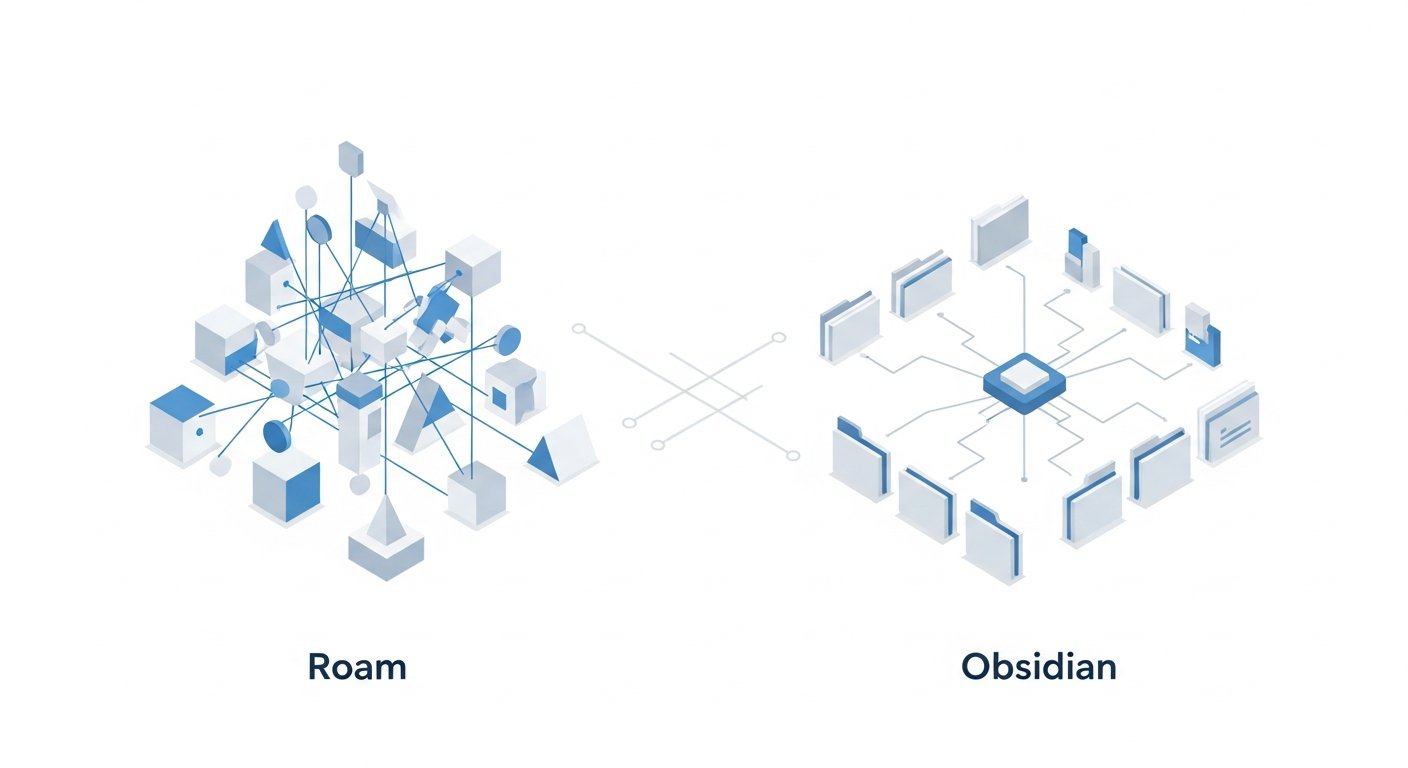
The core differences between Roam Research and Obsidian are not merely superficial; they represent fundamentally distinct approaches to personal knowledge management. Understanding these philosophical and architectural divides is paramount when weighing the “roam vs obsidian” choice.
Data Ownership and Storage
- Roam Research: Operates on a proprietary, cloud-based graph database. While you can export your data in Markdown or JSON format, your primary working environment and data storage are managed by Roam. This offers convenience (automatic sync, backups) but means trusting a third-party with your data and being reliant on their service for access and longevity.
- Obsidian: Emphasizes local-first, plain text Markdown files. Your notes reside on your own computer in an open, human-readable format. This grants you absolute control, maximum portability, and long-term archival confidence. You choose how to sync (e.g., Dropbox, iCloud, Git, or Obsidian Sync) and where to back up.
Implication: If absolute data sovereignty and the ability to open your notes with any text editor in 50 years is a top priority, Obsidian wins. If the convenience of cloud-first, “set it and forget it” data management is more appealing, Roam has an edge.
Underlying Architecture and Data Model
- Roam Research (Graph Database): Roam is built directly on a graph database model. This means that relationships (links) are first-class citizens alongside the nodes (blocks/pages). This architecture inherently optimizes for relationship discovery and traversal, making queries and linked references feel deeply integrated.
- Obsidian (File-Based with Graph Overlay): Obsidian uses a file system (your local folder) as its backend. It then builds a powerful application layer that interprets these Markdown files, identifies links, and generates a graph view on top. While incredibly effective, it’s an interpretation *of* the file system, not a native graph database in the same way Roam is.
Implication: Roam’s native graph database can sometimes feel more fluid for deeply intertwined, atomic knowledge structures, especially at the block level. Obsidian’s file-based nature offers unparalleled openness and flexibility but requires the application to render the “graph” aspect.
Extensibility and Customization
- Roam Research: Offers limited official customization options. While there’s a community creating browser extensions and user scripts, these are not officially supported plugins in the same way Obsidian’s are. Roam generally provides an opinionated workflow.
- Obsidian: Boasts a vast and rapidly growing plugin ecosystem (both official and community-contributed). This allows users to add complex features, integrate with other tools, change core behaviors, and completely customize the UI with themes and CSS snippets.
Implication: If you love to tinker, customize, and build a highly personalized tool, Obsidian is the clear winner. If you prefer a more streamlined, “out-of-the-box” experience with less configuration, Roam’s opinionated design might appeal more.
Pricing and Business Model
- Roam Research: Operates on a subscription model (e.g., $15/month or $150/year for personal use, with a “Believer” tier for early supporters). It is a commercial product, and its business model relies directly on these subscriptions.
- Obsidian: The core application is free for personal use. They offer optional paid services like Obsidian Sync (for encrypted cloud syncing) and Obsidian Publish (for sharing notes online) and a Catalyst license for commercial use. This freemium model makes the entry barrier very low for individual users.
Implication: Obsidian is significantly more accessible financially for most individual users, with paid features being truly optional enhancements. Roam represents a higher recurring financial commitment.
Offline Capabilities
- Roam Research: Primarily a web application, although it does offer an offline mode. However, robust offline functionality and conflict resolution with subsequent online syncing can sometimes be a point of concern for users who spend significant time without internet access.
- Obsidian: As a local-first application, it works perfectly offline all the time. Your notes are on your machine. Syncing only occurs when you are online and use a third-party service or Obsidian Sync.
Implication: For those who frequently work in disconnected environments or prioritize uninterrupted access regardless of internet status, Obsidian’s offline-first approach is a major advantage.
Discover browser extensions for enhanced productivity and seamless bookmark management.
Feature Face-Off: A Head-to-Head Comparison of Roam vs Obsidian
Beyond the core philosophies, the practical feature sets of Roam and Obsidian offer distinct advantages and disadvantages. This section provides a direct comparison of key functionalities, helping you understand how each tool approaches common PKM tasks.
When evaluating Roam vs Obsidian, it’s crucial to look at how features are implemented and the underlying philosophy driving them. What might seem like a similar feature on the surface can behave quite differently in practice, influencing your daily workflow and long-term knowledge growth.
Comparison Table: Roam vs Obsidian Core Features
This table provides a snapshot of how Roam Research and Obsidian stack up against each other on critical features.
| Feature Category | Roam Research | Obsidian |
|---|---|---|
| Data Storage | Proprietary cloud graph database | Local Markdown files (plain text) |
| Pricing Model | Subscription-based (premium) | Free for personal use; optional paid services (Sync, Publish) |
| Bi-directional Linking | Core feature, deeply integrated at block level | Core feature, robust at page and block level |
| Graph View | Native, visually appealing, less customizable | Highly customizable, filterable, groupable via plugins |
| Extensibility/Plugins | Limited (browser extensions/user scripts) | Extensive official & community plugin ecosystem |
| Data Ownership | Relies on Roam’s cloud service; exportable | 100% user control (local files); highly portable |
| Offline Access | Available but primarily cloud-oriented | Excellent, fully functional local-first |
| Block Transclusion/Embeds | Seamless, single source of truth for blocks | Robust, with syntax for block embeds |
| Querying | Powerful, database-level queries (Roam Datalog) | Via plugins (e.g., Dataview, Tasks), highly flexible |
| Mobile Apps | Web wrapper / native apps (iOS/Android) | Dedicated native apps (iOS/Android) with Sync option |
| Real-time Collaboration | Limited/experimental features | Not natively supported (workarounds possible) |
| Ease of Sharing Publicly | No native public sharing | Obsidian Publish (optional paid service) |
[INLINE IMAGE 2: place after fourth H2 | alt=”roam vs obsidian comparison illustration”]
Markdown and Editor Experience
- Roam Research: Uses a flavor of Markdown within its outliner. The editor is designed for rapid capture and outlining, with a focus on bullet points and block-level manipulation. It’s often praised for its “frictionless” feel.
- Obsidian: A pure Markdown editor. It supports various Markdown flavors and offers both source mode (plain text), live preview, and WYSIWYG (What You See Is What You Get) editing modes. Its editor is highly configurable, with plugins like Advanced Tables, Editor Syntax Highlight, and more.
Verdict: For pure Markdown purists and those who prefer a highly customizable editor, Obsidian takes the lead. Roam’s editor excels in its fluidity for outlining and block manipulation.
Graph Visualization
- Roam Research: Offers an intuitive and aesthetically pleasing graph view that automatically shows connections. It’s great for quick visual overviews but has fewer customization options.
- Obsidian: Provides a highly powerful and customizable graph view. Users can filter by tags, paths, and connections, group nodes by various criteria, and even apply custom CSS. This makes it a serious tool for analysis and exploration of complex knowledge graphs.
Verdict: Obsidian’s graph view is functionally superior for analytical exploration due to its customization. Roam’s is simpler and more immediate.
Task Management
- Roam Research: Has basic task management features through `[[TODO]]` blocks and simple queries to gather them. It’s not a dedicated task manager but can handle personal to-do lists within the note-taking flow.
- Obsidian: While not a dedicated task manager either, its plugin ecosystem transforms it. The “Tasks” plugin, for instance, offers robust task management with natural language parsing, recurring tasks, and powerful querying, rivaling standalone apps.
Verdict: Obsidian, through its plugins, can be molded into a much more sophisticated task management system than Roam.
Mobile Experience
- Roam Research: Offers native iOS and Android apps, which are essentially wrappers around its web interface. Performance can sometimes vary, and the experience is often seen as a condensed version of the desktop.
- Obsidian: Features dedicated native iOS and Android apps that offer a robust experience. With Obsidian Sync, seamless synchronization across devices is a major advantage. Working offline on mobile is also a strength.
Verdict: Obsidian generally provides a more polished and reliable mobile experience, especially for offline access and syncing via Obsidian Sync.
Version Control and History
- Roam Research: Maintains a granular version history for every block, allowing you to revert changes effortlessly.
- Obsidian: Doesn’t have native block-level history built into the application. However, because notes are local files, you can use external version control systems like Git for robust, full-vault versioning, or rely on file system snapshots. Obsidian Sync also offers version history for your notes.
Verdict: Roam’s built-in block history is a core strength. Obsidian requires external tools or its paid Sync service for comparable versioning.
User Experience, Customization, and Community Ecosystems
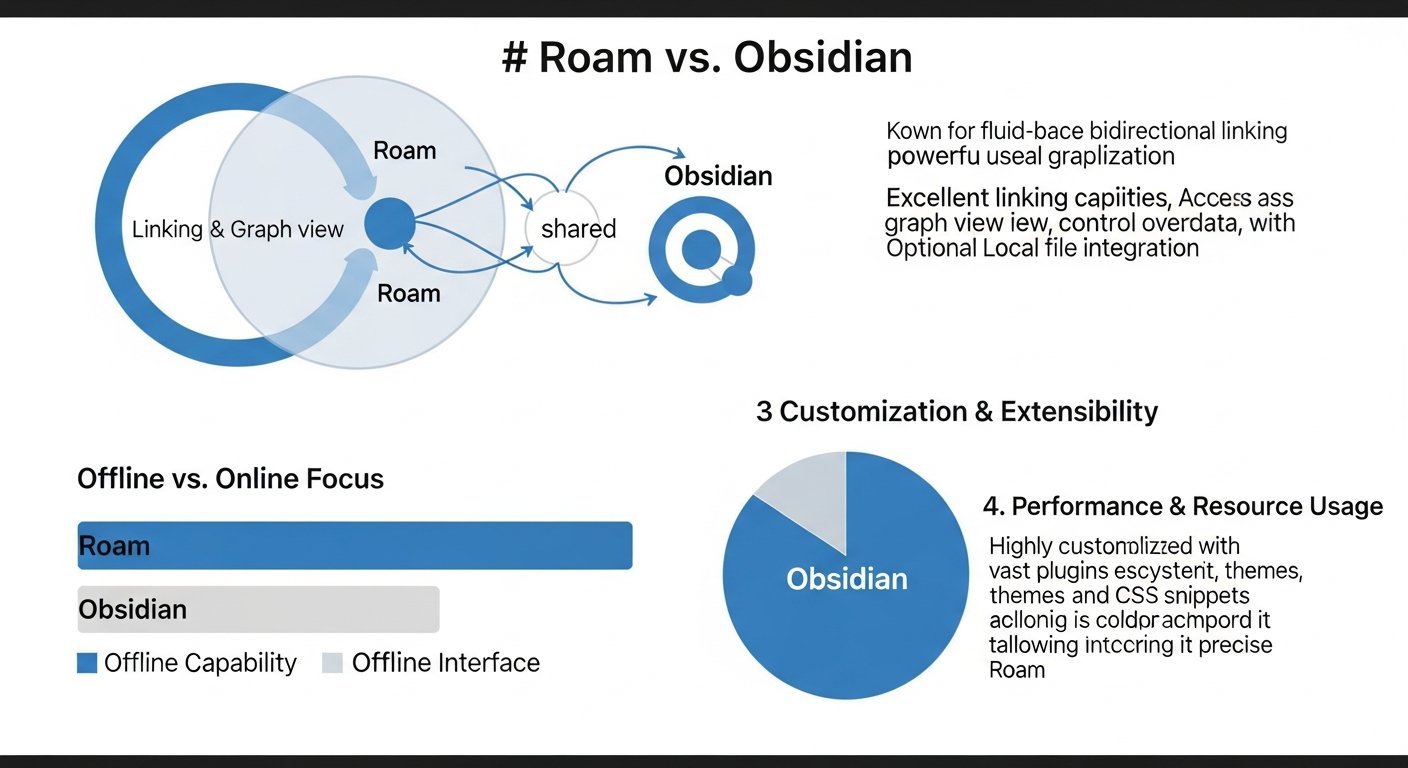
Beyond features, the overall experience of using a PKM tool is heavily influenced by its design, how much you can customize it, and the community that supports it. Both Roam and Obsidian have fostered passionate user bases, but their approaches to community engagement and user empowerment differ.
Learning Curve and Onboarding
- Roam Research:
- Initial ease: Very easy to start writing and linking. The daily notes page makes initial capture straightforward.
- Mastery difficulty: A steeper curve to master advanced queries and fully leverage the graph database for complex insights. The outliner can also be a conceptual hurdle for those used to document-based writing.
- Obsidian:
- Initial ease: Simple to begin writing Markdown notes and creating links.
- Mastery difficulty: Can be overwhelming due to the sheer number of customization options, community plugins, and CSS snippets. Users need to invest time to discover and configure the features that suit them.
Verdict: Roam is arguably easier to pick up and immediately be productive with its core features. Obsidian offers more depth and power but demands a greater investment in learning and configuration.
User Interface and Aesthetic
- Roam Research: Features a clean, minimalist, and opinionated interface. It focuses on functionality over extreme customization, aiming for a consistent user experience across the platform. While themes exist, they are less extensive than Obsidian’s.
- Obsidian: Highly customizable. Users can choose from hundreds of community themes, apply custom CSS snippets, and arrange their workspace with flexible panes. This allows for a deeply personal and branded experience.
Verdict: If you value a polished, consistent, and opinionated UI, Roam might appeal. If you want to control every pixel and craft an interface perfectly suited to your aesthetic and workflow, Obsidian is the clear winner.
Community and Support
- Roam Research: Has a dedicated, somewhat exclusive community, often found on Twitter and Discord. Support is primarily community-driven, though Roam does offer official documentation and occasional updates. Its “Believer” program fostered a strong early adopter base.
- Obsidian: Boasts a massive, incredibly active, and welcoming community across its official forum, Discord server, Reddit, and various online platforms. This community is a powerhouse, producing plugins, themes, tutorials, and providing extensive peer-to-peer support.
Verdict: Obsidian’s community is larger, more active, and incredibly resourceful, particularly when it comes to troubleshooting or finding new ways to extend the app. Roam’s community is passionate but smaller.
Integration and Ecosystem
- Roam Research: Primarily a standalone ecosystem. Integrations are often through third-party browser extensions or Zapier-like services. Its closed-source nature makes deep external integration more challenging.
- Obsidian: Its local-first, plain-text nature makes it highly interoperable. You can use other Markdown editors on the same files, integrate with external tools via plugins (e.g., Zotero, Readwise), and easily use version control systems like Git. This open ecosystem is a significant advantage for many.
Verdict: Obsidian’s open file format and extensive plugin API make it much more amenable to integration with other tools and workflows. Roam is more of a self-contained system.
Performance, Pricing Models, and Future Roadmaps
The long-term viability and sustainability of any PKM tool depend heavily on its performance, its business model, and the vision of its developers. As we look at Roam vs Obsidian in 2026, these aspects are more critical than ever.
Performance and Scalability
- Roam Research: Generally performs well, but as a web-based application processing a graph database, performance can sometimes fluctuate. Users with extremely large graphs (tens of thousands of pages/blocks) or complex queries have occasionally reported slowdowns. Roam’s team continually optimizes, but it is inherently limited by web technologies.
- Obsidian: Typically renowned for its speed and responsiveness. Because it’s a desktop application working with local files, it leverages your computer’s resources directly. Even vaults with hundreds of thousands of notes tend to perform very well, with instantaneous searching and navigation.
Verdict: Obsidian generally offers superior performance and scalability for very large local knowledge bases due to its native app and local file structure.
Pricing Models and Value Proposition
- Roam Research: Its subscription model positions it as a premium tool. The value proposition is in its seamless, cloud-first experience, powerful block-level editing, and native graph database. Users pay for the convenience, the innovative design, and the development of the core platform.
- Obsidian: Its freemium model offers immense value. The core application is free, providing a fully functional, powerful PKM system. Paid services like Sync and Publish are optional and add significant convenience or functionality for those who need it. This makes it accessible to a much wider audience.
Verdict: For budget-conscious users or those who prefer not to pay a recurring subscription for their core note-taking, Obsidian offers better financial value. Roam’s value is tied to its unique, opinionated cloud-based approach.
Learn about link-curation workflows for efficient information gathering.
Development Philosophy and Future Roadmap
- Roam Research: Known for its “build in public” approach and rapid, iterative development in its early days. The development team is smaller and focuses on refining the core graph database and outliner experience, often with less public-facing roadmap details.
- Obsidian: Has a clear, publicly articulated roadmap and a dedicated team. Development is steady, with continuous improvements to the core app and robust support for the plugin API. Their commitment to local-first and extensibility remains central.
Verdict: Obsidian’s public roadmap and focus on platform stability and extensibility offer a greater sense of long-term predictability and community involvement. Roam’s development, while impactful, can feel less transparent at times.
Security and Privacy
- Roam Research: As a cloud service, your data is stored on their servers. They use industry-standard encryption, but for highly sensitive information, some users may prefer not to store it in a third-party cloud.
- Obsidian: Your data is local, giving you complete control. If you use Obsidian Sync, notes are end-to-end encrypted, meaning even Obsidian cannot read them. This local-first approach is inherently more private.
Verdict: For users with stringent privacy and security requirements, Obsidian’s local-first and optional E2EE sync model is generally preferred. Roam requires a greater degree of trust in its cloud infrastructure.
Making the Informed Decision: Roam vs Obsidian for Your Workflow
The choice between Roam Research and Obsidian is not about identifying a universally “better” tool, but rather about selecting the one that best aligns with your personal workflow, technical comfort, and philosophical stance on data. Both are exceptional in their domains, but they cater to slightly different user profiles.
Who Should Choose Roam Research?
Roam Research is likely the ideal choice for you if:
- You prioritize frictionlessness: You want to jump in and start writing and linking with minimal setup. Roam’s opinionated design and core features are incredibly fluid for thought capture.
- You love outlining and block-level manipulation: The native outliner and the power to link and embed individual blocks are central to your workflow. You think in discrete, interconnected chunks of information.
- You embrace the cloud-first paradigm: You value the convenience of automatic syncing, accessibility from any web browser, and don’t mind your data residing in a proprietary cloud database.
- You’re willing to pay a premium for a dedicated tool: The subscription cost is not a barrier, and you see value in a focused, innovative product from a dedicated team.
- You appreciate serendipitous discovery: Roam’s “Linked References” and graph view often help you discover connections you didn’t explicitly seek out, fostering creative breakthroughs.
Roam is perfect for the busy academic, writer, or knowledge worker who needs a powerful thought processor without getting bogged down in configuration. Its strength lies in being a direct extension of your thinking process.
Who Should Choose Obsidian?
Obsidian is likely the ideal choice for you if:
- Data ownership is paramount: You demand full control over your notes, stored in a future-proof, open format (Markdown) on your local machine.
- You crave deep customization and extensibility: You enjoy tinkering with plugins, themes, and CSS to build a highly personalized PKM system tailored to your exact needs.
- You work extensively offline or prioritize privacy: The local-first nature and optional end-to-end encrypted syncing are crucial for your security and access requirements.
- You appreciate a strong, active community: You want access to a vast ecosystem of community-contributed tools, themes, and peer support.
- You prefer a freemium model: You appreciate starting with a powerful free core application and only paying for specific premium services like syncing or publishing.
- You’re comfortable with Markdown and a file-based workflow: You like the idea of your notes being simple text files that can be accessed by other applications.
Obsidian caters to the power user, the tinkerer, the developer, or anyone who needs a robust, future-proof knowledge base that they can fully own and adapt. Its power grows exponentially with your willingness to explore its vast capabilities.
Hybrid Approaches and Future Trends
It’s also worth noting that some users adopt hybrid approaches, using one tool for specific tasks and
Roam vs Obsidian: The Ultimate 2026 Guide to Choosing Your PKM Powerhouse
Affiliate disclosure: This article may contain affiliate links. Recommendations are independent and editorially driven.
In the rapidly evolving landscape of personal knowledge management (PKM), two names frequently dominate discussions: Roam Research and Obsidian. Both applications have fundamentally reshaped how individuals approach note-taking, idea generation, and the discovery of insights within their own knowledge bases. Yet, despite their shared goal of fostering connected thought, their philosophies, architectures, and user experiences diverge significantly. For anyone serious about optimizing their workflow—from researchers and writers to students and entrepreneurs—understanding the nuances of the “roam vs obsidian” debate is crucial.
The choice between these two powerful tools isn’t merely about features; it’s about aligning a software’s core principles with your personal thinking style, data ownership preferences, and long-term knowledge management strategy. In this comprehensive 2026 guide, we’ll delve deep into the ecosystems of Roam Research and Obsidian, dissecting their strengths, weaknesses, unique selling points, and what kind of user each is best suited for. By the end, you’ll have a clear framework to decide which PKM powerhouse will best serve your quest for intellectual clarity and productivity.
Navigating the Roam vs Obsidian Debate: A Paradigm Shift in Knowledge Management
The advent of bi-directional linking and graph-based thinking has revolutionized the digital note-taking world. No longer are users confined to hierarchical folder structures or linear document flows. Instead, tools like Roam Research and Obsidian allow ideas to interlink, forming a dynamic web of knowledge that mirrors the organic nature of human thought. This shift from “filing” information to “connecting” it has profound implications for learning, creativity, and problem-solving.
Before Roam and Obsidian, most note-taking applications operated on a mental model akin to a digital filing cabinet. You’d create a document, put information in it, and maybe link to another document. The connections were often one-way, explicit, and rigid. Discovering emergent patterns or seeing the broader context of your notes required significant manual effort and a highly organized mind. The paradigm introduced by Roam and Obsidian, often termed “networked thought” or “second brain,” posits that the value of information increases exponentially when it’s interconnected.
This section will set the stage for our deep dive, exploring the common ground that brings Roam and Obsidian into direct comparison, while also highlighting the initial philosophical forks in their respective paths. Understanding this foundational context is key to appreciating the subsequent feature comparisons and ultimately making an informed decision about the “roam vs obsidian” question.
The Rise of Networked Thought
Networked thought is not just a buzzword; it’s a methodology that prioritizes the relationships between ideas over their standalone existence. Imagine your brain: when you recall a concept, it often triggers associated memories, facts, and experiences. Traditional note-taking tools struggled to emulate this. Roam and Obsidian, however, place bi-directional links—where linking Note A to Note B automatically creates a link back from B to A—at their core. This simple yet powerful mechanism allows for:
- Effortless Discovery: Easily see what other notes link to the current one, revealing connections you might have forgotten or never explicitly made.
- Contextual Understanding: Every note becomes a node in a larger graph, providing immediate context for its contents.
- Emergent Insights: By visualizing the graph of your knowledge, new patterns, themes, and intellectual gaps can emerge organically.
This fundamental capability is what makes both Roam and Obsidian so compelling for those seeking to move beyond simple information storage to genuine knowledge synthesis.
Why the Comparison Matters
While both leverage networked thought, the practical implications of their differing approaches are significant. One might favor a cloud-first, opinionated design, while the other champions local-first, highly customizable open-source principles. These differences impact:
- Data Ownership and Portability: How much control do you have over your raw data?
- Privacy and Security: Where is your information stored and how is it protected?
- Performance and Scalability: How do they handle vast amounts of notes?
- Learning Curve and User Experience: How easy are they to get started with and master?
- Pricing and Business Model: What is the financial commitment and how does it sustain development?
The “roam vs obsidian” debate isn’t about one being objectively “better” than the other, but rather about which one is better *for you* and your specific needs in 2026.
[INLINE IMAGE 1: place after second H2 | alt=”roam vs obsidian concept illustration”]
Roam Research: Pioneering the Bi-Directional Link and Graph Database
Roam Research burst onto the scene in 2020 (though it had been in development prior), captivating a dedicated following with its innovative approach to note-taking. Often described as a “tool for thought,” Roam presented a radical departure from traditional hierarchical note apps. Its core philosophy revolves around the idea that knowledge is best managed as a graph of interconnected ideas, rather than a tree of folders and documents.
At its heart, Roam is an outliner, but one supercharged with bi-directional linking. Every bullet point can be a block, every block can be a page, and every page can link to any other page (or block). This fluid structure encourages atomic notes and incremental formalization, where ideas start small and grow connections over time. Roam’s design encourages serendipitous discovery, making it a favorite among academics, researchers, and anyone who thrives on exploring the relationships between disparate pieces of information.
Core Philosophy and Design Principles
Roam’s design is heavily influenced by systems thinking and the concept of “intertwingled” information. It posits that true understanding emerges from the connections between ideas. Key principles include:
- Daily Notes as the Entry Point: Every day starts with a fresh “Daily Notes” page, encouraging immediate capture and providing a chronological backbone to your knowledge graph.
- Block-Level Referencing: The ability to link to and embed individual blocks of text, not just entire pages, makes knowledge incredibly granular and reusable.
- The Graph Database Model: Roam stores your notes in a proprietary graph database, optimized for discovering relationships and traversing connections rapidly. This is a fundamental differentiator from file-based systems.
- “Thinking in the Links”: Roam encourages users to constantly ask, “What does this connect to?” fostering a habit of mind that naturally builds a dense, interconnected knowledge network.
Key Features and Functionality
Roam offers a suite of powerful features designed to facilitate networked thought:
- Bi-Directional Links: The cornerstone feature. Create a
[[Page Name]]or((Block Reference))and the link goes both ways, instantly showing “Linked References” at the bottom of every page. - Block Embeds and Transclusion: You can embed an entire block from one page into another, meaning changes to the original block are reflected everywhere it’s embedded. This is incredibly powerful for “single source of truth” information.
- Graph View: A visual representation of your entire knowledge base, showing pages as nodes and links as edges. While not always practical for huge graphs, it’s excellent for seeing clusters and relationships.
- Queries: A powerful, albeit sometimes complex, query language that allows users to pull together information from across their graph based on specific criteria (e.g., all notes tagged with “project-X” and mentioning “meeting”).
- Sidebar Functionality: Open multiple pages or blocks in the sidebar for easy referencing and editing side-by-side.
- Version History: Roam maintains a comprehensive version history for every block, allowing you to revert changes.
- Database Sync: As a cloud-native application, your data is automatically synced across devices.
Strengths of Roam Research
- Unparalleled Fluidity of Thought: Roam’s outliner-first approach makes capturing and connecting ideas incredibly seamless. It feels like “thinking on paper.”
- Powerful Block-Level Manipulation: The ability to link, embed, and query individual blocks makes Roam exceptionally versatile for building complex knowledge structures from atomic units.
- Serendipitous Discovery: The “Linked References” and graph view often surface unexpected connections, fostering creativity and new insights.
- Zero Setup for Bi-Directional Linking: The core feature works out of the box with no configuration required.
- Cloud-Native Convenience: Access your graph from any web browser, with automatic syncing and backups.
Potential Weaknesses and Considerations
- Proprietary Data Format: While export options exist (JSON, Markdown), your primary data lives in Roam’s proprietary graph database, which can be a concern for data portability and long-term archival for some users.
- Subscription Cost: Roam operates on a premium subscription model, which can be a barrier for some users, especially compared to free or cheaper alternatives.
- Performance with Very Large Graphs: Users with exceptionally vast graphs have sometimes reported performance slowdowns, particularly with complex queries or the graph view.
- Steep Learning Curve: While simple to start with, mastering Roam’s advanced features, especially queries, requires significant investment and learning.
- Limited Customization: Compared to Obsidian, Roam offers fewer options for UI customization, themes, and plugin extensibility (though it does have a vibrant community building workarounds).
- Offline Access Limitations: While offline mode is available, it’s not its primary strength, and syncing issues can sometimes arise.
Roam Research remains a formidable tool for those who prioritize a seamless, cloud-based environment for interconnected thought, valuing its opinionated design and powerful outliner capabilities. Its strength lies in its ability to make the act of linking and discovering connections feel effortless and integral to the note-taking process itself.
Obsidian: Empowering Local-First Knowledge with Extensibility
Obsidian emerged shortly after Roam, seemingly as a direct response to some of the pain points expressed by early networked-thought enthusiasts, particularly regarding data ownership and extensibility. Where Roam is a cloud-first graph database, Obsidian is a local-first plain text editor that uses Markdown files. This fundamental difference shapes every aspect of the Obsidian experience.
Obsidian stores all your notes as plain Markdown files in a local folder on your computer, which it calls a “vault.” This approach grants users complete ownership and control over their data, making it highly portable and future-proof. Obsidian then builds a sophisticated application layer on top of these files, offering bi-directional linking, a robust graph view, and an incredibly powerful plugin ecosystem that allows users to mold the application precisely to their needs.
Core Philosophy and Design Principles
Obsidian’s design principles center around control, longevity, and flexibility:
- Local-First, Plain Text: Your data is yours. Stored as open, human-readable Markdown files, ensuring maximum portability and longevity. You can open them with any text editor.
- Extensibility and Customization: Obsidian provides a powerful API for community plugins and themes, allowing users to deeply customize their experience and functionality. It embraces the idea of a highly personalized tool.
- The “Vault” Concept: A vault is a local folder containing your Markdown notes. You can have multiple vaults for different projects or areas of knowledge.
- Privacy by Design: Since your data stays local, there’s no need to trust a third-party server with your most sensitive information (unless you choose to sync via a cloud service like Dropbox or Obsidian Sync).
- Keyboard-Centric Workflow: Obsidian is designed for speed and efficiency, with extensive keyboard shortcuts and command palette functionality.
Explore our guide to PKM tools for more insights on optimizing your digital brain.
Key Features and Functionality
Obsidian’s feature set is expansive, often enhanced by its vibrant plugin ecosystem:
- Bi-Directional Links: Similar to Roam, `[[Page Name]]` syntax creates two-way links. Unlinked mentions are also a powerful way to discover potential connections.
- Graph View: A highly customizable visual representation of your vault, offering different filters, groups, and display options to explore connections.
- Markdown Editor: A fast, distraction-free Markdown editor with live preview and WYSIWYG editing options.
- Plugin Ecosystem: Thousands of community and official plugins extend Obsidian’s capabilities for everything from task management and spaced repetition to Zettelkasten methodologies and advanced querying.
- Themes: Extensive theming options allow for complete aesthetic customization.
- Templates: Create reusable templates for different types of notes (e.g., meeting notes, book summaries).
- Daily Notes: A popular feature, though not as central to the workflow as in Roam, often enhanced by plugins.
- Obsidian Sync: An optional, paid service for secure, encrypted cloud synchronization across devices, including mobile.
- Publish: An optional, paid service to publish selected notes as a public website.
Strengths of Obsidian
- Data Ownership and Portability: This is Obsidian’s strongest selling point. Your notes are yours, in an open format, forever.
- Unmatched Extensibility: The plugin ecosystem is a game-changer, allowing users to tailor Obsidian to almost any workflow imaginable.
- Privacy and Security: Local-first storage ensures maximum privacy, with optional end-to-end encrypted syncing if desired.
- Offline First: Work seamlessly without an internet connection, as all your data resides locally.
- Cost-Effective: The core application is free for personal use, making it highly accessible. Paid services like Sync and Publish are optional.
- Performance: Generally very fast and responsive, even with large vaults, due to its local file-based nature.
- Active and Supportive Community: A large, engaged community contributes plugins, themes, and offers help.
Potential Weaknesses and Considerations
- Steep Learning Curve for Customization: While basic note-taking is easy, unlocking Obsidian’s full power requires learning about plugins, CSS snippets, and community best practices.
- No Native Collaboration: Because it’s local-first, native real-time collaboration is not built-in (though workarounds with shared folders exist).
- Requires Manual Syncing (if not using Obsidian Sync): If you want to use Obsidian across multiple devices without paying for Obsidian Sync, you’ll need to set up your own syncing solution (e.g., Dropbox, iCloud, Git).
- Block-Level Functionality is Less Central: While block references exist, Roam’s block-level outliner focus and transclusion feel more native and fluid.
- Less Opinionated Design: For users who prefer an “it just works” experience, the sheer number of options and the need to configure can be overwhelming.
Obsidian stands as a testament to the power of open standards and community-driven development. It’s the choice for those who value absolute control over their data, demand high customizability, and are willing to invest time into building their ideal knowledge management system.
Key Differentiators: Data Ownership, Structure, and Philosophy
The core differences between Roam Research and Obsidian are not merely superficial; they represent fundamentally distinct approaches to personal knowledge management. Understanding these philosophical and architectural divides is paramount when weighing the “roam vs obsidian” choice.
Data Ownership and Storage
- Roam Research: Operates on a proprietary, cloud-based graph database. While you can export your data in Markdown or JSON format, your primary working environment and data storage are managed by Roam. This offers convenience (automatic sync, backups) but means trusting a third-party with your data and being reliant on their service for access and longevity.
- Obsidian: Emphasizes local-first, plain text Markdown files. Your notes reside on your own computer in an open, human-readable format. This grants you absolute control, maximum portability, and long-term archival confidence. You choose how to sync (e.g., Dropbox, iCloud, Git, or Obsidian Sync) and where to back up.
Implication: If absolute data sovereignty and the ability to open your notes with any text editor in 50 years is a top priority, Obsidian wins. If the convenience of cloud-first, “set it and forget it” data management is more appealing, Roam has an edge.
Underlying Architecture and Data Model
- Roam Research (Graph Database): Roam is built directly on a graph database model. This means that relationships (links) are first-class citizens alongside the nodes (blocks/pages). This architecture inherently optimizes for relationship discovery and traversal, making queries and linked references feel deeply integrated.
- Obsidian (File-Based with Graph Overlay): Obsidian uses a file system (your local folder) as its backend. It then builds a powerful application layer that interprets these Markdown files, identifies links, and generates a graph view on top. While incredibly effective, it’s an interpretation *of* the file system, not a native graph database in the same way Roam is.
Implication: Roam’s native graph database can sometimes feel more fluid for deeply intertwined, atomic knowledge structures, especially at the block level. Obsidian’s file-based nature offers unparalleled openness and flexibility but requires the application to render the “graph” aspect.
Extensibility and Customization
- Roam Research: Offers limited official customization options. While there’s a community creating browser extensions and user scripts, these are not officially supported plugins in the same way Obsidian’s are. Roam generally provides an opinionated workflow.
- Obsidian: Boasts a vast and rapidly growing plugin ecosystem (both official and community-contributed). This allows users to add complex features, integrate with other tools, change core behaviors, and completely customize the UI with themes and CSS snippets.
Implication: If you love to tinker, customize, and build a highly personalized tool, Obsidian is the clear winner. If you prefer a more streamlined, “out-of-the-box” experience with less configuration, Roam’s opinionated design might appeal more.
Pricing and Business Model
- Roam Research: Operates on a subscription model (e.g., $15/month or $150/year for personal use, with a “Believer” tier for early supporters). It is a commercial product, and its business model relies directly on these subscriptions.
- Obsidian: The core application is free for personal use. They offer optional paid services like Obsidian Sync (for encrypted cloud syncing) and Obsidian Publish (for sharing notes online) and a Catalyst license for commercial use. This freemium model makes the entry barrier very low for individual users.
Implication: Obsidian is significantly more accessible financially for most individual users, with paid features being truly optional enhancements. Roam represents a higher recurring financial commitment.
Offline Capabilities
- Roam Research: Primarily a web application, although it does offer an offline mode. However, robust offline functionality and conflict resolution with subsequent online syncing can sometimes be a point of concern for users who spend significant time without internet access.
- Obsidian: As a local-first application, it works perfectly offline all the time. Your notes are on your machine. Syncing only occurs when you are online and use a third-party service or Obsidian Sync.
Implication: For those who frequently work in disconnected environments or prioritize uninterrupted access regardless of internet status, Obsidian’s offline-first approach is a major advantage.
Discover browser extensions for enhanced productivity and seamless bookmark management.
Feature Face-Off: A Head-to-Head Comparison of Roam vs Obsidian
Beyond the core philosophies, the practical feature sets of Roam and Obsidian offer distinct advantages and disadvantages. This section provides a direct comparison of key functionalities, helping you understand how each tool approaches common PKM tasks.
When evaluating Roam vs Obsidian, it’s crucial to look at how features are implemented and the underlying philosophy driving them. What might seem like a similar feature on the surface can behave quite differently in practice, influencing your daily workflow and long-term knowledge growth.
Comparison Table: Roam vs Obsidian Core Features
This table provides a snapshot of how Roam Research and Obsidian stack up against each other on critical features.
| Feature Category | Roam Research | Obsidian |
|---|---|---|
| Data Storage | Proprietary cloud graph database | Local Markdown files (plain text) |
| Pricing Model | Subscription-based (premium) | Free for personal use; optional paid services (Sync, Publish) |
| Bi-directional Linking | Core feature, deeply integrated at block level | Core feature, robust at page and block level |
| Graph View | Native, visually appealing, less customizable | Highly customizable, filterable, groupable via plugins |
| Extensibility/Plugins | Limited (browser extensions/user scripts) | Extensive official & community plugin ecosystem |
| Data Ownership | Relies on Roam’s cloud service; exportable | 100% user control (local files); highly portable |
| Offline Access | Available but primarily cloud-oriented | Excellent, fully functional local-first |
| Block Transclusion/Embeds | Seamless, single source of truth for blocks | Robust, with syntax for block embeds |
| Querying | Powerful, database-level queries (Roam Datalog) | Via plugins (e.g., Dataview, Tasks), highly flexible |
| Mobile Apps | Web wrapper / native apps (iOS/Android) | Dedicated native apps (iOS/Android) with Sync option |
| Real-time Collaboration | Limited/experimental features | Not natively supported (workarounds possible) |
| Ease of Sharing Publicly | No native public sharing | Obsidian Publish (optional paid service) |
[INLINE IMAGE 2: place after fourth H2 | alt=”roam vs obsidian comparison illustration”]
Markdown and Editor Experience
- Roam Research: Uses a flavor of Markdown within its outliner. The editor is designed for rapid capture and outlining, with a focus on bullet points and block-level manipulation. It’s often praised for its “frictionless” feel.
- Obsidian: A pure Markdown editor. It supports various Markdown flavors and offers both source mode (plain text), live preview, and WYSIWYG (What You See Is What You Get) editing modes. Its editor is highly configurable, with plugins like Advanced Tables, Editor Syntax Highlight, and more.
Verdict: For pure Markdown purists and those who prefer a highly customizable editor, Obsidian takes the lead. Roam’s editor excels in its fluidity for outlining and block manipulation.
Graph Visualization
- Roam Research: Offers an intuitive and aesthetically pleasing graph view that automatically shows connections. It’s great for quick visual overviews but has fewer customization options.
- Obsidian: Provides a highly powerful and customizable graph view. Users can filter by tags, paths, and connections, group nodes by various criteria, and even apply custom CSS. This makes it a serious tool for analysis and exploration of complex knowledge graphs.
Verdict: Obsidian’s graph view is functionally superior for analytical exploration due to its customization. Roam’s is simpler and more immediate.
Task Management
- Roam Research: Has basic task management features through `[[TODO]]` blocks and simple queries to gather them. It’s not a dedicated task manager but can handle personal to-do lists within the note-taking flow.
- Obsidian: While not a dedicated task manager either, its plugin ecosystem transforms it. The “Tasks” plugin, for instance, offers robust task management with natural language parsing, recurring tasks, and powerful querying, rivaling standalone apps.
Verdict: Obsidian, through its plugins, can be molded into a much more sophisticated task management system than Roam.
Mobile Experience
- Roam Research: Offers native iOS and Android apps, which are essentially wrappers around its web interface. Performance can sometimes vary, and the experience is often seen as a condensed version of the desktop.
- Obsidian: Features dedicated native iOS and Android apps that offer a robust experience. With Obsidian Sync, seamless synchronization across devices is a major advantage. Working offline on mobile is also a strength.
Verdict: Obsidian generally provides a more polished and reliable mobile experience, especially for offline access and syncing via Obsidian Sync.
Version Control and History
- Roam Research: Maintains a granular version history for every block, allowing you to revert changes effortlessly.
- Obsidian: Doesn’t have native block-level history built into the application. However, because notes are local files, you can use external version control systems like Git for robust, full-vault versioning, or rely on file system snapshots. Obsidian Sync also offers version history for your notes.
Verdict: Roam’s built-in block history is a core strength. Obsidian requires external tools or its paid Sync service for comparable versioning.
User Experience, Customization, and Community Ecosystems
Beyond features, the overall experience of using a PKM tool is heavily influenced by its design, how much you can customize it, and the community that supports it. Both Roam and Obsidian have fostered passionate user bases, but their approaches to community engagement and user empowerment differ.
Learning Curve and Onboarding
- Roam Research:
- Initial ease: Very easy to start writing and linking. The daily notes page makes initial capture straightforward.
- Mastery difficulty: A steeper curve to master advanced queries and fully leverage the graph database for complex insights. The outliner can also be a conceptual hurdle for those used to document-based writing.
- Obsidian:
- Initial ease: Simple to begin writing Markdown notes and creating links.
- Mastery difficulty: Can be overwhelming due to the sheer number of customization options, community plugins, and CSS snippets. Users need to invest time to discover and configure the features that suit them.
Verdict: Roam is arguably easier to pick up and immediately be productive with its core features. Obsidian offers more depth and power but demands a greater investment in learning and configuration.
User Interface and Aesthetic
- Roam Research: Features a clean, minimalist, and opinionated interface. It focuses on functionality over extreme customization, aiming for a consistent user experience across the platform. While themes exist, they are less extensive than Obsidian’s.
- Obsidian: Highly customizable. Users can choose from hundreds of community themes, apply custom CSS snippets, and arrange their workspace with flexible panes. This allows for a deeply personal and branded experience.
Verdict: If you value a polished, consistent, and opinionated UI, Roam might appeal. If you want to control every pixel and craft an interface perfectly suited to your aesthetic and workflow, Obsidian is the clear winner.
Community and Support
- Roam Research: Has a dedicated, somewhat exclusive community, often found on Twitter and Discord. Support is primarily community-driven, though Roam does offer official documentation and occasional updates. Its “Believer” program fostered a strong early adopter base.
- Obsidian: Boasts a massive, incredibly active, and welcoming community across its official forum, Discord server, Reddit, and various online platforms. This community is a powerhouse, producing plugins, themes, tutorials, and providing extensive peer-to-peer support.
Verdict: Obsidian’s community is larger, more active, and incredibly resourceful, particularly when it comes to troubleshooting or finding new ways to extend the app. Roam’s community is passionate but smaller.
Integration and Ecosystem
- Roam Research: Primarily a standalone ecosystem. Integrations are often through third-party browser extensions or Zapier-like services. Its closed-source nature makes deep external integration more challenging.
- Obsidian: Its local-first, plain-text nature makes it highly interoperable. You can use other Markdown editors on the same files, integrate with external tools via plugins (e.g., Zotero, Readwise), and easily use version control systems like Git. This open ecosystem is a significant advantage for many.
Verdict: Obsidian’s open file format and extensive plugin API make it much more amenable to integration with other tools and workflows. Roam is more of a self-contained system.
Performance, Pricing Models, and Future Roadmaps
The long-term viability and sustainability of any PKM tool depend heavily on its performance, its business model, and the vision of its developers. As we look at Roam vs Obsidian in 2026, these aspects are more critical than ever.
Performance and Scalability
- Roam Research: Generally performs well, but as a web-based application processing a graph database, performance can sometimes fluctuate. Users with extremely large graphs (tens of thousands of pages/blocks) or complex queries have occasionally reported slowdowns. Roam’s team continually optimizes, but it is inherently limited by web technologies.
- Obsidian: Typically renowned for its speed and responsiveness. Because it’s a desktop application working with local files, it leverages your computer’s resources directly. Even vaults with hundreds of thousands of notes tend to perform very well, with instantaneous searching and navigation.
Verdict: Obsidian generally offers superior performance and scalability for very large local knowledge bases due to its native app and local file structure.
Pricing Models and Value Proposition
- Roam Research: Its subscription model positions it as a premium tool. The value proposition is in its seamless, cloud-first experience, powerful block-level editing, and native graph database. Users pay for the convenience, the innovative design, and the development of the core platform.
- Obsidian: Its freemium model offers immense value. The core application is free, providing a fully functional, powerful PKM system. Paid services like Sync and Publish are optional and add significant convenience or functionality for those who need it. This makes it accessible to a much wider audience.
Verdict: For budget-conscious users or those who prefer not to pay a recurring subscription for their core note-taking, Obsidian offers better financial value. Roam’s value is tied to its unique, opinionated cloud-based approach.
Learn about link-curation workflows for efficient information gathering.
Development Philosophy and Future Roadmap
- Roam Research: Known for its “build in public” approach and rapid, iterative development in its early days. The development team is smaller and focuses on refining the core graph database and outliner experience, often with less public-facing roadmap details.
- Obsidian: Has a clear, publicly articulated roadmap and a dedicated team. Development is steady, with continuous improvements to the core app and robust support for the plugin API. Their commitment to local-first and extensibility remains central.
Verdict: Obsidian’s public roadmap and focus on platform stability and extensibility offer a greater sense of long-term predictability and community involvement. Roam’s development, while impactful, can feel less transparent at times.
Security and Privacy
- Roam Research: As a cloud service, your data is stored on their servers. They use industry-standard encryption, but for highly sensitive information, some users may prefer not to store it in a third-party cloud.
- Obsidian: Your data is local, giving you complete control. If you use Obsidian Sync, notes are end-to-end encrypted, meaning even Obsidian cannot read them. This local-first approach is inherently more private.
Verdict: For users with stringent privacy and security requirements, Obsidian’s local-first and optional E2EE sync model is generally preferred. Roam requires a greater degree of trust in its cloud infrastructure.
Making the Informed Decision: Roam vs Obsidian for Your Workflow
The choice between Roam Research and Obsidian is not about identifying a universally “better” tool, but rather about selecting the one that best aligns with your personal workflow, technical comfort, and philosophical stance on data. Both are exceptional in their domains, but they cater to slightly different user profiles.
Who Should Choose Roam Research?
Roam Research is likely the ideal choice for you if:
- You prioritize frictionlessness: You want to jump in and start writing and linking with minimal setup. Roam’s opinionated design and core features are incredibly fluid for thought capture.
- You love outlining and block-level manipulation: The native outliner and the power to link and embed individual blocks are central to your workflow. You think in discrete, interconnected chunks of information.
- You embrace the cloud-first paradigm: You value the convenience of automatic syncing, accessibility from any web browser, and don’t mind your data residing in a proprietary cloud database.
- You’re willing to pay a premium for a dedicated tool: The subscription cost is not a barrier, and you see value in a focused, innovative product from a dedicated team.
- You appreciate serendipitous discovery: Roam’s “Linked References” and graph view often help you discover connections you didn’t explicitly seek out, fostering creative breakthroughs.
Roam is perfect for the busy academic, writer, or knowledge worker who needs a powerful thought processor without getting bogged down in configuration. Its strength lies in being a direct extension of your thinking process.
Who Should Choose Obsidian?
Obsidian is likely the ideal choice for you if:
- Data ownership is paramount: You demand full control over your notes, stored in a future-proof, open format (Markdown) on your local machine.
- You crave deep customization and extensibility: You enjoy tinkering with plugins, themes, and CSS to build a highly personalized PKM system tailored to your exact needs.
- You work extensively offline or prioritize privacy: The local-first nature and optional end-to-end encrypted syncing are crucial for your security and access requirements.
- You appreciate a strong, active community: You want access to a vast ecosystem of community-contributed tools, themes, and peer support.
- You prefer a freemium model: You appreciate starting with a powerful free core application and only paying for specific premium services like syncing or publishing.
- You’re comfortable with Markdown and a file-based workflow: You like the idea of your notes being simple text files that can be accessed by other applications.
Obsidian caters to the power user, the tinkerer, the developer, or anyone who needs a robust, future-proof knowledge base that they can fully own and adapt. Its power grows exponentially with your willingness to explore its vast capabilities.
Hybrid Approaches and Future Trends
It’s also worth noting that some users adopt hybrid approaches, using one tool for specific tasks and


