

Raindrop.io vs Pocket: Navigating the Digital Deluge for Superior Knowledge Management
Affiliate disclosure: This article may contain affiliate links. Recommendations are independent and editorially driven.
In our increasingly digital world, the sheer volume of information available online can be overwhelming. From insightful articles and research papers to captivating videos and valuable resources, the internet is a vast ocean of content. The challenge isn’t finding information; it’s effectively capturing, organizing, and retrieving it for future use. This is where bookmark managers and “read-it-later” applications become indispensable tools in any personal knowledge management (PKM) toolkit.
For individuals and professionals alike, the ability to curate and revisit essential online content is crucial for productivity, learning, and staying informed. Without a robust system, valuable links get lost in browser tabs, forgotten in crowded bookmark folders, or simply vanish into the ephemeral stream of daily browsing. The need for efficient link-curation workflows has never been greater, transforming simple bookmarking into a sophisticated act of digital stewardship.
Among the pantheon of available tools, two names consistently rise to the top of discussions for their distinct approaches and loyal user bases: Raindrop.io and Pocket. Both aim to solve the problem of digital clutter, but they do so with fundamentally different philosophies and feature sets. This comprehensive comparison, Raindrop.io vs Pocket, will delve deep into every facet of these popular platforms, helping you determine which one — or perhaps both — best aligns with your unique needs for bookmarking, reading, and knowledge management in 2026.
Whether you’re a meticulous digital archivist, an avid reader, a researcher, a content creator, or simply someone looking to bring order to their online life, understanding the nuances between Raindrop.io and Pocket is paramount. We’ll explore their core functionalities, user interfaces, organizational prowess, reading experiences, pricing structures, and ideal use cases, providing you with all the insights necessary to make an informed decision and supercharge your productivity.
Understanding the Core Philosophy: What Drives Each Tool?
Before diving into a granular comparison of features, it’s essential to grasp the underlying philosophy that guides Raindrop.io and Pocket. Each application was designed with a specific user journey in mind, influencing everything from their interface design to their core functionalities. Recognizing these fundamental distinctions is the first step in determining which platform will resonate more deeply with your personal and professional workflows.
Raindrop.io: The Collector’s Paradise
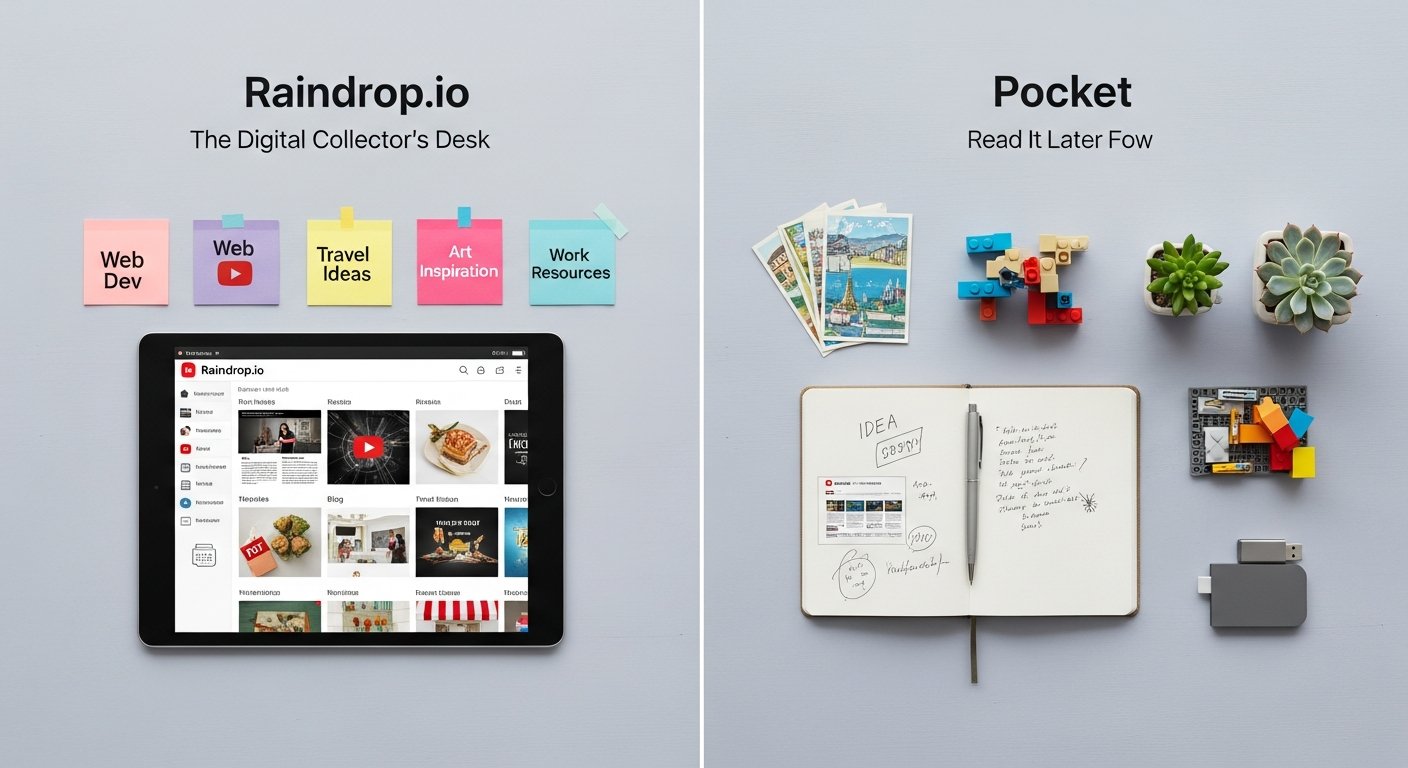
Raindrop.io positions itself as a modern, all-in-one bookmark manager designed for the digital curator. Its philosophy centers around comprehensive collection, rich organization, and visually appealing presentation of all types of online content. Think of it less as a simple bookmarking tool and more as a personal digital library or mood board for your web finds. Raindrop.io is built for users who not only want to save links but also want to categorize them meticulously, add detailed notes, tag them extensively, and access them easily from anywhere.
Its strength lies in its versatility and visual richness. It automatically generates rich media previews for saved content, making your collections not just functional but also aesthetically pleasing and highly browsable. This emphasis on visual organization and detailed metadata makes it a powerful tool for researchers, designers, content creators, and anyone who deals with a wide variety of content formats beyond just articles, such as images, videos, documents, and even software licenses or code snippets. Raindrop.io aims to be the single source of truth for all your digital resources, offering a robust system for knowledge capture and retrieval.
Pocket: The Reader’s Retreat
Pocket, originally known as “Read It Later,” embodies a philosophy centered squarely on the reading experience. Its primary mission is to simplify the consumption of long-form articles, news stories, and web pages by stripping away distractions and optimizing content for readability across all devices. Pocket is designed for the avid reader, the news junkie, and anyone who frequently encounters interesting articles they don’t have time to consume immediately.
The core promise of Pocket is to provide a clean, distraction-free reading environment that allows you to focus solely on the text. It excels at extracting the main content of a web page, removing ads, sidebars, and extraneous elements, and presenting it in a streamlined format. While it offers basic tagging and archiving functionalities, its primary focus remains on the “read-it-later” aspect. It aims to be your personal queue for articles you intend to read, offering features like text-to-speech and offline access to enhance the reading experience. For those who prioritize a seamless, comfortable reading environment above all else, Pocket’s focused approach is often highly appealing.
The distinction is clear: Raindrop.io is for collecting and organizing a diverse range of digital assets with an emphasis on visual richness and detailed classification, while Pocket is for saving and consuming text-heavy content in an optimized, distraction-free environment. Your choice will largely depend on whether your primary need is robust organization and diverse collection (Raindrop.io) or streamlined reading and consumption (Pocket).
[INLINE IMAGE 1: place after second H2 | alt=”raindrop.io vs pocket concept illustration”]
Feature Face-Off: A Granular Comparison of Capabilities
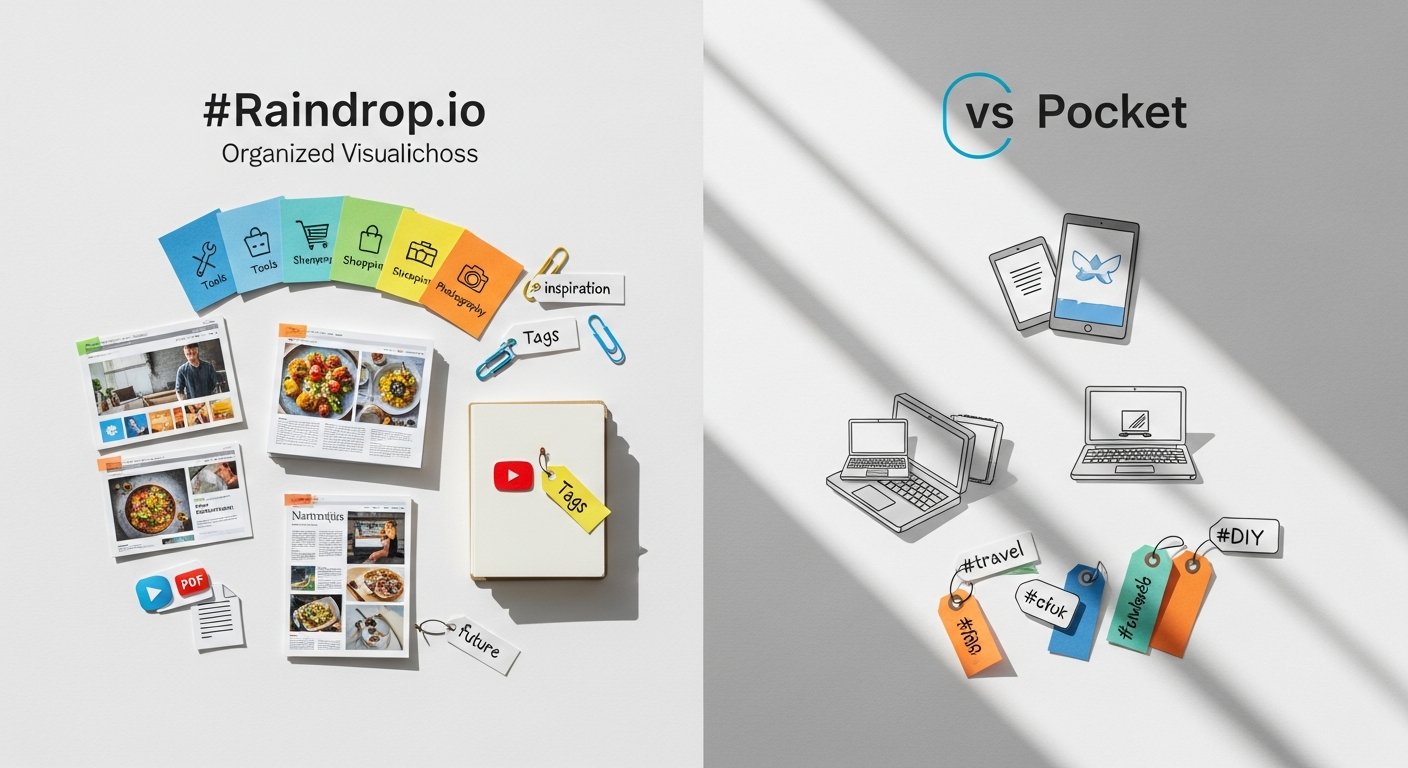
A deeper dive into the specific features offered by Raindrop.io and Pocket reveals where each truly shines and where potential limitations might exist. Understanding these detailed capabilities is crucial for aligning a tool with your precise workflow requirements, whether they lean towards meticulous archiving or streamlined reading.
Saving & Capturing Content
- Raindrop.io:
- Universal Capture: Excels at saving virtually any type of online content – articles, images, videos, PDFs, files, even social media posts. Its browser extensions (Chrome, Firefox, Safari, Edge, Opera) are highly versatile, allowing one-click saving.
- Rich Previews: Automatically generates visually appealing rich previews for saved items, often including thumbnails, titles, and descriptions, making your collection easy to browse.
- Desktop Apps: Offers dedicated desktop applications for macOS and Windows, providing native integration and advanced saving options.
- Mobile Apps: Robust iOS and Android apps with share sheet extensions for easy saving from any app.
- Screenshot Capture: Can capture screenshots of web pages directly from the browser extension, a powerful feature for visual note-takers.
- Broken Link Detection (Pro): Pro users benefit from automatic detection of broken links, helping maintain the integrity of their archives.
- Pocket:
- Article-Centric Capture: Primarily optimized for saving articles, news stories, and blog posts. While it can save other links, its core strength is text-based content.
- Simplified Browser Extensions: Available for all major browsers, offering quick one-click saving into your Pocket list.
- Email to Pocket: Allows users to send articles to their Pocket account via a dedicated email address, useful for newsletters or content shared via email.
- Mobile Apps: Excellent iOS and Android apps with share sheet support, making it easy to save articles on the go.
- No Desktop Apps: Primarily web-based for desktop use, relying on browser extensions.
- Offline Saving: Automatically makes articles available for offline reading, a cornerstone of its “read-it-later” functionality.
Verdict: Raindrop.io offers superior universal capture capabilities for diverse content types and a more robust ecosystem with dedicated desktop apps and advanced features like screenshot capture. Pocket’s saving is more focused on articles but highly effective within that niche, especially with its email-to-Pocket feature.
Organization & Tagging
- Raindrop.io:
- Nested Collections: Offers a powerful system of nested collections (folders within folders) allowing for highly granular organization, up to 10 levels deep. This is a significant advantage for complex archives.
- Extensive Tagging: Supports unlimited tags per item, enabling cross-referencing and flexible categorization. Tag suggestions are often provided.
- Smart Collections: A standout Pro feature that allows users to create dynamic collections based on rules (e.g., “all links tagged ‘productivity’ saved in the last month”). This automates organization and makes content discovery incredibly powerful.
- Description & Notes: Each bookmark can have a detailed description and personal notes field, invaluable for context and future recall.
- Duplicate Detection: Helps keep your collection clean by identifying and allowing you to merge or delete duplicate links.
- Pocket:
- Simple Tagging: Offers a straightforward tagging system to categorize saved articles. You can add multiple tags to an item.
- No Nested Folders: Lacks a hierarchical folder structure, relying solely on tags for organization. This can feel limiting for users with large, diverse collections.
- Archiving: A simple “archive” function moves read articles out of your main list, keeping your reading queue tidy.
- Recommendations: Utilizes saved articles to provide personalized content recommendations, a unique feature.
- Limited Descriptions: While you can add a brief note, it’s not as robust as Raindrop.io’s description and notes fields.
Verdict: Raindrop.io is the undisputed winner for organization. Its nested collections, robust tagging, and especially Smart Collections provide an unparalleled level of control and automation for managing vast amounts of information. Pocket’s organization is functional for a reading list but pales in comparison for true archival purposes.
Explore other advanced bookmarking tools for professionals.
Reading Experience & Offline Access
- Raindrop.io:
- Web View & Article Parser: Offers an “article view” (reader mode) that strips ads and clutter from many web pages, similar to Pocket. However, its primary view remains the original web page.
- No Offline Caching (Free): The free version typically requires an internet connection to view full content.
- Full-text Search (Pro): Pro users benefit from full-text search within saved articles, even if not fully cached.
- Limited Offline Reading (Pro): While some content might be cached, it’s not as robust an offline reading solution as Pocket.
- Pocket:
- Superior Reader Mode: This is Pocket’s bread and butter. It excels at extracting clean, readable versions of articles, with customizable fonts, themes (light/dark/sepia), and text sizes.
- Text-to-Speech (TTS): A highly valued feature that allows you to listen to articles, making it excellent for multitasking or accessibility.
- Robust Offline Access: Automatically downloads articles for offline reading across all devices, ensuring content is always available.
- Estimated Reading Time: Provides an estimate of how long an article will take to read, aiding in time management.
Verdict: Pocket is the clear champion for the reading experience. Its dedicated reader mode, text-to-speech, and robust offline capabilities are designed specifically for comfortable, distraction-free content consumption. Raindrop.io’s reader mode is good but not as central or feature-rich.
Search & Discovery
- Raindrop.io:
- Powerful Search: Comprehensive search functionality allows you to find items by title, description, tags, and even the original URL.
- Full-text Search (Pro): Pro users can search the full content of saved web pages, including articles, PDFs, and documents, making it incredibly powerful for research. This transforms it into a true personal search engine for your saved web.
- Filter Options: Advanced filtering by media type, tag, collection, and date.
- Pocket:
- Standard Search: Allows searching by title, URL, and tags.
- Full-text Search (Premium): A premium feature that enables searching within the full text of saved articles, similar to Raindrop.io Pro.
- Recommendations: Offers personalized article recommendations based on your saved content and interests, helping you discover new material.
Verdict: Both offer good search, but Raindrop.io’s Pro full-text search often feels more integrated and powerful across a wider range of content types due to its universal capture focus. Pocket’s recommendation engine is a unique discovery feature.
Annotation & Highlighting
- Raindrop.io:
- No Native Highlighting: As of 2026, Raindrop.io does not offer native highlighting or annotation features within its article view or saved content. Users often rely on external tools or browser extensions for this, then save the annotated page or notes separately.
- Rich Notes Field: Users can leverage the robust notes field for each bookmark to manually add summaries, thoughts, and extracted highlights from the content.
- Pocket:
- In-app Highlighting: Pocket Premium users can highlight key passages within articles in reader view. These highlights are saved and accessible within the app.
- Limited Note-taking: While highlights can serve as a form of annotation, Pocket doesn’t offer extensive free-form note-taking capabilities beyond a simple “add a note” feature to a highlight.
Verdict: Pocket takes the lead here, offering native in-app highlighting for Premium users, which is a significant advantage for active reading and recall. Raindrop.io users must rely on external methods for annotation.
Learn more about integrating bookmark managers with note-taking apps.
Integrations & Ecosystem
- Raindrop.io:
- IFTTT & Zapier: Connects with popular automation services, allowing for complex workflows (e.g., save tweets to Raindrop.io, export new bookmarks to a spreadsheet).
- API Access: Offers an open API for developers, enabling custom integrations and advanced automation, appealing to power users.
- Share Menu Integration: Seamless integration with mobile share menus and desktop “share to” functions.
- Backup to Cloud: Pro users can automatically back up their entire collection to popular cloud storage services like Dropbox, Google Drive, and OneDrive.
- Pocket:
- Widespread Integration: Integrates with a vast number of third-party apps and services, including popular news readers, RSS feeds, and social media platforms. Its ubiquity means many apps offer a “Save to Pocket” option directly.
- Kobo Integration: Notably, Pocket is often integrated into Kobo e-readers, allowing users to send articles directly to their e-reader for a truly paper-like reading experience.
- IFTTT & Zapier: Also supports integrations with automation platforms.
- Limited API: While it has an API, it’s generally seen as less open or flexible for custom integrations compared to Raindrop.io’s.
Verdict: Both offer strong integration capabilities. Pocket has a slight edge in its sheer number of direct integrations with content-consuming apps and its unique Kobo integration. Raindrop.io’s open API and robust automation platform support appeal more to developers and power users building custom workflows. The automatic cloud backup feature of Raindrop.io Pro is a significant advantage for data security.
[INLINE IMAGE 2: place after fourth H2 | alt=”raindrop.io vs pocket comparison illustration”]
Comparison Table: Raindrop.io vs Pocket at a Glance
To help visualize the key differences and strengths, here’s a comparative table summarizing the core aspects of Raindrop.io and Pocket:
| Feature Category | Raindrop.io | |
|---|---|---|
| Primary Focus | Universal content collection & robust organization (visual library) | Distraction-free reading & “read-it-later” (reading queue) |
| Content Types Saved | Articles, videos, images, PDFs, files, social media posts, any link | Primarily articles, news, blog posts (optimized for text) |
| Organization System | Nested Collections (up to 10 levels), extensive tagging, Smart Collections (Pro) | Simple tagging, Archive, Favorites (no nested folders) |
| Reading Experience | Good reader mode, original web view, no native annotation | Excellent reader mode (customizable), Text-to-Speech, in-app highlighting (Premium) |
| Offline Access | Limited (full content mainly Pro), original web view | Robust, automatic download of articles for offline reading |
| Search Capabilities | Title, description, tags, URL. Full-text search (Pro) | Title, tags, URL. Full-text search (Premium) |
| Platforms | Web, iOS, Android, macOS, Windows, Linux (via web wrapper), all major browser extensions | Web, iOS, Android, Kobo e-readers, all major browser extensions |
| Pricing Model | Free tier with limits, Pro subscription for advanced features | Free tier with limits, Premium subscription for advanced features |
| Key Strengths | Visual organization, diverse content types, powerful search, nested collections, automation | Optimized reading, offline access, text-to-speech, Kobo integration, broad app support |
| Ideal User | Researchers, curators, designers, power users, digital archivists | Avid readers, news consumers, students, anyone prioritizing reading flow |
User Interface and Experience: Aesthetics, Usability, and Workflow
The visual appeal and ease of use are critical factors in the long-term adoption of any productivity tool. A clunky or confusing interface can quickly lead to abandonment, regardless of how powerful the underlying features are. Both Raindrop.io and Pocket offer distinct user experiences, catering to different preferences and workflows.
Raindrop.io’s Visual Richness and Customization
Raindrop.io’s interface is arguably one of its most compelling features. It embraces a modern, visually rich design that makes browsing your saved content a genuine pleasure. When you open a collection, you’re greeted with a grid of cards, each featuring a prominent thumbnail, title, and often a snippet of the description. This visual density makes it easy to quickly scan and identify specific bookmarks, especially for visual learners or those managing a diverse range of media.
The layout is highly customizable. Users can choose between various viewing modes: a detailed list, a clean “cards” view, or a more compact “headlines” view. You can also adjust column widths and item sizes to fit your preference. This flexibility extends to collections, which can be color-coded and even assigned custom icons, adding another layer of visual organization. The dark mode is well-implemented and provides a comfortable viewing experience for extended periods.
Workflow-wise, Raindrop.io feels intuitive for those who prefer a structured, hierarchical approach. Drag-and-drop functionality makes organizing links into nested collections simple, and the quick tagging interface ensures content is categorized efficiently upon saving. The search bar is always prominent, offering instant access to your archived knowledge. The consistent design across web, desktop, and mobile apps provides a seamless experience, ensuring you feel at home regardless of the device you’re using.
However, the sheer density of information and options, while powerful, can sometimes feel a bit overwhelming for new users seeking extreme minimalism. It prioritizes functionality and visual information over absolute simplicity.
Pocket’s Streamlined Simplicity
Pocket’s user interface is the epitome of minimalism and clarity, perfectly aligning with its “read-it-later” philosophy. When you open Pocket, you’re presented with a clean, uncluttered list of your saved articles, designed to reduce cognitive load and encourage reading. The primary view is a simple feed of article cards, each displaying a title, source, and sometimes a relevant image. There’s a distinct focus on the article itself, not on extraneous details.
The beauty of Pocket lies in its reader mode, which is its most heavily utilized and refined interface component. Once you click on an article, Pocket strips away all distractions—ads, sidebars, navigation—and presents the content in a highly readable format. Users have extensive control over the reading environment: adjusting font styles, sizes, line spacing, and choosing between light, dark, or sepia themes. This level of customization ensures a comfortable reading experience tailored to individual preferences, akin to reading an e-book.
Navigation is straightforward: a main feed for unread articles, an archive for finished ones, and a favorites section. Tagging is done via a simple pop-up, and search is readily available. The mobile apps are particularly well-designed, offering a buttery-smooth reading experience on smaller screens, often optimized for one-handed use. The Text-to-Speech feature is integrated seamlessly, allowing users to switch between reading and listening with ease.
The trade-off for this simplicity is less robust organization. Without nested folders or the visual richness of Raindrop.io, managing a very large and diverse collection of items can feel less intuitive. Its aesthetic is functional and clean, but not as visually engaging as Raindrop.io for general content curation.
Desktop vs. Mobile Experience
Both tools offer competent mobile experiences, but their desktop applications differ significantly.
- Raindrop.io: Provides dedicated native desktop apps for macOS and Windows, which generally offer a more fluid and integrated experience than web apps. These apps replicate the web interface perfectly, including all organizational features, and often have better performance and system-level integrations (e.g., keyboard shortcuts). The mobile apps are fully featured, providing a consistent experience with the desktop/web versions, including full organizational capabilities.
- Pocket: Relies primarily on its web interface for desktop users, along with browser extensions. While the web interface is clean and functional for reading, it lacks the native polish and offline capabilities of a dedicated desktop application. The mobile apps, however, are exceptionally strong, often cited as the best way to experience Pocket, particularly for the reader mode and text-to-speech. They are highly optimized for mobile reading.
Verdict: Raindrop.io offers a more visually engaging and customizable interface that appeals to curators and those who value structured organization. Its consistent experience across web, desktop, and mobile is a strength. Pocket provides a superior, distraction-free reading interface, particularly on mobile, prioritizing simplicity and content consumption above all else. Your preference will depend on whether you prioritize visual organization and multi-format content (Raindrop.io) or a dedicated reading experience (Pocket).
Pricing Models and Premium Features: What Do You Get for Your Money?
Both Raindrop.io and Pocket operate on a freemium model, offering a robust free tier with core functionalities, while reserving advanced features for their respective premium subscriptions. Understanding what each tier provides is essential for budgeting and determining the overall value proposition for your specific needs.
Raindrop.io Pro: Unlocking Advanced Power
The free version of Raindrop.io is surprisingly generous, providing unlimited bookmarks, collections, and tags, alongside browser extensions and mobile apps. For many casual users, the free tier is more than sufficient for basic link saving and organization.
However, Raindrop.io Pro is where the platform truly transforms into a power-user’s dream. Priced competitively, it unlocks a suite of features designed for advanced knowledge management and archiving:
- Full-Text Search: This is arguably the most significant Pro feature. It allows you to search not just titles and tags, but the entire content of every saved web page, PDF, or document. For researchers, content creators, or anyone with a vast archive, this transforms Raindrop.io into a personal search engine, making information retrieval incredibly efficient.
- Nested Collections (Unlimited): While the free version allows some nesting, the Pro version extends this without limitation, enabling incredibly deep and granular hierarchical organization for complex projects and diverse collections.
- Smart Collections: A game-changer for automated organization. Create dynamic collections based on rules (e.g., “all articles tagged ‘AI’ saved in the last 6 months”). These collections update automatically, providing personalized feeds of relevant content without manual effort.
- Cloud Backup: Automatically backs up your entire collection, including all content (web pages, PDFs, images), to your preferred cloud storage service (Dropbox, Google Drive, OneDrive). This provides peace of mind and ensures you always have a copy of your curated web.
- Broken Link Detection: Automatically identifies and flags broken links in your collection, allowing you to maintain a healthy and accessible archive.
- Permanent Copies of Web Pages: Raindrop.io stores a permanent copy of saved web pages, ensuring that even if the original page goes offline or changes, you still have access to the content as it was when you saved it. This is invaluable for research and archival integrity.
- Priority Support: Faster response times and dedicated support for Pro subscribers.
Raindrop.io Pro is ideal for users who view their saved content as a valuable long-term knowledge base, requiring advanced search, automated organization, and robust archiving capabilities. The investment is justified by the enhanced data integrity, discoverability, and powerful workflow automation it provides.
Pocket Premium: Enhancing the Reading Journey
Pocket’s free version also offers core functionality: unlimited saving of articles, a clean reader view, basic tagging, and offline access for articles. For many who just need a simple read-it-later queue, the free tier is perfectly adequate.
Pocket Premium focuses on refining the reading experience and offering deeper archival capabilities for textual content. Its features include:
- Permanent Library: Similar to Raindrop.io’s permanent copies, Pocket Premium saves a permanent copy of the articles you save. This ensures that even if a website changes or an article is removed, you can still access the original content. This is crucial for maintaining a reliable reading archive.
- Full-Text Search: Allows you to search the entire text of every article you’ve saved, not just titles and tags. This significantly improves discoverability within your reading list, making it easier to find specific information or revisit key passages.
- Suggested Tags: While the free version offers basic tagging, Premium enhances this with more intelligent tag suggestions, helping you organize your articles more efficiently.
- Ad-Free Experience: Removes ads from the Pocket interface, creating an even cleaner and more focused environment for managing and reading your articles.
- Highlighting: A highly requested feature for active readers. Premium allows you to highlight key sentences and paragraphs within articles directly in Pocket’s reader view. These highlights are saved and accessible for review, aiding in comprehension and recall.
- Premium Fonts: Access to exclusive fonts that can further enhance the reading experience and provide more customization options.
Pocket Premium is designed for the discerning reader who wants the absolute best, most reliable, and distraction-free reading environment, coupled with robust tools for annotating and searching their textual archives. It’s a worthwhile investment for those who read extensively and want to maximize their learning and retention from articles.
Compare pricing models of leading bookmarking and read-it-later apps.
Verdict on Pricing: Both tools offer excellent value for their respective premium tiers, but they cater to different priorities. If your focus is on comprehensive, visual content curation and automated organization across diverse media, Raindrop.io Pro offers unparalleled power. If your priority is the ultimate distraction-free reading experience, robust offline access, and in-app annotation for articles, Pocket Premium is the superior choice. Assess which features align most closely with your primary workflow to determine the better investment.
Use Cases and Target Audiences: Who Benefits Most from Each?
The choice between Raindrop.io and Pocket often boils down to your primary use case and how you interact with online content. While there’s overlap in their basic functionalities, their specialized strengths make them ideal for different types of users and workflows.
For Researchers and Curators: The Raindrop.io Advantage
Raindrop.io truly shines for individuals who engage in extensive research, content curation, and digital archiving. Its robust feature set makes it an invaluable tool for:
- Academics and Students: For those constantly gathering research papers, articles, web resources, and multimedia for projects or dissertations, Raindrop.io’s nested collections, extensive tagging, and powerful full-text search (Pro) are indispensable. The ability to save diverse content types (PDFs, images, videos) alongside articles, and then organize them meticulously, makes it a central hub for research materials.
- Content Creators and Marketers: Designers collecting inspiration boards, writers archiving source material, or marketers curating industry trends will appreciate Raindrop.io’s visual interface and ability to save various media formats. Smart Collections can automate the organization of new findings, and the rich previews make it easy to quickly recall saved items.
- Digital Archivists: Anyone who aims to build a comprehensive, searchable, and visually browsable personal knowledge base over time will find Raindrop.io’s permanent copies, cloud backup (Pro), and broken link detection crucial for long-term data integrity and accessibility.
- Developers and Technical Professionals: Saving code snippets, API documentation, technical articles, and tutorials in an organized, searchable manner is made easy. The ability to tag by language, project, or topic aids in quick retrieval.
- General Power Users: Individuals who demand ultimate control over their digital assets, enjoy customizing their workflow, and utilize automation tools (like IFTTT/Zapier with API access) will find Raindrop.io’s flexibility and depth highly appealing.
If your workflow involves collecting, organizing, and retrieving a wide array of online resources with a strong emphasis on structure, searchability, and visual cues, Raindrop.io is likely your preferred choice.
For Avid Readers and Article Hoarders: The Pocket Preference
Pocket, with its singular focus on the reading experience, is the go-to tool for those whose primary interaction with online content revolves around consuming long-form articles and news in a comfortable, distraction-free environment.
- News Junkies and Lifelong Learners: If you constantly find interesting articles but lack the immediate time to read them, Pocket acts as your personal reading queue. Its seamless reader mode and offline capabilities ensure you can catch up on your reading during commutes, flights, or downtime without internet access.
- Busy Professionals: For executives, managers, or anyone with a demanding schedule who needs to stay informed but struggles to find focused reading time, Pocket allows you to save articles throughout the day and then dedicate a specific block of time to distraction-free reading on your preferred device.
- Commuters and Travelers: The robust offline saving and text-to-speech features make Pocket ideal for consuming content while commuting, traveling, or in areas with unreliable internet. Listen to articles while driving or read them on a plane.
- Students (for article review): While Raindrop.io is better for broad research, Pocket’s highlighting (Premium) and clean reading view can be excellent for students who need to read and annotate specific articles for classes or essay writing.
- Anyone Seeking Digital Detox: By stripping away ads and extraneous elements, Pocket offers a digital detox for content consumption, allowing you to focus purely on the information without the constant barrage of online distractions.
If your main goal is to save articles for later, read them comfortably and offline, and perhaps listen to them, with less emphasis on complex categorization or multimedia archiving, Pocket is the superior choice.
Can they be used together? Absolutely. Some users leverage Raindrop.io for their long-term, diverse archives and Pocket for their immediate reading queue. For example, you might save an article to Pocket for immediate consumption and then, if it’s particularly valuable, re-save it to Raindrop.io for permanent, categorized storage alongside other research materials. This hybrid approach combines the strengths of both tools for a truly comprehensive PKM system.
Performance, Reliability, and Data Management
Beyond features and interface, the underlying performance, reliability, and how each platform handles your data are crucial considerations. These factors impact not only your daily productivity but also the long-term viability and trust you place in a knowledge management tool.
Speed and Sync Capabilities
Both Raindrop.io and Pocket generally offer good performance, but there can be subtle differences:
- Raindrop.io:
- Saving Speed: Bookmarking new items is typically very fast across all platforms (browser extension, desktop, mobile). The system quickly processes the link, fetches metadata, and creates the rich preview.
- Sync: Syncing between devices is generally robust and near-instantaneous. Changes made on one device (e.g., adding a tag, moving to a collection) are reflected quickly across others.
- Loading Large Collections: While well-optimized, users with extremely large collections (tens of thousands of items) might experience slightly longer initial load times on the web interface, though desktop apps tend to be snappier.
- Full-Text Indexing (Pro): For Pro users, the process of indexing full page content for search can take some time initially for new saves, but it happens in the background without interrupting workflow.
- Pocket:
- Saving Speed: Very fast for articles. The extension quickly captures the URL and adds it to your list.
- Sync & Offline Caching: Pocket excels here. It prioritizes downloading article content for offline reading, which can sometimes introduce a brief delay for the full article to be available, but this is a feature, not a bug. Syncing of read/archived status and tags is also very quick.
- Loading Speed: Given its simpler interface and focus on textual content, Pocket tends to load very quickly, especially on mobile, providing a fluid browsing and reading experience.
Verdict: Both are reliable. Pocket might feel marginally faster for quick article saving and immediate offline access due to its specialized focus. Raindrop.io, while handling more complex data, maintains excellent speed and sync performance across its broader feature set.
Data Ownership and Export Options
The ability to export your data is paramount. You should always be able to retrieve your information from any service, preventing vendor lock-in and allowing for migration or personal backup.
- Raindrop.io:
- Robust Export: Offers excellent export capabilities. You can export your entire collection (or specific collections) in standard formats like HTML, CSV, and even JSON. The HTML export is particularly useful as it creates a browsable, static archive of your bookmarks.
- Full Content Export (Pro): Pro users can also export full-text content of saved web pages and PDFs, which is a powerful archival feature.
- Cloud Backup (Pro): The automated cloud backup to Dropbox, Google Drive, or OneDrive further reinforces data ownership, as you have regular, external copies of your full archive.
- API Access: The open API allows technically inclined users to programmatically extract their data in custom formats.
- Pocket:
- Standard Export: Provides a basic export function, usually to an HTML file, which contains your saved links.
- No Full Content Export: While Premium saves a “permanent copy,” the direct export options typically do not include the full text of saved articles, only the links and metadata. This means if you leave Pocket, you might lose the cleaned-up, archived versions of articles unless you manually save them.
- Limited API for Export: While an API exists, it’s not as geared towards comprehensive data export as Raindrop.io’s.
Verdict: Raindrop.io is superior in terms of data ownership and export flexibility. Its multiple export formats, including full content for Pro users, and automated cloud backup provide far greater control and peace of mind regarding your digital assets. Pocket’s export is functional for links but lacks the depth for full archival purposes.
Privacy
Raindrop.io vs Pocket: Navigating the Digital Deluge for Superior Knowledge Management
Affiliate disclosure: This article may contain affiliate links. Recommendations are independent and editorially driven.
In our increasingly digital world, the sheer volume of information available online can be overwhelming. From insightful articles and research papers to captivating videos and valuable resources, the internet is a vast ocean of content. The challenge isn’t finding information; it’s effectively capturing, organizing, and retrieving it for future use. This is where bookmark managers and “read-it-later” applications become indispensable tools in any personal knowledge management (PKM) toolkit.
For individuals and professionals alike, the ability to curate and revisit essential online content is crucial for productivity, learning, and staying informed. Without a robust system, valuable links get lost in browser tabs, forgotten in crowded bookmark folders, or simply vanish into the ephemeral stream of daily browsing. The need for efficient link-curation workflows has never been greater, transforming simple bookmarking into a sophisticated act of digital stewardship.
Among the pantheon of available tools, two names consistently rise to the top of discussions for their distinct approaches and loyal user bases: Raindrop.io and Pocket. Both aim to solve the problem of digital clutter, but they do so with fundamentally different philosophies and feature sets. This comprehensive comparison, Raindrop.io vs Pocket, will delve deep into every facet of these popular platforms, helping you determine which one — or perhaps both — best aligns with your unique needs for bookmarking, reading, and knowledge management in 2026.
Whether you’re a meticulous digital archivist, an avid reader, a researcher, a content creator, or simply someone looking to bring order to their online life, understanding the nuances between Raindrop.io and Pocket is paramount. We’ll explore their core functionalities, user interfaces, organizational prowess, reading experiences, pricing structures, and ideal use cases, providing you with all the insights necessary to make an informed decision and supercharge your productivity.
Understanding the Core Philosophy: What Drives Each Tool?
Before diving into a granular comparison of features, it’s essential to grasp the underlying philosophy that guides Raindrop.io and Pocket. Each application was designed with a specific user journey in mind, influencing everything from their interface design to their core functionalities. Recognizing these fundamental distinctions is the first step in determining which platform will resonate more deeply with your personal and professional workflows.
Raindrop.io: The Collector’s Paradise
Raindrop.io positions itself as a modern, all-in-one bookmark manager designed for the digital curator. Its philosophy centers around comprehensive collection, rich organization, and visually appealing presentation of all types of online content. Think of it less as a simple bookmarking tool and more as a personal digital library or mood board for your web finds. Raindrop.io is built for users who not only want to save links but also want to categorize them meticulously, add detailed notes, tag them extensively, and access them easily from anywhere.
Its strength lies in its versatility and visual richness. It automatically generates rich media previews for saved content, making your collections not just functional but also aesthetically pleasing and highly browsable. This emphasis on visual organization and detailed metadata makes it a powerful tool for researchers, designers, content creators, and anyone who deals with a wide variety of content formats beyond just articles, such as images, videos, documents, and even software licenses or code snippets. Raindrop.io aims to be the single source of truth for all your digital resources, offering a robust system for knowledge capture and retrieval.
Pocket: The Reader’s Retreat
Pocket, originally known as “Read It Later,” embodies a philosophy centered squarely on the reading experience. Its primary mission is to simplify the consumption of long-form articles, news stories, and web pages by stripping away distractions and optimizing content for readability across all devices. Pocket is designed for the avid reader, the news junkie, and anyone who frequently encounters interesting articles they don’t have time to consume immediately.
The core promise of Pocket is to provide a clean, distraction-free reading environment that allows you to focus solely on the text. It excels at extracting the main content of a web page, removing ads, sidebars, and extraneous elements, and presenting it in a streamlined format. While it offers basic tagging and archiving functionalities, its primary focus remains on the “read-it-later” aspect. It aims to be your personal queue for articles you intend to read, offering features like text-to-speech and offline access to enhance the reading experience. For those who prioritize a seamless, comfortable reading environment above all else, Pocket’s focused approach is often highly appealing.
The distinction is clear: Raindrop.io is for collecting and organizing a diverse range of digital assets with an emphasis on visual richness and detailed classification, while Pocket is for saving and consuming text-heavy content in an optimized, distraction-free environment. Your choice will largely depend on whether your primary need is robust organization and diverse collection (Raindrop.io) or streamlined reading and consumption (Pocket).
[INLINE IMAGE 1: place after second H2 | alt=”raindrop.io vs pocket concept illustration”]
Feature Face-Off: A Granular Comparison of Capabilities
A deeper dive into the specific features offered by Raindrop.io and Pocket reveals where each truly shines and where potential limitations might exist. Understanding these detailed capabilities is crucial for aligning a tool with your precise workflow requirements, whether they lean towards meticulous archiving or streamlined reading.
Saving & Capturing Content
- Raindrop.io:
- Universal Capture: Excels at saving virtually any type of online content – articles, images, videos, PDFs, files, even social media posts. Its browser extensions (Chrome, Firefox, Safari, Edge, Opera) are highly versatile, allowing one-click saving.
- Rich Previews: Automatically generates visually appealing rich previews for saved items, often including thumbnails, titles, and descriptions, making your collection easy to browse.
- Desktop Apps: Offers dedicated desktop applications for macOS and Windows, providing native integration and advanced saving options.
- Mobile Apps: Robust iOS and Android apps with share sheet extensions for easy saving from any app.
- Screenshot Capture: Can capture screenshots of web pages directly from the browser extension, a powerful feature for visual note-takers.
- Broken Link Detection (Pro): Pro users benefit from automatic detection of broken links, helping maintain the integrity of their archives.
- Pocket:
- Article-Centric Capture: Primarily optimized for saving articles, news stories, and blog posts. While it can save other links, its core strength is text-based content.
- Simplified Browser Extensions: Available for all major browsers, offering quick one-click saving into your Pocket list.
- Email to Pocket: Allows users to send articles to their Pocket account via a dedicated email address, useful for newsletters or content shared via email.
- Mobile Apps: Excellent iOS and Android apps with share sheet support, making it easy to save articles on the go.
- No Desktop Apps: Primarily web-based for desktop use, relying on browser extensions.
- Offline Saving: Automatically makes articles available for offline reading, a cornerstone of its “read-it-later” functionality.
Verdict: Raindrop.io offers superior universal capture capabilities for diverse content types and a more robust ecosystem with dedicated desktop apps and advanced features like screenshot capture. Pocket’s saving is more focused on articles but highly effective within that niche, especially with its email-to-Pocket feature.
Organization & Tagging
- Raindrop.io:
- Nested Collections: Offers a powerful system of nested collections (folders within folders) allowing for highly granular organization, up to 10 levels deep. This is a significant advantage for complex archives.
- Extensive Tagging: Supports unlimited tags per item, enabling cross-referencing and flexible categorization. Tag suggestions are often provided.
- Smart Collections: A standout Pro feature that allows users to create dynamic collections based on rules (e.g., “all links tagged ‘productivity’ saved in the last month”). This automates organization and makes content discovery incredibly powerful.
- Description & Notes: Each bookmark can have a detailed description and personal notes field, invaluable for context and future recall.
- Duplicate Detection: Helps keep your collection clean by identifying and allowing you to merge or delete duplicate links.
- Pocket:
- Simple Tagging: Offers a straightforward tagging system to categorize saved articles. You can add multiple tags to an item.
- No Nested Folders: Lacks a hierarchical folder structure, relying solely on tags for organization. This can feel limiting for users with large, diverse collections.
- Archiving: A simple “archive” function moves read articles out of your main list, keeping your reading queue tidy.
- Recommendations: Utilizes saved articles to provide personalized content recommendations, a unique feature.
- Limited Descriptions: While you can add a brief note, it’s not as robust as Raindrop.io’s description and notes fields.
Verdict: Raindrop.io is the undisputed winner for organization. Its nested collections, robust tagging, and especially Smart Collections provide an unparalleled level of control and automation for managing vast amounts of information. Pocket’s organization is functional for a reading list but pales in comparison for true archival purposes.
Explore other advanced bookmarking tools for professionals.
Reading Experience & Offline Access
- Raindrop.io:
- Web View & Article Parser: Offers an “article view” (reader mode) that strips ads and clutter from many web pages, similar to Pocket. However, its primary view remains the original web page.
- No Offline Caching (Free): The free version typically requires an internet connection to view full content.
- Full-text Search (Pro): Pro users benefit from full-text search within saved articles, even if not fully cached.
- Limited Offline Reading (Pro): While some content might be cached, it’s not as robust an offline reading solution as Pocket.
- Pocket:
- Superior Reader Mode: This is Pocket’s bread and butter. It excels at extracting clean, readable versions of articles, with customizable fonts, themes (light/dark/sepia), and text sizes.
- Text-to-Speech (TTS): A highly valued feature that allows you to listen to articles, making it excellent for multitasking or accessibility.
- Robust Offline Access: Automatically downloads articles for offline reading across all devices, ensuring content is always available.
- Estimated Reading Time: Provides an estimate of how long an article will take to read, aiding in time management.
Verdict: Pocket is the clear champion for the reading experience. Its dedicated reader mode, text-to-speech, and robust offline capabilities are designed specifically for comfortable, distraction-free content consumption. Raindrop.io’s reader mode is good but not as central or feature-rich.
Search & Discovery
- Raindrop.io:
- Powerful Search: Comprehensive search functionality allows you to find items by title, description, tags, and even the original URL.
- Full-text Search (Pro): Pro users can search the full content of saved web pages, including articles, PDFs, and documents, making it incredibly powerful for research. This transforms it into a true personal search engine for your saved web.
- Filter Options: Advanced filtering by media type, tag, collection, and date.
- Pocket:
- Standard Search: Allows searching by title, URL, and tags.
- Full-text Search (Premium): A premium feature that enables searching within the full text of saved articles, similar to Raindrop.io Pro.
- Recommendations: Offers personalized article recommendations based on your saved content and interests, helping you discover new material.
Verdict: Both offer good search, but Raindrop.io’s Pro full-text search often feels more integrated and powerful across a wider range of content types due to its universal capture focus. Pocket’s recommendation engine is a unique discovery feature.
Annotation & Highlighting
- Raindrop.io:
- No Native Highlighting: As of 2026, Raindrop.io does not offer native highlighting or annotation features within its article view or saved content. Users often rely on external tools or browser extensions for this, then save the annotated page or notes separately.
- Rich Notes Field: Users can leverage the robust notes field for each bookmark to manually add summaries, thoughts, and extracted highlights from the content.
- Pocket:
- In-app Highlighting: Pocket Premium users can highlight key passages within articles in reader view. These highlights are saved and accessible within the app.
- Limited Note-taking: While highlights can serve as a form of annotation, Pocket doesn’t offer extensive free-form note-taking capabilities beyond a simple “add a note” feature to a highlight.
Verdict: Pocket takes the lead here, offering native in-app highlighting for Premium users, which is a significant advantage for active reading and recall. Raindrop.io users must rely on external methods for annotation.
Learn more about integrating bookmark managers with note-taking apps.
Integrations & Ecosystem
- Raindrop.io:
- IFTTT & Zapier: Connects with popular automation services, allowing for complex workflows (e.g., save tweets to Raindrop.io, export new bookmarks to a spreadsheet).
- API Access: Offers an open API for developers, enabling custom integrations and advanced automation, appealing to power users.
- Share Menu Integration: Seamless integration with mobile share menus and desktop “share to” functions.
- Backup to Cloud: Pro users can automatically back up their entire collection to popular cloud storage services like Dropbox, Google Drive, and OneDrive.
- Pocket:
- Widespread Integration: Integrates with a vast number of third-party apps and services, including popular news readers, RSS feeds, and social media platforms. Its ubiquity means many apps offer a “Save to Pocket” option directly.
- Kobo Integration: Notably, Pocket is often integrated into Kobo e-readers, allowing users to send articles directly to their e-reader for a truly paper-like reading experience.
- IFTTT & Zapier: Also supports integrations with automation platforms.
- Limited API: While it has an API, it’s generally seen as less open or flexible for custom integrations compared to Raindrop.io’s.
Verdict: Both offer strong integration capabilities. Pocket has a slight edge in its sheer number of direct integrations with content-consuming apps and its unique Kobo integration. Raindrop.io’s open API and robust automation platform support appeal more to developers and power users building custom workflows. The automatic cloud backup feature of Raindrop.io Pro is a significant advantage for data security.
[INLINE IMAGE 2: place after fourth H2 | alt=”raindrop.io vs pocket comparison illustration”]
Comparison Table: Raindrop.io vs Pocket at a Glance
To help visualize the key differences and strengths, here’s a comparative table summarizing the core aspects of Raindrop.io and Pocket:
| Feature Category | Raindrop.io | |
|---|---|---|
| Primary Focus | Universal content collection & robust organization (visual library) | Distraction-free reading & “read-it-later” (reading queue) |
| Content Types Saved | Articles, videos, images, PDFs, files, social media posts, any link | Primarily articles, news, blog posts (optimized for text) |
| Organization System | Nested Collections (up to 10 levels), extensive tagging, Smart Collections (Pro) | Simple tagging, Archive, Favorites (no nested folders) |
| Reading Experience | Good reader mode, original web view, no native annotation | Excellent reader mode (customizable), Text-to-Speech, in-app highlighting (Premium) |
| Offline Access | Limited (full content mainly Pro), original web view | Robust, automatic download of articles for offline reading |
| Search Capabilities | Title, description, tags, URL. Full-text search (Pro) | Title, tags, URL. Full-text search (Premium) |
| Platforms | Web, iOS, Android, macOS, Windows, Linux (via web wrapper), all major browser extensions | Web, iOS, Android, Kobo e-readers, all major browser extensions |
| Pricing Model | Free tier with limits, Pro subscription for advanced features | Free tier with limits, Premium subscription for advanced features |
| Key Strengths | Visual organization, diverse content types, powerful search, nested collections, automation | Optimized reading, offline access, text-to-speech, Kobo integration, broad app support |
| Ideal User | Researchers, curators, designers, power users, digital archivists | Avid readers, news consumers, students, anyone prioritizing reading flow |
User Interface and Experience: Aesthetics, Usability, and Workflow
The visual appeal and ease of use are critical factors in the long-term adoption of any productivity tool. A clunky or confusing interface can quickly lead to abandonment, regardless of how powerful the underlying features are. Both Raindrop.io and Pocket offer distinct user experiences, catering to different preferences and workflows.
Raindrop.io’s Visual Richness and Customization
Raindrop.io’s interface is arguably one of its most compelling features. It embraces a modern, visually rich design that makes browsing your saved content a genuine pleasure. When you open a collection, you’re greeted with a grid of cards, each featuring a prominent thumbnail, title, and often a snippet of the description. This visual density makes it easy to quickly scan and identify specific bookmarks, especially for visual learners or those managing a diverse range of media.
The layout is highly customizable. Users can choose between various viewing modes: a detailed list, a clean “cards” view, or a more compact “headlines” view. You can also adjust column widths and item sizes to fit your preference. This flexibility extends to collections, which can be color-coded and even assigned custom icons, adding another layer of visual organization. The dark mode is well-implemented and provides a comfortable viewing experience for extended periods.
Workflow-wise, Raindrop.io feels intuitive for those who prefer a structured, hierarchical approach. Drag-and-drop functionality makes organizing links into nested collections simple, and the quick tagging interface ensures content is categorized efficiently upon saving. The search bar is always prominent, offering instant access to your archived knowledge. The consistent design across web, desktop, and mobile apps provides a seamless experience, ensuring you feel at home regardless of the device you’re using.
However, the sheer density of information and options, while powerful, can sometimes feel a bit overwhelming for new users seeking extreme minimalism. It prioritizes functionality and visual information over absolute simplicity.
Pocket’s Streamlined Simplicity
Pocket’s user interface is the epitome of minimalism and clarity, perfectly aligning with its “read-it-later” philosophy. When you open Pocket, you’re presented with a clean, uncluttered list of your saved articles, designed to reduce cognitive load and encourage reading. The primary view is a simple feed of article cards, each displaying a title, source, and sometimes a relevant image. There’s a distinct focus on the article itself, not on extraneous details.
The beauty of Pocket lies in its reader mode, which is its most heavily utilized and refined interface component. Once you click on an article, Pocket strips away all distractions—ads, sidebars, navigation—and presents the content in a highly readable format. Users have extensive control over the reading environment: adjusting font styles, sizes, line spacing, and choosing between light, dark, or sepia themes. This level of customization ensures a comfortable reading experience tailored to individual preferences, akin to reading an e-book.
Navigation is straightforward: a main feed for unread articles, an archive for finished ones, and a favorites section. Tagging is done via a simple pop-up, and search is readily available. The mobile apps are particularly well-designed, offering a buttery-smooth reading experience on smaller screens, often optimized for one-handed use. The Text-to-Speech feature is integrated seamlessly, allowing users to switch between reading and listening with ease.
The trade-off for this simplicity is less robust organization. Without nested folders or the visual richness of Raindrop.io, managing a very large and diverse collection of items can feel less intuitive. Its aesthetic is functional and clean, but not as visually engaging as Raindrop.io for general content curation.
Desktop vs. Mobile Experience
Both tools offer competent mobile experiences, but their desktop applications differ significantly.
- Raindrop.io: Provides dedicated native desktop apps for macOS and Windows, which generally offer a more fluid and integrated experience than web apps. These apps replicate the web interface perfectly, including all organizational features, and often have better performance and system-level integrations (e.g., keyboard shortcuts). The mobile apps are fully featured, providing a consistent experience with the desktop/web versions, including full organizational capabilities.
- Pocket: Relies primarily on its web interface for desktop users, along with browser extensions. While the web interface is clean and functional for reading, it lacks the native polish and offline capabilities of a dedicated desktop application. The mobile apps, however, are exceptionally strong, often cited as the best way to experience Pocket, particularly for the reader mode and text-to-speech. They are highly optimized for mobile reading.
Verdict: Raindrop.io offers a more visually engaging and customizable interface that appeals to curators and those who value structured organization. Its consistent experience across web, desktop, and mobile is a strength. Pocket provides a superior, distraction-free reading interface, particularly on mobile, prioritizing simplicity and content consumption above all else. Your preference will depend on whether you prioritize visual organization and multi-format content (Raindrop.io) or a dedicated reading experience (Pocket).
Pricing Models and Premium Features: What Do You Get for Your Money?
Both Raindrop.io and Pocket operate on a freemium model, offering a robust free tier with core functionalities, while reserving advanced features for their respective premium subscriptions. Understanding what each tier provides is essential for budgeting and determining the overall value proposition for your specific needs.
Raindrop.io Pro: Unlocking Advanced Power
The free version of Raindrop.io is surprisingly generous, providing unlimited bookmarks, collections, and tags, alongside browser extensions and mobile apps. For many casual users, the free tier is more than sufficient for basic link saving and organization.
However, Raindrop.io Pro is where the platform truly transforms into a power-user’s dream. Priced competitively, it unlocks a suite of features designed for advanced knowledge management and archiving:
- Full-Text Search: This is arguably the most significant Pro feature. It allows you to search not just titles and tags, but the entire content of every saved web page, PDF, or document. For researchers, content creators, or anyone with a vast archive, this transforms Raindrop.io into a personal search engine, making information retrieval incredibly efficient.
- Nested Collections (Unlimited): While the free version allows some nesting, the Pro version extends this without limitation, enabling incredibly deep and granular hierarchical organization for complex projects and diverse collections.
- Smart Collections: A game-changer for automated organization. Create dynamic collections based on rules (e.g., “all articles tagged ‘AI’ saved in the last 6 months”). These collections update automatically, providing personalized feeds of relevant content without manual effort.
- Cloud Backup: Automatically backs up your entire collection, including all content (web pages, PDFs, images), to your preferred cloud storage service (Dropbox, Google Drive, OneDrive). This provides peace of mind and ensures you always have a copy of your curated web.
- Broken Link Detection: Automatically identifies and flags broken links in your collection, allowing you to maintain a healthy and accessible archive.
- Permanent Copies of Web Pages: Raindrop.io stores a permanent copy of saved web pages, ensuring that even if the original page goes offline or changes, you still have access to the content as it was when you saved it. This is invaluable for research and archival integrity.
- Priority Support: Faster response times and dedicated support for Pro subscribers.
Raindrop.io Pro is ideal for users who view their saved content as a valuable long-term knowledge base, requiring advanced search, automated organization, and robust archiving capabilities. The investment is justified by the enhanced data integrity, discoverability, and powerful workflow automation it provides.
Pocket Premium: Enhancing the Reading Journey
Pocket’s free version also offers core functionality: unlimited saving of articles, a clean reader view, basic tagging, and offline access for articles. For many who just need a simple read-it-later queue, the free tier is perfectly adequate.
Pocket Premium focuses on refining the reading experience and offering deeper archival capabilities for textual content. Its features include:
- Permanent Library: Similar to Raindrop.io’s permanent copies, Pocket Premium saves a permanent copy of the articles you save. This ensures that even if a website changes or an article is removed, you can still access the original content. This is crucial for maintaining a reliable reading archive.
- Full-Text Search: Allows you to search the entire text of every article you’ve saved, not just titles and tags. This significantly improves discoverability within your reading list, making it easier to find specific information or revisit key passages.
- Suggested Tags: While the free version offers basic tagging, Premium enhances this with more intelligent tag suggestions, helping you organize your articles more efficiently.
- Ad-Free Experience: Removes ads from the Pocket interface, creating an even cleaner and more focused environment for managing and reading your articles.
- Highlighting: A highly requested feature for active readers. Premium allows you to highlight key sentences and paragraphs within articles directly in Pocket’s reader view. These highlights are saved and accessible for review, aiding in comprehension and recall.
- Premium Fonts: Access to exclusive fonts that can further enhance the reading experience and provide more customization options.
Pocket Premium is designed for the discerning reader who wants the absolute best, most reliable, and distraction-free reading environment, coupled with robust tools for annotating and searching their textual archives. It’s a worthwhile investment for those who read extensively and want to maximize their learning and retention from articles.
Compare pricing models of leading bookmarking and read-it-later apps.
Verdict on Pricing: Both tools offer excellent value for their respective premium tiers, but they cater to different priorities. If your focus is on comprehensive, visual content curation and automated organization across diverse media, Raindrop.io Pro offers unparalleled power. If your priority is the ultimate distraction-free reading experience, robust offline access, and in-app annotation for articles, Pocket Premium is the superior choice. Assess which features align most closely with your primary workflow to determine the better investment.
Use Cases and Target Audiences: Who Benefits Most from Each?
The choice between Raindrop.io and Pocket often boils down to your primary use case and how you interact with online content. While there’s overlap in their basic functionalities, their specialized strengths make them ideal for different types of users and workflows.
For Researchers and Curators: The Raindrop.io Advantage
Raindrop.io truly shines for individuals who engage in extensive research, content curation, and digital archiving. Its robust feature set makes it an invaluable tool for:
- Academics and Students: For those constantly gathering research papers, articles, web resources, and multimedia for projects or dissertations, Raindrop.io’s nested collections, extensive tagging, and powerful full-text search (Pro) are indispensable. The ability to save diverse content types (PDFs, images, videos) alongside articles, and then organize them meticulously, makes it a central hub for research materials.
- Content Creators and Marketers: Designers collecting inspiration boards, writers archiving source material, or marketers curating industry trends will appreciate Raindrop.io’s visual interface and ability to save various media formats. Smart Collections can automate the organization of new findings, and the rich previews make it easy to quickly recall saved items.
- Digital Archivists: Anyone who aims to build a comprehensive, searchable, and visually browsable personal knowledge base over time will find Raindrop.io’s permanent copies, cloud backup (Pro), and broken link detection crucial for long-term data integrity and accessibility.
- Developers and Technical Professionals: Saving code snippets, API documentation, technical articles, and tutorials in an organized, searchable manner is made easy. The ability to tag by language, project, or topic aids in quick retrieval.
- General Power Users: Individuals who demand ultimate control over their digital assets, enjoy customizing their workflow, and utilize automation tools (like IFTTT/Zapier with API access) will find Raindrop.io’s flexibility and depth highly appealing.
If your workflow involves collecting, organizing, and retrieving a wide array of online resources with a strong emphasis on structure, searchability, and visual cues, Raindrop.io is likely your preferred choice.
For Avid Readers and Article Hoarders: The Pocket Preference
Pocket, with its singular focus on the reading experience, is the go-to tool for those whose primary interaction with online content revolves around consuming long-form articles and news in a comfortable, distraction-free environment.
- News Junkies and Lifelong Learners: If you constantly find interesting articles but lack the immediate time to read them, Pocket acts as your personal reading queue. Its seamless reader mode and offline capabilities ensure you can catch up on your reading during commutes, flights, or downtime without internet access.
- Busy Professionals: For executives, managers, or anyone with a demanding schedule who needs to stay informed but struggles to find focused reading time, Pocket allows you to save articles throughout the day and then dedicate a specific block of time to distraction-free reading on your preferred device.
- Commuters and Travelers: The robust offline saving and text-to-speech features make Pocket ideal for consuming content while commuting, traveling, or in areas with unreliable internet. Listen to articles while driving or read them on a plane.
- Students (for article review): While Raindrop.io is better for broad research, Pocket’s highlighting (Premium) and clean reading view can be excellent for students who need to read and annotate specific articles for classes or essay writing.
- Anyone Seeking Digital Detox: By stripping away ads and extraneous elements, Pocket offers a digital detox for content consumption, allowing you to focus purely on the information without the constant barrage of online distractions.
If your main goal is to save articles for later, read them comfortably and offline, and perhaps listen to them, with less emphasis on complex categorization or multimedia archiving, Pocket is the superior choice.
Can they be used together? Absolutely. Some users leverage Raindrop.io for their long-term, diverse archives and Pocket for their immediate reading queue. For example, you might save an article to Pocket for immediate consumption and then, if it’s particularly valuable, re-save it to Raindrop.io for permanent, categorized storage alongside other research materials. This hybrid approach combines the strengths of both tools for a truly comprehensive PKM system.
Performance, Reliability, and Data Management
Beyond features and interface, the underlying performance, reliability, and how each platform handles your data are crucial considerations. These factors impact not only your daily productivity but also the long-term viability and trust you place in a knowledge management tool.
Speed and Sync Capabilities
Both Raindrop.io and Pocket generally offer good performance, but there can be subtle differences:
- Raindrop.io:
- Saving Speed: Bookmarking new items is typically very fast across all platforms (browser extension, desktop, mobile). The system quickly processes the link, fetches metadata, and creates the rich preview.
- Sync: Syncing between devices is generally robust and near-instantaneous. Changes made on one device (e.g., adding a tag, moving to a collection) are reflected quickly across others.
- Loading Large Collections: While well-optimized, users with extremely large collections (tens of thousands of items) might experience slightly longer initial load times on the web interface, though desktop apps tend to be snappier.
- Full-Text Indexing (Pro): For Pro users, the process of indexing full page content for search can take some time initially for new saves, but it happens in the background without interrupting workflow.
- Pocket:
- Saving Speed: Very fast for articles. The extension quickly captures the URL and adds it to your list.
- Sync & Offline Caching: Pocket excels here. It prioritizes downloading article content for offline reading, which can sometimes introduce a brief delay for the full article to be available, but this is a feature, not a bug. Syncing of read/archived status and tags is also very quick.
- Loading Speed: Given its simpler interface and focus on textual content, Pocket tends to load very quickly, especially on mobile, providing a fluid browsing and reading experience.
Verdict: Both are reliable. Pocket might feel marginally faster for quick article saving and immediate offline access due to its specialized focus. Raindrop.io, while handling more complex data, maintains excellent speed and sync performance across its broader feature set.
Data Ownership and Export Options
The ability to export your data is paramount. You should always be able to retrieve your information from any service, preventing vendor lock-in and allowing for migration or personal backup.
- Raindrop.io:
- Robust Export: Offers excellent export capabilities. You can export your entire collection (or specific collections) in standard formats like HTML, CSV, and even JSON. The HTML export is particularly useful as it creates a browsable, static archive of your bookmarks.
- Full Content Export (Pro): Pro users can also export full-text content of saved web pages and PDFs, which is a powerful archival feature.
- Cloud Backup (Pro): The automated cloud backup to Dropbox, Google Drive, or OneDrive further reinforces data ownership, as you have regular, external copies of your full archive.
- API Access: The open API allows technically inclined users to programmatically extract their data in custom formats.
- Pocket:
- Standard Export: Provides a basic export function, usually to an HTML file, which contains your saved links.
- No Full Content Export: While Premium saves a “permanent copy,” the direct export options typically do not include the full text of saved articles, only the links and metadata. This means if you leave Pocket, you might lose the cleaned-up, archived versions of articles unless you manually save them.
- Limited API for Export: While an API exists, it’s not as geared towards comprehensive data export as Raindrop.io’s.
Verdict: Raindrop.io is superior in terms of data ownership and export flexibility. Its multiple export formats, including full content for Pro users, and automated cloud backup provide far greater control and peace of mind regarding your digital assets. Pocket’s export is functional for links but lacks the depth for full archival purposes.


