


Pinboard Review 2026: The Definitive Guide for Power Users and Knowledge Managers
Affiliate disclosure: This article may contain affiliate links. Recommendations are independent and editorially driven.
In an increasingly cluttered digital landscape, where every new application promises to revolutionize productivity and knowledge management, the venerable Pinboard stands as a stark, minimalist counterpoint. For over a decade, this “delicious clone” (as it was once affectionately known) has carved out a unique niche, appealing to a specific type of digital archivist: those who prioritize speed, reliability, and plain-text utility over flashy interfaces and social sharing.
This comprehensive Pinboard review for 2026 dives deep into what makes Pinboard tick, who it’s for, and whether its unique philosophy still holds water in a world brimming with AI-powered tools and visually rich bookmarking services. We’ll explore its core functionality, user experience, pricing, and compare it against more modern alternatives, providing you with all the insights necessary to decide if Pinboard deserves a place in your meticulously crafted digital toolkit.
Understanding Pinboard’s Core Philosophy: Anti-Social Bookmarking
At its heart, Pinboard isn’t just a bookmarking service; it’s an ideological stance against the prevailing winds of social media and data-driven engagement. Maciej Cegłowski, Pinboard’s founder, envisioned a tool that would serve the individual first and foremost, free from the distractions and privacy concerns often associated with other platforms. This “anti-social” philosophy underpins every design choice and feature omission within Pinboard.
The Genesis and Evolution of a Niche Service
Pinboard emerged in 2009, born out of a desire for a fast, reliable, and private bookmarking solution in the wake of popular services like Delicious facing uncertain futures. While it adopted many of Delicious’s fundamental concepts – primarily tagging for organization – it deliberately eschewed the social features that characterized its predecessors. There are no “friends,” no “likes,” no trending topics. Your bookmarks are your own, to organize and retrieve as you see fit. This singular focus on individual utility has allowed Pinboard to remain lean and incredibly stable, a testament to its foundational design principles.
Minimalism as a Feature, Not a Flaw
For many, Pinboard’s stark, text-heavy interface might seem antiquated. However, for its dedicated user base, this minimalism is a core feature. It translates directly into lightning-fast loading times, minimal cognitive load, and an uncompromising focus on the content of the bookmark itself: the URL, title, description, and tags. There are no distracting images, no infinite scroll, no algorithmically determined recommendations. This deliberate lack of embellishment ensures that the user’s interaction with Pinboard is purely functional, designed for efficient information retrieval rather than discovery or entertainment.
Privacy and Data Ownership at the Forefront
A significant aspect of any thorough Pinboard review must address its commitment to user privacy. Unlike many free services that monetize user data through advertising or analytics, Pinboard operates on a paid subscription model. This direct relationship with its users means that its incentives are aligned with providing a high-quality, private service rather than exploiting user data. Your bookmarks, by default, are private. While you have the option to make them public, the emphasis is always on your control. Furthermore, Pinboard provides robust API access, allowing users to automate backups and integrate their data with other tools, reinforcing the idea of data ownership rather than mere custodianship.
[INLINE IMAGE 1: place after second H2 | alt=”pinboard review concept illustration”]
Key Features and Functionality: Beyond Basic Bookmarking
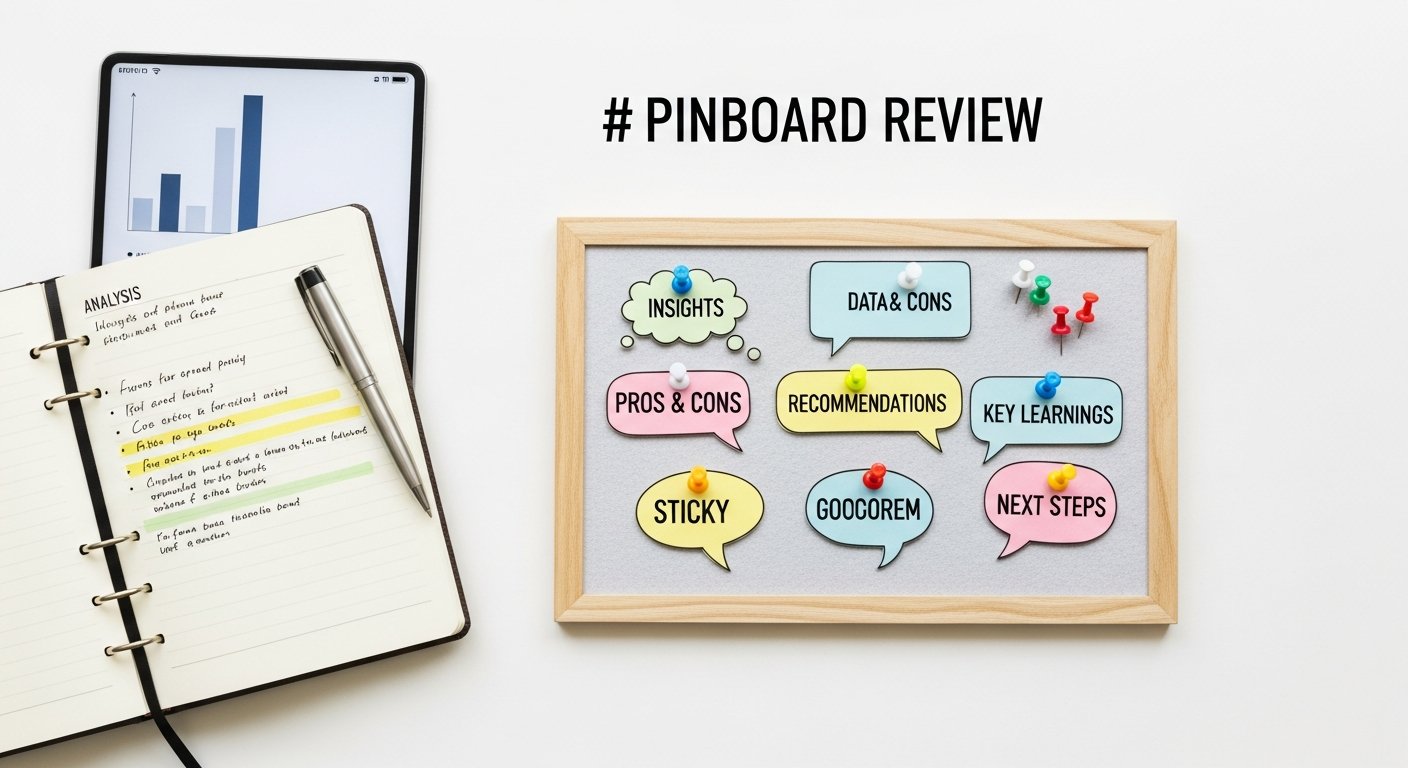
While Pinboard prides itself on simplicity, it offers a robust set of features that extend far beyond merely saving links. These functionalities are designed for serious researchers, writers, developers, and anyone who needs precise control over their digital archives.
Efficient Tagging and Search Capabilities
The cornerstone of Pinboard’s organization system is its powerful tagging. Users can apply multiple tags to each bookmark, creating a highly flexible and personal classification system. Tags can be hierarchical (e.g., “tech:productivity,” “tech:security”), descriptive, or even function as project identifiers. The beauty lies in its flexibility; you define your own taxonomy. The search function is equally potent, allowing users to query by tags, title, description, or URL, often with Boolean operators for advanced filtering. This combination makes it incredibly fast to retrieve specific information from even vast collections of bookmarks. You can quickly find “all articles tagged ‘AI’ and ‘ethics’ but not ‘futurism’,” demonstrating the precision available.
Full-Text Archiving for Persistent Access
One of Pinboard’s most valuable premium features is full-text archiving. For an additional fee, Pinboard will automatically save a complete copy of every bookmarked webpage, including images and styling. This is a critical feature in an internet where links break, websites disappear, or content changes. With full-text archiving, you own a snapshot of the page as it was when you bookmarked it. This means your research materials, reference articles, or important documentation remain accessible even if the original source goes offline. The archived pages are also fully searchable, adding another layer of retrieval power to your collection. This capability alone often justifies the subscription for professionals who rely on persistent access to online information.
API Access and Automation Potential
For the technically inclined, Pinboard’s comprehensive API (Application Programming Interface) is a game-changer. It allows users to programmatically interact with their bookmark collection, enabling a wide range of automation possibilities. You can:
- Write scripts to import bookmarks from other services.
- Automatically export your entire collection for local backup.
- Integrate Pinboard with other tools like note-taking apps or personal knowledge management systems.
- Create custom browser extensions or command-line tools for specific workflows.
This level of programmatic access empowers users to tailor Pinboard to their exact needs, making it a highly flexible component of a sophisticated digital workflow. The API is well-documented and robust, attracting developers and power users who appreciate granular control over their data.
Bookmarklets and Browser Extensions
Pinboard offers convenient ways to save bookmarks directly from your browser. Its bookmarklet is a simple JavaScript snippet you can drag to your browser’s toolbar, allowing for quick saving with pre-filled title and URL, and an easy way to add tags and descriptions. For those who prefer a more integrated experience, various third-party browser extensions (for Chrome, Firefox, Safari, etc.) leverage Pinboard’s API to provide seamless bookmarking directly from the browser context menu or toolbar icon. These tools ensure that saving a link is never more than a click or two away, maintaining workflow efficiency.
The ability to instantly save a page, tag it, and optionally add it to your read-it-later queue without leaving your current browsing context is crucial for maintaining focus and preventing digital distractions. The simplicity of these tools is a deliberate choice, aligning with Pinboard’s overall design philosophy of utility over complexity. For users who frequently encounter valuable resources online, this frictionless saving mechanism is a significant productivity booster.
User Experience and Interface: Function Over Form
The Pinboard user experience is often described as “unapologetically utilitarian.” This isn’t a platform designed to dazzle with animations or sleek visual flourishes. Instead, every element is geared towards clarity, speed, and efficiency. This design philosophy has both its ardent admirers and its detractors, making it a critical point in any balanced Pinboard review.
Navigating the Minimalist Dashboard
Upon logging in, users are greeted with a spartan dashboard. The primary view is a chronological list of your most recent bookmarks. Key navigation elements are typically located at the top or side, providing quick access to your entire bookmark list, unread bookmarks, public bookmarks, and the search bar. Tag clouds or lists are also prominent, offering a visual representation of your most frequently used tags and acting as an intuitive way to filter your collection.
The interface relies heavily on standard web conventions, making it easy for anyone familiar with basic internet navigation to understand. There’s no steep learning curve to figure out where things are; the complexity lies more in developing an effective tagging strategy than in mastering the interface itself. This simplicity ensures that the focus remains on your content – the bookmarks – rather than the tool itself. The absence of heavy graphics or complex JavaScript means the site loads almost instantly, even on slower connections, which is a significant advantage for users who prioritize speed and accessibility.
Speed and Reliability: The Unsung Heroes
One of Pinboard’s most consistent accolades is its incredible speed and reliability. The lightweight design, coupled with robust server architecture, means that the service is almost always available and performs exceptionally well. Saving a bookmark is instantaneous, and searching through thousands of links returns results in milliseconds. This operational excellence is not accidental; it’s a core tenet of Pinboard’s offering. In a digital world often plagued by slow-loading sites and intermittent service outages, Pinboard stands as a beacon of dependability. For users who integrate bookmarking into their daily workflow, this consistent performance is invaluable. It removes friction and frustration, allowing users to focus on their work rather than waiting for a tool to respond.
The “Unread” and “Public” Concepts
Pinboard introduces two important categorizations: “Unread” and “Public.”
- Unread Bookmarks: This acts as a built-in read-it-later queue. When you save a bookmark, you can mark it as “to read.” This creates a separate list of items you intend to revisit, effectively integrating a simple read-it-later service directly into your bookmarking workflow. Once you’ve consumed the content, you can mark it as read, removing it from this queue. This simple but powerful feature helps manage the flood of information and ensures that important articles aren’t lost in the vastness of your general bookmark collection.
- Public Bookmarks: While Pinboard emphasizes privacy, it also offers the option to make individual bookmarks public. These public bookmarks can be viewed by anyone, and users can subscribe to public feeds of other Pinboard users. This feature, though less emphasized than privacy, allows for selective sharing and discovery, particularly useful for curating resources for specific projects or communities without succumbing to the noise of traditional social networks. It’s a controlled form of sharing, where the user dictates precisely what is visible and what remains private.
These features, while seemingly basic, are implemented with a focus on utility and control, reinforcing Pinboard’s commitment to empowering the individual user. They are not forced upon the user but are available as useful tools should one choose to employ them, further demonstrating the flexibility inherent in Pinboard’s design.
[INLINE IMAGE 2: place after fourth H2 | alt=”pinboard review comparison illustration”]
Pinboard vs. The World: A Comparative Analysis
To truly understand Pinboard’s place in the modern tech ecosystem, it’s essential to compare it with other popular bookmarking, read-it-later, and knowledge management tools. This Pinboard review section highlights its unique strengths and weaknesses relative to its competitors.
Pinboard vs. Visual Bookmarking Services (e.g., Raindrop.io, Pocket)
Modern bookmarking services like Raindrop.io and Pocket prioritize rich, visual interfaces. They often display bookmarks with accompanying images, site logos, and clean article views, making for a more aesthetically pleasing and often intuitive browsing experience. Pocket, in particular, excels as a read-it-later service with excellent offline reading capabilities and text optimization.
Where Pinboard stands out:
- Speed and Minimalism: Pinboard is significantly faster and lighter. Its text-first approach means no heavy image loading or complex JavaScript, resulting in near-instant page loads.
- Granular Control & API: Pinboard offers unparalleled control over your data through its API, allowing for advanced automation and integration that many visual services lack or gate behind premium tiers.
- Privacy-First Model: Pinboard’s paid, anti-social model fundamentally differs from services that might rely on data analysis or advertising for revenue, offering a stronger privacy posture by default.
- Full-Text Archiving: While some services offer article saving, Pinboard’s full-page archiving is robust and ensures long-term persistence of the original web content, not just a simplified article view.
Where Pinboard falls short:
- Visual Appeal: Its plain interface is not for everyone. Users accustomed to visually rich dashboards might find Pinboard’s aesthetic jarring or outdated.
- Curated Reading Experience: Services like Pocket offer a more refined reading experience with typography controls and ad-blocking in their article view, which Pinboard doesn’t natively provide.
Pinboard vs. All-in-One PKM Tools (e.g., Notion, Obsidian)
Personal Knowledge Management (PKM) tools like Notion and Obsidian have gained immense popularity for their ability to consolidate notes, documents, databases, and even web clippings into a single, interconnected workspace. They offer powerful linking, graph views, and highly customizable interfaces.
Where Pinboard stands out:
- Dedicated Bookmarking Focus: Pinboard is purpose-built for bookmarking and archiving. Its tagging and search are optimized specifically for web links, making it exceptionally good at what it does without feature bloat.
- Lightweight and Fast: PKM tools can be resource-intensive, especially with large knowledge bases. Pinboard remains incredibly nimble.
- Reliable Archiving: While PKM tools can store web content, Pinboard’s full-text archiving is a specialized and highly reliable solution for preserving web pages exactly as they appeared.
Where Pinboard falls short:
- Interconnected Knowledge: Pinboard doesn’t offer the same level of interconnectedness or transclusion that PKM tools do, where notes, ideas, and bookmarks can be seamlessly linked and explored.
- Versatility: PKM tools are designed for a much broader range of knowledge work, from project management to daily journaling, whereas Pinboard is narrowly focused on web content.
Pinboard vs. Browser-Native Bookmarking
Every browser has built-in bookmarking functionality. These are free, integrated, and simple to use.
Where Pinboard stands out:
- Cross-Browser/Device Sync: Pinboard bookmarks are accessible from any browser on any device, independent of your browser’s sync service.
- Advanced Tagging & Search: Browser bookmarks typically offer limited tagging and basic search compared to Pinboard’s robust system.
- Full-Text Archiving: Browser bookmarks only save the URL; they don’t preserve the content of the page, making them vulnerable to link rot.
- API & Automation: Browser bookmarks offer no programmatic access.
Where Pinboard falls short:
- Cost: Pinboard is a paid service, whereas browser bookmarks are free.
- Zero Learning Curve: Browser bookmarks are the simplest possible solution.
Comparison Table: Pinboard vs. Key Alternatives
Here’s a quick overview comparing Pinboard with some popular alternatives:
| Feature/Service | Pinboard | Raindrop.io (Premium) | Pocket (Premium) | Notion (Free/Paid) |
|---|---|---|---|---|
| Core Focus | Minimalist Bookmarking, Archiving, Tagging | Visual Bookmarking, Collections | Read-It-Later, Article View | All-in-One PKM, Docs, Databases |
| Interface Style | Text-heavy, Utilitarian | Modern, Visual, Tile-based | Clean, Reader-focused | Highly Flexible, Block-based |
| Pricing Model | Paid (one-time signup + annual archiving) | Free / Paid Subscription | Free / Paid Subscription | Free / Paid Subscription |
| Full-Text Archiving | Yes (Paid Add-on) | Yes (Premium) | Article View (Premium) | Web Clipper (saves pages) |
| API Access | Extensive | Good (Premium) | Limited | Extensive |
| Privacy Stance | High (paid, anti-social) | Good (privacy policy applies) | Moderate (ads, analytics on free) | Good (privacy policy applies) |
| Search & Tagging | Powerful, text-based | Good, visual tags | Good, text-based, AI tags | Excellent, database filters |
| Social Features | None (optional public bookmarks) | Collections, Sharing | Limited sharing, recommendations | Collaborative workspace |
Ultimately, the “best” service depends on your specific needs. If you value speed, reliability, privacy, and granular control over a vast collection of text-based bookmarks, Pinboard remains a strong contender. If visual appeal, rich article views, or an all-encompassing knowledge workspace are higher priorities, then alternatives like Raindrop.io, Pocket, or Notion might be more suitable.
Pricing, Value, and Target Audience
Unlike most modern web services, Pinboard has a somewhat unconventional pricing model that reflects its founder’s philosophy and commitment to sustainability without relying on advertising or venture capital. Understanding this model is crucial for any potential user conducting a Pinboard review.
The Unique Pricing Structure
Pinboard uses a progressive one-time signup fee. The fee starts at a low amount (e.g., $11) and increases slightly with every 1,000 users that join the service. This model incentivizes early adoption and provides a stable revenue stream without needing continuous user growth for monetization. As of 2026, the signup fee might be higher than it was a decade ago, but it is still a one-time cost for the basic bookmarking service.
In addition to the one-time signup, there’s an annual fee for the “archival” account, which enables the full-text archiving feature discussed earlier. This archival fee is also relatively modest (e.g., $25/year) and covers the storage and processing costs associated with preserving full copies of every bookmarked page. This two-tiered approach allows users to choose between a basic, durable bookmarking service and a more comprehensive, archival-grade solution. This transparent pricing model stands in stark contrast to many “free” services that recoup costs through less transparent means.
Assessing the Value Proposition
Is Pinboard worth the cost? For its target audience, absolutely. The value of Pinboard comes from:
- Reliability and Longevity: Pinboard has proven itself to be a stable, well-maintained service for over a decade. The pricing model contributes to this sustainability.
- Privacy and Ownership: Knowing your data isn’t being mined or sold, and having robust API access to export it, provides immense peace of mind.
- Full-Text Archiving: For anyone whose work depends on reliable access to web content (researchers, journalists, academics, developers), the archival feature is priceless, mitigating link rot and content changes.
- Speed and Efficiency: The time saved through rapid bookmarking, tagging, and searching quickly adds up, contributing to overall productivity.
Compared to other paid services, Pinboard’s cost is competitive, especially considering its unique offerings and stability. The one-time signup fee can be a minor hurdle for some, but it’s a small investment for a lifetime (or at least, long-term) of dedicated bookmarking.
Who is Pinboard For? The Ideal User Profile
Based on its feature set and philosophy, Pinboard is not for everyone. It particularly appeals to:
- Researchers and Academics: Who need to reliably save and cite web resources, and rely on full-text archives to ensure information persistence.
- Developers and Technical Professionals: Who appreciate the powerful API for automation and integration into their existing toolchains.
- Writers and Journalists: Who gather vast amounts of web content for reference and need robust search capabilities to retrieve specific pieces of information.
- Minimalists and Privacy Advocates: Who prefer a no-frills, fast, and private service that prioritizes utility over visual spectacle and avoids data exploitation.
- Power Users and Keyboard Fanatics: Who value efficiency and control, and are willing to invest a little time into developing a personal tagging system.
If you’re looking for a service with social sharing, beautiful visual layouts, or AI-powered summarization, Pinboard will likely disappoint. But if you’re a serious knowledge worker who values precision, control, speed, and privacy, this Pinboard review suggests it could be an indispensable tool in your digital arsenal. Explore other niche productivity tools for focused work.
Advanced Workflows and Integrations
While Pinboard’s interface is simple, its underlying architecture allows for remarkably complex and powerful workflows, especially when combined with its robust API and a little ingenuity. This section delves into how power users can leverage Pinboard beyond basic link saving.
Leveraging the API for Automation and Backups
The Pinboard API is a gateway to endless possibilities for automation. Users can write scripts in Python, Ruby, or any preferred language to:
- Automated Backups: Regularly download your entire bookmark collection, including full-text archives, to local storage or cloud services like Dropbox or Google Drive. This provides an extra layer of data security and ensures you always have a personal copy.
- Cross-Posting: Automatically push specific bookmarks (e.g., those with a “blog_post” tag) to other platforms or content management systems.
- Filtering and Processing: Develop custom tools to analyze your bookmark collection, perhaps identifying old broken links, categorizing unread items, or generating reports on specific tags.
- Data Migration: Import bookmarks from older services or other sources in bulk, making the transition to Pinboard seamless.
This level of programmatic control is a significant differentiator, allowing Pinboard to become a highly adaptable component of a larger personal knowledge management system. It moves Pinboard from a static repository to a dynamic, programmable data source.
Integrating with Read-It-Later Workflows
As mentioned, Pinboard has a built-in “unread” queue. However, for those who prefer more feature-rich read-it-later services, Pinboard can still play a crucial role. Many users create an “unread” tag in Pinboard and then use IFTTT (If This Then That) or Zapier integrations, or custom scripts, to automatically send bookmarks with this tag to Pocket, Instapaper, or even a specialized note-taking app like Readwise Reader. Once read in the external service, another automation can mark it as “read” or remove the “unread” tag in Pinboard, keeping everything synchronized.
This hybrid approach allows users to leverage Pinboard’s superior archiving and tagging for long-term storage while benefiting from the optimized reading environments of other applications. It demonstrates Pinboard’s flexibility as a foundational layer in a complex information flow.
Enhancing Search and Discovery with External Tools
While Pinboard’s internal search is powerful, some users integrate it with external search tools for even greater discovery. For instance, by exporting their bookmark data, users can index it locally with tools like desktop search engines or specialized personal search tools. This can allow for more sophisticated queries or integration with local file searches. For public bookmarks, tools that crawl RSS feeds can keep track of new additions, making it easier to share curated content with others.
Furthermore, because Pinboard is so tag-centric, visualizing your tags with external tools can reveal insights into your interests and knowledge patterns. While Pinboard doesn’t offer a visual “graph” view of your tags, exporting the data allows for analysis in tools designed for network visualization, helping users understand the relationships between different topics they’ve bookmarked.
Security and Privacy Considerations
In an era of increasing data breaches and privacy concerns, the security and privacy posture of any online service is paramount. This Pinboard review section will specifically address how Pinboard handles these critical aspects, a core tenet of its operational philosophy.
Pinboard’s Stance on Data Privacy
Pinboard’s commitment to user privacy is not just a feature; it’s a founding principle. Unlike many free-to-use services that rely on advertising models, Pinboard is entirely funded by user subscriptions. This direct financial relationship eliminates the incentive to collect, analyze, or sell user data to third parties. Your bookmarks are considered your private data, by default. The only information potentially visible to others is what you explicitly choose to make public.
Maciej Cegłowski, Pinboard’s founder, has been a vocal proponent of user privacy and a critic of surveillance capitalism. This ethos is baked into the service’s DNA, offering users a rare degree of transparency and trust in the handling of their personal information. There are no tracking scripts, no personalized ads, and no opaque data collection practices that often plague other services.
Data Encryption and Security Practices
Pinboard employs standard security practices to protect user data:
- HTTPS Everywhere: All communication between your browser and Pinboard’s servers is encrypted using HTTPS, ensuring that your data is secure in transit and protected from eavesdropping.
- Secure Servers: Pinboard’s infrastructure is designed with security in mind, hosted in reputable data centers with appropriate physical and network security measures.
- Password Hashing: User passwords are not stored in plain text but are hashed and salted, making them extremely difficult to compromise even in the event of a data breach.
- Regular Backups: While users are encouraged to perform their own API-driven backups, Pinboard itself maintains robust internal backup procedures to prevent data loss.
While no online service can guarantee 100% impenetrable security, Pinboard’s proactive approach and transparency in its practices instill confidence. The minimalist design also means a smaller attack surface compared to more feature-rich applications, reducing potential vulnerabilities.
Controlling Your Data: Export and Deletion
A true measure of data ownership is the ability to easily export and delete your data. Pinboard excels here:
- Comprehensive Export: Through its API, users can export their entire bookmark collection, including full-text archives, in standard formats (e.g., JSON, XML). This means you are never locked into the service; you can always take your data with you.
- Account Deletion: Users have the ability to delete their accounts and all associated data, providing complete control over their information should they choose to leave the service.
This commitment to data portability and control reinforces Pinboard’s user-centric privacy model. In an age where many platforms make it difficult to leave or reclaim your data, Pinboard stands out as a paragon of user empowerment. Learn more about digital privacy best practices.
Pros and Cons of Using Pinboard in 2026
Every tool has its strengths and weaknesses. This balanced Pinboard review aims to provide a clear picture of what you can expect, outlining the advantages and disadvantages of integrating Pinboard into your digital workflow in 2026.
The Advantages: Why Pinboard Shines
- Unrivaled Speed and Reliability: Pinboard is consistently fast, responsive, and rarely experiences downtime. This makes it a dependable workhorse for heavy bookmarking.
- Robust Full-Text Archiving: The ability to save complete copies of web pages ensures your research and references remain accessible, even if the original source disappears. This is arguably its killer feature for power users.
- Powerful Tagging and Search: Its text-first, tag-centric approach allows for incredibly precise organization and retrieval of information from vast collections.
- Strong Privacy and Data Ownership: As a paid, anti-social service, Pinboard’s business model aligns with user privacy, and its API offers unparalleled control over your data.
- Minimalist and Distraction-Free: For users who want to focus purely on content and information management, the simple, utilitarian interface is a significant advantage.
- Open API for Automation: The extensive API opens up a world of possibilities for custom integrations, scripting, and workflow automation, appealing strongly to developers and power users.
- Sustainable Business Model: The transparent pricing and lack of reliance on venture capital or ad revenue suggest long-term stability and a focus on user value.
The Disadvantages: Where Pinboard Falls Short
- Lack of Modern Aesthetics: The interface is undeniably dated by modern standards. Users accustomed to visually rich applications may find it unappealing.
- No Native Mobile Apps: Pinboard doesn’t offer official native mobile applications. While the web interface is mobile-friendly, and third-party apps exist, this can be a drawback for mobile-first users.
- No Rich Article View: Unlike Pocket or Instapaper, Pinboard doesn’t offer a stripped-down, optimized reading view for articles, which can impact the reading experience.
- Steep Learning Curve for Tagging: While powerful, building an effective personal tagging taxonomy requires discipline and thought. New users might feel overwhelmed initially.
- Paid Service: Unlike many “free” bookmarking tools, Pinboard requires a one-time signup fee and an annual archival fee. While justified by its value, this can be a barrier for casual users.
- Limited Social Features: By design, Pinboard is anti-social. If you thrive on sharing, discovery, and community features, you’ll need to look elsewhere.
- Dependency on Third-Party Browser Extensions: While a bookmarklet exists, for a truly integrated browser experience, users often rely on third-party extensions, which can vary in quality and maintenance.
In essence, Pinboard is a highly specialized tool. Its “cons” are often deliberate design choices that contribute to its “pros.” What one user sees as a drawback (e.g., plain UI), another sees as a benefit (e.g., speed, no distractions). The key is understanding if your priorities align with Pinboard’s foundational principles.
Future Outlook and Development
What does the future hold for Pinboard in the dynamic landscape of 2026 and beyond? Given its history, predicting radical shifts in Pinboard’s development strategy is unlikely. However, a Pinboard review wouldn’t be complete without considering its trajectory.
A Philosophy of “Slow Development”
Pinboard has always adhered to a philosophy of “slow development” – incremental improvements, bug fixes, and maintenance over flashy new features. This approach contrasts sharply with many venture-backed services that are constantly chasing growth and new functionalities. For Pinboard, stability and reliability are paramount, and feature creep is actively resisted. This means users shouldn’t expect a complete UI overhaul or the introduction of AI-powered summarization any time soon. Instead, development focuses on ensuring the core service remains robust, secure, and performant. This measured pace is precisely what many long-time users appreciate, as it provides a consistent and predictable platform.
Continued Relevance in a Changing Digital World
Despite the proliferation of new tools, Pinboard’s niche remains highly relevant. In a world drowning in information, the need for a reliable, private, and efficient way to archive and retrieve web content is arguably stronger than ever. As AI tools become more prevalent, the ability to store raw, un-summarized, and un-transformed content will only increase in value for critical research and reference. Pinboard serves as a personal, independent archive, a counterweight to platforms that might mediate or alter information.
Its powerful API ensures that it can continue to integrate with emerging technologies and workflows, even if those integrations are built by the community rather than internally. This extensibility ensures its longevity, allowing it to adapt to new needs through user-driven innovation.
Community and Third-Party Contributions
A significant part of Pinboard’s ecosystem is its active community and the wealth of third-party tools and integrations built around its API. From browser extensions to mobile apps (e.g., Pinner, Pushpin) and scripting libraries, the community continuously extends Pinboard’s utility. This distributed development model means that Pinboard can evolve and adapt without the need for the core team to build every feature. As long as the API remains stable and well-documented, Pinboard’s ecosystem will continue to thrive, adding value that might not be visible in its minimalist interface. Discover other community-driven open-source projects.
In summary, Pinboard in 2026 will likely continue to be what it has always been: a dependable, private, and powerful bookmarking and archiving service for those who value function over form. Its future is secured by a loyal user base, a sustainable business model, and an unwavering commitment to its core principles.
The Final Verdict: Is Pinboard Right for You in 2026?
After this extensive Pinboard review, the question remains: is this minimalist, anti-social bookmarking service the right fit for your digital life in 2026? The answer, as with many specialized tools, is “it depends.”
When to Choose Pinboard:
If you identify with any of the following, Pinboard is likely an excellent choice:
- You are a serious researcher, writer, developer, or knowledge worker who needs a robust, reliable, and private system for archiving web content.
- You are deeply concerned about data privacy and prefer a paid service over “free” platforms that may monetize your data.
- You value speed, efficiency, and a distraction-free environment over flashy interfaces and social features.
- You appreciate the power of an open API for automating tasks, performing backups, and integrating with other tools in your workflow.
- You’re comfortable developing a personal, flexible tagging system for organizing information.
- You prioritize the longevity and persistence of archived web content, especially through full-text archiving.
When to Consider Alternatives:
Pinboard might not be the best fit if:
- You prefer a visually rich, modern interface with aesthetically pleasing previews and layouts.
- You primarily use a bookmarking service for social sharing, discovery, or community interaction.
- You need an integrated, optimized reading experience (like Pocket or Instapaper) and don’t want to use Pinboard in conjunction with another tool.
- You prefer free services and are not willing to pay a one-time signup fee and an annual archival fee.
- You require native mobile applications with all the bells and whistles.
- Your bookmarking needs are very casual, and browser-native bookmarks suffice.
Pinboard is not attempting to be all things to all people. It excels in its specific niche: providing an ultra-reliable, private, and powerful text-based bookmarking and archiving solution for users who prioritize control, speed, and content preservation. It’s a tool for serious digital custodians, a quiet workhorse that consistently delivers on its promises without fanfare.
In 2026, as the digital world becomes increasingly complex, noisy, and privacy-challenged, Pinboard’s steadfast commitment to its original principles makes it more relevant than ever for a discerning group of users. If those principles align with your needs, then Pinboard will likely become an indispensable part of your productivity stack.
Frequently Asked Questions
Q1: Is Pinboard still relevant in 2026 with so many new bookmarking tools available?
A1: Absolutely. Pinboard’s relevance in 2026 stems from its unique strengths: unparalleled speed, unwavering reliability, strong privacy safeguards, and robust full-text archiving. While newer tools offer visual flair or AI integration, Pinboard remains the top choice for users who prioritize a minimalist, private, and highly functional system for serious research, development, and knowledge management, especially concerning the long-term preservation of web content.
Q2: What is the main difference between Pinboard and visual bookmarking tools like Raindrop.io?
A2: The main
Pinboard Review 2026: The Definitive Guide for Power Users and Knowledge Managers
Affiliate disclosure: This article may contain affiliate links. Recommendations are independent and editorially driven.
In an increasingly cluttered digital landscape, where every new application promises to revolutionize productivity and knowledge management, the venerable Pinboard stands as a stark, minimalist counterpoint. For over a decade, this “delicious clone” (as it was once affectionately known) has carved out a unique niche, appealing to a specific type of digital archivist: those who prioritize speed, reliability, and plain-text utility over flashy interfaces and social sharing.
This comprehensive Pinboard review for 2026 dives deep into what makes Pinboard tick, who it’s for, and whether its unique philosophy still holds water in a world brimming with AI-powered tools and visually rich bookmarking services. We’ll explore its core functionality, user experience, pricing, and compare it against more modern alternatives, providing you with all the insights necessary to decide if Pinboard deserves a place in your meticulously crafted digital toolkit.
Understanding Pinboard’s Core Philosophy: Anti-Social Bookmarking
At its heart, Pinboard isn’t just a bookmarking service; it’s an ideological stance against the prevailing winds of social media and data-driven engagement. Maciej Cegłowski, Pinboard’s founder, envisioned a tool that would serve the individual first and foremost, free from the distractions and privacy concerns often associated with other platforms. This “anti-social” philosophy underpins every design choice and feature omission within Pinboard.
The Genesis and Evolution of a Niche Service
Pinboard emerged in 2009, born out of a desire for a fast, reliable, and private bookmarking solution in the wake of popular services like Delicious facing uncertain futures. While it adopted many of Delicious’s fundamental concepts – primarily tagging for organization – it deliberately eschewed the social features that characterized its predecessors. There are no “friends,” no “likes,” no trending topics. Your bookmarks are your own, to organize and retrieve as you see fit. This singular focus on individual utility has allowed Pinboard to remain lean and incredibly stable, a testament to its foundational design principles.
Minimalism as a Feature, Not a Flaw
For many, Pinboard’s stark, text-heavy interface might seem antiquated. However, for its dedicated user base, this minimalism is a core feature. It translates directly into lightning-fast loading times, minimal cognitive load, and an uncompromising focus on the content of the bookmark itself: the URL, title, description, and tags. There are no distracting images, no infinite scroll, no algorithmically determined recommendations. This deliberate lack of embellishment ensures that the user’s interaction with Pinboard is purely functional, designed for efficient information retrieval rather than discovery or entertainment.
Privacy and Data Ownership at the Forefront
A significant aspect of any thorough Pinboard review must address its commitment to user privacy. Unlike many free services that monetize user data through advertising or analytics, Pinboard operates on a paid subscription model. This direct relationship with its users means that its incentives are aligned with providing a high-quality, private service rather than exploiting user data. Your bookmarks, by default, are private. While you have the option to make them public, the emphasis is always on your control. Furthermore, Pinboard provides robust API access, allowing users to automate backups and integrate their data with other tools, reinforcing the idea of data ownership rather than mere custodianship.
[INLINE IMAGE 1: place after second H2 | alt=”pinboard review concept illustration”]
Key Features and Functionality: Beyond Basic Bookmarking
While Pinboard prides itself on simplicity, it offers a robust set of features that extend far beyond merely saving links. These functionalities are designed for serious researchers, writers, developers, and anyone who needs precise control over their digital archives.
Efficient Tagging and Search Capabilities
The cornerstone of Pinboard’s organization system is its powerful tagging. Users can apply multiple tags to each bookmark, creating a highly flexible and personal classification system. Tags can be hierarchical (e.g., “tech:productivity,” “tech:security”), descriptive, or even function as project identifiers. The beauty lies in its flexibility; you define your own taxonomy. The search function is equally potent, allowing users to query by tags, title, description, or URL, often with Boolean operators for advanced filtering. This combination makes it incredibly fast to retrieve specific information from even vast collections of bookmarks. You can quickly find “all articles tagged ‘AI’ and ‘ethics’ but not ‘futurism’,” demonstrating the precision available.
Full-Text Archiving for Persistent Access
One of Pinboard’s most valuable premium features is full-text archiving. For an additional fee, Pinboard will automatically save a complete copy of every bookmarked webpage, including images and styling. This is a critical feature in an internet where links break, websites disappear, or content changes. With full-text archiving, you own a snapshot of the page as it was when you bookmarked it. This means your research materials, reference articles, or important documentation remain accessible even if the original source goes offline. The archived pages are also fully searchable, adding another layer of retrieval power to your collection. This capability alone often justifies the subscription for professionals who rely on persistent access to online information.
API Access and Automation Potential
For the technically inclined, Pinboard’s comprehensive API (Application Programming Interface) is a game-changer. It allows users to programmatically interact with their bookmark collection, enabling a wide range of automation possibilities. You can:
- Write scripts to import bookmarks from other services.
- Automatically export your entire collection for local backup.
- Integrate Pinboard with other tools like note-taking apps or personal knowledge management systems.
- Create custom browser extensions or command-line tools for specific workflows.
This level of programmatic access empowers users to tailor Pinboard to their exact needs, making it a highly flexible component of a sophisticated digital workflow. The API is well-documented and robust, attracting developers and power users who appreciate granular control over their data.
Bookmarklets and Browser Extensions
Pinboard offers convenient ways to save bookmarks directly from your browser. Its bookmarklet is a simple JavaScript snippet you can drag to your browser’s toolbar, allowing for quick saving with pre-filled title and URL, and an easy way to add tags and descriptions. For those who prefer a more integrated experience, various third-party browser extensions (for Chrome, Firefox, Safari, etc.) leverage Pinboard’s API to provide seamless bookmarking directly from the browser context menu or toolbar icon. These tools ensure that saving a link is never more than a click or two away, maintaining workflow efficiency.
The ability to instantly save a page, tag it, and optionally add it to your read-it-later queue without leaving your current browsing context is crucial for maintaining focus and preventing digital distractions. The simplicity of these tools is a deliberate choice, aligning with Pinboard’s overall design philosophy of utility over complexity. For users who frequently encounter valuable resources online, this frictionless saving mechanism is a significant productivity booster.
User Experience and Interface: Function Over Form
The Pinboard user experience is often described as “unapologetically utilitarian.” This isn’t a platform designed to dazzle with animations or sleek visual flourishes. Instead, every element is geared towards clarity, speed, and efficiency. This design philosophy has both its ardent admirers and its detractors, making it a critical point in any balanced Pinboard review.
Navigating the Minimalist Dashboard
Upon logging in, users are greeted with a spartan dashboard. The primary view is a chronological list of your most recent bookmarks. Key navigation elements are typically located at the top or side, providing quick access to your entire bookmark list, unread bookmarks, public bookmarks, and the search bar. Tag clouds or lists are also prominent, offering a visual representation of your most frequently used tags and acting as an intuitive way to filter your collection.
The interface relies heavily on standard web conventions, making it easy for anyone familiar with basic internet navigation to understand. There’s no steep learning curve to figure out where things are; the complexity lies more in developing an effective tagging strategy than in mastering the interface itself. This simplicity ensures that the focus remains on your content – the bookmarks – rather than the tool itself. The absence of heavy graphics or complex JavaScript means the site loads almost instantly, even on slower connections, which is a significant advantage for users who prioritize speed and accessibility.
Speed and Reliability: The Unsung Heroes
One of Pinboard’s most consistent accolades is its incredible speed and reliability. The lightweight design, coupled with robust server architecture, means that the service is almost always available and performs exceptionally well. Saving a bookmark is instantaneous, and searching through thousands of links returns results in milliseconds. This operational excellence is not accidental; it’s a core tenet of Pinboard’s offering. In a digital world often plagued by slow-loading sites and intermittent service outages, Pinboard stands as a beacon of dependability. For users who integrate bookmarking into their daily workflow, this consistent performance is invaluable. It removes friction and frustration, allowing users to focus on their work rather than waiting for a tool to respond.
The “Unread” and “Public” Concepts
Pinboard introduces two important categorizations: “Unread” and “Public.”
- Unread Bookmarks: This acts as a built-in read-it-later queue. When you save a bookmark, you can mark it as “to read.” This creates a separate list of items you intend to revisit, effectively integrating a simple read-it-later service directly into your bookmarking workflow. Once you’ve consumed the content, you can mark it as read, removing it from this queue. This simple but powerful feature helps manage the flood of information and ensures that important articles aren’t lost in the vastness of your general bookmark collection.
- Public Bookmarks: While Pinboard emphasizes privacy, it also offers the option to make individual bookmarks public. These public bookmarks can be viewed by anyone, and users can subscribe to public feeds of other Pinboard users. This feature, though less emphasized than privacy, allows for selective sharing and discovery, particularly useful for curating resources for specific projects or communities without succumbing to the noise of traditional social networks. It’s a controlled form of sharing, where the user dictates precisely what is visible and what remains private.
These features, while seemingly basic, are implemented with a focus on utility and control, reinforcing Pinboard’s commitment to empowering the individual user. They are not forced upon the user but are available as useful tools should one choose to employ them, further demonstrating the flexibility inherent in Pinboard’s design.
[INLINE IMAGE 2: place after fourth H2 | alt=”pinboard review comparison illustration”]
Pinboard vs. The World: A Comparative Analysis
To truly understand Pinboard’s place in the modern tech ecosystem, it’s essential to compare it with other popular bookmarking, read-it-later, and knowledge management tools. This Pinboard review section highlights its unique strengths and weaknesses relative to its competitors.
Pinboard vs. Visual Bookmarking Services (e.g., Raindrop.io, Pocket)
Modern bookmarking services like Raindrop.io and Pocket prioritize rich, visual interfaces. They often display bookmarks with accompanying images, site logos, and clean article views, making for a more aesthetically pleasing and often intuitive browsing experience. Pocket, in particular, excels as a read-it-later service with excellent offline reading capabilities and text optimization.
Where Pinboard stands out:
- Speed and Minimalism: Pinboard is significantly faster and lighter. Its text-first approach means no heavy image loading or complex JavaScript, resulting in near-instant page loads.
- Granular Control & API: Pinboard offers unparalleled control over your data through its API, allowing for advanced automation and integration that many visual services lack or gate behind premium tiers.
- Privacy-First Model: Pinboard’s paid, anti-social model fundamentally differs from services that might rely on data analysis or advertising for revenue, offering a stronger privacy posture by default.
- Full-Text Archiving: While some services offer article saving, Pinboard’s full-page archiving is robust and ensures long-term persistence of the original web content, not just a simplified article view.
Where Pinboard falls short:
- Visual Appeal: Its plain interface is not for everyone. Users accustomed to visually rich dashboards might find Pinboard’s aesthetic jarring or outdated.
- Curated Reading Experience: Services like Pocket offer a more refined reading experience with typography controls and ad-blocking in their article view, which Pinboard doesn’t natively provide.
Pinboard vs. All-in-One PKM Tools (e.g., Notion, Obsidian)
Personal Knowledge Management (PKM) tools like Notion and Obsidian have gained immense popularity for their ability to consolidate notes, documents, databases, and even web clippings into a single, interconnected workspace. They offer powerful linking, graph views, and highly customizable interfaces.
Where Pinboard stands out:
- Dedicated Bookmarking Focus: Pinboard is purpose-built for bookmarking and archiving. Its tagging and search are optimized specifically for web links, making it exceptionally good at what it does without feature bloat.
- Lightweight and Fast: PKM tools can be resource-intensive, especially with large knowledge bases. Pinboard remains incredibly nimble.
- Reliable Archiving: While PKM tools can store web content, Pinboard’s full-text archiving is a specialized and highly reliable solution for preserving web pages exactly as they appeared.
Where Pinboard falls short:
- Interconnected Knowledge: Pinboard doesn’t offer the same level of interconnectedness or transclusion that PKM tools do, where notes, ideas, and bookmarks can be seamlessly linked and explored.
- Versatility: PKM tools are designed for a much broader range of knowledge work, from project management to daily journaling, whereas Pinboard is narrowly focused on web content.
Pinboard vs. Browser-Native Bookmarking
Every browser has built-in bookmarking functionality. These are free, integrated, and simple to use.
Where Pinboard stands out:
- Cross-Browser/Device Sync: Pinboard bookmarks are accessible from any browser on any device, independent of your browser’s sync service.
- Advanced Tagging & Search: Browser bookmarks typically offer limited tagging and basic search compared to Pinboard’s robust system.
- Full-Text Archiving: Browser bookmarks only save the URL; they don’t preserve the content of the page, making them vulnerable to link rot.
- API & Automation: Browser bookmarks offer no programmatic access.
Where Pinboard falls short:
- Cost: Pinboard is a paid service, whereas browser bookmarks are free.
- Zero Learning Curve: Browser bookmarks are the simplest possible solution.
Comparison Table: Pinboard vs. Key Alternatives
Here’s a quick overview comparing Pinboard with some popular alternatives:
| Feature/Service | Pinboard | Raindrop.io (Premium) | Pocket (Premium) | Notion (Free/Paid) |
|---|---|---|---|---|
| Core Focus | Minimalist Bookmarking, Archiving, Tagging | Visual Bookmarking, Collections | Read-It-Later, Article View | All-in-One PKM, Docs, Databases |
| Interface Style | Text-heavy, Utilitarian | Modern, Visual, Tile-based | Clean, Reader-focused | Highly Flexible, Block-based |
| Pricing Model | Paid (one-time signup + annual archiving) | Free / Paid Subscription | Free / Paid Subscription | Free / Paid Subscription |
| Full-Text Archiving | Yes (Paid Add-on) | Yes (Premium) | Article View (Premium) | Web Clipper (saves pages) |
| API Access | Extensive | Good (Premium) | Limited | Extensive |
| Privacy Stance | High (paid, anti-social) | Good (privacy policy applies) | Moderate (ads, analytics on free) | Good (privacy policy applies) |
| Search & Tagging | Powerful, text-based | Good, visual tags | Good, text-based, AI tags | Excellent, database filters |
| Social Features | None (optional public bookmarks) | Collections, Sharing | Limited sharing, recommendations | Collaborative workspace |
Ultimately, the “best” service depends on your specific needs. If you value speed, reliability, privacy, and granular control over a vast collection of text-based bookmarks, Pinboard remains a strong contender. If visual appeal, rich article views, or an all-encompassing knowledge workspace are higher priorities, then alternatives like Raindrop.io, Pocket, or Notion might be more suitable.
Pricing, Value, and Target Audience
Unlike most modern web services, Pinboard has a somewhat unconventional pricing model that reflects its founder’s philosophy and commitment to sustainability without relying on advertising or venture capital. Understanding this model is crucial for any potential user conducting a Pinboard review.
The Unique Pricing Structure
Pinboard uses a progressive one-time signup fee. The fee starts at a low amount (e.g., $11) and increases slightly with every 1,000 users that join the service. This model incentivizes early adoption and provides a stable revenue stream without needing continuous user growth for monetization. As of 2026, the signup fee might be higher than it was a decade ago, but it is still a one-time cost for the basic bookmarking service.
In addition to the one-time signup, there’s an annual fee for the “archival” account, which enables the full-text archiving feature discussed earlier. This archival fee is also relatively modest (e.g., $25/year) and covers the storage and processing costs associated with preserving full copies of every bookmarked page. This two-tiered approach allows users to choose between a basic, durable bookmarking service and a more comprehensive, archival-grade solution. This transparent pricing model stands in stark contrast to many “free” services that recoup costs through less transparent means.
Assessing the Value Proposition
Is Pinboard worth the cost? For its target audience, absolutely. The value of Pinboard comes from:
- Reliability and Longevity: Pinboard has proven itself to be a stable, well-maintained service for over a decade. The pricing model contributes to this sustainability.
- Privacy and Ownership: Knowing your data isn’t being mined or sold, and having robust API access to export it, provides immense peace of mind.
- Full-Text Archiving: For anyone whose work depends on reliable access to web content (researchers, journalists, academics, developers), the archival feature is priceless, mitigating link rot and content changes.
- Speed and Efficiency: The time saved through rapid bookmarking, tagging, and searching quickly adds up, contributing to overall productivity.
Compared to other paid services, Pinboard’s cost is competitive, especially considering its unique offerings and stability. The one-time signup fee can be a minor hurdle for some, but it’s a small investment for a lifetime (or at least, long-term) of dedicated bookmarking.
Who is Pinboard For? The Ideal User Profile
Based on its feature set and philosophy, Pinboard is not for everyone. It particularly appeals to:
- Researchers and Academics: Who need to reliably save and cite web resources, and rely on full-text archives to ensure information persistence.
- Developers and Technical Professionals: Who appreciate the powerful API for automation and integration into their existing toolchains.
- Writers and Journalists: Who gather vast amounts of web content for reference and need robust search capabilities to retrieve specific pieces of information.
- Minimalists and Privacy Advocates: Who prefer a no-frills, fast, and private service that prioritizes utility over visual spectacle and avoids data exploitation.
- Power Users and Keyboard Fanatics: Who value efficiency and control, and are willing to invest a little time into developing a personal tagging system.
If you’re looking for a service with social sharing, beautiful visual layouts, or AI-powered summarization, Pinboard will likely disappoint. But if you’re a serious knowledge worker who values precision, control, speed, and privacy, this Pinboard review suggests it could be an indispensable tool in your digital arsenal. Explore other niche productivity tools for focused work.
Advanced Workflows and Integrations
While Pinboard’s interface is simple, its underlying architecture allows for remarkably complex and powerful workflows, especially when combined with its robust API and a little ingenuity. This section delves into how power users can leverage Pinboard beyond basic link saving.
Leveraging the API for Automation and Backups
The Pinboard API is a gateway to endless possibilities for automation. Users can write scripts in Python, Ruby, or any preferred language to:
- Automated Backups: Regularly download your entire bookmark collection, including full-text archives, to local storage or cloud services like Dropbox or Google Drive. This provides an extra layer of data security and ensures you always have a personal copy.
- Cross-Posting: Automatically push specific bookmarks (e.g., those with a “blog_post” tag) to other platforms or content management systems.
- Filtering and Processing: Develop custom tools to analyze your bookmark collection, perhaps identifying old broken links, categorizing unread items, or generating reports on specific tags.
- Data Migration: Import bookmarks from older services or other sources in bulk, making the transition to Pinboard seamless.
This level of programmatic control is a significant differentiator, allowing Pinboard to become a highly adaptable component of a larger personal knowledge management system. It moves Pinboard from a static repository to a dynamic, programmable data source.
Integrating with Read-It-Later Workflows
As mentioned, Pinboard has a built-in “unread” queue. However, for those who prefer more feature-rich read-it-later services, Pinboard can still play a crucial role. Many users create an “unread” tag in Pinboard and then use IFTTT (If This Then That) or Zapier integrations, or custom scripts, to automatically send bookmarks with this tag to Pocket, Instapaper, or even a specialized note-taking app like Readwise Reader. Once read in the external service, another automation can mark it as “read” or remove the “unread” tag in Pinboard, keeping everything synchronized.
This hybrid approach allows users to leverage Pinboard’s superior archiving and tagging for long-term storage while benefiting from the optimized reading environments of other applications. It demonstrates Pinboard’s flexibility as a foundational layer in a complex information flow.
Enhancing Search and Discovery with External Tools
While Pinboard’s internal search is powerful, some users integrate it with external search tools for even greater discovery. For instance, by exporting their bookmark data, users can index it locally with tools like desktop search engines or specialized personal search tools. This can allow for more sophisticated queries or integration with local file searches. For public bookmarks, tools that crawl RSS feeds can keep track of new additions, making it easier to share curated content with others.
Furthermore, because Pinboard is so tag-centric, visualizing your tags with external tools can reveal insights into your interests and knowledge patterns. While Pinboard doesn’t offer a visual “graph” view of your tags, exporting the data allows for analysis in tools designed for network visualization, helping users understand the relationships between different topics they’ve bookmarked.
Security and Privacy Considerations
In an era of increasing data breaches and privacy concerns, the security and privacy posture of any online service is paramount. This Pinboard review section will specifically address how Pinboard handles these critical aspects, a core tenet of its operational philosophy.
Pinboard’s Stance on Data Privacy
Pinboard’s commitment to user privacy is not just a feature; it’s a founding principle. Unlike many free-to-use services that rely on advertising models, Pinboard is entirely funded by user subscriptions. This direct financial relationship eliminates the incentive to collect, analyze, or sell user data to third parties. Your bookmarks are considered your private data, by default. The only information potentially visible to others is what you explicitly choose to make public.
Maciej Cegłowski, Pinboard’s founder, has been a vocal proponent of user privacy and a critic of surveillance capitalism. This ethos is baked into the service’s DNA, offering users a rare degree of transparency and trust in the handling of their personal information. There are no tracking scripts, no personalized ads, and no opaque data collection practices that often plague other services.
Data Encryption and Security Practices
Pinboard employs standard security practices to protect user data:
- HTTPS Everywhere: All communication between your browser and Pinboard’s servers is encrypted using HTTPS, ensuring that your data is secure in transit and protected from eavesdropping.
- Secure Servers: Pinboard’s infrastructure is designed with security in mind, hosted in reputable data centers with appropriate physical and network security measures.
- Password Hashing: User passwords are not stored in plain text but are hashed and salted, making them extremely difficult to compromise even in the event of a data breach.
- Regular Backups: While users are encouraged to perform their own API-driven backups, Pinboard itself maintains robust internal backup procedures to prevent data loss.
While no online service can guarantee 100% impenetrable security, Pinboard’s proactive approach and transparency in its practices instill confidence. The minimalist design also means a smaller attack surface compared to more feature-rich applications, reducing potential vulnerabilities.
Controlling Your Data: Export and Deletion
A true measure of data ownership is the ability to easily export and delete your data. Pinboard excels here:
- Comprehensive Export: Through its API, users can export their entire bookmark collection, including full-text archives, in standard formats (e.g., JSON, XML). This means you are never locked into the service; you can always take your data with you.
- Account Deletion: Users have the ability to delete their accounts and all associated data, providing complete control over their information should they choose to leave the service.
This commitment to data portability and control reinforces Pinboard’s user-centric privacy model. In an age where many platforms make it difficult to leave or reclaim your data, Pinboard stands out as a paragon of user empowerment. Learn more about digital privacy best practices.
Pros and Cons of Using Pinboard in 2026
Every tool has its strengths and weaknesses. This balanced Pinboard review aims to provide a clear picture of what you can expect, outlining the advantages and disadvantages of integrating Pinboard into your digital workflow in 2026.
The Advantages: Why Pinboard Shines
- Unrivaled Speed and Reliability: Pinboard is consistently fast, responsive, and rarely experiences downtime. This makes it a dependable workhorse for heavy bookmarking.
- Robust Full-Text Archiving: The ability to save complete copies of web pages ensures your research and references remain accessible, even if the original source disappears. This is arguably its killer feature for power users.
- Powerful Tagging and Search: Its text-first, tag-centric approach allows for incredibly precise organization and retrieval of information from vast collections.
- Strong Privacy and Data Ownership: As a paid, anti-social service, Pinboard’s business model aligns with user privacy, and its API offers unparalleled control over your data.
- Minimalist and Distraction-Free: For users who want to focus purely on content and information management, the simple, utilitarian interface is a significant advantage.
- Open API for Automation: The extensive API opens up a world of possibilities for custom integrations, scripting, and workflow automation, appealing strongly to developers and power users.
- Sustainable Business Model: The transparent pricing and lack of reliance on venture capital or ad revenue suggest long-term stability and a focus on user value.
The Disadvantages: Where Pinboard Falls Short
- Lack of Modern Aesthetics: The interface is undeniably dated by modern standards. Users accustomed to visually rich applications may find it unappealing.
- No Native Mobile Apps: Pinboard doesn’t offer official native mobile applications. While the web interface is mobile-friendly, and third-party apps exist, this can be a drawback for mobile-first users.
- No Rich Article View: Unlike Pocket or Instapaper, Pinboard doesn’t offer a stripped-down, optimized reading view for articles, which can impact the reading experience.
- Steep Learning Curve for Tagging: While powerful, building an effective personal tagging taxonomy requires discipline and thought. New users might feel overwhelmed initially.
- Paid Service: Unlike many “free” bookmarking tools, Pinboard requires a one-time signup fee and an annual archival fee. While justified by its value, this can be a barrier for casual users.
- Limited Social Features: By design, Pinboard is anti-social. If you thrive on sharing, discovery, and community features, you’ll need to look elsewhere.
- Dependency on Third-Party Browser Extensions: While a bookmarklet exists, for a truly integrated browser experience, users often rely on third-party extensions, which can vary in quality and maintenance.
In essence, Pinboard is a highly specialized tool. Its “cons” are often deliberate design choices that contribute to its “pros.” What one user sees as a drawback (e.g., plain UI), another sees as a benefit (e.g., speed, no distractions). The key is understanding if your priorities align with Pinboard’s foundational principles.
Future Outlook and Development
What does the future hold for Pinboard in the dynamic landscape of 2026 and beyond? Given its history, predicting radical shifts in Pinboard’s development strategy is unlikely. However, a Pinboard review wouldn’t be complete without considering its trajectory.
A Philosophy of “Slow Development”
Pinboard has always adhered to a philosophy of “slow development” – incremental improvements, bug fixes, and maintenance over flashy new features. This approach contrasts sharply with many venture-backed services that are constantly chasing growth and new functionalities. For Pinboard, stability and reliability are paramount, and feature creep is actively resisted. This means users shouldn’t expect a complete UI overhaul or the introduction of AI-powered summarization any time soon. Instead, development focuses on ensuring the core service remains robust, secure, and performant. This measured pace is precisely what many long-time users appreciate, as it provides a consistent and predictable platform.
Continued Relevance in a Changing Digital World
Despite the proliferation of new tools, Pinboard’s niche remains highly relevant. In a world drowning in information, the need for a reliable, private, and efficient way to archive and retrieve web content is arguably stronger than ever. As AI tools become more prevalent, the ability to store raw, un-summarized, and un-transformed content will only increase in value for critical research and reference. Pinboard serves as a personal, independent archive, a counterweight to platforms that might mediate or alter information.
Its powerful API ensures that it can continue to integrate with emerging technologies and workflows, even if those integrations are built by the community rather than internally. This extensibility ensures its longevity, allowing it to adapt to new needs through user-driven innovation.
Community and Third-Party Contributions
A significant part of Pinboard’s ecosystem is its active community and the wealth of third-party tools and integrations built around its API. From browser extensions to mobile apps (e.g., Pinner, Pushpin) and scripting libraries, the community continuously extends Pinboard’s utility. This distributed development model means that Pinboard can evolve and adapt without the need for the core team to build every feature. As long as the API remains stable and well-documented, Pinboard’s ecosystem will continue to thrive, adding value that might not be visible in its minimalist interface. Discover other community-driven open-source projects.
In summary, Pinboard in 2026 will likely continue to be what it has always been: a dependable, private, and powerful bookmarking and archiving service for those who value function over form. Its future is secured by a loyal user base, a sustainable business model, and an unwavering commitment to its core principles.
The Final Verdict: Is Pinboard Right for You in 2026?
After this extensive Pinboard review, the question remains: is this minimalist, anti-social bookmarking service the right fit for your digital life in 2026? The answer, as with many specialized tools, is “it depends.”
When to Choose Pinboard:
If you identify with any of the following, Pinboard is likely an excellent choice:
- You are a serious researcher, writer, developer, or knowledge worker who needs a robust, reliable, and private system for archiving web content.
- You are deeply concerned about data privacy and prefer a paid service over “free” platforms that may monetize your data.
- You value speed, efficiency, and a distraction-free environment over flashy interfaces and social features.
- You appreciate the power of an open API for automating tasks, performing backups, and integrating with other tools in your workflow.
- You’re comfortable developing a personal, flexible tagging system for organizing information.
- You prioritize the longevity and persistence of archived web content, especially through full-text archiving.
When to Consider Alternatives:
Pinboard might not be the best fit if:
- You prefer a visually rich, modern interface with aesthetically pleasing previews and layouts.
- You primarily use a bookmarking service for social sharing, discovery, or community interaction.
- You need an integrated, optimized reading experience (like Pocket or Instapaper) and don’t want to use Pinboard in conjunction with another tool.
- You prefer free services and are not willing to pay a one-time signup fee and an annual archival fee.
- You require native mobile applications with all the bells and whistles.
- Your bookmarking needs are very casual, and browser-native bookmarks suffice.
Pinboard is not attempting to be all things to all people. It excels in its specific niche: providing an ultra-reliable, private, and powerful text-based bookmarking and archiving solution for users who prioritize control, speed, and content preservation. It’s a tool for serious digital custodians, a quiet workhorse that consistently delivers on its promises without fanfare.
In 2026, as the digital world becomes increasingly complex, noisy, and privacy-challenged, Pinboard’s steadfast commitment to its original principles makes it more relevant than ever for a discerning group of users. If those principles align with your needs, then Pinboard will likely become an indispensable part of your productivity stack.
Frequently Asked Questions
Q1: Is Pinboard still relevant in 2026 with so many new bookmarking tools available?
A1: Absolutely. Pinboard’s relevance in 2026 stems from its unique strengths: unparalleled speed, unwavering reliability, strong privacy safeguards, and robust full-text archiving. While newer tools offer visual flair or AI integration, Pinboard remains the top choice for users who prioritize a minimalist, private, and highly functional system for serious research, development, and knowledge management, especially concerning the long-term preservation of web content.
Q2: What is the main difference between Pinboard and visual bookmarking tools like Raindrop.io?
A2: The main


