Mastering Effective Digital Organization: A Strategic Guide for 2026 Professionals and Students
The modern workspace is no longer defined by physical desks and filing cabinets; it is a sprawling, invisible architecture of cloud drives, browser tabs, and communication channels. As we navigate the professional landscape of 2026, the sheer volume of data we generate—and are expected to manage—has reached an all-time high. For the modern professional and the ambitious student, digital clutter is more than just a nuisance; it is a significant barrier to productivity, focus, and mental clarity. Without a structured system, the “digital exhaust” of our daily lives can lead to missed deadlines, lost opportunities, and burnout.
Effective digital organization is not about achieving a perfectly sterile desktop; it is about building a sustainable ecosystem that supports your workflow rather than obstructing it. This guide explores the foundational principles and advanced strategies required to master your digital environment. By implementing these systems, you can transform your digital space from a source of stress into a powerful engine for success.
1. Establishing a Unified File Architecture and Naming Convention
The cornerstone of digital organization is how you categorize and name your information. Most professionals suffer from “fragmented storage,” where files are scattered across downloads, desktops, and various cloud providers without a central logic. To regain control, you must adopt a unified file architecture.
One of the most effective frameworks for 2026 is the **P.A.R.A. Method**, popularized by Tiago Forte. This system categorizes information into four distinct buckets:
1. **Projects:** Active tasks with a specific deadline (e.g., “Q3 Marketing Report”).
2. **Areas:** Ongoing responsibilities that require a standard of performance (e.g., “Finances,” “Health,” “Professional Development”).
3. **Resources:** Topics of ongoing interest or reference material (e.g., “Coding Snippets,” “Market Research”).
4. **Archives:** Completed items from the previous three categories.
Parallel to this structure is the implementation of a strict **naming convention**. Searching for “Draft_v2.docx” is a recipe for disaster. Instead, use a standardized format: `YYYY-MM-DD_ProjectName_DocumentType_Version`. For example, `2026-05-12_Client-Alpha_Contract_v01`. This ensures that files are naturally sorted chronologically and are easily searchable through metadata. By investing time in this foundation, you reduce the “cognitive load” required to simply find the tools you need to do your work.
2. Mastering the Inbox: Beyond Inbox Zero
Email remains the primary communication tool for professionals and students, yet it is often the greatest source of digital anxiety. The goal for 2026 is not necessarily “Inbox Zero”—which can become a performative obsession—but rather “Inbox Management.”
The first step is to treat your inbox as a transit station, not a storage facility. Use the **Three-Fold Filter** for every incoming message:
* **Do it:** If the reply takes less than two minutes, do it immediately.
* **Delegate/Defer it:** If it requires more time or someone else’s input, move it to a task manager or a specific “To Process” folder.
* **Delete/Archive it:** If it is purely informational, archive it immediately.
Modern email clients now offer advanced AI-driven filtering. Utilize these to automatically shunt newsletters, receipts, and social notifications into separate tabs, leaving your primary inbox for high-priority human interaction. Furthermore, implement “batching”—check your email only three times a day (morning, post-lunch, and end-of-day). This prevents the “reactive loop” where you spend your entire day responding to other people’s priorities rather than focusing on your own deep work.
3. Leveraging AI and Automation for Workflow Optimization
In 2026, manual organization is increasingly becoming obsolete. The most effective professionals use automation to handle the “meta-work”—the work about work. AI-powered tools can now serve as a digital librarian, automatically tagging files, summarizing long documents, and even suggesting where a file should be stored based on its content.
Integration tools like Zapier or Make.com allow you to connect disparate platforms. For instance, you can set up a workflow where any attachment received in a “Client” labeled email is automatically saved to a specific folder in Google Drive or Dropbox, and a corresponding task is created in your project management tool.
Furthermore, AI-driven personal knowledge management (PKM) tools, such as Obsidian or Notion, can help students and professionals connect ideas across different projects. By using “backlinks,” these tools create a web of information rather than a rigid hierarchy. This mimics the way the human brain works, allowing for better retrieval of information and more creative synthesis of ideas. Automation doesn’t just save time; it ensures that your organizational system remains resilient even when you are too busy to manually maintain it.
4. Cloud Management and Cross-Platform Synergy
The “single source of truth” is a vital concept in digital organization. When you have different versions of a document on your laptop, your tablet, and your office desktop, errors are inevitable. In 2026, a robust cloud-first strategy is mandatory.
Choose an ecosystem (Google Workspace, Microsoft 365, or Apple iCloud) and commit to it. Ensure that all “Desktop” and “Documents” folders are synced in real-time. This provides two major benefits:
1. **Accessibility:** You can transition from a library study session to a professional meeting without worrying about which device holds your data.
2. **Security and Redundancy:** Cloud storage acts as an automatic backup. If your hardware fails, your professional life does not end.
However, cloud storage can become a “digital junk drawer” if not monitored. Perform a monthly “Cloud Audit” where you delete duplicate files and clear out the “Downloads” folder across all synced devices. For students, this is particularly important at the end of a semester; moving completed course materials into an “Archive” folder keeps your active workspace lean and focused on the upcoming term’s requirements.
5. Strategic Task and Project Management Frameworks
A list of tasks is not a plan; it is a wish list. To be truly organized, professionals and students must move their tasks into a dedicated project management system. Tools like Trello (Kanban style), Asana (List/Timeline style), or Notion (Customizable) are essential for visualizing progress.
The key to effective task management is **granularity**. A task labeled “Write Thesis” is overwhelming and unhelpful. Breaking it down into “Research 5 sources for Chapter 1” or “Draft intro for Chapter 1” makes the task actionable.
Combine your task manager with **Time Blocking** on your digital calendar. If a task is important enough to be on your list, it is important enough to have a reserved slot in your schedule. This practice forces you to be realistic about your capacity. In 2026, the most successful individuals treat their calendar as a “finite resource” map, ensuring that deep work—the high-value, cognitively demanding tasks—is protected from the encroachment of administrative trivia and back-to-back meetings.
6. Digital Minimalism and Cybersecurity Hygiene
Effective organization is as much about what you keep out as what you put in. Digital minimalism is the practice of intentionally choosing which tools and data serve your goals and discarding the rest. A cluttered digital environment leads to “context switching,” which can reduce productivity by up to 40%.
Start by decluttering your **Digital Real Estate**:
* **Desktop:** Keep zero icons on your desktop. It should be a clean slate every morning.
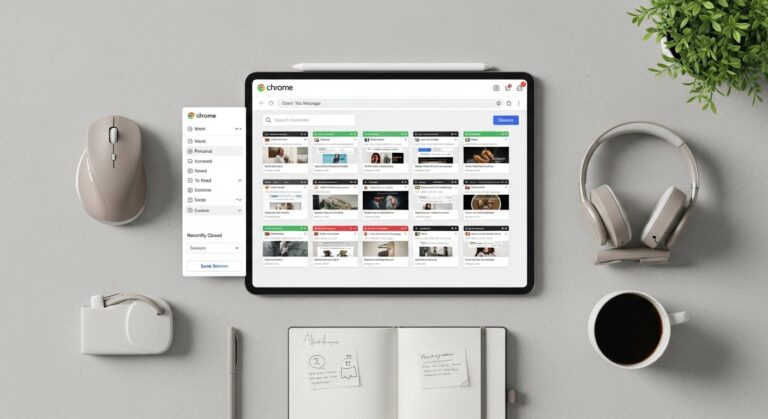
* **Browser:** Use tab managers or “Workspaces” to keep research for different projects separate. Close all tabs at the end of the day.
* **Notifications:** Turn off all non-human notifications on your phone and computer.
Security is the final, non-negotiable component of digital organization. A hack or a data breach is the ultimate organizational failure. Use a dedicated password manager to ensure unique, complex passwords for every service, and enable Multi-Factor Authentication (MFA) on all professional and academic accounts. Organizing your security posture in 2026 isn’t just a technical necessity; it is a professional responsibility to protect your intellectual property and client data.
Frequently Asked Questions (FAQ)
#
1. How do I start organizing my digital life if I’m currently overwhelmed by years of clutter?
The best approach is the “Big Bang” archive. Create a folder named “Archive_[Current Date]” and move every single file on your desktop and in your downloads into it. This gives you a clean slate immediately. You can then search that archive folder whenever you need a specific old file, but your daily workspace will be clear. Moving forward, apply new naming conventions to any file you pull out of that archive.
#
2. Is it better to use one “All-in-One” tool like Notion, or several specialized apps?
This depends on your personality. “All-in-One” tools reduce context switching but can have a steep learning curve and become “fiddly” (you spend more time building the tool than doing the work). Specialized apps (e.g., Todoist for tasks, Google Drive for files) are often better at their specific function. For most 2026 professionals, a “Hub and Spoke” model works best: one central hub for notes/projects and specialized spokes for files and communication.
#
3. How often should I perform “digital maintenance”?
You should have three tiers of maintenance:
* **Daily:** Clear your desktop and downloads at the end of the day (5 minutes).
* **Weekly:** Review your task list and calendar for the upcoming week (20 minutes).
* **Monthly:** Audit your cloud storage, delete unused apps, and update your security settings (1 hour).
#
4. How can students balance school work and professional internships in one digital system?
Use high-level “Areas” to separate them. In your file system and task manager, have a clear “Education” area and a “Professional” area. Use different browser profiles (e.g., a “School” profile and a “Work” profile) to keep bookmarks, history, and saved passwords separate. This prevents you from seeing work emails while trying to study for an exam.
#
5. What is the most common mistake people make when organizing digitally?
The most common mistake is over-complicating the system. If your organizational system requires more than 10% of your day to maintain, it is too complex. The best system is the simplest one that you will actually use consistently. Focus on “discoverability” (can I find this in 10 seconds?) rather than “perfection.”
Conclusion: The ROI of a Structured Digital Life
Effective digital organization is not a destination; it is a continuous practice of refinement. As we move through 2026, the ability to manage information efficiently will remain a core competency that separates high-performers from those who are perpetually playing catch-up. By establishing a clear file hierarchy, mastering your communication channels, leveraging the power of AI, and embracing digital minimalism, you create a frictionless environment where your best work can happen.
The transition from digital chaos to organized clarity requires an initial investment of time, but the return on that investment—measured in saved hours, reduced stress, and increased professional credibility—is immeasurable. Start small, pick one area to optimize this week, and build the systems that will support your ambitions for years to come. Your future self will thank you for the order you create today.