


Collaborative Bookmarking: Unlocking Shared Knowledge and Boosting Productivity
Affiliate disclosure: This article may contain affiliate links. Recommendations are independent and editorially driven.
In an increasingly interconnected digital landscape, the sheer volume of information available can be overwhelming. From vital research papers and insightful articles to inspiring design examples and essential product documentation, we constantly encounter web resources we want to save, categorize, and revisit. While personal bookmarking has been a staple of internet browsing for decades, the real power truly emerges when you elevate this practice to a shared experience: enter collaborative bookmarking.
Collaborative bookmarking isn’t just about saving links together; it’s a dynamic approach to knowledge management that transforms individual discoveries into collective intelligence. It empowers teams, communities, and even families to curate, annotate, and organize web content in a shared digital space, fostering efficiency, transparency, and a unified understanding of critical information. Whether you’re a student working on a group project, a marketing team compiling competitive research, a developer curating useful libraries, or a researcher building a comprehensive bibliography, the ability to pool and leverage shared resources is invaluable.
This comprehensive guide from bookmarksharer will delve deep into the world of collaborative bookmarking. We’ll explore its fundamental principles, the immense benefits it offers across various domains, dissect the essential features that define effective collaborative tools, and walk you through some of the leading platforms available today. Furthermore, we’ll provide actionable best practices, integration strategies, and insights into the future of this pivotal aspect of digital productivity and knowledge curation. Prepare to revolutionize the way you and your collaborators discover, save, and utilize the web.
What is Collaborative Bookmarking? A Foundation for Shared Digital Curation
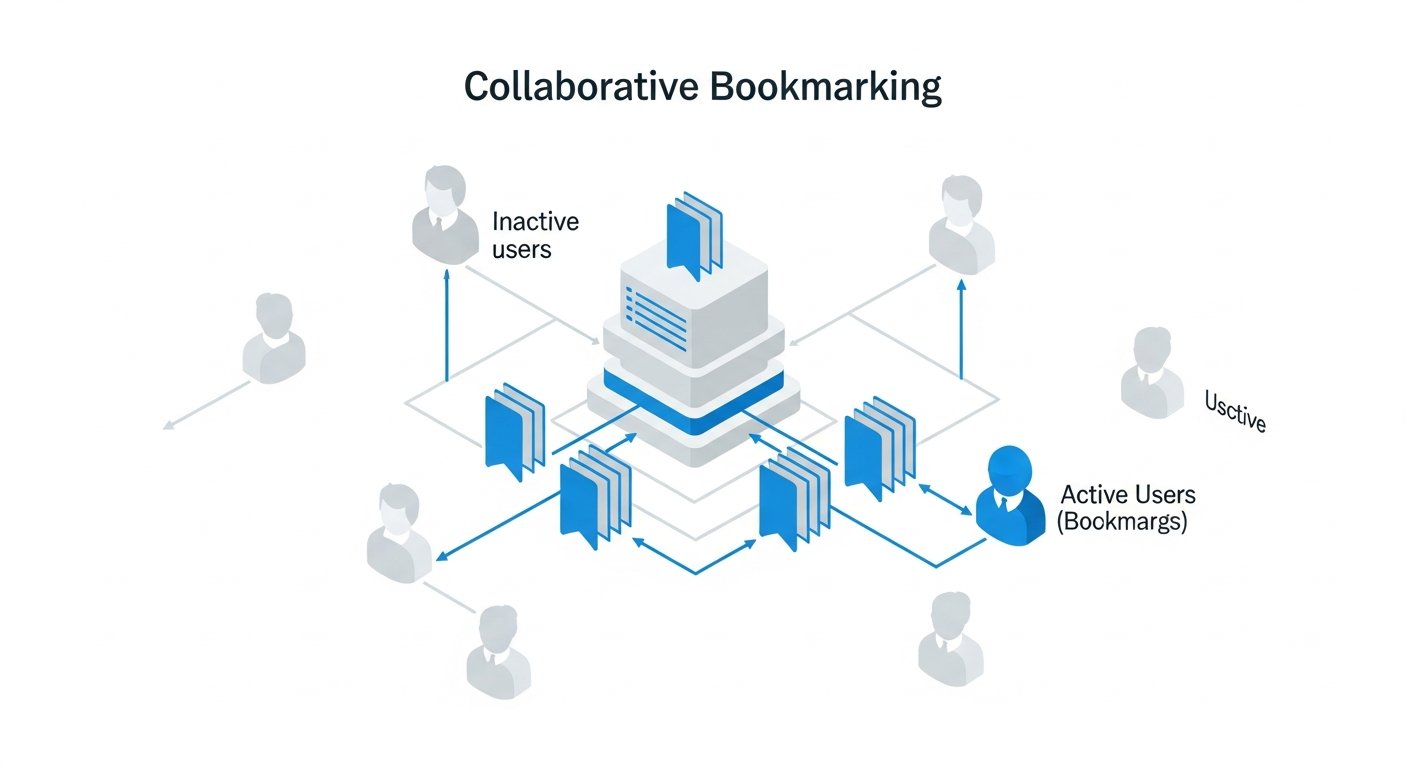
At its core, collaborative bookmarking is the practice of saving, organizing, and sharing web links or resources with a group of people in a centralized system. Unlike traditional personal bookmarking, where links are stored privately in a browser or individual tool, collaborative bookmarking platforms provide a shared repository accessible to multiple users. This shared access facilitates collective curation, discussion, and utilization of digital assets, moving beyond individual silos to a communal knowledge base.
The Evolution from Personal to Collaborative Bookmarking
The concept of saving web pages for future reference is as old as the internet itself. Early browsers introduced simple bookmarking features, allowing users to save URLs. Over time, dedicated bookmark managers emerged, offering more robust organizational capabilities like folders, tags, and search functions. However, these solutions primarily focused on individual needs. The shift towards collaborative bookmarking began as the internet became more interactive and social, and as work environments demanded greater teamwork and information sharing.
- Individual Stage: Browser bookmarks, local HTML files, basic bookmarking apps. Focus on personal retrieval.
- Early Sharing Stage: Emailing links, shared documents with lists of URLs. Ad-hoc, lacks organization and context.
- Collaborative Stage: Dedicated platforms designed for group curation, annotation, discussion, and permission management. Focus on collective knowledge building and leveraging.
This evolution highlights a fundamental truth: knowledge is often more powerful when shared and contextualized within a group. Collaborative bookmarking is the digital manifestation of a shared library, a common reference point that grows richer with each contribution.
Key Principles of Collaborative Bookmarking
Several core principles underpin effective collaborative bookmarking systems:
- Centralization: All shared bookmarks reside in a single, accessible location, eliminating the need to hunt for links across multiple individual accounts.
- Accessibility: Authorized users can access the shared repository from various devices and locations, ensuring information is available whenever and wherever needed.
- Organization: Beyond mere saving, these platforms offer robust tools for categorization, tagging, and search, making it easy to retrieve specific resources.
- Annotation & Context: Users can add notes, highlights, and comments to bookmarks, enriching them with context, insights, and discussions pertinent to the group.
- Permissions & Control: Advanced systems allow administrators to define who can view, add, edit, or delete bookmarks, ensuring data integrity and relevance.
- Real-time Collaboration: Many platforms support real-time updates and notifications, keeping all collaborators informed of new additions or changes.
By embracing these principles, collaborative bookmarking transforms from a simple list of links into a dynamic, living knowledge base that truly supports collective intelligence and streamlined productivity.
Why Collaborative Bookmarking is Indispensable for Modern Workflows

In today’s fast-paced digital world, information silos are productivity killers. Collaborative bookmarking offers a potent antidote, fostering an environment where information flows freely, knowledge is shared effortlessly, and teams operate with greater synergy. Its indispensability stems from its ability to address common challenges in information management and enhance various aspects of productivity and learning.
Enhancing Team Productivity and Efficiency
For any team, be it in business, academia, or non-profit, the ability to quickly find and share relevant information is paramount. Collaborative bookmarking streamlines this process, significantly boosting overall productivity.
- Reduced Redundancy: Without a shared system, team members often independently search for the same information, leading to wasted time and duplicated effort. A collaborative platform ensures that once a valuable resource is found and saved, it’s available to everyone, preventing repeated searches.
- Faster Information Retrieval: A well-organized, shared collection of bookmarks, enriched with relevant tags and descriptions, makes finding specific information significantly quicker than sifting through individual browser histories or disparate documents.
- Streamlined Onboarding: New team members can quickly get up to speed by accessing a curated library of essential resources, project documentation, and industry benchmarks, reducing the learning curve and accelerating their contribution.
- Project Alignment: For project-based work, a collaborative bookmarking space can serve as a central hub for all relevant research, competitor analysis, design inspirations, or technical documentation, ensuring everyone is on the same page and working with the most current information.
Fostering Knowledge Sharing and Collective Intelligence
Beyond mere efficiency, collaborative bookmarking cultivates a culture of knowledge sharing, turning individual insights into collective intelligence.
- Democratization of Knowledge: It breaks down silos, making expertise and discovered resources accessible to all team members, not just the original discoverer. This fosters a more informed and empowered workforce.
- Enhanced Context and Discussion: The ability to annotate bookmarks, add comments, and engage in discussions directly within the platform adds layers of context to saved resources. This turns a simple link into a rich source of collective insight, where different perspectives can be shared and debated.
- Institutional Memory: Over time, a collaborative bookmarking repository becomes a valuable organizational asset – a living archive of discovered knowledge, best practices, and historical references that transcends individual departures and ensures continuity.
- Community Building: For communities of practice, researchers, or special interest groups, collaborative bookmarking can form the backbone of their shared learning journey, allowing members to contribute, discover, and discuss resources pertinent to their shared interests.
Supporting Research and Development Across Industries
The utility of collaborative bookmarking spans a wide array of sectors, proving particularly transformative in research and development settings.
- Academic Research: Researchers can collaborate on literature reviews, share seminal papers, and annotate findings for group projects, streamlining the often arduous process of academic inquiry.
- Product Development: Product teams can curate market research, competitor analyses, user feedback, and design inspirations, ensuring all stakeholders have access to the information shaping the product lifecycle.
- Marketing & Content Creation: Content teams can build shared libraries of industry trends, SEO resources, content ideas, and successful campaigns, fostering creativity and consistency across their output.
- Software Engineering: Development teams can share useful libraries, API documentation, technical articles, and solutions to common problems, accelerating problem-solving and promoting best practices.
[INLINE IMAGE 1: place after second H2 | alt=”collaborative bookmarking concept illustration”]
Personal Knowledge Management (PKM) with a Social Twist
While often discussed in a team context, collaborative bookmarking also offers significant advantages for individual knowledge management, especially when those individuals are part of broader communities or have diverse interests.
- Enhanced Personal Libraries: Individuals can create private collections for their personal research, but also contribute to and benefit from public or semi-private group collections on topics they follow.
- Learning from Others: By observing what others in their network or community are bookmarking and discussing, individuals can discover new resources and perspectives they might not have found otherwise.
- Connecting Ideas: When combined with note-taking apps and other PKM tools, collaborative bookmarking becomes a powerful input stream, helping individuals connect disparate ideas and build a richer, more interconnected personal knowledge graph. Explore how bookmark managers integrate with your PKM tools for an even stronger system.
In essence, collaborative bookmarking isn’t just a tool; it’s a methodology that fosters a more connected, informed, and efficient way of engaging with digital information, making it an indispensable asset for anyone serious about productivity and knowledge management in the 2026 digital landscape.
Essential Features of Leading Collaborative Bookmarking Tools
Not all collaborative bookmarking tools are created equal. The effectiveness of a platform hinges on a robust set of features designed to facilitate seamless sharing, organization, and interaction. When evaluating options, consider how well they address the core needs of your team or community.
Advanced Organization and Tagging Systems
The ability to effectively organize a growing collection of links is paramount. Without it, a shared repository quickly devolves into an unusable mess.
- Flexible Tagging: Beyond simple keywords, advanced tools allow for hierarchical tags, tag bundles, or even AI-suggested tags based on content. This enables granular categorization and multi-faceted discovery.
- Folders & Collections: A clear folder or collection structure helps segment bookmarks by project, topic, or department. Some tools allow nested folders for even finer organization.
- Smart Search & Filters: Powerful search capabilities that can filter by tags, users, dates, content type, and even text within annotations are crucial for quickly locating specific resources.
- Smart Lists & Dynamic Collections: The ability to create automatically updating lists based on predefined criteria (e.g., all bookmarks tagged “AI” and “research”) significantly enhances discoverability and relevance.
Annotation, Highlighting, and Contextual Comments
A simple link tells you where to go, but annotations tell you why. This is where collaborative bookmarking truly differentiates itself from basic link sharing.
- In-page Highlighting: The ability to highlight specific text directly on the bookmarked web page and save those highlights alongside the link, often linked back to the original source.
- Rich Text Notes: Allowing users to add detailed notes, summaries, or insights using a rich text editor (bold, italics, links, lists) directly to each bookmark.
- Discussion Threads: Enabling a conversation around each bookmark, where team members can ask questions, provide feedback, and share additional thoughts, building collective context.
- Screenshots & Snapshots: Some tools capture a static snapshot of the webpage at the time of bookmarking, ensuring the content is preserved even if the original page changes or disappears.
Sharing, Collaboration, and Access Control
The “collaborative” aspect necessitates robust sharing and permission management features.
- Granular Permissions: The ability to define user roles (admin, editor, viewer) and set access levels for individual collections or bookmarks (public, private, group-specific).
- Team & Group Management: Features for easily adding, removing, and managing members within different teams or groups, each with their own shared spaces.
- Invitation & Onboarding: Simple mechanisms for inviting new collaborators, whether via email, direct link, or integration with existing team directories.
- Real-time Sync & Notifications: Ensuring that all changes are synchronized across accounts in real-time and providing notifications for new bookmarks, comments, or updates relevant to a user’s interests.
Browser Extensions and Integrations
Seamless integration into existing workflows is key to adoption and sustained use.
- Browser Extensions: Essential for quickly saving, tagging, and annotating pages directly from the browser without interrupting the browsing experience. Discover the best browser extensions for productivity.
- API Access: For advanced users and developers, an API allows for custom integrations with other tools like CRM systems, project management software, or internal databases.
- Integrations with Productivity Suites: Connections with tools like Slack, Microsoft Teams, Notion, Evernote, or Google Workspace for cross-platform sharing and notification.
- Import/Export Functionality: The ability to easily import existing browser bookmarks or export shared collections for backup or migration purposes.
Security and Data Privacy
Given that collaborative bookmarking often involves sensitive research or proprietary information, robust security is non-negotiable.
- Encryption: Data encryption both in transit (SSL/TLS) and at rest to protect sensitive information.
- User Authentication: Strong authentication methods, including multi-factor authentication (MFA), to prevent unauthorized access.
- Compliance: Adherence to relevant data protection regulations (e.g., GDPR, CCPA) depending on the user base and data handled.
- Backup & Recovery: Regular data backups and clear recovery protocols to prevent data loss.
By prioritizing these features, organizations and individuals can select a collaborative bookmarking tool that not only meets their immediate needs but also scales with their evolving information management demands.
Top Collaborative Bookmarking Tools and Platforms in 2026
The market for collaborative bookmarking tools has matured significantly, offering a diverse range of options catering to different needs, from simple link sharing to advanced research collaboration. Here, we highlight some of the leading platforms available in 2026, outlining their strengths and ideal use cases.
1. Raindrop.io: Visual Bookmarking for Teams
Raindrop.io is renowned for its beautiful, highly visual interface and powerful organization features. It’s a favorite among creatives, designers, and anyone who appreciates a visually rich experience. Its collaborative features are robust, allowing shared collections and team workspaces.
- Strengths: Visually appealing, strong organization with nested collections and tags, smart collections, backup to cloud storage (Dropbox, Google Drive), and excellent browser extensions. Supports all types of content: articles, images, videos, files.
- Collaboration: Create shared collections, invite collaborators with different access levels (view, edit). Perfect for visual inspiration boards or shared project resources.
- Ideal For: Design teams, marketing teams, content creators, individuals who prefer a visual approach to information organization.
2. Pinboard: Minimalist, Fast, and Tag-Centric
Pinboard stands at the opposite end of the spectrum from Raindrop.io. It’s a “social bookmarking for introverts” service, prioritizing speed, stability, and a plain-text, tag-focused approach. While its interface is spartan, its power lies in its robust tagging, search, and API.
- Strengths: Extremely fast, reliable, comprehensive tagging system, powerful search, archives full text of bookmarked pages (paid feature), excellent for long-term archival.
- Collaboration: While not designed for group collaboration in the same way as others, users can subscribe to others’ public bookmarks. For team use, its simplicity allows for easy integration into custom workflows via its API, or simply by sharing “tag bundles” or searches. It also offers a “family” plan that allows multiple accounts to be managed together, facilitating some form of shared curation.
- Ideal For: Researchers, developers, power users who value text-based efficiency and robust archiving over visual flair.
3. Diigo: Academic & Research Focused Annotation
Diigo (Digest of Internet Information, Groups, and Other stuff) is a powerful tool explicitly designed for annotation and research. It’s a favorite in educational settings and for deep dive research projects.
- Strengths: Robust in-page highlighting and annotation, sticky notes, ability to save images and screenshots, powerful research tool, groups for shared libraries and discussion, outliner feature for structuring research.
- Collaboration: Create and manage public or private “Diigo Groups” where members can share bookmarks, highlights, and annotations, and engage in discussions around resources. Excellent for collaborative research and study groups.
- Ideal For: Students, academics, researchers, content strategists who need deep annotation capabilities and group discussion features.
4. Notion: The All-in-One Workspace with Bookmarking Capabilities
While not a dedicated bookmarking tool, Notion’s flexible database capabilities make it an incredibly powerful platform for collaborative bookmarking when integrated into its broader workspace. Users can create a “Links” database and customize it endlessly.
- Strengths: Highly customizable databases, rich text pages for detailed notes, integration with other Notion pages (tasks, wikis), shared workspaces, robust permissions. Acts as a central hub for all project-related information.
- Collaboration: Share pages or entire workspaces with team members, co-edit, comment, and assign tasks. Perfect for creating curated lists of resources directly alongside project plans, meeting notes, and knowledge bases.
- Ideal For: Teams already using Notion for project management or PKM, those who need a highly integrated and customizable solution, users who want bookmarks contextualized within a larger workspace.
5. Mem.ai: AI-Powered Knowledge Hub with Smart Links
Mem is an AI-powered workspace that automatically organizes your notes, documents, and web content. Its “Mems” can be anything from a quick thought to a saved web page, and its AI helps connect and retrieve related information.
- Strengths: AI-powered organization and search, automatic linking of related Mems, smart import of web content, robust search, real-time collaboration.
- Collaboration: Share Mems or collections of Mems with other users, co-edit, and collaborate in real-time. The AI can help suggest relevant Mems to collaborators.
- Ideal For: Teams and individuals seeking an intelligent, AI-assisted approach to knowledge management, those who value automatic organization and discoverability.
[INLINE IMAGE 2: place after fourth H2 | alt=”collaborative bookmarking comparison illustration”]
6. Pocket (Premium): Curate & Share for Later
Originally a “read-it-later” service, Pocket’s premium features offer enhanced organization and sharing suitable for lightweight collaboration, especially for content curation.
- Strengths: Excellent save-for-later functionality, clean reading experience, robust tagging, offline access, text-to-speech.
- Collaboration (Premium): The “Send to Friends” feature allows sharing to specific users, and the “Highlights” feature can be shared. While not a full-blown team platform, it’s great for curating content for a small, informal group.
- Ideal For: Content consumption teams, editorial teams, individuals who want to curate and share reading lists or articles of interest with a small group.
7. Furl.net (Archive.org’s resurrection): Archival Focus
Once a popular independent bookmarking service, Furl was acquired and later shut down. It has seen a revival under the Internet Archive, focusing on long-term preservation.
- Strengths: Primary focus on archival – it saves a copy of the web page, ensuring your links never break, even if the original site goes down.
- Collaboration: While its primary strength is archival, the Internet Archive’s broader mission implicitly supports collaborative knowledge preservation. Users can create accounts and contribute to a shared digital heritage. Its features are more aligned with individual archiving that benefits public knowledge over private team collaboration.
- Ideal For: Historians, researchers, anyone concerned with the longevity and stability of bookmarked web content.
Comparison Table: Collaborative Bookmarking Tools
To help you compare the features, here’s a table summarizing key aspects of some of these platforms:
| Feature / Tool | Raindrop.io | Diigo | Notion (as bookmark manager) | Mem.ai |
|---|---|---|---|---|
| Primary Focus | Visual Curation & Org. | Research & Annotation | All-in-one Workspace | AI-Powered Knowledge |
| Team Collaboration | Yes (Shared Collections) | Yes (Diigo Groups) | Yes (Shared Workspaces) | Yes (Shared Mems) |
| In-page Annotation | Basic notes, no highlight | Extensive (highlight, sticky notes) | Via extensions, not native | Yes (via browser extension) |
| Visual Appeal | High | Moderate | High (customizable) | High |
| Tagging/Folders | Robust (nested collections, tags, smart collections) | Robust (tags, lists, groups) | Highly customizable database properties | AI-suggested tags, automatic linking |
| Offline Access | Limited (Premium) | Yes (saved content) | Yes (syncs locally) | Yes (saved Mems) |
| Pricing Model | Freemium | Freemium | Freemium | Freemium |
| Integrations | Cloud Storage, IFTTT | Pocket, Evernote, APIs | Slack, Zapier, APIs, many others | Slack, Google Calendar, Email, APIs |
Choosing the right tool depends heavily on your specific needs, the size of your team, and the nature of the content you’ll be bookmarking. Evaluate trial versions, consider pricing, and prioritize the features most critical to your collaborative workflow.
Best Practices for Effective Collaborative Bookmarking
Simply adopting a collaborative bookmarking tool isn’t enough; maximizing its potential requires adherence to specific best practices. These strategies ensure that your shared knowledge base remains organized, useful, and continually growing.
1. Define Clear Objectives and Scope
Before inviting a single collaborator, clearly articulate the purpose of your shared bookmarking space.
- What is the Goal? Is it for team research, design inspiration, competitor analysis, general knowledge sharing, or project-specific resources?
- What Content is Relevant? Establish guidelines on the types of links to be saved. Avoid clutter by defining what’s “in scope” and “out of scope.”
- Who are the Collaborators? Define the team or community that will use the system. This helps in setting up permissions and communication channels.
A clear vision prevents ambiguity and ensures that all contributions align with the collective goal.
2. Establish Naming Conventions and Tagging Guidelines
Consistency is the bedrock of an organized collaborative bookmarking system. Without it, even the most powerful search features become less effective.
- Standardized Tags: Create a controlled vocabulary of tags. For example, instead of “AI,” “Artificial Intelligence,” and “ML,” decide on one canonical tag like “AI/ML.”
- Mandatory Tags: For critical content, enforce a few mandatory tags (e.g., `#project-name`, `#status`, `#topic`).
- Tagging Hierarchy/Bundles: If your tool supports it, establish a logical tag hierarchy or create tag bundles to improve navigation (e.g., a “Marketing” bundle might include “SEO,” “SocialMedia,” “ContentStrategy”).
- Consistent Descriptions: Encourage collaborators to add concise, informative descriptions or summaries to each bookmark, explaining why it was saved and its key takeaways.
- Naming Collections/Folders: Agree on a consistent naming scheme for collections or folders (e.g., “Project X – Research,” “Team Marketing – Competitor Analysis”).
Regularly review and update these guidelines as your needs evolve.
3. Assign Roles and Responsibilities
Effective collaboration thrives on clear roles. While everyone contributes, designated individuals can help maintain order and ensure quality.
- Administrators: Responsible for setting up the system, managing user permissions, and overseeing overall adherence to guidelines.
- Curators/Editors: Individuals tasked with reviewing new submissions, refining tags, consolidating duplicates, and ensuring the quality and relevance of the content.
- Contributors: All team members who actively save, tag, and annotate bookmarks according to the established guidelines.
Periodically rotate these roles to distribute responsibility and foster broader engagement.
4. Integrate with Existing Workflows and Tools
A collaborative bookmarking tool should complement, not complicate, your existing productivity ecosystem.
- Browser Extensions: Ensure all collaborators install and actively use the browser extension for quick saving and annotation.
- Communication Platforms: Integrate with Slack, Microsoft Teams, or other communication tools for notifications about new bookmarks or discussions.
- Project Management Tools: Link relevant bookmark collections directly from your project boards in Asana, Trello, Jira, or Notion to provide quick access to resources.
- PKM Tools: Export or sync key bookmarks with your personal knowledge management system (e.g., Evernote, Obsidian, Roam Research) for deeper personal integration.
The smoother the integration, the higher the adoption rate will be.
5. Encourage Active Participation and Engagement
A collaborative bookmarking system is only as good as the collective effort put into it. Fostering a culture of sharing is critical.
- Lead by Example: Team leaders and managers should actively use the tool and contribute valuable resources.
- Training & Onboarding: Provide clear instructions and perhaps a short training session for new users on how to effectively use the tool and follow established guidelines.
- Regular Prompts: Occasionally prompt team members to share resources on specific topics relevant to current projects.
- Acknowledge Contributions: Recognize and appreciate valuable contributions to encourage continued participation.
- Facilitate Discussion: Actively participate in the comment sections of bookmarks, posing questions or offering further insights to spark conversation.
6. Periodically Review and Curate the Collection
Like any knowledge base, a collaborative bookmarking collection requires ongoing maintenance.
- Remove Duplicates: Regularly check for and merge or delete redundant bookmarks.
- Update Outdated Links: Identify and remove broken links or content that is no longer relevant.
- Refine Tags: As projects evolve, tags may need to be refined, merged, or deprecated.
- Archive Old Projects: Move completed project resources into an archive to keep active collections streamlined.
Scheduling a monthly or quarterly review ensures the shared knowledge base remains accurate, relevant, and easy to navigate. By implementing these best practices, your collaborative bookmarking efforts will transform from a mere collection of links into a powerful, dynamic engine for shared learning and productivity.
Integrating Collaborative Bookmarking into Your Workflow: Practical Applications
The true power of collaborative bookmarking is unleashed when it’s seamlessly integrated into daily operations. This isn’t just about having a tool; it’s about embedding a new way of working that enhances information flow and decision-making. Here are practical strategies for various workflows.
For Research & Development Teams
R&D teams thrive on new information, and collaborative bookmarking can be their central nervous system for knowledge acquisition.
- Literature Reviews: Create dedicated collections for specific research topics. Team members can bookmark relevant academic papers, patents, and industry reports, annotating key findings and discussing methodologies.
- Competitor Analysis: A shared collection for competitor websites, product launches, market news, and strategic moves allows the entire team to stay updated and quickly synthesize competitive intelligence.
- Technical Documentation & Solutions: Developers can bookmark useful code snippets, API documentation, technical articles, and common problem solutions. This builds a shared library of technical knowledge, speeding up future development and troubleshooting.
- Idea Generation & Innovation: Curate articles on emerging technologies, design trends, and innovative solutions from other industries to spark new ideas and cross-pollination.
Integration Tip: Link directly from your project management software (Jira, Azure DevOps) to specific bookmark collections relevant to a sprint or feature development.
For Marketing & Content Teams
Content creators, strategists, and marketers constantly need inspiration, data, and industry insights. Collaborative bookmarking is a goldmine for them.
- Content Curation: Build shared repositories of compelling articles, viral content, successful campaigns, and valuable resources for content inspiration, fact-checking, and trendspotting.
- SEO Resources: Collect and annotate best practices for SEO, algorithm updates, keyword research tools, and competitive SERP analyses.
- Social Media Strategy: Curate examples of effective social media campaigns, relevant news for engagement, and influencer profiles.
- Brand Guidelines & Tone: Bookmark examples of on-brand content, style guides, and competitor messaging to maintain consistency.
Integration Tip: Use a tool like Raindrop.io or Pocket to visually curate inspiration boards and share them in your content planning meetings. Integrate notifications into Slack channels for new content ideas.
For Educational Institutions & Learning Groups
Students and educators can leverage collaborative bookmarking to enhance learning outcomes and facilitate group projects.
- Course Material & Supplementary Readings: Instructors can create curated lists of external resources for their students, while students can collaboratively build resource guides for subjects.
- Group Project Research: Students working on a joint assignment can pool their research, annotate sources, and discuss findings directly within the bookmarking tool, ensuring everyone has access to the same foundational knowledge.
- Professional Development: Educators can share articles on new teaching methodologies, educational technology, and curriculum development.
Integration Tip: Embed links to collaborative bookmark collections directly into Learning Management Systems (LMS) like Canvas or Moodle, or use Diigo’s group features for classroom-specific annotation.
For Personal Knowledge Management (PKM) Enthusiasts
Even for individual use, collaborative bookmarking has a place, especially when you consider “sharing with your future self” or with a close circle.
- Family Recipe Collections: A shared collection of recipes, cooking blogs, and meal planning guides.
- Travel Planning: Collaboratively bookmark attractions, hotels, restaurants, and itineraries with travel companions.
- Hobby & Interest Groups: Share resources related to a shared hobby, like gardening tips, photography tutorials, or gaming guides.
- Cross-Device Sync: Use it as a robust alternative to browser-specific bookmarks, ensuring your saved links are available on all devices and platforms, regardless of browser.
Integration Tip: Create personal, private collections within a collaborative tool. Use its robust tagging and annotation features for your own PKM, then easily share specific links or collections with others when needed, without having to manage separate tools.
By thoughtfully integrating collaborative bookmarking into these various contexts, individuals and teams can move beyond simply saving links to actively building, sharing, and leveraging a collective intelligence that drives productivity and innovation. The key is to select the right tool, establish clear guidelines, and foster a culture of open information exchange.
Challenges and Solutions in Collaborative Bookmarking
While the benefits of collaborative bookmarking are compelling, implementing and maintaining an effective system isn’t without its challenges. Recognizing these potential pitfalls and preparing proactive solutions is crucial for long-term success.
Challenge 1: Information Overload and Clutter
Problem: A shared repository can quickly become a dumping ground for links if not managed properly. Irrelevant, outdated, or duplicate content can overwhelm users, making it harder to find genuinely valuable information. This leads to reduced adoption and trust in the system.
Solution:
- Strict Guidelines & Training: Enforce clear guidelines on what to bookmark, how to tag, and what information to include in descriptions. Provide initial training to all collaborators.
- Curation & Review Cycle: Designate one or more “curators” or “editors” responsible for regularly reviewing new submissions, merging duplicates, archiving old links, and ensuring quality. Schedule regular review sessions (e.g., weekly or monthly).
- Use of Collections/Folders: Segment the knowledge base into logical collections or folders for different projects, teams, or topics. Enforce mandatory collection assignment for each bookmark.
- Expiration Policies: For time-sensitive information, establish expiration dates or review cycles to ensure content remains fresh and relevant.
Challenge 2: Inconsistent Tagging and Organization
Problem: When multiple users contribute without a unified strategy, tags become inconsistent (e.g., “AI,” “A.I.,” “Artificial Intelligence”), descriptions are sparse, and categorization is haphazard. This undermines the searchability and usability of the entire collection.
Solution:
- Controlled Vocabulary: Develop and share a master list of approved tags and categories. Tools that allow for tag suggestions or pre-defined tag sets can be invaluable here.
- Tagging Best Practices: Educate users on the importance of accurate and consistent tagging. Encourage adding multiple relevant tags rather than just one.
- Required Fields: Configure the tool (if possible) to require certain fields like a summary, key tags, or an assigned collection before a bookmark can be saved.
- Automated Tagging (AI): Leverage tools that offer AI-powered tag suggestions or automatic categorization to assist users and ensure greater consistency.
Challenge 3: Lack of Adoption and Engagement
Problem: Even with a great tool, if team members don’t see the value or find it cumbersome to use, participation will dwindle, leading to a sparsely populated and ultimately useless resource.
Solution:
- Champion & Lead by Example: Have senior team members or project leads actively use and promote the tool. Their participation signals its importance.
- Demonstrate Value: Regularly highlight how the collaborative bookmarking tool has saved time, facilitated a decision, or provided critical information. Share success stories.
- Simplify the Process: Ensure the chosen tool is intuitive and has excellent browser extensions for quick saving. Minimize friction points.
- Integrate with Existing Workflows: Make sure the tool complements, rather than competes with, other essential tools. Link to it from project management systems, communication platforms, etc.
- Gamification/Recognition: Consider subtle ways to acknowledge top contributors or “most helpful” bookmarks to encourage participation.
Challenge 4: Security and Data Privacy Concerns
Problem: Sharing information, especially proprietary research or sensitive business intelligence, raises concerns about who has access, how data is protected, and compliance with regulations.
Solution:
- Choose Reputable Tools: Select platforms with a strong track record of security, data encryption, and transparent privacy policies.
- Granular Permissions: Utilize the tool’s access control features to set appropriate permissions for different users and collections (e.g., view-only, edit, admin).
- Authentication: Enforce strong passwords and multi-factor authentication (MFA) for all users.
- Data Governance: Establish clear policies on what types of information can and cannot be bookmarked, especially regarding confidential data.
- Compliance Checks: Ensure the chosen platform complies with relevant industry standards and data protection
Collaborative Bookmarking: Unlocking Shared Knowledge and Boosting Productivity
Affiliate disclosure: This article may contain affiliate links. Recommendations are independent and editorially driven.
In an increasingly interconnected digital landscape, the sheer volume of information available can be overwhelming. From vital research papers and insightful articles to inspiring design examples and essential product documentation, we constantly encounter web resources we want to save, categorize, and revisit. While personal bookmarking has been a staple of internet browsing for decades, the real power truly emerges when you elevate this practice to a shared experience: enter collaborative bookmarking.
Collaborative bookmarking isn’t just about saving links together; it’s a dynamic approach to knowledge management that transforms individual discoveries into collective intelligence. It empowers teams, communities, and even families to curate, annotate, and organize web content in a shared digital space, fostering efficiency, transparency, and a unified understanding of critical information. Whether you’re a student working on a group project, a marketing team compiling competitive research, a developer curating useful libraries, or a researcher building a comprehensive bibliography, the ability to pool and leverage shared resources is invaluable.
This comprehensive guide from bookmarksharer will delve deep into the world of collaborative bookmarking. We’ll explore its fundamental principles, the immense benefits it offers across various domains, dissect the essential features that define effective collaborative tools, and walk you through some of the leading platforms available today. Furthermore, we’ll provide actionable best practices, integration strategies, and insights into the future of this pivotal aspect of digital productivity and knowledge curation. Prepare to revolutionize the way you and your collaborators discover, save, and utilize the web.
What is Collaborative Bookmarking? A Foundation for Shared Digital Curation
At its core, collaborative bookmarking is the practice of saving, organizing, and sharing web links or resources with a group of people in a centralized system. Unlike traditional personal bookmarking, where links are stored privately in a browser or individual tool, collaborative bookmarking platforms provide a shared repository accessible to multiple users. This shared access facilitates collective curation, discussion, and utilization of digital assets, moving beyond individual silos to a communal knowledge base.
The Evolution from Personal to Collaborative Bookmarking
The concept of saving web pages for future reference is as old as the internet itself. Early browsers introduced simple bookmarking features, allowing users to save URLs. Over time, dedicated bookmark managers emerged, offering more robust organizational capabilities like folders, tags, and search functions. However, these solutions primarily focused on individual needs. The shift towards collaborative bookmarking began as the internet became more interactive and social, and as work environments demanded greater teamwork and information sharing.
- Individual Stage: Browser bookmarks, local HTML files, basic bookmarking apps. Focus on personal retrieval.
- Early Sharing Stage: Emailing links, shared documents with lists of URLs. Ad-hoc, lacks organization and context.
- Collaborative Stage: Dedicated platforms designed for group curation, annotation, discussion, and permission management. Focus on collective knowledge building and leveraging.
This evolution highlights a fundamental truth: knowledge is often more powerful when shared and contextualized within a group. Collaborative bookmarking is the digital manifestation of a shared library, a common reference point that grows richer with each contribution.
Key Principles of Collaborative Bookmarking
Several core principles underpin effective collaborative bookmarking systems:
- Centralization: All shared bookmarks reside in a single, accessible location, eliminating the need to hunt for links across multiple individual accounts.
- Accessibility: Authorized users can access the shared repository from various devices and locations, ensuring information is available whenever and wherever needed.
- Organization: Beyond mere saving, these platforms offer robust tools for categorization, tagging, and search, making it easy to retrieve specific resources.
- Annotation & Context: Users can add notes, highlights, and comments to bookmarks, enriching them with context, insights, and discussions pertinent to the group.
- Permissions & Control: Advanced systems allow administrators to define who can view, add, edit, or delete bookmarks, ensuring data integrity and relevance.
- Real-time Collaboration: Many platforms support real-time updates and notifications, keeping all collaborators informed of new additions or changes.
By embracing these principles, collaborative bookmarking transforms from a simple list of links into a dynamic, living knowledge base that truly supports collective intelligence and streamlined productivity.
Why Collaborative Bookmarking is Indispensable for Modern Workflows
In today’s fast-paced digital world, information silos are productivity killers. Collaborative bookmarking offers a potent antidote, fostering an environment where information flows freely, knowledge is shared effortlessly, and teams operate with greater synergy. Its indispensability stems from its ability to address common challenges in information management and enhance various aspects of productivity and learning.
Enhancing Team Productivity and Efficiency
For any team, be it in business, academia, or non-profit, the ability to quickly find and share relevant information is paramount. Collaborative bookmarking streamlines this process, significantly boosting overall productivity.
- Reduced Redundancy: Without a shared system, team members often independently search for the same information, leading to wasted time and duplicated effort. A collaborative platform ensures that once a valuable resource is found and saved, it’s available to everyone, preventing repeated searches.
- Faster Information Retrieval: A well-organized, shared collection of bookmarks, enriched with relevant tags and descriptions, makes finding specific information significantly quicker than sifting through individual browser histories or disparate documents.
- Streamlined Onboarding: New team members can quickly get up to speed by accessing a curated library of essential resources, project documentation, and industry benchmarks, reducing the learning curve and accelerating their contribution.
- Project Alignment: For project-based work, a collaborative bookmarking space can serve as a central hub for all relevant research, competitor analysis, design inspirations, or technical documentation, ensuring everyone is on the same page and working with the most current information.
Fostering Knowledge Sharing and Collective Intelligence
Beyond mere efficiency, collaborative bookmarking cultivates a culture of knowledge sharing, turning individual insights into collective intelligence.
- Democratization of Knowledge: It breaks down silos, making expertise and discovered resources accessible to all team members, not just the original discoverer. This fosters a more informed and empowered workforce.
- Enhanced Context and Discussion: The ability to annotate bookmarks, add comments, and engage in discussions directly within the platform adds layers of context to saved resources. This turns a simple link into a rich source of collective insight, where different perspectives can be shared and debated.
- Institutional Memory: Over time, a collaborative bookmarking repository becomes a valuable organizational asset – a living archive of discovered knowledge, best practices, and historical references that transcends individual departures and ensures continuity.
- Community Building: For communities of practice, researchers, or special interest groups, collaborative bookmarking can form the backbone of their shared learning journey, allowing members to contribute, discover, and discuss resources pertinent to their shared interests.
Supporting Research and Development Across Industries
The utility of collaborative bookmarking spans a wide array of sectors, proving particularly transformative in research and development settings.
- Academic Research: Researchers can collaborate on literature reviews, share seminal papers, and annotate findings for group projects, streamlining the often arduous process of academic inquiry.
- Product Development: Product teams can curate market research, competitor analyses, user feedback, and design inspirations, ensuring all stakeholders have access to the information shaping the product lifecycle.
- Marketing & Content Creation: Content teams can build shared libraries of industry trends, SEO resources, content ideas, and successful campaigns, fostering creativity and consistency across their output.
- Software Engineering: Development teams can share useful libraries, API documentation, technical articles, and solutions to common problems, accelerating problem-solving and promoting best practices.
[INLINE IMAGE 1: place after second H2 | alt=”collaborative bookmarking concept illustration”]
Personal Knowledge Management (PKM) with a Social Twist
While often discussed in a team context, collaborative bookmarking also offers significant advantages for individual knowledge management, especially when those individuals are part of broader communities or have diverse interests.
- Enhanced Personal Libraries: Individuals can create private collections for their personal research, but also contribute to and benefit from public or semi-private group collections on topics they follow.
- Learning from Others: By observing what others in their network or community are bookmarking and discussing, individuals can discover new resources and perspectives they might not have found otherwise.
- Connecting Ideas: When combined with note-taking apps and other PKM tools, collaborative bookmarking becomes a powerful input stream, helping individuals connect disparate ideas and build a richer, more interconnected personal knowledge graph. Explore how bookmark managers integrate with your PKM tools for an even stronger system.
In essence, collaborative bookmarking isn’t just a tool; it’s a methodology that fosters a more connected, informed, and efficient way of engaging with digital information, making it an indispensable asset for anyone serious about productivity and knowledge management in the 2026 digital landscape.
Essential Features of Leading Collaborative Bookmarking Tools
Not all collaborative bookmarking tools are created equal. The effectiveness of a platform hinges on a robust set of features designed to facilitate seamless sharing, organization, and interaction. When evaluating options, consider how well they address the core needs of your team or community.
Advanced Organization and Tagging Systems
The ability to effectively organize a growing collection of links is paramount. Without it, a shared repository quickly devolves into an unusable mess.
- Flexible Tagging: Beyond simple keywords, advanced tools allow for hierarchical tags, tag bundles, or even AI-suggested tags based on content. This enables granular categorization and multi-faceted discovery.
- Folders & Collections: A clear folder or collection structure helps segment bookmarks by project, topic, or department. Some tools allow nested folders for even finer organization.
- Smart Search & Filters: Powerful search capabilities that can filter by tags, users, dates, content type, and even text within annotations are crucial for quickly locating specific resources.
- Smart Lists & Dynamic Collections: The ability to create automatically updating lists based on predefined criteria (e.g., all bookmarks tagged “AI” and “research”) significantly enhances discoverability and relevance.
Annotation, Highlighting, and Contextual Comments
A simple link tells you where to go, but annotations tell you why. This is where collaborative bookmarking truly differentiates itself from basic link sharing.
- In-page Highlighting: The ability to highlight specific text directly on the bookmarked web page and save those highlights alongside the link, often linked back to the original source.
- Rich Text Notes: Allowing users to add detailed notes, summaries, or insights using a rich text editor (bold, italics, links, lists) directly to each bookmark.
- Discussion Threads: Enabling a conversation around each bookmark, where team members can ask questions, provide feedback, and share additional thoughts, building collective context.
- Screenshots & Snapshots: Some tools capture a static snapshot of the webpage at the time of bookmarking, ensuring the content is preserved even if the original page changes or disappears.
Sharing, Collaboration, and Access Control
The “collaborative” aspect necessitates robust sharing and permission management features.
- Granular Permissions: The ability to define user roles (admin, editor, viewer) and set access levels for individual collections or bookmarks (public, private, group-specific).
- Team & Group Management: Features for easily adding, removing, and managing members within different teams or groups, each with their own shared spaces.
- Invitation & Onboarding: Simple mechanisms for inviting new collaborators, whether via email, direct link, or integration with existing team directories.
- Real-time Sync & Notifications: Ensuring that all changes are synchronized across accounts in real-time and providing notifications for new bookmarks, comments, or updates relevant to a user’s interests.
Browser Extensions and Integrations
Seamless integration into existing workflows is key to adoption and sustained use.
- Browser Extensions: Essential for quickly saving, tagging, and annotating pages directly from the browser without interrupting the browsing experience. Discover the best browser extensions for productivity.
- API Access: For advanced users and developers, an API allows for custom integrations with other tools like CRM systems, project management software, or internal databases.
- Integrations with Productivity Suites: Connections with tools like Slack, Microsoft Teams, Notion, Evernote, or Google Workspace for cross-platform sharing and notification.
- Import/Export Functionality: The ability to easily import existing browser bookmarks or export shared collections for backup or migration purposes.
Security and Data Privacy
Given that collaborative bookmarking often involves sensitive research or proprietary information, robust security is non-negotiable.
- Encryption: Data encryption both in transit (SSL/TLS) and at rest to protect sensitive information.
- User Authentication: Strong authentication methods, including multi-factor authentication (MFA), to prevent unauthorized access.
- Compliance: Adherence to relevant data protection regulations (e.g., GDPR, CCPA) depending on the user base and data handled.
- Backup & Recovery: Regular data backups and clear recovery protocols to prevent data loss.
By prioritizing these features, organizations and individuals can select a collaborative bookmarking tool that not only meets their immediate needs but also scales with their evolving information management demands.
Top Collaborative Bookmarking Tools and Platforms in 2026
The market for collaborative bookmarking tools has matured significantly, offering a diverse range of options catering to different needs, from simple link sharing to advanced research collaboration. Here, we highlight some of the leading platforms available in 2026, outlining their strengths and ideal use cases.
1. Raindrop.io: Visual Bookmarking for Teams
Raindrop.io is renowned for its beautiful, highly visual interface and powerful organization features. It’s a favorite among creatives, designers, and anyone who appreciates a visually rich experience. Its collaborative features are robust, allowing shared collections and team workspaces.
- Strengths: Visually appealing, strong organization with nested collections and tags, smart collections, backup to cloud storage (Dropbox, Google Drive), and excellent browser extensions. Supports all types of content: articles, images, videos, files.
- Collaboration: Create shared collections, invite collaborators with different access levels (view, edit). Perfect for visual inspiration boards or shared project resources.
- Ideal For: Design teams, marketing teams, content creators, individuals who prefer a visual approach to information organization.
2. Pinboard: Minimalist, Fast, and Tag-Centric
Pinboard stands at the opposite end of the spectrum from Raindrop.io. It’s a “social bookmarking for introverts” service, prioritizing speed, stability, and a plain-text, tag-focused approach. While its interface is spartan, its power lies in its robust tagging, search, and API.
- Strengths: Extremely fast, reliable, comprehensive tagging system, powerful search, archives full text of bookmarked pages (paid feature), excellent for long-term archival.
- Collaboration: While not designed for group collaboration in the same way as others, users can subscribe to others’ public bookmarks. For team use, its simplicity allows for easy integration into custom workflows via its API, or simply by sharing “tag bundles” or searches. It also offers a “family” plan that allows multiple accounts to be managed together, facilitating some form of shared curation.
- Ideal For: Researchers, developers, power users who value text-based efficiency and robust archiving over visual flair.
3. Diigo: Academic & Research Focused Annotation
Diigo (Digest of Internet Information, Groups, and Other stuff) is a powerful tool explicitly designed for annotation and research. It’s a favorite in educational settings and for deep dive research projects.
- Strengths: Robust in-page highlighting and annotation, sticky notes, ability to save images and screenshots, powerful research tool, groups for shared libraries and discussion, outliner feature for structuring research.
- Collaboration: Create and manage public or private “Diigo Groups” where members can share bookmarks, highlights, and annotations, and engage in discussions around resources. Excellent for collaborative research and study groups.
- Ideal For: Students, academics, researchers, content strategists who need deep annotation capabilities and group discussion features.
4. Notion: The All-in-One Workspace with Bookmarking Capabilities
While not a dedicated bookmarking tool, Notion’s flexible database capabilities make it an incredibly powerful platform for collaborative bookmarking when integrated into its broader workspace. Users can create a “Links” database and customize it endlessly.
- Strengths: Highly customizable databases, rich text pages for detailed notes, integration with other Notion pages (tasks, wikis), shared workspaces, robust permissions. Acts as a central hub for all project-related information.
- Collaboration: Share pages or entire workspaces with team members, co-edit, comment, and assign tasks. Perfect for creating curated lists of resources directly alongside project plans, meeting notes, and knowledge bases.
- Ideal For: Teams already using Notion for project management or PKM, those who need a highly integrated and customizable solution, users who want bookmarks contextualized within a larger workspace.
5. Mem.ai: AI-Powered Knowledge Hub with Smart Links
Mem is an AI-powered workspace that automatically organizes your notes, documents, and web content. Its “Mems” can be anything from a quick thought to a saved web page, and its AI helps connect and retrieve related information.
- Strengths: AI-powered organization and search, automatic linking of related Mems, smart import of web content, robust search, real-time collaboration.
- Collaboration: Share Mems or collections of Mems with other users, co-edit, and collaborate in real-time. The AI can help suggest relevant Mems to collaborators.
- Ideal For: Teams and individuals seeking an intelligent, AI-assisted approach to knowledge management, those who value automatic organization and discoverability.
[INLINE IMAGE 2: place after fourth H2 | alt=”collaborative bookmarking comparison illustration”]
6. Pocket (Premium): Curate & Share for Later
Originally a “read-it-later” service, Pocket’s premium features offer enhanced organization and sharing suitable for lightweight collaboration, especially for content curation.
- Strengths: Excellent save-for-later functionality, clean reading experience, robust tagging, offline access, text-to-speech.
- Collaboration (Premium): The “Send to Friends” feature allows sharing to specific users, and the “Highlights” feature can be shared. While not a full-blown team platform, it’s great for curating content for a small, informal group.
- Ideal For: Content consumption teams, editorial teams, individuals who want to curate and share reading lists or articles of interest with a small group.
7. Furl.net (Archive.org’s resurrection): Archival Focus
Once a popular independent bookmarking service, Furl was acquired and later shut down. It has seen a revival under the Internet Archive, focusing on long-term preservation.
- Strengths: Primary focus on archival – it saves a copy of the web page, ensuring your links never break, even if the original site goes down.
- Collaboration: While its primary strength is archival, the Internet Archive’s broader mission implicitly supports collaborative knowledge preservation. Users can create accounts and contribute to a shared digital heritage. Its features are more aligned with individual archiving that benefits public knowledge over private team collaboration.
- Ideal For: Historians, researchers, anyone concerned with the longevity and stability of bookmarked web content.
Comparison Table: Collaborative Bookmarking Tools
To help you compare the features, here’s a table summarizing key aspects of some of these platforms:
Feature / Tool Raindrop.io Diigo Notion (as bookmark manager) Mem.ai Primary Focus Visual Curation & Org. Research & Annotation All-in-one Workspace AI-Powered Knowledge Team Collaboration Yes (Shared Collections) Yes (Diigo Groups) Yes (Shared Workspaces) Yes (Shared Mems) In-page Annotation Basic notes, no highlight Extensive (highlight, sticky notes) Via extensions, not native Yes (via browser extension) Visual Appeal High Moderate High (customizable) High Tagging/Folders Robust (nested collections, tags, smart collections) Robust (tags, lists, groups) Highly customizable database properties AI-suggested tags, automatic linking Offline Access Limited (Premium) Yes (saved content) Yes (syncs locally) Yes (saved Mems) Pricing Model Freemium Freemium Freemium Freemium Integrations Cloud Storage, IFTTT Pocket, Evernote, APIs Slack, Zapier, APIs, many others Slack, Google Calendar, Email, APIs Choosing the right tool depends heavily on your specific needs, the size of your team, and the nature of the content you’ll be bookmarking. Evaluate trial versions, consider pricing, and prioritize the features most critical to your collaborative workflow.
Best Practices for Effective Collaborative Bookmarking
Simply adopting a collaborative bookmarking tool isn’t enough; maximizing its potential requires adherence to specific best practices. These strategies ensure that your shared knowledge base remains organized, useful, and continually growing.
1. Define Clear Objectives and Scope
Before inviting a single collaborator, clearly articulate the purpose of your shared bookmarking space.
- What is the Goal? Is it for team research, design inspiration, competitor analysis, general knowledge sharing, or project-specific resources?
- What Content is Relevant? Establish guidelines on the types of links to be saved. Avoid clutter by defining what’s “in scope” and “out of scope.”
- Who are the Collaborators? Define the team or community that will use the system. This helps in setting up permissions and communication channels.
A clear vision prevents ambiguity and ensures that all contributions align with the collective goal.
2. Establish Naming Conventions and Tagging Guidelines
Consistency is the bedrock of an organized collaborative bookmarking system. Without it, even the most powerful search features become less effective.
- Standardized Tags: Create a controlled vocabulary of tags. For example, instead of “AI,” “Artificial Intelligence,” and “ML,” decide on one canonical tag like “AI/ML.”
- Mandatory Tags: For critical content, enforce a few mandatory tags (e.g., `#project-name`, `#status`, `#topic`).
- Tagging Hierarchy/Bundles: If your tool supports it, establish a logical tag hierarchy or create tag bundles to improve navigation (e.g., a “Marketing” bundle might include “SEO,” “SocialMedia,” “ContentStrategy”).
- Consistent Descriptions: Encourage collaborators to add concise, informative descriptions or summaries to each bookmark, explaining why it was saved and its key takeaways.
- Naming Collections/Folders: Agree on a consistent naming scheme for collections or folders (e.g., “Project X – Research,” “Team Marketing – Competitor Analysis”).
Regularly review and update these guidelines as your needs evolve.
3. Assign Roles and Responsibilities
Effective collaboration thrives on clear roles. While everyone contributes, designated individuals can help maintain order and ensure quality.
- Administrators: Responsible for setting up the system, managing user permissions, and overseeing overall adherence to guidelines.
- Curators/Editors: Individuals tasked with reviewing new submissions, refining tags, consolidating duplicates, and ensuring the quality and relevance of the content.
- Contributors: All team members who actively save, tag, and annotate bookmarks according to the established guidelines.
Periodically rotate these roles to distribute responsibility and foster broader engagement.
4. Integrate with Existing Workflows and Tools
A collaborative bookmarking tool should complement, not complicate, your existing productivity ecosystem.
- Browser Extensions: Ensure all collaborators install and actively use the browser extension for quick saving and annotation.
- Communication Platforms: Integrate with Slack, Microsoft Teams, or other communication tools for notifications about new bookmarks or discussions.
- Project Management Tools: Link relevant bookmark collections directly from your project boards in Asana, Trello, Jira, or Notion to provide quick access to resources.
- PKM Tools: Export or sync key bookmarks with your personal knowledge management system (e.g., Evernote, Obsidian, Roam Research) for deeper personal integration.
The smoother the integration, the higher the adoption rate will be.
5. Encourage Active Participation and Engagement
A collaborative bookmarking system is only as good as the collective effort put into it. Fostering a culture of sharing is critical.
- Lead by Example: Team leaders and managers should actively use the tool and contribute valuable resources.
- Training & Onboarding: Provide clear instructions and perhaps a short training session for new users on how to effectively use the tool and follow established guidelines.
- Regular Prompts: Occasionally prompt team members to share resources on specific topics relevant to current projects.
- Acknowledge Contributions: Recognize and appreciate valuable contributions to encourage continued participation.
- Facilitate Discussion: Actively participate in the comment sections of bookmarks, posing questions or offering further insights to spark conversation.
6. Periodically Review and Curate the Collection
Like any knowledge base, a collaborative bookmarking collection requires ongoing maintenance.
- Remove Duplicates: Regularly check for and merge or delete redundant bookmarks.
- Update Outdated Links: Identify and remove broken links or content that is no longer relevant.
- Refine Tags: As projects evolve, tags may need to be refined, merged, or deprecated.
- Archive Old Projects: Move completed project resources into an archive to keep active collections streamlined.
Scheduling a monthly or quarterly review ensures the shared knowledge base remains accurate, relevant, and easy to navigate. By implementing these best practices, your collaborative bookmarking efforts will transform from a mere collection of links into a powerful, dynamic engine for shared learning and productivity.
Integrating Collaborative Bookmarking into Your Workflow: Practical Applications
The true power of collaborative bookmarking is unleashed when it’s seamlessly integrated into daily operations. This isn’t just about having a tool; it’s about embedding a new way of working that enhances information flow and decision-making. Here are practical strategies for various workflows.
For Research & Development Teams
R&D teams thrive on new information, and collaborative bookmarking can be their central nervous system for knowledge acquisition.
- Literature Reviews: Create dedicated collections for specific research topics. Team members can bookmark relevant academic papers, patents, and industry reports, annotating key findings and discussing methodologies.
- Competitor Analysis: A shared collection for competitor websites, product launches, market news, and strategic moves allows the entire team to stay updated and quickly synthesize competitive intelligence.
- Technical Documentation & Solutions: Developers can bookmark useful code snippets, API documentation, technical articles, and common problem solutions. This builds a shared library of technical knowledge, speeding up future development and troubleshooting.
- Idea Generation & Innovation: Curate articles on emerging technologies, design trends, and innovative solutions from other industries to spark new ideas and cross-pollination.
Integration Tip: Link directly from your project management software (Jira, Azure DevOps) to specific bookmark collections relevant to a sprint or feature development.
For Marketing & Content Teams
Content creators, strategists, and marketers constantly need inspiration, data, and industry insights. Collaborative bookmarking is a goldmine for them.
- Content Curation: Build shared repositories of compelling articles, viral content, successful campaigns, and valuable resources for content inspiration, fact-checking, and trendspotting.
- SEO Resources: Collect and annotate best practices for SEO, algorithm updates, keyword research tools, and competitive SERP analyses.
- Social Media Strategy: Curate examples of effective social media campaigns, relevant news for engagement, and influencer profiles.
- Brand Guidelines & Tone: Bookmark examples of on-brand content, style guides, and competitor messaging to maintain consistency.
Integration Tip: Use a tool like Raindrop.io or Pocket to visually curate inspiration boards and share them in your content planning meetings. Integrate notifications into Slack channels for new content ideas.
For Educational Institutions & Learning Groups
Students and educators can leverage collaborative bookmarking to enhance learning outcomes and facilitate group projects.
- Course Material & Supplementary Readings: Instructors can create curated lists of external resources for their students, while students can collaboratively build resource guides for subjects.
- Group Project Research: Students working on a joint assignment can pool their research, annotate sources, and discuss findings directly within the bookmarking tool, ensuring everyone has access to the same foundational knowledge.
- Professional Development: Educators can share articles on new teaching methodologies, educational technology, and curriculum development.
Integration Tip: Embed links to collaborative bookmark collections directly into Learning Management Systems (LMS) like Canvas or Moodle, or use Diigo’s group features for classroom-specific annotation.
For Personal Knowledge Management (PKM) Enthusiasts
Even for individual use, collaborative bookmarking has a place, especially when you consider “sharing with your future self” or with a close circle.
- Family Recipe Collections: A shared collection of recipes, cooking blogs, and meal planning guides.
- Travel Planning: Collaboratively bookmark attractions, hotels, restaurants, and itineraries with travel companions.
- Hobby & Interest Groups: Share resources related to a shared hobby, like gardening tips, photography tutorials, or gaming guides.
- Cross-Device Sync: Use it as a robust alternative to browser-specific bookmarks, ensuring your saved links are available on all devices and platforms, regardless of browser.
Integration Tip: Create personal, private collections within a collaborative tool. Use its robust tagging and annotation features for your own PKM, then easily share specific links or collections with others when needed, without having to manage separate tools.
By thoughtfully integrating collaborative bookmarking into these various contexts, individuals and teams can move beyond simply saving links to actively building, sharing, and leveraging a collective intelligence that drives productivity and innovation. The key is to select the right tool, establish clear guidelines, and foster a culture of open information exchange.
Challenges and Solutions in Collaborative Bookmarking
While the benefits of collaborative bookmarking are compelling, implementing and maintaining an effective system isn’t without its challenges. Recognizing these potential pitfalls and preparing proactive solutions is crucial for long-term success.
Challenge 1: Information Overload and Clutter
Problem: A shared repository can quickly become a dumping ground for links if not managed properly. Irrelevant, outdated, or duplicate content can overwhelm users, making it harder to find genuinely valuable information. This leads to reduced adoption and trust in the system.
Solution:
- Strict Guidelines & Training: Enforce clear guidelines on what to bookmark, how to tag, and what information to include in descriptions. Provide initial training to all collaborators.
- Curation & Review Cycle: Designate one or more “curators” or “editors” responsible for regularly reviewing new submissions, merging duplicates, archiving old links, and ensuring quality. Schedule regular review sessions (e.g., weekly or monthly).
- Use of Collections/Folders: Segment the knowledge base into logical collections or folders for different projects, teams, or topics. Enforce mandatory collection assignment for each bookmark.
- Expiration Policies: For time-sensitive information, establish expiration dates or review cycles to ensure content remains fresh and relevant.
Challenge 2: Inconsistent Tagging and Organization
Problem: When multiple users contribute without a unified strategy, tags become inconsistent (e.g., “AI,” “A.I.,” “Artificial Intelligence”), descriptions are sparse, and categorization is haphazard. This undermines the searchability and usability of the entire collection.
Solution:
- Controlled Vocabulary: Develop and share a master list of approved tags and categories. Tools that allow for tag suggestions or pre-defined tag sets can be invaluable here.
- Tagging Best Practices: Educate users on the importance of accurate and consistent tagging. Encourage adding multiple relevant tags rather than just one.
- Required Fields: Configure the tool (if possible) to require certain fields like a summary, key tags, or an assigned collection before a bookmark can be saved.
- Automated Tagging (AI): Leverage tools that offer AI-powered tag suggestions or automatic categorization to assist users and ensure greater consistency.
Challenge 3: Lack of Adoption and Engagement
Problem: Even with a great tool, if team members don’t see the value or find it cumbersome to use, participation will dwindle, leading to a sparsely populated and ultimately useless resource.
Solution:
- Champion & Lead by Example: Have senior team members or project leads actively use and promote the tool. Their participation signals its importance.
- Demonstrate Value: Regularly highlight how the collaborative bookmarking tool has saved time, facilitated a decision, or provided critical information. Share success stories.
- Simplify the Process: Ensure the chosen tool is intuitive and has excellent browser extensions for quick saving. Minimize friction points.
- Integrate with Existing Workflows: Make sure the tool complements, rather than competes with, other essential tools. Link to it from project management systems, communication platforms, etc.
- Gamification/Recognition: Consider subtle ways to acknowledge top contributors or “most helpful” bookmarks to encourage participation.
Challenge 4: Security and Data Privacy Concerns
Problem: Sharing information, especially proprietary research or sensitive business intelligence, raises concerns about who has access, how data is protected, and compliance with regulations.
Solution:
- Choose Reputable Tools: Select platforms with a strong track record of security, data encryption, and transparent privacy policies.
- Granular Permissions: Utilize the tool’s access control features to set appropriate permissions for different users and collections (e.g., view-only, edit, admin).
- Authentication: Enforce strong passwords and multi-factor authentication (MFA) for all users.
- Data Governance: Establish clear policies on what types of information can and cannot be bookmarked, especially regarding confidential data.
- Compliance Checks: Ensure the chosen platform complies with relevant industry standards and data protection


