
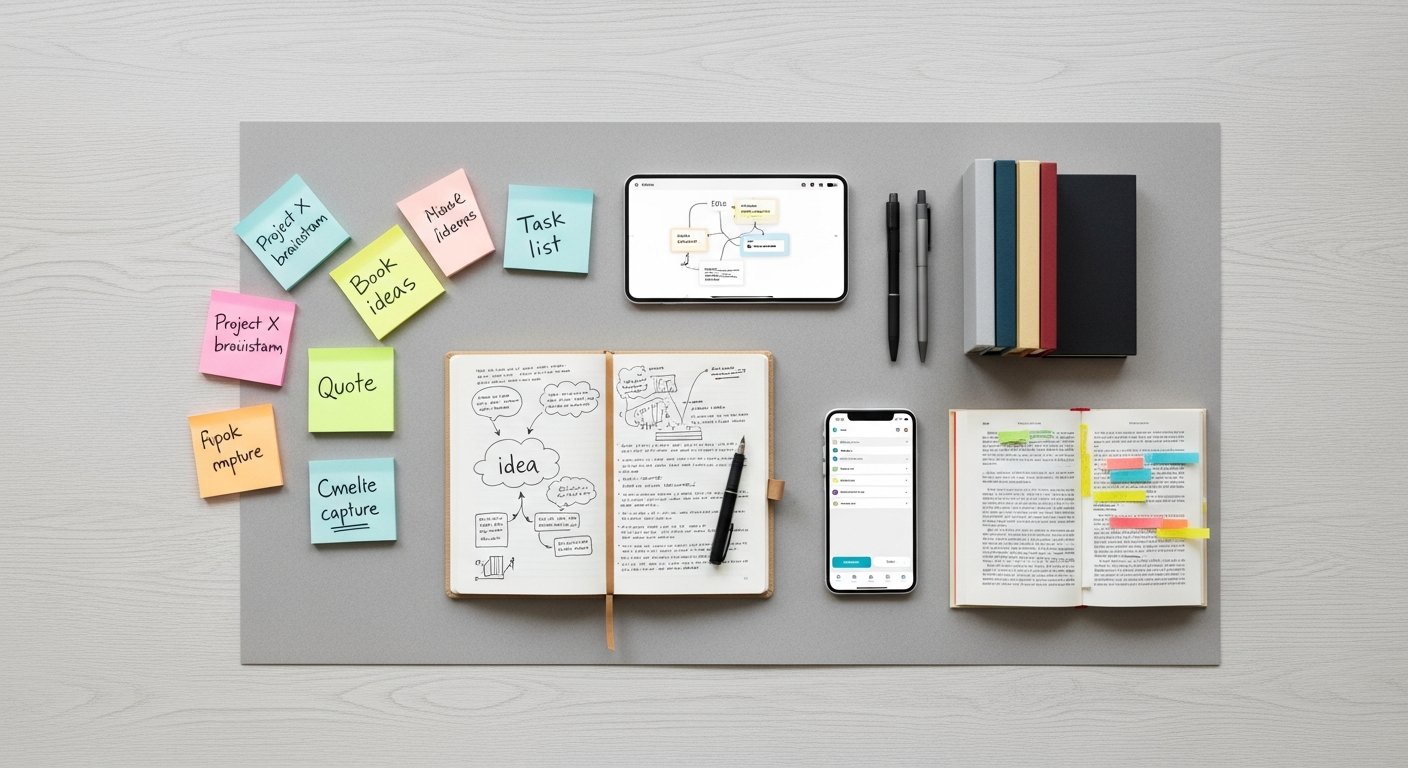

Building a Second Brain in 2026: Mastering Personal Knowledge Management and Digital Capture
Affiliate disclosure: This article may contain affiliate links. Recommendations are independent and editorially driven.
In an era defined by information overload, the ability to effectively capture, organize, and retrieve knowledge has become an indispensable skill. The concept of building a second brain has emerged as a revolutionary approach to personal knowledge management (PKM), promising to transform how we think, learn, and create. Far from being a mere trend, a second brain is a systematic methodology for externalizing your thoughts, ideas, resources, and insights into a trusted digital system, freeing up your biological brain for higher-level cognitive tasks like creativity, problem-solving, and critical thinking.
This comprehensive guide from bookmarksharer delves deep into the philosophy, methodology, and practical application of building a second brain in 2026. We’ll explore why it’s more crucial than ever, break down its core principles, recommend essential tools and workflows, and show you how platforms like bookmarksharer can become a cornerstone of your digital intelligence network. Whether you’re a student, a professional, a creative, or simply someone struggling to keep up with the deluge of digital information, embracing the second brain paradigm can unlock unprecedented levels of productivity, clarity, and creative output.
The digital age has brought an explosion of content. From articles and videos to podcasts and social media feeds, our brains are constantly bombarded. Without a robust system to manage this influx, valuable insights are lost, ideas remain undeveloped, and potential is left untapped. A second brain provides that system, acting as a personal digital archive, a creative incubator, and a strategic thinking partner. It’s about more than just collecting information; it’s about connecting disparate pieces of knowledge, synthesizing new ideas, and ultimately, building a more intelligent, more organized version of yourself.
At its heart, building a second brain is about creating a reliable external scaffolding for your mind. Think of it as an extension of your memory, a digital repository where nothing important gets lost. This system is designed not just for storage, but for active use. It’s a dynamic workspace where you can manipulate information, draw new connections, and transform raw data into actionable knowledge. The benefits extend beyond mere organization; it cultivates better learning habits, fosters deeper thinking, and empowers you to execute projects with greater efficiency and confidence. In a world where mental agility is paramount, a well-constructed second brain can be your ultimate competitive advantage.
The Genesis and Philosophy Behind Building a Second Brain
The concept of building a second brain was popularized by Tiago Forte, founder of Forte Labs, and is deeply rooted in modern productivity and knowledge management principles. Its emergence is a direct response to the challenges posed by the information age, where the sheer volume of data can often overwhelm our natural cognitive capacities. Forte’s methodology provides a structured yet flexible framework for anyone looking to externalize their knowledge and leverage it more effectively.
Understanding the Core Problem: Information Overload
Before the digital revolution, information was scarce and often difficult to access. Today, the opposite is true. We live in an age of abundant information, available at our fingertips 24/7. While this access is incredibly powerful, it comes with a significant downside: cognitive overload. Our brains, while remarkably capable, have limitations. They are not designed to remember every detail, every fact, or every link. Trying to do so leads to stress, decision fatigue, and a feeling of being constantly behind.
The modern professional, student, or creative is constantly consuming articles, emails, books, podcasts, and videos. Without a deliberate system, much of this valuable input is forgotten almost as quickly as it’s consumed. Ideas spark and then vanish. Research is conducted, but its insights are never fully integrated. The second brain addresses this fundamental problem by offering a structured solution for capturing, organizing, and retrieving this torrent of information, ensuring that nothing important slips through the cracks.
The Four Principles of CODE: The Foundation of Your Second Brain
Tiago Forte distills the entire process of building a second brain into four core principles, encapsulated by the acronym CODE. This framework provides a clear, actionable pathway for transforming raw information into usable knowledge.
- Capture: The first and most crucial step is to reliably capture anything that resonates with you. This includes ideas, insights, articles, links, notes from meetings, quotes, images – anything that might be useful later. The goal is to get it out of your head and into a trusted digital system as quickly and effortlessly as possible. This means having readily accessible tools (like bookmark managers, note-taking apps, and browser extensions) that allow for instant capture from any source. The mantra here is: “When in doubt, capture.” You can always discard it later, but you can’t retrieve what you never saved.
- Organize: Once captured, information needs to be organized in a way that makes it easily retrievable and useful. The second brain emphasizes action-oriented organization, not purely archival. This is where the PARA method (Projects, Areas, Resources, Archives) comes into play, providing a universal system for structuring your digital life. The organization should serve your current and future goals, making it effortless to find what you need when you need it, and to make connections between disparate pieces of information.
- Distill: This principle is about refining and condensing your captured information. Raw information is often overwhelming. Distillation involves highlighting key passages, summarizing main points, adding your own reflections, and making connections between different notes. It’s about making the information more digestible, more actionable, and more meaningful to you. This active engagement transforms passive information into active knowledge, deepening your understanding and making it easier to recall and use.
- Express: The ultimate goal of building a second brain is to use your accumulated knowledge to create something new. Expression means putting your knowledge to work: writing an article, preparing a presentation, developing a new product, or solving a complex problem. The second brain isn’t just a storage locker; it’s a creative engine. By systematically capturing, organizing, and distilling information, you build a rich personal library of insights and ideas that can be readily assembled into new outputs, making the creative process more fluid and less daunting.
[INLINE IMAGE 1: place after second H2 | alt=”building a second brain concept illustration”]
Why You Need a Second Brain in 2026: Unlocking Peak Productivity and Creativity
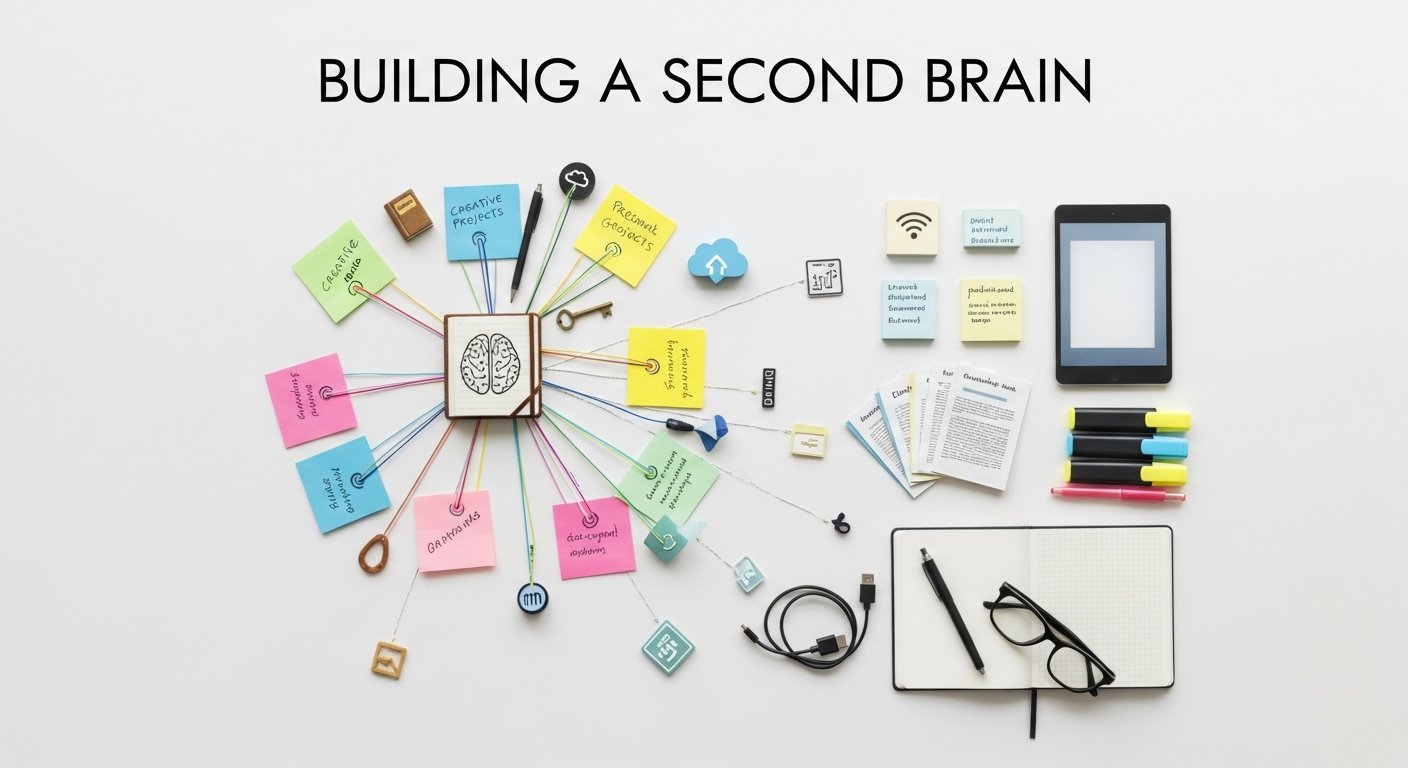
The idea of building a second brain isn’t just a productivity hack; it’s a fundamental shift in how we interact with knowledge. In 2026, with the acceleration of digital transformation and the increasing demands of modern life, the benefits of such a system are more pronounced than ever. It’s about empowering yourself to not just keep up, but to truly thrive.
Overcoming Cognitive Overload and Decision Fatigue
Our brains have a finite capacity for short-term memory and sustained attention. Every piece of information we try to remember, every pending task we hold in our heads, consumes valuable cognitive resources. This leads to what’s known as cognitive overload – a state where our mental faculties are stretched thin, making it harder to focus, learn, and make sound decisions. Decision fatigue, a related phenomenon, occurs when our ability to make good choices deteriorates after a long session of decision-making, even minor ones.
A second brain acts as an external hard drive for your mind. By offloading facts, figures, ideas, and tasks into a trusted digital system, you free up your biological brain to do what it does best: think creatively, solve complex problems, and engage in deep work. You no longer need to constantly juggle mental tabs, reducing stress and allowing you to approach challenges with a clearer, more rested mind. This deliberate offloading preserves your cognitive energy for high-value activities, dramatically reducing mental clutter and enhancing your overall mental well-being.
Fostering Creativity and Innovation Through Connected Ideas
Creativity is often described as connecting existing ideas in novel ways. However, if those ideas are scattered across various notebooks, digital files, and forgotten browser tabs, making those connections becomes incredibly difficult. A second brain brings all your captured insights into one centralized, searchable, and interconnected repository.
By capturing diverse pieces of information – an interesting article, a profound quote, a fleeting idea, a solution to a problem – and organizing them intelligently, you create a fertile ground for serendipitous connections. The system itself becomes a creative partner. When working on a new project, you can easily pull up all related notes, highlights, and resources, seeing patterns and possibilities that would have been invisible otherwise. This systematic approach to knowledge synthesis transforms your creative process from a hit-or-miss endeavor into a more consistent and prolific output machine. It ensures that no brilliant spark is ever truly lost, always ready to be reignited and woven into something new.
Accelerating Learning and Skill Acquisition
True learning isn’t just about consuming information; it’s about internalizing it, connecting it to existing knowledge, and being able to recall and apply it effectively. A second brain significantly enhances this process. When you actively capture, organize, and distill information, you engage with the material on a deeper level than passive consumption alone.
For instance, when you highlight an article and then summarize its key points in your own words within your second brain, you are actively processing and encoding that information. Later, when you revisit that note, your personal reflections and summaries act as powerful retrieval cues, making the information easier to recall and integrate. This active engagement creates stronger neural pathways, leading to more robust and lasting learning. Furthermore, by building a comprehensive library of knowledge on various topics, you create a rich context for understanding new information, allowing you to learn new skills and concepts much faster and more efficiently. Your second brain becomes a personalized learning platform, continuously growing and adapting with your intellectual pursuits.
The PARA Method: Your Universal Organizing System
While the CODE framework tells you what to do with information, the PARA method tells you where to put it. This universal organizing system, also developed by Tiago Forte, provides a simple yet powerful structure for organizing all your digital information – notes, files, emails, bookmarks, and more – across all your tools. PARA stands for Projects, Areas, Resources, and Archives, and it offers a consistent taxonomy that makes retrieval effortless and reduces mental overhead.
Projects: Actionable Work with a Deadline
Projects are defined as a series of tasks linked to a goal, with a deadline or desired outcome. These are the active endeavors you are currently working on. Examples include “Launch New Marketing Campaign,” “Write Blog Post on PKM,” “Plan Family Vacation,” or “Complete Q2 Financial Report.”
- Characteristics: They are temporary, have a clear finish line, and require multiple steps.
- Purpose: To group all relevant information (notes, files, links, research) directly needed to complete a specific project. This means when you are working on a project, all the necessary information is immediately accessible within its dedicated folder or tag.
- Why it matters: By separating active project materials from general knowledge, you reduce clutter and focus your attention on what needs to be done now. Once a project is completed, its contents move to Archives.
Areas: Spheres of Ongoing Responsibility
Areas of Responsibility are ongoing aspects of your life or work that require sustained attention but don’t have a specific end date. These are the hats you wear and the roles you play. Examples include “Health & Fitness,” “Finances,” “Professional Development,” “Home Management,” or “Creative Pursuits.”
- Characteristics: They are long-term, ongoing, and require continuous management and input.
- Purpose: To house all information related to these sustained commitments. This could include recurring tasks, reference materials, long-term goals, or general notes about managing that area of your life.
- Why it matters: Areas provide a stable home for information that supports your long-term commitments, ensuring that even without an immediate deadline, important aspects of your life are well-managed and documented. They serve as a repository for the knowledge that underpins your ongoing responsibilities.
Resources: Topics of Interest or Knowledge
Resources are topics or themes that genuinely interest you, or knowledge that you might want to refer back to later, but are not directly tied to a current project or ongoing area of responsibility. They are your personal library of intellectual curiosity. Examples include “Artificial Intelligence,” “Digital Photography Techniques,” “Stoic Philosophy,” “Healthy Recipes,” or “Web Design Best Practices.”
- Characteristics: They are self-contained topics, often for future reference or learning, and are not tied to immediate action.
- Purpose: To store information that could potentially be useful for future projects or areas, or simply to satisfy your curiosity. This is where you put general knowledge, interesting articles, tutorials, or research on subjects you want to explore more deeply.
- Why it matters: Resources are the fuel for your future projects and learning. By systematically curating these topics, you build a rich intellectual landscape that you can draw upon when a new project or interest arises. They act as your personal Wikipedia, ready to inform and inspire.
Archives: Inactive Items for Reference
Archives are where anything that is no longer active (completed projects, dormant areas, or resources you’ve moved on from) goes to live. It’s a comprehensive back-up of all your past work and knowledge.
- Characteristics: Inactive, complete, or no longer relevant for current action, but potentially useful for historical reference.
- Purpose: To preserve information that you don’t need to see regularly but might need to access again. This keeps your active “Projects” and “Areas” sections clean and focused, without permanently deleting valuable data.
- Why it matters: Archives ensure that nothing is ever truly lost. They provide a historical record of your work and learning, allowing you to easily retrieve past decisions, research, or completed projects if needed, without cluttering your active working environment. It creates a sense of psychological safety, knowing everything is stored reliably.
The beauty of PARA is its simplicity and universality. It can be applied across virtually any digital tool – from your file system to your note-taking app, and crucially, to your bookmark manager. This consistent structure reduces the cognitive load of organizing, making it easier to capture and retrieve information efficiently. By applying PARA, you transform your digital chaos into a coherent, actionable knowledge system.
[INLINE IMAGE 2: place after fourth H2 | alt=”building a second brain comparison illustration”]
Essential Tools for Building Your Second Brain
The effectiveness of building a second brain largely depends on the tools you choose to support your workflow. The digital ecosystem offers a plethora of options, each with its strengths. The key is to select tools that integrate well, are reliable, and suit your personal preferences for capturing, organizing, distilling, and expressing information. Below, we’ll explore critical categories of tools and highlight some popular choices, including how bookmarksharer fits into this landscape.
Dedicated Note-Taking Applications: Your Digital Workspace
Note-taking apps are the bedrock of any second brain, serving as your primary workspace for thoughts, ideas, summaries, and deep reflections. They are where you perform the “Distill” and much of the “Organize” phases of CODE.
- Obsidian: A powerful, local-first knowledge base that allows you to link notes together using bi-directional links, forming a “graph” of your knowledge. It’s highly customizable with plugins and themes, making it ideal for those who want full control over their data and prefer a networked thought approach. Obsidian excels at fostering interconnected ideas and creating a personal wiki.
- Notion: An all-in-one workspace that blends note-taking, project management, databases, and wikis. Its block-based editor and flexible database capabilities make it incredibly versatile for organizing almost any type of information, from project plans to personal journals. Notion is excellent for integrating various aspects of your life and work into a single system.
- Evernote: A long-standing veteran in the note-taking space, known for its robust web clipping, powerful search capabilities, and ability to handle various media types (text, audio, images, PDFs). Evernote is fantastic for quick capture and reliable storage, especially if you rely heavily on saving web content and need strong OCR (optical character recognition) for scanned documents.
- Roam Research: Similar to Obsidian in its focus on bi-directional linking and graph view, Roam emphasizes daily note-taking and outlining, encouraging organic thought development. It’s particularly strong for fluid thinking and discovery of connections between ideas.
- Logseq: An open-source alternative to Roam and Obsidian, Logseq is an outliner that supports bi-directional linking and local-first storage. It’s great for those who prefer an outlining approach and value open-source software.
When selecting a note-taking app, consider factors like data ownership (local vs. cloud), linking capabilities, search functionality, and ease of capture across devices.
Bookmark Managers & Link Curation Workflows: Capturing the Web
In the age of the internet, a significant portion of our “information diet” comes from web pages. A dedicated bookmark manager is essential for capturing, organizing, and revisiting valuable online resources. This is where tools like bookmarksharer shine.
- bookmarksharer: As a dedicated bookmark manager, bookmarksharer specializes in effortless capture and intelligent organization of web links. It offers robust tagging, custom collections, and powerful search features, ensuring that every article, tutorial, or resource you find online is saved, categorized, and easily retrievable. Its intuitive interface and seamless browser integration make it a go-to tool for the “Capture” phase of CODE, specifically for web-based content. It integrates beautifully with the PARA method, allowing you to tag bookmarks according to Projects, Areas, or Resources.
- Raindrop.io: A popular bookmark manager known for its beautiful interface, rich media previews, and ability to save almost anything from the web (articles, images, videos, PDFs). It supports tagging, collections, and offers a public sharing feature.
- Pocket: Primarily a “read-it-later” service, Pocket is excellent for saving articles and web pages for later, offline consumption. It strips away distractions, offering a clean reading experience, and provides tagging for organization. It’s more focused on temporary consumption than long-term knowledge management.
- Instapaper: Similar to Pocket, Instapaper focuses on a clean reading experience and saving articles for later. It offers text-to-speech functionality and robust highlighting features.
Integrating your bookmark manager with your note-taking app is crucial. For example, you might bookmark an article on bookmarksharer, then create a summary note about it in Obsidian, linking back to the original bookmark. This creates a powerful connection between your raw source material and your distilled insights.
Browser Extensions: Seamless Capture from Anywhere
Browser extensions are the unsung heroes of the “Capture” phase. They provide a quick, unobtrusive way to save content directly from your web browser into your second brain tools.
- Web Clippers: Most note-taking apps (Evernote, Notion) and bookmark managers (bookmarksharer, Raindrop.io, Pocket) offer dedicated web clipper extensions. These allow you to save full articles, simplified versions, screenshots, or just links with a single click.
- Highlighting Tools: Extensions like Liner or Glasp allow you to highlight text directly on web pages and save those highlights (often with context) to a connected note-taking app or their own platform.
- Send to Tools: Generic “Send to” extensions allow you to push current page links or selected text to various services, often configurable to send to your preferred note-taking app or task manager.
PKM Tools (Personal Knowledge Management): The Orchestrators
While note-taking apps are central, a broader category of PKM tools aims to offer more integrated solutions, often with a focus on graph databases, semantic linking, or advanced search.
- Zettelkasten Systems: While not a single tool, the Zettelkasten method (often implemented in Obsidian or Logseq) is a powerful PKM approach. It involves creating atomic, interlinked notes (or “zettels”) that build a complex web of knowledge, fostering emergent connections and deep learning.
- DEVONthink (macOS): A highly sophisticated document and information manager that can store almost any type of file, perform advanced OCR, and has powerful AI-driven search and classification capabilities. It’s often considered a “digital brain” in itself, especially for heavy researchers.
Task Managers and Calendars: The Action Layer
A second brain is not just for information; it’s also for action. Integrating your knowledge system with a robust task manager and calendar ensures that insights are translated into concrete steps.
- Todoist: A simple yet powerful task manager known for its natural language input, recurring tasks, and project organization.
- Things 3 (macOS/iOS): An elegant and highly acclaimed task manager focusing on design and workflow efficiency.
- Google Calendar/Outlook Calendar: Essential for scheduling and time blocking, ensuring you allocate time for both knowledge work and other responsibilities.
Comparison of Key Tools for Building a Second Brain
Choosing the right combination of tools can be daunting. Here’s a comparison table highlighting key features of popular options, particularly relevant for your second brain workflow:
| Tool Category | Primary Use Case | Key Features | Best For… | Integrates Well With |
|---|---|---|---|---|
| bookmarksharer | Bookmark Management, Web Link Curation | Tagging, Collections, Powerful Search, Browser Extension, Readability View | Saving, organizing, and retrieving web content for long-term reference and research. | Note-taking apps, task managers (via links), other browser extensions. |
| Obsidian | Note-taking, PKM, Knowledge Graph | Bi-directional Linking, Graph View, Markdown, Local Files, Extensive Plugins | Users who want full control over their data, love interconnected notes, and deep customization. | Bookmark managers (for source links), Zettelkasten method, task management plugins. |
| Notion | All-in-One Workspace, Databases, Project Management | Block Editor, Flexible Databases, Templates, Collaborative Features, Web Clipper | Teams and individuals who need a highly customizable, integrated system for notes, projects, and wikis. | Google Drive, Slack, Calendar apps, Zapier for automation. |
| Evernote | Note-taking, Web Clipping, Document Storage | Robust Web Clipper, Powerful Search (including OCR), Multi-media Notes, Tags & Notebooks | Quick capture from web, strong search for diverse content, reliable archival. | Calendar apps, cloud storage, other productivity tools. |
| Raindrop.io | Visual Bookmark Manager | Rich Media Previews, Collections, Tags, Browser Extension, Search Filters | Visually inclined users who want to save various types of web content in an aesthetic and organized way. | Note-taking apps (via linking), browser extensions. |
The optimal setup is often a combination of a few specialized tools working in harmony. For instance, bookmarksharer for web content, Obsidian for deep note-taking, and Todoist for task management. The key is to create a seamless workflow where information flows freely between these components, supporting your CODE and PARA methodology.
Building Your Second Brain: A Step-by-Step Implementation Guide
Embarking on the journey of building a second brain can seem daunting, but by breaking it down into manageable steps, you can gradually construct a powerful and personalized PKM system. This guide will walk you through the essential stages of setting up and maintaining your digital brain in 2026.
Step 1: Choose Your Core Tools and Set Up Your Digital Hub
The first crucial step is to select the foundational tools for your second brain. You don’t need every tool mentioned above; start with a minimal viable system and expand as needed.
- Note-Taking App: Decide on your primary note-taking application (e.g., Obsidian, Notion, Evernote). This will be your central hub for processing and distilling information.
- Bookmark Manager: Integrate a robust bookmark manager like bookmarksharer for web content capture. This is vital for saving articles, resources, and links.
- Task Manager (Optional but Recommended): Choose a task manager (e.g., Todoist, Things 3) to manage actionable items and project steps derived from your knowledge.
- File Storage: Ensure you have a reliable cloud storage solution (e.g., Google Drive, Dropbox, OneDrive) for larger files and documents.
Once chosen, install browser extensions for quick capture for each tool. For bookmarksharer, ensure its browser extension is installed for one-click saving of web pages.
Step 2: Implement the PARA Method Across Your Systems
Consistency is key. Apply the PARA framework (Projects, Areas, Resources, Archives) to all your chosen tools.
- Note-Taking App: Create top-level folders, tags, or databases corresponding to Projects, Areas, Resources, and Archives. For example, in Obsidian, these might be main folders. In Notion, they could be top-level pages or databases.
- Bookmark Manager (bookmarksharer): Create collections or use tags within bookmarksharer for Projects, Areas, and Resources. When you save a new link, tag it appropriately. For instance, an article about a client proposal goes into a “Client X Proposal [Project]” collection, while an article on “Digital Marketing Trends” goes into a “Marketing [Area]” or “Digital Marketing [Resource]” collection.
- File Storage: Structure your cloud storage with PARA folders to keep documents, images, and other files organized consistently.
Start small. Don’t try to reorganize everything at once. Begin by applying PARA to new incoming information, and gradually migrate existing important content.
Step 3: Master the “Capture” Workflow
Efficient capture is the lifeblood of your second brain. Develop a habit of capturing anything that resonates or might be useful.
- Browser Extension Power: Use your bookmarksharer extension to save articles, videos, and useful links with a single click. Add relevant tags immediately (e.g., #productivity #toolreview #secondbrain).
- Quick Notes: Use your note-taking app’s quick capture feature for fleeting thoughts, meeting notes, or ideas. Don’t worry about perfect organization at this stage; just get it down.
- Highlighting: When reading online, use highlighting tools (like your note app’s web clipper or a dedicated highlighter) to save key passages directly to your note-taking app.
- Inbox Zero for Information: Treat your capture tools as an “inbox.” Aim to process these captured items later, but initially, the goal is just to get them out of your head.
The easier and faster you can capture, the more consistently you will do it. Reduce friction points wherever possible.
Step 4: Practice “Organize” and “Distill” Regularly
This is where raw information transforms into actionable knowledge. Schedule dedicated time for this, perhaps once a week.
- Process Your Inbox/Capture Folder: Go through all recently captured items. For each item:
- Is it relevant? If not, delete it.
- Where does it belong in PARA? Move it to the appropriate Project, Area, or Resource folder/tag.
- What are the key takeaways? Highlight, summarize in your own words, and add your own thoughts and questions.
- Can it be linked to other notes? Create bi-directional links in Obsidian, or internal links in Notion.
- Does it create an actionable task? If so, send it to your task manager.
- Progressive Summarization: For longer articles or important documents, use Forte’s progressive summarization technique. This involves multiple passes: bolding key sentences, highlighting key phrases within those sentences, summarizing in your own words, and finally, adding an “executive summary” at the top.
- Connecting Ideas: Actively look for connections between different notes. What insights emerge when you combine information from disparate sources?
The goal is not perfect organization, but useful organization. The system should help you find what you need and spark new ideas.
Step 5: Leverage “Express” and Review Periodically
The true power of your second brain comes from using it to create and reflect.
- Create from Your Knowledge: When starting a new project (e.g., writing an article, preparing a presentation), turn to your second brain first. Pull out relevant notes from your “Projects” folder, “Areas” of responsibility, and “Resources.” Assemble these into a draft.
- Weekly Review: Schedule a weekly review to go over your second brain.
- Review recent captures and process them.
- Check on active projects.
- Browse through areas and resources to refresh your memory and spot new connections.
- Clean up any clutter.
- Monthly/Quarterly Check-in: Periodically review your PARA structure itself. Are your categories still relevant? Do you need new ones? Move completed projects to Archives.
The second brain is a living system. It needs regular care and feeding to remain effective. Consistency, not perfection, is the goal. Start small, build habits, and watch your digital intelligence grow.
Integrating bookmarksharer into Your Second Brain Workflow
For anyone serious about building a second brain, efficient web content management is non-negotiable. bookmarksharer, as a premier bookmark manager, is designed to be a vital component of your personal knowledge management ecosystem, particularly excelling in the “Capture” and “Organize” phases for all things web-related. Its robust features make it an ideal companion to your note-taking app and other PKM tools.
Effortless Web Capture with bookmarksharer
The internet is an inexhaustible source of information, but without a dedicated system, valuable articles, research papers, tutorials, and inspiration can quickly get lost. bookmarksharer solves this by providing seamless and powerful capture capabilities.
- One-Click Browser Extension: The bookmarksharer browser extension is your gateway to instant capture. With a single click, you can save any web page, article, or video. This eliminates friction, ensuring that important resources are saved the moment you encounter them, preventing them from being forgotten or misplaced.
- Intelligent Tagging & Collections: As you save, bookmarksharer allows you to immediately tag your bookmarks and assign them to specific collections. This is where the PARA method comes into play. You can create collections like “Project: Q3 Report,” “Area: Professional Development,” or “Resource: AI & Machine Learning.” Tags can be even more granular, such as #deepwork, #marketingstrategy, #recipe, allowing for multiple layers of organization and discoverability.
- Readability View: For long articles, bookmarksharer often provides a “reader mode” or readability view that strips away ads and distractions, making for a cleaner reading experience directly within the platform. This helps you focus on the content before you decide to distill it further in your note-taking app.
- Capture Notes/Highlights: Some advanced bookmark managers, including bookmarksharer, offer the ability to add quick notes or even highlight key sections directly on the saved page. This allows for immediate distillation at the point of capture, enriching the bookmark with your initial thoughts or key takeaways.
By making web capture incredibly easy and integrated, bookmarksharer ensures that your “Capture” phase for external web content is always robust and reliable.
Organizing and Retrieving Web Knowledge with bookmarksharer
Once captured, the ability to effectively organize and retrieve your web knowledge is paramount. bookmarksharer provides sophisticated tools to turn your collection of links into a highly searchable and navigable archive.
- PARA-Driven Organization: As mentioned, using collections and tags aligned with your PARA structure in bookmarksharer ensures that your web content is organized consistently with the rest of your digital brain. This uniformity drastically reduces cognitive load when searching for information across different tools.
- Powerful Search Capabilities: bookmarksharer’s search engine is designed to quickly locate specific bookmarks, even if you don’t remember the exact title. You can search by keywords, tags, collection names, and even within the content of the saved web pages. This means that an obscure article you saved months ago can be surfaced instantly when needed for a new project.
- Filtering and Sorting: Beyond search, bookmarksharer offers advanced filtering and sorting options, allowing you to narrow down your results by date, tags, or collections. This is invaluable when you’re exploring a broad topic within your “Resources” area or reviewing research for a “Project.”
- Cross-Referencing and Linking: While bookmarksharer excels at managing links, it also serves as an excellent source reference for your note-taking app. You can easily copy the URL of a saved bookmark from bookmarksharer and paste it into a note in Obsidian or Notion. This creates a direct link back to the original source, enriching your distilled notes and providing full context.
Seamless Integration with Your Broader PKM System
The true power of bookmarksharer in your second brain isn’t just its standalone capabilities, but how it integrates with your other PKM tools.
Discover how browser extensions can supercharge your capture and boost overall productivity.
- Source Material for Distillation: Every article saved in bookmarksharer is a potential source for a new note in your note-taking app. You can read the article in bookmarksharer (or its readability view), then switch to Obsidian/Notion to summarize, reflect, and create interconnected notes, linking back to the original bookmark.
- Project Research Hub: For any project in your task manager or note-taking app, create a corresponding collection in bookmarksharer. As you research, save all relevant web resources directly into that collection. When you’re ready to start writing or planning, all your web-based research is in one easily accessible place.
- Resource Library: Your “Resources” section in bookmarksharer becomes a curated digital library of your interests. Whether it’s “Python Tutorials,” “Coffee Brewing Techniques,” or “Quantum Physics,” bookmarksharer keeps all the relevant web links organized and ready for when you delve deeper into that topic.
- Sharing and Collaboration: If you work in a team, bookmarksharer’s sharing features (if applicable) allow you to easily share curated collections of links with colleagues, fostering collaborative knowledge building.
By leveraging bookmarksharer, you transform the chaotic web into a structured, personal knowledge repository that feeds directly into the larger canvas of your second brain. It ensures that no valuable web insight is ever lost, and every piece of online information can contribute to your learning, thinking, and creative output.
Learn more about the best note-taking apps and how to integrate them into your PKM system.
Advanced Strategies and Customization for Your Second Brain
Once you’ve established the foundational elements of building a second brain using CODE and PARA, you can begin to explore advanced strategies and customize your system to perfectly match your unique needs and preferences. A second brain is not a static construct; it’s a dynamic, evolving system that should grow and adapt with you.
Automating Capture and Integration Workflows
The less manual effort required for capture and basic organization, the more consistent and effective your second brain will be. Automation can bridge gaps between tools and streamline repetitive tasks.
- IFTTT (If This Then That) & Zapier: These automation platforms allow you to create powerful connections between different apps. For example:
- “If I save an article to Pocket, then create a new note in Notion with the link.”
- “If I star an email in Gmail, then add it as a link to a specific collection in bookmarksharer.”
- “If a new item is added to an RSS feed, then save the link to a ‘News Feed’ collection in bookmarksharer.”
- Read-It-Later Integrations: Configure your read-it-later service (like Pocket or Instapaper) to automatically send highlights or summaries to your note-taking app after you’ve finished reading an article.
- Custom Shortcuts and Hotkeys: On your computer or mobile device, set up custom shortcuts to quickly launch your capture tools or to paste clipped content into your primary note app.
- Voice Capture: Utilize voice-to-text features on your phone or smart assistant to quickly capture ideas when they strike, then process them into your second brain later.
By strategically implementing automation, you can significantly reduce the friction of getting information into your system, allowing you to focus more on distillation and expression.
Enhancing Distillation with Active Recall and Spaced Repetition
Distillation is about making knowledge your own. You can deepen this process by incorporating principles from learning science.
- Active Recall Questions: As you distill a note, formulate questions about its content. Instead of just summarizing, ask “What is the main argument of this article?” or “How does this concept relate to X?” Later, when reviewing the note, try to answer these questions before looking at the summary.
- Spaced Repetition Systems (SRS): Tools like Anki or SuperMemo (or plugins for Obsidian like the Spaced Repetition plugin) can be used to create flashcards from your most important distilled notes. SRS algorithms show you information just before you’re about to forget it, dramatically improving long-term retention. Use this for key definitions, concepts, or facts you absolutely need to commit to memory.
Building a Second Brain in 2026: Mastering Personal Knowledge Management and Digital Capture
Affiliate disclosure: This article may contain affiliate links. Recommendations are independent and editorially driven.
In an era defined by information overload, the ability to effectively capture, organize, and retrieve knowledge has become an indispensable skill. The concept of building a second brain has emerged as a revolutionary approach to personal knowledge management (PKM), promising to transform how we think, learn, and create. Far from being a mere trend, a second brain is a systematic methodology for externalizing your thoughts, ideas, resources, and insights into a trusted digital system, freeing up your biological brain for higher-level cognitive tasks like creativity, problem-solving, and critical thinking.
This comprehensive guide from bookmarksharer delves deep into the philosophy, methodology, and practical application of building a second brain in 2026. We’ll explore why it’s more crucial than ever, break down its core principles, recommend essential tools and workflows, and show you how platforms like bookmarksharer can become a cornerstone of your digital intelligence network. Whether you’re a student, a professional, a creative, or simply someone struggling to keep up with the deluge of digital information, embracing the second brain paradigm can unlock unprecedented levels of productivity, clarity, and creative output.
The digital age has brought an explosion of content. From articles and videos to podcasts and social media feeds, our brains are constantly bombarded. Without a robust system to manage this influx, valuable insights are lost, ideas remain undeveloped, and potential is left untapped. A second brain provides that system, acting as a personal digital archive, a creative incubator, and a strategic thinking partner. It’s about more than just collecting information; it’s about connecting disparate pieces of knowledge, synthesizing new ideas, and ultimately, building a more intelligent, more organized version of yourself.
At its heart, building a second brain is about creating a reliable external scaffolding for your mind. Think of it as an extension of your memory, a digital repository where nothing important gets lost. This system is designed not just for storage, but for active use. It’s a dynamic workspace where you can manipulate information, draw new connections, and transform raw data into actionable knowledge. The benefits extend beyond mere organization; it cultivates better learning habits, fosters deeper thinking, and empowers you to execute projects with greater efficiency and confidence. In a world where mental agility is paramount, a well-constructed second brain can be your ultimate competitive advantage.
The Genesis and Philosophy Behind Building a Second Brain
The concept of building a second brain was popularized by Tiago Forte, founder of Forte Labs, and is deeply rooted in modern productivity and knowledge management principles. Its emergence is a direct response to the challenges posed by the information age, where the sheer volume of data can often overwhelm our natural cognitive capacities. Forte’s methodology provides a structured yet flexible framework for anyone looking to externalize their knowledge and leverage it more effectively.
Understanding the Core Problem: Information Overload
Before the digital revolution, information was scarce and often difficult to access. Today, the opposite is true. We live in an age of abundant information, available at our fingertips 24/7. While this access is incredibly powerful, it comes with a significant downside: cognitive overload. Our brains, while remarkably capable, have limitations. They are not designed to remember every detail, every fact, or every link. Trying to do so leads to stress, decision fatigue, and a feeling of being constantly behind.
The modern professional, student, or creative is constantly consuming articles, emails, books, podcasts, and videos. Without a deliberate system, much of this valuable input is forgotten almost as quickly as it’s consumed. Ideas spark and then vanish. Research is conducted, but its insights are never fully integrated. The second brain addresses this fundamental problem by offering a structured solution for capturing, organizing, and retrieving this torrent of information, ensuring that nothing important slips through the cracks.
The Four Principles of CODE: The Foundation of Your Second Brain
Tiago Forte distills the entire process of building a second brain into four core principles, encapsulated by the acronym CODE. This framework provides a clear, actionable pathway for transforming raw information into usable knowledge.
- Capture: The first and most crucial step is to reliably capture anything that resonates with you. This includes ideas, insights, articles, links, notes from meetings, quotes, images – anything that might be useful later. The goal is to get it out of your head and into a trusted digital system as quickly and effortlessly as possible. This means having readily accessible tools (like bookmark managers, note-taking apps, and browser extensions) that allow for instant capture from any source. The mantra here is: “When in doubt, capture.” You can always discard it later, but you can’t retrieve what you never saved.
- Organize: Once captured, information needs to be organized in a way that makes it easily retrievable and useful. The second brain emphasizes action-oriented organization, not purely archival. This is where the PARA method (Projects, Areas, Resources, Archives) comes into play, providing a universal system for structuring your digital life. The organization should serve your current and future goals, making it effortless to find what you need when you need it, and to make connections between disparate pieces of information.
- Distill: This principle is about refining and condensing your captured information. Raw information is often overwhelming. Distillation involves highlighting key passages, summarizing main points, adding your own reflections, and making connections between different notes. It’s about making the information more digestible, more actionable, and more meaningful to you. This active engagement transforms passive information into active knowledge, deepening your understanding and making it easier to recall and use.
- Express: The ultimate goal of building a second brain is to use your accumulated knowledge to create something new. Expression means putting your knowledge to work: writing an article, preparing a presentation, developing a new product, or solving a complex problem. The second brain isn’t just a storage locker; it’s a creative engine. By systematically capturing, organizing, and distilling information, you build a rich personal library of insights and ideas that can be readily assembled into new outputs, making the creative process more fluid and less daunting.
[INLINE IMAGE 1: place after second H2 | alt=”building a second brain concept illustration”]
Why You Need a Second Brain in 2026: Unlocking Peak Productivity and Creativity
The idea of building a second brain isn’t just a productivity hack; it’s a fundamental shift in how we interact with knowledge. In 2026, with the acceleration of digital transformation and the increasing demands of modern life, the benefits of such a system are more pronounced than ever. It’s about empowering yourself to not just keep up, but to truly thrive.
Overcoming Cognitive Overload and Decision Fatigue
Our brains have a finite capacity for short-term memory and sustained attention. Every piece of information we try to remember, every pending task we hold in our heads, consumes valuable cognitive resources. This leads to what’s known as cognitive overload – a state where our mental faculties are stretched thin, making it harder to focus, learn, and make sound decisions. Decision fatigue, a related phenomenon, occurs when our ability to make good choices deteriorates after a long session of decision-making, even minor ones.
A second brain acts as an external hard drive for your mind. By offloading facts, figures, ideas, and tasks into a trusted digital system, you free up your biological brain to do what it does best: think creatively, solve complex problems, and engage in deep work. You no longer need to constantly juggle mental tabs, reducing stress and allowing you to approach challenges with a clearer, more rested mind. This deliberate offloading preserves your cognitive energy for high-value activities, dramatically reducing mental clutter and enhancing your overall mental well-being.
Fostering Creativity and Innovation Through Connected Ideas
Creativity is often described as connecting existing ideas in novel ways. However, if those ideas are scattered across various notebooks, digital files, and forgotten browser tabs, making those connections becomes incredibly difficult. A second brain brings all your captured insights into one centralized, searchable, and interconnected repository.
By capturing diverse pieces of information – an interesting article, a profound quote, a fleeting idea, a solution to a problem – and organizing them intelligently, you create a fertile ground for serendipitous connections. The system itself becomes a creative partner. When working on a new project, you can easily pull up all related notes, highlights, and resources, seeing patterns and possibilities that would have been invisible otherwise. This systematic approach to knowledge synthesis transforms your creative process from a hit-or-miss endeavor into a more consistent and prolific output machine. It ensures that no brilliant spark is ever truly lost, always ready to be reignited and woven into something new.
Accelerating Learning and Skill Acquisition
True learning isn’t just about consuming information; it’s about internalizing it, connecting it to existing knowledge, and being able to recall and apply it effectively. A second brain significantly enhances this process. When you actively capture, organize, and distill information, you engage with the material on a deeper level than passive consumption alone.
For instance, when you highlight an article and then summarize its key points in your own words within your second brain, you are actively processing and encoding that information. Later, when you revisit that note, your personal reflections and summaries act as powerful retrieval cues, making the information easier to recall and integrate. This active engagement creates stronger neural pathways, leading to more robust and lasting learning. Furthermore, by building a comprehensive library of knowledge on various topics, you create a rich context for understanding new information, allowing you to learn new skills and concepts much faster and more efficiently. Your second brain becomes a personalized learning platform, continuously growing and adapting with your intellectual pursuits.
The PARA Method: Your Universal Organizing System
While the CODE framework tells you what to do with information, the PARA method tells you where to put it. This universal organizing system, also developed by Tiago Forte, provides a simple yet powerful structure for organizing all your digital information – notes, files, emails, bookmarks, and more – across all your tools. PARA stands for Projects, Areas, Resources, and Archives, and it offers a consistent taxonomy that makes retrieval effortless and reduces mental overhead.
Projects: Actionable Work with a Deadline
Projects are defined as a series of tasks linked to a goal, with a deadline or desired outcome. These are the active endeavors you are currently working on. Examples include “Launch New Marketing Campaign,” “Write Blog Post on PKM,” “Plan Family Vacation,” or “Complete Q2 Financial Report.”
- Characteristics: They are temporary, have a clear finish line, and require multiple steps.
- Purpose: To group all relevant information (notes, files, links, research) directly needed to complete a specific project. This means when you are working on a project, all the necessary information is immediately accessible within its dedicated folder or tag.
- Why it matters: By separating active project materials from general knowledge, you reduce clutter and focus your attention on what needs to be done now. Once a project is completed, its contents move to Archives.
Areas: Spheres of Ongoing Responsibility
Areas of Responsibility are ongoing aspects of your life or work that require sustained attention but don’t have a specific end date. These are the hats you wear and the roles you play. Examples include “Health & Fitness,” “Finances,” “Professional Development,” “Home Management,” or “Creative Pursuits.”
- Characteristics: They are long-term, ongoing, and require continuous management and input.
- Purpose: To house all information related to these sustained commitments. This could include recurring tasks, reference materials, long-term goals, or general notes about managing that area of your life.
- Why it matters: Areas provide a stable home for information that supports your long-term commitments, ensuring that even without an immediate deadline, important aspects of your life are well-managed and documented. They serve as a repository for the knowledge that underpins your ongoing responsibilities.
Resources: Topics of Interest or Knowledge
Resources are topics or themes that genuinely interest you, or knowledge that you might want to refer back to later, but are not directly tied to a current project or ongoing area of responsibility. They are your personal library of intellectual curiosity. Examples include “Artificial Intelligence,” “Digital Photography Techniques,” “Stoic Philosophy,” “Healthy Recipes,” or “Web Design Best Practices.”
- Characteristics: They are self-contained topics, often for future reference or learning, and are not tied to immediate action.
- Purpose: To store information that could potentially be useful for future projects or areas, or simply to satisfy your curiosity. This is where you put general knowledge, interesting articles, tutorials, or research on subjects you want to explore more deeply.
- Why it matters: Resources are the fuel for your future projects and learning. By systematically curating these topics, you build a rich intellectual landscape that you can draw upon when a new project or interest arises. They act as your personal Wikipedia, ready to inform and inspire.
Archives: Inactive Items for Reference
Archives are where anything that is no longer active (completed projects, dormant areas, or resources you’ve moved on from) goes to live. It’s a comprehensive back-up of all your past work and knowledge.
- Characteristics: Inactive, complete, or no longer relevant for current action, but potentially useful for historical reference.
- Purpose: To preserve information that you don’t need to see regularly but might need to access again. This keeps your active “Projects” and “Areas” sections clean and focused, without permanently deleting valuable data.
- Why it matters: Archives ensure that nothing is ever truly lost. They provide a historical record of your work and learning, allowing you to easily retrieve past decisions, research, or completed projects if needed, without cluttering your active working environment. It creates a sense of psychological safety, knowing everything is stored reliably.
The beauty of PARA is its simplicity and universality. It can be applied across virtually any digital tool – from your file system to your note-taking app, and crucially, to your bookmark manager. This consistent structure reduces the cognitive load of organizing, making it easier to capture and retrieve information efficiently. By applying PARA, you transform your digital chaos into a coherent, actionable knowledge system.
[INLINE IMAGE 2: place after fourth H2 | alt=”building a second brain comparison illustration”]
Essential Tools for Building Your Second Brain
The effectiveness of building a second brain largely depends on the tools you choose to support your workflow. The digital ecosystem offers a plethora of options, each with its strengths. The key is to select tools that integrate well, are reliable, and suit your personal preferences for capturing, organizing, distilling, and expressing information. Below, we’ll explore critical categories of tools and highlight some popular choices, including how bookmarksharer fits into this landscape.
Dedicated Note-Taking Applications: Your Digital Workspace
Note-taking apps are the bedrock of any second brain, serving as your primary workspace for thoughts, ideas, summaries, and deep reflections. They are where you perform the “Distill” and much of the “Organize” phases of CODE.
- Obsidian: A powerful, local-first knowledge base that allows you to link notes together using bi-directional links, forming a “graph” of your knowledge. It’s highly customizable with plugins and themes, making it ideal for those who want full control over their data and prefer a networked thought approach. Obsidian excels at fostering interconnected ideas and creating a personal wiki.
- Notion: An all-in-one workspace that blends note-taking, project management, databases, and wikis. Its block-based editor and flexible database capabilities make it incredibly versatile for organizing almost any type of information, from project plans to personal journals. Notion is excellent for integrating various aspects of your life and work into a single system.
- Evernote: A long-standing veteran in the note-taking space, known for its robust web clipping, powerful search capabilities, and ability to handle various media types (text, audio, images, PDFs). Evernote is fantastic for quick capture and reliable storage, especially if you rely heavily on saving web content and need strong OCR (optical character recognition) for scanned documents.
- Roam Research: Similar to Obsidian in its focus on bi-directional linking and graph view, Roam emphasizes daily note-taking and outlining, encouraging organic thought development. It’s particularly strong for fluid thinking and discovery of connections between ideas.
- Logseq: An open-source alternative to Roam and Obsidian, Logseq is an outliner that supports bi-directional linking and local-first storage. It’s great for those who prefer an outlining approach and value open-source software.
When selecting a note-taking app, consider factors like data ownership (local vs. cloud), linking capabilities, search functionality, and ease of capture across devices.
Bookmark Managers & Link Curation Workflows: Capturing the Web
In the age of the internet, a significant portion of our “information diet” comes from web pages. A dedicated bookmark manager is essential for capturing, organizing, and revisiting valuable online resources. This is where tools like bookmarksharer shine.
- bookmarksharer: As a dedicated bookmark manager, bookmarksharer specializes in effortless capture and intelligent organization of web links. It offers robust tagging, custom collections, and powerful search features, ensuring that every article, tutorial, or resource you find online is saved, categorized, and easily retrievable. Its intuitive interface and seamless browser integration make it a go-to tool for the “Capture” phase of CODE, specifically for web-based content. It integrates beautifully with the PARA method, allowing you to tag bookmarks according to Projects, Areas, or Resources.
- Raindrop.io: A popular bookmark manager known for its beautiful interface, rich media previews, and ability to save almost anything from the web (articles, images, videos, PDFs). It supports tagging, collections, and offers a public sharing feature.
- Pocket: Primarily a “read-it-later” service, Pocket is excellent for saving articles and web pages for later, offline consumption. It strips away distractions, offering a clean reading experience, and provides tagging for organization. It’s more focused on temporary consumption than long-term knowledge management.
- Instapaper: Similar to Pocket, Instapaper focuses on a clean reading experience and saving articles for later. It offers text-to-speech functionality and robust highlighting features.
Integrating your bookmark manager with your note-taking app is crucial. For example, you might bookmark an article on bookmarksharer, then create a summary note about it in Obsidian, linking back to the original bookmark. This creates a powerful connection between your raw source material and your distilled insights.
Browser Extensions: Seamless Capture from Anywhere
Browser extensions are the unsung heroes of the “Capture” phase. They provide a quick, unobtrusive way to save content directly from your web browser into your second brain tools.
- Web Clippers: Most note-taking apps (Evernote, Notion) and bookmark managers (bookmarksharer, Raindrop.io, Pocket) offer dedicated web clipper extensions. These allow you to save full articles, simplified versions, screenshots, or just links with a single click.
- Highlighting Tools: Extensions like Liner or Glasp allow you to highlight text directly on web pages and save those highlights (often with context) to a connected note-taking app or their own platform.
- Send to Tools: Generic “Send to” extensions allow you to push current page links or selected text to various services, often configurable to send to your preferred note-taking app or task manager.
PKM Tools (Personal Knowledge Management): The Orchestrators
While note-taking apps are central, a broader category of PKM tools aims to offer more integrated solutions, often with a focus on graph databases, semantic linking, or advanced search.
- Zettelkasten Systems: While not a single tool, the Zettelkasten method (often implemented in Obsidian or Logseq) is a powerful PKM approach. It involves creating atomic, interlinked notes (or “zettels”) that build a complex web of knowledge, fostering emergent connections and deep learning.
- DEVONthink (macOS): A highly sophisticated document and information manager that can store almost any type of file, perform advanced OCR, and has powerful AI-driven search and classification capabilities. It’s often considered a “digital brain” in itself, especially for heavy researchers.
Task Managers and Calendars: The Action Layer
A second brain is not just for information; it’s also for action. Integrating your knowledge system with a robust task manager and calendar ensures that insights are translated into concrete steps.
- Todoist: A simple yet powerful task manager known for its natural language input, recurring tasks, and project organization.
- Things 3 (macOS/iOS): An elegant and highly acclaimed task manager focusing on design and workflow efficiency.
- Google Calendar/Outlook Calendar: Essential for scheduling and time blocking, ensuring you allocate time for both knowledge work and other responsibilities.
Comparison of Key Tools for Building a Second Brain
Choosing the right combination of tools can be daunting. Here’s a comparison table highlighting key features of popular options, particularly relevant for your second brain workflow:
Tool Category Primary Use Case Key Features Best For… Integrates Well With bookmarksharer Bookmark Management, Web Link Curation Tagging, Collections, Powerful Search, Browser Extension, Readability View Saving, organizing, and retrieving web content for long-term reference and research. Note-taking apps, task managers (via links), other browser extensions. Obsidian Note-taking, PKM, Knowledge Graph Bi-directional Linking, Graph View, Markdown, Local Files, Extensive Plugins Users who want full control over their data, love interconnected notes, and deep customization. Bookmark managers (for source links), Zettelkasten method, task management plugins. Notion All-in-One Workspace, Databases, Project Management Block Editor, Flexible Databases, Templates, Collaborative Features, Web Clipper Teams and individuals who need a highly customizable, integrated system for notes, projects, and wikis. Google Drive, Slack, Calendar apps, Zapier for automation. Evernote Note-taking, Web Clipping, Document Storage Robust Web Clipper, Powerful Search (including OCR), Multi-media Notes, Tags & Notebooks Quick capture from web, strong search for diverse content, reliable archival. Calendar apps, cloud storage, other productivity tools. Raindrop.io Visual Bookmark Manager Rich Media Previews, Collections, Tags, Browser Extension, Search Filters Visually inclined users who want to save various types of web content in an aesthetic and organized way. Note-taking apps (via linking), browser extensions. The optimal setup is often a combination of a few specialized tools working in harmony. For instance, bookmarksharer for web content, Obsidian for deep note-taking, and Todoist for task management. The key is to create a seamless workflow where information flows freely between these components, supporting your CODE and PARA methodology.
Building Your Second Brain: A Step-by-Step Implementation Guide
Embarking on the journey of building a second brain can seem daunting, but by breaking it down into manageable steps, you can gradually construct a powerful and personalized PKM system. This guide will walk you through the essential stages of setting up and maintaining your digital brain in 2026.
Step 1: Choose Your Core Tools and Set Up Your Digital Hub
The first crucial step is to select the foundational tools for your second brain. You don’t need every tool mentioned above; start with a minimal viable system and expand as needed.
- Note-Taking App: Decide on your primary note-taking application (e.g., Obsidian, Notion, Evernote). This will be your central hub for processing and distilling information.
- Bookmark Manager: Integrate a robust bookmark manager like bookmarksharer for web content capture. This is vital for saving articles, resources, and links.
- Task Manager (Optional but Recommended): Choose a task manager (e.g., Todoist, Things 3) to manage actionable items and project steps derived from your knowledge.
- File Storage: Ensure you have a reliable cloud storage solution (e.g., Google Drive, Dropbox, OneDrive) for larger files and documents.
Once chosen, install browser extensions for quick capture for each tool. For bookmarksharer, ensure its browser extension is installed for one-click saving of web pages.
Step 2: Implement the PARA Method Across Your Systems
Consistency is key. Apply the PARA framework (Projects, Areas, Resources, Archives) to all your chosen tools.
- Note-Taking App: Create top-level folders, tags, or databases corresponding to Projects, Areas, Resources, and Archives. For example, in Obsidian, these might be main folders. In Notion, they could be top-level pages or databases.
- Bookmark Manager (bookmarksharer): Create collections or use tags within bookmarksharer for Projects, Areas, and Resources. When you save a new link, tag it appropriately. For instance, an article about a client proposal goes into a “Client X Proposal [Project]” collection, while an article on “Digital Marketing Trends” goes into a “Marketing [Area]” or “Digital Marketing [Resource]” collection.
- File Storage: Structure your cloud storage with PARA folders to keep documents, images, and other files organized consistently.
Start small. Don’t try to reorganize everything at once. Begin by applying PARA to new incoming information, and gradually migrate existing important content.
Step 3: Master the “Capture” Workflow
Efficient capture is the lifeblood of your second brain. Develop a habit of capturing anything that resonates or might be useful.
- Browser Extension Power: Use your bookmarksharer extension to save articles, videos, and useful links with a single click. Add relevant tags immediately (e.g., #productivity #toolreview #secondbrain).
- Quick Notes: Use your note-taking app’s quick capture feature for fleeting thoughts, meeting notes, or ideas. Don’t worry about perfect organization at this stage; just get it down.
- Highlighting: When reading online, use highlighting tools (like your note app’s web clipper or a dedicated highlighter) to save key passages directly to your note-taking app.
- Inbox Zero for Information: Treat your capture tools as an “inbox.” Aim to process these captured items later, but initially, the goal is just to get them out of your head.
The easier and faster you can capture, the more consistently you will do it. Reduce friction points wherever possible.
Step 4: Practice “Organize” and “Distill” Regularly
This is where raw information transforms into actionable knowledge. Schedule dedicated time for this, perhaps once a week.
- Process Your Inbox/Capture Folder: Go through all recently captured items. For each item:
- Is it relevant? If not, delete it.
- Where does it belong in PARA? Move it to the appropriate Project, Area, or Resource folder/tag.
- What are the key takeaways? Highlight, summarize in your own words, and add your own thoughts and questions.
- Can it be linked to other notes? Create bi-directional links in Obsidian, or internal links in Notion.
- Does it create an actionable task? If so, send it to your task manager.
- Progressive Summarization: For longer articles or important documents, use Forte’s progressive summarization technique. This involves multiple passes: bolding key sentences, highlighting key phrases within those sentences, summarizing in your own words, and finally, adding an “executive summary” at the top.
- Connecting Ideas: Actively look for connections between different notes. What insights emerge when you combine information from disparate sources?
The goal is not perfect organization, but useful organization. The system should help you find what you need and spark new ideas.
Step 5: Leverage “Express” and Review Periodically
The true power of your second brain comes from using it to create and reflect.
- Create from Your Knowledge: When starting a new project (e.g., writing an article, preparing a presentation), turn to your second brain first. Pull out relevant notes from your “Projects” folder, “Areas” of responsibility, and “Resources.” Assemble these into a draft.
- Weekly Review: Schedule a weekly review to go over your second brain.
- Review recent captures and process them.
- Check on active projects.
- Browse through areas and resources to refresh your memory and spot new connections.
- Clean up any clutter.
- Monthly/Quarterly Check-in: Periodically review your PARA structure itself. Are your categories still relevant? Do you need new ones? Move completed projects to Archives.
The second brain is a living system. It needs regular care and feeding to remain effective. Consistency, not perfection, is the goal. Start small, build habits, and watch your digital intelligence grow.
Integrating bookmarksharer into Your Second Brain Workflow
For anyone serious about building a second brain, efficient web content management is non-negotiable. bookmarksharer, as a premier bookmark manager, is designed to be a vital component of your personal knowledge management ecosystem, particularly excelling in the “Capture” and “Organize” phases for all things web-related. Its robust features make it an ideal companion to your note-taking app and other PKM tools.
Effortless Web Capture with bookmarksharer
The internet is an inexhaustible source of information, but without a dedicated system, valuable articles, research papers, tutorials, and inspiration can quickly get lost. bookmarksharer solves this by providing seamless and powerful capture capabilities.
- One-Click Browser Extension: The bookmarksharer browser extension is your gateway to instant capture. With a single click, you can save any web page, article, or video. This eliminates friction, ensuring that important resources are saved the moment you encounter them, preventing them from being forgotten or misplaced.
- Intelligent Tagging & Collections: As you save, bookmarksharer allows you to immediately tag your bookmarks and assign them to specific collections. This is where the PARA method comes into play. You can create collections like “Project: Q3 Report,” “Area: Professional Development,” or “Resource: AI & Machine Learning.” Tags can be even more granular, such as #deepwork, #marketingstrategy, #recipe, allowing for multiple layers of organization and discoverability.
- Readability View: For long articles, bookmarksharer often provides a “reader mode” or readability view that strips away ads and distractions, making for a cleaner reading experience directly within the platform. This helps you focus on the content before you decide to distill it further in your note-taking app.
- Capture Notes/Highlights: Some advanced bookmark managers, including bookmarksharer, offer the ability to add quick notes or even highlight key sections directly on the saved page. This allows for immediate distillation at the point of capture, enriching the bookmark with your initial thoughts or key takeaways.
By making web capture incredibly easy and integrated, bookmarksharer ensures that your “Capture” phase for external web content is always robust and reliable.
Organizing and Retrieving Web Knowledge with bookmarksharer
Once captured, the ability to effectively organize and retrieve your web knowledge is paramount. bookmarksharer provides sophisticated tools to turn your collection of links into a highly searchable and navigable archive.
- PARA-Driven Organization: As mentioned, using collections and tags aligned with your PARA structure in bookmarksharer ensures that your web content is organized consistently with the rest of your digital brain. This uniformity drastically reduces cognitive load when searching for information across different tools.
- Powerful Search Capabilities: bookmarksharer’s search engine is designed to quickly locate specific bookmarks, even if you don’t remember the exact title. You can search by keywords, tags, collection names, and even within the content of the saved web pages. This means that an obscure article you saved months ago can be surfaced instantly when needed for a new project.
- Filtering and Sorting: Beyond search, bookmarksharer offers advanced filtering and sorting options, allowing you to narrow down your results by date, tags, or collections. This is invaluable when you’re exploring a broad topic within your “Resources” area or reviewing research for a “Project.”
- Cross-Referencing and Linking: While bookmarksharer excels at managing links, it also serves as an excellent source reference for your note-taking app. You can easily copy the URL of a saved bookmark from bookmarksharer and paste it into a note in Obsidian or Notion. This creates a direct link back to the original source, enriching your distilled notes and providing full context.
Seamless Integration with Your Broader PKM System
The true power of bookmarksharer in your second brain isn’t just its standalone capabilities, but how it integrates with your other PKM tools.
Discover how browser extensions can supercharge your capture and boost overall productivity.- Source Material for Distillation: Every article saved in bookmarksharer is a potential source for a new note in your note-taking app. You can read the article in bookmarksharer (or its readability view), then switch to Obsidian/Notion to summarize, reflect, and create interconnected notes, linking back to the original bookmark.
- Project Research Hub: For any project in your task manager or note-taking app, create a corresponding collection in bookmarksharer. As you research, save all relevant web resources directly into that collection. When you’re ready to start writing or planning, all your web-based research is in one easily accessible place.
- Resource Library: Your “Resources” section in bookmarksharer becomes a curated digital library of your interests. Whether it’s “Python Tutorials,” “Coffee Brewing Techniques,” or “Quantum Physics,” bookmarksharer keeps all the relevant web links organized and ready for when you delve deeper into that topic.
- Sharing and Collaboration: If you work in a team, bookmarksharer’s sharing features (if applicable) allow you to easily share curated collections of links with colleagues, fostering collaborative knowledge building.
By leveraging bookmarksharer, you transform the chaotic web into a structured, personal knowledge repository that feeds directly into the larger canvas of your second brain. It ensures that no valuable web insight is ever lost, and every piece of online information can contribute to your learning, thinking, and creative output.
Learn more about the best note-taking apps and how to integrate them into your PKM system.
Advanced Strategies and Customization for Your Second Brain
Once you’ve established the foundational elements of building a second brain using CODE and PARA, you can begin to explore advanced strategies and customize your system to perfectly match your unique needs and preferences. A second brain is not a static construct; it’s a dynamic, evolving system that should grow and adapt with you.
Automating Capture and Integration Workflows
The less manual effort required for capture and basic organization, the more consistent and effective your second brain will be. Automation can bridge gaps between tools and streamline repetitive tasks.
- IFTTT (If This Then That) & Zapier: These automation platforms allow you to create powerful connections between different apps. For example:
- “If I save an article to Pocket, then create a new note in Notion with the link.”
- “If I star an email in Gmail, then add it as a link to a specific collection in bookmarksharer.”
- “If a new item is added to an RSS feed, then save the link to a ‘News Feed’ collection in bookmarksharer.”
- Read-It-Later Integrations: Configure your read-it-later service (like Pocket or Instapaper) to automatically send highlights or summaries to your note-taking app after you’ve finished reading an article.
- Custom Shortcuts and Hotkeys: On your computer or mobile device, set up custom shortcuts to quickly launch your capture tools or to paste clipped content into your primary note app.
- Voice Capture: Utilize voice-to-text features on your phone or smart assistant to quickly capture ideas when they strike, then process them into your second brain later.
By strategically implementing automation, you can significantly reduce the friction of getting information into your system, allowing you to focus more on distillation and expression.
Enhancing Distillation with Active Recall and Spaced Repetition
Distillation is about making knowledge your own. You can deepen this process by incorporating principles from learning science.
- Active Recall Questions: As you distill a note, formulate questions about its content. Instead of just summarizing, ask “What is the main argument of this article?” or “How does this concept relate to X?” Later, when reviewing the note, try to answer these questions before looking at the summary.
- Spaced Repetition Systems (SRS): Tools like Anki or SuperMemo (or plugins for Obsidian like the Spaced Repetition plugin) can be used to create flashcards from your most important distilled notes. SRS algorithms show you information just before you’re about to forget it, dramatically improving long-term retention. Use this for key definitions, concepts, or facts you absolutely need to commit to memory.


