
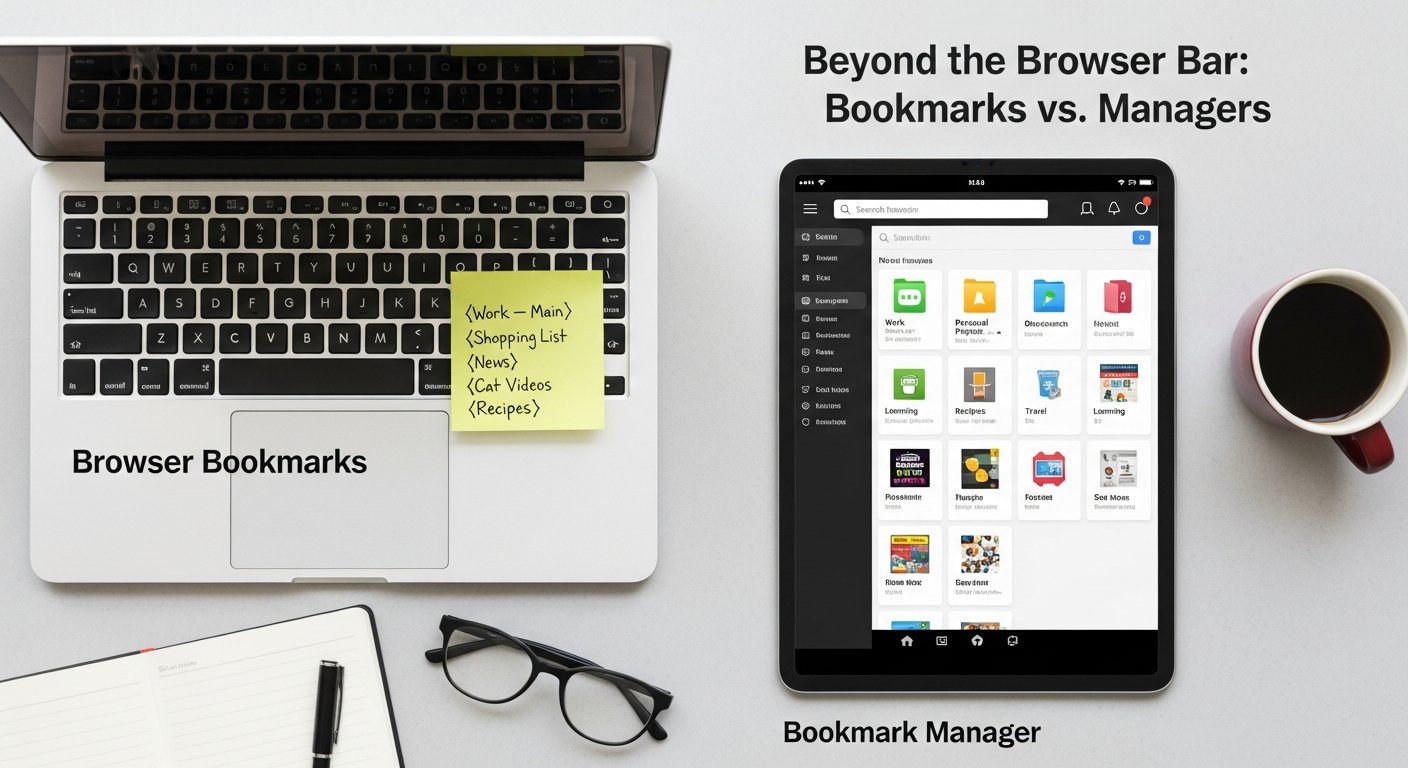

Browser Bookmarks vs. Bookmark Manager: The Definitive 2026 Guide to Digital Organization
Affiliate disclosure: This article may contain affiliate links. Recommendations are independent and editorially driven.
In an increasingly digital world, the sheer volume of information we encounter daily can be overwhelming. From crucial research papers and inspiring articles to useful tutorials and entertaining videos, the web is a boundless repository of knowledge. The challenge isn’t finding information; it’s effectively saving, organizing, and retrieving it when you need it most. This is where the age-old dilemma of browser bookmarks vs bookmark manager comes into sharp focus.
For years, browser bookmarks have served as the default, often unthinking, solution for saving links. A quick click on the star icon, and the page is tucked away, seemingly safe. But as our digital lives expand, so too does the chaos of an unmanaged bookmark collection. Enter the dedicated bookmark manager – a class of tools promising enhanced organization, powerful search, and seamless cross-device synchronization. But are these specialized tools truly necessary, or is a well-maintained browser bookmark system sufficient?
This comprehensive guide from bookmarksharer dives deep into the functionalities, advantages, and drawbacks of both browser-native bookmarking and third-party bookmark managers. We’ll explore the evolving landscape of digital knowledge management, dissect key features, analyze various use cases, and help you determine the optimal solution for your personal and professional productivity in 2026. Whether you’re a casual internet user, a student, a researcher, or a knowledge worker, understanding the nuances between these two approaches is critical for building an efficient and reliable digital archive.
The Ubiquitous Browser Bookmarks: Simplicity and Their Hidden Limitations
Every major web browser – Chrome, Firefox, Edge, Safari, Brave, Opera – comes equipped with its own integrated bookmarking system. For many, this is the first and only tool they’ve ever used to save web pages. Its accessibility and immediate availability are undeniable strengths, making it the go-to choice for quick link saving. However, beneath this veneer of simplicity lie several limitations that can hinder efficient knowledge management, especially as your digital footprint grows.
What Are Browser Bookmarks?
At their core, browser bookmarks are shortcuts to web pages stored directly within your web browser. When you bookmark a page, your browser saves its URL, title, and sometimes a favicon, making it easy to revisit that page later. These bookmarks are typically accessible through a dedicated menu, a sidebar, or a bookmark bar that can be toggled on and off. Most modern browsers also offer basic folder structures to help users categorize their saved links.
Advantages of Browser Bookmarks
- Instant Accessibility: They are always just a click away within your active browser window, requiring no extra steps or external applications.
- Zero Cost: Browser bookmarks are a built-in feature, meaning there’s no additional financial investment required.
- Basic Organization: Most browsers allow for folder creation, offering a rudimentary way to group related links.
- Native Integration: Seamlessly integrates with your browser’s history, tab management, and search functionalities.
- Cross-Device Sync (within browser ecosystem): If you use the same browser across multiple devices (e.g., Chrome on desktop and mobile, logged into the same Google account), your bookmarks will typically sync automatically.
Hidden Limitations and Challenges
While convenient for casual use, the limitations of browser bookmarks become glaringly apparent with increased usage:
- Limited Search Capabilities: Beyond basic title and URL searches, browser bookmark search tools often lack advanced filtering, full-text search within saved pages, or tag-based retrieval. Finding a specific link amidst hundreds or thousands can be a daunting task.
- Confined to a Single Browser Ecosystem: Your bookmarks are tied to the browser you use. If you switch between Chrome for work and Firefox for personal browsing, or regularly use different browsers for specific tasks, your bookmarks become fragmented and unsynchronized across these platforms.
- Lack of Rich Metadata: Browser bookmarks typically save only the URL and title. They rarely offer robust options for adding notes, highlights, custom tags, screenshots, or archiving the page content itself. This makes context recall difficult over time.
- Poor Collaboration Features: Sharing a curated collection of bookmarks with colleagues or friends is cumbersome, often requiring manual exports and imports, or sharing individual links one by one.
- No Offline Access: Unless you use a specific browser extension, browser bookmarks primarily link to live web pages. If the original page goes offline or its content changes, your bookmark becomes useless or points to outdated information. There’s no inherent content archiving.
- Clutter and Disorganization: Without strong organizational features, the bookmark bar and menus can quickly become an unmanageable mess, leading to “bookmark graveyard” where links are saved but never revisited.
- Risk of Loss: While cloud syncing helps, local browser profiles can be corrupted, leading to potential loss if not properly backed up or if syncing fails.
[INLINE IMAGE 1: place after second H2 | alt=”browser bookmarks vs bookmark manager concept illustration”]
Understanding Dedicated Bookmark Managers: A Deeper Dive
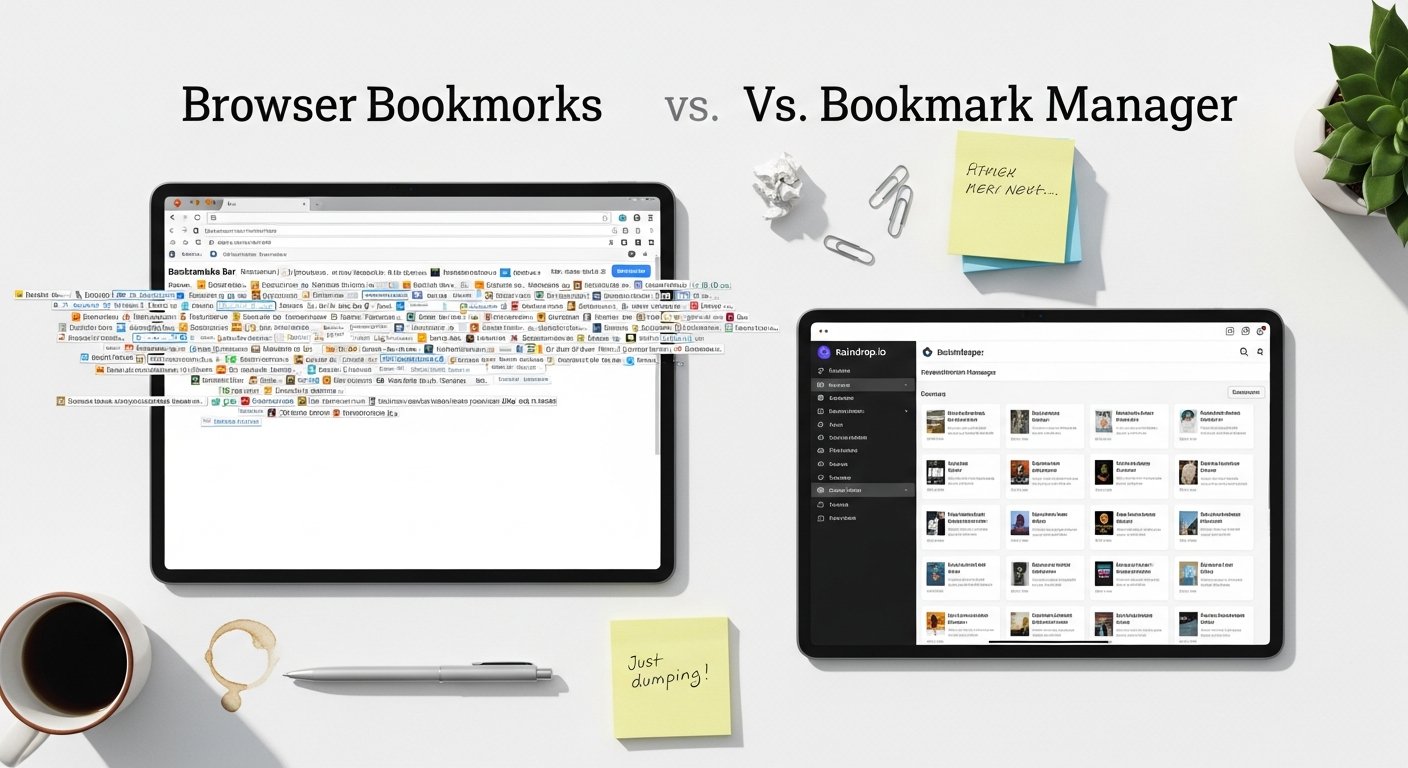
Recognizing the growing need for more sophisticated link management, a diverse ecosystem of dedicated bookmark managers has emerged. These tools are designed from the ground up to address the shortcomings of browser-native solutions, offering a richer, more powerful, and often more flexible approach to saving and organizing web content. They transform mere links into actionable knowledge, turning a simple save into a step in a larger knowledge management workflow.
What Defines a Bookmark Manager?
A bookmark manager is a specialized application or web service whose primary purpose is to help users save, organize, retrieve, and often enrich web links. Unlike browser bookmarks that are merely a feature of the browser, bookmark managers are standalone solutions or robust browser extensions that operate independently or in conjunction with multiple browsers. Their core value proposition lies in providing advanced features that go beyond basic URL storage.
Key Characteristics and Advantages
Dedicated bookmark managers offer a significant upgrade in several areas:
- Centralized Hub: They act as a single repository for all your saved links, regardless of which browser or device you used to save them. This centralizes your entire digital library.
- Advanced Organization: Beyond simple folders, managers offer robust tagging systems, collections, custom fields, and even AI-powered categorization to help you structure your content logically.
- Powerful Search & Filtering: This is a major differentiator. Managers often provide full-text search within the content of saved pages (even if the original page goes offline), sophisticated filter options by tag, date, source, and more, making retrieval incredibly efficient.
- Rich Content Saving: Many managers can save not just the URL but also the full page content, a clean “reader view” article, screenshots, or PDFs. This ensures content permanence and offers a better reading experience.
- Annotation and Note-Taking: The ability to add private notes, highlight text directly on saved pages, and even embed comments turns a simple link into a rich knowledge artifact.
- Cross-Browser & Cross-Device Sync: A fundamental feature, ensuring your saved links are accessible and consistent across all your devices and any browser you choose to use.
- Sharing and Collaboration: Many tools facilitate easy sharing of individual links, entire collections, or even collaborative boards, making them ideal for team projects or educational purposes.
- Integrations with Other Tools: Often integrate with PKM tools, note-taking apps, read-it-later services, and productivity suites, enabling seamless workflows.
- Enhanced Privacy and Control: Some managers offer more granular control over your data, including options for private saving, local storage, or specific export functionalities.
Types of Bookmark Managers
The landscape of bookmark managers is diverse, ranging from simple “read-it-later” services to full-fledged knowledge management systems:
- “Read-It-Later” Services (e.g., Pocket, Instapaper): Primarily focused on saving articles for later consumption, often stripping away distractions for a clean reading experience. They excel at article archiving but may lack advanced organizational features for other types of links.
- General-Purpose Bookmark Managers (e.g., Raindrop.io, Diigo): Offer a broad set of features including tagging, collections, search, and content archiving for various types of web content (articles, images, videos, files).
- Personal Knowledge Management (PKM) Tools with Bookmarking Features (e.g., Notion, Obsidian with plugins, Roam Research): While not exclusively bookmark managers, many PKM tools offer robust ways to embed, link, and annotate web content within a broader knowledge graph. These are for users seeking deep contextualization.
- Niche-Specific Managers (e.g., dedicated recipe savers, research reference managers): Tailored for specific use cases, offering specialized metadata fields and workflows.
Choosing the right bookmark manager depends heavily on your specific needs, the volume of content you save, and how deeply you integrate link management into your overall digital workflow. The investment, whether time or financial, typically pays off in increased efficiency and reduced cognitive load.
Key Differences: Feature Sets and Core Functionality
The distinction between browser bookmarks and dedicated bookmark managers becomes most apparent when comparing their feature sets and core functionalities. While both aim to save links, the depth and breadth of what they offer are vastly different. This section will highlight these critical disparities.
Saving and Archiving Capabilities
- Browser Bookmarks: Primarily save the URL and page title. They are pointers to live web content. If the website changes or disappears, the bookmark loses its value or points to incorrect information. There’s no content archiving by default.
- Bookmark Managers: Many go beyond just the URL. They often offer:
- Full Page Archive: Saving a complete, static copy of the web page, ensuring content permanence even if the original URL changes or goes offline.
- Reader View: Stripping away ads and distractions to save a clean, readable version of an article.
- Screenshot Capture: Saving an image of the page at the time of bookmarking.
- PDF Conversion: Converting web pages into PDF documents for offline reading and annotation.
- Rich Media Saving: Specialized handling for images, videos, and other embedded content.
Organization and Categorization
- Browser Bookmarks: Limited to hierarchical folders. While functional, it can lead to deeply nested, hard-to-navigate structures. A link can only exist in one folder at a time, making cross-categorization difficult.
- Bookmark Managers: Offer much more sophisticated organizational paradigms:
- Tags: Assign multiple tags to a single link, allowing for flexible, multi-dimensional categorization (e.g., ‘AI’, ‘productivity’, ‘research’, ‘article’).
- Collections/Boards: Grouping related links into visual, shareable collections.
- Custom Fields: Some advanced managers allow for adding specific metadata fields (e.g., author, publication date, project status).
- Smart Folders/Filters: Dynamically generated lists of links based on predefined criteria (e.g., all links tagged ‘AI’ from the last month).
- AI-Powered Categorization: Emerging features that automatically suggest tags or organize links based on their content.
Search and Retrieval
- Browser Bookmarks: Basic search functionality, usually limited to the URL, title, and sometimes the domain. Locating a specific piece of information from a vague memory can be nearly impossible.
- Bookmark Managers: Provide powerful search capabilities:
- Full-Text Search: Search not just the title and URL, but the entire content of the saved page (if archived). This is a game-changer for finding snippets of information.
- Advanced Filters: Filter by tags, date saved, source website, media type, and custom metadata.
- Boolean Search: Using ‘AND’, ‘OR’, ‘NOT’ operators for more precise queries.
- Highlighting Search Terms: Displaying search results with the query terms highlighted within the saved content.
Synchronization and Accessibility
- Browser Bookmarks: Syncs across devices using the same browser and user account (e.g., Chrome syncs with Chrome, Firefox with Firefox). Does not sync across different browser types.
- Bookmark Managers: Generally platform-agnostic, syncing across all browsers (via extensions), desktop apps, mobile apps, and web interfaces. This ensures your links are truly universal and accessible from anywhere, on any device, regardless of your chosen browser.
Annotation and Context
- Browser Bookmarks: Typically no built-in annotation features. Any notes must be added manually in a separate application.
- Bookmark Managers: Often integrate robust annotation tools:
- In-page Highlights: Highlighting key text directly on the saved web page or archived content.
- Notes/Comments: Adding private or public notes to each saved link.
- Tags with Descriptions: Allowing for more context around why a specific tag was used.
Collaboration and Sharing
- Browser Bookmarks: Sharing is usually limited to sending individual URLs. Collaborative lists are not a native feature.
- Bookmark Managers: Many offer sophisticated sharing options:
- Shareable Collections: Creating public or private shareable links to entire collections of bookmarks.
- Collaborative Boards: Allowing multiple users to add and manage bookmarks together for team projects.
- Export Options: Easier export of entire libraries or specific collections in various formats (HTML, CSV, JSON).
The table below summarizes these key differences, providing a clear side-by-side comparison:
| Feature | Browser Bookmarks | Dedicated Bookmark Manager (General) | Advanced PKM/Bookmark Tool (Specific) |
|---|---|---|---|
| Core Function | URL shortcut to live web page. | Save, organize, and retrieve web links with enhanced features. | Integrate web links into a broader knowledge graph, often with content archiving and rich annotation. |
| Content Saving | URL, Title, Favicon. No content archive. | URL, Title, Favicon, often Full Page, Reader View, Screenshot. | URL, Title, Full Page, Reader View, Screenshot, PDF, embed into notes, bi-directional linking. |
| Organization | Hierarchical folders, single category per link. | Folders, Tags, Collections, Smart Filters, AI suggestions. Multi-dimensional categorization. | Tags, Bi-directional Links, Graph View, Custom Metadata, Semantic Relationships, embedded within larger notes. |
| Search | Basic search (title, URL, domain). | Powerful full-text search (within saved content), advanced filtering by tags, date, type. | Full-text search, semantic search, filtering, graph traversal, linked references. |
| Annotation | None natively. | Notes, Highlights, Comments on saved pages. | Extensive notes, highlights, annotations, interlinking notes with bookmarks, contextualization. |
| Cross-Platform Sync | Within browser ecosystem (e.g., Chrome to Chrome). | Browser extensions, web interface, desktop & mobile apps (universal). | Browser extensions, web interface, desktop & mobile apps (universal), often offline-first capabilities. |
| Collaboration | Limited (manual sharing of individual links). | Shareable collections, collaborative boards. | Collaborative workspaces, shared graphs, real-time editing. |
| Cost | Free (included with browser). | Many offer free tiers; premium features often require a subscription. | Often paid subscriptions for advanced features, self-hosted options can be free. |
[INLINE IMAGE 2: place after fourth H2 | alt=”browser bookmarks vs bookmark manager comparison illustration”]
Pros and Cons: A Balanced Perspective on Both Approaches
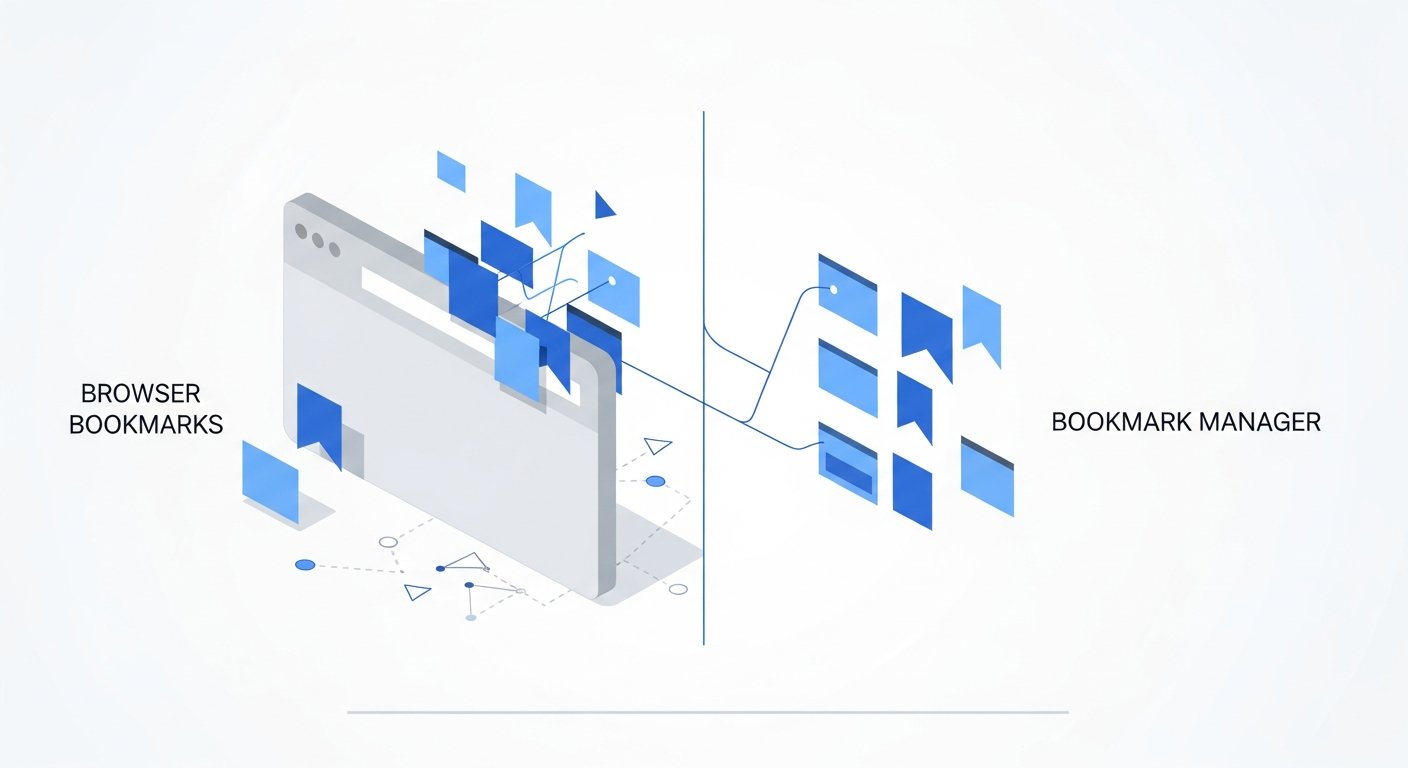
Understanding the features is one thing; assessing their practical implications is another. Both browser bookmarks and dedicated bookmark managers have their strengths and weaknesses, making each suitable for different types of users and workflows. A balanced perspective helps in making an informed decision that aligns with your specific needs.
Browser Bookmarks: The Simple Solution
Pros:
- Effortless Initial Setup: No installation, account creation, or configuration needed. It’s there by default.
- Immediate Use: Saving a link is a one-click action, making it incredibly fast for ad-hoc saving.
- Zero Learning Curve: The interface is typically intuitive and familiar to anyone who’s used a web browser.
- Part of the Browser Ecosystem: Integrates seamlessly with browser history, autofill, and tab management.
- Good for Casual Use: If you only save a few links occasionally and don’t require advanced organization or retrieval, it’s perfectly adequate.
- Privacy by Default (to an extent): Your bookmarks are locally stored (though often synced to cloud if you’re logged into a browser account), not on a third-party server directly, which can be perceived as more private by some.
Cons:
- Scalability Issues: Becomes unwieldy and ineffective with a large number of saved links (hundreds to thousands).
- Poor Retrieval: Finding specific information in a sea of bookmarks is difficult due to limited search and categorization options.
- Lack of Context: No native support for notes, highlights, or rich metadata, leading to forgotten context.
- Fragile Links: Reliance on the live web page means content can change or disappear, rendering bookmarks useless.
- Browser-Dependent: Locked into a single browser’s sync and feature set, limiting flexibility.
- No Collaboration: Designed for individual use, making sharing and teamwork cumbersome.
- Limited Export Options: While most browsers allow HTML export, it’s often a flat file, lacking the richness of a dedicated manager’s export.
Dedicated Bookmark Managers: The Power User’s Ally
Pros:
- Superior Organization: Tags, collections, smart folders, and AI enable highly flexible and powerful content categorization.
- Robust Search and Retrieval: Full-text search and advanced filters ensure you can always find what you’re looking for, even years later.
- Content Permanence: Many managers archive page content, protecting against link rot and website changes.
- Enhanced Context: Ability to add notes, highlights, and annotations transforms links into valuable knowledge assets.
- Cross-Platform & Cross-Browser: Your links are universally accessible, freeing you from browser lock-in.
- Collaboration Features: Ideal for teams, researchers, and educators who need to share and collectively manage resources.
- Integration Ecosystem: Connects with other productivity and PKM tools, streamlining workflows.
- Future-Proofing: Active development often brings new features like AI assistance, making them adaptable to evolving needs.
Cons:
- Learning Curve: More features mean more to learn, which can be an initial barrier for some users.
- Cost: While many offer free tiers, the most powerful features often require a subscription, adding a recurring expense.
- Dependency on Third-Party Service: Your data is stored on external servers, raising potential privacy and security concerns for some users (though reputable services employ strong encryption and privacy policies).
- Potential for Overwhelm: The sheer number of features can be daunting if you only need basic functionality.
- Another App to Manage: It adds another tool to your digital toolkit, requiring its own management and attention.
- Initial Migration: Moving existing browser bookmarks to a manager can be a project, though most managers offer import tools.
The choice boils down to your personal workflow, the volume of links you save, and how much value you place on retrieval, permanence, and contextualization. For a few dozen links, browser bookmarks might suffice. For hundreds or thousands of critical resources, a dedicated manager becomes almost indispensable.
Advanced Features: When Browser Bookmarks Just Aren’t Enough
For individuals and teams deeply invested in knowledge management, research, or content curation, the limitations of browser bookmarks quickly become a bottleneck. This is where the advanced features of dedicated bookmark managers truly shine, transforming simple link saving into a powerful tool for information synthesis and productivity.
Full-Text Content Archiving and Offline Access
One of the most significant advantages of a robust bookmark manager is its ability to save not just the link, but the entire content of the web page. This feature is invaluable for several reasons:
- Combating Link Rot: Websites go down, pages are removed, and content changes. Archiving a static copy ensures the information you saved remains accessible, exactly as it was when you bookmarked it.
- Offline Reading: Archived content can often be accessed without an internet connection, perfect for reading on the go or in areas with poor connectivity.
- Enhanced Search: With the full content saved, the manager can perform full-text searches, allowing you to find specific keywords, phrases, or data points buried deep within an article, even if you don’t remember the title or tags. This is a crucial distinction from browser bookmarks, which only search URL/title.
- Reader View: Many managers can strip away ads, navigation, and other distractions, presenting a clean, optimized reading experience for articles and blog posts.
Sophisticated Tagging, Collections, and Smart Folders
While browser bookmarks offer folders, dedicated managers elevate organization to an art form:
- Multi-Dimensional Tagging: Assigning multiple, descriptive tags to a single link allows for nuanced categorization. A research paper might be tagged ‘AI’, ‘MachineLearning’, ‘ethics’, and ‘university_project’. This enables discovery from various angles.
- Nested Tags and Tag Hierarchies: Some managers allow for parent-child tag relationships, providing even more granular control (e.g., ‘Programming’ > ‘Python’ > ‘Django’).
- Collections/Boards: Visual groupings of related links, often with customizable layouts, descriptions, and sharing options. Ideal for project-specific resources or curated lists.
- Smart Folders/Dynamic Filters: These automatically populate based on user-defined rules (e.g., “All links tagged ‘marketing’ saved in the last 30 days,” or “All unread articles from ‘TechCrunch’”). This keeps your library perpetually organized without manual effort.
In-Page Annotation and Highlighting
Transform passive saving into active learning and synthesis:
- Text Highlighting: Mark key paragraphs or sentences directly on the archived web page. This is incredibly useful for reviewing research, extracting key points, or remembering why a page was saved.
- Marginal Notes: Add personal notes, comments, questions, or ideas alongside highlighted sections or anywhere on the saved page.
- OCR for Images and PDFs: Some advanced tools can perform Optical Character Recognition on images and PDFs, making text within these formats searchable and highlightable.
- Connecting Notes to PKM: The ability to easily export annotations or connect them directly to your personal knowledge management system (like Notion, Obsidian, Roam) means your saved links become building blocks for deeper insights. Explore the power of PKM tools for enhanced productivity.
Robust Collaboration and Sharing Features
For teams and collaborative projects, bookmark managers are a clear winner:
- Shared Collections/Boards: Invite colleagues to view, contribute to, or co-manage collections of links. This is perfect for project research, content calendars, or shared learning resources.
- Public/Private Sharing: Control who sees your collections. Make some public for community sharing, keep others private for internal teams.
- Permissions Management: Assign different roles (viewer, editor, admin) to collaborators.
- Comments and Discussions: Some tools allow for in-app comments on individual bookmarks, fostering discussion around shared resources.
Automated Tagging and AI Integration
The latest generation of bookmark managers is leveraging artificial intelligence:
- Automatic Tagging: AI analyzes the content of a saved page and suggests relevant tags, or even applies them automatically.
- Content Summarization: AI can generate concise summaries of saved articles, saving time and aiding quick review.
- Duplicate Detection: Intelligently identifies and alerts you to duplicate links, helping maintain a clean library.
- Related Content Suggestions: Based on your saved links, AI can recommend other relevant articles or resources.
These advanced features move beyond simple link storage, turning a bookmark manager into a powerful extension of your memory, a research assistant, and a collaborative workspace. They are indispensable for anyone serious about digital organization and knowledge leverage.
Use Cases: Who Benefits Most from Each Solution?
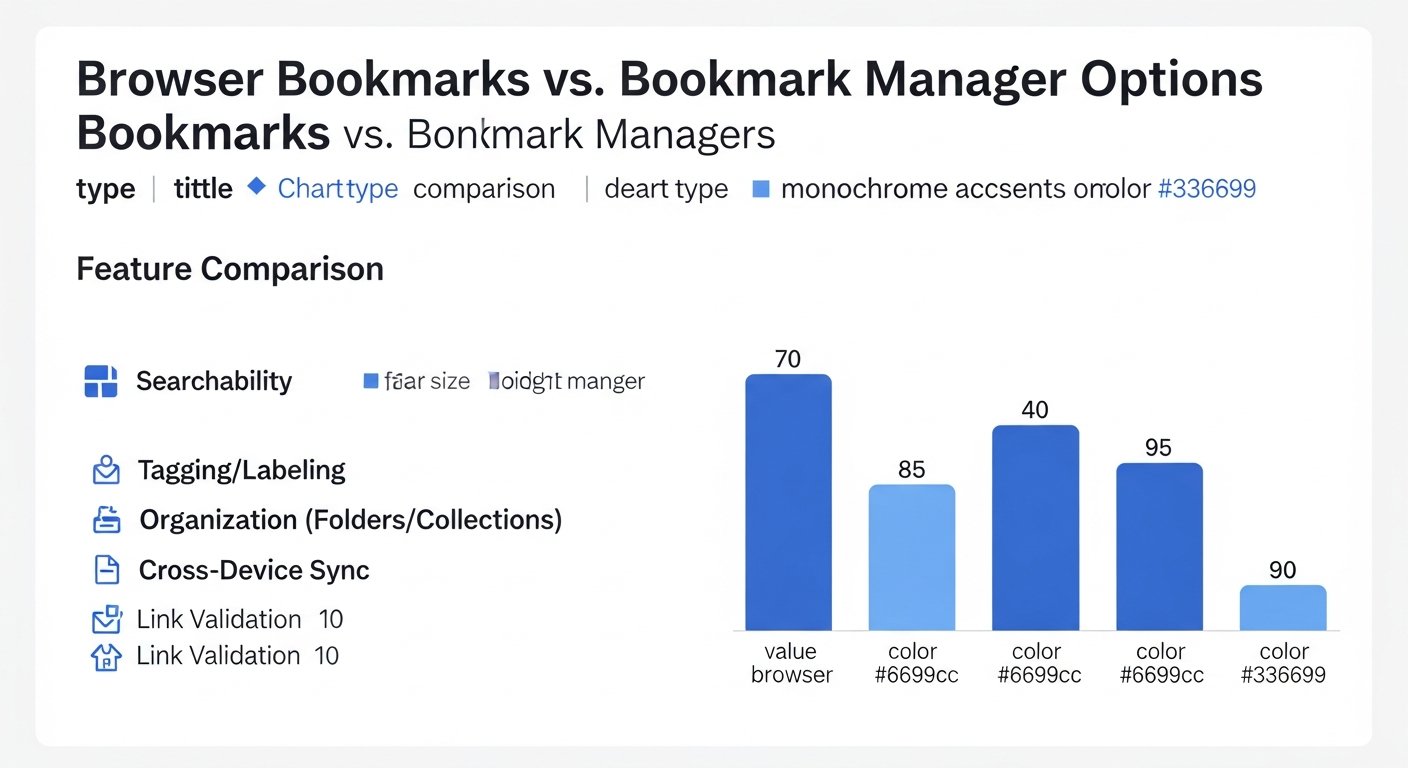
The choice between browser bookmarks and a dedicated bookmark manager isn’t a matter of one being inherently superior in all situations. Instead, it’s about matching the tool to the user’s specific needs, volume of information, and workflow. Understanding various use cases helps clarify which solution is the optimal fit.
Browser Bookmarks: Best Suited For…
- The Casual Internet User: Someone who only occasionally saves a recipe, a shopping link, or a news article. Their total bookmark count is low, likely under 50-100 links.
- Ephemeral Saving: For links that are needed for a short period and then discarded (e.g., travel itineraries, quick reference during a task).
- Simple Navigation Shortcuts: Saving frequently visited websites like email, social media, or banking sites for quick access.
- Users Who Stick to One Browser: If you exclusively use Chrome, Firefox, or Safari across all your devices, the browser’s native sync might be sufficient.
- Budget-Conscious Users: As a free, built-in feature, it requires no additional financial investment.
- Minimalists Who Avoid Extra Apps: Users who prefer to keep their digital toolkit as lean as possible, even if it means sacrificing some functionality.
Example: A person who saves a handful of online recipes, a link to their favorite streaming service, and occasionally a news article. They rarely need to revisit old links or organize them beyond a basic “Food” or “Entertainment” folder.
Dedicated Bookmark Managers: Ideal For…
1. Students and Researchers:
- Problem: Managing vast amounts of research papers, articles, websites, and data sources across multiple projects. Need to cite, annotate, and retrieve specific information efficiently.
- Solution: Bookmark managers offer full-text archiving, in-page highlighting and notes for active reading, robust tagging for cross-referencing topics, and powerful search to quickly locate relevant information for essays or thesis work. Integration with citation managers can further streamline workflows. Learn how to streamline your research with advanced knowledge management tools.
2. Content Curators and Marketers:
- Problem: Constantly gathering industry news, competitor analysis, inspiring designs, and evergreen content ideas. Need to organize, share with a team, and repurpose content effectively.
- Solution: Shared collections allow teams to collaborate on content discovery. Tagging and custom fields help categorize content by topic, marketing funnel stage, or target audience. Content archiving protects against lost articles, and advanced search helps quickly pull up relevant examples for pitches or campaigns.
3. Developers and Technical Professionals:
- Problem: Saving code snippets, API documentation, tutorials, and technical articles. Need to retrieve specific solutions or references quickly during problem-solving.
- Solution: Full-text search is critical for finding code examples or error solutions within saved documentation. Tags can categorize by programming language, framework, or problem type. The ability to save code blocks or specific sections of pages ensures quick access to technical references.
4. Knowledge Workers and Lifelong Learners:
- Problem: Consuming a high volume of articles, reports, and online courses. Aim to build a personal knowledge base, synthesize information, and connect ideas across different domains.
- Solution: Annotation tools, robust tagging, and integrations with PKM systems (like Notion or Obsidian) allow for deeper engagement with content. Bookmarks become nodes in a personal knowledge graph, enabling discovery of connections and fostering long-term learning and idea generation.
5. Collaborative Teams and Project Managers:
- Problem: Sharing resources, research, and project-specific links among team members. Ensuring everyone has access to the latest, relevant information without duplicating effort.
- Solution: Shared workspaces, collaborative collections, and granular permissions make it easy to manage shared resources. Team members can contribute, annotate, and discuss links within a centralized platform, boosting team productivity and ensuring alignment.
Example: A marketing team working on a new campaign needs to save competitor ads, design inspiration, research data, and industry articles. A bookmark manager allows them to create a “Campaign X” collection, tag items by ‘competitor’, ‘design’, ‘data’, add notes, and share it with the whole team, ensuring everyone is on the same page and can quickly find relevant assets.
Ultimately, the decision hinges on the complexity and volume of your digital information, as well as your commitment to transforming raw links into organized, retrievable, and actionable knowledge.
Integration and Ecosystem: How They Fit into Your Digital Workflow
The true power of any digital tool often lies not just in its standalone features, but in how seamlessly it integrates with the rest of your digital ecosystem. This is another area where browser bookmarks and dedicated bookmark managers diverge significantly, impacting your overall productivity and workflow efficiency.
Browser Bookmarks: Native but Isolated
Browser bookmarks are deeply integrated into their host browser, which is both a strength and a weakness:
- Native Browser Integration: They benefit from direct access to your browser history, tab management, and omnibar search. Saving is immediate, and accessing them from the bookmark bar is quick.
- Limited External Integration: Beyond the browser itself, their integration capabilities are virtually nonexistent. You cannot directly send a browser bookmark to a note-taking app, a project management tool, or a collaborative document without manual copy-pasting.
- Single-Point Access: While synced within the same browser family, they don’t natively exist or easily transfer outside that specific browser environment. If you decide to switch browsers, migrating your bookmarks can be a clunky process.
For a basic workflow that starts and ends within a single browser, this native integration is fine. But for more complex tasks that span multiple applications and platforms, browser bookmarks become a siloed island of information.
Dedicated Bookmark Managers: The Hub of Your Information Flow
Bookmark managers, especially the more advanced ones, are designed to be central hubs that connect with a wide array of other productivity and knowledge management tools. Their value is amplified by their ability to participate in a broader digital workflow.
1. Browser Extensions: The Saving Gateway
- Most bookmark managers offer robust browser extensions that replicate the ease of saving links. These extensions often include advanced options right at the point of saving, such as adding tags, notes, or selecting a collection, without needing to navigate to the main application.
- Some extensions even offer “clipping” features to save specific parts of a page, not just the whole URL.
2. Mobile Apps: Ubiquitous Access
- Dedicated mobile apps for iOS and Android ensure that your entire bookmark library is accessible and manageable from your smartphone or tablet. This means you can save articles on your phone during your commute and access them on your desktop later, or vice-versa.
- Mobile sharing extensions allow you to send links from any app (news reader, social media, email) directly to your bookmark manager.
3. Desktop Applications: Powerful Management
- Some advanced managers offer dedicated desktop applications that provide a more powerful and often offline-capable interface for organizing, searching, and annotating your bookmarks. These can feel more like a local knowledge base.
4. Integration with Note-Taking Apps & PKM Tools:
- Many bookmark managers offer direct integrations with popular note-taking apps like Notion, Evernote, OneNote, Obsidian, Roam Research, or Joplin.
- This can involve:
- Sending a bookmarked page or its highlights directly into a note.
- Embedding a live link or an archived page within a note.
- Using the bookmark manager as an ingestion point for web content that feeds into your PKM system for deeper analysis and contextualization.
- This creates a powerful loop where raw web information is saved, processed, and integrated into your personal knowledge graph. Discover tools for seamless knowledge transfer between apps.
5. Collaboration Platforms & Project Management:
- Integrations with tools like Slack, Microsoft Teams, Asana, Trello, or Jira allow for sharing bookmarked resources directly within team communication or project workflows.
- This avoids fragmented information and ensures everyone on a project has access to the same, relevant web resources.
6. Webhooks and APIs: Custom Workflows
- For power users and developers, some bookmark managers offer APIs (Application Programming Interfaces) or webhook support. This enables custom integrations with almost any other application or service using tools like Zapier, Make (formerly Integromat), or custom scripts.
- This can automate tasks like sending new bookmarks to a spreadsheet, creating tasks in a project manager, or triggering notifications.
The ability of a dedicated bookmark manager to integrate with other tools is a fundamental differentiator. It transforms a simple link-saving utility into a central nervous system for your digital information, allowing you to build sophisticated workflows that leverage the best features of multiple applications. This ecosystem play is crucial for advanced knowledge workers and anyone striving for peak digital productivity in 2026.
The Future of Link Management: Trends and Innovations
The way we interact with information online is constantly evolving, and so too are the tools designed to help us manage it. The landscape of link management is not static, with several key trends and innovations shaping its future, further widening the gap between basic browser bookmarks and advanced bookmark managers.
Artificial Intelligence and Machine Learning
AI is rapidly becoming a cornerstone of advanced bookmarking:
- Smarter Categorization: Beyond simple auto-tagging, AI will increasingly understand the semantic content of saved pages, suggesting highly relevant categories, topics, and even related concepts that you might not have considered.
- Intelligent Summarization: AI-powered tools will provide instant, accurate summaries of lengthy articles, allowing for rapid triage and faster information absorption.
- Enhanced Search & Discovery: Expect more natural language processing (NLP) in search, allowing you to ask questions like “Show me articles about sustainable energy from the last six months that mention policy changes” and get precise results. AI could also surface forgotten relevant links based on your current browsing context.
- Duplicate Detection and Content Curation: AI will become even better at identifying duplicate content, similar articles, and suggesting ideal content for curation or sharing.
Integration with Personal Knowledge Management (PKM) Systems
The lines between bookmark managers, note-taking apps, and PKM systems are blurring. The future will see deeper, more seamless integration:
- Bidirectional Linking: Saving a link will automatically create a connection in your PKM graph, and referencing a link in your notes will show up in your bookmark manager.
- Contextualization: Bookmarks won’t just be standalone links; they’ll be embedded within a rich web of personal notes, projects, and ideas, giving them greater meaning and utility.
- Active Reading Environments: Bookmark managers will evolve into full-fledged active reading platforms, allowing for highlighting, annotation, concept mapping, and direct integration with your learning workflow.
Privacy, Security, and Data Ownership
As concerns about data privacy grow, bookmark managers will need to adapt:
- End-to-End Encryption: More services will offer robust encryption to protect your saved content and notes.
- Local-First/Offline Capabilities: A growing demand for tools that prioritize local storage and offline access, giving users more control over their data, while still offering cloud sync as an option.
- Transparent Data Policies: Companies will need to be increasingly clear about how user data is collected, stored, and used.
- Easier Data Export: Ensuring users can easily export their entire library in open, interoperable formats (Markdown, HTML, JSON) to facilitate migration or local backups.
Visual and Spatial Organization
Moving beyond flat lists and hierarchical folders, visual organization will gain prominence:
- Canvas-Based Interfaces: Think Notion-style boards or Milanote-like canvases where bookmarks can be arranged spatially, grouped visually, and connected with lines or arrows to represent relationships.
- Rich Previews: Enhanced visual previews of saved pages (thumbnails, hero images) to aid quick recognition.
- Graph Views: Visualizing the connections between your saved links, notes, and topics, similar to what’s seen in some PKM tools.
Browser-Agnostic and Platform-Independent
The trend towards
Browser Bookmarks vs. Bookmark Manager: The Definitive 2026 Guide to Digital Organization
Affiliate disclosure: This article may contain affiliate links. Recommendations are independent and editorially driven.
In an increasingly digital world, the sheer volume of information we encounter daily can be overwhelming. From crucial research papers and inspiring articles to useful tutorials and entertaining videos, the web is a boundless repository of knowledge. The challenge isn’t finding information; it’s effectively saving, organizing, and retrieving it when you need it most. This is where the age-old dilemma of browser bookmarks vs bookmark manager comes into sharp focus.
For years, browser bookmarks have served as the default, often unthinking, solution for saving links. A quick click on the star icon, and the page is tucked away, seemingly safe. But as our digital lives expand, so too does the chaos of an unmanaged bookmark collection. Enter the dedicated bookmark manager – a class of tools promising enhanced organization, powerful search, and seamless cross-device synchronization. But are these specialized tools truly necessary, or is a well-maintained browser bookmark system sufficient?
This comprehensive guide from bookmarksharer dives deep into the functionalities, advantages, and drawbacks of both browser-native bookmarking and third-party bookmark managers. We’ll explore the evolving landscape of digital knowledge management, dissect key features, analyze various use cases, and help you determine the optimal solution for your personal and professional productivity in 2026. Whether you’re a casual internet user, a student, a researcher, or a knowledge worker, understanding the nuances between these two approaches is critical for building an efficient and reliable digital archive.
The Ubiquitous Browser Bookmarks: Simplicity and Their Hidden Limitations
Every major web browser – Chrome, Firefox, Edge, Safari, Brave, Opera – comes equipped with its own integrated bookmarking system. For many, this is the first and only tool they’ve ever used to save web pages. Its accessibility and immediate availability are undeniable strengths, making it the go-to choice for quick link saving. However, beneath this veneer of simplicity lie several limitations that can hinder efficient knowledge management, especially as your digital footprint grows.
What Are Browser Bookmarks?
At their core, browser bookmarks are shortcuts to web pages stored directly within your web browser. When you bookmark a page, your browser saves its URL, title, and sometimes a favicon, making it easy to revisit that page later. These bookmarks are typically accessible through a dedicated menu, a sidebar, or a bookmark bar that can be toggled on and off. Most modern browsers also offer basic folder structures to help users categorize their saved links.
Advantages of Browser Bookmarks
- Instant Accessibility: They are always just a click away within your active browser window, requiring no extra steps or external applications.
- Zero Cost: Browser bookmarks are a built-in feature, meaning there’s no additional financial investment required.
- Basic Organization: Most browsers allow for folder creation, offering a rudimentary way to group related links.
- Native Integration: Seamlessly integrates with your browser’s history, tab management, and search functionalities.
- Cross-Device Sync (within browser ecosystem): If you use the same browser across multiple devices (e.g., Chrome on desktop and mobile, logged into the same Google account), your bookmarks will typically sync automatically.
Hidden Limitations and Challenges
While convenient for casual use, the limitations of browser bookmarks become glaringly apparent with increased usage:
- Limited Search Capabilities: Beyond basic title and URL searches, browser bookmark search tools often lack advanced filtering, full-text search within saved pages, or tag-based retrieval. Finding a specific link amidst hundreds or thousands can be a daunting task.
- Confined to a Single Browser Ecosystem: Your bookmarks are tied to the browser you use. If you switch between Chrome for work and Firefox for personal browsing, or regularly use different browsers for specific tasks, your bookmarks become fragmented and unsynchronized across these platforms.
- Lack of Rich Metadata: Browser bookmarks typically save only the URL and title. They rarely offer robust options for adding notes, highlights, custom tags, screenshots, or archiving the page content itself. This makes context recall difficult over time.
- Poor Collaboration Features: Sharing a curated collection of bookmarks with colleagues or friends is cumbersome, often requiring manual exports and imports, or sharing individual links one by one.
- No Offline Access: Unless you use a specific browser extension, browser bookmarks primarily link to live web pages. If the original page goes offline or its content changes, your bookmark becomes useless or points to outdated information. There’s no inherent content archiving.
- Clutter and Disorganization: Without strong organizational features, the bookmark bar and menus can quickly become an unmanageable mess, leading to “bookmark graveyard” where links are saved but never revisited.
- Risk of Loss: While cloud syncing helps, local browser profiles can be corrupted, leading to potential loss if not properly backed up or if syncing fails.
[INLINE IMAGE 1: place after second H2 | alt=”browser bookmarks vs bookmark manager concept illustration”]
Understanding Dedicated Bookmark Managers: A Deeper Dive
Recognizing the growing need for more sophisticated link management, a diverse ecosystem of dedicated bookmark managers has emerged. These tools are designed from the ground up to address the shortcomings of browser-native solutions, offering a richer, more powerful, and often more flexible approach to saving and organizing web content. They transform mere links into actionable knowledge, turning a simple save into a step in a larger knowledge management workflow.
What Defines a Bookmark Manager?
A bookmark manager is a specialized application or web service whose primary purpose is to help users save, organize, retrieve, and often enrich web links. Unlike browser bookmarks that are merely a feature of the browser, bookmark managers are standalone solutions or robust browser extensions that operate independently or in conjunction with multiple browsers. Their core value proposition lies in providing advanced features that go beyond basic URL storage.
Key Characteristics and Advantages
Dedicated bookmark managers offer a significant upgrade in several areas:
- Centralized Hub: They act as a single repository for all your saved links, regardless of which browser or device you used to save them. This centralizes your entire digital library.
- Advanced Organization: Beyond simple folders, managers offer robust tagging systems, collections, custom fields, and even AI-powered categorization to help you structure your content logically.
- Powerful Search & Filtering: This is a major differentiator. Managers often provide full-text search within the content of saved pages (even if the original page goes offline), sophisticated filter options by tag, date, source, and more, making retrieval incredibly efficient.
- Rich Content Saving: Many managers can save not just the URL but also the full page content, a clean “reader view” article, screenshots, or PDFs. This ensures content permanence and offers a better reading experience.
- Annotation and Note-Taking: The ability to add private notes, highlight text directly on saved pages, and even embed comments turns a simple link into a rich knowledge artifact.
- Cross-Browser & Cross-Device Sync: A fundamental feature, ensuring your saved links are accessible and consistent across all your devices and any browser you choose to use.
- Sharing and Collaboration: Many tools facilitate easy sharing of individual links, entire collections, or even collaborative boards, making them ideal for team projects or educational purposes.
- Integrations with Other Tools: Often integrate with PKM tools, note-taking apps, read-it-later services, and productivity suites, enabling seamless workflows.
- Enhanced Privacy and Control: Some managers offer more granular control over your data, including options for private saving, local storage, or specific export functionalities.
Types of Bookmark Managers
The landscape of bookmark managers is diverse, ranging from simple “read-it-later” services to full-fledged knowledge management systems:
- “Read-It-Later” Services (e.g., Pocket, Instapaper): Primarily focused on saving articles for later consumption, often stripping away distractions for a clean reading experience. They excel at article archiving but may lack advanced organizational features for other types of links.
- General-Purpose Bookmark Managers (e.g., Raindrop.io, Diigo): Offer a broad set of features including tagging, collections, search, and content archiving for various types of web content (articles, images, videos, files).
- Personal Knowledge Management (PKM) Tools with Bookmarking Features (e.g., Notion, Obsidian with plugins, Roam Research): While not exclusively bookmark managers, many PKM tools offer robust ways to embed, link, and annotate web content within a broader knowledge graph. These are for users seeking deep contextualization.
- Niche-Specific Managers (e.g., dedicated recipe savers, research reference managers): Tailored for specific use cases, offering specialized metadata fields and workflows.
Choosing the right bookmark manager depends heavily on your specific needs, the volume of content you save, and how deeply you integrate link management into your overall digital workflow. The investment, whether time or financial, typically pays off in increased efficiency and reduced cognitive load.
Key Differences: Feature Sets and Core Functionality
The distinction between browser bookmarks and dedicated bookmark managers becomes most apparent when comparing their feature sets and core functionalities. While both aim to save links, the depth and breadth of what they offer are vastly different. This section will highlight these critical disparities.
Saving and Archiving Capabilities
- Browser Bookmarks: Primarily save the URL and page title. They are pointers to live web content. If the website changes or disappears, the bookmark loses its value or points to incorrect information. There’s no content archiving by default.
- Bookmark Managers: Many go beyond just the URL. They often offer:
- Full Page Archive: Saving a complete, static copy of the web page, ensuring content permanence even if the original URL changes or goes offline.
- Reader View: Stripping away ads and distractions to save a clean, readable version of an article.
- Screenshot Capture: Saving an image of the page at the time of bookmarking.
- PDF Conversion: Converting web pages into PDF documents for offline reading and annotation.
- Rich Media Saving: Specialized handling for images, videos, and other embedded content.
Organization and Categorization
- Browser Bookmarks: Limited to hierarchical folders. While functional, it can lead to deeply nested, hard-to-navigate structures. A link can only exist in one folder at a time, making cross-categorization difficult.
- Bookmark Managers: Offer much more sophisticated organizational paradigms:
- Tags: Assign multiple tags to a single link, allowing for flexible, multi-dimensional categorization (e.g., ‘AI’, ‘productivity’, ‘research’, ‘article’).
- Collections/Boards: Grouping related links into visual, shareable collections.
- Custom Fields: Some advanced managers allow for adding specific metadata fields (e.g., author, publication date, project status).
- Smart Folders/Filters: Dynamically generated lists of links based on predefined criteria (e.g., all links tagged ‘AI’ from the last month).
- AI-Powered Categorization: Emerging features that automatically suggest tags or organize links based on their content.
Search and Retrieval
- Browser Bookmarks: Basic search functionality, usually limited to the URL, title, and sometimes the domain. Locating a specific piece of information from a vague memory can be nearly impossible.
- Bookmark Managers: Provide powerful search capabilities:
- Full-Text Search: Search not just the title and URL, but the entire content of the saved page (if archived). This is a game-changer for finding snippets of information.
- Advanced Filters: Filter by tags, date saved, source website, media type, and custom metadata.
- Boolean Search: Using ‘AND’, ‘OR’, ‘NOT’ operators for more precise queries.
- Highlighting Search Terms: Displaying search results with the query terms highlighted within the saved content.
Synchronization and Accessibility
- Browser Bookmarks: Syncs across devices using the same browser and user account (e.g., Chrome syncs with Chrome, Firefox with Firefox). Does not sync across different browser types.
- Bookmark Managers: Generally platform-agnostic, syncing across all browsers (via extensions), desktop apps, mobile apps, and web interfaces. This ensures your links are truly universal and accessible from anywhere, on any device, regardless of your chosen browser.
Annotation and Context
- Browser Bookmarks: Typically no built-in annotation features. Any notes must be added manually in a separate application.
- Bookmark Managers: Often integrate robust annotation tools:
- In-page Highlights: Highlighting key text directly on the saved web page or archived content.
- Notes/Comments: Adding private or public notes to each saved link.
- Tags with Descriptions: Allowing for more context around why a specific tag was used.
Collaboration and Sharing
- Browser Bookmarks: Sharing is usually limited to sending individual URLs. Collaborative lists are not a native feature.
- Bookmark Managers: Many offer sophisticated sharing options:
- Shareable Collections: Creating public or private shareable links to entire collections of bookmarks.
- Collaborative Boards: Allowing multiple users to add and manage bookmarks together for team projects.
- Export Options: Easier export of entire libraries or specific collections in various formats (HTML, CSV, JSON).
The table below summarizes these key differences, providing a clear side-by-side comparison:
| Feature | Browser Bookmarks | Dedicated Bookmark Manager (General) | Advanced PKM/Bookmark Tool (Specific) |
|---|---|---|---|
| Core Function | URL shortcut to live web page. | Save, organize, and retrieve web links with enhanced features. | Integrate web links into a broader knowledge graph, often with content archiving and rich annotation. |
| Content Saving | URL, Title, Favicon. No content archive. | URL, Title, Favicon, often Full Page, Reader View, Screenshot. | URL, Title, Full Page, Reader View, Screenshot, PDF, embed into notes, bi-directional linking. |
| Organization | Hierarchical folders, single category per link. | Folders, Tags, Collections, Smart Filters, AI suggestions. Multi-dimensional categorization. | Tags, Bi-directional Links, Graph View, Custom Metadata, Semantic Relationships, embedded within larger notes. |
| Search | Basic search (title, URL, domain). | Powerful full-text search (within saved content), advanced filtering by tags, date, type. | Full-text search, semantic search, filtering, graph traversal, linked references. |
| Annotation | None natively. | Notes, Highlights, Comments on saved pages. | Extensive notes, highlights, annotations, interlinking notes with bookmarks, contextualization. |
| Cross-Platform Sync | Within browser ecosystem (e.g., Chrome to Chrome). | Browser extensions, web interface, desktop & mobile apps (universal). | Browser extensions, web interface, desktop & mobile apps (universal), often offline-first capabilities. |
| Collaboration | Limited (manual sharing of individual links). | Shareable collections, collaborative boards. | Collaborative workspaces, shared graphs, real-time editing. |
| Cost | Free (included with browser). | Many offer free tiers; premium features often require a subscription. | Often paid subscriptions for advanced features, self-hosted options can be free. |
[INLINE IMAGE 2: place after fourth H2 | alt=”browser bookmarks vs bookmark manager comparison illustration”]
Pros and Cons: A Balanced Perspective on Both Approaches
Understanding the features is one thing; assessing their practical implications is another. Both browser bookmarks and dedicated bookmark managers have their strengths and weaknesses, making each suitable for different types of users and workflows. A balanced perspective helps in making an informed decision that aligns with your specific needs.
Browser Bookmarks: The Simple Solution
Pros:
- Effortless Initial Setup: No installation, account creation, or configuration needed. It’s there by default.
- Immediate Use: Saving a link is a one-click action, making it incredibly fast for ad-hoc saving.
- Zero Learning Curve: The interface is typically intuitive and familiar to anyone who’s used a web browser.
- Part of the Browser Ecosystem: Integrates seamlessly with browser history, autofill, and tab management.
- Good for Casual Use: If you only save a few links occasionally and don’t require advanced organization or retrieval, it’s perfectly adequate.
- Privacy by Default (to an extent): Your bookmarks are locally stored (though often synced to cloud if you’re logged into a browser account), not on a third-party server directly, which can be perceived as more private by some.
Cons:
- Scalability Issues: Becomes unwieldy and ineffective with a large number of saved links (hundreds to thousands).
- Poor Retrieval: Finding specific information in a sea of bookmarks is difficult due to limited search and categorization options.
- Lack of Context: No native support for notes, highlights, or rich metadata, leading to forgotten context.
- Fragile Links: Reliance on the live web page means content can change or disappear, rendering bookmarks useless.
- Browser-Dependent: Locked into a single browser’s sync and feature set, limiting flexibility.
- No Collaboration: Designed for individual use, making sharing and teamwork cumbersome.
- Limited Export Options: While most browsers allow HTML export, it’s often a flat file, lacking the richness of a dedicated manager’s export.
Dedicated Bookmark Managers: The Power User’s Ally
Pros:
- Superior Organization: Tags, collections, smart folders, and AI enable highly flexible and powerful content categorization.
- Robust Search and Retrieval: Full-text search and advanced filters ensure you can always find what you’re looking for, even years later.
- Content Permanence: Many managers archive page content, protecting against link rot and website changes.
- Enhanced Context: Ability to add notes, highlights, and annotations transforms links into valuable knowledge assets.
- Cross-Platform & Cross-Browser: Your links are universally accessible, freeing you from browser lock-in.
- Collaboration Features: Ideal for teams, researchers, and educators who need to share and collectively manage resources.
- Integration Ecosystem: Connects with other productivity and PKM tools, streamlining workflows.
- Future-Proofing: Active development often brings new features like AI assistance, making them adaptable to evolving needs.
Cons:
- Learning Curve: More features mean more to learn, which can be an initial barrier for some users.
- Cost: While many offer free tiers, the most powerful features often require a subscription, adding a recurring expense.
- Dependency on Third-Party Service: Your data is stored on external servers, raising potential privacy and security concerns for some users (though reputable services employ strong encryption and privacy policies).
- Potential for Overwhelm: The sheer number of features can be daunting if you only need basic functionality.
- Another App to Manage: It adds another tool to your digital toolkit, requiring its own management and attention.
- Initial Migration: Moving existing browser bookmarks to a manager can be a project, though most managers offer import tools.
The choice boils down to your personal workflow, the volume of links you save, and how much value you place on retrieval, permanence, and contextualization. For a few dozen links, browser bookmarks might suffice. For hundreds or thousands of critical resources, a dedicated manager becomes almost indispensable.
Advanced Features: When Browser Bookmarks Just Aren’t Enough
For individuals and teams deeply invested in knowledge management, research, or content curation, the limitations of browser bookmarks quickly become a bottleneck. This is where the advanced features of dedicated bookmark managers truly shine, transforming simple link saving into a powerful tool for information synthesis and productivity.
Full-Text Content Archiving and Offline Access
One of the most significant advantages of a robust bookmark manager is its ability to save not just the link, but the entire content of the web page. This feature is invaluable for several reasons:
- Combating Link Rot: Websites go down, pages are removed, and content changes. Archiving a static copy ensures the information you saved remains accessible, exactly as it was when you bookmarked it.
- Offline Reading: Archived content can often be accessed without an internet connection, perfect for reading on the go or in areas with poor connectivity.
- Enhanced Search: With the full content saved, the manager can perform full-text searches, allowing you to find specific keywords, phrases, or data points buried deep within an article, even if you don’t remember the title or tags. This is a crucial distinction from browser bookmarks, which only search URL/title.
- Reader View: Many managers can strip away ads, navigation, and other distractions, presenting a clean, optimized reading experience for articles and blog posts.
Sophisticated Tagging, Collections, and Smart Folders
While browser bookmarks offer folders, dedicated managers elevate organization to an art form:
- Multi-Dimensional Tagging: Assigning multiple, descriptive tags to a single link allows for nuanced categorization. A research paper might be tagged ‘AI’, ‘MachineLearning’, ‘ethics’, and ‘university_project’. This enables discovery from various angles.
- Nested Tags and Tag Hierarchies: Some managers allow for parent-child tag relationships, providing even more granular control (e.g., ‘Programming’ > ‘Python’ > ‘Django’).
- Collections/Boards: Visual groupings of related links, often with customizable layouts, descriptions, and sharing options. Ideal for project-specific resources or curated lists.
- Smart Folders/Dynamic Filters: These automatically populate based on user-defined rules (e.g., “All links tagged ‘marketing’ saved in the last 30 days,” or “All unread articles from ‘TechCrunch’”). This keeps your library perpetually organized without manual effort.
In-Page Annotation and Highlighting
Transform passive saving into active learning and synthesis:
- Text Highlighting: Mark key paragraphs or sentences directly on the archived web page. This is incredibly useful for reviewing research, extracting key points, or remembering why a page was saved.
- Marginal Notes: Add personal notes, comments, questions, or ideas alongside highlighted sections or anywhere on the saved page.
- OCR for Images and PDFs: Some advanced tools can perform Optical Character Recognition on images and PDFs, making text within these formats searchable and highlightable.
- Connecting Notes to PKM: The ability to easily export annotations or connect them directly to your personal knowledge management system (like Notion, Obsidian, Roam) means your saved links become building blocks for deeper insights. Explore the power of PKM tools for enhanced productivity.
Robust Collaboration and Sharing Features
For teams and collaborative projects, bookmark managers are a clear winner:
- Shared Collections/Boards: Invite colleagues to view, contribute to, or co-manage collections of links. This is perfect for project research, content calendars, or shared learning resources.
- Public/Private Sharing: Control who sees your collections. Make some public for community sharing, keep others private for internal teams.
- Permissions Management: Assign different roles (viewer, editor, admin) to collaborators.
- Comments and Discussions: Some tools allow for in-app comments on individual bookmarks, fostering discussion around shared resources.
Automated Tagging and AI Integration
The latest generation of bookmark managers is leveraging artificial intelligence:
- Automatic Tagging: AI analyzes the content of a saved page and suggests relevant tags, or even applies them automatically.
- Content Summarization: AI can generate concise summaries of saved articles, saving time and aiding quick review.
- Duplicate Detection: Intelligently identifies and alerts you to duplicate links, helping maintain a clean library.
- Related Content Suggestions: Based on your saved links, AI can recommend other relevant articles or resources.
These advanced features move beyond simple link storage, turning a bookmark manager into a powerful extension of your memory, a research assistant, and a collaborative workspace. They are indispensable for anyone serious about digital organization and knowledge leverage.
Use Cases: Who Benefits Most from Each Solution?
The choice between browser bookmarks and a dedicated bookmark manager isn’t a matter of one being inherently superior in all situations. Instead, it’s about matching the tool to the user’s specific needs, volume of information, and workflow. Understanding various use cases helps clarify which solution is the optimal fit.
Browser Bookmarks: Best Suited For…
- The Casual Internet User: Someone who only occasionally saves a recipe, a shopping link, or a news article. Their total bookmark count is low, likely under 50-100 links.
- Ephemeral Saving: For links that are needed for a short period and then discarded (e.g., travel itineraries, quick reference during a task).
- Simple Navigation Shortcuts: Saving frequently visited websites like email, social media, or banking sites for quick access.
- Users Who Stick to One Browser: If you exclusively use Chrome, Firefox, or Safari across all your devices, the browser’s native sync might be sufficient.
- Budget-Conscious Users: As a free, built-in feature, it requires no additional financial investment.
- Minimalists Who Avoid Extra Apps: Users who prefer to keep their digital toolkit as lean as possible, even if it means sacrificing some functionality.
Example: A person who saves a handful of online recipes, a link to their favorite streaming service, and occasionally a news article. They rarely need to revisit old links or organize them beyond a basic “Food” or “Entertainment” folder.
Dedicated Bookmark Managers: Ideal For…
1. Students and Researchers:
- Problem: Managing vast amounts of research papers, articles, websites, and data sources across multiple projects. Need to cite, annotate, and retrieve specific information efficiently.
- Solution: Bookmark managers offer full-text archiving, in-page highlighting and notes for active reading, robust tagging for cross-referencing topics, and powerful search to quickly locate relevant information for essays or thesis work. Integration with citation managers can further streamline workflows. Learn how to streamline your research with advanced knowledge management tools.
2. Content Curators and Marketers:
- Problem: Constantly gathering industry news, competitor analysis, inspiring designs, and evergreen content ideas. Need to organize, share with a team, and repurpose content effectively.
- Solution: Shared collections allow teams to collaborate on content discovery. Tagging and custom fields help categorize content by topic, marketing funnel stage, or target audience. Content archiving protects against lost articles, and advanced search helps quickly pull up relevant examples for pitches or campaigns.
3. Developers and Technical Professionals:
- Problem: Saving code snippets, API documentation, tutorials, and technical articles. Need to retrieve specific solutions or references quickly during problem-solving.
- Solution: Full-text search is critical for finding code examples or error solutions within saved documentation. Tags can categorize by programming language, framework, or problem type. The ability to save code blocks or specific sections of pages ensures quick access to technical references.
4. Knowledge Workers and Lifelong Learners:
- Problem: Consuming a high volume of articles, reports, and online courses. Aim to build a personal knowledge base, synthesize information, and connect ideas across different domains.
- Solution: Annotation tools, robust tagging, and integrations with PKM systems (like Notion or Obsidian) allow for deeper engagement with content. Bookmarks become nodes in a personal knowledge graph, enabling discovery of connections and fostering long-term learning and idea generation.
5. Collaborative Teams and Project Managers:
- Problem: Sharing resources, research, and project-specific links among team members. Ensuring everyone has access to the latest, relevant information without duplicating effort.
- Solution: Shared workspaces, collaborative collections, and granular permissions make it easy to manage shared resources. Team members can contribute, annotate, and discuss links within a centralized platform, boosting team productivity and ensuring alignment.
Example: A marketing team working on a new campaign needs to save competitor ads, design inspiration, research data, and industry articles. A bookmark manager allows them to create a “Campaign X” collection, tag items by ‘competitor’, ‘design’, ‘data’, add notes, and share it with the whole team, ensuring everyone is on the same page and can quickly find relevant assets.
Ultimately, the decision hinges on the complexity and volume of your digital information, as well as your commitment to transforming raw links into organized, retrievable, and actionable knowledge.
Integration and Ecosystem: How They Fit into Your Digital Workflow
The true power of any digital tool often lies not just in its standalone features, but in how seamlessly it integrates with the rest of your digital ecosystem. This is another area where browser bookmarks and dedicated bookmark managers diverge significantly, impacting your overall productivity and workflow efficiency.
Browser Bookmarks: Native but Isolated
Browser bookmarks are deeply integrated into their host browser, which is both a strength and a weakness:
- Native Browser Integration: They benefit from direct access to your browser history, tab management, and omnibar search. Saving is immediate, and accessing them from the bookmark bar is quick.
- Limited External Integration: Beyond the browser itself, their integration capabilities are virtually nonexistent. You cannot directly send a browser bookmark to a note-taking app, a project management tool, or a collaborative document without manual copy-pasting.
- Single-Point Access: While synced within the same browser family, they don’t natively exist or easily transfer outside that specific browser environment. If you decide to switch browsers, migrating your bookmarks can be a clunky process.
For a basic workflow that starts and ends within a single browser, this native integration is fine. But for more complex tasks that span multiple applications and platforms, browser bookmarks become a siloed island of information.
Dedicated Bookmark Managers: The Hub of Your Information Flow
Bookmark managers, especially the more advanced ones, are designed to be central hubs that connect with a wide array of other productivity and knowledge management tools. Their value is amplified by their ability to participate in a broader digital workflow.
1. Browser Extensions: The Saving Gateway
- Most bookmark managers offer robust browser extensions that replicate the ease of saving links. These extensions often include advanced options right at the point of saving, such as adding tags, notes, or selecting a collection, without needing to navigate to the main application.
- Some extensions even offer “clipping” features to save specific parts of a page, not just the whole URL.
2. Mobile Apps: Ubiquitous Access
- Dedicated mobile apps for iOS and Android ensure that your entire bookmark library is accessible and manageable from your smartphone or tablet. This means you can save articles on your phone during your commute and access them on your desktop later, or vice-versa.
- Mobile sharing extensions allow you to send links from any app (news reader, social media, email) directly to your bookmark manager.
3. Desktop Applications: Powerful Management
- Some advanced managers offer dedicated desktop applications that provide a more powerful and often offline-capable interface for organizing, searching, and annotating your bookmarks. These can feel more like a local knowledge base.
4. Integration with Note-Taking Apps & PKM Tools:
- Many bookmark managers offer direct integrations with popular note-taking apps like Notion, Evernote, OneNote, Obsidian, Roam Research, or Joplin.
- This can involve:
- Sending a bookmarked page or its highlights directly into a note.
- Embedding a live link or an archived page within a note.
- Using the bookmark manager as an ingestion point for web content that feeds into your PKM system for deeper analysis and contextualization.
- This creates a powerful loop where raw web information is saved, processed, and integrated into your personal knowledge graph. Discover tools for seamless knowledge transfer between apps.
5. Collaboration Platforms & Project Management:
- Integrations with tools like Slack, Microsoft Teams, Asana, Trello, or Jira allow for sharing bookmarked resources directly within team communication or project workflows.
- This avoids fragmented information and ensures everyone on a project has access to the same, relevant web resources.
6. Webhooks and APIs: Custom Workflows
- For power users and developers, some bookmark managers offer APIs (Application Programming Interfaces) or webhook support. This enables custom integrations with almost any other application or service using tools like Zapier, Make (formerly Integromat), or custom scripts.
- This can automate tasks like sending new bookmarks to a spreadsheet, creating tasks in a project manager, or triggering notifications.
The ability of a dedicated bookmark manager to integrate with other tools is a fundamental differentiator. It transforms a simple link-saving utility into a central nervous system for your digital information, allowing you to build sophisticated workflows that leverage the best features of multiple applications. This ecosystem play is crucial for advanced knowledge workers and anyone striving for peak digital productivity in 2026.
The Future of Link Management: Trends and Innovations
The way we interact with information online is constantly evolving, and so too are the tools designed to help us manage it. The landscape of link management is not static, with several key trends and innovations shaping its future, further widening the gap between basic browser bookmarks and advanced bookmark managers.
Artificial Intelligence and Machine Learning
AI is rapidly becoming a cornerstone of advanced bookmarking:
- Smarter Categorization: Beyond simple auto-tagging, AI will increasingly understand the semantic content of saved pages, suggesting highly relevant categories, topics, and even related concepts that you might not have considered.
- Intelligent Summarization: AI-powered tools will provide instant, accurate summaries of lengthy articles, allowing for rapid triage and faster information absorption.
- Enhanced Search & Discovery: Expect more natural language processing (NLP) in search, allowing you to ask questions like “Show me articles about sustainable energy from the last six months that mention policy changes” and get precise results. AI could also surface forgotten relevant links based on your current browsing context.
- Duplicate Detection and Content Curation: AI will become even better at identifying duplicate content, similar articles, and suggesting ideal content for curation or sharing.
Integration with Personal Knowledge Management (PKM) Systems
The lines between bookmark managers, note-taking apps, and PKM systems are blurring. The future will see deeper, more seamless integration:
- Bidirectional Linking: Saving a link will automatically create a connection in your PKM graph, and referencing a link in your notes will show up in your bookmark manager.
- Contextualization: Bookmarks won’t just be standalone links; they’ll be embedded within a rich web of personal notes, projects, and ideas, giving them greater meaning and utility.
- Active Reading Environments: Bookmark managers will evolve into full-fledged active reading platforms, allowing for highlighting, annotation, concept mapping, and direct integration with your learning workflow.
Privacy, Security, and Data Ownership
As concerns about data privacy grow, bookmark managers will need to adapt:
- End-to-End Encryption: More services will offer robust encryption to protect your saved content and notes.
- Local-First/Offline Capabilities: A growing demand for tools that prioritize local storage and offline access, giving users more control over their data, while still offering cloud sync as an option.
- Transparent Data Policies: Companies will need to be increasingly clear about how user data is collected, stored, and used.
- Easier Data Export: Ensuring users can easily export their entire library in open, interoperable formats (Markdown, HTML, JSON) to facilitate migration or local backups.
Visual and Spatial Organization
Moving beyond flat lists and hierarchical folders, visual organization will gain prominence:
- Canvas-Based Interfaces: Think Notion-style boards or Milanote-like canvases where bookmarks can be arranged spatially, grouped visually, and connected with lines or arrows to represent relationships.
- Rich Previews: Enhanced visual previews of saved pages (thumbnails, hero images) to aid quick recognition.
- Graph Views: Visualizing the connections between your saved links, notes, and topics, similar to what’s seen in some PKM tools.
Browser-Agnostic and Platform-Independent
The trend towards


