
Crafting Enduring Bookmark Tag Systems: Strategies for Long-Term Usefulness
The solution isn’t to stop bookmarking; it’s to bookmark smarter. The true power lies not just in saving, but in systematic organization, and that’s where a well-designed bookmark tag system becomes indispensable. Imagine instantly finding that obscure research paper, that crucial code snippet, or that inspiring design example months or even years after you first encountered it. This isn’t a pipe dream; it’s the reality achievable with a thoughtful, long-term approach to tagging. This comprehensive guide will walk you through the principles, strategies, and tools you need to build bookmark tag systems that don’t just work today, but stay useful long term, empowering your productivity and knowledge management for years to come.
The Undeniable Power of Smart Tagging for Knowledge Workers
You might be thinking, “Why bother with tags when I can just use folders or my browser’s search bar?” While folders offer a basic hierarchical structure and search engines are powerful, they often fall short when dealing with the nuanced, multi-faceted nature of modern information. A robust tag system transcends these limitations, offering a dynamic and flexible way to categorize, cross-reference, and ultimately retrieve your saved resources with unparalleled efficiency.
Consider these compelling reasons why a smart tag system is a game-changer for your digital workflow:
- Enhanced Discoverability and Recall: Unlike rigid folders, a single bookmark can have multiple tags. An article about “AI ethics in healthcare” can be tagged `AI`, `Ethics`, `Healthcare`, `Research`, and `Policy`. This multi-dimensional approach ensures you can find it regardless of which keyword you recall first.
- Reduced Cognitive Load: Instead of trying to remember *where* you saved something, you simply recall *what it was about*. Your tags become externalized memory cues, freeing up valuable mental bandwidth.
- Dynamic Organization: Your interests and projects evolve. A folder structure often becomes outdated and cumbersome to reorganize. Tags, however, are fluid. You can easily add, remove, or refine tags without disrupting the underlying resource.
- Cross-Referencing Capabilities: Tags allow you to connect seemingly disparate pieces of information. For instance, `Project_X`, `Client_A`, and `Marketing_Strategy` can all point to resources that are relevant across different contexts.
- Future-Proofing Your Knowledge Base: Search engine algorithms change, and websites disappear. Your personal, well-tagged archive remains a stable, accessible source of information, curated specifically by and for you.
- Facilitating Collaboration: If you share bookmarking tools with a team, a consistent tag system ensures everyone can quickly find and understand shared resources, fostering collective knowledge.
Ultimately, a smart tag system transforms your collection of saved links from a static archive into a dynamic, interconnected knowledge base that actively supports your work and learning.
Foundational Principles for a Resilient Tag System
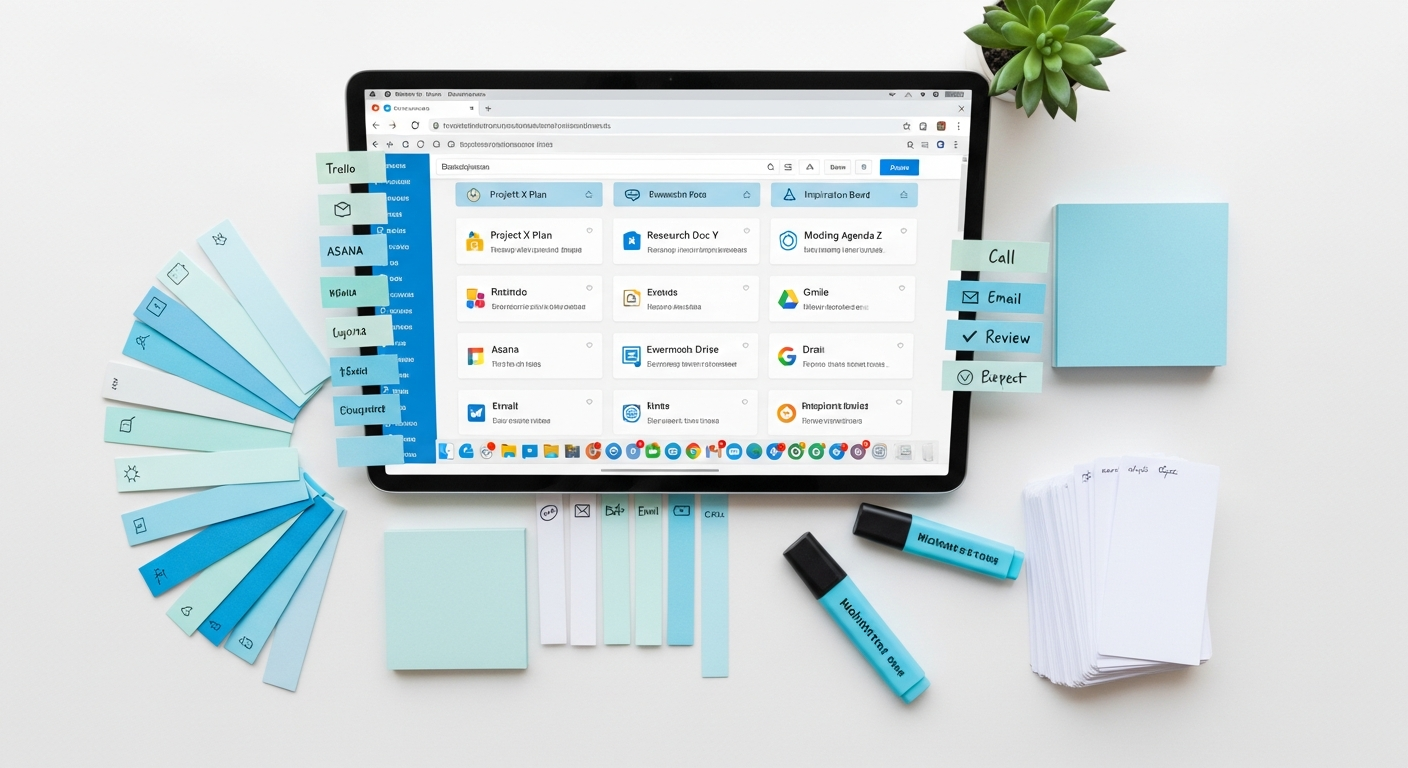
Building a tag system that stands the test of time requires more than just slapping a few keywords onto your bookmarks. It demands forethought, consistency, and adherence to a few core principles. Think of these as the architectural blueprints for your digital information infrastructure.
1. Consistency is King (or Queen)
This is arguably the most critical principle. Inconsistency is the primary killer of long-term tag usefulness. Without consistency, you’ll end up with redundant tags, making search cumbersome and unreliable.
- Naming Conventions: Decide on a standard and stick to it.
- Singular vs. Plural: Will you use `tool` or `tools`? `article` or `articles`? Pick one (singular is often preferred for broad categories) and apply it universally.
- Capitalization: `AI`, `ai`, or `Ai`? Standardize. PascalCase (`ArtificialIntelligence`), camelCase (`artificialIntelligence`), or all lowercase (`artificialintelligence`) are common. Many prefer all lowercase for ease of typing and search.
- Delimiters: How will you handle multi-word tags? `machinelearning`, `machine-learning`, or `machine_learning`? Hyphens (`-`) are often easier to read and type than underscores (`_`) and are generally SEO-friendly for URLs, which translates well to tag readability.
- Synonym Management: Decide early if `Artificial Intelligence` and `AI` will be separate tags or if you’ll standardize on one. Most systems allow for tag merging, but it’s better to prevent the duplication from the outset.
2. Granularity vs. Generality: Finding the Right Balance
Tags should be specific enough to be useful but general enough to apply to multiple items. Too general, and they lose meaning (e.g., `webpage`). Too specific, and you’ll have an overwhelming number of tags with only one or two associated items (e.g., `blue_widget_report_2023_Q3_final_draft`).
- Start with broader categories and refine as needed. You can always add more specific tags later.
- Consider the “five-tag rule”: If you find yourself wanting to add more than five distinct tags to a single item, your tags might be too granular, or the item itself might be too broad and could be broken down.
3. Future-Proofing Your Tags
Your tag system should be able to evolve with your needs. Avoid overly specific tags that might become obsolete quickly (e.g., `webdesign_trends_2022`). Instead, focus on evergreen concepts.
- Use broad categories that can encompass future developments.
- Incorporate versioning or year-specific tags only when truly necessary (e.g., `Python_3.9`, `Annual_Report_2023`).
4. Avoiding Redundancy and Overlap
If you use both folders and tags, ensure they complement each other rather than duplicating effort. For example, if you have a folder for “Client X,” you might not need a tag `client_x` unless you need to cross-reference Client X’s resources with other projects or themes.
- Tags should add value beyond what your folder structure already provides.
- Regularly review your tags for duplicates or tags that serve identical purposes.
5. User-Centric Design (for Yourself or Your Team)
The best tag system is one that makes sense to *you* and how *you* think. If you’re working in a team, involve them in the design process to ensure collective buy-in and understanding.
- How do you typically search for information? Mimic that logic in your tag structure.
- Prioritize tags that address your most frequent retrieval needs.
Strategies for Effective Tag Classification
Once you understand the foundational principles, it’s time to explore different classification strategies. The most effective systems often blend several approaches, creating a multi-faceted way to slice and dice your information.
1. Hierarchical Tagging (Folders + Tags)
While tags are often seen as an alternative to folders, they can work harmoniously. Many advanced bookmarking tools (like Raindrop.io) allow for nested collections/folders alongside tags. Here, folders provide the broad context, and tags offer granular details and cross-referencing.
- Example:
- Folder: `Marketing`
- Subfolder: `Client_Acquisition`
- Subfolder: `Content_Strategy`
- Folder: `Marketing`
- Tags for an item in “Content_Strategy”: `SEO`, `Blog_Post`, `Competitor_Analysis`, `Read_Later`
- Best for: Projects with clear, distinct phases or departments, or when a top-down view is helpful.
2. Faceted Classification (Multi-Dimensional Tags)
This is where tags truly shine, allowing you to describe an item along multiple independent dimensions. Think of it like filtering products on an e-commerce site – you can filter by color, size, brand, price, etc., simultaneously.
- Dimensions to consider:
- Topic/Subject: `AI`, `Cybersecurity`, `Productivity`, `Finance`
- Type of Resource: `Article`, `Video`, `Tool`, `Tutorial`, `Code_Snippet`, `Book`
- Status/Action: `To_Read`, `In_Progress`, `Completed`, `Action_Required`, `Reference`
- Source/Origin: `NYT`, `Medium`, `Harvard_Business_Review`, `YouTube`
- Project/Client: `Project_Apollo`, `Client_Zeus`, `Personal_Development`
- Urgency/Priority: `High_Priority`, `Low_Priority`
- Year/Date (if relevant): `2023_Research`, `Q4_Report`
- Example: A research paper on AI ethics
- `topic:AI`
- `topic:Ethics`
- `type:Research_Paper`
- `status:To_Review`
- `project:Thesis`
- Best for: Complex information environments, researchers, and anyone who needs to retrieve items based on specific attributes.
3. Action-Oriented Tags
These tags are less about *what* the content is and more about *what you need to do with it*. They are incredibly powerful for managing your workflow and preventing items from falling through the cracks.
- `_todo`: Something you need to act upon.
- `_read_later`: For articles you want to consume when you have dedicated time.
- `_review`: Items that need a second look or approval.
- `_share`: Resources you intend to share with colleagues or your network.
- `_archive`: Content that is no longer actively needed but might be useful for historical reference.
- `_urgent`: For high-priority items.
- Pro-Tip: Using an underscore prefix (e.g., `_todo`) often pushes these tags to the top of a tag list in many tools, making them easily visible and actionable.
- Best for: Task management within your bookmarking system, ensuring follow-through.
4. Project-Based and Client-Specific Tags
For consultants, freelancers, or anyone juggling multiple projects, dedicated project or client tags are invaluable.
- `project:Alpha_Launch`
- `client:Acme_Corp`
- `team:Engineering_Docs`
- Best for: Keeping resources tied directly to ongoing work, facilitating quick context switching.
The key is to combine these strategies intelligently. You might use hierarchical folders for your main client projects, then apply faceted tags for the type of resource and its status, and finally, action-oriented tags to manage your workflow.
Implementing Your System: Choosing the Right Tools

The best tag system in the world is useless without the right platform to support it. While browser-native bookmarking offers basic functionality, dedicated bookmarking tools provide the advanced features necessary for a truly robust and long-term tag system. Here’s a look at some popular options and how they support sophisticated tagging.
Browser-Native Bookmarks (Chrome, Firefox, Edge, Safari)
- Features: Basic folders, keyword search, limited tagging (Firefox has tags, Chrome/Edge rely more on folders and search).
- Limitations: Lack of robust tag management (batch editing, renaming), no nested tags, limited visual organization, often tied to a single browser ecosystem.
- Best for: Very casual users, temporary links, or as a quick temporary save before moving to a dedicated tool.
Dedicated Bookmarking & Read-It-Later Services
These tools are built from the ground up to manage web content, offering superior tagging capabilities, cross-device sync, and often additional features like annotation or offline reading.
Raindrop.io
- Key Features: Beautiful visual interface, robust collections (folders) with nesting, powerful tagging system, highlight and annotation features (Pro), duplicate finder, broken link checker (Pro), integrations. Tags can be combined with collections for powerful organization.
- Pricing: Free tier (up to 100,000 bookmarks, basic features); Pro ($3/month or $28/year) for advanced features like nested collections, full-text search, permanent copy, broken link checker, and more.
- Best for: Visual learners, designers, researchers, anyone with extensive collections of diverse media types (articles, images, videos, files), and those who appreciate a clean, modern interface. Excellent for combined folder/tag strategies.
- Use Case Example: A UX designer creates collections for `UI Patterns`, `Inspiration`, `Competitor Analysis`. Within `UI Patterns`, they tag specific bookmarks with `mobile`, `web`, `dark_mode`, `accessibility`, `forms`, `onboarding`.
Pocket (formerly Read It Later)
- Key Features: Primarily focused on saving articles and videos for later consumption, excellent offline reading, powerful tagging, article-view stripping for distraction-free reading.
- Pricing: Free tier (save, tag, read offline); Premium ($4.99/month or $44.99/year) for permanent library, full-text search, suggested tags, unlimited highlights.
- Best for: Avid readers, journalists, researchers who consume a lot of long-form content and need a robust system for reading and tagging articles for future reference.
- Use Case Example: A journalist saves numerous news articles and research papers, tagging them with `politics`, `economy`, `source:NYT`, `topic:inflation`, `_read_later`, `project:election_coverage`.
Diigo
- Key Features: Social bookmarking, robust tagging, highlighting directly on web pages, sticky notes, screenshot capture, outlining, PDF annotation. Supports both public and private bookmarks.
- Pricing: Free (limited bookmarks, highlights); Standard ($40/year); Professional ($5/month or $40/year); Education plans.
- Best for: Students, academic researchers, collaborative teams who need to not only bookmark but also annotate and share resources extensively. Its highlighting and note-taking are a significant differentiator.
- Use Case Example: A student researching for a thesis saves web pages and PDFs, highlighting key passages and adding notes, tagging each with `thesis:chapter_3`, `source:journal`, `topic:quantum_computing`, `_review_citations`.
Pinboard
- Key Features: Minimalist, fast, plain-text focused, extremely robust tagging (no folders, all organization is tag-based), public/private options, archival functionality (paid add-on). Known for its “anti-social” approach.
- Pricing: $11/year for basic account; $25/year for archival account (saves a permanent copy of every page).
- Best for: Power users, developers, minimalists, anyone who prioritizes speed, simplicity, and a purely tag-driven workflow. It’s often favored by those who want to own their data and avoid feature bloat.
- Use Case Example: A software developer saves code snippets, API documentation, and tutorials, tagging them with `language:Python`, `framework:Django`, `topic:backend`, `error:debugging`, `_reference`.
Comparison Table: Popular Bookmarking Tools
| Tool Name | Pricing (Typical) | Key Features | Best For |
|---|---|---|---|
| Raindrop.io | Free; Pro $3/month | Visual collections (nested), robust tagging, full-text search (Pro), permanent copy, duplicate finder, highlights/notes. | Visual learners, extensive collections, mixed media, advanced organization (folders + tags). |
| Free; Premium $4.99/month | Read-it-later focus, excellent offline reading, powerful tagging, article view, suggested tags (Premium). | Avid readers, journalists, long-form content consumption, article-heavy research. | |
| Diigo | Free; Standard $40/year | Social bookmarking, web highlighting/annotation, sticky notes, PDF annotation, robust tagging. | Students, academic researchers, collaborative teams, heavy annotation needs. |
| Pinboard | $11/year (basic); $25/year (archival) | Minimalist, speed-focused, purely tag-driven, plain text, archival copies. | Power users, developers, minimalists, pure tag-centric workflows, data ownership. |
When selecting a tool, consider its tagging capabilities, its user interface, its pricing model, and how well it integrates with your existing workflow. The right tool will make tagging a seamless and even enjoyable part of your daily routine.
Maintenance and Evolution: Keeping Your Tags Sharp
Even the most meticulously designed tag system will degrade over time without ongoing care. Information evolves, your projects change, and new tools emerge. Regular maintenance is crucial to ensure your tags remain relevant, efficient, and useful long term.
1. Schedule Regular Review and Pruning Sessions
- Cadence: Aim for a quarterly or bi-annual review. Mark it on your calendar!
- What to look for:
- Orphan Tags: Tags with no associated bookmarks. These are dead weight.
- Duplicate Tags: `AI` and `Artificial_Intelligence`. Merge them into your standardized version.
- Obsolete Tags: Tags related to a project that ended years ago and has no future relevance. Consider archiving or deleting.
- Over-Tagged Items: Bookmarks with an excessive number of tags. Refine to the most essential.
- Under-Tagged Items: Bookmarks with too few or no tags. Add relevant tags.
- Action: Use your tool’s tag management features to rename, merge, or delete tags.
2. Master Tag Merging and Renaming
Life happens, and sometimes you’ll create `machine_learning` and `ML`. Most good bookmarking tools offer features to merge these. When merging:
- Choose the canonical (standardized) tag you want to keep.
- Merge the redundant tags into the canonical one. This automatically updates all associated bookmarks.
- Similarly, if a tag name becomes outdated (e.g., `CSS3` to `CSS`), rename it.
3. Develop a “Tag Dictionary” or Style Guide
This is especially important if you work in a team or anticipate your tag system growing significantly. A simple document (even a text file) outlining your naming conventions, common tags, and preferred delimiters can prevent chaos.
- List your core categories (e.g., `topic:`, `type:`, `status:`).
- Provide examples of correct and incorrect tag usage.
- Specify capitalization rules (e.g., all lowercase).
- Define how multi-word tags are handled (e.g., `machine-learning`).
4. Leverage Batch Editing Features
Manually updating tags on hundreds of bookmarks is a nightmare. Ensure your chosen tool supports batch editing. This allows you to select multiple bookmarks and add, remove, or replace tags across all of them simultaneously, making maintenance much more efficient.
5. Don’t Be Afraid to Archive
Rather than outright deleting old tags or bookmarks, consider an “archive” tag (`_archive`) or a dedicated archive collection. This keeps the information accessible if you ever need it, without cluttering your active working set.
Advanced Tagging Techniques and Pitfall Avoidance
Once you’ve mastered the basics, you can explore more sophisticated techniques to extract even greater value from your tag system. Simultaneously, being aware of common pitfalls can help you steer clear of future headaches.
Advanced Techniques
- Combining Tags for Precision Searches: The real power of tagging comes from combining them. Most tools allow you to search for bookmarks that have `tag_A AND tag_B` or `tag_A OR tag_B`.
- Example: Search for `AI AND ethics AND read_later` to find articles on AI ethics you still need to read.
- Example: Search for `project:alpha AND (type:article OR type:video)` to find all articles and videos related to Project Alpha.
- Pre-defined Tag Sets for Specific Contexts: For recurring tasks or projects, create a mental (or actual) checklist of standard tags to apply.
- For a client meeting prep: `client:XYZ`, `agenda`, `notes`, `action_items`, `_review`.
- For a new research paper: `topic:`, `type:research_paper`, `status:to_read`, `source:`.
- Contextual Tagging with Prefixes/Suffixes: Use prefixes or suffixes to add specific context to tags, making them more descriptive and searchable.
- `year:2023`, `priority:high`, `status:draft`, `lang:python`.
- This is a form of faceted tagging but emphasizes very specific metadata.
- Utilizing Negative Tagging (Exclusion): Some advanced tools allow you to exclude tags from your search.
- Example: Search for `AI NOT (status:archived OR type:video)` to find AI-related content that isn’t archived and isn’t a video.
Avoiding Common Tagging Pitfalls
Even with the best intentions, it’s easy to fall into traps that undermine your tag system’s long-term usefulness.
- Tag Bloat (Too Many Tags): Creating a new tag for every slight nuance. This leads to an unmanageable list of tags, many with only one or two associated items.
- Solution: Embrace the “Goldilocks Principle” – not too many, not too few. Aim for a manageable number of core tags and combine them for specificity. Regularly prune.
- Inconsistency: As mentioned, this is the biggest killer. `AI`, `ai`, `Artificial_Intelligence` for the same concept.
- Solution: Strict adherence to naming conventions and regular review/merging sessions.
- Over-Tagging: Applying every conceivable tag to an item. This makes each tag less meaningful and clutters your search results.
- Solution: Focus on the 3-5 most critical tags that describe the item’s core content, type, and your intended action.
- Under-Tagging: Not applying enough tags, or any tags at all. This defeats the purpose of the system.
- Solution: Make tagging a habit. If your tool supports it, use suggested tags or create quick-tag presets.
- Ignoring the “Why”: Tagging without a clear purpose or strategy.
- Solution: Always ask yourself, “How will I want to find this again?” The answer should guide your tagging choices.
- Relying Solely on Tags for Everything: While powerful, tags aren’t always the *only* solution. Combine them with folders/collections (if your tool supports it) for a more robust hybrid system.
By being mindful of these pitfalls and actively employing advanced techniques, you can ensure your bookmark tag system remains a powerful, evolving asset rather than a forgotten chore.
Key Takeaways
- Prioritize Consistency: Standardize naming conventions (singular/plural, capitalization, delimiters) from day one to prevent tag bloat and ensure reliable search.
- Adopt a Hybrid Strategy: Combine hierarchical (folders/collections), faceted (multi-dimensional), and action-oriented tags for comprehensive and flexible organization.
- Choose the Right Tool: Select a dedicated bookmarking app (like Raindrop.io, Pocket, Diigo, or Pinboard) that offers robust tag management features, batch editing, and suits your specific workflow.
- Commit to Regular Maintenance: Schedule quarterly reviews to merge duplicates, prune obsolete tags, and ensure your system remains