


Master Your Digital Library: Essential Bookmark Manager Features for Ultimate Productivity
Affiliate disclosure: This article may contain affiliate links. Recommendations are independent and editorially driven.
Introduction: Why Bookmark Managers Are Non-Negotiable in 2026
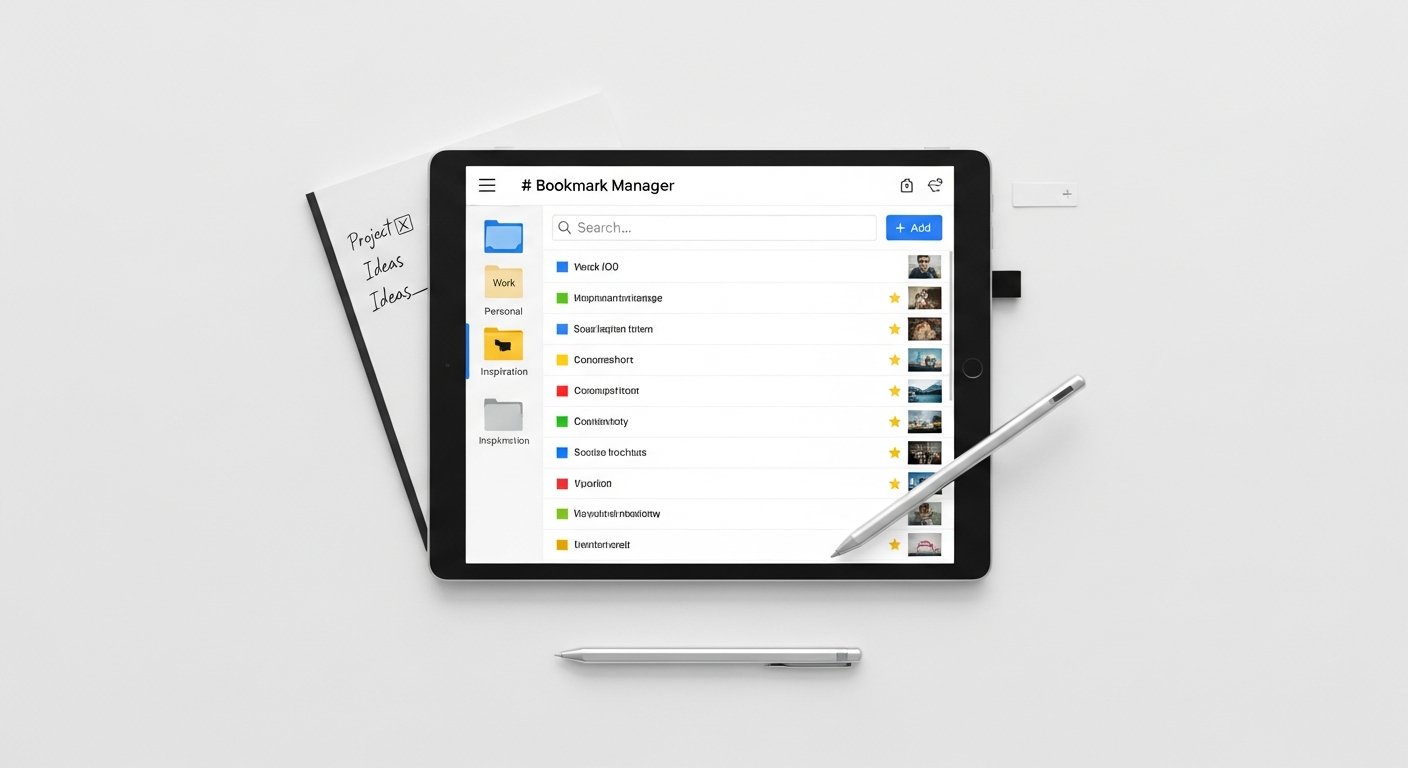
In 2026, the digital landscape is an ocean of information, with new articles, research papers, videos, and tools emerging constantly. For anyone engaged in tech productivity, research, content creation, or simply trying to stay informed, managing this deluge of links is not just a convenience—it’s a necessity. The native bookmarking functionality in browsers, while functional for casual saving, quickly becomes overwhelmed for those who rely on links as the bedrock of their personal knowledge management (PKM) system. This is where dedicated bookmark managers shine, offering a rich array of bookmark manager features that transform a chaotic collection of URLs into an organized, searchable, and actionable knowledge base.
At bookmarksharer, we understand the critical role effective link-curation workflows play in boosting productivity and intellectual growth. The right bookmark manager capabilities can mean the difference between losing a crucial piece of information forever and instantly retrieving it to inform your next big project. This comprehensive guide will deep-dive into the essential, advanced, and niche bookmark manager features available today, helping you navigate the options and select the tool that best aligns with your specific needs. From basic saving to AI-powered insights, we’ll explore how these tools empower you to master your digital library.
Understanding the Core Value: What Are Bookmark Manager Features?
At its heart, a bookmark manager is an application or service designed to help you save, organize, and retrieve web pages and other online resources more efficiently than traditional browser bookmarks. The “features” are the specific functionalities these tools offer to achieve that goal. While the core concept is simple—saving a link—the sophistication of modern bookmark manager features has evolved dramatically, moving beyond mere link storage to encompass advanced knowledge management, collaboration, and even AI-driven insights.
Think of it as the difference between a simple physical address book and a full-fledged CRM system. Both store contact information, but one offers a vastly superior set of tools for managing, interacting with, and deriving value from that data. Similarly, modern bookmark managers go far beyond a simple list of links, providing robust capabilities that turn saved URLs into a dynamic and valuable part of your digital toolkit. They address common pain points like link rot, information overload, and the inability to quickly find previously saved content, becoming indispensable PKM tools for users across various domains.
[INLINE IMAGE 1: place after second H2 | alt=”bookmark manager features concept illustration”]
Fundamental Bookmark Manager Features for Every User
Every effective bookmark manager must possess a set of core functionalities that address the most common challenges of digital information overload. These are the foundational bookmark manager features that differentiate a dedicated tool from a basic browser bookmark bar, offering immediate improvements in organization and retrievability.
Tagging, Categorization, and Folders
The ability to organize bookmarks is paramount. While folders offer a hierarchical structure, tags provide a flexible, non-hierarchical way to categorize content. Most bookmark managers offer both:
- Tags: Assign multiple keywords to a single bookmark (e.g., “AI,” “productivity,” “research,” “future-of-work”). This allows for powerful cross-referencing.
- Nested Folders/Collections: Create a structured hierarchy (e.g., “Work” > “Project X” > “Competitor Analysis”).
- Smart Tags/Folders: Some tools allow you to create dynamic collections based on specific criteria (e.g., all bookmarks tagged “AI” from the last month).
Effective tagging is a cornerstone of a robust personal knowledge management system, allowing you to quickly retrieve information based on context rather than just a remembered title. It’s one of the most basic yet powerful bookmark manager capabilities.
Robust Full-Text Search and Filtering
What’s the point of saving information if you can’t find it later? While browser bookmarks usually only search titles and URLs, advanced bookmark managers index the *entire content* of the saved web page. This full-text search capability is a game-changer:
- Content Indexing: Search for any word or phrase that appeared on the saved page, even if it wasn’t in the title or URL.
- Advanced Filters: Filter by tags, date saved, domain, author, read status, and more.
- Boolean Search: Use operators like AND, OR, NOT to refine your queries (e.g., “AI AND (productivity OR automation) NOT news”).
This is arguably the most crucial of all bookmark manager features for anyone serious about knowledge retention and retrieval. Imagine searching for a specific concept you remember reading about months ago, and finding the exact article instantly, even if you can’t recall its title.
Seamless Cross-Device Synchronization
In a multi-device world, your bookmarks need to be accessible everywhere. A fundamental feature is reliable synchronization across:
- Desktop Browsers: Chrome, Firefox, Edge, Safari.
- Mobile Apps: iOS and Android applications.
- Web Interface: A dedicated website for managing bookmarks from any device.
This ensures continuity in your research and browsing experience, allowing you to save a link on your phone and pick up where you left off on your desktop, or vice-versa. Without robust sync, the utility of any bookmark manager is severely limited, making it a non-negotiable feature for modern productivity.
Intuitive Browser Extension Integration
Saving a bookmark should be quick and frictionless. A well-designed browser extension is critical for this:
- One-Click Save: Instantly save the current page.
- Quick Tagging/Categorization: Add tags, notes, or assign to folders directly from the save dialogue.
- Read Status: Mark as “read later” or “archive.”
- Screenshot/Selection Capture: Some extensions allow you to capture specific parts of a page or a full-page screenshot.
The browser extension acts as your primary gateway to the bookmark manager, and its ease of use directly impacts how consistently you’ll integrate the tool into your daily workflow. The best bookmark manager features often start with a superb capture experience.
Visual Previews and Screenshots
A wall of text links can be overwhelming. Visual cues significantly improve retrievability:
- Thumbnail Previews: A small image of the saved page, often generated automatically.
- Favicon Display: The website’s icon next to the link.
- Full-Page Screenshots: Some tools capture an entire screenshot of the page at the time of saving, providing a static record even if the page content changes or goes offline.
These visual elements make it easier and faster to scan your library and identify the content you’re looking for, enhancing the overall user experience.
Advanced Bookmark Manager Features for Power Users & Professionals
Beyond the fundamentals, many bookmark managers offer sophisticated capabilities tailored for users with more complex needs—researchers, content creators, teams, and knowledge workers. These advanced bookmark manager features elevate the tool from a simple link saver to a powerful knowledge management and collaboration hub.
AI-Powered Auto-Tagging and Summarization
The future of knowledge management is increasingly intelligent. AI integration is revolutionizing how we interact with saved content:
- Automatic Tagging: AI analyzes page content and suggests relevant tags, or even applies them automatically, reducing manual effort and improving consistency.
- Content Summarization: Generative AI can provide a concise summary of a saved article, allowing you to quickly grasp its main points without revisiting the full page.
- Keyphrase Extraction: Identify important keywords and concepts from the text.
These AI-driven features save significant time and ensure a more thorough and consistent categorization of your digital library, making your collection smarter and more accessible. It represents a significant leap forward in bookmarking features, moving towards intelligent curation.
Offline Archiving and Web Page Caching
The web is ephemeral. Pages change, disappear, or go behind paywalls. Offline archiving addresses this critical issue:
- Full Page Archiving: Saves a complete, static copy of the web page at the time of bookmarking, including text, images, and sometimes even interactive elements.
- PDF/HTML Export: Convert archived pages into standard, portable formats.
- Link Rot Prevention: Ensures that even if the original URL breaks or changes, you still have access to the content you saved.
For researchers, journalists, or anyone who relies on historical web content, this feature is invaluable. It’s a digital safety net that preserves the context and content of your saved links indefinitely. This is a paramount capability among high-end bookmark manager features.
Collaboration and Sharing Capabilities
Information isn’t always personal; often, it’s collaborative. Many bookmark managers offer features for teams:
- Shared Collections/Folders: Create common spaces where team members can save and access bookmarks.
- Permissions Management: Control who can view, edit, or add bookmarks to shared collections.
- Comment and Annotation Sharing: Discuss saved links with colleagues directly within the platform.
- Public/Private Sharing: Easily share specific bookmarks or collections with others via unique links, choosing between public access or private sharing with invited members.
For organizations, project teams, or even study groups, these collaboration features are essential for building shared knowledge bases and streamlining workflows. This is particularly relevant for those using bookmark managers within broader link-curation workflows.
Custom Fields and Metadata
Standard tags and notes might not always be enough. Custom fields allow for highly specific data capture:
- User-Defined Fields: Create your own data fields like “Project,” “Client,” “Status,” “Due Date,” “Author,” “Source Type.”
- Structured Data: Input specific information related to the content, making it easier to filter and retrieve based on unique criteria relevant to your work.
- Rich Notes: Go beyond plain text with rich text editing, embedding images, or linking to other bookmarks/notes.
This level of customization transforms a bookmark manager into a specialized database for your specific information management needs, providing a much deeper level of organization than generic bookmarking solutions.
Robust Import/Export and Data Portability
Vendor lock-in is a concern for any digital tool. Good bookmark managers offer strong data portability:
- Import from Browsers: Easily migrate existing bookmarks from Chrome, Firefox, Safari, etc.
- Import from Other Managers: Support for importing from competitor platforms or common formats (e.g., HTML bookmark files).
- Export Options: Export your entire library in various formats (HTML, CSV, JSON, Markdown) to ensure you always own your data and can migrate if needed.
This ensures flexibility and peace of mind, knowing that your meticulously curated digital library is never truly trapped within a single platform. It’s a vital, though often overlooked, set of bookmark manager features.
API and Third-Party Integrations
For true power users and developers, an open API is a gateway to endless possibilities:
- Developer API: Allows users to programmatically interact with their bookmark library, building custom tools, scripts, or integrations.
- Integrations with Productivity Tools: Seamless connections with apps like Notion, Obsidian, Evernote, Trello, Zapier, IFTTT for automated workflows. For example, automatically sending a tagged bookmark to a specific Notion database or Trello board.
- Webhooks: Trigger actions in other applications when certain events occur (e.g., a new bookmark is saved).
These integrations turn the bookmark manager into a central hub within a broader PKM ecosystem, automating tasks and connecting your saved content to your workflows and note-taking apps. This is where link-curation workflows truly become powerful.
Beyond Basic Saving: Niche & Specialized Bookmark Manager Features
As the market for knowledge management tools matures, certain bookmark managers distinguish themselves with unique or highly specialized functionalities catering to specific user groups or advanced use cases. These distinct bookmark manager features often push the boundaries of traditional bookmarking.
Highlighting and Annotation
Reading the web is an active process. The ability to directly interact with the content on a saved page is invaluable for learning and recall:
- In-Page Highlighting: Mark important text directly on the archived web page.
- Marginal Notes: Add personal notes or comments alongside specific paragraphs or sections.
- Annotation Sync: Ensure highlights and notes are saved and synced with the bookmark, accessible whenever you revisit the page.
This transforms passive link saving into active engagement, making your bookmarks a richer source of information and personal insights. It’s a bridge between a pure bookmark manager and a full-fledged note-taking app.
Reading List and Read-It-Later Functionality
The internet’s constant influx of information can be distracting. Dedicated “read-it-later” features help manage this:
- Dedicated Reading View: Strips away ads and distractions, presenting articles in a clean, readable format.
- Progress Tracking: Mark articles as unread, reading, or finished.
- Estimated Reading Time: Often provided to help prioritize your reading list.
- Text-to-Speech: Some services offer an audio version of saved articles.
This feature helps users manage their information intake, allowing them to save interesting content for focused consumption later, rather than getting sidetracked in the moment. It’s a key productivity enhancement among bookmark manager capabilities.
Content Curation and RSS Integration
For those who actively curate content or follow specific sources, certain features streamline discovery and organization:
- RSS Feed Integration: Automatically pull in articles from your favorite blogs and news sites directly into your bookmark manager.
- Newsletter Subscription: Some tools offer unique email addresses to subscribe to newsletters, archiving them alongside your bookmarks.
- Content Discovery: Suggest related articles or popular content within your network or interests.
These features help centralize your content consumption and curation efforts, making your bookmark manager a personalized news aggregator and discovery engine.
Duplicate Detection and Link Health Checks
Maintaining a clean and efficient library requires ongoing hygiene:
- Duplicate Link Detection: Automatically identifies and helps merge or delete identical bookmarks.
- Broken Link Checker: Periodically scans your saved links to identify and flag any that are no longer accessible or have moved.
- Archive Status Monitoring: Alerts you if an archived page is no longer reachable on its original URL, emphasizing the value of your cached copy.
These maintenance-oriented features ensure that your digital library remains organized, reliable, and free from clutter, enhancing the long-term value of your bookmark manager.
Version Control and History
For dynamic web content, knowing how a page evolved can be crucial:
- Page History: If a page is archived multiple times, some advanced managers store different versions, allowing you to compare changes over time.
- Edit History for Notes: Track changes made to your notes or annotations associated with a bookmark.
While less common, this feature offers an advanced layer of context and reliability for research, especially when tracking evolving information or public documents.
Choosing the Right Tool: Key Considerations & Comparison
With such a diverse range of bookmark manager features available, selecting the ideal tool can feel overwhelming. The “best” manager isn’t universal; it depends entirely on your individual needs, workflow, and budget. Here’s how to weigh your options.
Ease of Use vs. Feature Depth
This is often a primary trade-off. Simple tools like browser bookmarks are easy but lack depth. Advanced managers offer powerful features but might have a steeper learning curve.
- For Casual Users: Prioritize intuitive interfaces, quick saving, and basic tagging.
- For Power Users/Professionals: Look for comprehensive features like full-text search, AI capabilities, and integrations, even if they require a bit more setup. The long-term productivity gains often outweigh the initial learning investment.
Pricing Models (Free, Freemium, Premium)
Bookmark managers come with various pricing structures:
- Free: Basic functionality, often with limitations on storage, number of bookmarks, or advanced features. Good for testing the waters.
- Freemium: Offers a free tier with essential bookmark manager features, but locks premium features (e.g., full-text search, offline archiving, collaboration) behind a paid subscription.
- Premium/Paid: Full suite of features, often with unlimited storage, dedicated support, and advanced functionalities tailored for professionals or teams. These often provide the most robust bookmark manager capabilities.
Consider your budget and how critical these features are to your daily workflow. Investing in a paid solution can often yield significant productivity returns.
Privacy and Security
You’re entrusting your personal reading list and potentially sensitive research to these platforms. Consider:
- Data Encryption: Is your data encrypted in transit and at rest?
- Privacy Policy: How does the service use your data? Do they sell it?
- Two-Factor Authentication (2FA): Essential for securing your account.
- Self-Hosting Options: Some advanced users prefer self-hosted solutions for ultimate data control.
Prioritize tools that demonstrate a strong commitment to user privacy and data security. This is particularly important for professionals handling confidential research or content.
Platform Compatibility
Ensure the bookmark manager works seamlessly across all your essential devices and browsers:
- Desktop OS: Windows, macOS, Linux.
- Mobile OS: iOS, Android.
- Browser Extensions: Chrome, Firefox, Edge, Safari.
- Native Apps vs. Web Apps: Some offer dedicated desktop apps for a richer experience, while others rely solely on web interfaces.
Seamless cross-device synchronization and native app support contribute significantly to a fluid user experience and are fundamental bookmark manager features for modern usage.
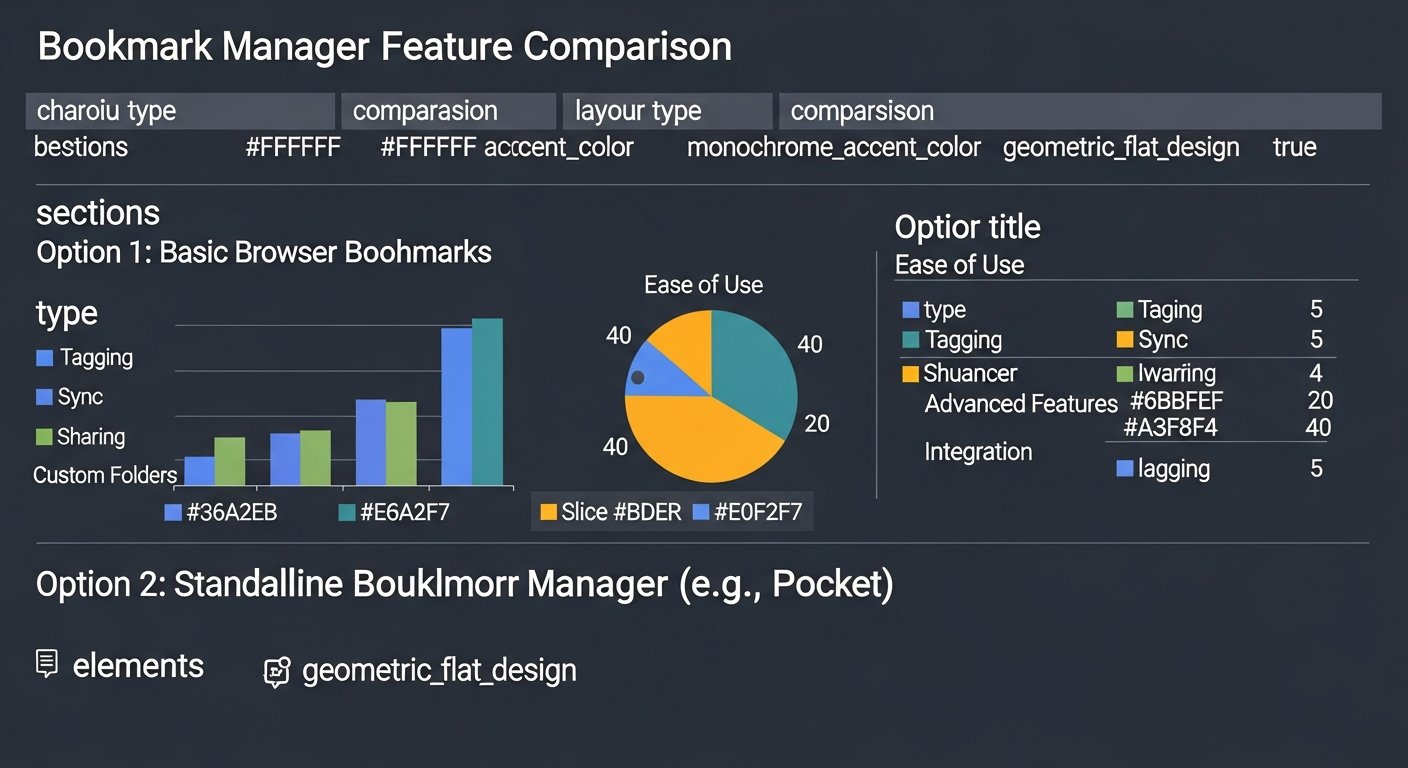
To help illustrate the differences, here’s a comparison table of hypothetical bookmark manager features:
| Feature Category | Bookmark Manager A (Basic) | Bookmark Manager B (Advanced) | Bookmark Manager C (Pro/Team) |
|---|---|---|---|
| Core Organization | Folders, basic tags | Folders, multi-tags, smart collections | Nested folders, unlimited tags, AI-suggested tags, custom metadata |
| Search & Retrieval | Title & URL search | Full-text search, filters (tag, date, domain) | Advanced full-text search, Boolean operators, AI semantic search |
| Capture & Sync | Browser extension, basic mobile app, cross-device sync | Enhanced browser extension, robust mobile apps, instant sync, visual previews | Rich browser extension (screenshots, annotations), native desktop apps, instant sync, AI content extraction |
| Archiving & Preservation | No archiving | Basic offline archiving (HTML) | Full page archiving (HTML/PDF), version control, broken link detection, permanent storage |
| Collaboration | No sharing | Public/private link sharing | Shared collections, team permissions, in-app commenting, collaborative annotation |
| Integrations | None | Basic integrations (e.g., Zapier) | Extensive API, Zapier, IFTTT, direct integrations with PKM tools (Notion, Obsidian) |
| AI Capabilities | None | Limited AI (e.g., related articles) | AI auto-tagging, summarization, keyphrase extraction, intelligent suggestions |
| Pricing | Free only | Freemium model, affordable premium tier | Tiered subscriptions (Individual, Team, Enterprise) |
[INLINE IMAGE 2: place after fourth H2 | alt=”bookmark manager features comparison illustration”]
Implementing Bookmark Manager Features into Your PKM Workflow
A bookmark manager isn’t an isolated tool; it’s a vital component of a well-structured Personal Knowledge Management (PKM) system. By strategically integrating its features, you can significantly enhance your ability to capture, organize, and leverage information for deeper insights and creative output.
Integrating with Note-Taking Apps
The synergy between bookmark managers and note-taking apps (like Notion, Obsidian, Evernote, Roam Research) is incredibly powerful. Many advanced bookmark manager features facilitate this integration:
- Direct Export: Send a saved link, along with its notes and highlights, directly to a specific note in your preferred app.
- Bi-directional Linking: Some setups allow you to link from your note-taking app back to the original bookmark entry, creating a seamless navigation experience.
- Automated Workflows (via API/Zapier): Automatically create a new note in Obsidian for every bookmark tagged “research,” including a summary and archived content.
This integration transforms raw links into processed knowledge, allowing you to annotate, contextualize, and connect information across your digital workspace.
Building a Personal Knowledge Graph with Bookmarks
A personal knowledge graph is a network of interconnected information. Bookmarks, especially when enriched with tags, custom metadata, and notes, form the nodes of this graph:
- Interconnected Tags: Use consistent tags across bookmarks, notes, and other digital assets to create thematic connections.
- Related Link Suggestions: Some bookmark managers suggest related links from your library based on the content of a newly saved page or a currently viewed bookmark.
- Visual Mapping Tools: Certain PKM tools, when integrated, can visually map your bookmarks and their relationships, offering new perspectives on your knowledge base.
By treating each bookmark as a valuable piece of information to be linked and contextualized, you build a dynamic, searchable, and insightful representation of your collected knowledge.
Leveraging Bookmarks for Research and Content Creation
For researchers, writers, and content creators, bookmark managers are indispensable. The comprehensive bookmark manager features support every stage of the creative process:
- Efficient Resource Gathering: Rapidly save and categorize articles, data, and multimedia for a project.
- Instant Recall: Use full-text search to quickly retrieve specific facts, quotes, or sources when writing.
- Source Citation: Easily access original URLs and publication details for proper citation.
- Inspiration Hub: Curate collections of inspiring designs, compelling arguments, or innovative ideas to fuel your creativity.
A well-managed bookmark library acts as a continuously growing external brain, ensuring that no valuable piece of information is lost and can be readily deployed for your next creative endeavor. Explore our guide on advanced link-curation strategies to further enhance this process.
The Future of Bookmark Management: AI, Automation, and Beyond
The evolution of bookmark manager features is accelerating, largely driven by advancements in artificial intelligence and automation. Looking ahead to 2026 and beyond, we can anticipate even more sophisticated capabilities that will fundamentally change how we interact with our digital libraries.
Predictive Bookmarking and Smart Suggestions
Imagine a bookmark manager that not only stores what you save but also anticipates what you might need. Future features could include:
- Contextual Suggestions: Based on your current browsing, research topics, and existing library, the manager suggests relevant articles or previously saved links you might have forgotten.
- Anticipatory Saving: AI identifies content you frequently engage with or topics you research and proactively suggests saving certain pages, or even automatically archives them if deemed highly relevant.
- Topic Modeling: Automatically group your bookmarks into overarching themes and topics you frequently engage with, even if you haven’t explicitly tagged them.
This moves beyond reactive saving to proactive knowledge discovery and organization, making your bookmark manager an intelligent research assistant.
Generative AI for Content Summarization and Extraction
While current AI offers summarization, the next generation will be even more powerful:
- Conversational Querying: Ask your bookmark manager questions in natural language and receive answers synthesized from your saved content (e.g., “What are the pros and cons of quantum computing from my saved articles?”).
- Automated Insight Generation: AI could analyze a collection of bookmarks and identify emerging trends, conflicting information, or synthesis opportunities that you might have missed.
- Customizable Content Extraction: Train the AI to extract specific types of information (e.g., all statistics from research papers, all product features from competitor analyses) from your saved links.
These capabilities will transform your bookmark collection into a dynamic, queryable database of knowledge, providing insights far beyond simple retrieval. Delve deeper into how these tools integrate with modern PKM strategies.
Personalized Discovery and Curation
Bookmark managers could evolve into highly personalized content discovery engines:
- Smart Feed Aggregation: Curate a unique news feed combining RSS, newsletters, and social media based on your saved links and identified interests.
- Network-Based Discovery: Leverage anonymized data from users with similar interests to suggest highly relevant content you haven’t encountered yet.
- “For You” Collections: Automatically generate dynamic collections of content tailored to your current project or learning goal.
The future of bookmarking isn’t just about saving what you
Master Your Digital Library: Essential Bookmark Manager Features for Ultimate Productivity
Affiliate disclosure: This article may contain affiliate links. Recommendations are independent and editorially driven.
Introduction: Why Bookmark Managers Are Non-Negotiable in 2026
In 2026, the digital landscape is an ocean of information, with new articles, research papers, videos, and tools emerging constantly. For anyone engaged in tech productivity, research, content creation, or simply trying to stay informed, managing this deluge of links is not just a convenience—it’s a necessity. The native bookmarking functionality in browsers, while functional for casual saving, quickly becomes overwhelmed for those who rely on links as the bedrock of their personal knowledge management (PKM) system. This is where dedicated bookmark managers shine, offering a rich array of bookmark manager features that transform a chaotic collection of URLs into an organized, searchable, and actionable knowledge base.
At bookmarksharer, we understand the critical role effective link-curation workflows play in boosting productivity and intellectual growth. The right bookmark manager capabilities can mean the difference between losing a crucial piece of information forever and instantly retrieving it to inform your next big project. This comprehensive guide will deep-dive into the essential, advanced, and niche bookmark manager features available today, helping you navigate the options and select the tool that best aligns with your specific needs. From basic saving to AI-powered insights, we’ll explore how these tools empower you to master your digital library.
Understanding the Core Value: What Are Bookmark Manager Features?
At its heart, a bookmark manager is an application or service designed to help you save, organize, and retrieve web pages and other online resources more efficiently than traditional browser bookmarks. The “features” are the specific functionalities these tools offer to achieve that goal. While the core concept is simple—saving a link—the sophistication of modern bookmark manager features has evolved dramatically, moving beyond mere link storage to encompass advanced knowledge management, collaboration, and even AI-driven insights.
Think of it as the difference between a simple physical address book and a full-fledged CRM system. Both store contact information, but one offers a vastly superior set of tools for managing, interacting with, and deriving value from that data. Similarly, modern bookmark managers go far beyond a simple list of links, providing robust capabilities that turn saved URLs into a dynamic and valuable part of your digital toolkit. They address common pain points like link rot, information overload, and the inability to quickly find previously saved content, becoming indispensable PKM tools for users across various domains.
[INLINE IMAGE 1: place after second H2 | alt=”bookmark manager features concept illustration”]
Fundamental Bookmark Manager Features for Every User
Every effective bookmark manager must possess a set of core functionalities that address the most common challenges of digital information overload. These are the foundational bookmark manager features that differentiate a dedicated tool from a basic browser bookmark bar, offering immediate improvements in organization and retrievability.
Tagging, Categorization, and Folders
The ability to organize bookmarks is paramount. While folders offer a hierarchical structure, tags provide a flexible, non-hierarchical way to categorize content. Most bookmark managers offer both:
- Tags: Assign multiple keywords to a single bookmark (e.g., “AI,” “productivity,” “research,” “future-of-work”). This allows for powerful cross-referencing.
- Nested Folders/Collections: Create a structured hierarchy (e.g., “Work” > “Project X” > “Competitor Analysis”).
- Smart Tags/Folders: Some tools allow you to create dynamic collections based on specific criteria (e.g., all bookmarks tagged “AI” from the last month).
Effective tagging is a cornerstone of a robust personal knowledge management system, allowing you to quickly retrieve information based on context rather than just a remembered title. It’s one of the most basic yet powerful bookmark manager capabilities.
Robust Full-Text Search and Filtering
What’s the point of saving information if you can’t find it later? While browser bookmarks usually only search titles and URLs, advanced bookmark managers index the *entire content* of the saved web page. This full-text search capability is a game-changer:
- Content Indexing: Search for any word or phrase that appeared on the saved page, even if it wasn’t in the title or URL.
- Advanced Filters: Filter by tags, date saved, domain, author, read status, and more.
- Boolean Search: Use operators like AND, OR, NOT to refine your queries (e.g., “AI AND (productivity OR automation) NOT news”).
This is arguably the most crucial of all bookmark manager features for anyone serious about knowledge retention and retrieval. Imagine searching for a specific concept you remember reading about months ago, and finding the exact article instantly, even if you can’t recall its title.
Seamless Cross-Device Synchronization
In a multi-device world, your bookmarks need to be accessible everywhere. A fundamental feature is reliable synchronization across:
- Desktop Browsers: Chrome, Firefox, Edge, Safari.
- Mobile Apps: iOS and Android applications.
- Web Interface: A dedicated website for managing bookmarks from any device.
This ensures continuity in your research and browsing experience, allowing you to save a link on your phone and pick up where you left off on your desktop, or vice-versa. Without robust sync, the utility of any bookmark manager is severely limited, making it a non-negotiable feature for modern productivity.
Intuitive Browser Extension Integration
Saving a bookmark should be quick and frictionless. A well-designed browser extension is critical for this:
- One-Click Save: Instantly save the current page.
- Quick Tagging/Categorization: Add tags, notes, or assign to folders directly from the save dialogue.
- Read Status: Mark as “read later” or “archive.”
- Screenshot/Selection Capture: Some extensions allow you to capture specific parts of a page or a full-page screenshot.
The browser extension acts as your primary gateway to the bookmark manager, and its ease of use directly impacts how consistently you’ll integrate the tool into your daily workflow. The best bookmark manager features often start with a superb capture experience.
Visual Previews and Screenshots
A wall of text links can be overwhelming. Visual cues significantly improve retrievability:
- Thumbnail Previews: A small image of the saved page, often generated automatically.
- Favicon Display: The website’s icon next to the link.
- Full-Page Screenshots: Some tools capture an entire screenshot of the page at the time of saving, providing a static record even if the page content changes or goes offline.
These visual elements make it easier and faster to scan your library and identify the content you’re looking for, enhancing the overall user experience.
Advanced Bookmark Manager Features for Power Users & Professionals
Beyond the fundamentals, many bookmark managers offer sophisticated capabilities tailored for users with more complex needs—researchers, content creators, teams, and knowledge workers. These advanced bookmark manager features elevate the tool from a simple link saver to a powerful knowledge management and collaboration hub.
AI-Powered Auto-Tagging and Summarization
The future of knowledge management is increasingly intelligent. AI integration is revolutionizing how we interact with saved content:
- Automatic Tagging: AI analyzes page content and suggests relevant tags, or even applies them automatically, reducing manual effort and improving consistency.
- Content Summarization: Generative AI can provide a concise summary of a saved article, allowing you to quickly grasp its main points without revisiting the full page.
- Keyphrase Extraction: Identify important keywords and concepts from the text.
These AI-driven features save significant time and ensure a more thorough and consistent categorization of your digital library, making your collection smarter and more accessible. It represents a significant leap forward in bookmarking features, moving towards intelligent curation.
Offline Archiving and Web Page Caching
The web is ephemeral. Pages change, disappear, or go behind paywalls. Offline archiving addresses this critical issue:
- Full Page Archiving: Saves a complete, static copy of the web page at the time of bookmarking, including text, images, and sometimes even interactive elements.
- PDF/HTML Export: Convert archived pages into standard, portable formats.
- Link Rot Prevention: Ensures that even if the original URL breaks or changes, you still have access to the content you saved.
For researchers, journalists, or anyone who relies on historical web content, this feature is invaluable. It’s a digital safety net that preserves the context and content of your saved links indefinitely. This is a paramount capability among high-end bookmark manager features.
Collaboration and Sharing Capabilities
Information isn’t always personal; often, it’s collaborative. Many bookmark managers offer features for teams:
- Shared Collections/Folders: Create common spaces where team members can save and access bookmarks.
- Permissions Management: Control who can view, edit, or add bookmarks to shared collections.
- Comment and Annotation Sharing: Discuss saved links with colleagues directly within the platform.
- Public/Private Sharing: Easily share specific bookmarks or collections with others via unique links, choosing between public access or private sharing with invited members.
For organizations, project teams, or even study groups, these collaboration features are essential for building shared knowledge bases and streamlining workflows. This is particularly relevant for those using bookmark managers within broader link-curation workflows.
Custom Fields and Metadata
Standard tags and notes might not always be enough. Custom fields allow for highly specific data capture:
- User-Defined Fields: Create your own data fields like “Project,” “Client,” “Status,” “Due Date,” “Author,” “Source Type.”
- Structured Data: Input specific information related to the content, making it easier to filter and retrieve based on unique criteria relevant to your work.
- Rich Notes: Go beyond plain text with rich text editing, embedding images, or linking to other bookmarks/notes.
This level of customization transforms a bookmark manager into a specialized database for your specific information management needs, providing a much deeper level of organization than generic bookmarking solutions.
Robust Import/Export and Data Portability
Vendor lock-in is a concern for any digital tool. Good bookmark managers offer strong data portability:
- Import from Browsers: Easily migrate existing bookmarks from Chrome, Firefox, Safari, etc.
- Import from Other Managers: Support for importing from competitor platforms or common formats (e.g., HTML bookmark files).
- Export Options: Export your entire library in various formats (HTML, CSV, JSON, Markdown) to ensure you always own your data and can migrate if needed.
This ensures flexibility and peace of mind, knowing that your meticulously curated digital library is never truly trapped within a single platform. It’s a vital, though often overlooked, set of bookmark manager features.
API and Third-Party Integrations
For true power users and developers, an open API is a gateway to endless possibilities:
- Developer API: Allows users to programmatically interact with their bookmark library, building custom tools, scripts, or integrations.
- Integrations with Productivity Tools: Seamless connections with apps like Notion, Obsidian, Evernote, Trello, Zapier, IFTTT for automated workflows. For example, automatically sending a tagged bookmark to a specific Notion database or Trello board.
- Webhooks: Trigger actions in other applications when certain events occur (e.g., a new bookmark is saved).
These integrations turn the bookmark manager into a central hub within a broader PKM ecosystem, automating tasks and connecting your saved content to your workflows and note-taking apps. This is where link-curation workflows truly become powerful.
Beyond Basic Saving: Niche & Specialized Bookmark Manager Features
As the market for knowledge management tools matures, certain bookmark managers distinguish themselves with unique or highly specialized functionalities catering to specific user groups or advanced use cases. These distinct bookmark manager features often push the boundaries of traditional bookmarking.
Highlighting and Annotation
Reading the web is an active process. The ability to directly interact with the content on a saved page is invaluable for learning and recall:
- In-Page Highlighting: Mark important text directly on the archived web page.
- Marginal Notes: Add personal notes or comments alongside specific paragraphs or sections.
- Annotation Sync: Ensure highlights and notes are saved and synced with the bookmark, accessible whenever you revisit the page.
This transforms passive link saving into active engagement, making your bookmarks a richer source of information and personal insights. It’s a bridge between a pure bookmark manager and a full-fledged note-taking app.
Reading List and Read-It-Later Functionality
The internet’s constant influx of information can be distracting. Dedicated “read-it-later” features help manage this:
- Dedicated Reading View: Strips away ads and distractions, presenting articles in a clean, readable format.
- Progress Tracking: Mark articles as unread, reading, or finished.
- Estimated Reading Time: Often provided to help prioritize your reading list.
- Text-to-Speech: Some services offer an audio version of saved articles.
This feature helps users manage their information intake, allowing them to save interesting content for focused consumption later, rather than getting sidetracked in the moment. It’s a key productivity enhancement among bookmark manager capabilities.
Content Curation and RSS Integration
For those who actively curate content or follow specific sources, certain features streamline discovery and organization:
- RSS Feed Integration: Automatically pull in articles from your favorite blogs and news sites directly into your bookmark manager.
- Newsletter Subscription: Some tools offer unique email addresses to subscribe to newsletters, archiving them alongside your bookmarks.
- Content Discovery: Suggest related articles or popular content within your network or interests.
These features help centralize your content consumption and curation efforts, making your bookmark manager a personalized news aggregator and discovery engine.
Duplicate Detection and Link Health Checks
Maintaining a clean and efficient library requires ongoing hygiene:
- Duplicate Link Detection: Automatically identifies and helps merge or delete identical bookmarks.
- Broken Link Checker: Periodically scans your saved links to identify and flag any that are no longer accessible or have moved.
- Archive Status Monitoring: Alerts you if an archived page is no longer reachable on its original URL, emphasizing the value of your cached copy.
These maintenance-oriented features ensure that your digital library remains organized, reliable, and free from clutter, enhancing the long-term value of your bookmark manager.
Version Control and History
For dynamic web content, knowing how a page evolved can be crucial:
- Page History: If a page is archived multiple times, some advanced managers store different versions, allowing you to compare changes over time.
- Edit History for Notes: Track changes made to your notes or annotations associated with a bookmark.
While less common, this feature offers an advanced layer of context and reliability for research, especially when tracking evolving information or public documents.
Choosing the Right Tool: Key Considerations & Comparison
With such a diverse range of bookmark manager features available, selecting the ideal tool can feel overwhelming. The “best” manager isn’t universal; it depends entirely on your individual needs, workflow, and budget. Here’s how to weigh your options.
Ease of Use vs. Feature Depth
This is often a primary trade-off. Simple tools like browser bookmarks are easy but lack depth. Advanced managers offer powerful features but might have a steeper learning curve.
- For Casual Users: Prioritize intuitive interfaces, quick saving, and basic tagging.
- For Power Users/Professionals: Look for comprehensive features like full-text search, AI capabilities, and integrations, even if they require a bit more setup. The long-term productivity gains often outweigh the initial learning investment.
Pricing Models (Free, Freemium, Premium)
Bookmark managers come with various pricing structures:
- Free: Basic functionality, often with limitations on storage, number of bookmarks, or advanced features. Good for testing the waters.
- Freemium: Offers a free tier with essential bookmark manager features, but locks premium features (e.g., full-text search, offline archiving, collaboration) behind a paid subscription.
- Premium/Paid: Full suite of features, often with unlimited storage, dedicated support, and advanced functionalities tailored for professionals or teams. These often provide the most robust bookmark manager capabilities.
Consider your budget and how critical these features are to your daily workflow. Investing in a paid solution can often yield significant productivity returns.
Privacy and Security
You’re entrusting your personal reading list and potentially sensitive research to these platforms. Consider:
- Data Encryption: Is your data encrypted in transit and at rest?
- Privacy Policy: How does the service use your data? Do they sell it?
- Two-Factor Authentication (2FA): Essential for securing your account.
- Self-Hosting Options: Some advanced users prefer self-hosted solutions for ultimate data control.
Prioritize tools that demonstrate a strong commitment to user privacy and data security. This is particularly important for professionals handling confidential research or content.
Platform Compatibility
Ensure the bookmark manager works seamlessly across all your essential devices and browsers:
- Desktop OS: Windows, macOS, Linux.
- Mobile OS: iOS, Android.
- Browser Extensions: Chrome, Firefox, Edge, Safari.
- Native Apps vs. Web Apps: Some offer dedicated desktop apps for a richer experience, while others rely solely on web interfaces.
Seamless cross-device synchronization and native app support contribute significantly to a fluid user experience and are fundamental bookmark manager features for modern usage.
To help illustrate the differences, here’s a comparison table of hypothetical bookmark manager features:
| Feature Category | Bookmark Manager A (Basic) | Bookmark Manager B (Advanced) | Bookmark Manager C (Pro/Team) |
|---|---|---|---|
| Core Organization | Folders, basic tags | Folders, multi-tags, smart collections | Nested folders, unlimited tags, AI-suggested tags, custom metadata |
| Search & Retrieval | Title & URL search | Full-text search, filters (tag, date, domain) | Advanced full-text search, Boolean operators, AI semantic search |
| Capture & Sync | Browser extension, basic mobile app, cross-device sync | Enhanced browser extension, robust mobile apps, instant sync, visual previews | Rich browser extension (screenshots, annotations), native desktop apps, instant sync, AI content extraction |
| Archiving & Preservation | No archiving | Basic offline archiving (HTML) | Full page archiving (HTML/PDF), version control, broken link detection, permanent storage |
| Collaboration | No sharing | Public/private link sharing | Shared collections, team permissions, in-app commenting, collaborative annotation |
| Integrations | None | Basic integrations (e.g., Zapier) | Extensive API, Zapier, IFTTT, direct integrations with PKM tools (Notion, Obsidian) |
| AI Capabilities | None | Limited AI (e.g., related articles) | AI auto-tagging, summarization, keyphrase extraction, intelligent suggestions |
| Pricing | Free only | Freemium model, affordable premium tier | Tiered subscriptions (Individual, Team, Enterprise) |
[INLINE IMAGE 2: place after fourth H2 | alt=”bookmark manager features comparison illustration”]
Implementing Bookmark Manager Features into Your PKM Workflow
A bookmark manager isn’t an isolated tool; it’s a vital component of a well-structured Personal Knowledge Management (PKM) system. By strategically integrating its features, you can significantly enhance your ability to capture, organize, and leverage information for deeper insights and creative output.
Integrating with Note-Taking Apps
The synergy between bookmark managers and note-taking apps (like Notion, Obsidian, Evernote, Roam Research) is incredibly powerful. Many advanced bookmark manager features facilitate this integration:
- Direct Export: Send a saved link, along with its notes and highlights, directly to a specific note in your preferred app.
- Bi-directional Linking: Some setups allow you to link from your note-taking app back to the original bookmark entry, creating a seamless navigation experience.
- Automated Workflows (via API/Zapier): Automatically create a new note in Obsidian for every bookmark tagged “research,” including a summary and archived content.
This integration transforms raw links into processed knowledge, allowing you to annotate, contextualize, and connect information across your digital workspace.
Building a Personal Knowledge Graph with Bookmarks
A personal knowledge graph is a network of interconnected information. Bookmarks, especially when enriched with tags, custom metadata, and notes, form the nodes of this graph:
- Interconnected Tags: Use consistent tags across bookmarks, notes, and other digital assets to create thematic connections.
- Related Link Suggestions: Some bookmark managers suggest related links from your library based on the content of a newly saved page or a currently viewed bookmark.
- Visual Mapping Tools: Certain PKM tools, when integrated, can visually map your bookmarks and their relationships, offering new perspectives on your knowledge base.
By treating each bookmark as a valuable piece of information to be linked and contextualized, you build a dynamic, searchable, and insightful representation of your collected knowledge.
Leveraging Bookmarks for Research and Content Creation
For researchers, writers, and content creators, bookmark managers are indispensable. The comprehensive bookmark manager features support every stage of the creative process:
- Efficient Resource Gathering: Rapidly save and categorize articles, data, and multimedia for a project.
- Instant Recall: Use full-text search to quickly retrieve specific facts, quotes, or sources when writing.
- Source Citation: Easily access original URLs and publication details for proper citation.
- Inspiration Hub: Curate collections of inspiring designs, compelling arguments, or innovative ideas to fuel your creativity.
A well-managed bookmark library acts as a continuously growing external brain, ensuring that no valuable piece of information is lost and can be readily deployed for your next creative endeavor. Explore our guide on advanced link-curation strategies to further enhance this process.
The Future of Bookmark Management: AI, Automation, and Beyond
The evolution of bookmark manager features is accelerating, largely driven by advancements in artificial intelligence and automation. Looking ahead to 2026 and beyond, we can anticipate even more sophisticated capabilities that will fundamentally change how we interact with our digital libraries.
Predictive Bookmarking and Smart Suggestions
Imagine a bookmark manager that not only stores what you save but also anticipates what you might need. Future features could include:
- Contextual Suggestions: Based on your current browsing, research topics, and existing library, the manager suggests relevant articles or previously saved links you might have forgotten.
- Anticipatory Saving: AI identifies content you frequently engage with or topics you research and proactively suggests saving certain pages, or even automatically archives them if deemed highly relevant.
- Topic Modeling: Automatically group your bookmarks into overarching themes and topics you frequently engage with, even if you haven’t explicitly tagged them.
This moves beyond reactive saving to proactive knowledge discovery and organization, making your bookmark manager an intelligent research assistant.
Generative AI for Content Summarization and Extraction
While current AI offers summarization, the next generation will be even more powerful:
- Conversational Querying: Ask your bookmark manager questions in natural language and receive answers synthesized from your saved content (e.g., “What are the pros and cons of quantum computing from my saved articles?”).
- Automated Insight Generation: AI could analyze a collection of bookmarks and identify emerging trends, conflicting information, or synthesis opportunities that you might have missed.
- Customizable Content Extraction: Train the AI to extract specific types of information (e.g., all statistics from research papers, all product features from competitor analyses) from your saved links.
These capabilities will transform your bookmark collection into a dynamic, queryable database of knowledge, providing insights far beyond simple retrieval. Delve deeper into how these tools integrate with modern PKM strategies.
Personalized Discovery and Curation
Bookmark managers could evolve into highly personalized content discovery engines:
- Smart Feed Aggregation: Curate a unique news feed combining RSS, newsletters, and social media based on your saved links and identified interests.
- Network-Based Discovery: Leverage anonymized data from users with similar interests to suggest highly relevant content you haven’t encountered yet.
- “For You” Collections: Automatically generate dynamic collections of content tailored to your current project or learning goal.
The future of bookmarking isn’t just about saving what you


