
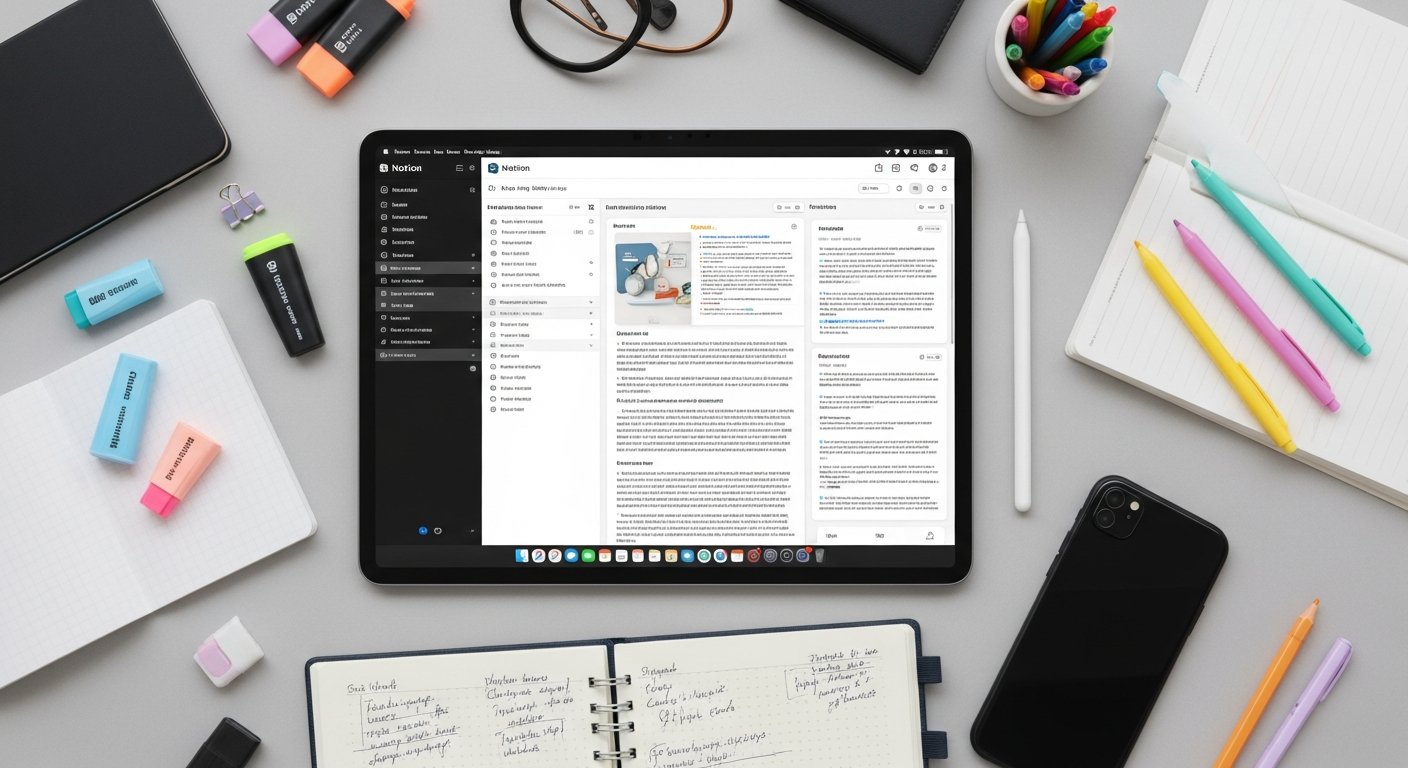

Master Your Studies: Discover the Best Note Taking Apps for Students in 2026
Affiliate disclosure: This article may contain affiliate links. Recommendations are independent and editorially driven.
In the dynamic landscape of modern education, effective note-taking is not just a skill; it’s a superpower. For students navigating complex lectures, extensive readings, and collaborative projects, the right tools can make all the difference between information overload and academic excellence. Gone are the days when a simple spiral notebook and pen were the pinnacle of note-taking technology. Today, a vast array of digital note-taking apps offers unparalleled capabilities for capturing, organizing, and retrieving information.
Choosing the best note taking apps for students, however, can be a daunting task. With countless options available, each boasting unique features and interfaces, how do you find the one that truly aligns with your learning style, academic demands, and personal preferences? This comprehensive guide from bookmarksharer is designed to demystystify the selection process. We’ll dive deep into the world of digital note-taking, exploring the essential features that empower students, reviewing the leading contenders in the market, and providing actionable advice on how to integrate these powerful tools into your daily academic workflow.
Whether you’re a high school student preparing for college, an undergraduate managing multiple courses, or a graduate student embarking on a thesis, leveraging the right note-taking app can significantly enhance your productivity, improve information retention, and streamline your study habits. Join us as we explore how these digital companions can transform your academic journey in 2026 and beyond, helping you not just take notes, but truly master your studies.
The Indispensable Role of Note-Taking Apps in Modern Education
The transition from traditional analog note-taking to digital solutions marks a significant evolution in educational practices. For students today, the demands are higher, the information flow is faster, and the need for efficient knowledge management is more critical than ever. Note-taking apps are no longer a mere convenience; they are an integral component of a successful academic strategy.
Beyond Pen and Paper: Evolving Study Habits
While the tactile experience of writing notes by hand has its benefits, digital note-taking apps offer a suite of advantages that transcend the limitations of physical notebooks. They provide infinite canvas space, easy editing, instant search capabilities, and the ability to embed various media types directly into your notes. This shift encourages a more dynamic and interactive approach to learning, allowing students to adapt their note-taking methods to suit different subjects and learning objectives.
- Flexibility: Easily rearrange, edit, and update notes without messy cross-outs or rewriting.
- Multimedia Integration: Embed lecture slides, images, audio recordings, videos, and web clippings directly alongside your text notes.
- Accessibility: Access your notes from any device, anywhere, ensuring continuity in your study process whether you’re in the library, a coffee shop, or at home.
- Sustainability: Reduce paper consumption, contributing to a more eco-friendly study routine.
Enhancing Productivity and Organization
One of the primary benefits of using note-taking apps is their ability to dramatically boost productivity and organization. Imagine a world where all your lecture notes, research findings, assignment outlines, and study flashcards are neatly categorized, searchable, and interconnected. This is the promise of a well-utilized note-taking app.
- Centralized Knowledge Hub: Consolidate all academic information into a single, easily navigable platform, eliminating the need to juggle multiple notebooks, binders, or scattered digital files.
- Efficient Information Retrieval: Powerful search functions allow you to instantly locate specific information across thousands of notes, saving valuable time during revision periods.
- Structured Organization: Utilize tags, folders, notebooks, and hierarchical structures to organize notes in a way that makes sense for your curriculum and personal learning style.
- Task Management Integration: Many apps now incorporate task list functionalities, allowing you to turn lecture points into actionable to-dos and manage assignment deadlines directly within your notes.
Accessibility and Collaboration for Academic Success
Modern education often involves group projects, shared resources, and remote learning environments. Note-taking apps are exceptionally well-suited to facilitate these collaborative aspects of student life, while also improving accessibility for diverse learning needs.
- Seamless Collaboration: Share notes with classmates, work together on project outlines, or provide feedback in real-time. This fosters teamwork and ensures everyone is on the same page.
- Cross-Device Synchronization: Start taking notes on your laptop during a lecture, continue reviewing them on your tablet during your commute, and add final annotations on your phone – all seamlessly synced across devices.
- Accessibility Features: Many apps offer features like text-to-speech, adjustable font sizes, and high-contrast modes, making them invaluable for students with specific accessibility requirements.
- Offline Access: Continue working on your notes even without an internet connection, ensuring productivity isn’t hindered by Wi-Fi availability.
[INLINE IMAGE 1: place after second H2 | alt=”best note taking apps for students concept illustration”]
In essence, choosing the best note taking apps for students isn’t just about picking software; it’s about investing in a tool that will empower your learning, sharpen your focus, and provide a robust framework for managing the vast amount of information you encounter throughout your academic career. It’s about building a personalized knowledge management system that supports your growth and success.
Essential Features: What to Look for in a Student Note-Taking App
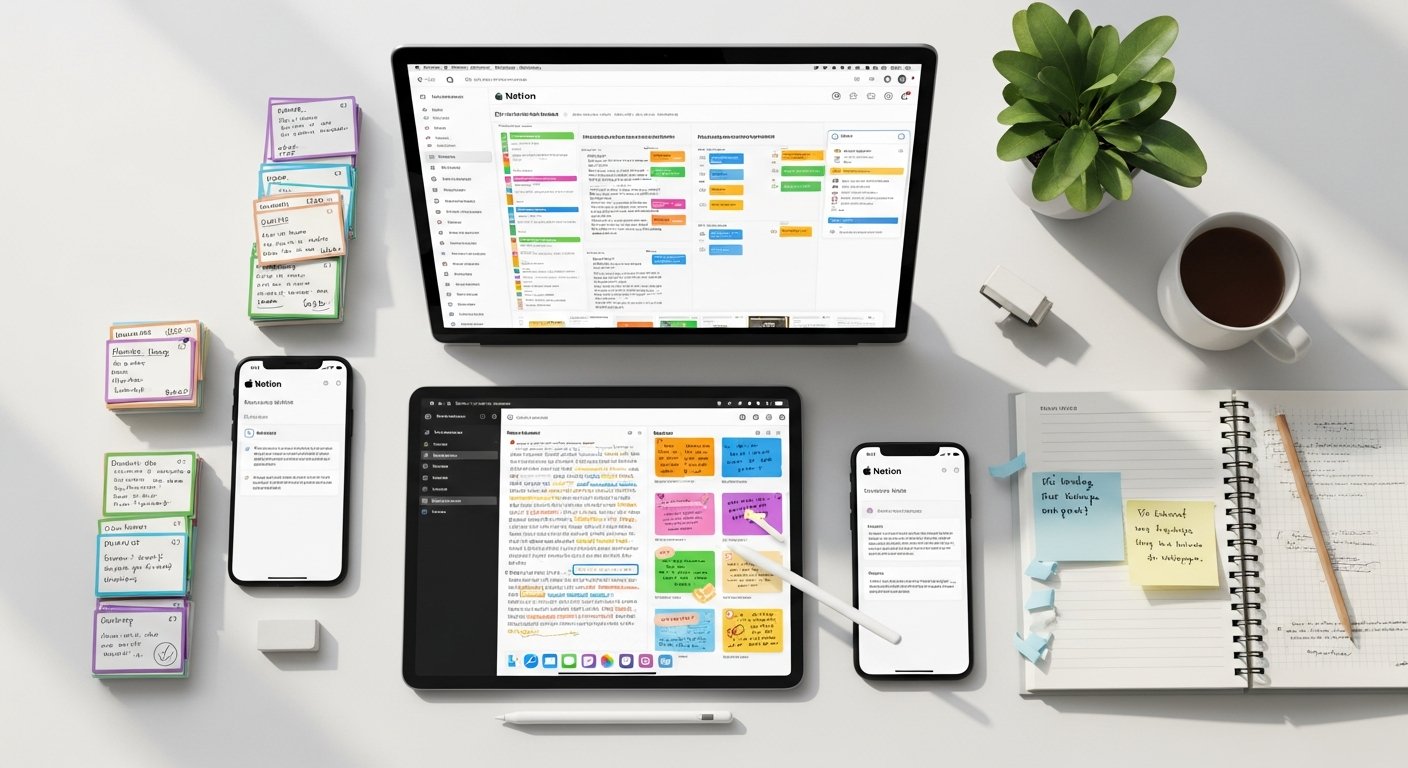
When sifting through the myriad of options available, identifying the truly essential features is paramount. Not all apps are created equal, and what works best for one student might not suit another. However, a core set of functionalities typically defines the most effective note-taking apps for academic use.
Cross-Platform Compatibility and Sync
In a world of diverse devices, the ability to access your notes anytime, anywhere, is non-negotiable. Look for an app that offers seamless synchronization across all your primary devices – whether it’s a laptop, tablet, smartphone, or desktop computer. This ensures that your notes are always up-to-date and accessible, preventing lost work and enabling flexible study sessions. Cloud-based syncing is the gold standard here, providing automatic backups and instant updates.
- Multi-device support: Ensure the app runs natively on Windows, macOS, iOS, Android, and potentially Linux or web browsers.
- Automatic cloud sync: Essential for data integrity and access from any device.
- Offline access: The ability to view and edit notes without an internet connection is crucial for students on the go or in areas with spotty Wi-Fi.
Rich Text Formatting and Multimedia Support
Your notes shouldn’t be limited to plain text. The best apps allow for a rich and varied note-taking experience, mirroring the complexity of academic content. This means supporting various formatting options and the integration of different media types.
- Text formatting: Bold, italics, underlines, highlights, different font sizes, and colors to emphasize key information.
- Headings and lists: Structuring notes with headings (H1, H2, H3), bullet points, and numbered lists for readability and organization.
- Multimedia embeds: Ability to insert images, PDFs, audio recordings (especially useful for lectures), video clips, and even web links directly into notes.
- Handwriting and sketching: For tablet users, pen support and the ability to draw diagrams, equations, or freehand notes are invaluable.
Organization and Search Capabilities
Capturing information is only half the battle; being able to find it later is just as important. Robust organizational features and powerful search capabilities are hallmarks of the best note taking apps for students.
- Notebooks, folders, tags: Hierarchical organization structures and flexible tagging systems allow for multiple ways to categorize and retrieve notes.
- Full-text search: The ability to search across all your notes, including text within PDFs or images (OCR – Optical Character Recognition), can save hours during exam preparation.
- Smart search/filters: Advanced search options to filter by date, tags, attachments, or note type.
- Backlinking/bidirectional linking: For advanced users, the ability to link notes together and see contextual connections can build a powerful personal knowledge graph.
Collaboration and Sharing Features
Academic life often involves group work and sharing resources. A good note-taking app should facilitate these collaborative efforts seamlessly.
- Shared notebooks/notes: The ability to invite classmates to view, edit, or comment on notes in real-time.
- Export options: Easily export notes in various formats (PDF, DOCX, TXT, HTML) for sharing with those who may not use the same app.
- Public sharing links: Generate shareable links for individual notes or documents.
Offline Access and Security
While cloud sync is vital, the ability to work on your notes without an internet connection is equally important, especially if you’re commuting or studying in areas with unreliable Wi-Fi. Additionally, the security of your academic data should not be overlooked.
- Local storage and caching: Ensure you can access and modify notes even when offline, with changes syncing once connectivity is restored.
- Data encryption: Look for apps that offer end-to-end encryption or robust security measures to protect your sensitive academic information.
- Backup and restore: Features that allow you to back up your data locally or restore previous versions of notes are critical for peace of mind.
Integration with Other Productivity Tools
The best note taking apps for students often don’t operate in a vacuum. Their ability to integrate with other essential tools in a student’s digital toolkit can significantly streamline workflows.
- Calendar integration: Link notes directly to specific classes, assignments, or deadlines in your calendar.
- Task managers: Convert note bullet points into actionable tasks in apps like Todoist, Microsoft To Do, or built-in task features.
- Cloud storage services: Seamlessly integrate with Google Drive, Dropbox, or OneDrive for file attachments and document management.
- Web clipping: Browser extensions that allow you to save articles, web pages, or specific sections directly into your notes.
By carefully evaluating these features against your individual needs and existing tech ecosystem, you’ll be well-equipped to select an app that not only captures your thoughts but actively enhances your entire academic journey.
Top Contenders: A Deep Dive into the Best Note-Taking Apps for Students
Now that we understand what makes a note-taking app effective, let’s explore the leading options available to students in 2026. Each app has its unique strengths, target audience, and feature set, making it crucial to understand their individual offerings.
Evernote: The Versatile Digital Brain
Evernote has long been a staple in the digital note-taking world, celebrated for its robust features and ability to capture almost any type of information. It’s a powerhouse for students who need a comprehensive solution for knowledge management.
- Strengths:
- Web Clipper: Unparalleled browser extension for saving web pages, articles, and screenshots directly into notes.
- Powerful Search: Searches not just text, but also text within images (OCR), PDFs, and handwritten notes.
- Multimedia Support: Supports text, images, audio, video, PDFs, and attachments within a single note.
- Tags and Notebooks: Flexible organization with nested notebooks and a powerful tagging system.
- Templates: A wide range of pre-built templates for assignments, project planning, and study guides.
- Student Use Cases: Research projects, organizing lecture notes, saving important articles, creating study guides from various sources, managing to-do lists within notes.
- Platforms: Windows, macOS, iOS, Android, Web.
- Pricing: Free tier (limited), Personal, Professional.
- Considerations: The free tier is quite limited, making a paid subscription almost essential for heavy academic use. Some users find its interface a bit cluttered.
Notion: The All-in-One Workspace for Students
Notion isn’t just a note-taking app; it’s a customizable workspace that combines notes, tasks, wikis, and databases. Its flexibility makes it incredibly powerful for students who want to build a truly personalized academic system.
- Strengths:
- Extreme Customization: Build almost anything you can imagine – detailed note pages, assignment trackers, course wikis, reading lists, personal dashboards.
- Databases: Powerful relational databases for managing tasks, projects, research, and more.
- Templates: A massive community and official template library for every academic need.
- Collaboration: Excellent for group projects, sharing notes, and joint document creation.
- Block-based Editor: Intuitive drag-and-drop system for organizing content.
- Student Use Cases: Building comprehensive course dashboards, managing group projects, tracking assignments, organizing research papers, personal wikis for subjects, creating a digital bullet journal.
- Platforms: Windows, macOS, iOS, Android, Web.
- Pricing: Generous free tier (Personal plan is free for students with an academic email), Plus, Business.
- Considerations: Its sheer flexibility can be overwhelming for beginners. There’s a learning curve to truly harness its power. Offline mode can sometimes be inconsistent.
OneNote: Microsoft’s Powerful Free Solution
Microsoft OneNote is a digital notebook that allows you to organize notes into sections and pages, much like a physical binder. Its integration with the Microsoft Office ecosystem makes it a natural choice for many students.
- Strengths:
- Free and Feature-Rich: One of the most powerful free note-taking apps available, especially for Windows users.
- Infinite Canvas: You can type, write, draw, and paste content anywhere on the page, offering incredible freedom.
- Handwriting Support: Excellent support for pen input on touch-enabled devices, with ink-to-text conversion.
- Microsoft Ecosystem Integration: Seamlessly works with Word, Excel, PowerPoint, and Outlook.
- OCR: Can search text within images and even handwritten notes.
- Student Use Cases: Digitizing handwritten lecture notes, annotating PDFs (especially in the Windows app), brainstorming ideas, creating visual study guides, cross-platform note-taking for Office users.
- Platforms: Windows, macOS, iOS, Android, Web.
- Pricing: Free.
- Considerations: While powerful, the different versions (Windows 10 app vs. OneNote 2016/365 desktop app) can cause confusion, and the interface across platforms isn’t always consistent. Collaboration features, while present, aren’t as intuitive as some dedicated collaboration tools.
Goodnotes (iPadOS/iOS/macOS): The Digital Paper Experience
Goodnotes is a beloved app for students who prefer the tactile feel of handwriting but want the benefits of digital organization. It excels on Apple devices, especially the iPad with an Apple Pencil.
- Strengths:
- Superior Handwriting Experience: Excellent pen feel, realistic ink, and high precision for notes, diagrams, and annotations.
- PDF Annotation: Robust tools for marking up lecture slides, textbooks, and research papers.
- Customizable Notebooks: Create digital notebooks with various paper types (lined, grid, Cornell, etc.) and covers.
- OCR Search: Searches handwritten notes, typed text, and text in PDFs.
- Flashcards: Built-in flashcard creation tool for active recall.
- Student Use Cases: Taking handwritten notes during lectures, annotating digital textbooks, creating study diagrams, practicing equations, converting handwritten notes into searchable text, creating digital flashcards.
- Platforms: iPadOS, iOS, macOS (native app for Apple Silicon Macs).
- Pricing: One-time purchase (often with a free trial or limited free version).
- Considerations: Exclusively for Apple users, which is a major limitation for cross-platform needs. While powerful for handwriting, its typed text features are less robust than apps like Notion or Evernote.
Notability (iPadOS/iOS/macOS): Feature-Rich Handwriting and Audio Sync
Notability is another top-tier handwriting note-taking app, often compared directly with Goodnotes. Its key differentiator is its seamless audio recording feature, which syncs with your handwritten notes.
- Strengths:
- Audio Recording Sync: Record lectures and have your written notes timestamped and synchronized with the audio, allowing you to tap on a word to hear what was said at that exact moment.
- Handwriting and PDF Annotation: Excellent pen engine, diverse pen tools, and superb PDF markup capabilities.
- Multi-Note Interface: Work on two notes side-by-side, perfect for reviewing material while taking new notes.
- Conversion to Math Equations: Convert handwritten math equations into editable text.
- Web Clips: Save web pages directly into your notes.
- Student Use Cases: Recording and annotating lectures, reviewing complex topics by re-listening to specific parts of a lecture, annotating scientific papers, creating interactive study guides.
- Platforms: iPadOS, iOS, macOS.
- Pricing: Subscription-based model (offers a free tier with limited features).
- Considerations: Also an Apple-exclusive app. The subscription model might be a deterrent for some, though the free tier offers a good taste. Primarily focused on handwriting and audio, less on complex text organization.
Obsidian: The Knowledge Graph for Power Users
Obsidian is a unique note-taking app that treats your notes as a local “knowledge base” or “second brain.” It’s text-based and uses Markdown, allowing you to create rich connections between ideas, much like a personal wiki.
- Strengths:
- Local-First Storage: Your notes are stored as plain text Markdown files on your device, giving you full ownership and future-proofing.
- Bidirectional Linking (Backlinks): Connect ideas and see how notes relate to each other, fostering deeper understanding and discovery.
- Graph View: A visual representation of all your interconnected notes, revealing insights and relationships.
- Extensive Plugin Ecosystem: Highly customizable with a vast array of community-made plugins for features like task management, spaced repetition, daily notes, and more.
- Free for Personal Use: The core app is free for individuals.
- Student Use Cases: Building a personal knowledge management system (PKM), connecting lecture concepts, writing research papers with interconnected references, developing complex arguments, creating study notes that link to past concepts, Zettelkasten method.
- Platforms: Windows, macOS, Linux, iOS, Android.
- Pricing: Free for personal use. Sync service (Obsidian Sync) and Publish service are paid add-ons.
- Considerations: Has a steeper learning curve due to its unique approach and reliance on Markdown. Requires a degree of setup and understanding of its philosophy to truly shine. Not ideal for quick, unstructured note-taking for beginners.
Simplenote: For Uncomplicated, Fast Note-Taking
True to its name, Simplenote focuses on speed and simplicity. It’s perfect for students who need a straightforward, fast, and reliable way to capture text-based notes without distractions.
- Strengths:
- Speed: Incredibly fast to open, create, and search notes.
- Minimalist Interface: Clean, uncluttered design that focuses on writing.
- Tagging: Simple but effective tagging system for organization.
- Publish to Web: Easily publish notes to the web with a unique URL.
- Completely Free: All features are available for free.
- Student Use Cases: Quick capture of lecture points, jotting down ideas for essays, creating simple to-do lists, drafting outlines, writing down quick reminders.
- Platforms: Windows, macOS, Linux, iOS, Android, Web.
- Pricing: Free.
- Considerations: Lacks rich text formatting, multimedia support, and advanced organizational features. Not suitable for complex notes, PDF annotation, or elaborate knowledge management.
Google Keep: Quick Notes and Reminders
Google Keep is part of the Google ecosystem, known for its colorful, card-based interface and seamless integration with other Google services. It’s excellent for quick captures and reminders.
- Strengths:
- Speed and Simplicity: Quick to open and create notes, checklists, and voice memos.
- Color-Coding and Labels: Visually organize notes with colors and labels.
- Location-Based Reminders: Set reminders that trigger when you arrive at or leave a specific location (e.g., “remind me to grab my textbook when I get to campus”).
- Image and Audio Notes: Capture photos with text extraction (OCR) and voice notes.
- Collaboration: Easily share notes and lists with others.
- Completely Free: No cost to use.
- Student Use Cases: Quick grocery lists, project brainstorms, capturing lecture snippets, setting reminders for library returns or office hours, sharing group to-dos.
- Platforms: iOS, Android, Web.
- Pricing: Free.
- Considerations: Not designed for long-form notes or complex document creation. Lacks robust formatting, deep organization, and rich text editing. Primarily a quick capture and reminder tool.
Apple Notes: Integrated Simplicity
For Apple users, the built-in Apple Notes app has evolved into a surprisingly capable note-taking tool. It leverages the Apple ecosystem for seamless integration across devices.
- Strengths:
- Deep Apple Integration: Works flawlessly across iPhone, iPad, Mac, and Apple Watch.
- Handwriting and Sketching: Excellent support for Apple Pencil on iPad, with various pen tools.
- Checklists and Tables: Built-in features for organizing tasks and data.
- Scanning Documents: Use your device’s camera to scan physical documents directly into notes.
- Password Protection: Lock sensitive notes with a password or Face ID/Touch ID.
- Collaboration: Share and collaborate on notes with other Apple users.
- Free: Included with all Apple devices.
- Student Use Cases: Quick notes, brainstorming, shared study guides with classmates, scanning lecture handouts, annotating PDFs, basic journaling.
- Platforms: iOS, iPadOS, macOS, watchOS, Web (iCloud.com).
- Pricing: Free.
- Considerations: Limited to the Apple ecosystem. While improved, it still lacks some advanced features found in dedicated apps like Notion or Evernote for complex knowledge management or extensive formatting.
Bear App: Markdown-Powered Notes for Apple Users
Bear is a beautifully designed, fast, and flexible note-taking app that uses Markdown for rich formatting. It’s a favorite among Apple users who appreciate its minimalist aesthetic and powerful tagging system.
- Strengths:
- Elegant Interface: Clean, distraction-free writing environment.
- Markdown Support: Write in Markdown for rich text formatting, easy export, and future-proofing.
- Powerful Tagging: Nested tags for highly organized notes.
- Focus Mode: A distraction-free writing experience.
- Export Options: Export notes in various formats including HTML, PDF, DOCX, JPG.
- Student Use Cases: Writing essays, drafting research papers, journaling, coding snippets, creating quick reference guides, taking structured lecture notes with headings and lists.
- Platforms: iOS, iPadOS, macOS, watchOS.
- Pricing: Free basic version, Pro subscription for sync and advanced features.
- Considerations: Exclusively for Apple users. While Markdown is powerful, it might have a slight learning curve for those unfamiliar. The free version does not include sync.
ClickUp: Project Management with Strong Note Capabilities
While primarily a project management tool, ClickUp offers robust note-taking and document creation features that make it viable for students, especially those involved in complex group projects or with highly structured academic lives.
- Strengths:
- All-in-One Platform: Combines notes, tasks, projects, wikis, and whiteboards.
- Docs: Powerful document editor with rich formatting, real-time collaboration, and the ability to embed tasks.
- Task Management: Turn notes into actionable tasks with due dates, assignees, and priorities.
- Customizable Views: View notes and tasks in lists, boards, calendars, Gantt charts, and more.
- Integrations: Connects with hundreds of other apps.
- Student Use Cases: Managing team projects, creating shared research documents, outlining essays with embedded tasks, tracking individual assignments, building a course wiki for a study group.
- Platforms: Windows, macOS, iOS, Android, Web.
- Pricing: Free (very generous), Unlimited, Business. Free forever plan has a lot of features.
- Considerations: Can be overkill for simple note-taking. The learning curve is significant due to its vast feature set. Best suited for highly organized students or group projects that benefit from integrated task management.
The choice among these top contenders will largely depend on your specific needs: do you prioritize handwriting, powerful search, ultimate flexibility, or minimalist speed? The next section will help you further refine your decision.
[INLINE IMAGE 2: place after fourth H2 | alt=”best note taking apps for students comparison illustration”]
To help you compare the leading options at a glance, here’s a quick table summarizing key aspects:
| App Name | Primary Strength | Platforms | Pricing Model | Best For Students Who… |
|---|---|---|---|---|
| Evernote | Comprehensive knowledge capture & search | All major | Free (limited), Paid | Need a robust digital brain for diverse info. |
| Notion | Ultimate customization & all-in-one workspace | All major | Free (generous, free for students), Paid | Want to build a personalized academic OS. |
| OneNote | Infinite canvas, free, Microsoft integration | All major | Free | Are in the Microsoft ecosystem, prefer freehand. |
| Goodnotes | Best-in-class handwriting experience | Apple only | One-time purchase | Love handwriting on iPad, annotate heavily. |
| Notability | Handwriting with synchronized audio recording | Apple only | Subscription (Free tier) | Need to record lectures & sync with notes. |
| Obsidian | Local-first PKM, bidirectional linking, graph view | All major | Free (personal), Paid sync | Want to build a networked “second brain.” |
| Simplenote | Speed, simplicity, plain text focus | All major | Free | Need quick, distraction-free text capture. |
| Google Keep | Quick notes, reminders, Google integration | iOS, Android, Web | Free | Need fast snippets, checklists, and visual cues. |
| Apple Notes | Seamless Apple integration, handwriting, simple | Apple only | Free | Are fully in the Apple ecosystem, want basic. |
| Bear App | Elegant Markdown notes, powerful tagging | Apple only | Free (basic), Paid Pro | Prefer minimalist Markdown on Apple devices. |
| ClickUp | Integrated project management & docs | All major | Free (generous), Paid | Manage complex group projects or structured tasks. |
Explore more tools for digital organization.
Tailoring Your Choice: Apps for Specific Learning Styles & Needs
Effective note-taking isn’t one-size-fits-all. Different learning styles and specific academic needs demand different tools. Understanding your own preferences can significantly narrow down the search for the best note taking apps for students.
For Visual Learners: Sketching and Diagramming
Visual learners thrive on diagrams, mind maps, sketches, and color-coding. They benefit from apps that offer an expansive canvas and robust drawing tools.
- Goodnotes & Notability: These apps excel with an Apple Pencil (or similar stylus on Android for some apps), allowing for freehand drawing, diagramming, and annotation of PDFs with various colors, highlighters, and shapes. They simulate the experience of drawing on paper with digital flexibility.
- OneNote: With its infinite canvas, OneNote is also a strong contender for visual learners, allowing you to draw, sketch, and embed images anywhere on the page, creating visually rich notes.
- Concepts: While not a dedicated note-taking app, Concepts (iPad/Windows) can be integrated for advanced sketching and then exported to your primary note app.
For Auditory Learners: Audio Recording and Transcription
Auditory learners often benefit from listening to lectures multiple times or associating notes with specific spoken words. Apps that integrate audio recording are crucial for them.
- Notability: Its standout feature is the ability to record audio during lectures and sync it directly with your handwritten or typed notes. Tapping on a note will play the audio from that precise moment.
- Evernote: Offers strong audio recording capabilities that can be embedded directly into notes, making it easy to listen back to key points of a lecture.
- Voice Memos (Apple) / Recorder (Google): While not full note-taking apps, these can be used to record lectures, and their content can then be manually transcribed or referenced within your chosen note-taking app.
For Kinesthetic Learners: Interactive and Active Recall Tools
Kinesthetic learners learn by doing, preferring interactive methods and active engagement with their material. Apps that support spaced repetition, flashcards, or interactive elements are highly beneficial.
- Notion: Can be customized with toggle lists and database properties to create interactive study guides, quizzes, and self-assessment tools. Its robust template system allows for creating spaced repetition systems.
- Goodnotes: Includes a flashcard feature that allows you to create and review active recall cards directly from your notes.
- Obsidian: With plugins like Anki integration or ” spaced repetition,” Obsidian users can turn notes into flashcards and practice active recall directly within their knowledge base.
- Quizlet / Anki: While external, these dedicated flashcard apps can be used in conjunction with any note-taking app, with notes feeding into card creation.
For Collaborative Projects: Shared Workspaces
Group projects, study groups, and team assignments demand apps with robust collaboration features, allowing multiple students to work on shared documents simultaneously.
- Notion: Exceptional for team projects, allowing shared workspaces, real-time editing, comments, and sophisticated project management features within a single environment.
- Microsoft OneNote: Excellent for sharing notebooks among a group, enabling multiple users to edit pages simultaneously, especially strong in a Microsoft-centric academic setting.
- Google Keep / Google Docs: For simpler collaboration, Google Keep’s shared lists and Google Docs’ real-time editing are highly effective, though Docs is more of a word processor than a dedicated note app.
- ClickUp: As a project management tool, ClickUp excels in collaborative environments, offering shared documents, task assignments, and communication threads.
For Researchers: Web Clipping and Citation Management
Students engaged in extensive research, writing papers, and compiling bibliographies need tools that can efficiently capture information from the web and help manage citations.
- Evernote: Its industry-leading Web Clipper is indispensable for researchers, allowing you to save articles, PDFs, and entire web pages with annotations and highlights directly into your notes.
- Obsidian: While requiring more manual setup, its local-first approach and strong linking capabilities make it ideal for building a research knowledge base, especially with plugins for Zotero or academic citation management.
- Notion: Can be customized to create research databases, track sources, and manage citations, with templates available for academic research workflows.
By considering your predominant learning style and the specific demands of your coursework, you can filter your options and find an app that doesn’t just store information, but actively supports and enhances your unique way of learning.
Integrating Note-Taking into Your Academic Workflow
Simply having the best note taking apps for students isn’t enough; true mastery comes from integrating them seamlessly into your daily academic workflow. This means thinking beyond just “taking notes” and envisioning your app as a central hub for all your learning activities.
From Lectures to Revisions: A Seamless Flow
Your note-taking app should support your learning process from the moment you capture information to the point of active recall and exam preparation. This involves creating a continuous flow:
- Pre-Lecture Preparation: Use your app to review previous notes, outline topics for the upcoming lecture, or store pre-assigned readings.
- During Lectures: Employ active note-taking strategies—whether it’s Cornell notes, mind mapping, or linear outlines—directly within the app. Record
Master Your Studies: Discover the Best Note Taking Apps for Students in 2026
Affiliate disclosure: This article may contain affiliate links. Recommendations are independent and editorially driven.
In the dynamic landscape of modern education, effective note-taking is not just a skill; it’s a superpower. For students navigating complex lectures, extensive readings, and collaborative projects, the right tools can make all the difference between information overload and academic excellence. Gone are the days when a simple spiral notebook and pen were the pinnacle of note-taking technology. Today, a vast array of digital note-taking apps offers unparalleled capabilities for capturing, organizing, and retrieving information.
Choosing the best note taking apps for students, however, can be a daunting task. With countless options available, each boasting unique features and interfaces, how do you find the one that truly aligns with your learning style, academic demands, and personal preferences? This comprehensive guide from bookmarksharer is designed to demystystify the selection process. We’ll dive deep into the world of digital note-taking, exploring the essential features that empower students, reviewing the leading contenders in the market, and providing actionable advice on how to integrate these powerful tools into your daily academic workflow.
Whether you’re a high school student preparing for college, an undergraduate managing multiple courses, or a graduate student embarking on a thesis, leveraging the right note-taking app can significantly enhance your productivity, improve information retention, and streamline your study habits. Join us as we explore how these digital companions can transform your academic journey in 2026 and beyond, helping you not just take notes, but truly master your studies.
The Indispensable Role of Note-Taking Apps in Modern Education
The transition from traditional analog note-taking to digital solutions marks a significant evolution in educational practices. For students today, the demands are higher, the information flow is faster, and the need for efficient knowledge management is more critical than ever. Note-taking apps are no longer a mere convenience; they are an integral component of a successful academic strategy.
Beyond Pen and Paper: Evolving Study Habits
While the tactile experience of writing notes by hand has its benefits, digital note-taking apps offer a suite of advantages that transcend the limitations of physical notebooks. They provide infinite canvas space, easy editing, instant search capabilities, and the ability to embed various media types directly into your notes. This shift encourages a more dynamic and interactive approach to learning, allowing students to adapt their note-taking methods to suit different subjects and learning objectives.
- Flexibility: Easily rearrange, edit, and update notes without messy cross-outs or rewriting.
- Multimedia Integration: Embed lecture slides, images, audio recordings, videos, and web clippings directly alongside your text notes.
- Accessibility: Access your notes from any device, anywhere, ensuring continuity in your study process whether you’re in the library, a coffee shop, or at home.
- Sustainability: Reduce paper consumption, contributing to a more eco-friendly study routine.
Enhancing Productivity and Organization
One of the primary benefits of using note-taking apps is their ability to dramatically boost productivity and organization. Imagine a world where all your lecture notes, research findings, assignment outlines, and study flashcards are neatly categorized, searchable, and interconnected. This is the promise of a well-utilized note-taking app.
- Centralized Knowledge Hub: Consolidate all academic information into a single, easily navigable platform, eliminating the need to juggle multiple notebooks, binders, or scattered digital files.
- Efficient Information Retrieval: Powerful search functions allow you to instantly locate specific information across thousands of notes, saving valuable time during revision periods.
- Structured Organization: Utilize tags, folders, notebooks, and hierarchical structures to organize notes in a way that makes sense for your curriculum and personal learning style.
- Task Management Integration: Many apps now incorporate task list functionalities, allowing you to turn lecture points into actionable to-dos and manage assignment deadlines directly within your notes.
Accessibility and Collaboration for Academic Success
Modern education often involves group projects, shared resources, and remote learning environments. Note-taking apps are exceptionally well-suited to facilitate these collaborative aspects of student life, while also improving accessibility for diverse learning needs.
- Seamless Collaboration: Share notes with classmates, work together on project outlines, or provide feedback in real-time. This fosters teamwork and ensures everyone is on the same page.
- Cross-Device Synchronization: Start taking notes on your laptop during a lecture, continue reviewing them on your tablet during your commute, and add final annotations on your phone – all seamlessly synced across devices.
- Accessibility Features: Many apps offer features like text-to-speech, adjustable font sizes, and high-contrast modes, making them invaluable for students with specific accessibility requirements.
- Offline Access: Continue working on your notes even without an internet connection, ensuring productivity isn’t hindered by Wi-Fi availability.
[INLINE IMAGE 1: place after second H2 | alt=”best note taking apps for students concept illustration”]
In essence, choosing the best note taking apps for students isn’t just about picking software; it’s about investing in a tool that will empower your learning, sharpen your focus, and provide a robust framework for managing the vast amount of information you encounter throughout your academic career. It’s about building a personalized knowledge management system that supports your growth and success.
Essential Features: What to Look for in a Student Note-Taking App
When sifting through the myriad of options available, identifying the truly essential features is paramount. Not all apps are created equal, and what works best for one student might not suit another. However, a core set of functionalities typically defines the most effective note-taking apps for academic use.
Cross-Platform Compatibility and Sync
In a world of diverse devices, the ability to access your notes anytime, anywhere, is non-negotiable. Look for an app that offers seamless synchronization across all your primary devices – whether it’s a laptop, tablet, smartphone, or desktop computer. This ensures that your notes are always up-to-date and accessible, preventing lost work and enabling flexible study sessions. Cloud-based syncing is the gold standard here, providing automatic backups and instant updates.
- Multi-device support: Ensure the app runs natively on Windows, macOS, iOS, Android, and potentially Linux or web browsers.
- Automatic cloud sync: Essential for data integrity and access from any device.
- Offline access: The ability to view and edit notes without an internet connection is crucial for students on the go or in areas with spotty Wi-Fi.
Rich Text Formatting and Multimedia Support
Your notes shouldn’t be limited to plain text. The best apps allow for a rich and varied note-taking experience, mirroring the complexity of academic content. This means supporting various formatting options and the integration of different media types.
- Text formatting: Bold, italics, underlines, highlights, different font sizes, and colors to emphasize key information.
- Headings and lists: Structuring notes with headings (H1, H2, H3), bullet points, and numbered lists for readability and organization.
- Multimedia embeds: Ability to insert images, PDFs, audio recordings (especially useful for lectures), video clips, and even web links directly into notes.
- Handwriting and sketching: For tablet users, pen support and the ability to draw diagrams, equations, or freehand notes are invaluable.
Organization and Search Capabilities
Capturing information is only half the battle; being able to find it later is just as important. Robust organizational features and powerful search capabilities are hallmarks of the best note taking apps for students.
- Notebooks, folders, tags: Hierarchical organization structures and flexible tagging systems allow for multiple ways to categorize and retrieve notes.
- Full-text search: The ability to search across all your notes, including text within PDFs or images (OCR – Optical Character Recognition), can save hours during exam preparation.
- Smart search/filters: Advanced search options to filter by date, tags, attachments, or note type.
- Backlinking/bidirectional linking: For advanced users, the ability to link notes together and see contextual connections can build a powerful personal knowledge graph.
Collaboration and Sharing Features
Academic life often involves group work and sharing resources. A good note-taking app should facilitate these collaborative efforts seamlessly.
- Shared notebooks/notes: The ability to invite classmates to view, edit, or comment on notes in real-time.
- Export options: Easily export notes in various formats (PDF, DOCX, TXT, HTML) for sharing with those who may not use the same app.
- Public sharing links: Generate shareable links for individual notes or documents.
Offline Access and Security
While cloud sync is vital, the ability to work on your notes without an internet connection is equally important, especially if you’re commuting or studying in areas with unreliable Wi-Fi. Additionally, the security of your academic data should not be overlooked.
- Local storage and caching: Ensure you can access and modify notes even when offline, with changes syncing once connectivity is restored.
- Data encryption: Look for apps that offer end-to-end encryption or robust security measures to protect your sensitive academic information.
- Backup and restore: Features that allow you to back up your data locally or restore previous versions of notes are critical for peace of mind.
Integration with Other Productivity Tools
The best note taking apps for students often don’t operate in a vacuum. Their ability to integrate with other essential tools in a student’s digital toolkit can significantly streamline workflows.
- Calendar integration: Link notes directly to specific classes, assignments, or deadlines in your calendar.
- Task managers: Convert note bullet points into actionable tasks in apps like Todoist, Microsoft To Do, or built-in task features.
- Cloud storage services: Seamlessly integrate with Google Drive, Dropbox, or OneDrive for file attachments and document management.
- Web clipping: Browser extensions that allow you to save articles, web pages, or specific sections directly into your notes.
By carefully evaluating these features against your individual needs and existing tech ecosystem, you’ll be well-equipped to select an app that not only captures your thoughts but actively enhances your entire academic journey.
Top Contenders: A Deep Dive into the Best Note-Taking Apps for Students
Now that we understand what makes a note-taking app effective, let’s explore the leading options available to students in 2026. Each app has its unique strengths, target audience, and feature set, making it crucial to understand their individual offerings.
Evernote: The Versatile Digital Brain
Evernote has long been a staple in the digital note-taking world, celebrated for its robust features and ability to capture almost any type of information. It’s a powerhouse for students who need a comprehensive solution for knowledge management.
- Strengths:
- Web Clipper: Unparalleled browser extension for saving web pages, articles, and screenshots directly into notes.
- Powerful Search: Searches not just text, but also text within images (OCR), PDFs, and handwritten notes.
- Multimedia Support: Supports text, images, audio, video, PDFs, and attachments within a single note.
- Tags and Notebooks: Flexible organization with nested notebooks and a powerful tagging system.
- Templates: A wide range of pre-built templates for assignments, project planning, and study guides.
- Student Use Cases: Research projects, organizing lecture notes, saving important articles, creating study guides from various sources, managing to-do lists within notes.
- Platforms: Windows, macOS, iOS, Android, Web.
- Pricing: Free tier (limited), Personal, Professional.
- Considerations: The free tier is quite limited, making a paid subscription almost essential for heavy academic use. Some users find its interface a bit cluttered.
Notion: The All-in-One Workspace for Students
Notion isn’t just a note-taking app; it’s a customizable workspace that combines notes, tasks, wikis, and databases. Its flexibility makes it incredibly powerful for students who want to build a truly personalized academic system.
- Strengths:
- Extreme Customization: Build almost anything you can imagine – detailed note pages, assignment trackers, course wikis, reading lists, personal dashboards.
- Databases: Powerful relational databases for managing tasks, projects, research, and more.
- Templates: A massive community and official template library for every academic need.
- Collaboration: Excellent for group projects, sharing notes, and joint document creation.
- Block-based Editor: Intuitive drag-and-drop system for organizing content.
- Student Use Cases: Building comprehensive course dashboards, managing group projects, tracking assignments, organizing research papers, personal wikis for subjects, creating a digital bullet journal.
- Platforms: Windows, macOS, iOS, Android, Web.
- Pricing: Generous free tier (Personal plan is free for students with an academic email), Plus, Business.
- Considerations: Its sheer flexibility can be overwhelming for beginners. There’s a learning curve to truly harness its power. Offline mode can sometimes be inconsistent.
OneNote: Microsoft’s Powerful Free Solution
Microsoft OneNote is a digital notebook that allows you to organize notes into sections and pages, much like a physical binder. Its integration with the Microsoft Office ecosystem makes it a natural choice for many students.
- Strengths:
- Free and Feature-Rich: One of the most powerful free note-taking apps available, especially for Windows users.
- Infinite Canvas: You can type, write, draw, and paste content anywhere on the page, offering incredible freedom.
- Handwriting Support: Excellent support for pen input on touch-enabled devices, with ink-to-text conversion.
- Microsoft Ecosystem Integration: Seamlessly works with Word, Excel, PowerPoint, and Outlook.
- OCR: Can search text within images and even handwritten notes.
- Student Use Cases: Digitizing handwritten lecture notes, annotating PDFs (especially in the Windows app), brainstorming ideas, creating visual study guides, cross-platform note-taking for Office users.
- Platforms: Windows, macOS, iOS, Android, Web.
- Pricing: Free.
- Considerations: While powerful, the different versions (Windows 10 app vs. OneNote 2016/365 desktop app) can cause confusion, and the interface across platforms isn’t always consistent. Collaboration features, while present, aren’t as intuitive as some dedicated collaboration tools.
Goodnotes (iPadOS/iOS/macOS): The Digital Paper Experience
Goodnotes is a beloved app for students who prefer the tactile feel of handwriting but want the benefits of digital organization. It excels on Apple devices, especially the iPad with an Apple Pencil.
- Strengths:
- Superior Handwriting Experience: Excellent pen feel, realistic ink, and high precision for notes, diagrams, and annotations.
- PDF Annotation: Robust tools for marking up lecture slides, textbooks, and research papers.
- Customizable Notebooks: Create digital notebooks with various paper types (lined, grid, Cornell, etc.) and covers.
- OCR Search: Searches handwritten notes, typed text, and text in PDFs.
- Flashcards: Built-in flashcard creation tool for active recall.
- Student Use Cases: Taking handwritten notes during lectures, annotating digital textbooks, creating study diagrams, practicing equations, converting handwritten notes into searchable text, creating digital flashcards.
- Platforms: iPadOS, iOS, macOS (native app for Apple Silicon Macs).
- Pricing: One-time purchase (often with a free trial or limited free version).
- Considerations: Exclusively for Apple users, which is a major limitation for cross-platform needs. While powerful for handwriting, its typed text features are less robust than apps like Notion or Evernote.
Notability (iPadOS/iOS/macOS): Feature-Rich Handwriting and Audio Sync
Notability is another top-tier handwriting note-taking app, often compared directly with Goodnotes. Its key differentiator is its seamless audio recording feature, which syncs with your handwritten notes.
- Strengths:
- Audio Recording Sync: Record lectures and have your written notes timestamped and synchronized with the audio, allowing you to tap on a word to hear what was said at that exact moment.
- Handwriting and PDF Annotation: Excellent pen engine, diverse pen tools, and superb PDF markup capabilities.
- Multi-Note Interface: Work on two notes side-by-side, perfect for reviewing material while taking new notes.
- Conversion to Math Equations: Convert handwritten math equations into editable text.
- Web Clips: Save web pages directly into your notes.
- Student Use Cases: Recording and annotating lectures, reviewing complex topics by re-listening to specific parts of a lecture, annotating scientific papers, creating interactive study guides.
- Platforms: iPadOS, iOS, macOS.
- Pricing: Subscription-based model (offers a free tier with limited features).
- Considerations: Also an Apple-exclusive app. The subscription model might be a deterrent for some, though the free tier offers a good taste. Primarily focused on handwriting and audio, less on complex text organization.
Obsidian: The Knowledge Graph for Power Users
Obsidian is a unique note-taking app that treats your notes as a local “knowledge base” or “second brain.” It’s text-based and uses Markdown, allowing you to create rich connections between ideas, much like a personal wiki.
- Strengths:
- Local-First Storage: Your notes are stored as plain text Markdown files on your device, giving you full ownership and future-proofing.
- Bidirectional Linking (Backlinks): Connect ideas and see how notes relate to each other, fostering deeper understanding and discovery.
- Graph View: A visual representation of all your interconnected notes, revealing insights and relationships.
- Extensive Plugin Ecosystem: Highly customizable with a vast array of community-made plugins for features like task management, spaced repetition, daily notes, and more.
- Free for Personal Use: The core app is free for individuals.
- Student Use Cases: Building a personal knowledge management system (PKM), connecting lecture concepts, writing research papers with interconnected references, developing complex arguments, creating study notes that link to past concepts, Zettelkasten method.
- Platforms: Windows, macOS, Linux, iOS, Android.
- Pricing: Free for personal use. Sync service (Obsidian Sync) and Publish service are paid add-ons.
- Considerations: Has a steeper learning curve due to its unique approach and reliance on Markdown. Requires a degree of setup and understanding of its philosophy to truly shine. Not ideal for quick, unstructured note-taking for beginners.
Simplenote: For Uncomplicated, Fast Note-Taking
True to its name, Simplenote focuses on speed and simplicity. It’s perfect for students who need a straightforward, fast, and reliable way to capture text-based notes without distractions.
- Strengths:
- Speed: Incredibly fast to open, create, and search notes.
- Minimalist Interface: Clean, uncluttered design that focuses on writing.
- Tagging: Simple but effective tagging system for organization.
- Publish to Web: Easily publish notes to the web with a unique URL.
- Completely Free: All features are available for free.
- Student Use Cases: Quick capture of lecture points, jotting down ideas for essays, creating simple to-do lists, drafting outlines, writing down quick reminders.
- Platforms: Windows, macOS, Linux, iOS, Android, Web.
- Pricing: Free.
- Considerations: Lacks rich text formatting, multimedia support, and advanced organizational features. Not suitable for complex notes, PDF annotation, or elaborate knowledge management.
Google Keep: Quick Notes and Reminders
Google Keep is part of the Google ecosystem, known for its colorful, card-based interface and seamless integration with other Google services. It’s excellent for quick captures and reminders.
- Strengths:
- Speed and Simplicity: Quick to open and create notes, checklists, and voice memos.
- Color-Coding and Labels: Visually organize notes with colors and labels.
- Location-Based Reminders: Set reminders that trigger when you arrive at or leave a specific location (e.g., “remind me to grab my textbook when I get to campus”).
- Image and Audio Notes: Capture photos with text extraction (OCR) and voice notes.
- Collaboration: Easily share notes and lists with others.
- Completely Free: No cost to use.
- Student Use Cases: Quick grocery lists, project brainstorms, capturing lecture snippets, setting reminders for library returns or office hours, sharing group to-dos.
- Platforms: iOS, Android, Web.
- Pricing: Free.
- Considerations: Not designed for long-form notes or complex document creation. Lacks robust formatting, deep organization, and rich text editing. Primarily a quick capture and reminder tool.
Apple Notes: Integrated Simplicity
For Apple users, the built-in Apple Notes app has evolved into a surprisingly capable note-taking tool. It leverages the Apple ecosystem for seamless integration across devices.
- Strengths:
- Deep Apple Integration: Works flawlessly across iPhone, iPad, Mac, and Apple Watch.
- Handwriting and Sketching: Excellent support for Apple Pencil on iPad, with various pen tools.
- Checklists and Tables: Built-in features for organizing tasks and data.
- Scanning Documents: Use your device’s camera to scan physical documents directly into notes.
- Password Protection: Lock sensitive notes with a password or Face ID/Touch ID.
- Collaboration: Share and collaborate on notes with other Apple users.
- Free: Included with all Apple devices.
- Student Use Cases: Quick notes, brainstorming, shared study guides with classmates, scanning lecture handouts, annotating PDFs, basic journaling.
- Platforms: iOS, iPadOS, macOS, watchOS, Web (iCloud.com).
- Pricing: Free.
- Considerations: Limited to the Apple ecosystem. While improved, it still lacks some advanced features found in dedicated apps like Notion or Evernote for complex knowledge management or extensive formatting.
Bear App: Markdown-Powered Notes for Apple Users
Bear is a beautifully designed, fast, and flexible note-taking app that uses Markdown for rich formatting. It’s a favorite among Apple users who appreciate its minimalist aesthetic and powerful tagging system.
- Strengths:
- Elegant Interface: Clean, distraction-free writing environment.
- Markdown Support: Write in Markdown for rich text formatting, easy export, and future-proofing.
- Powerful Tagging: Nested tags for highly organized notes.
- Focus Mode: A distraction-free writing experience.
- Export Options: Export notes in various formats including HTML, PDF, DOCX, JPG.
- Student Use Cases: Writing essays, drafting research papers, journaling, coding snippets, creating quick reference guides, taking structured lecture notes with headings and lists.
- Platforms: iOS, iPadOS, macOS, watchOS.
- Pricing: Free basic version, Pro subscription for sync and advanced features.
- Considerations: Exclusively for Apple users. While Markdown is powerful, it might have a slight learning curve for those unfamiliar. The free version does not include sync.
ClickUp: Project Management with Strong Note Capabilities
While primarily a project management tool, ClickUp offers robust note-taking and document creation features that make it viable for students, especially those involved in complex group projects or with highly structured academic lives.
- Strengths:
- All-in-One Platform: Combines notes, tasks, projects, wikis, and whiteboards.
- Docs: Powerful document editor with rich formatting, real-time collaboration, and the ability to embed tasks.
- Task Management: Turn notes into actionable tasks with due dates, assignees, and priorities.
- Customizable Views: View notes and tasks in lists, boards, calendars, Gantt charts, and more.
- Integrations: Connects with hundreds of other apps.
- Student Use Cases: Managing team projects, creating shared research documents, outlining essays with embedded tasks, tracking individual assignments, building a course wiki for a study group.
- Platforms: Windows, macOS, iOS, Android, Web.
- Pricing: Free (very generous), Unlimited, Business. Free forever plan has a lot of features.
- Considerations: Can be overkill for simple note-taking. The learning curve is significant due to its vast feature set. Best suited for highly organized students or group projects that benefit from integrated task management.
The choice among these top contenders will largely depend on your specific needs: do you prioritize handwriting, powerful search, ultimate flexibility, or minimalist speed? The next section will help you further refine your decision.
[INLINE IMAGE 2: place after fourth H2 | alt=”best note taking apps for students comparison illustration”]
To help you compare the leading options at a glance, here’s a quick table summarizing key aspects:
App Name Primary Strength Platforms Pricing Model Best For Students Who… Evernote Comprehensive knowledge capture & search All major Free (limited), Paid Need a robust digital brain for diverse info. Notion Ultimate customization & all-in-one workspace All major Free (generous, free for students), Paid Want to build a personalized academic OS. OneNote Infinite canvas, free, Microsoft integration All major Free Are in the Microsoft ecosystem, prefer freehand. Goodnotes Best-in-class handwriting experience Apple only One-time purchase Love handwriting on iPad, annotate heavily. Notability Handwriting with synchronized audio recording Apple only Subscription (Free tier) Need to record lectures & sync with notes. Obsidian Local-first PKM, bidirectional linking, graph view All major Free (personal), Paid sync Want to build a networked “second brain.” Simplenote Speed, simplicity, plain text focus All major Free Need quick, distraction-free text capture. Google Keep Quick notes, reminders, Google integration iOS, Android, Web Free Need fast snippets, checklists, and visual cues. Apple Notes Seamless Apple integration, handwriting, simple Apple only Free Are fully in the Apple ecosystem, want basic. Bear App Elegant Markdown notes, powerful tagging Apple only Free (basic), Paid Pro Prefer minimalist Markdown on Apple devices. ClickUp Integrated project management & docs All major Free (generous), Paid Manage complex group projects or structured tasks. Explore more tools for digital organization.
Tailoring Your Choice: Apps for Specific Learning Styles & Needs
Effective note-taking isn’t one-size-fits-all. Different learning styles and specific academic needs demand different tools. Understanding your own preferences can significantly narrow down the search for the best note taking apps for students.
For Visual Learners: Sketching and Diagramming
Visual learners thrive on diagrams, mind maps, sketches, and color-coding. They benefit from apps that offer an expansive canvas and robust drawing tools.
- Goodnotes & Notability: These apps excel with an Apple Pencil (or similar stylus on Android for some apps), allowing for freehand drawing, diagramming, and annotation of PDFs with various colors, highlighters, and shapes. They simulate the experience of drawing on paper with digital flexibility.
- OneNote: With its infinite canvas, OneNote is also a strong contender for visual learners, allowing you to draw, sketch, and embed images anywhere on the page, creating visually rich notes.
- Concepts: While not a dedicated note-taking app, Concepts (iPad/Windows) can be integrated for advanced sketching and then exported to your primary note app.
For Auditory Learners: Audio Recording and Transcription
Auditory learners often benefit from listening to lectures multiple times or associating notes with specific spoken words. Apps that integrate audio recording are crucial for them.
- Notability: Its standout feature is the ability to record audio during lectures and sync it directly with your handwritten or typed notes. Tapping on a note will play the audio from that precise moment.
- Evernote: Offers strong audio recording capabilities that can be embedded directly into notes, making it easy to listen back to key points of a lecture.
- Voice Memos (Apple) / Recorder (Google): While not full note-taking apps, these can be used to record lectures, and their content can then be manually transcribed or referenced within your chosen note-taking app.
For Kinesthetic Learners: Interactive and Active Recall Tools
Kinesthetic learners learn by doing, preferring interactive methods and active engagement with their material. Apps that support spaced repetition, flashcards, or interactive elements are highly beneficial.
- Notion: Can be customized with toggle lists and database properties to create interactive study guides, quizzes, and self-assessment tools. Its robust template system allows for creating spaced repetition systems.
- Goodnotes: Includes a flashcard feature that allows you to create and review active recall cards directly from your notes.
- Obsidian: With plugins like Anki integration or ” spaced repetition,” Obsidian users can turn notes into flashcards and practice active recall directly within their knowledge base.
- Quizlet / Anki: While external, these dedicated flashcard apps can be used in conjunction with any note-taking app, with notes feeding into card creation.
For Collaborative Projects: Shared Workspaces
Group projects, study groups, and team assignments demand apps with robust collaboration features, allowing multiple students to work on shared documents simultaneously.
- Notion: Exceptional for team projects, allowing shared workspaces, real-time editing, comments, and sophisticated project management features within a single environment.
- Microsoft OneNote: Excellent for sharing notebooks among a group, enabling multiple users to edit pages simultaneously, especially strong in a Microsoft-centric academic setting.
- Google Keep / Google Docs: For simpler collaboration, Google Keep’s shared lists and Google Docs’ real-time editing are highly effective, though Docs is more of a word processor than a dedicated note app.
- ClickUp: As a project management tool, ClickUp excels in collaborative environments, offering shared documents, task assignments, and communication threads.
For Researchers: Web Clipping and Citation Management
Students engaged in extensive research, writing papers, and compiling bibliographies need tools that can efficiently capture information from the web and help manage citations.
- Evernote: Its industry-leading Web Clipper is indispensable for researchers, allowing you to save articles, PDFs, and entire web pages with annotations and highlights directly into your notes.
- Obsidian: While requiring more manual setup, its local-first approach and strong linking capabilities make it ideal for building a research knowledge base, especially with plugins for Zotero or academic citation management.
- Notion: Can be customized to create research databases, track sources, and manage citations, with templates available for academic research workflows.
By considering your predominant learning style and the specific demands of your coursework, you can filter your options and find an app that doesn’t just store information, but actively supports and enhances your unique way of learning.
Integrating Note-Taking into Your Academic Workflow
Simply having the best note taking apps for students isn’t enough; true mastery comes from integrating them seamlessly into your daily academic workflow. This means thinking beyond just “taking notes” and envisioning your app as a central hub for all your learning activities.
From Lectures to Revisions: A Seamless Flow
Your note-taking app should support your learning process from the moment you capture information to the point of active recall and exam preparation. This involves creating a continuous flow:
- Pre-Lecture Preparation: Use your app to review previous notes, outline topics for the upcoming lecture, or store pre-assigned readings.
- During Lectures: Employ active note-taking strategies—whether it’s Cornell notes, mind mapping, or linear outlines—directly within the app. Record


