
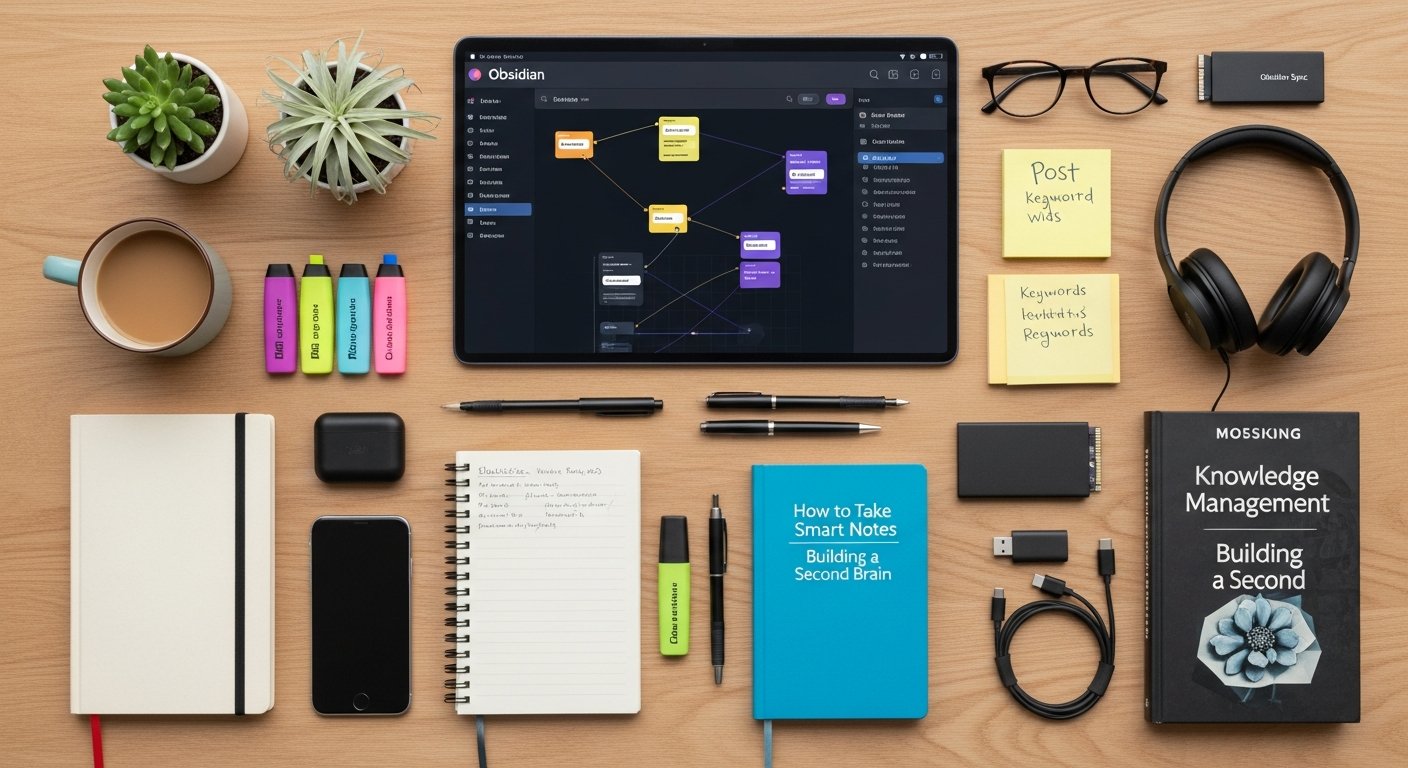

Obsidian Review 2026: The Ultimate PKM & Knowledge Management Tool for bookmarksharer Users
Affiliate disclosure: This article may contain affiliate links. Recommendations are independent and editorially driven.
Obsidian Review Summary
TL;DR: Obsidian stands out in 2026 as an unparalleled, local-first Personal Knowledge Management (PKM) tool, ideal for anyone serious about building a “second brain.” Its powerful markdown foundation, bi-directional linking, dynamic graph view, and extensive plugin ecosystem make it incredibly versatile for note-taking, research, project management, and especially, advanced bookmark and link curation. While it has a learning curve, its flexibility and data ownership are unmatched for dedicated knowledge workers.
Pros:
- Local-First & Future-Proof: All data stored in plain text markdown files, ensuring complete ownership and long-term accessibility.
- Unrivaled Customization: Massive community plugin ecosystem (1000+ plugins) allows tailoring to virtually any workflow.
- Powerful Linking & Graph View: Bi-directional links and the interactive graph visualize connections between ideas, fostering serendipitous discovery.
- Canvas Feature: Offers a flexible whiteboard for visual thinking, brainstorming, and project mapping, integrating notes, images, and web links.
- Cross-Platform Availability: Works seamlessly on Windows, macOS, Linux, iOS, and Android.
- Privacy-Focused: No forced cloud sync; data remains private unless you opt for Obsidian Sync or Publish.
- Free Core Application: The powerful core features are completely free for personal use.
Cons:
- Steep Learning Curve: Can be daunting for beginners, especially those new to markdown or complex PKM concepts.
- No Native Collaboration: Not designed for real-time team collaboration out-of-the-box (though community plugins offer workarounds).
- Plugin Dependence: Many advanced features rely on community plugins, which can sometimes break or require maintenance.
- Obsidian Sync/Publish are Paid: Core application is free, but official synchronization and web publishing services incur a subscription cost.
- No Rich Text Editor: Markdown-centric, which can be less intuitive for users accustomed to WYSIWYG editors.
Overall Score: 4.7 / 5
Introduction to Obsidian: A Local-First Knowledge Powerhouse for 2026

In the rapidly evolving landscape of digital tools designed to manage our ever-growing streams of information, Obsidian has carved out a unique and powerful niche. For users of bookmarksharer looking for advanced link-curation workflows and robust personal knowledge management (PKM), this comprehensive Obsidian review for 2026 aims to dissect what makes this application an indispensable asset for building a “second brain.”
Obsidian isn’t just another note-taking app; it’s a dynamic toolkit for crafting, connecting, and navigating your ideas. At its core, it’s a markdown-based editor that operates directly on a local folder of plain text files, giving you unparalleled ownership and control over your data. This local-first philosophy is a game-changer in an era dominated by proprietary cloud platforms, offering peace of mind that your intellectual capital remains yours, forever accessible and portable.
For those deeply invested in bookmarking, link curation, and building interconnected webs of information, Obsidian provides a robust environment where saved articles, research notes, project ideas, and daily thoughts can all live in harmony. Its emphasis on bi-directional linking and a visual graph view transforms disparate pieces of information into a cohesive, navigable knowledge graph, revealing connections you might never have noticed.
As we delve into this Obsidian review, we’ll explore its core features, the vibrant plugin ecosystem that extends its capabilities, its pricing model, and how it stacks up against competitors. Whether you’re a seasoned knowledge worker, a student, a researcher, or simply someone striving to better organize your digital life, understanding Obsidian’s strengths and nuances is crucial in selecting your next PKM champion.
Obsidian’s Core Features and Why They Matter for PKM
Obsidian’s power lies in a few fundamental, yet deeply impactful, features that collectively enable a highly efficient and interconnected PKM system. Understanding these cornerstones is key to appreciating its potential.
Local-First Markdown Files: Ownership and Future-Proofing
Unlike many cloud-based note-taking applications, Obsidian operates on a folder of plain text markdown files stored directly on your computer. This “local-first” approach offers several profound advantages:
- Data Ownership: Your notes are yours, stored in a universally readable format. You’re not locked into a proprietary database or a specific vendor’s ecosystem.
- Future-Proofing: Markdown is a simple, plain-text format that has existed for decades and is highly unlikely to become obsolete. Your notes will be accessible years down the line, regardless of Obsidian’s future.
- Portability: You can easily back up your entire vault, move it between devices, or even open your notes with any other markdown editor.
- Speed & Reliability: Accessing local files is inherently faster and more reliable than relying on a constant internet connection for every interaction.
For bookmarksharer users, this means that even if you import hundreds or thousands of links and associated notes, they reside securely on your machine, always at your fingertips.
Bi-directional Linking and the Graph View: Uncovering Connections
This is arguably Obsidian’s most celebrated feature and a cornerstone of modern PKM. Instead of hierarchical folders, Obsidian encourages linking notes together using double square brackets (e.g., [[My Note Title]]). These links are bi-directional, meaning if Note A links to Note B, Note B automatically knows that Note A links to it.
- Contextual Discovery: When you open a note, the “Backlinks” panel shows all other notes that reference it, immediately providing context and related information.
- Emergent Structure: Rather than forcing a rigid folder structure, connections emerge organically as you link ideas.
- The Graph View: This visual representation of your entire vault is mesmerizing and incredibly useful. Each note is a node, and each link is an edge, allowing you to see clusters of related ideas, isolated notes, and the overall shape of your knowledge. It’s an invaluable tool for brainstorming, identifying research gaps, and understanding the relationships within your accumulated bookmarks and insights.
Obsidian Canvas: Visual Thinking and Project Management
Introduced in late 2022, Obsidian Canvas rapidly became a beloved feature. It’s an infinite digital whiteboard where you can freely arrange notes, images, PDFs, videos, and even web links (bookmarks) in a spatial layout. Think of it as a mind map, a mood board, a project planner, or a brainstorming surface – all within your Obsidian vault.
- Flexible Arrangement: Drag and drop any element onto the canvas and arrange it intuitively.
- Direct Note Integration: Embed existing Obsidian notes, edit them directly on the canvas, or create new notes on the fly.
- Visual Link Curation: A bookmarksharer user could drag saved links onto a canvas, add notes, connect them with arrows, and create a visual narrative for a research project or a collection of resources.
- Project Planning: Map out workflows, dependencies, and ideas for complex projects in a highly visual manner.
Daily Notes and Templates: Structured Capture
Obsidian facilitates disciplined daily note-taking, a common practice in PKM. A dedicated “Daily Note” feature allows you to quickly create a note for the current day with a single click. Combined with a powerful templating system, you can set up pre-defined structures for these daily notes, meeting notes, research summaries, or any other type of entry.
- Consistent Capture: Ensure you capture thoughts, tasks, and observations regularly.
- Automated Structure: Templates save time and maintain consistency, ensuring you include all necessary fields (e.g., date, tasks, reflections, links to new bookmarks).
- Efficient Retrieval: Daily notes are automatically linked, creating a personal journal or log that’s easy to navigate chronologically.
Search and Tagging: Efficient Information Retrieval
Despite its local-first nature, Obsidian boasts a lightning-fast and powerful search function. You can search by keywords, specific tags (#tag), file names, or even within specific properties. Tags provide another layer of non-hierarchical organization, allowing you to categorize notes across different themes or projects without moving files.
- Granular Search: Find exactly what you need, even in vaults containing thousands of notes.
- Flexible Organization: Use tags for cross-cutting themes (e.g.,
#productivity,#AI,#bookmark) that might span multiple projects or contexts. - Saved Searches: Create and save complex search queries for frequently accessed information.
These core features, when combined, create a synergy that transforms individual notes into a dynamic, interconnected knowledge base. It’s a system designed to grow with you, adapting to your evolving needs rather than imposing a rigid structure.
[INLINE IMAGE 1: place after second H2 | alt=”obsidian review concept illustration”]
Customization and Extensibility: The Plugin Ecosystem
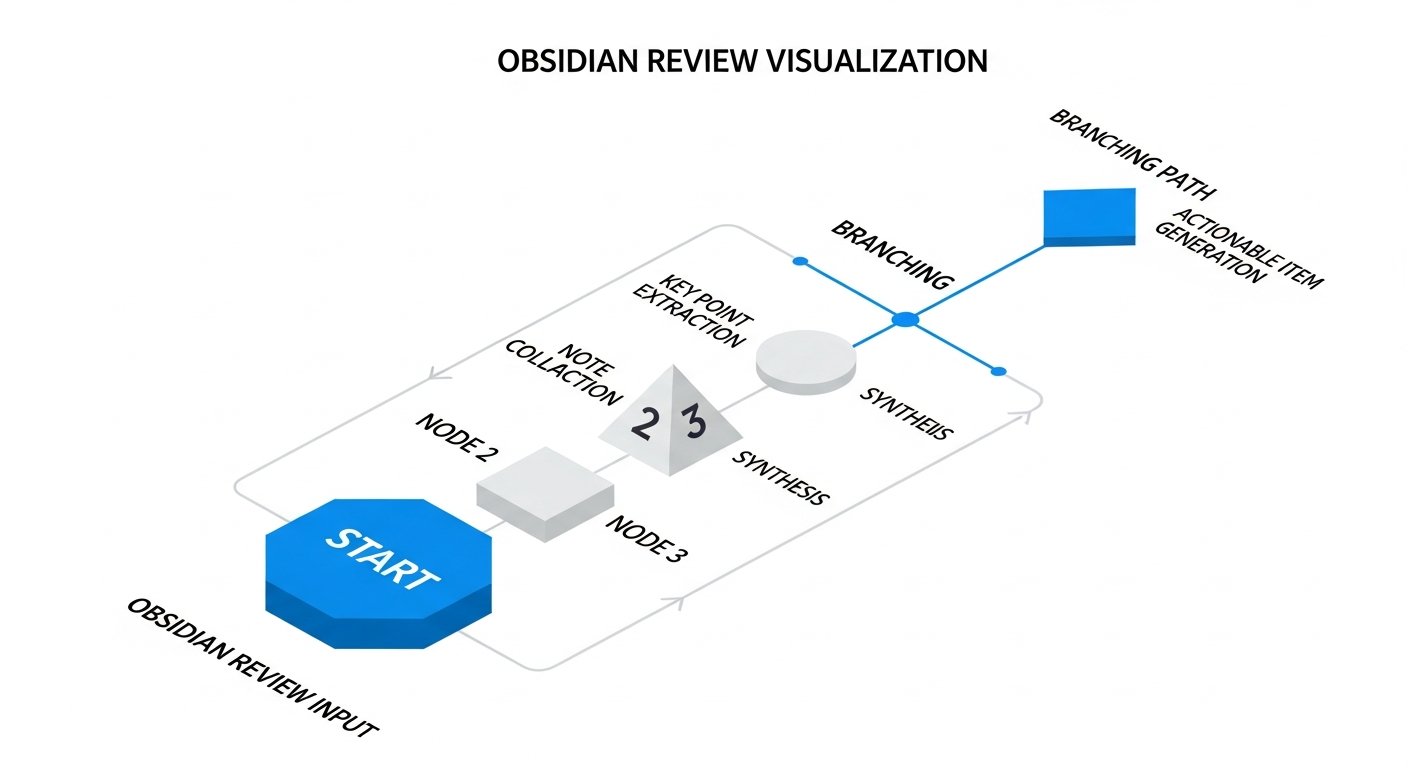
One of Obsidian’s most compelling attributes is its incredible extensibility through a thriving plugin ecosystem. What might seem like a minimalist markdown editor out of the box quickly transforms into a hyper-specialized tool capable of almost anything, thanks to its open API and active developer community. This flexibility is particularly valuable for bookmarksharer users who need to tailor their PKM system to integrate various web resources and workflows.
Official Core Plugins: Essential Functionality
Even before diving into community contributions, Obsidian comes with a suite of robust core plugins that add significant functionality. These are developed and maintained by the Obsidian team and cover fundamental needs:
- File Explorer & Search: Basic navigation and powerful search capabilities.
- Graph View: The iconic visual representation of your vault’s connections.
- Templates: For creating reusable note structures.
- Daily Notes: For systematic journaling and idea capture.
- Canvas: The infinite whiteboard for visual organization.
- Markdown Importer: To bring in notes from other apps like Evernote or Roam.
- Slides: Turn your notes into presentations.
- Outgoing Links & Backlinks: Crucial for seeing connections.
- Note Composer: For merging or splitting notes.
These core plugins provide a solid foundation, ensuring that even a vanilla Obsidian setup is remarkably powerful.
Community Plugins: Expanding Horizons for bookmarksharer Users
The true magic of Obsidian unfolds with its community plugins. As of 2026, there are well over a thousand community-developed plugins available, covering an astonishing range of use cases. For bookmarksharer users, these can drastically enhance how you curate, manage, and interact with your saved links:
- Web Clippers: Plugins like “Obsidian Web Clipper” or “MarkDownload” allow you to save web pages directly into your vault as markdown, complete with original links, images, and formatting. This is a game-changer for importing articles and resources from bookmarksharer.
- Readwise Integration: For those who highlight articles and books using services like Readwise, a dedicated plugin can automatically sync your highlights and notes into your Obsidian vault, turning your reading into an active part of your PKM.
- Dataview: This powerful plugin lets you query your notes like a database. Imagine generating a dynamic list of all your bookmarks tagged
#AIthat you haven’t reviewed yet, or creating tables summarizing research links by source or topic. - Advanced URI: Allows for deeper integration with other apps and automation tools, letting you open specific notes or execute commands in Obsidian from external applications.
- Tasks: Manage your to-do lists directly within your notes, with powerful filtering and aggregation capabilities.
- Excalidraw: Integrate hand-drawn diagrams and sketches directly into your notes.
- Kanban: Create Kanban boards for project management using markdown notes.
- Citations: For researchers, plugins that integrate with Zotero, Mendeley, or other citation managers allow you to easily insert formatted citations and bibliographies.
The sheer breadth of community plugins means that if you can imagine a feature, there’s a good chance someone has already built it, or you can commission its development. This level of customization ensures your Obsidian setup is uniquely tailored to your specific needs, making it far more than a generic note-taking app.
Themes and CSS Snippets: Personalizing Your Interface
Beyond functionality, Obsidian also offers extensive aesthetic customization. You can choose from a wide array of community-made themes to drastically change the look and feel of your workspace. For those with CSS knowledge, “CSS snippets” allow for even finer-grained control, letting you tweak everything from font sizes and colors to the layout of specific elements. This ensures your PKM environment is not only functional but also visually appealing and conducive to your personal work style.
The plugin and theme ecosystem is a testament to Obsidian’s open and community-driven approach, fostering innovation and ensuring the platform remains at the cutting edge of personal knowledge management.
Obsidian Sync, Publish, and Mobile: Your Knowledge Everywhere
While Obsidian is fundamentally a local-first application, its utility truly expands with official services and robust mobile apps, ensuring your valuable knowledge vault is accessible, synchronized, and shareable across all your devices.
Obsidian Sync: Seamless Cross-Device Experience
For those who need their notes accessible on multiple devices (e.g., desktop, laptop, tablet, phone), Obsidian offers an official, encrypted, and reliable synchronization service called Obsidian Sync. This is a paid add-on, but it provides several key benefits:
- End-to-End Encryption: Your notes are encrypted on your device before they are sent to Obsidian’s servers, ensuring maximum privacy.
- Version History: Sync retains a comprehensive version history of your notes for up to one year, allowing you to revert to previous states if needed – a lifesaver for accidental deletions or edits.
- Synchronize Settings: It also synchronizes your themes, CSS snippets, and most importantly, your plugin settings, ensuring a consistent experience across all your devices.
- Selective Sync: You can choose which folders to synchronize, useful if you have very large files or sensitive information you prefer to keep entirely local.
While other cloud storage solutions (like Dropbox, Google Drive, OneDrive) can be used to sync your vault, Obsidian Sync offers a purpose-built, secure, and integrated experience that often avoids common syncing conflicts associated with generic cloud services.
Obsidian Publish: Sharing Your Knowledge Vaults
Obsidian Publish is another optional paid service that allows you to selectively publish notes from your vault to a public or private website. This is incredibly useful for:
- Public-Facing Knowledge Bases: Share research, tutorials, articles, or curated link lists with the world. You can customize the domain and styling.
- Team Collaboration (Limited): While not a real-time collaboration tool, you can share a private Publish site with colleagues, allowing them to view and comment on your curated knowledge.
- Digital Portfolios or Blogs: Easily turn your well-organized notes into a clean, navigable website without needing to learn complex web development.
For bookmarksharer users, Publish offers a fantastic way to share expertly curated collections of links and associated insights, turning your personal knowledge graph into a valuable resource for others.
Mobile Apps: PKM on the Go
Obsidian offers full-featured mobile applications for both iOS (iPhone and iPad) and Android. These apps bring the power of Obsidian to your pocket, allowing you to:
- Capture Ideas Instantly: Jot down thoughts, take quick notes, or add to your daily note no matter where you are.
- Access Your Entire Vault: View and edit all your notes, including those with complex links and embedded content.
- Utilize Core Features: The mobile apps support the graph view, Canvas, and most community plugins, providing a consistent experience with the desktop version.
- Sync Seamlessly: When combined with Obsidian Sync, your mobile vault stays perfectly up-to-date with your desktop version.
Having your second brain accessible on mobile devices is crucial for continuous knowledge capture and review, ensuring no insight is lost, whether you’re commuting, at a conference, or simply away from your main workstation.
[INLINE IMAGE 2: place after fourth H2 | alt=”obsidian review comparison illustration”]
Who Is Obsidian For? Use Cases for bookmarksharer Audience
Obsidian’s unique blend of flexibility, local storage, and powerful linking makes it an ideal tool for a diverse range of users, particularly those with a strong inclination towards deep knowledge work and information curation. For the bookmarksharer audience, its utility extends significantly beyond basic note-taking.
Researchers and Academics
Obsidian is a powerhouse for research. Academics can organize complex research projects, link papers, create literature reviews, manage citations (with plugins), and build interconnected notes on theories, methodologies, and findings. The graph view helps visualize relationships between concepts across numerous sources, including saved academic articles from your bookmarksharer collections.
Writers and Content Creators
From drafting novels to scripting YouTube videos or writing blog posts, Obsidian provides an unparalleled environment for developing ideas. Writers can outline plots, develop character arcs, store research snippets, and connect scenes, all while maintaining a clear overview of their narrative. Content creators can manage content calendars, brainstorm topics, and link multimedia resources, ensuring every piece of content is backed by a rich knowledge base.
Developers and Technical Professionals
Developers often deal with vast amounts of technical documentation, code snippets, project notes, and problem-solving logs. Obsidian allows them to create a personal knowledge base of solutions, link concepts, document APIs, and keep track of project requirements. Its markdown base is familiar to many developers, and its extensibility allows for code syntax highlighting and integration with various developer tools.
Students and Lifelong Learners
For students, Obsidian can revolutionize study habits. They can take interconnected notes during lectures, link concepts from different subjects, create flashcards (with plugins), and visualize their understanding of complex topics through the graph view. Lifelong learners can build a growing repository of insights from books, courses, and articles, fostering deeper understanding and retention.
The Dedicated Knowledge Curator (bookmarksharer Focus)
This is where Obsidian truly shines for the bookmarksharer community. If you’re passionate about collecting, organizing, and extracting value from web links, articles, and digital resources, Obsidian offers a superior platform:
- Structured Link Management: Save web pages with web clipper plugins, add extensive notes, highlight key passages, and tag them for easy retrieval.
- Contextualizing Bookmarks: Link your saved bookmarks to your existing notes, projects, and ideas. A bookmark about “AI ethics” can link to your notes on AI projects, philosophical concepts, and other related articles, forming a rich, contextual understanding.
- Curated Collections: Use Obsidian Canvas to visually arrange collections of bookmarks, adding summaries, commentary, and connections to form thematic guides or research dossiers.
- Dynamic Review Systems: Utilize plugins like Dataview to create dynamic lists of bookmarks that need review, are related to a current project, or fall under specific tags.
- Personalized Second Brain: Transform your passive collection of links into an active, interconnected “second brain” where every piece of information contributes to a larger whole, leading to new insights and better decision-making.
In essence, Obsidian is for anyone who values data ownership, believes in the power of interconnected ideas, and is willing to invest a little time upfront to build a highly personalized and robust knowledge management system that will serve them for years to come.
Obsidian Review: Pros and Cons
Every powerful tool comes with its advantages and disadvantages. This section of our Obsidian review distills the key strengths and weaknesses to help you decide if it’s the right fit for your knowledge management needs.
The Advantages of Obsidian (Pros)
- Unrivaled Data Ownership and Portability: Your notes are plain text markdown files, stored locally. This means you own your data, it’s future-proof, and easily portable to any other markdown editor or system. No vendor lock-in.
- Exceptional Customization and Flexibility: The extensive community plugin ecosystem means Obsidian can be molded to almost any workflow imaginable, from project management to academic research, coding notes, and advanced bookmark management.
- Powerful Bi-directional Linking and Graph View: This feature fosters serendipitous connections between ideas, allowing you to discover new insights and build a truly interconnected knowledge base that goes beyond simple hierarchy.
- Obsidian Canvas for Visual Thinking: An infinite canvas integrates notes, images, web links, and more, providing a highly flexible space for brainstorming, outlining, and project visualization.
- Robust Cross-Platform Support: Available on Windows, macOS, Linux, iOS, and Android, ensuring your knowledge vault is always accessible.
- Privacy-Focused by Design: Without Obsidian Sync, your data never leaves your device unless you choose to share it. Even with Sync, it’s end-to-end encrypted.
- Free Core Application: The vast majority of Obsidian’s core features are free for personal use, making it incredibly accessible.
- Active and Supportive Community: A large, passionate user base provides constant support, shares plugins, themes, and innovative workflows.
- Offline Accessibility: Since files are local, you can work on your vault without an internet connection.
- Performance: Generally very fast and responsive, even with large vaults containing thousands of notes.
The Disadvantages of Obsidian (Cons)
- Steep Learning Curve: For users new to markdown, PKM concepts, or extensive customization, Obsidian can feel overwhelming initially. It requires a willingness to learn and tinker.
- Lack of Native Collaboration: Obsidian is primarily a personal tool. While there are workarounds (e.g., sharing vaults via cloud services, Obsidian Publish), it lacks real-time collaborative editing features found in tools like Notion or Google Docs.
- Reliance on Community Plugins: Many advanced features rely on third-party plugins. While this offers flexibility, it also means some features might break with updates, or require more hands-on management.
- No Native Rich Text Editing: It’s markdown-first. While markdown is powerful, some users prefer a traditional WYSIWYG (What You See Is What You Get) rich text editor for quick formatting without syntax.
- Paid Sync and Publish Services: While the core app is free, the most convenient official sync and web publishing solutions are subscription-based, adding to the cost for those who need these features.
- No Web App (Official): There is no official web-based version of Obsidian, meaning you need to install the application on each device you wish to use it on.
- Can Become Over-Engineered: The sheer number of customization options and plugins can lead to users spending too much time “optimizing” their setup rather than actually creating and connecting knowledge.
Ultimately, Obsidian is a tool for those who value control, customization, and a deep, interconnected knowledge base, and are willing to invest the time to master its intricacies. Its cons largely stem from its design philosophy, which prioritizes power and ownership over out-of-the-box simplicity or ubiquitous collaboration.
Obsidian Pricing and Plans: Free vs. Paid Features
Understanding Obsidian’s pricing model is crucial, as its core application is free, but premium features like official sync and publishing services come with a cost. This section of our Obsidian review breaks down the various tiers and what they offer.
Free Core Application (Personal Use)
The most significant aspect of Obsidian’s pricing is that the core application is completely free for personal and educational use. This includes:
- All core note-taking features.
- Bi-directional linking and the full graph view.
- Obsidian Canvas.
- Access to all core plugins.
- Ability to install and use community plugins and themes.
- Local storage of all your markdown files.
For many users, especially those who can manage their own file synchronization via third-party cloud services (like Dropbox, Google Drive, OneDrive, or iCloud) or who only use it on a single device, the free version provides an incredibly powerful and feature-rich PKM solution. There are no ads, no feature limitations (beyond the paid services), and no hidden catches.
Obsidian Sync (Paid Add-on)
Obsidian Sync is an official, end-to-end encrypted service for synchronizing your vault across multiple devices (desktops, laptops, mobile). It is a paid subscription add-on.
- Cost: Typically around $10/month or $96/year (prices subject to change, always check the official website).
- Features:
- Secure, encrypted synchronization across all your devices.
- Version history for notes (up to 1 year).
- Syncing of themes, CSS snippets, and plugin settings.
- Reliable and conflict-free syncing experience.
- Who needs it: Users who want a hassle-free, secure, and officially supported way to keep their vault updated across multiple devices, especially mobile, without relying on third-party cloud services that might have syncing conflicts with Obsidian’s unique file structure.
Obsidian Publish (Paid Add-on)
Obsidian Publish allows you to transform selected notes from your vault into a public or private website, complete with a graph view and navigation. It’s also a paid subscription add-on.
- Cost: Typically around $20/month or $192/year (prices subject to change, always check the official website).
- Features:
- Selective publishing of notes from your vault.
- Customizable domain and styling for your published site.
- Automatic updates when you change notes in your vault.
- Password protection for private sites.
- Who needs it: Users who want to share their curated knowledge bases, research findings, or personal wikis with a broader audience or specific groups, without needing to build a website from scratch.
Catalyst License and Insider Builds (Optional Support)
The Catalyst license is not a mandatory payment but an optional way to support Obsidian’s development and gain access to “Insider Builds” (early access to new features). It’s a one-time purchase with different tiers (e.g., Supporter, Bronze, Silver, Gold, Platinum).
- Cost: Varies by tier, typically starting from a one-time payment of $25.
- Features:
- Early access to pre-release versions of Obsidian.
- A special badge on the Obsidian forums and Discord.
- Directly supports the developers.
- Who needs it: Enthusiastic users who want to contribute to Obsidian’s development, get access to the latest features before public release, and show appreciation for the tool.
Obsidian Pricing Summary Table (2026)
Here’s a concise overview of Obsidian’s primary offerings and their typical costs in 2026:
| Feature/Service | Availability | Typical Cost (Annual) | Key Benefit |
|---|---|---|---|
| Obsidian Core App | Windows, macOS, Linux, iOS, Android | Free (Personal Use) | Full-featured PKM, data ownership, plugin ecosystem |
| Obsidian Sync | Cross-platform Add-on | ~$96/year | Secure, encrypted, multi-device sync with version history |
| Obsidian Publish | Web Service Add-on | ~$192/year | Create a public/private knowledge website from your vault |
| Catalyst License | Optional Support Tier | One-time from ~$25 | Early access to Insider Builds, support development |
Note: All prices are approximate as of
Obsidian Review 2026: The Ultimate PKM & Knowledge Management Tool for bookmarksharer Users
Affiliate disclosure: This article may contain affiliate links. Recommendations are independent and editorially driven.
Obsidian Review Summary
TL;DR: Obsidian stands out in 2026 as an unparalleled, local-first Personal Knowledge Management (PKM) tool, ideal for anyone serious about building a “second brain.” Its powerful markdown foundation, bi-directional linking, dynamic graph view, and extensive plugin ecosystem make it incredibly versatile for note-taking, research, project management, and especially, advanced bookmark and link curation. While it has a learning curve, its flexibility and data ownership are unmatched for dedicated knowledge workers.
Pros:
- Local-First & Future-Proof: All data stored in plain text markdown files, ensuring complete ownership and long-term accessibility.
- Unrivaled Customization: Massive community plugin ecosystem (1000+ plugins) allows tailoring to virtually any workflow.
- Powerful Linking & Graph View: Bi-directional links and the interactive graph visualize connections between ideas, fostering serendipitous discovery.
- Canvas Feature: Offers a flexible whiteboard for visual thinking, brainstorming, and project mapping, integrating notes, images, and web links.
- Cross-Platform Availability: Works seamlessly on Windows, macOS, Linux, iOS, and Android.
- Privacy-Focused: No forced cloud sync; data remains private unless you opt for Obsidian Sync or Publish.
- Free Core Application: The powerful core features are completely free for personal use.
Cons:
- Steep Learning Curve: Can be daunting for beginners, especially those new to markdown or complex PKM concepts.
- No Native Collaboration: Not designed for real-time team collaboration out-of-the-box (though community plugins offer workarounds).
- Plugin Dependence: Many advanced features rely on community plugins, which can sometimes break or require maintenance.
- Obsidian Sync/Publish are Paid: Core application is free, but official synchronization and web publishing services incur a subscription cost.
- No Rich Text Editor: Markdown-centric, which can be less intuitive for users accustomed to WYSIWYG editors.
Overall Score: 4.7 / 5
Introduction to Obsidian: A Local-First Knowledge Powerhouse for 2026
In the rapidly evolving landscape of digital tools designed to manage our ever-growing streams of information, Obsidian has carved out a unique and powerful niche. For users of bookmarksharer looking for advanced link-curation workflows and robust personal knowledge management (PKM), this comprehensive Obsidian review for 2026 aims to dissect what makes this application an indispensable asset for building a “second brain.”
Obsidian isn’t just another note-taking app; it’s a dynamic toolkit for crafting, connecting, and navigating your ideas. At its core, it’s a markdown-based editor that operates directly on a local folder of plain text files, giving you unparalleled ownership and control over your data. This local-first philosophy is a game-changer in an era dominated by proprietary cloud platforms, offering peace of mind that your intellectual capital remains yours, forever accessible and portable.
For those deeply invested in bookmarking, link curation, and building interconnected webs of information, Obsidian provides a robust environment where saved articles, research notes, project ideas, and daily thoughts can all live in harmony. Its emphasis on bi-directional linking and a visual graph view transforms disparate pieces of information into a cohesive, navigable knowledge graph, revealing connections you might never have noticed.
As we delve into this Obsidian review, we’ll explore its core features, the vibrant plugin ecosystem that extends its capabilities, its pricing model, and how it stacks up against competitors. Whether you’re a seasoned knowledge worker, a student, a researcher, or simply someone striving to better organize your digital life, understanding Obsidian’s strengths and nuances is crucial in selecting your next PKM champion.
Obsidian’s Core Features and Why They Matter for PKM
Obsidian’s power lies in a few fundamental, yet deeply impactful, features that collectively enable a highly efficient and interconnected PKM system. Understanding these cornerstones is key to appreciating its potential.
Local-First Markdown Files: Ownership and Future-Proofing
Unlike many cloud-based note-taking applications, Obsidian operates on a folder of plain text markdown files stored directly on your computer. This “local-first” approach offers several profound advantages:
- Data Ownership: Your notes are yours, stored in a universally readable format. You’re not locked into a proprietary database or a specific vendor’s ecosystem.
- Future-Proofing: Markdown is a simple, plain-text format that has existed for decades and is highly unlikely to become obsolete. Your notes will be accessible years down the line, regardless of Obsidian’s future.
- Portability: You can easily back up your entire vault, move it between devices, or even open your notes with any other markdown editor.
- Speed & Reliability: Accessing local files is inherently faster and more reliable than relying on a constant internet connection for every interaction.
For bookmarksharer users, this means that even if you import hundreds or thousands of links and associated notes, they reside securely on your machine, always at your fingertips.
Bi-directional Linking and the Graph View: Uncovering Connections
This is arguably Obsidian’s most celebrated feature and a cornerstone of modern PKM. Instead of hierarchical folders, Obsidian encourages linking notes together using double square brackets (e.g., [[My Note Title]]). These links are bi-directional, meaning if Note A links to Note B, Note B automatically knows that Note A links to it.
- Contextual Discovery: When you open a note, the “Backlinks” panel shows all other notes that reference it, immediately providing context and related information.
- Emergent Structure: Rather than forcing a rigid folder structure, connections emerge organically as you link ideas.
- The Graph View: This visual representation of your entire vault is mesmerizing and incredibly useful. Each note is a node, and each link is an edge, allowing you to see clusters of related ideas, isolated notes, and the overall shape of your knowledge. It’s an invaluable tool for brainstorming, identifying research gaps, and understanding the relationships within your accumulated bookmarks and insights.
Obsidian Canvas: Visual Thinking and Project Management
Introduced in late 2022, Obsidian Canvas rapidly became a beloved feature. It’s an infinite digital whiteboard where you can freely arrange notes, images, PDFs, videos, and even web links (bookmarks) in a spatial layout. Think of it as a mind map, a mood board, a project planner, or a brainstorming surface – all within your Obsidian vault.
- Flexible Arrangement: Drag and drop any element onto the canvas and arrange it intuitively.
- Direct Note Integration: Embed existing Obsidian notes, edit them directly on the canvas, or create new notes on the fly.
- Visual Link Curation: A bookmarksharer user could drag saved links onto a canvas, add notes, connect them with arrows, and create a visual narrative for a research project or a collection of resources.
- Project Planning: Map out workflows, dependencies, and ideas for complex projects in a highly visual manner.
Daily Notes and Templates: Structured Capture
Obsidian facilitates disciplined daily note-taking, a common practice in PKM. A dedicated “Daily Note” feature allows you to quickly create a note for the current day with a single click. Combined with a powerful templating system, you can set up pre-defined structures for these daily notes, meeting notes, research summaries, or any other type of entry.
- Consistent Capture: Ensure you capture thoughts, tasks, and observations regularly.
- Automated Structure: Templates save time and maintain consistency, ensuring you include all necessary fields (e.g., date, tasks, reflections, links to new bookmarks).
- Efficient Retrieval: Daily notes are automatically linked, creating a personal journal or log that’s easy to navigate chronologically.
Search and Tagging: Efficient Information Retrieval
Despite its local-first nature, Obsidian boasts a lightning-fast and powerful search function. You can search by keywords, specific tags (#tag), file names, or even within specific properties. Tags provide another layer of non-hierarchical organization, allowing you to categorize notes across different themes or projects without moving files.
- Granular Search: Find exactly what you need, even in vaults containing thousands of notes.
- Flexible Organization: Use tags for cross-cutting themes (e.g.,
#productivity,#AI,#bookmark) that might span multiple projects or contexts. - Saved Searches: Create and save complex search queries for frequently accessed information.
These core features, when combined, create a synergy that transforms individual notes into a dynamic, interconnected knowledge base. It’s a system designed to grow with you, adapting to your evolving needs rather than imposing a rigid structure.
[INLINE IMAGE 1: place after second H2 | alt=”obsidian review concept illustration”]
Customization and Extensibility: The Plugin Ecosystem
One of Obsidian’s most compelling attributes is its incredible extensibility through a thriving plugin ecosystem. What might seem like a minimalist markdown editor out of the box quickly transforms into a hyper-specialized tool capable of almost anything, thanks to its open API and active developer community. This flexibility is particularly valuable for bookmarksharer users who need to tailor their PKM system to integrate various web resources and workflows.
Official Core Plugins: Essential Functionality
Even before diving into community contributions, Obsidian comes with a suite of robust core plugins that add significant functionality. These are developed and maintained by the Obsidian team and cover fundamental needs:
- File Explorer & Search: Basic navigation and powerful search capabilities.
- Graph View: The iconic visual representation of your vault’s connections.
- Templates: For creating reusable note structures.
- Daily Notes: For systematic journaling and idea capture.
- Canvas: The infinite whiteboard for visual organization.
- Markdown Importer: To bring in notes from other apps like Evernote or Roam.
- Slides: Turn your notes into presentations.
- Outgoing Links & Backlinks: Crucial for seeing connections.
- Note Composer: For merging or splitting notes.
These core plugins provide a solid foundation, ensuring that even a vanilla Obsidian setup is remarkably powerful.
Community Plugins: Expanding Horizons for bookmarksharer Users
The true magic of Obsidian unfolds with its community plugins. As of 2026, there are well over a thousand community-developed plugins available, covering an astonishing range of use cases. For bookmarksharer users, these can drastically enhance how you curate, manage, and interact with your saved links:
- Web Clippers: Plugins like “Obsidian Web Clipper” or “MarkDownload” allow you to save web pages directly into your vault as markdown, complete with original links, images, and formatting. This is a game-changer for importing articles and resources from bookmarksharer.
- Readwise Integration: For those who highlight articles and books using services like Readwise, a dedicated plugin can automatically sync your highlights and notes into your Obsidian vault, turning your reading into an active part of your PKM.
- Dataview: This powerful plugin lets you query your notes like a database. Imagine generating a dynamic list of all your bookmarks tagged
#AIthat you haven’t reviewed yet, or creating tables summarizing research links by source or topic. - Advanced URI: Allows for deeper integration with other apps and automation tools, letting you open specific notes or execute commands in Obsidian from external applications.
- Tasks: Manage your to-do lists directly within your notes, with powerful filtering and aggregation capabilities.
- Excalidraw: Integrate hand-drawn diagrams and sketches directly into your notes.
- Kanban: Create Kanban boards for project management using markdown notes.
- Citations: For researchers, plugins that integrate with Zotero, Mendeley, or other citation managers allow you to easily insert formatted citations and bibliographies.
The sheer breadth of community plugins means that if you can imagine a feature, there’s a good chance someone has already built it, or you can commission its development. This level of customization ensures your Obsidian setup is uniquely tailored to your specific needs, making it far more than a generic note-taking app.
Themes and CSS Snippets: Personalizing Your Interface
Beyond functionality, Obsidian also offers extensive aesthetic customization. You can choose from a wide array of community-made themes to drastically change the look and feel of your workspace. For those with CSS knowledge, “CSS snippets” allow for even finer-grained control, letting you tweak everything from font sizes and colors to the layout of specific elements. This ensures your PKM environment is not only functional but also visually appealing and conducive to your personal work style.
The plugin and theme ecosystem is a testament to Obsidian’s open and community-driven approach, fostering innovation and ensuring the platform remains at the cutting edge of personal knowledge management.
Obsidian Sync, Publish, and Mobile: Your Knowledge Everywhere
While Obsidian is fundamentally a local-first application, its utility truly expands with official services and robust mobile apps, ensuring your valuable knowledge vault is accessible, synchronized, and shareable across all your devices.
Obsidian Sync: Seamless Cross-Device Experience
For those who need their notes accessible on multiple devices (e.g., desktop, laptop, tablet, phone), Obsidian offers an official, encrypted, and reliable synchronization service called Obsidian Sync. This is a paid add-on, but it provides several key benefits:
- End-to-End Encryption: Your notes are encrypted on your device before they are sent to Obsidian’s servers, ensuring maximum privacy.
- Version History: Sync retains a comprehensive version history of your notes for up to one year, allowing you to revert to previous states if needed – a lifesaver for accidental deletions or edits.
- Synchronize Settings: It also synchronizes your themes, CSS snippets, and most importantly, your plugin settings, ensuring a consistent experience across all your devices.
- Selective Sync: You can choose which folders to synchronize, useful if you have very large files or sensitive information you prefer to keep entirely local.
While other cloud storage solutions (like Dropbox, Google Drive, OneDrive) can be used to sync your vault, Obsidian Sync offers a purpose-built, secure, and integrated experience that often avoids common syncing conflicts associated with generic cloud services.
Obsidian Publish: Sharing Your Knowledge Vaults
Obsidian Publish is another optional paid service that allows you to selectively publish notes from your vault to a public or private website. This is incredibly useful for:
- Public-Facing Knowledge Bases: Share research, tutorials, articles, or curated link lists with the world. You can customize the domain and styling.
- Team Collaboration (Limited): While not a real-time collaboration tool, you can share a private Publish site with colleagues, allowing them to view and comment on your curated knowledge.
- Digital Portfolios or Blogs: Easily turn your well-organized notes into a clean, navigable website without needing to learn complex web development.
For bookmarksharer users, Publish offers a fantastic way to share expertly curated collections of links and associated insights, turning your personal knowledge graph into a valuable resource for others.
Mobile Apps: PKM on the Go
Obsidian offers full-featured mobile applications for both iOS (iPhone and iPad) and Android. These apps bring the power of Obsidian to your pocket, allowing you to:
- Capture Ideas Instantly: Jot down thoughts, take quick notes, or add to your daily note no matter where you are.
- Access Your Entire Vault: View and edit all your notes, including those with complex links and embedded content.
- Utilize Core Features: The mobile apps support the graph view, Canvas, and most community plugins, providing a consistent experience with the desktop version.
- Sync Seamlessly: When combined with Obsidian Sync, your mobile vault stays perfectly up-to-date with your desktop version.
Having your second brain accessible on mobile devices is crucial for continuous knowledge capture and review, ensuring no insight is lost, whether you’re commuting, at a conference, or simply away from your main workstation.
[INLINE IMAGE 2: place after fourth H2 | alt=”obsidian review comparison illustration”]
Who Is Obsidian For? Use Cases for bookmarksharer Audience
Obsidian’s unique blend of flexibility, local storage, and powerful linking makes it an ideal tool for a diverse range of users, particularly those with a strong inclination towards deep knowledge work and information curation. For the bookmarksharer audience, its utility extends significantly beyond basic note-taking.
Researchers and Academics
Obsidian is a powerhouse for research. Academics can organize complex research projects, link papers, create literature reviews, manage citations (with plugins), and build interconnected notes on theories, methodologies, and findings. The graph view helps visualize relationships between concepts across numerous sources, including saved academic articles from your bookmarksharer collections.
Writers and Content Creators
From drafting novels to scripting YouTube videos or writing blog posts, Obsidian provides an unparalleled environment for developing ideas. Writers can outline plots, develop character arcs, store research snippets, and connect scenes, all while maintaining a clear overview of their narrative. Content creators can manage content calendars, brainstorm topics, and link multimedia resources, ensuring every piece of content is backed by a rich knowledge base.
Developers and Technical Professionals
Developers often deal with vast amounts of technical documentation, code snippets, project notes, and problem-solving logs. Obsidian allows them to create a personal knowledge base of solutions, link concepts, document APIs, and keep track of project requirements. Its markdown base is familiar to many developers, and its extensibility allows for code syntax highlighting and integration with various developer tools.
Students and Lifelong Learners
For students, Obsidian can revolutionize study habits. They can take interconnected notes during lectures, link concepts from different subjects, create flashcards (with plugins), and visualize their understanding of complex topics through the graph view. Lifelong learners can build a growing repository of insights from books, courses, and articles, fostering deeper understanding and retention.
The Dedicated Knowledge Curator (bookmarksharer Focus)
This is where Obsidian truly shines for the bookmarksharer community. If you’re passionate about collecting, organizing, and extracting value from web links, articles, and digital resources, Obsidian offers a superior platform:
- Structured Link Management: Save web pages with web clipper plugins, add extensive notes, highlight key passages, and tag them for easy retrieval.
- Contextualizing Bookmarks: Link your saved bookmarks to your existing notes, projects, and ideas. A bookmark about “AI ethics” can link to your notes on AI projects, philosophical concepts, and other related articles, forming a rich, contextual understanding.
- Curated Collections: Use Obsidian Canvas to visually arrange collections of bookmarks, adding summaries, commentary, and connections to form thematic guides or research dossiers.
- Dynamic Review Systems: Utilize plugins like Dataview to create dynamic lists of bookmarks that need review, are related to a current project, or fall under specific tags.
- Personalized Second Brain: Transform your passive collection of links into an active, interconnected “second brain” where every piece of information contributes to a larger whole, leading to new insights and better decision-making.
In essence, Obsidian is for anyone who values data ownership, believes in the power of interconnected ideas, and is willing to invest a little time upfront to build a highly personalized and robust knowledge management system that will serve them for years to come.
Obsidian Review: Pros and Cons
Every powerful tool comes with its advantages and disadvantages. This section of our Obsidian review distills the key strengths and weaknesses to help you decide if it’s the right fit for your knowledge management needs.
The Advantages of Obsidian (Pros)
- Unrivaled Data Ownership and Portability: Your notes are plain text markdown files, stored locally. This means you own your data, it’s future-proof, and easily portable to any other markdown editor or system. No vendor lock-in.
- Exceptional Customization and Flexibility: The extensive community plugin ecosystem means Obsidian can be molded to almost any workflow imaginable, from project management to academic research, coding notes, and advanced bookmark management.
- Powerful Bi-directional Linking and Graph View: This feature fosters serendipitous connections between ideas, allowing you to discover new insights and build a truly interconnected knowledge base that goes beyond simple hierarchy.
- Obsidian Canvas for Visual Thinking: An infinite canvas integrates notes, images, web links, and more, providing a highly flexible space for brainstorming, outlining, and project visualization.
- Robust Cross-Platform Support: Available on Windows, macOS, Linux, iOS, and Android, ensuring your knowledge vault is always accessible.
- Privacy-Focused by Design: Without Obsidian Sync, your data never leaves your device unless you choose to share it. Even with Sync, it’s end-to-end encrypted.
- Free Core Application: The vast majority of Obsidian’s core features are free for personal use, making it incredibly accessible.
- Active and Supportive Community: A large, passionate user base provides constant support, shares plugins, themes, and innovative workflows.
- Offline Accessibility: Since files are local, you can work on your vault without an internet connection.
- Performance: Generally very fast and responsive, even with large vaults containing thousands of notes.
The Disadvantages of Obsidian (Cons)
- Steep Learning Curve: For users new to markdown, PKM concepts, or extensive customization, Obsidian can feel overwhelming initially. It requires a willingness to learn and tinker.
- Lack of Native Collaboration: Obsidian is primarily a personal tool. While there are workarounds (e.g., sharing vaults via cloud services, Obsidian Publish), it lacks real-time collaborative editing features found in tools like Notion or Google Docs.
- Reliance on Community Plugins: Many advanced features rely on third-party plugins. While this offers flexibility, it also means some features might break with updates, or require more hands-on management.
- No Native Rich Text Editing: It’s markdown-first. While markdown is powerful, some users prefer a traditional WYSIWYG (What You See Is What You Get) rich text editor for quick formatting without syntax.
- Paid Sync and Publish Services: While the core app is free, the most convenient official sync and web publishing solutions are subscription-based, adding to the cost for those who need these features.
- No Web App (Official): There is no official web-based version of Obsidian, meaning you need to install the application on each device you wish to use it on.
- Can Become Over-Engineered: The sheer number of customization options and plugins can lead to users spending too much time “optimizing” their setup rather than actually creating and connecting knowledge.
Ultimately, Obsidian is a tool for those who value control, customization, and a deep, interconnected knowledge base, and are willing to invest the time to master its intricacies. Its cons largely stem from its design philosophy, which prioritizes power and ownership over out-of-the-box simplicity or ubiquitous collaboration.
Obsidian Pricing and Plans: Free vs. Paid Features
Understanding Obsidian’s pricing model is crucial, as its core application is free, but premium features like official sync and publishing services come with a cost. This section of our Obsidian review breaks down the various tiers and what they offer.
Free Core Application (Personal Use)
The most significant aspect of Obsidian’s pricing is that the core application is completely free for personal and educational use. This includes:
- All core note-taking features.
- Bi-directional linking and the full graph view.
- Obsidian Canvas.
- Access to all core plugins.
- Ability to install and use community plugins and themes.
- Local storage of all your markdown files.
For many users, especially those who can manage their own file synchronization via third-party cloud services (like Dropbox, Google Drive, OneDrive, or iCloud) or who only use it on a single device, the free version provides an incredibly powerful and feature-rich PKM solution. There are no ads, no feature limitations (beyond the paid services), and no hidden catches.
Obsidian Sync (Paid Add-on)
Obsidian Sync is an official, end-to-end encrypted service for synchronizing your vault across multiple devices (desktops, laptops, mobile). It is a paid subscription add-on.
- Cost: Typically around $10/month or $96/year (prices subject to change, always check the official website).
- Features:
- Secure, encrypted synchronization across all your devices.
- Version history for notes (up to 1 year).
- Syncing of themes, CSS snippets, and plugin settings.
- Reliable and conflict-free syncing experience.
- Who needs it: Users who want a hassle-free, secure, and officially supported way to keep their vault updated across multiple devices, especially mobile, without relying on third-party cloud services that might have syncing conflicts with Obsidian’s unique file structure.
Obsidian Publish (Paid Add-on)
Obsidian Publish allows you to transform selected notes from your vault into a public or private website, complete with a graph view and navigation. It’s also a paid subscription add-on.
- Cost: Typically around $20/month or $192/year (prices subject to change, always check the official website).
- Features:
- Selective publishing of notes from your vault.
- Customizable domain and styling for your published site.
- Automatic updates when you change notes in your vault.
- Password protection for private sites.
- Who needs it: Users who want to share their curated knowledge bases, research findings, or personal wikis with a broader audience or specific groups, without needing to build a website from scratch.
Catalyst License and Insider Builds (Optional Support)
The Catalyst license is not a mandatory payment but an optional way to support Obsidian’s development and gain access to “Insider Builds” (early access to new features). It’s a one-time purchase with different tiers (e.g., Supporter, Bronze, Silver, Gold, Platinum).
- Cost: Varies by tier, typically starting from a one-time payment of $25.
- Features:
- Early access to pre-release versions of Obsidian.
- A special badge on the Obsidian forums and Discord.
- Directly supports the developers.
- Who needs it: Enthusiastic users who want to contribute to Obsidian’s development, get access to the latest features before public release, and show appreciation for the tool.
Obsidian Pricing Summary Table (2026)
Here’s a concise overview of Obsidian’s primary offerings and their typical costs in 2026:
| Feature/Service | Availability | Typical Cost (Annual) | Key Benefit |
|---|---|---|---|
| Obsidian Core App | Windows, macOS, Linux, iOS, Android | Free (Personal Use) | Full-featured PKM, data ownership, plugin ecosystem |
| Obsidian Sync | Cross-platform Add-on | ~$96/year | Secure, encrypted, multi-device sync with version history |
| Obsidian Publish | Web Service Add-on | ~$192/year | Create a public/private knowledge website from your vault |
| Catalyst License | Optional Support Tier | One-time from ~$25 | Early access to Insider Builds, support development |
Note: All prices are approximate as of


