
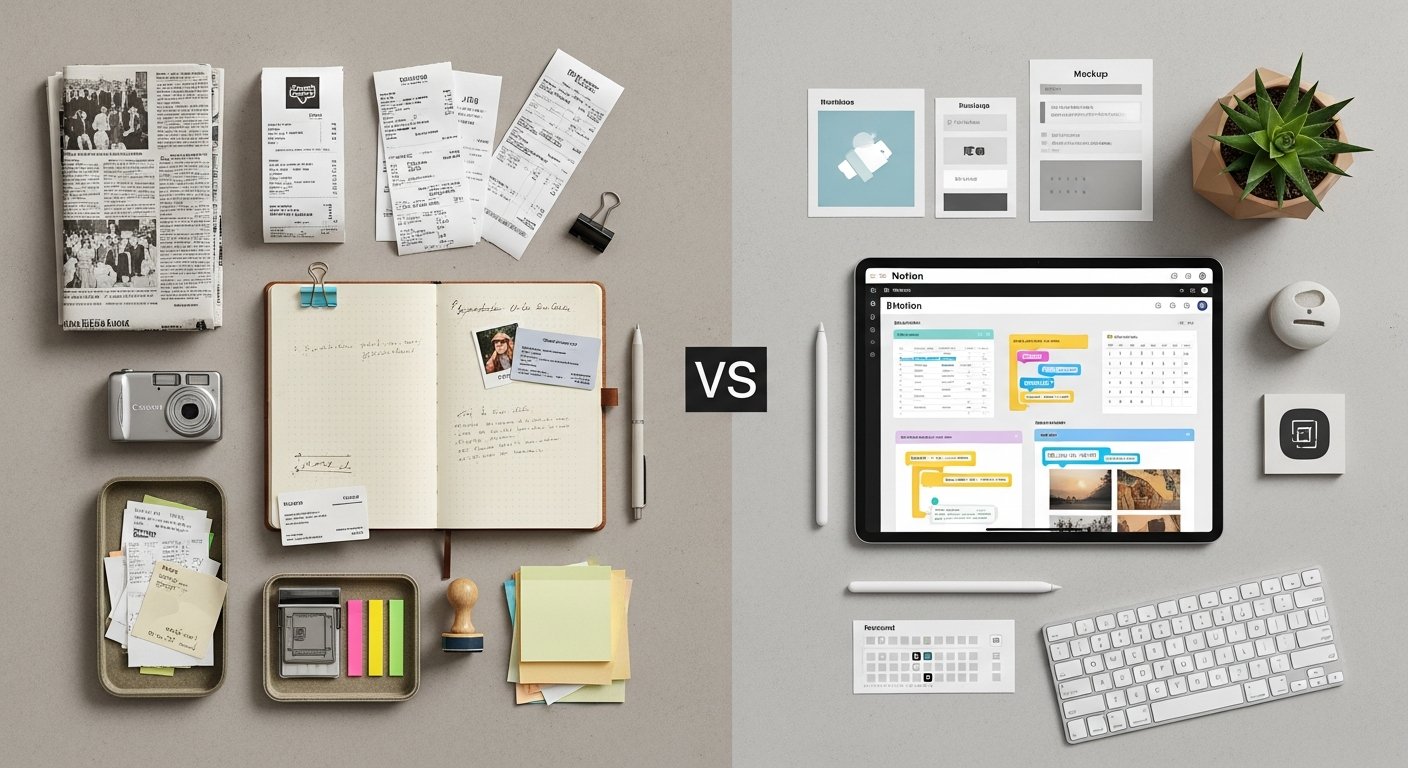

Notion vs Evernote PKM in 2026: The Ultimate Battle for Your Digital Brain
Affiliate disclosure: This article may contain affiliate links. Recommendations are independent and editorially driven.
In the rapidly evolving landscape of digital productivity, the quest for the perfect Personal Knowledge Management (PKM) system is more critical than ever. As information overload intensifies, tools that help us capture, organize, synthesize, and retrieve knowledge become indispensable. For many, this battle for the “digital brain” often boils down to two titans: Notion and Evernote. Both have carved out significant niches, but their approaches to PKM differ dramatically, making the choice between Notion vs Evernote PKM a deeply personal and strategic one.
For decades, Evernote stood as the undisputed champion of note-taking and information capture, offering a reliable, straightforward platform for digitizing every piece of information you encountered. It became synonymous with external memory, a place to offload thoughts, articles, receipts, and ideas with minimal friction. However, in recent years, a new contender, Notion, has emerged, challenging the status quo with its revolutionary all-in-one workspace concept. Notion transcends traditional note-taking, offering a flexible, database-driven environment capable of handling projects, wikis, tasks, and an entire digital life under one customizable roof.
This comprehensive guide dives deep into the Notion vs Evernote PKM debate, dissecting their core philosophies, feature sets, strengths, and weaknesses. We’ll explore how each platform can be leveraged to build robust PKM systems in 2026, helping you understand which tool aligns best with your unique workflow, learning style, and long-term knowledge management goals. Whether you’re a seasoned productivity enthusiast or just beginning your PKM journey, prepare to gain insights that will empower you to make an informed decision for your digital future.
Understanding Personal Knowledge Management (PKM): The Foundation
Before we delve into the specifics of Notion vs Evernote PKM, it’s crucial to establish a solid understanding of what Personal Knowledge Management truly entails. PKM is not merely about accumulating information; it’s a systematic approach to how individuals gather, classify, store, search, retrieve, and share knowledge. It’s about transforming raw data into actionable insights and fostering continuous learning and innovation. Your PKM system is your external brain, a personalized infrastructure designed to augment your cognitive abilities and enhance your productivity.
The Core Principles of PKM
Effective PKM systems are built upon several foundational principles:
- Capture: The ability to quickly and easily save information from various sources (web articles, emails, meeting notes, ideas, documents) without friction. This is the entry point for all knowledge.
- Organize: Structuring captured information in a way that makes sense to you. This could involve tagging, categorizing, creating hierarchies, or establishing relationships between different pieces of knowledge.
- Synthesize: Moving beyond simple storage to actively process, connect, and make sense of information. This often involves summarizing, annotating, linking ideas, and identifying patterns.
- Retrieve: The capacity to find exactly what you need, precisely when you need it, often through powerful search functionalities or intuitive navigation.
- Share: The ability to disseminate your knowledge, collaborate with others, or publish your insights, reinforcing your understanding and contributing to collective intelligence.
- Reflect & Iterate: Regularly reviewing your system, discarding outdated information, refining your organization, and adapting your processes to better serve your evolving needs.
Why Your PKM System Matters
In today’s information-rich environment, a well-implemented PKM system offers numerous benefits:
- Reduces Cognitive Load: By externalizing information, you free up your mental bandwidth for critical thinking, problem-solving, and creativity.
- Prevents Information Loss: Critical insights, brilliant ideas, and important facts are preserved, rather than forgotten or misplaced.
- Fosters Learning & Growth: A structured repository of knowledge supports continuous learning and allows for the development of deeper expertise.
- Enhances Productivity: Quick access to relevant information streamlines decision-making, project execution, and daily tasks.
- Boosts Creativity: By connecting disparate ideas and resurfacing past insights, your PKM system can spark new connections and innovative solutions.
The choice between Notion vs Evernote for your PKM journey in 2026 will largely depend on which of these principles you prioritize and how you envision your digital workspace functioning.
Notion: The All-in-One Workspace for PKM

Notion burst onto the scene as a true paradigm shift in productivity software. It’s not just a note-taking app; it’s a highly customizable, block-based workspace designed to be everything from a simple note-taker to a complex project management system, a personal wiki, or even a light CRM. Its core philosophy is flexibility, offering users the building blocks to construct their ideal PKM system from the ground up. This powerful versatility is both its greatest strength and, for some, its most significant challenge.
Database Powerhouse: Structuring Information
At the heart of Notion’s PKM prowess are its databases. Unlike traditional note-taking apps that rely on simple folders and tags, Notion’s databases allow you to structure and relate information in incredibly sophisticated ways. You can create databases for:
- Notes: Categorize notes by topic, project, date, or status.
- Tasks: Manage personal to-dos or complex project tasks with due dates, assignees, and progress tracking.
- Projects: Organize project details, resources, and related tasks.
- Resources: Catalog web articles, books, courses, and other learning materials with properties like status, tags, and links.
- CRM: Track contacts, interactions, and sales pipelines.
Each item in a database is a Notion page, meaning it can contain rich text, images, embedded files, and even other nested pages or databases. The real power comes from database views (table, board, calendar, gallery, timeline) and properties (text, numbers, dates, select, multi-select, URL, files, relations, rollups, formulas). These allow you to filter, sort, and display your information exactly how you need it, creating dynamic dashboards and interconnected systems that truly reflect your thought process.
Customization and Flexibility: Building Your Own System
Notion’s block-based editor is another cornerstone of its appeal. Everything in Notion is a “block” – a paragraph of text, an image, a heading, a toggle list, a bulleted list, a code block, a database, or even an embedded web page. This modularity allows for unparalleled customization. You can drag and drop blocks, turn them into different types, and arrange them into columns, giving you precise control over the layout and content of every page.
For PKM, this means you’re not confined to a rigid structure. You can design pages that serve as:
Second Brain frameworks, project hubs, learning journals, or daily planners. The ability to create templates for frequently used pages or database entries further streamlines your workflow, allowing you to replicate best practices and maintain consistency across your knowledge base.
Collaborative Potential: Sharing Your Knowledge
Notion was built with collaboration in mind. Workspaces can be shared with teams, allowing multiple users to edit, comment on, and manage pages and databases simultaneously. Permissions can be set at various levels, from full access to read-only, making it suitable for both intricate team projects and simple knowledge sharing. For individuals, this means you can easily share specific notes or projects with others, receive feedback, or collaborate on a shared learning resource, making it a strong contender for those whose PKM extends to collaborative endeavors.
Limitations and Learning Curve
While Notion’s flexibility is its superpower, it also presents its biggest hurdle: the learning curve. For users accustomed to straightforward note-taking apps, Notion’s blank canvas and endless possibilities can feel overwhelming. Building an effective PKM system in Notion requires an investment of time to understand its core concepts (blocks, pages, databases, relations, properties) and to design a system that works for you. There’s no “one size fits all” template, and while a vast community offers resources, the initial setup can be daunting.
Furthermore, Notion’s offline capabilities are improving but can still be less robust than dedicated offline-first applications. Its web clipper, while functional, is not as powerful or feature-rich as some alternatives. For quick, spontaneous capture of disparate information, Notion requires a more deliberate approach due to its structured nature.
[INLINE IMAGE 1: place after second H2 | alt=”notion vs evernote pkm concept illustration”]
Evernote: The Digital Brain for Effortless Capture
Evernote has been a staple in the PKM world for well over a decade, earning its reputation as a reliable “external brain.” Its core strength lies in its ability to effortlessly capture almost any type of information and make it searchable, ensuring that nothing important is ever lost. Evernote’s design philosophy prioritizes quick capture, robust search, and cross-platform accessibility, making it an ideal choice for users who value simplicity, speed, and reliability in their knowledge management.
Rapid Capture and Organization: Notes, Web Clips, and More
Evernote excels at getting information into your system with minimal friction. Its robust capture capabilities are legendary:
- Rich Text Notes: Standard text notes, often enhanced with formatting, checklists, and attachments.
- Web Clipper: Arguably the best in the business, allowing you to save full articles, simplified versions, screenshots, or just the URL with a single click, often retaining original formatting.
- Audio Notes: Record voice memos directly into a note.
- Image & Document Capture: Snap photos of whiteboards, handwritten notes, or documents; Evernote’s OCR (Optical Character Recognition) makes the text within these images searchable.
- Email Forwarding: Send emails directly to your Evernote account to save important communications.
- Sketches: Hand-draw or annotate images within notes (on mobile devices).
Once captured, information is organized into “Notebooks” (like folders) and “Tags” (for cross-cutting categorization). This dual-level organization provides sufficient flexibility for most users without the complexity of database relations. Stacks of notebooks can create hierarchies, and tags allow for more fluid, non-hierarchical categorization, making it easy to find related information across different notebooks.
Powerful Search Capabilities: Finding What You Need
Evernote’s search engine is a major differentiator. It’s incredibly fast and intelligent, capable of searching not just the text within your notes, but also:
text within attached PDFs, images, and even handwritten notes (thanks to its advanced OCR). This means that a picture of a restaurant menu you snapped years ago could resurface when you search for a specific dish, or a meeting note from a whiteboard photo could be found when you recall a keyword. Advanced search syntax allows for precise queries, filtering by tags, notebooks, dates, and more, ensuring that no piece of information remains hidden in your digital archive.
Simplicity and Reliability: A Time-Tested Solution
For many years, Evernote was the gold standard for personal note-taking and archiving precisely because of its straightforward interface and rock-solid reliability. It offers a consistent experience across all major platforms – desktop, web, and mobile – ensuring you can access and capture your knowledge wherever you are. Its focus remains squarely on notes and associated tasks, avoiding the feature bloat that can sometimes accompany all-in-one solutions. This simplicity means a very low barrier to entry and a quick path to building an effective capture-and-retrieve PKM system.
Focus on Notes: Strengths and Constraints
While Evernote’s note-centric design is a strength for quick capture and archiving, it also defines its constraints. Evernote is excellent for collecting discrete pieces of information, but it’s less suited for building complex, interconnected systems like those found in Notion. While you can link between notes, it lacks the true relational database capabilities that allow for dynamic querying and advanced project management. Its task management features are basic compared to dedicated tools, and its collaboration options, while present, are not as robust as Notion’s workspace-wide sharing. For users who need to manage projects, build wikis, or create highly structured data sets, Evernote may feel limiting.
Direct Comparison: Notion vs. Evernote for PKM Core Functions
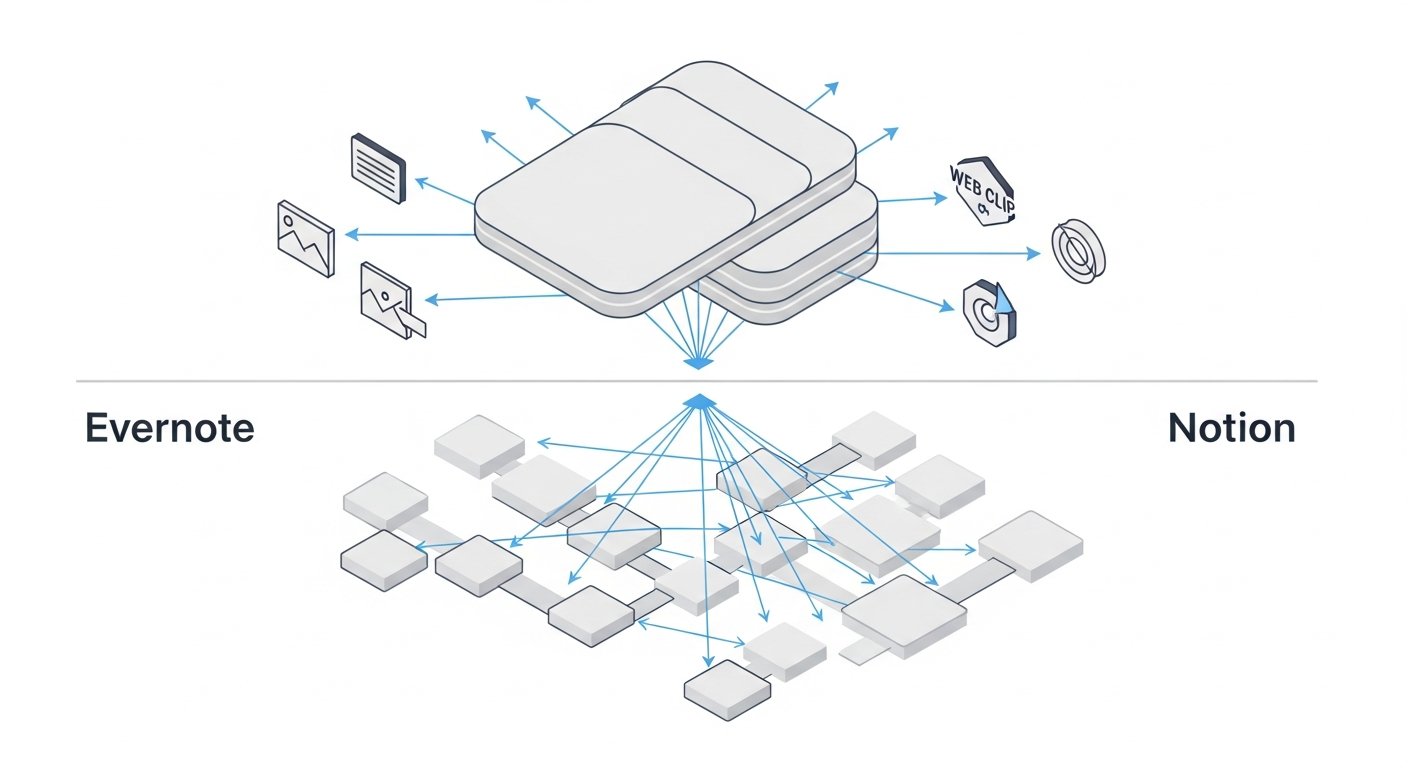
The core of the Notion vs Evernote PKM debate lies in how each platform addresses the fundamental aspects of personal knowledge management. While both aim to help you manage information, their underlying architectures lead to very different user experiences and capabilities. Let’s break down how they stack up across key PKM functions.
Note-Taking and Content Capture
- Notion:
- Editor: A versatile block-based editor. Pages can be simple text documents or complex layouts with databases, images, and embeds. Excellent for structured notes, outlines, and detailed documentation.
- Capture: Web clipper is functional but less advanced. It captures pages as Notion blocks, often requiring cleanup. Mobile capture is good for quick text notes, photos, and voice memos within the app. Email-to-Notion is not natively supported without third-party integrations or workarounds.
- Strength: Highly flexible for creating rich, structured, interconnected notes. Ideal for building comprehensive documents and knowledge bases.
- Weakness: Slower for quick, unstructured capture. Web clipper can be less accurate than Evernote’s. No direct email-to-note function.
- Evernote:
- Editor: A traditional rich-text editor focused on simplicity. Supports text, images, checklists, audio, and attachments. Notes are generally standalone units.
- Capture: Industry-leading web clipper for saving articles, simplified views, screenshots, and PDFs with high fidelity. Robust mobile capture (text, photo, audio, document scan with OCR). Dedicated email-to-Evernote functionality.
- Strength: Unmatched for rapid, diverse, and high-fidelity content capture from almost any source. Excellent for archiving web pages, documents, and ephemeral information.
- Weakness: Less flexible for complex page layouts or deeply nested, interconnected knowledge structures beyond basic links.
Organization and Structuring Information
- Notion:
- Structure: Pages and databases. Databases offer unparalleled flexibility with custom properties (tags, dates, links, formulas, relations) and multiple views (table, board, calendar, gallery, timeline). Information can be deeply interconnected.
- Hierarchy: Unlimited nested pages within pages, allowing for complex hierarchical structures. Databases can also relate to each other, creating powerful information networks.
- Strength: Best-in-class for creating custom, relational knowledge systems. Perfect for those who want to build a “Second Brain” or highly organized project hubs.
- Weakness: Requires upfront design and ongoing maintenance to leverage its power. Can be overwhelming for simple organizational needs.
- Evernote:
- Structure: Notebooks and Tags. Notebooks act as folders, and tags provide cross-cutting categorization. Notebook Stacks allow for basic hierarchy.
- Hierarchy: Two-tier (Notebook Stacks > Notebooks) with tags for flat categorization. Links between notes are possible but not as dynamic as Notion’s relations.
- Strength: Simple, intuitive organization suitable for most users. Easy to categorize and retrieve notes without complex setup.
- Weakness: Lacks relational database capabilities, making it difficult to create dynamic, interconnected knowledge systems or manage complex project data.
Search and Retrieval
- Notion:
- Search: Quick search bar for finding pages, blocks, and database entries. Filters and sorts within databases are highly powerful.
- OCR: Limited native OCR for images. Relies more on text content and database properties for searchability.
- Strength: Excellent for finding specific data points within structured databases. Filters and views make it easy to surface relevant information.
- Weakness: General search across an entire workspace can be slower than Evernote’s. Less effective for finding text within images or PDFs without specific text in the page body.
- Evernote:
- Search: Extremely fast and powerful global search across all notes. Supports advanced search syntax (e.g., tags:, notebook:, created:).
- OCR: Industry-leading OCR that makes text within images, handwritten notes, and attached PDFs fully searchable.
- Strength: The absolute gold standard for finding anything, anywhere, quickly – even within obscure attachments or scanned documents.
- Weakness: Search results are presented as a list of notes; less dynamic than Notion’s filtered database views for specific data insights.
Collaboration and Sharing
- Notion:
- Collaboration: Built for teams. Pages and entire workspaces can be shared with various permission levels (full access, can edit, can comment, can view). Real-time collaboration, comments, mentions.
- Sharing: Pages can be published to the web with a public link, acting as simple websites or shared documents.
- Strength: Robust, real-time collaboration features make it ideal for team PKM, project management, and shared knowledge bases.
- Weakness: Overkill for purely personal, private PKM unless specific sharing needs arise.
- Evernote:
- Collaboration: Notes and notebooks can be shared with individuals for viewing or editing. Basic chat functionality.
- Sharing: Notes can be shared via public link or email.
- Strength: Simple sharing for individual notes or entire notebooks. Good for occasional sharing with specific people.
- Weakness: Lacks the real-time, granular, and workspace-wide collaborative power of Notion. Not designed for complex team workflows.
Integrations and Ecosystem
- Notion:
- API: Robust API allows for extensive third-party integrations and automations (e.g., with Zapier, Make). Many community-built tools and widgets.
- Embeds: Supports embedding content from hundreds of services directly into pages (Google Docs, Figma, Spotify, YouTube).
- Strength: A rapidly growing ecosystem of integrations and a powerful API for custom workflows. Acts as a central hub.
- Weakness: Some core integrations (like a truly robust email-to-Notion) are not native and require third-party tools.
- Evernote:
- API: Has an API that supports various integrations, though perhaps less broad than Notion’s.
- Native Integrations: Strong native integrations with services like Google Drive, Outlook, and various scanners.
- Strength: Good for its niche, particularly for connecting with email and document scanning workflows.
- Weakness: Less focused on being a central, all-encompassing hub compared to Notion. Integrations are often note-centric.
Pricing and Accessibility
- Notion:
- Free Plan: Generous free plan for individuals, offering unlimited blocks and pages, ideal for getting started.
- Paid Plans: Tiered paid plans for more storage, advanced features (e.g., version history, guest access), and team collaboration. Education discounts available.
- Accessibility: Web, desktop apps (macOS, Windows), mobile apps (iOS, Android). Offline mode improving.
- Evernote:
- Free Plan: More limited free plan (max 50 notes, 1 notebook, max 60 MB upload per month). Focuses on basic capture.
- Paid Plans: Paid plans (“Personal,” “Professional”) offer increased upload limits, more devices, and advanced features like document annotation and integrated tasks.
- Accessibility: Web, desktop apps (macOS, Windows), mobile apps (iOS, Android). Robust offline access.
[INLINE IMAGE 2: place after fourth H2 | alt=”notion vs evernote pkm comparison illustration”]
Comparison Table: Notion vs. Evernote PKM Core Features
To summarize the key differences in a digestible format, here’s a feature-by-feature comparison:
| Feature | Notion (PKM Focus) | Evernote (PKM Focus) |
|---|---|---|
| Core Philosophy | Flexible, all-in-one workspace; build your own system | Effortless capture, robust search, reliable archiving |
| Note-Taking Editor | Block-based, highly customizable; rich media, embeds, databases | Rich-text, traditional editor; text, audio, images, checklists |
| Content Capture | Functional web clipper (block-based), in-app media. No native email-to-note. | Industry-leading web clipper (article, simplified, screenshot), email-to-note, document scanning. |
| Organization | Relational databases, custom properties, nested pages, multiple views (table, board, calendar) | Notebooks, Notebook Stacks, Tags. Simple hierarchy. |
| Search | Quick search, powerful database filtering/sorting. Limited OCR. | Fast global search, advanced syntax, excellent OCR for images/PDFs/handwriting. |
| Collaboration | Robust real-time collaboration, granular permissions, team workspaces. | Note/notebook sharing for view/edit. Basic chat. Less team-centric. |
| Task Management | Fully customizable task databases with properties, relations, views. | Integrated basic task management within notes. |
| API & Integrations | Powerful API, extensive third-party integrations, countless embeds. | Solid API, good native integrations for capture (e.g., scanners, email). |
| Learning Curve | Steep due to high customization and database concepts. | Low, very intuitive for immediate use. |
| Offline Access | Improving, but generally requires online for full functionality. | Robust offline access for cached notes across all platforms. |
Use Cases and Workflow Suitability: Who Benefits Most?
The choice between Notion vs Evernote for PKM is rarely about which tool is “objectively better,” but rather which tool is “better for *you*.” Your ideal choice will hinge on your specific PKM needs, your preferred workflow style, and your willingness to invest time in setup.
When Notion Shines: Complex Systems & Project Management
Notion is the clear winner for users who:
- Need a Centralized Workspace: If you want to consolidate notes, tasks, projects, databases, and even personal wikis into one interconnected system, Notion is built for this. It excels at being a single source of truth for diverse information.
- Thrive on Customization: Users who enjoy designing their own systems, experimenting with databases, and building tailored dashboards will find Notion incredibly rewarding. It allows for a highly personalized PKM.
- Manage Complex Projects: For project managers, entrepreneurs, students with research projects, or anyone dealing with intricate workflows, Notion’s relational databases can link tasks to projects, resources, meetings, and deliverables, providing a holistic view.
- Work Collaboratively: Teams or individuals who frequently share knowledge, collaborate on documents, or manage shared projects will benefit from Notion’s robust collaborative features and granular permissions.
- Are Building a “Second Brain”: The concept of an external brain, where all knowledge is connected and accessible, is perfectly suited to Notion’s relational database architecture.
- Are Tech-Savvy and Patient: Those willing to invest time upfront to learn the system and build their ideal setup will reap significant long-term benefits.
Examples: Students managing course notes, research, and assignment deadlines; freelancers tracking clients, projects, and invoices; small teams building a knowledge base and project tracker; individuals creating a comprehensive life operating system.
When Evernote Excels: Quick Capture & Archiving
Evernote remains the go-to choice for users who:
- Prioritize Fast, Frictionless Capture: If your primary need is to quickly save web articles, emails, photos of whiteboards, voice notes, or random thoughts without much thought to structure, Evernote is unparalleled.
- Need a Reliable Digital Archive: For individuals who want a robust, searchable repository for all their digital detritus – receipts, warranties, important documents, articles they might need later – Evernote’s search and OCR are invaluable.
- Prefer Simplicity and Ease of Use: Users who want a tool that “just works” out of the box with minimal setup and a straightforward interface will appreciate Evernote’s intuitive design.
- Work Across Many Devices, Often Offline: With its excellent cross-platform synchronization and robust offline access, Evernote ensures your notes are always available, regardless of internet connectivity.
- Rely Heavily on Web Clipping: For researchers, content curators, or anyone who frequently saves web pages, Evernote’s advanced web clipper is a significant advantage.
- Value Powerful Search (Especially OCR): If the ability to find text within images, PDFs, or even your own messy handwriting is crucial, Evernote’s OCR capabilities are unmatched.
Examples: Journalists collecting research and interviews; students saving lecture notes and articles; professionals archiving meeting minutes and important emails; anyone looking to digitize paper clutter and make it searchable.
Hybrid Approaches and Migration Considerations
It’s also worth noting that many users adopt a hybrid approach. They might use Evernote for its superior capture and archiving of transient information, and then use Notion for structured project management or for developing core knowledge bases. For example, a web clip might start in Evernote, and then key insights from it could be summarized and linked into a Notion database. Tools like Zapier or Make (formerly Integromat) can help bridge these two platforms, automating the transfer of information between them.
If you’re considering migrating from one to the other, be aware of the effort involved. Migrating from Evernote to Notion involves transforming unstructured notes into a structured, database-driven system, which can be time-consuming. Moving from Notion to Evernote is generally simpler but means losing the relational database capabilities. Always test with a small subset of your data first.
Beyond the Basics: Advanced PKM Strategies with Each Tool
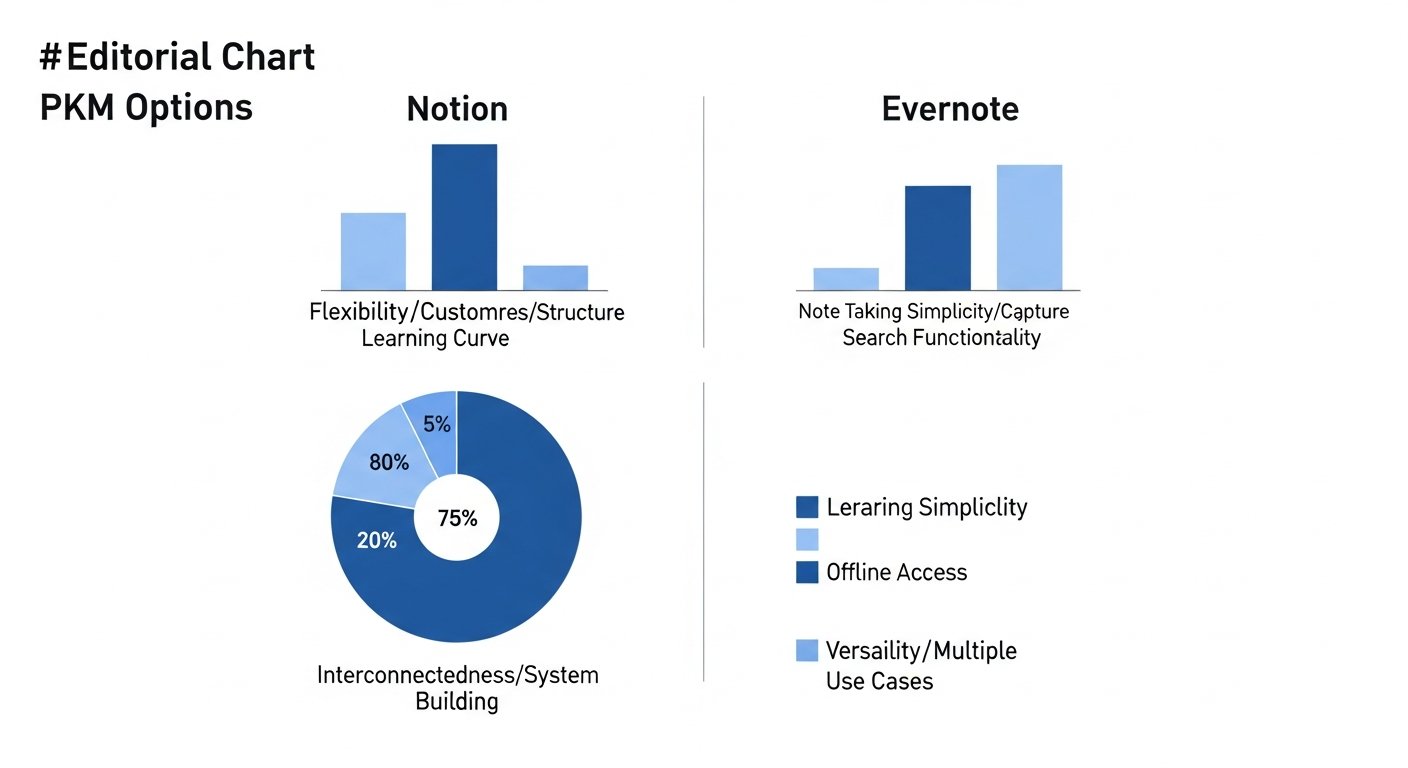
Both Notion and Evernote, despite their differing core philosophies, can be pushed beyond simple note-taking to support sophisticated PKM methodologies. Understanding these advanced applications further clarifies the Notion vs Evernote PKM distinction.
Building a Second Brain with Notion
The “Second Brain” methodology, popularized by Tiago Forte, emphasizes capturing, organizing, distilling, and expressing information to create a reliable, externalized system for your knowledge. Notion is uniquely suited for this framework due to its:
- PARA Method Integration: Notion’s databases can be perfectly configured to implement Projects, Areas, Resources, and Archives (PARA). You can create separate databases for each, linking them as needed.
- Progressive Summarization: Within each Notion page (note), you can easily apply progressive summarization techniques by collapsing sections, highlighting key takeaways, and embedding related notes or databases.
- Interconnected Knowledge: The relational database feature allows you to link ideas, research, tasks, and projects across your entire workspace. For example, a book summary in your “Resources” database can be linked to a project it informs, a task related to applying its concepts, and an area of interest it falls under.
- Template Power: Users can create custom templates for different types of notes (e.g., meeting notes, book summaries, research notes) that automatically include relevant properties and structures, streamlining the capture and organization process.
- Dashboard Creation: Notion allows you to build personalized dashboards that pull information from various databases, offering a consolidated view of your projects, tasks, and key knowledge areas. This provides a high-level overview of your entire Second Brain.
Building a Second Brain in Notion requires a significant initial investment in design, but the resulting system is incredibly powerful, dynamic, and reflective of your unique knowledge network. For those committed to this level of PKM, Notion offers an unmatched foundation.
Leveraging Evernote for Zettelkasten or GTD
While Evernote lacks Notion’s relational database power, it can still effectively support other advanced PKM and productivity methodologies:
- Zettelkasten Lite: The Zettelkasten (slip-box) method involves creating atomic, interconnected notes. While Evernote doesn’t have native block-linking, you can approximate Zettelkasten by:
- Creating individual notes for single ideas.
- Using extensive tagging to connect ideas (e.g., #concept-A, #related-to-B).
- Linking between notes manually using note links.
- Relying on Evernote’s powerful search to discover connections.
The speed of capture makes it easy to quickly jot down fleeting thoughts that can later be refined into Zettelkasten-style notes.
- Getting Things Done (GTD): David Allen’s GTD methodology focuses on capturing all tasks and ideas, clarifying them, organizing them, reflecting on them, and engaging with them. Evernote is excellent for the “Capture” and “Organize” phases:
- Inbox: A dedicated “Inbox” notebook can serve as the primary capture point for all incoming information (emails, web clips, handwritten notes).
- Project Support: Separate notebooks for projects, with individual notes for project resources, meeting notes, and action items.
- Contextual Tags: Using tags like “@home,” “@office,” “@computer” to create contexts for actions, allowing you to quickly filter tasks based on where you are or what tools you have available.
- Reference Material: Evernote’s strength as an archive makes it perfect for storing all reference materials related to your projects and areas of responsibility.
- Research and Archiving: For academics, writers, or anyone heavily involved in research, Evernote’s web clipper and robust OCR are invaluable. You can clip entire articles, highlight key passages, annotate PDFs, and then rely on the powerful search to retrieve specific information later. The ability to search text within images and PDFs means you can digitize almost any research material and make it fully accessible.
Evernote thrives as a robust repository for diverse information, where the primary interaction is capturing, searching, and referencing. It’s less about building complex systems and more about ensuring that *every* piece of information you might ever need is just a quick search away.
The Learning Curve and User Experience
Beyond features, the user experience and the time investment required to become proficient are critical factors in choosing a PKM tool. The Notion vs Evernote PKM debate highlights a significant difference in this regard.
Notion’s Learning Curve: The Price of Power
Notion’s flexibility is a double-edged sword. Its blank canvas approach means there’s no inherent structure to guide you. For new users, this can lead to “blank page paralysis” or a sense of being overwhelmed by choice. The core concepts – blocks, pages, databases, relations, properties, and views – require time to understand and master. You need to think structurally about how you want to organize your information before you can effectively use the tool.
- Initial Setup: Building an effective Notion PKM system from scratch can take hours, days, or even weeks, depending on complexity. While templates are available, adapting them to truly fit your workflow still requires understanding Notion’s underlying logic.
- Mental Model Shift: Users accustomed to hierarchical folder structures (like in Evernote) need to shift their mental model to think in terms of relational databases and interconnected pages.
- Maintenance: Maintaining a complex Notion system requires ongoing attention to ensure databases are correctly linked and properties are consistent.
However, once you overcome the initial hump, Notion becomes incredibly powerful and intuitive. The effort invested upfront pays dividends in the long run through a highly personalized and efficient system. The vast online community, official guides, and YouTube tutorials are excellent resources for navigating this learning journey.
Evernote’s Simplicity: Get Started Instantly
Evernote, in stark contrast, boasts a very low learning curve. Its interface is familiar and intuitive, resembling traditional note-taking applications. You can download it and start capturing notes within minutes.
- Immediate Usability: There’s no complex setup required. Create a note, type, add a tag, and you’re done. Its core functionalities are immediately accessible.
- Familiar Structure: The Notebooks and Tags model is easily understood by anyone who has ever used folders or keywords to organize files.
- Focus on Capture: Its design prioritizes getting information in quickly, making it easy to integrate into existing workflows without significant disruption.
This simplicity is a major selling point for users who want a tool that gets out of their way and allows them to focus on capturing information rather than building a system. The trade-off is less flexibility and customization, but for many, the ease of use is a greater priority. Evernote is often recommended for those new to PKM who want a straightforward entry point without feeling overwhelmed.
User Interface and Aesthetic Preferences
Beyond functionality, aesthetic and user interface (UI) design play a significant role in long-term adoption.
The visual appeal and intuitive navigation of a tool can greatly influence daily engagement and overall satisfaction.
- Notion: Generally features a clean, minimalist, and modern aesthetic. Its block-based editor allows for highly visual pages with images, embeds, and customizable layouts. Users can choose between light and dark modes. The sheer variety of ways to display information (tables, boards, galleries) offers a rich visual experience, but complex pages can sometimes feel dense.
- Evernote: Has a more traditional, utilitarian interface. While it has undergone modernizations over the years, its focus remains on clarity and function over elaborate design. It’s clean and uncluttered, designed to minimize distractions and facilitate quick note creation and retrieval. Some might find it less visually inspiring than Notion,
Notion vs Evernote PKM in 2026: The Ultimate Battle for Your Digital Brain
Affiliate disclosure: This article may contain affiliate links. Recommendations are independent and editorially driven.
In the rapidly evolving landscape of digital productivity, the quest for the perfect Personal Knowledge Management (PKM) system is more critical than ever. As information overload intensifies, tools that help us capture, organize, synthesize, and retrieve knowledge become indispensable. For many, this battle for the “digital brain” often boils down to two titans: Notion and Evernote. Both have carved out significant niches, but their approaches to PKM differ dramatically, making the choice between Notion vs Evernote PKM a deeply personal and strategic one.
For decades, Evernote stood as the undisputed champion of note-taking and information capture, offering a reliable, straightforward platform for digitizing every piece of information you encountered. It became synonymous with external memory, a place to offload thoughts, articles, receipts, and ideas with minimal friction. However, in recent years, a new contender, Notion, has emerged, challenging the status quo with its revolutionary all-in-one workspace concept. Notion transcends traditional note-taking, offering a flexible, database-driven environment capable of handling projects, wikis, tasks, and an entire digital life under one customizable roof.
This comprehensive guide dives deep into the Notion vs Evernote PKM debate, dissecting their core philosophies, feature sets, strengths, and weaknesses. We’ll explore how each platform can be leveraged to build robust PKM systems in 2026, helping you understand which tool aligns best with your unique workflow, learning style, and long-term knowledge management goals. Whether you’re a seasoned productivity enthusiast or just beginning your PKM journey, prepare to gain insights that will empower you to make an informed decision for your digital future.
Understanding Personal Knowledge Management (PKM): The Foundation
Before we delve into the specifics of Notion vs Evernote PKM, it’s crucial to establish a solid understanding of what Personal Knowledge Management truly entails. PKM is not merely about accumulating information; it’s a systematic approach to how individuals gather, classify, store, search, retrieve, and share knowledge. It’s about transforming raw data into actionable insights and fostering continuous learning and innovation. Your PKM system is your external brain, a personalized infrastructure designed to augment your cognitive abilities and enhance your productivity.
The Core Principles of PKM
Effective PKM systems are built upon several foundational principles:
- Capture: The ability to quickly and easily save information from various sources (web articles, emails, meeting notes, ideas, documents) without friction. This is the entry point for all knowledge.
- Organize: Structuring captured information in a way that makes sense to you. This could involve tagging, categorizing, creating hierarchies, or establishing relationships between different pieces of knowledge.
- Synthesize: Moving beyond simple storage to actively process, connect, and make sense of information. This often involves summarizing, annotating, linking ideas, and identifying patterns.
- Retrieve: The capacity to find exactly what you need, precisely when you need it, often through powerful search functionalities or intuitive navigation.
- Share: The ability to disseminate your knowledge, collaborate with others, or publish your insights, reinforcing your understanding and contributing to collective intelligence.
- Reflect & Iterate: Regularly reviewing your system, discarding outdated information, refining your organization, and adapting your processes to better serve your evolving needs.
Why Your PKM System Matters
In today’s information-rich environment, a well-implemented PKM system offers numerous benefits:
- Reduces Cognitive Load: By externalizing information, you free up your mental bandwidth for critical thinking, problem-solving, and creativity.
- Prevents Information Loss: Critical insights, brilliant ideas, and important facts are preserved, rather than forgotten or misplaced.
- Fosters Learning & Growth: A structured repository of knowledge supports continuous learning and allows for the development of deeper expertise.
- Enhances Productivity: Quick access to relevant information streamlines decision-making, project execution, and daily tasks.
- Boosts Creativity: By connecting disparate ideas and resurfacing past insights, your PKM system can spark new connections and innovative solutions.
The choice between Notion vs Evernote for your PKM journey in 2026 will largely depend on which of these principles you prioritize and how you envision your digital workspace functioning.
Notion: The All-in-One Workspace for PKM
Notion burst onto the scene as a true paradigm shift in productivity software. It’s not just a note-taking app; it’s a highly customizable, block-based workspace designed to be everything from a simple note-taker to a complex project management system, a personal wiki, or even a light CRM. Its core philosophy is flexibility, offering users the building blocks to construct their ideal PKM system from the ground up. This powerful versatility is both its greatest strength and, for some, its most significant challenge.
Database Powerhouse: Structuring Information
At the heart of Notion’s PKM prowess are its databases. Unlike traditional note-taking apps that rely on simple folders and tags, Notion’s databases allow you to structure and relate information in incredibly sophisticated ways. You can create databases for:
- Notes: Categorize notes by topic, project, date, or status.
- Tasks: Manage personal to-dos or complex project tasks with due dates, assignees, and progress tracking.
- Projects: Organize project details, resources, and related tasks.
- Resources: Catalog web articles, books, courses, and other learning materials with properties like status, tags, and links.
- CRM: Track contacts, interactions, and sales pipelines.
Each item in a database is a Notion page, meaning it can contain rich text, images, embedded files, and even other nested pages or databases. The real power comes from database views (table, board, calendar, gallery, timeline) and properties (text, numbers, dates, select, multi-select, URL, files, relations, rollups, formulas). These allow you to filter, sort, and display your information exactly how you need it, creating dynamic dashboards and interconnected systems that truly reflect your thought process.
Customization and Flexibility: Building Your Own System
Notion’s block-based editor is another cornerstone of its appeal. Everything in Notion is a “block” – a paragraph of text, an image, a heading, a toggle list, a bulleted list, a code block, a database, or even an embedded web page. This modularity allows for unparalleled customization. You can drag and drop blocks, turn them into different types, and arrange them into columns, giving you precise control over the layout and content of every page.
For PKM, this means you’re not confined to a rigid structure. You can design pages that serve as:
Second Brain frameworks, project hubs, learning journals, or daily planners. The ability to create templates for frequently used pages or database entries further streamlines your workflow, allowing you to replicate best practices and maintain consistency across your knowledge base.Collaborative Potential: Sharing Your Knowledge
Notion was built with collaboration in mind. Workspaces can be shared with teams, allowing multiple users to edit, comment on, and manage pages and databases simultaneously. Permissions can be set at various levels, from full access to read-only, making it suitable for both intricate team projects and simple knowledge sharing. For individuals, this means you can easily share specific notes or projects with others, receive feedback, or collaborate on a shared learning resource, making it a strong contender for those whose PKM extends to collaborative endeavors.
Limitations and Learning Curve
While Notion’s flexibility is its superpower, it also presents its biggest hurdle: the learning curve. For users accustomed to straightforward note-taking apps, Notion’s blank canvas and endless possibilities can feel overwhelming. Building an effective PKM system in Notion requires an investment of time to understand its core concepts (blocks, pages, databases, relations, properties) and to design a system that works for you. There’s no “one size fits all” template, and while a vast community offers resources, the initial setup can be daunting.
Furthermore, Notion’s offline capabilities are improving but can still be less robust than dedicated offline-first applications. Its web clipper, while functional, is not as powerful or feature-rich as some alternatives. For quick, spontaneous capture of disparate information, Notion requires a more deliberate approach due to its structured nature.
[INLINE IMAGE 1: place after second H2 | alt=”notion vs evernote pkm concept illustration”]
Evernote: The Digital Brain for Effortless Capture
Evernote has been a staple in the PKM world for well over a decade, earning its reputation as a reliable “external brain.” Its core strength lies in its ability to effortlessly capture almost any type of information and make it searchable, ensuring that nothing important is ever lost. Evernote’s design philosophy prioritizes quick capture, robust search, and cross-platform accessibility, making it an ideal choice for users who value simplicity, speed, and reliability in their knowledge management.
Rapid Capture and Organization: Notes, Web Clips, and More
Evernote excels at getting information into your system with minimal friction. Its robust capture capabilities are legendary:
- Rich Text Notes: Standard text notes, often enhanced with formatting, checklists, and attachments.
- Web Clipper: Arguably the best in the business, allowing you to save full articles, simplified versions, screenshots, or just the URL with a single click, often retaining original formatting.
- Audio Notes: Record voice memos directly into a note.
- Image & Document Capture: Snap photos of whiteboards, handwritten notes, or documents; Evernote’s OCR (Optical Character Recognition) makes the text within these images searchable.
- Email Forwarding: Send emails directly to your Evernote account to save important communications.
- Sketches: Hand-draw or annotate images within notes (on mobile devices).
Once captured, information is organized into “Notebooks” (like folders) and “Tags” (for cross-cutting categorization). This dual-level organization provides sufficient flexibility for most users without the complexity of database relations. Stacks of notebooks can create hierarchies, and tags allow for more fluid, non-hierarchical categorization, making it easy to find related information across different notebooks.
Powerful Search Capabilities: Finding What You Need
Evernote’s search engine is a major differentiator. It’s incredibly fast and intelligent, capable of searching not just the text within your notes, but also:
text within attached PDFs, images, and even handwritten notes (thanks to its advanced OCR). This means that a picture of a restaurant menu you snapped years ago could resurface when you search for a specific dish, or a meeting note from a whiteboard photo could be found when you recall a keyword. Advanced search syntax allows for precise queries, filtering by tags, notebooks, dates, and more, ensuring that no piece of information remains hidden in your digital archive.Simplicity and Reliability: A Time-Tested Solution
For many years, Evernote was the gold standard for personal note-taking and archiving precisely because of its straightforward interface and rock-solid reliability. It offers a consistent experience across all major platforms – desktop, web, and mobile – ensuring you can access and capture your knowledge wherever you are. Its focus remains squarely on notes and associated tasks, avoiding the feature bloat that can sometimes accompany all-in-one solutions. This simplicity means a very low barrier to entry and a quick path to building an effective capture-and-retrieve PKM system.
Focus on Notes: Strengths and Constraints
While Evernote’s note-centric design is a strength for quick capture and archiving, it also defines its constraints. Evernote is excellent for collecting discrete pieces of information, but it’s less suited for building complex, interconnected systems like those found in Notion. While you can link between notes, it lacks the true relational database capabilities that allow for dynamic querying and advanced project management. Its task management features are basic compared to dedicated tools, and its collaboration options, while present, are not as robust as Notion’s workspace-wide sharing. For users who need to manage projects, build wikis, or create highly structured data sets, Evernote may feel limiting.
Direct Comparison: Notion vs. Evernote for PKM Core Functions
The core of the Notion vs Evernote PKM debate lies in how each platform addresses the fundamental aspects of personal knowledge management. While both aim to help you manage information, their underlying architectures lead to very different user experiences and capabilities. Let’s break down how they stack up across key PKM functions.
Note-Taking and Content Capture
- Notion:
- Editor: A versatile block-based editor. Pages can be simple text documents or complex layouts with databases, images, and embeds. Excellent for structured notes, outlines, and detailed documentation.
- Capture: Web clipper is functional but less advanced. It captures pages as Notion blocks, often requiring cleanup. Mobile capture is good for quick text notes, photos, and voice memos within the app. Email-to-Notion is not natively supported without third-party integrations or workarounds.
- Strength: Highly flexible for creating rich, structured, interconnected notes. Ideal for building comprehensive documents and knowledge bases.
- Weakness: Slower for quick, unstructured capture. Web clipper can be less accurate than Evernote’s. No direct email-to-note function.
- Evernote:
- Editor: A traditional rich-text editor focused on simplicity. Supports text, images, checklists, audio, and attachments. Notes are generally standalone units.
- Capture: Industry-leading web clipper for saving articles, simplified views, screenshots, and PDFs with high fidelity. Robust mobile capture (text, photo, audio, document scan with OCR). Dedicated email-to-Evernote functionality.
- Strength: Unmatched for rapid, diverse, and high-fidelity content capture from almost any source. Excellent for archiving web pages, documents, and ephemeral information.
- Weakness: Less flexible for complex page layouts or deeply nested, interconnected knowledge structures beyond basic links.
Organization and Structuring Information
- Notion:
- Structure: Pages and databases. Databases offer unparalleled flexibility with custom properties (tags, dates, links, formulas, relations) and multiple views (table, board, calendar, gallery, timeline). Information can be deeply interconnected.
- Hierarchy: Unlimited nested pages within pages, allowing for complex hierarchical structures. Databases can also relate to each other, creating powerful information networks.
- Strength: Best-in-class for creating custom, relational knowledge systems. Perfect for those who want to build a “Second Brain” or highly organized project hubs.
- Weakness: Requires upfront design and ongoing maintenance to leverage its power. Can be overwhelming for simple organizational needs.
- Evernote:
- Structure: Notebooks and Tags. Notebooks act as folders, and tags provide cross-cutting categorization. Notebook Stacks allow for basic hierarchy.
- Hierarchy: Two-tier (Notebook Stacks > Notebooks) with tags for flat categorization. Links between notes are possible but not as dynamic as Notion’s relations.
- Strength: Simple, intuitive organization suitable for most users. Easy to categorize and retrieve notes without complex setup.
- Weakness: Lacks relational database capabilities, making it difficult to create dynamic, interconnected knowledge systems or manage complex project data.
Search and Retrieval
- Notion:
- Search: Quick search bar for finding pages, blocks, and database entries. Filters and sorts within databases are highly powerful.
- OCR: Limited native OCR for images. Relies more on text content and database properties for searchability.
- Strength: Excellent for finding specific data points within structured databases. Filters and views make it easy to surface relevant information.
- Weakness: General search across an entire workspace can be slower than Evernote’s. Less effective for finding text within images or PDFs without specific text in the page body.
- Evernote:
- Search: Extremely fast and powerful global search across all notes. Supports advanced search syntax (e.g., tags:, notebook:, created:).
- OCR: Industry-leading OCR that makes text within images, handwritten notes, and attached PDFs fully searchable.
- Strength: The absolute gold standard for finding anything, anywhere, quickly – even within obscure attachments or scanned documents.
- Weakness: Search results are presented as a list of notes; less dynamic than Notion’s filtered database views for specific data insights.
Collaboration and Sharing
- Notion:
- Collaboration: Built for teams. Pages and entire workspaces can be shared with various permission levels (full access, can edit, can comment, can view). Real-time collaboration, comments, mentions.
- Sharing: Pages can be published to the web with a public link, acting as simple websites or shared documents.
- Strength: Robust, real-time collaboration features make it ideal for team PKM, project management, and shared knowledge bases.
- Weakness: Overkill for purely personal, private PKM unless specific sharing needs arise.
- Evernote:
- Collaboration: Notes and notebooks can be shared with individuals for viewing or editing. Basic chat functionality.
- Sharing: Notes can be shared via public link or email.
- Strength: Simple sharing for individual notes or entire notebooks. Good for occasional sharing with specific people.
- Weakness: Lacks the real-time, granular, and workspace-wide collaborative power of Notion. Not designed for complex team workflows.
Integrations and Ecosystem
- Notion:
- API: Robust API allows for extensive third-party integrations and automations (e.g., with Zapier, Make). Many community-built tools and widgets.
- Embeds: Supports embedding content from hundreds of services directly into pages (Google Docs, Figma, Spotify, YouTube).
- Strength: A rapidly growing ecosystem of integrations and a powerful API for custom workflows. Acts as a central hub.
- Weakness: Some core integrations (like a truly robust email-to-Notion) are not native and require third-party tools.
- Evernote:
- API: Has an API that supports various integrations, though perhaps less broad than Notion’s.
- Native Integrations: Strong native integrations with services like Google Drive, Outlook, and various scanners.
- Strength: Good for its niche, particularly for connecting with email and document scanning workflows.
- Weakness: Less focused on being a central, all-encompassing hub compared to Notion. Integrations are often note-centric.
Pricing and Accessibility
- Notion:
- Free Plan: Generous free plan for individuals, offering unlimited blocks and pages, ideal for getting started.
- Paid Plans: Tiered paid plans for more storage, advanced features (e.g., version history, guest access), and team collaboration. Education discounts available.
- Accessibility: Web, desktop apps (macOS, Windows), mobile apps (iOS, Android). Offline mode improving.
- Evernote:
- Free Plan: More limited free plan (max 50 notes, 1 notebook, max 60 MB upload per month). Focuses on basic capture.
- Paid Plans: Paid plans (“Personal,” “Professional”) offer increased upload limits, more devices, and advanced features like document annotation and integrated tasks.
- Accessibility: Web, desktop apps (macOS, Windows), mobile apps (iOS, Android). Robust offline access.
[INLINE IMAGE 2: place after fourth H2 | alt=”notion vs evernote pkm comparison illustration”]
Comparison Table: Notion vs. Evernote PKM Core Features
To summarize the key differences in a digestible format, here’s a feature-by-feature comparison:
Feature Notion (PKM Focus) Evernote (PKM Focus) Core Philosophy Flexible, all-in-one workspace; build your own system Effortless capture, robust search, reliable archiving Note-Taking Editor Block-based, highly customizable; rich media, embeds, databases Rich-text, traditional editor; text, audio, images, checklists Content Capture Functional web clipper (block-based), in-app media. No native email-to-note. Industry-leading web clipper (article, simplified, screenshot), email-to-note, document scanning. Organization Relational databases, custom properties, nested pages, multiple views (table, board, calendar) Notebooks, Notebook Stacks, Tags. Simple hierarchy. Search Quick search, powerful database filtering/sorting. Limited OCR. Fast global search, advanced syntax, excellent OCR for images/PDFs/handwriting. Collaboration Robust real-time collaboration, granular permissions, team workspaces. Note/notebook sharing for view/edit. Basic chat. Less team-centric. Task Management Fully customizable task databases with properties, relations, views. Integrated basic task management within notes. API & Integrations Powerful API, extensive third-party integrations, countless embeds. Solid API, good native integrations for capture (e.g., scanners, email). Learning Curve Steep due to high customization and database concepts. Low, very intuitive for immediate use. Offline Access Improving, but generally requires online for full functionality. Robust offline access for cached notes across all platforms. Use Cases and Workflow Suitability: Who Benefits Most?
The choice between Notion vs Evernote for PKM is rarely about which tool is “objectively better,” but rather which tool is “better for *you*.” Your ideal choice will hinge on your specific PKM needs, your preferred workflow style, and your willingness to invest time in setup.
When Notion Shines: Complex Systems & Project Management
Notion is the clear winner for users who:
- Need a Centralized Workspace: If you want to consolidate notes, tasks, projects, databases, and even personal wikis into one interconnected system, Notion is built for this. It excels at being a single source of truth for diverse information.
- Thrive on Customization: Users who enjoy designing their own systems, experimenting with databases, and building tailored dashboards will find Notion incredibly rewarding. It allows for a highly personalized PKM.
- Manage Complex Projects: For project managers, entrepreneurs, students with research projects, or anyone dealing with intricate workflows, Notion’s relational databases can link tasks to projects, resources, meetings, and deliverables, providing a holistic view.
- Work Collaboratively: Teams or individuals who frequently share knowledge, collaborate on documents, or manage shared projects will benefit from Notion’s robust collaborative features and granular permissions.
- Are Building a “Second Brain”: The concept of an external brain, where all knowledge is connected and accessible, is perfectly suited to Notion’s relational database architecture.
- Are Tech-Savvy and Patient: Those willing to invest time upfront to learn the system and build their ideal setup will reap significant long-term benefits.
Examples: Students managing course notes, research, and assignment deadlines; freelancers tracking clients, projects, and invoices; small teams building a knowledge base and project tracker; individuals creating a comprehensive life operating system.
When Evernote Excels: Quick Capture & Archiving
Evernote remains the go-to choice for users who:
- Prioritize Fast, Frictionless Capture: If your primary need is to quickly save web articles, emails, photos of whiteboards, voice notes, or random thoughts without much thought to structure, Evernote is unparalleled.
- Need a Reliable Digital Archive: For individuals who want a robust, searchable repository for all their digital detritus – receipts, warranties, important documents, articles they might need later – Evernote’s search and OCR are invaluable.
- Prefer Simplicity and Ease of Use: Users who want a tool that “just works” out of the box with minimal setup and a straightforward interface will appreciate Evernote’s intuitive design.
- Work Across Many Devices, Often Offline: With its excellent cross-platform synchronization and robust offline access, Evernote ensures your notes are always available, regardless of internet connectivity.
- Rely Heavily on Web Clipping: For researchers, content curators, or anyone who frequently saves web pages, Evernote’s advanced web clipper is a significant advantage.
- Value Powerful Search (Especially OCR): If the ability to find text within images, PDFs, or even your own messy handwriting is crucial, Evernote’s OCR capabilities are unmatched.
Examples: Journalists collecting research and interviews; students saving lecture notes and articles; professionals archiving meeting minutes and important emails; anyone looking to digitize paper clutter and make it searchable.
Hybrid Approaches and Migration Considerations
It’s also worth noting that many users adopt a hybrid approach. They might use Evernote for its superior capture and archiving of transient information, and then use Notion for structured project management or for developing core knowledge bases. For example, a web clip might start in Evernote, and then key insights from it could be summarized and linked into a Notion database. Tools like Zapier or Make (formerly Integromat) can help bridge these two platforms, automating the transfer of information between them.
If you’re considering migrating from one to the other, be aware of the effort involved. Migrating from Evernote to Notion involves transforming unstructured notes into a structured, database-driven system, which can be time-consuming. Moving from Notion to Evernote is generally simpler but means losing the relational database capabilities. Always test with a small subset of your data first.
Beyond the Basics: Advanced PKM Strategies with Each Tool
Both Notion and Evernote, despite their differing core philosophies, can be pushed beyond simple note-taking to support sophisticated PKM methodologies. Understanding these advanced applications further clarifies the Notion vs Evernote PKM distinction.
Building a Second Brain with Notion
The “Second Brain” methodology, popularized by Tiago Forte, emphasizes capturing, organizing, distilling, and expressing information to create a reliable, externalized system for your knowledge. Notion is uniquely suited for this framework due to its:
- PARA Method Integration: Notion’s databases can be perfectly configured to implement Projects, Areas, Resources, and Archives (PARA). You can create separate databases for each, linking them as needed.
- Progressive Summarization: Within each Notion page (note), you can easily apply progressive summarization techniques by collapsing sections, highlighting key takeaways, and embedding related notes or databases.
- Interconnected Knowledge: The relational database feature allows you to link ideas, research, tasks, and projects across your entire workspace. For example, a book summary in your “Resources” database can be linked to a project it informs, a task related to applying its concepts, and an area of interest it falls under.
- Template Power: Users can create custom templates for different types of notes (e.g., meeting notes, book summaries, research notes) that automatically include relevant properties and structures, streamlining the capture and organization process.
- Dashboard Creation: Notion allows you to build personalized dashboards that pull information from various databases, offering a consolidated view of your projects, tasks, and key knowledge areas. This provides a high-level overview of your entire Second Brain.
Building a Second Brain in Notion requires a significant initial investment in design, but the resulting system is incredibly powerful, dynamic, and reflective of your unique knowledge network. For those committed to this level of PKM, Notion offers an unmatched foundation.
Leveraging Evernote for Zettelkasten or GTD
While Evernote lacks Notion’s relational database power, it can still effectively support other advanced PKM and productivity methodologies:
- Zettelkasten Lite: The Zettelkasten (slip-box) method involves creating atomic, interconnected notes. While Evernote doesn’t have native block-linking, you can approximate Zettelkasten by:
- Creating individual notes for single ideas.
- Using extensive tagging to connect ideas (e.g., #concept-A, #related-to-B).
- Linking between notes manually using note links.
- Relying on Evernote’s powerful search to discover connections.
The speed of capture makes it easy to quickly jot down fleeting thoughts that can later be refined into Zettelkasten-style notes.
- Getting Things Done (GTD): David Allen’s GTD methodology focuses on capturing all tasks and ideas, clarifying them, organizing them, reflecting on them, and engaging with them. Evernote is excellent for the “Capture” and “Organize” phases:
- Inbox: A dedicated “Inbox” notebook can serve as the primary capture point for all incoming information (emails, web clips, handwritten notes).
- Project Support: Separate notebooks for projects, with individual notes for project resources, meeting notes, and action items.
- Contextual Tags: Using tags like “@home,” “@office,” “@computer” to create contexts for actions, allowing you to quickly filter tasks based on where you are or what tools you have available.
- Reference Material: Evernote’s strength as an archive makes it perfect for storing all reference materials related to your projects and areas of responsibility.
- Research and Archiving: For academics, writers, or anyone heavily involved in research, Evernote’s web clipper and robust OCR are invaluable. You can clip entire articles, highlight key passages, annotate PDFs, and then rely on the powerful search to retrieve specific information later. The ability to search text within images and PDFs means you can digitize almost any research material and make it fully accessible.
Evernote thrives as a robust repository for diverse information, where the primary interaction is capturing, searching, and referencing. It’s less about building complex systems and more about ensuring that *every* piece of information you might ever need is just a quick search away.
The Learning Curve and User Experience
Beyond features, the user experience and the time investment required to become proficient are critical factors in choosing a PKM tool. The Notion vs Evernote PKM debate highlights a significant difference in this regard.
Notion’s Learning Curve: The Price of Power
Notion’s flexibility is a double-edged sword. Its blank canvas approach means there’s no inherent structure to guide you. For new users, this can lead to “blank page paralysis” or a sense of being overwhelmed by choice. The core concepts – blocks, pages, databases, relations, properties, and views – require time to understand and master. You need to think structurally about how you want to organize your information before you can effectively use the tool.
- Initial Setup: Building an effective Notion PKM system from scratch can take hours, days, or even weeks, depending on complexity. While templates are available, adapting them to truly fit your workflow still requires understanding Notion’s underlying logic.
- Mental Model Shift: Users accustomed to hierarchical folder structures (like in Evernote) need to shift their mental model to think in terms of relational databases and interconnected pages.
- Maintenance: Maintaining a complex Notion system requires ongoing attention to ensure databases are correctly linked and properties are consistent.
However, once you overcome the initial hump, Notion becomes incredibly powerful and intuitive. The effort invested upfront pays dividends in the long run through a highly personalized and efficient system. The vast online community, official guides, and YouTube tutorials are excellent resources for navigating this learning journey.
Evernote’s Simplicity: Get Started Instantly
Evernote, in stark contrast, boasts a very low learning curve. Its interface is familiar and intuitive, resembling traditional note-taking applications. You can download it and start capturing notes within minutes.
- Immediate Usability: There’s no complex setup required. Create a note, type, add a tag, and you’re done. Its core functionalities are immediately accessible.
- Familiar Structure: The Notebooks and Tags model is easily understood by anyone who has ever used folders or keywords to organize files.
- Focus on Capture: Its design prioritizes getting information in quickly, making it easy to integrate into existing workflows without significant disruption.
This simplicity is a major selling point for users who want a tool that gets out of their way and allows them to focus on capturing information rather than building a system. The trade-off is less flexibility and customization, but for many, the ease of use is a greater priority. Evernote is often recommended for those new to PKM who want a straightforward entry point without feeling overwhelmed.
User Interface and Aesthetic Preferences
Beyond functionality, aesthetic and user interface (UI) design play a significant role in long-term adoption.
The visual appeal and intuitive navigation of a tool can greatly influence daily engagement and overall satisfaction.- Notion: Generally features a clean, minimalist, and modern aesthetic. Its block-based editor allows for highly visual pages with images, embeds, and customizable layouts. Users can choose between light and dark modes. The sheer variety of ways to display information (tables, boards, galleries) offers a rich visual experience, but complex pages can sometimes feel dense.
- Evernote: Has a more traditional, utilitarian interface. While it has undergone modernizations over the years, its focus remains on clarity and function over elaborate design. It’s clean and uncluttered, designed to minimize distractions and facilitate quick note creation and retrieval. Some might find it less visually inspiring than Notion,


