
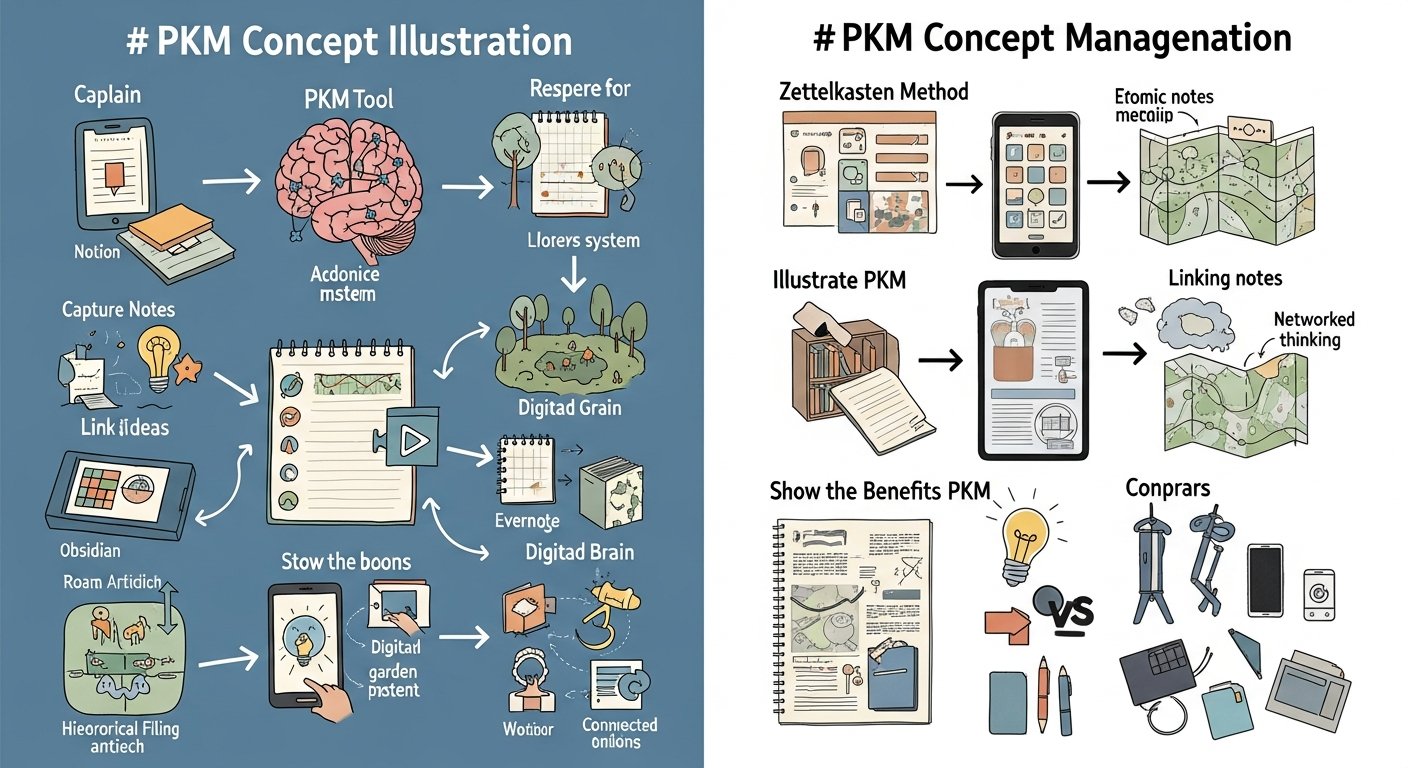

What Is PKM? Your Definitive Guide to Personal Knowledge Management in 2026
Affiliate disclosure: This article may contain affiliate links. Recommendations are independent and editorially driven.
In an era defined by relentless information flow and the rapid evolution of digital tools, the ability to effectively manage what you know has become more critical than ever. We’re constantly bombarded with articles, videos, podcasts, emails, and conversations, each carrying potential insights, facts, or ideas. Without a systematic approach, this deluge can quickly lead to overwhelm, lost opportunities, and a fragmented understanding of the world around us. This is where Personal Knowledge Management (PKM) steps in – a powerful framework designed to help individuals harness information, transform it into actionable knowledge, and amplify their cognitive capabilities.
For many, the concept of “knowledge management” evokes images of corporate databases and organizational charts. However, PKM brings this critical discipline to the individual level, empowering you to become the architect of your own intellectual landscape. It’s about more than just saving links or jotting down notes; it’s a holistic ecosystem for capturing, organizing, connecting, reflecting upon, and ultimately expressing your unique body of knowledge. Whether you’re a student, a professional, an entrepreneur, or simply a curious mind, understanding and implementing PKM can revolutionize your learning, productivity, and creative output. This comprehensive guide will demystify what PKM truly is, explore its profound benefits, illuminate the tools that facilitate it, and walk you through the process of building your own resilient and effective personal knowledge system.
What Exactly is Personal Knowledge Management (PKM)?
At its core, Personal Knowledge Management (PKM) is a systematic process that an individual uses to collect, categorize, store, synthesize, and retrieve information for personal use and professional development. It’s about creating a robust, personalized system that allows you to make sense of the vast amounts of data you encounter daily, turning raw information into meaningful, actionable knowledge. Think of it as building your own personal library, research lab, and creative studio, all seamlessly integrated and tailored to your unique needs.
Unlike traditional knowledge management, which often focuses on organizational, explicit knowledge shared across a company, PKM centers on the individual’s journey with both explicit (recorded facts, documents) and tacit knowledge (intuition, experience, skills). It acknowledges that personal understanding and growth are deeply intertwined with how we interact with, process, and leverage information. The goal isn’t just to accumulate data, but to foster deeper connections between ideas, facilitate critical thinking, and ultimately empower you to learn faster, solve problems more effectively, and innovate with greater ease.
More Than Just Note-Taking
While note-taking is an integral component of PKM, it’s crucial to understand that PKM extends far beyond merely scribbling down thoughts or saving articles. Note-taking is the act of capturing information; PKM is the overarching strategy that determines what to capture, how to store it, how to connect it with existing knowledge, and how to retrieve it efficiently when needed. A simple note-taking habit, without a structured PKM framework, often leads to scattered information that is difficult to find, connect, or utilize effectively. PKM transforms these isolated notes into an interconnected web of insights.
For instance, merely saving a bookmark to an article about “the future of AI” is a rudimentary form of capture. Within a PKM system, that bookmark would be tagged with relevant keywords (e.g., #AI, #futuretech, #ethics), potentially summarized with your key takeaways, linked to other articles you’ve read on AI, and perhaps even cross-referenced with your personal thoughts or project ideas related to AI. This active engagement transforms a passive bookmark into an active node in your knowledge network.
The Evolution of Knowledge Management
The concept of managing information is not new. From ancient libraries to medieval monastic scribes, humans have always sought ways to preserve and disseminate knowledge. In the modern era, the advent of computers and the internet drastically changed the landscape. Early personal computers allowed for rudimentary digital filing. The World Wide Web, however, brought both unprecedented access and an overwhelming challenge.
The term “Personal Knowledge Management” gained traction in the late 1990s and early 2000s, coinciding with the rise of personal productivity software and the increasing availability of digital information. Pioneers in the field recognized the need for individuals to develop personal systems to cope with the information explosion. As digital tools became more sophisticated – from early personal information managers (PIMs) to modern, interconnected applications – the methodologies and possibilities of PKM expanded exponentially. Today, with cloud computing, mobile devices, and artificial intelligence, PKM is more accessible and powerful than ever before, becoming an indispensable skill for navigating the complexities of the 21st century.
The Foundational Pillars of an Effective PKM System
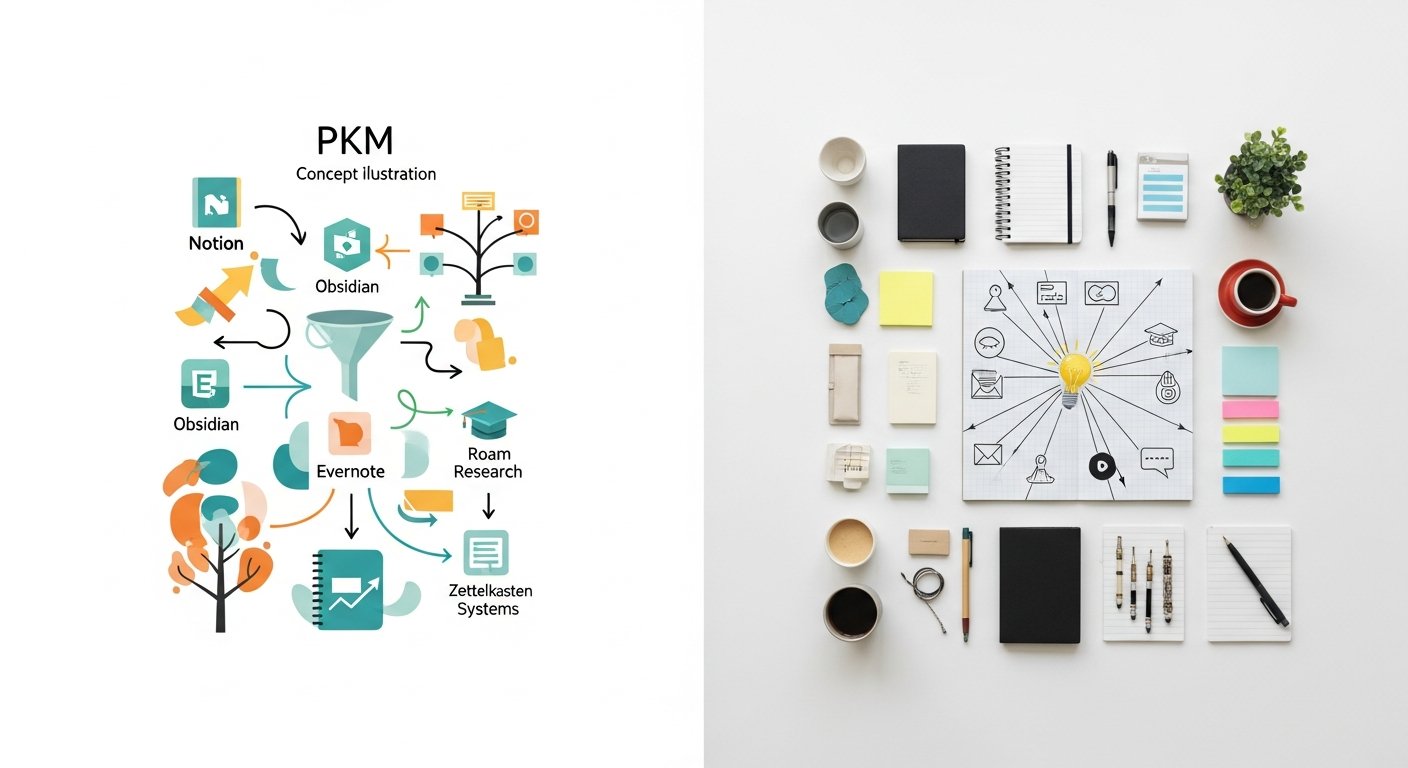
While various methodologies and tools exist, almost all effective PKM systems are built upon a common set of foundational pillars. These pillars represent the core activities and stages involved in transforming raw data into refined, useful knowledge. Understanding these stages is key to designing a system that works for you.
Capture: The Art of Gathering Information
Capture is the first and arguably most critical pillar. It involves the intentional act of collecting any piece of information that seems valuable, interesting, or potentially useful. This isn’t just about passive consumption; it’s about actively pulling information into your personal system before it gets lost in the digital ether. Effective capture means having frictionless methods to save diverse types of data.
- Digital Articles & Web Pages: Using browser extensions to clip articles, save full web pages, or bookmark links.
- Notes & Ideas: Jotting down thoughts, meeting notes, sudden insights, or creative sparks as they arise.
- Multimedia: Saving snippets from videos, podcasts, images, or even voice memos.
- Documents & Files: Storing PDFs, research papers, reports, or project files in an accessible location.
- Books & Highlights: Digitally highlighting ebooks or scanning physical book passages.
- Conversations: Recording key takeaways from discussions, interviews, or lectures.
The key here is speed and ease. The more friction involved in capturing, the less likely you are to do it consistently. Therefore, having a readily available “inbox” or capture mechanism for all types of information is essential.
Organize: Structuring Your Knowledge Base
Once information is captured, it needs to be organized in a way that makes it retrievable and understandable in the future. Organization transforms a chaotic dump into a structured repository. This doesn’t mean creating rigid hierarchies; it often involves flexible, interconnected systems that allow for multiple access points.
- Tagging: Applying keywords or labels to notes, articles, and files for thematic grouping. Tags are highly flexible and allow for cross-referencing.
- Folders/Categories: Creating hierarchical structures for broader topics or project-specific groupings.
- Linking: Establishing explicit connections between related notes, ideas, and resources. This is crucial for building a true “web” of knowledge.
- Summarization: Condensing captured information to its essence, often with your own interpretation, which aids future recall and connection.
- Databases/Tables: Using structured tables or databases within tools to manage specific types of information (e.g., reading lists, project resources).
The goal of organization is not just neatness, but discoverability. You should be able to quickly find what you’re looking for, or even stumble upon related information you weren’t actively seeking, fostering serendipitous connections.
[INLINE IMAGE 1: place after second H2 | alt=”what is pkm concept illustration”]
Distill: Making Sense of the Chaos
Capture brings information in, organize gives it a place, but distill is where true knowledge is forged. This pillar involves actively processing, reflecting on, and synthesizing the captured information. It’s about moving beyond mere consumption to true comprehension and insight.
- Summarizing: Articulating the core ideas of a piece of content in your own words.
- Annotating: Adding your thoughts, questions, and connections directly to the captured material.
- Connecting: Explicitly linking new information to existing knowledge, drawing parallels, identifying contradictions, and forming new insights.
- Reflecting: Regularly reviewing your captured knowledge, asking probing questions, and identifying patterns or emergent themes.
- Incubating: Allowing ideas to marinate and evolve over time, revisiting them with fresh perspectives.
Distillation is an active and iterative process. It’s where you transform external data into internal understanding, making it uniquely yours and ready for application.
Express: Creating and Sharing Insights
The final pillar, Express, is about externalizing your knowledge. This is where your personal understanding transforms into tangible output, whether for your own benefit or to share with others. Expression solidifies your learning and reinforces your knowledge connections.
- Writing: Crafting articles, reports, blog posts, essays, or even just detailed personal notes.
- Presenting: Developing and delivering presentations, workshops, or talks.
- Teaching: Explaining concepts to others, which is one of the most effective ways to solidify your own understanding.
- Problem-Solving: Applying your synthesized knowledge to real-world challenges or projects.
- Creative Work: Using your knowledge as fodder for creative endeavors, from art to product development.
Expression isn’t just about sharing; it’s a powerful feedback loop. The act of expressing forces you to clarify your thoughts, identify gaps in your understanding, and articulate complex ideas, further refining your knowledge. This iterative cycle of Capture, Organize, Distill, and Express forms the backbone of a dynamic and evolving PKM system.
Why PKM is Indispensable in 2026
In the current technological and informational landscape of 2026, the arguments for adopting a robust Personal Knowledge Management system have never been stronger. The sheer volume and velocity of information, coupled with the increasing demands on our cognitive capacity, make PKM not just a productivity hack, but a fundamental skill for navigating modern life and work.
Combating Information Overload
The digital age has brought an unprecedented flood of information. Every day, we encounter countless articles, emails, social media posts, videos, and podcasts. While this access to knowledge is a tremendous asset, it also presents a significant challenge: information overload. Without a system to filter, process, and store this data, we risk feeling overwhelmed, losing valuable insights, and struggling to differentiate signal from noise. PKM provides the necessary framework to categorize, prioritize, and make sense of this deluge, allowing you to focus on what truly matters and preventing burnout from constant input.
Fueling Creativity and Innovation
Creativity is often described as connecting existing ideas in novel ways. A well-maintained PKM system acts as your personal “idea factory,” providing a rich tapestry of interconnected thoughts, facts, and insights. By capturing diverse information and deliberately linking related concepts, PKM allows your mind to draw unexpected connections, sparking new ideas and fostering innovative solutions. Instead of starting from scratch, you have a curated collection of foundational knowledge to build upon, accelerating your creative process and enabling breakthrough thinking.
Enhancing Learning and Retention
Learning is an active process, not a passive one. Simply reading or listening isn is not enough for deep understanding or long-term retention. PKM actively engages you with the material through summarization, annotation, and connection-making. This active processing, combined with regular review cycles inherent in many PKM methodologies, significantly improves memory recall and deeper comprehension. Your PKM system becomes a personalized learning assistant, helping you internalize new concepts, remember important details, and build a lasting knowledge base that continuously grows.
Streamlining Decision-Making
Effective decision-making relies on access to relevant, accurate, and well-organized information. When faced with complex choices, a strong PKM system provides a consolidated view of your past research, relevant facts, lessons learned, and even your own evolving thoughts on a topic. This structured access to your personal knowledge minimizes the time spent searching for information, reduces the risk of making uninformed choices, and allows for more confident, data-backed decisions in both personal and professional spheres.
By empowering you to manage the information tsunami, supercharge your creativity, deepen your learning, and make smarter decisions, PKM isn’t just a useful tool—it’s an essential skill set for thriving in the knowledge-intensive world of 2026 and beyond.
Essential Tools and Technologies for Your PKM Journey
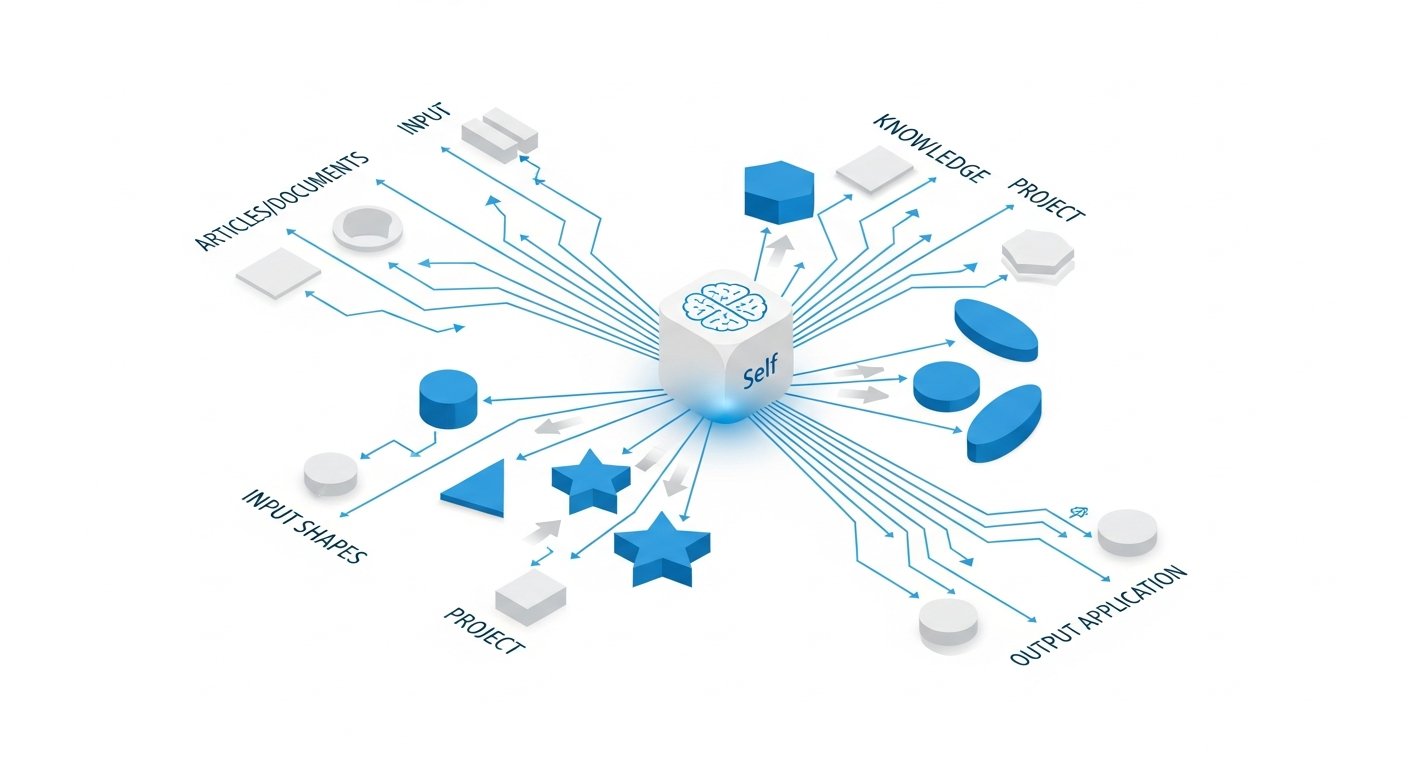
The digital landscape offers an abundance of tools designed to support various aspects of Personal Knowledge Management. The “best” tools are always those that fit your specific workflow, preferences, and the nature of the information you handle. However, understanding the categories and capabilities of popular options can help you build your ideal PKM stack.
Versatile Note-Taking Applications
These are the workhorses of many PKM systems, providing a central place for capturing thoughts, organizing information, and often creating connections.
- Obsidian: A powerful, local-first markdown editor that focuses on linking notes (bi-directional linking) to create a “second brain” or “digital garden.” Highly customizable with plugins.
- Notion: An all-in-one workspace that combines notes, databases, wikis, and project management. Extremely flexible, allowing users to build highly personalized systems.
- Evernote: A long-standing favorite for capturing notes, web clippings, and documents. Known for its robust search capabilities and ability to store diverse content types.
- Roam Research: Pioneered bi-directional linking and block-based note-taking, fostering non-linear thinking and discovery.
- Craft: A beautiful, document-oriented note-taking app with a focus on visual organization and sharing, popular among Apple users.
- OneNote: Microsoft’s freeform digital notebook, offering excellent pen input and hierarchical organization.
Specialized Bookmark Managers and Web Clippers
For individuals who consume a significant amount of web content, dedicated bookmark managers and web clippers are indispensable for capturing and organizing links and articles.
- Raindrop.io: A versatile bookmark manager that allows you to save links, articles, images, and videos with rich previews, tags, and collections. Offers robust organization features.
- Pocket: A “read-it-later” service that saves articles and videos for offline reading, often stripping away distractions. Excellent for catching up on content.
- Instapaper: Another popular read-it-later app, known for its clean reading experience and text-to-speech functionality.
- Browser Built-in Bookmark Tools: While less sophisticated, native browser bookmarking (Chrome, Firefox, Edge) provides a basic layer of link saving.
- Hypothesis: A tool for social annotation on the web, allowing you to highlight and add notes to any public web page, often used for collaborative research.
These tools are crucial for capturing the ephemeral nature of web information and integrating it into your more permanent knowledge base. For more details on effective link curation, explore our guide on advanced link curation workflows.
Digital Zettelkasten and Second Brain Platforms
These tools specifically cater to methodologies that emphasize interconnected notes and the development of a cumulative knowledge base.
- Obsidian (again): Its core design makes it perfectly suited for Zettelkasten and Second Brain methodologies due to its bi-directional linking and graph view.
- Logseq: Similar to Roam and Obsidian, Logseq is an open-source tool for note-taking and knowledge management, built on Markdown and focusing on block-based outlines and bi-directional links.
- TiddlyWiki: A unique, non-linear notebook for organizing and sharing complex information. It’s a single HTML file that acts as a powerful personal wiki.
Task Management and Project Organization Tools
While not strictly PKM, these tools often integrate seamlessly to manage the “doing” aspect of knowledge, helping you put insights into action.
- Todoist: A simple yet powerful task manager for personal and professional use.
- Asana/Trello: Project management tools suitable for organizing tasks, projects, and resources, which can be linked to your knowledge base.
- TickTick: Combines to-do lists, habit tracking, and a built-in calendar for a comprehensive productivity solution.
[INLINE IMAGE 2: place after fourth H2 | alt=”what is pkm comparison illustration”]
Comparison Table: Popular PKM Tools at a Glance
| Tool Name | Primary Focus | Key Features | Best For | Cost Model |
|---|---|---|---|---|
| Obsidian | Interconnected Notes & Knowledge Graph | Bi-directional linking, Markdown, local files, extensive plugin ecosystem, graph view. | Deep thinkers, researchers, Zettelkasten enthusiasts, technical users. | Free (personal), Paid (sync/publish). |
| Notion | All-in-One Workspace & Database | Pages, databases, wikis, project tracking, rich media embeds, collaborative features. | Team collaboration, project management, highly customized dashboards, “digital life” organization. | Free (personal), Paid (team/advanced). |
| Evernote | Universal Capture & Search | Web clipping, PDF annotation, robust search, rich text notes, multi-device sync. | Quick capture, storing diverse content, reliable search, established users. | Free (basic), Paid (advanced features). |
| Raindrop.io | Bookmark Management & Curation | Visual bookmarks, collections, tags, notes, full-text search, integration with other apps. | Web content curators, researchers, designers, anyone saving many links. | Free (basic), Paid (Pro for cloud backup, nested collections). |
| Logseq | Outliner & Knowledge Graph | Block-based outlining, bi-directional linking, local files, journal-first approach, open-source. | Journaling, daily note-taking, connecting thoughts, open-source advocates. | Free (open-source). |
| Craft | Beautiful, Structured Document Creation | Visually rich notes, nested pages, blocks, shareable documents, native macOS/iOS experience. | Content creators, visual thinkers, Apple ecosystem users, sharing structured knowledge. | Free (personal), Paid (Pro for unlimited blocks, more storage). |
The beauty of PKM is that you don’t need to use every tool. Many successful systems combine 2-3 core applications that seamlessly integrate. The key is to choose tools that reduce friction, align with your thinking style, and support the four pillars of capture, organize, distill, and express.
Popular PKM Methodologies and How to Choose Yours
Beyond the tools, effective PKM often draws upon established methodologies that provide frameworks for how to interact with your knowledge. While you can certainly create your own hybrid approach, understanding these popular systems can offer a powerful starting point.
The Zettelkasten Method: Interconnected Ideas
Originating from German sociologist Niklas Luhmann, the Zettelkasten (German for “slip-box”) is a powerful system for managing knowledge and fostering creativity through interconnected notes. Its core principles are:
- Atomic Notes: Each note (or “Zettel”) contains a single idea or concept, expressed concisely in your own words.
- Interlinking: Notes are not organized hierarchically but are linked to each other based on their conceptual relationships, often using bi-directional links.
- Your Own Words: Processing information and putting it into your own words ensures deep understanding and makes it easier to connect with existing knowledge.
- Serendipitous Discovery: The non-linear structure and explicit linking encourage unexpected connections and new insights.
Best For: Researchers, writers, academics, or anyone who wants to develop complex ideas over time and foster deep connections between disparate pieces of information. It excels at knowledge synthesis and original thought.
Building a Second Brain (BASB) by Tiago Forte: Actionable Knowledge
Tiago Forte’s “Building a Second Brain” is a popular and practical methodology designed to help individuals capture, organize, and retrieve information efficiently to fuel creativity and productivity. Its central tenets include:
- PARA Method: Organizing everything (projects, notes, files) into four categories: Projects (active endeavors), Areas (ongoing responsibilities), Resources (topics of interest), and Archives (inactive items).
- Progressive Summarization: A technique for distilling information by progressively highlighting and summarizing key points within a note, making it easy to review at different levels of detail.
- Intermediate Packets: The idea of saving partial work or ideas that can be reused in future projects, reducing repetitive effort.
Best For: Professionals, project managers, entrepreneurs, and anyone seeking a highly organized, actionable system for getting things done and leveraging knowledge to achieve goals. For a deeper dive into organizing projects, see our insights on PKM for project management.
PARA Method: Projects, Areas, Resources, Archives
While a core component of BASB, the PARA Method is often adopted as a standalone organizational framework. It provides a simple, universal system for organizing all your digital information.
- Projects: A series of tasks linked to a goal, with a deadline (e.g., “Write blog post on PKM,” “Plan vacation”).
- Areas: Spheres of activity with a standard to be maintained over time (e.g., “Health,” “Finances,” “Writing,” “Relationships”).
- Resources: Topics or themes of ongoing interest (e.g., “AI,” “Coffee Brewing,” “Productivity Research”).
- Archives: Inactive items from Projects, Areas, or Resources that you want to keep for future reference.
Best For: Anyone seeking a clean, logical, and universally applicable organizational structure for their digital life, irrespective of their specific PKM tools.
Getting Things Done (GTD): Focus on Action
David Allen’s GTD methodology is primarily a productivity system, but its principles of capturing all “open loops” and processing them into actionable steps are highly complementary to PKM. Key GTD elements relevant to PKM include:
- Capture Everything: Quickly write down any thought, idea, or task to get it out of your head.
- Clarify: Define what each captured item means and what action, if any, is required.
- Organize: Place clarified items into appropriate lists (e.g., “next actions,” “waiting for,” “someday/maybe”).
- Review: Regularly check and update your system.
Best For: Individuals who want a structured way to manage tasks and commitments, ensuring that insights gained from their PKM system are translated into concrete actions. GTD helps turn knowledge into productivity.
Choosing a methodology depends on your primary goals. Do you want to generate new ideas (Zettelkasten)? Get more done (BASB/PARA/GTD)? Or perhaps a blend of both? Many users find success by taking elements from different methodologies and adapting them to create a personalized, hybrid system.
Designing and Implementing Your Personalized PKM System
Building a Personal Knowledge Management system can feel daunting, but it doesn’t have to be. It’s an iterative process, and the “perfect” system is the one that evolves with you. Here’s a step-by-step guide to get you started and keep you going.
Define Your Goals and Information Needs
Before diving into tools, understand why you want a PKM system. What problems are you trying to solve? What kind of information do you primarily deal with?
- Goals: Do you want to write a book, learn a new skill, manage complex projects, foster creativity, or reduce information overload?
- Information Types: Are you primarily saving web articles, research papers, meeting notes, creative ideas, or a mix of everything?
- Current Pain Points: Where do you currently lose information? What causes frustration in your existing workflow?
Your answers will guide your tool selection and methodology. For example, a researcher might prioritize a tool with strong linking and export capabilities, while a creative might lean towards visual organization and brainstorming features.
Select Your Core Tools and Integrate Them
Don’t try to use every tool mentioned. Start small and focus on a few core applications that work well together.
- Choose a Central Hub: This will likely be your primary note-taking or knowledge base tool (e.g., Obsidian, Notion, Craft).
- Add a Capture Tool: A dedicated bookmark manager (like Raindrop.io) or a web clipper (like Evernote’s) is crucial for web content. A quick capture tool for fleeting thoughts (e.g., a mobile note app, voice recorder).
- Consider a Task Manager: If putting knowledge into action is a key goal, integrate a task manager.
Aim for integration. Can your bookmark manager send articles to your note-taking app? Can your task manager link directly to relevant knowledge base notes? Reducing manual transfer steps saves time and prevents friction.
Establish Consistent Capture Habits
A PKM system is only as good as the information you feed it. Make capturing a daily, almost automatic habit.
- Zero-Friction Capture: Ensure you can capture information within seconds, wherever you are. Use browser extensions, mobile apps, email-to-note functions.
- Don’t Overthink It: Capture anything that even remotely piques your interest. You can curate later. The goal is to avoid losing potentially valuable information.
- Schedule “Inbox Processing”: Dedicate a short, regular time slot (e.g., 15-30 minutes daily or weekly) to review your capture inbox. Process raw captures into more organized notes.
Develop an Organizing and Review Workflow
This is where your chosen methodology comes into play. How will you categorize, tag, and link your captured information?
- Implement a Tagging System: Start with broad tags and refine them. Be consistent.
- Create Relevant Categories/Folders: Use PARA or similar structures to organize your larger knowledge domains.
- Link Notes Intentionally: Whenever you create a new note or review an old one, actively look for opportunities to link it to other relevant pieces of information.
- Schedule Regular Reviews: This is critical for distillation and retention. Weekly reviews of your notes, monthly reviews of larger categories, and an annual review of your entire system. This helps reinforce learning, prune outdated information, and discover new connections.
Regular review is the “secret sauce” of a thriving PKM system. It’s how you keep your knowledge alive and discoverable. Interested in how to maintain your digital assets? Check out our article on effective digital asset management.
Cultivate a Practice of Distillation and Expression
Don’t just collect; actively engage with your knowledge.
- Progressive Summarization: For longer articles, use techniques like highlighting, bolding, and summarizing in layers within the note itself.
- Write in Your Own Words: Whenever possible, summarize or rephrase information in your own language. This is crucial for deep understanding.
- Create Output: Make it a habit to create something from your knowledge. This could be a blog post, a presentation, a detailed project plan, or even just a coherent summary for yourself. The act of creation solidifies your understanding.
- Teach Others: Explaining a concept to someone else forces you to clarify your thoughts and identify gaps in your knowledge.
Your PKM system is a living entity. It requires consistent interaction, adaptation, and refinement. Start simple, be consistent, and allow your system to evolve with your needs and learning journey.
Integrating Bookmarking into Your PKM Workflow
For a website like bookmarksharer, understanding how bookmarking fits into the broader context of PKM is paramount. Bookmarking is often seen as a passive activity, but when integrated thoughtfully, it becomes a powerful capture mechanism and a vital component of a robust PKM system.
Beyond Simple Saving: The Power of Curation
Many users simply hit the bookmark button and forget about the link. In a PKM context, bookmarking evolves into active curation. This means being intentional about why you’re saving something and how it connects to your existing knowledge.
- Intentional Selection: Before saving, ask yourself: Why is this important? What idea does it support? How does it relate to something I already know or am working on?
- Adding Context: Don’t just save the URL. Add a brief summary in your own words. Note the key takeaway, a relevant quote, or a question it answers.
- Categorization: Group bookmarks into meaningful collections or folders (e.g., “AI Research,” “Productivity Hacks,” “Future Travel Ideas”).
This active approach transforms a mere URL into a valuable data point within your knowledge base.
Leveraging Tags and Annotations for Discovery
The true power of modern bookmark managers in PKM lies in their advanced tagging and annotation capabilities, which facilitate discovery and connection.
- Consistent Tagging Strategy: Develop a consistent set of tags. For example, use `#AI` for artificial intelligence, `#productivity` for efficiency tips, `#writing` for content creation resources. This creates multiple pathways to retrieve information.
- Cross-Referencing: Tagging allows a single bookmark to appear in multiple contexts without duplication. An article about “AI ethics” could be tagged with `#AI`, `#ethics`, and `#futuretech`.
- In-depth Annotations: Many bookmark managers (and web clippers) allow you to highlight specific passages and add your own notes directly to the saved content. This is invaluable for distilling the essence of an article and linking your thoughts directly to the source material.
- Searchability: When tags and annotations are used effectively, your bookmark collection becomes fully searchable, acting as a personal search engine for the web content you’ve deemed important.
The ability to find exactly what you need, even years later, is a hallmark of a strong PKM system, and effective tagging makes your bookmark collection a powerhouse of retrievable information.
From Browser Extension to Knowledge Hub
The seamless integration of browser extensions is critical for making bookmarking a frictionless part of PKM.
- One-Click Capture: A good browser extension allows you to save an article, add tags, and make quick notes with minimal effort, often without leaving the page you’re on.
- Read-It-Later Functionality: Many extensions integrate with services like Pocket or Instapaper, allowing you to quickly save articles for later, curated reading sessions.
- Integration with Core PKM Tools: The most powerful setups allow bookmark managers to push content directly into your central note-taking app (e.g., sending a Raindrop.io article summary to Obsidian or Notion). This creates a pipeline from capture to deeper processing.
Your browser essentially becomes the front-end for your PKM capture, funneling web insights directly into your system.
The Role of Read-It-Later Services
Read-it-later services (like Pocket and Instapaper) play a unique and valuable role in PKM, particularly in the ‘Capture’ and initial ‘Distill’ phases.
- Dedicated Reading Environment: They strip away distractions, providing a clean interface for focused reading, which is essential for comprehension.
- Batch Processing: Instead of getting sidetracked by interesting articles immediately, you can save them to a read-it-later queue for a dedicated reading block. This prevents constant context-switching.
- Initial Annotation: Most services allow for highlighting and basic note-taking, enabling you to capture initial reactions and key points before transferring the most valuable insights to your main PKM hub.
By using bookmark managers for broad link curation and read-it-later services for focused reading and initial processing, you create a powerful, two-pronged approach to integrating web content into your comprehensive PKM system.
Overcoming Common PKM Challenges
While the benefits of PKM are undeniable, the journey to a well-oiled system often comes with its own set of hurdles. Recognizing and addressing these common challenges can help you build a more resilient and sustainable personal knowledge
What Is PKM? Your Definitive Guide to Personal Knowledge Management in 2026
Affiliate disclosure: This article may contain affiliate links. Recommendations are independent and editorially driven.
In an era defined by relentless information flow and the rapid evolution of digital tools, the ability to effectively manage what you know has become more critical than ever. We’re constantly bombarded with articles, videos, podcasts, emails, and conversations, each carrying potential insights, facts, or ideas. Without a systematic approach, this deluge can quickly lead to overwhelm, lost opportunities, and a fragmented understanding of the world around us. This is where Personal Knowledge Management (PKM) steps in – a powerful framework designed to help individuals harness information, transform it into actionable knowledge, and amplify their cognitive capabilities.
For many, the concept of “knowledge management” evokes images of corporate databases and organizational charts. However, PKM brings this critical discipline to the individual level, empowering you to become the architect of your own intellectual landscape. It’s about more than just saving links or jotting down notes; it’s a holistic ecosystem for capturing, organizing, connecting, reflecting upon, and ultimately expressing your unique body of knowledge. Whether you’re a student, a professional, an entrepreneur, or simply a curious mind, understanding and implementing PKM can revolutionize your learning, productivity, and creative output. This comprehensive guide will demystify what PKM truly is, explore its profound benefits, illuminate the tools that facilitate it, and walk you through the process of building your own resilient and effective personal knowledge system.
What Exactly is Personal Knowledge Management (PKM)?
At its core, Personal Knowledge Management (PKM) is a systematic process that an individual uses to collect, categorize, store, synthesize, and retrieve information for personal use and professional development. It’s about creating a robust, personalized system that allows you to make sense of the vast amounts of data you encounter daily, turning raw information into meaningful, actionable knowledge. Think of it as building your own personal library, research lab, and creative studio, all seamlessly integrated and tailored to your unique needs.
Unlike traditional knowledge management, which often focuses on organizational, explicit knowledge shared across a company, PKM centers on the individual’s journey with both explicit (recorded facts, documents) and tacit knowledge (intuition, experience, skills). It acknowledges that personal understanding and growth are deeply intertwined with how we interact with, process, and leverage information. The goal isn’t just to accumulate data, but to foster deeper connections between ideas, facilitate critical thinking, and ultimately empower you to learn faster, solve problems more effectively, and innovate with greater ease.
More Than Just Note-Taking
While note-taking is an integral component of PKM, it’s crucial to understand that PKM extends far beyond merely scribbling down thoughts or saving articles. Note-taking is the act of capturing information; PKM is the overarching strategy that determines what to capture, how to store it, how to connect it with existing knowledge, and how to retrieve it efficiently when needed. A simple note-taking habit, without a structured PKM framework, often leads to scattered information that is difficult to find, connect, or utilize effectively. PKM transforms these isolated notes into an interconnected web of insights.
For instance, merely saving a bookmark to an article about “the future of AI” is a rudimentary form of capture. Within a PKM system, that bookmark would be tagged with relevant keywords (e.g., #AI, #futuretech, #ethics), potentially summarized with your key takeaways, linked to other articles you’ve read on AI, and perhaps even cross-referenced with your personal thoughts or project ideas related to AI. This active engagement transforms a passive bookmark into an active node in your knowledge network.
The Evolution of Knowledge Management
The concept of managing information is not new. From ancient libraries to medieval monastic scribes, humans have always sought ways to preserve and disseminate knowledge. In the modern era, the advent of computers and the internet drastically changed the landscape. Early personal computers allowed for rudimentary digital filing. The World Wide Web, however, brought both unprecedented access and an overwhelming challenge.
The term “Personal Knowledge Management” gained traction in the late 1990s and early 2000s, coinciding with the rise of personal productivity software and the increasing availability of digital information. Pioneers in the field recognized the need for individuals to develop personal systems to cope with the information explosion. As digital tools became more sophisticated – from early personal information managers (PIMs) to modern, interconnected applications – the methodologies and possibilities of PKM expanded exponentially. Today, with cloud computing, mobile devices, and artificial intelligence, PKM is more accessible and powerful than ever before, becoming an indispensable skill for navigating the complexities of the 21st century.
The Foundational Pillars of an Effective PKM System
While various methodologies and tools exist, almost all effective PKM systems are built upon a common set of foundational pillars. These pillars represent the core activities and stages involved in transforming raw data into refined, useful knowledge. Understanding these stages is key to designing a system that works for you.
Capture: The Art of Gathering Information
Capture is the first and arguably most critical pillar. It involves the intentional act of collecting any piece of information that seems valuable, interesting, or potentially useful. This isn’t just about passive consumption; it’s about actively pulling information into your personal system before it gets lost in the digital ether. Effective capture means having frictionless methods to save diverse types of data.
- Digital Articles & Web Pages: Using browser extensions to clip articles, save full web pages, or bookmark links.
- Notes & Ideas: Jotting down thoughts, meeting notes, sudden insights, or creative sparks as they arise.
- Multimedia: Saving snippets from videos, podcasts, images, or even voice memos.
- Documents & Files: Storing PDFs, research papers, reports, or project files in an accessible location.
- Books & Highlights: Digitally highlighting ebooks or scanning physical book passages.
- Conversations: Recording key takeaways from discussions, interviews, or lectures.
The key here is speed and ease. The more friction involved in capturing, the less likely you are to do it consistently. Therefore, having a readily available “inbox” or capture mechanism for all types of information is essential.
Organize: Structuring Your Knowledge Base
Once information is captured, it needs to be organized in a way that makes it retrievable and understandable in the future. Organization transforms a chaotic dump into a structured repository. This doesn’t mean creating rigid hierarchies; it often involves flexible, interconnected systems that allow for multiple access points.
- Tagging: Applying keywords or labels to notes, articles, and files for thematic grouping. Tags are highly flexible and allow for cross-referencing.
- Folders/Categories: Creating hierarchical structures for broader topics or project-specific groupings.
- Linking: Establishing explicit connections between related notes, ideas, and resources. This is crucial for building a true “web” of knowledge.
- Summarization: Condensing captured information to its essence, often with your own interpretation, which aids future recall and connection.
- Databases/Tables: Using structured tables or databases within tools to manage specific types of information (e.g., reading lists, project resources).
The goal of organization is not just neatness, but discoverability. You should be able to quickly find what you’re looking for, or even stumble upon related information you weren’t actively seeking, fostering serendipitous connections.
[INLINE IMAGE 1: place after second H2 | alt=”what is pkm concept illustration”]
Distill: Making Sense of the Chaos
Capture brings information in, organize gives it a place, but distill is where true knowledge is forged. This pillar involves actively processing, reflecting on, and synthesizing the captured information. It’s about moving beyond mere consumption to true comprehension and insight.
- Summarizing: Articulating the core ideas of a piece of content in your own words.
- Annotating: Adding your thoughts, questions, and connections directly to the captured material.
- Connecting: Explicitly linking new information to existing knowledge, drawing parallels, identifying contradictions, and forming new insights.
- Reflecting: Regularly reviewing your captured knowledge, asking probing questions, and identifying patterns or emergent themes.
- Incubating: Allowing ideas to marinate and evolve over time, revisiting them with fresh perspectives.
Distillation is an active and iterative process. It’s where you transform external data into internal understanding, making it uniquely yours and ready for application.
Express: Creating and Sharing Insights
The final pillar, Express, is about externalizing your knowledge. This is where your personal understanding transforms into tangible output, whether for your own benefit or to share with others. Expression solidifies your learning and reinforces your knowledge connections.
- Writing: Crafting articles, reports, blog posts, essays, or even just detailed personal notes.
- Presenting: Developing and delivering presentations, workshops, or talks.
- Teaching: Explaining concepts to others, which is one of the most effective ways to solidify your own understanding.
- Problem-Solving: Applying your synthesized knowledge to real-world challenges or projects.
- Creative Work: Using your knowledge as fodder for creative endeavors, from art to product development.
Expression isn’t just about sharing; it’s a powerful feedback loop. The act of expressing forces you to clarify your thoughts, identify gaps in your understanding, and articulate complex ideas, further refining your knowledge. This iterative cycle of Capture, Organize, Distill, and Express forms the backbone of a dynamic and evolving PKM system.
Why PKM is Indispensable in 2026
In the current technological and informational landscape of 2026, the arguments for adopting a robust Personal Knowledge Management system have never been stronger. The sheer volume and velocity of information, coupled with the increasing demands on our cognitive capacity, make PKM not just a productivity hack, but a fundamental skill for navigating modern life and work.
Combating Information Overload
The digital age has brought an unprecedented flood of information. Every day, we encounter countless articles, emails, social media posts, videos, and podcasts. While this access to knowledge is a tremendous asset, it also presents a significant challenge: information overload. Without a system to filter, process, and store this data, we risk feeling overwhelmed, losing valuable insights, and struggling to differentiate signal from noise. PKM provides the necessary framework to categorize, prioritize, and make sense of this deluge, allowing you to focus on what truly matters and preventing burnout from constant input.
Fueling Creativity and Innovation
Creativity is often described as connecting existing ideas in novel ways. A well-maintained PKM system acts as your personal “idea factory,” providing a rich tapestry of interconnected thoughts, facts, and insights. By capturing diverse information and deliberately linking related concepts, PKM allows your mind to draw unexpected connections, sparking new ideas and fostering innovative solutions. Instead of starting from scratch, you have a curated collection of foundational knowledge to build upon, accelerating your creative process and enabling breakthrough thinking.
Enhancing Learning and Retention
Learning is an active process, not a passive one. Simply reading or listening isn is not enough for deep understanding or long-term retention. PKM actively engages you with the material through summarization, annotation, and connection-making. This active processing, combined with regular review cycles inherent in many PKM methodologies, significantly improves memory recall and deeper comprehension. Your PKM system becomes a personalized learning assistant, helping you internalize new concepts, remember important details, and build a lasting knowledge base that continuously grows.
Streamlining Decision-Making
Effective decision-making relies on access to relevant, accurate, and well-organized information. When faced with complex choices, a strong PKM system provides a consolidated view of your past research, relevant facts, lessons learned, and even your own evolving thoughts on a topic. This structured access to your personal knowledge minimizes the time spent searching for information, reduces the risk of making uninformed choices, and allows for more confident, data-backed decisions in both personal and professional spheres.
By empowering you to manage the information tsunami, supercharge your creativity, deepen your learning, and make smarter decisions, PKM isn’t just a useful tool—it’s an essential skill set for thriving in the knowledge-intensive world of 2026 and beyond.
Essential Tools and Technologies for Your PKM Journey
The digital landscape offers an abundance of tools designed to support various aspects of Personal Knowledge Management. The “best” tools are always those that fit your specific workflow, preferences, and the nature of the information you handle. However, understanding the categories and capabilities of popular options can help you build your ideal PKM stack.
Versatile Note-Taking Applications
These are the workhorses of many PKM systems, providing a central place for capturing thoughts, organizing information, and often creating connections.
- Obsidian: A powerful, local-first markdown editor that focuses on linking notes (bi-directional linking) to create a “second brain” or “digital garden.” Highly customizable with plugins.
- Notion: An all-in-one workspace that combines notes, databases, wikis, and project management. Extremely flexible, allowing users to build highly personalized systems.
- Evernote: A long-standing favorite for capturing notes, web clippings, and documents. Known for its robust search capabilities and ability to store diverse content types.
- Roam Research: Pioneered bi-directional linking and block-based note-taking, fostering non-linear thinking and discovery.
- Craft: A beautiful, document-oriented note-taking app with a focus on visual organization and sharing, popular among Apple users.
- OneNote: Microsoft’s freeform digital notebook, offering excellent pen input and hierarchical organization.
Specialized Bookmark Managers and Web Clippers
For individuals who consume a significant amount of web content, dedicated bookmark managers and web clippers are indispensable for capturing and organizing links and articles.
- Raindrop.io: A versatile bookmark manager that allows you to save links, articles, images, and videos with rich previews, tags, and collections. Offers robust organization features.
- Pocket: A “read-it-later” service that saves articles and videos for offline reading, often stripping away distractions. Excellent for catching up on content.
- Instapaper: Another popular read-it-later app, known for its clean reading experience and text-to-speech functionality.
- Browser Built-in Bookmark Tools: While less sophisticated, native browser bookmarking (Chrome, Firefox, Edge) provides a basic layer of link saving.
- Hypothesis: A tool for social annotation on the web, allowing you to highlight and add notes to any public web page, often used for collaborative research.
These tools are crucial for capturing the ephemeral nature of web information and integrating it into your more permanent knowledge base. For more details on effective link curation, explore our guide on advanced link curation workflows.
Digital Zettelkasten and Second Brain Platforms
These tools specifically cater to methodologies that emphasize interconnected notes and the development of a cumulative knowledge base.
- Obsidian (again): Its core design makes it perfectly suited for Zettelkasten and Second Brain methodologies due to its bi-directional linking and graph view.
- Logseq: Similar to Roam and Obsidian, Logseq is an open-source tool for note-taking and knowledge management, built on Markdown and focusing on block-based outlines and bi-directional links.
- TiddlyWiki: A unique, non-linear notebook for organizing and sharing complex information. It’s a single HTML file that acts as a powerful personal wiki.
Task Management and Project Organization Tools
While not strictly PKM, these tools often integrate seamlessly to manage the “doing” aspect of knowledge, helping you put insights into action.
- Todoist: A simple yet powerful task manager for personal and professional use.
- Asana/Trello: Project management tools suitable for organizing tasks, projects, and resources, which can be linked to your knowledge base.
- TickTick: Combines to-do lists, habit tracking, and a built-in calendar for a comprehensive productivity solution.
[INLINE IMAGE 2: place after fourth H2 | alt=”what is pkm comparison illustration”]
Comparison Table: Popular PKM Tools at a Glance
| Tool Name | Primary Focus | Key Features | Best For | Cost Model |
|---|---|---|---|---|
| Obsidian | Interconnected Notes & Knowledge Graph | Bi-directional linking, Markdown, local files, extensive plugin ecosystem, graph view. | Deep thinkers, researchers, Zettelkasten enthusiasts, technical users. | Free (personal), Paid (sync/publish). |
| Notion | All-in-One Workspace & Database | Pages, databases, wikis, project tracking, rich media embeds, collaborative features. | Team collaboration, project management, highly customized dashboards, “digital life” organization. | Free (personal), Paid (team/advanced). |
| Evernote | Universal Capture & Search | Web clipping, PDF annotation, robust search, rich text notes, multi-device sync. | Quick capture, storing diverse content, reliable search, established users. | Free (basic), Paid (advanced features). |
| Raindrop.io | Bookmark Management & Curation | Visual bookmarks, collections, tags, notes, full-text search, integration with other apps. | Web content curators, researchers, designers, anyone saving many links. | Free (basic), Paid (Pro for cloud backup, nested collections). |
| Logseq | Outliner & Knowledge Graph | Block-based outlining, bi-directional linking, local files, journal-first approach, open-source. | Journaling, daily note-taking, connecting thoughts, open-source advocates. | Free (open-source). |
| Craft | Beautiful, Structured Document Creation | Visually rich notes, nested pages, blocks, shareable documents, native macOS/iOS experience. | Content creators, visual thinkers, Apple ecosystem users, sharing structured knowledge. | Free (personal), Paid (Pro for unlimited blocks, more storage). |
The beauty of PKM is that you don’t need to use every tool. Many successful systems combine 2-3 core applications that seamlessly integrate. The key is to choose tools that reduce friction, align with your thinking style, and support the four pillars of capture, organize, distill, and express.
Popular PKM Methodologies and How to Choose Yours
Beyond the tools, effective PKM often draws upon established methodologies that provide frameworks for how to interact with your knowledge. While you can certainly create your own hybrid approach, understanding these popular systems can offer a powerful starting point.
The Zettelkasten Method: Interconnected Ideas
Originating from German sociologist Niklas Luhmann, the Zettelkasten (German for “slip-box”) is a powerful system for managing knowledge and fostering creativity through interconnected notes. Its core principles are:
- Atomic Notes: Each note (or “Zettel”) contains a single idea or concept, expressed concisely in your own words.
- Interlinking: Notes are not organized hierarchically but are linked to each other based on their conceptual relationships, often using bi-directional links.
- Your Own Words: Processing information and putting it into your own words ensures deep understanding and makes it easier to connect with existing knowledge.
- Serendipitous Discovery: The non-linear structure and explicit linking encourage unexpected connections and new insights.
Best For: Researchers, writers, academics, or anyone who wants to develop complex ideas over time and foster deep connections between disparate pieces of information. It excels at knowledge synthesis and original thought.
Building a Second Brain (BASB) by Tiago Forte: Actionable Knowledge
Tiago Forte’s “Building a Second Brain” is a popular and practical methodology designed to help individuals capture, organize, and retrieve information efficiently to fuel creativity and productivity. Its central tenets include:
- PARA Method: Organizing everything (projects, notes, files) into four categories: Projects (active endeavors), Areas (ongoing responsibilities), Resources (topics of interest), and Archives (inactive items).
- Progressive Summarization: A technique for distilling information by progressively highlighting and summarizing key points within a note, making it easy to review at different levels of detail.
- Intermediate Packets: The idea of saving partial work or ideas that can be reused in future projects, reducing repetitive effort.
Best For: Professionals, project managers, entrepreneurs, and anyone seeking a highly organized, actionable system for getting things done and leveraging knowledge to achieve goals. For a deeper dive into organizing projects, see our insights on PKM for project management.
PARA Method: Projects, Areas, Resources, Archives
While a core component of BASB, the PARA Method is often adopted as a standalone organizational framework. It provides a simple, universal system for organizing all your digital information.
- Projects: A series of tasks linked to a goal, with a deadline (e.g., “Write blog post on PKM,” “Plan vacation”).
- Areas: Spheres of activity with a standard to be maintained over time (e.g., “Health,” “Finances,” “Writing,” “Relationships”).
- Resources: Topics or themes of ongoing interest (e.g., “AI,” “Coffee Brewing,” “Productivity Research”).
- Archives: Inactive items from Projects, Areas, or Resources that you want to keep for future reference.
Best For: Anyone seeking a clean, logical, and universally applicable organizational structure for their digital life, irrespective of their specific PKM tools.
Getting Things Done (GTD): Focus on Action
David Allen’s GTD methodology is primarily a productivity system, but its principles of capturing all “open loops” and processing them into actionable steps are highly complementary to PKM. Key GTD elements relevant to PKM include:
- Capture Everything: Quickly write down any thought, idea, or task to get it out of your head.
- Clarify: Define what each captured item means and what action, if any, is required.
- Organize: Place clarified items into appropriate lists (e.g., “next actions,” “waiting for,” “someday/maybe”).
- Review: Regularly check and update your system.
Best For: Individuals who want a structured way to manage tasks and commitments, ensuring that insights gained from their PKM system are translated into concrete actions. GTD helps turn knowledge into productivity.
Choosing a methodology depends on your primary goals. Do you want to generate new ideas (Zettelkasten)? Get more done (BASB/PARA/GTD)? Or perhaps a blend of both? Many users find success by taking elements from different methodologies and adapting them to create a personalized, hybrid system.
Designing and Implementing Your Personalized PKM System
Building a Personal Knowledge Management system can feel daunting, but it doesn’t have to be. It’s an iterative process, and the “perfect” system is the one that evolves with you. Here’s a step-by-step guide to get you started and keep you going.
Define Your Goals and Information Needs
Before diving into tools, understand why you want a PKM system. What problems are you trying to solve? What kind of information do you primarily deal with?
- Goals: Do you want to write a book, learn a new skill, manage complex projects, foster creativity, or reduce information overload?
- Information Types: Are you primarily saving web articles, research papers, meeting notes, creative ideas, or a mix of everything?
- Current Pain Points: Where do you currently lose information? What causes frustration in your existing workflow?
Your answers will guide your tool selection and methodology. For example, a researcher might prioritize a tool with strong linking and export capabilities, while a creative might lean towards visual organization and brainstorming features.
Select Your Core Tools and Integrate Them
Don’t try to use every tool mentioned. Start small and focus on a few core applications that work well together.
- Choose a Central Hub: This will likely be your primary note-taking or knowledge base tool (e.g., Obsidian, Notion, Craft).
- Add a Capture Tool: A dedicated bookmark manager (like Raindrop.io) or a web clipper (like Evernote’s) is crucial for web content. A quick capture tool for fleeting thoughts (e.g., a mobile note app, voice recorder).
- Consider a Task Manager: If putting knowledge into action is a key goal, integrate a task manager.
Aim for integration. Can your bookmark manager send articles to your note-taking app? Can your task manager link directly to relevant knowledge base notes? Reducing manual transfer steps saves time and prevents friction.
Establish Consistent Capture Habits
A PKM system is only as good as the information you feed it. Make capturing a daily, almost automatic habit.
- Zero-Friction Capture: Ensure you can capture information within seconds, wherever you are. Use browser extensions, mobile apps, email-to-note functions.
- Don’t Overthink It: Capture anything that even remotely piques your interest. You can curate later. The goal is to avoid losing potentially valuable information.
- Schedule “Inbox Processing”: Dedicate a short, regular time slot (e.g., 15-30 minutes daily or weekly) to review your capture inbox. Process raw captures into more organized notes.
Develop an Organizing and Review Workflow
This is where your chosen methodology comes into play. How will you categorize, tag, and link your captured information?
- Implement a Tagging System: Start with broad tags and refine them. Be consistent.
- Create Relevant Categories/Folders: Use PARA or similar structures to organize your larger knowledge domains.
- Link Notes Intentionally: Whenever you create a new note or review an old one, actively look for opportunities to link it to other relevant pieces of information.
- Schedule Regular Reviews: This is critical for distillation and retention. Weekly reviews of your notes, monthly reviews of larger categories, and an annual review of your entire system. This helps reinforce learning, prune outdated information, and discover new connections.
Regular review is the “secret sauce” of a thriving PKM system. It’s how you keep your knowledge alive and discoverable. Interested in how to maintain your digital assets? Check out our article on effective digital asset management.
Cultivate a Practice of Distillation and Expression
Don’t just collect; actively engage with your knowledge.
- Progressive Summarization: For longer articles, use techniques like highlighting, bolding, and summarizing in layers within the note itself.
- Write in Your Own Words: Whenever possible, summarize or rephrase information in your own language. This is crucial for deep understanding.
- Create Output: Make it a habit to create something from your knowledge. This could be a blog post, a presentation, a detailed project plan, or even just a coherent summary for yourself. The act of creation solidifies your understanding.
- Teach Others: Explaining a concept to someone else forces you to clarify your thoughts and identify gaps in your knowledge.
Your PKM system is a living entity. It requires consistent interaction, adaptation, and refinement. Start simple, be consistent, and allow your system to evolve with your needs and learning journey.
Integrating Bookmarking into Your PKM Workflow
For a website like bookmarksharer, understanding how bookmarking fits into the broader context of PKM is paramount. Bookmarking is often seen as a passive activity, but when integrated thoughtfully, it becomes a powerful capture mechanism and a vital component of a robust PKM system.
Beyond Simple Saving: The Power of Curation
Many users simply hit the bookmark button and forget about the link. In a PKM context, bookmarking evolves into active curation. This means being intentional about why you’re saving something and how it connects to your existing knowledge.
- Intentional Selection: Before saving, ask yourself: Why is this important? What idea does it support? How does it relate to something I already know or am working on?
- Adding Context: Don’t just save the URL. Add a brief summary in your own words. Note the key takeaway, a relevant quote, or a question it answers.
- Categorization: Group bookmarks into meaningful collections or folders (e.g., “AI Research,” “Productivity Hacks,” “Future Travel Ideas”).
This active approach transforms a mere URL into a valuable data point within your knowledge base.
Leveraging Tags and Annotations for Discovery
The true power of modern bookmark managers in PKM lies in their advanced tagging and annotation capabilities, which facilitate discovery and connection.
- Consistent Tagging Strategy: Develop a consistent set of tags. For example, use `#AI` for artificial intelligence, `#productivity` for efficiency tips, `#writing` for content creation resources. This creates multiple pathways to retrieve information.
- Cross-Referencing: Tagging allows a single bookmark to appear in multiple contexts without duplication. An article about “AI ethics” could be tagged with `#AI`, `#ethics`, and `#futuretech`.
- In-depth Annotations: Many bookmark managers (and web clippers) allow you to highlight specific passages and add your own notes directly to the saved content. This is invaluable for distilling the essence of an article and linking your thoughts directly to the source material.
- Searchability: When tags and annotations are used effectively, your bookmark collection becomes fully searchable, acting as a personal search engine for the web content you’ve deemed important.
The ability to find exactly what you need, even years later, is a hallmark of a strong PKM system, and effective tagging makes your bookmark collection a powerhouse of retrievable information.
From Browser Extension to Knowledge Hub
The seamless integration of browser extensions is critical for making bookmarking a frictionless part of PKM.
- One-Click Capture: A good browser extension allows you to save an article, add tags, and make quick notes with minimal effort, often without leaving the page you’re on.
- Read-It-Later Functionality: Many extensions integrate with services like Pocket or Instapaper, allowing you to quickly save articles for later, curated reading sessions.
- Integration with Core PKM Tools: The most powerful setups allow bookmark managers to push content directly into your central note-taking app (e.g., sending a Raindrop.io article summary to Obsidian or Notion). This creates a pipeline from capture to deeper processing.
Your browser essentially becomes the front-end for your PKM capture, funneling web insights directly into your system.
The Role of Read-It-Later Services
Read-it-later services (like Pocket and Instapaper) play a unique and valuable role in PKM, particularly in the ‘Capture’ and initial ‘Distill’ phases.
- Dedicated Reading Environment: They strip away distractions, providing a clean interface for focused reading, which is essential for comprehension.
- Batch Processing: Instead of getting sidetracked by interesting articles immediately, you can save them to a read-it-later queue for a dedicated reading block. This prevents constant context-switching.
- Initial Annotation: Most services allow for highlighting and basic note-taking, enabling you to capture initial reactions and key points before transferring the most valuable insights to your main PKM hub.
By using bookmark managers for broad link curation and read-it-later services for focused reading and initial processing, you create a powerful, two-pronged approach to integrating web content into your comprehensive PKM system.
Overcoming Common PKM Challenges
While the benefits of PKM are undeniable, the journey to a well-oiled system often comes with its own set of hurdles. Recognizing and addressing these common challenges can help you build a more resilient and sustainable personal knowledge


