

Pocket vs Instapaper: The Definitive 2026 Showdown for Your Reading Workflow
Affiliate disclosure: This article may contain affiliate links. Recommendations are independent and editorially driven.
In the ever-expanding digital landscape, our screens are barraged with articles, long-form content, videos, and research papers. Keeping track of everything worth reading (or watching) later can feel like an impossible task, leading to an endless stream of open browser tabs or a cluttered bookmarks folder. This is where read-it-later apps step in, acting as your personal content curation assistants, designed to save, organize, and present articles in a clean, distraction-free environment. For years, two names have consistently dominated this space: Pocket and Instapaper. When it comes to managing your digital reading list, the choice often boils down to a direct comparison: Pocket vs Instapaper.
Both applications promise to transform your online reading experience, but they approach this goal with distinct philosophies, feature sets, and user interfaces. Deciding which one is the right fit for your unique workflow, whether for casual browsing, in-depth research, or knowledge management, requires a close examination. Are you a visual learner who thrives on discovery and multimedia content? Or do you prefer a minimalist, text-focused environment for deep annotation and analytical reading? This comprehensive guide will dissect Pocket and Instapaper in 2026, comparing their strengths, weaknesses, unique features, and target audiences to help you make an informed decision and elevate your personal knowledge management (PKM) system.
TL;DR: Pocket vs Instapaper Quick Verdict
For those short on time, here’s the essential takeaway: Pocket is generally better for content discovery, multimedia saving, and a more visually engaging experience, appealing to casual readers and those who enjoy a curated feed. Instapaper excels in providing a minimalist, text-focused reading environment with superior highlighting and annotation tools, ideal for deep readers, researchers, and students.
Here’s a quick comparison of their core offerings:
| Feature | Instapaper | |
|---|---|---|
| Best For | Content discovery, casual reading, multimedia, visual learners. | Deep reading, research, annotations, minimalist text experience. |
| Core Philosophy | Save anything, discover more, highly visual. | Save articles, read distraction-free, robust annotation. |
| Highlighting | Basic, limited to a few colors (premium), less precise. | Advanced, multiple colors, notes, precise selection (premium). |
| Text-to-Speech (TTS) | Built-in, natural-sounding voices (premium), mobile-first. | Built-in, customizable speed, multiple voices, background playback. |
| Content Discovery | Robust built-in recommendations, trending articles. | Limited to your saved content, no discovery features. |
| UI/UX | Visually rich, card-based, modern. | Clean, minimalist, text-focused, highly customizable reading view. |
| Offline Reading | Excellent, downloads articles and videos automatically. | Excellent, downloads text content for offline access. |
| Integrations | Strong (IFTTT, Zapier, social media). | Decent (Evernote, Kindle, custom integrations). |
| Free Tier | Generous, core saving/reading functionality. | Generous, core saving/reading functionality. |
| Premium Features | Permanent library, full-text search, premium fonts, unlimited highlights. | Unlimited highlights, full-text search, send to Kindle, ad-free. |
Pocket vs Instapaper: A Deep Dive into Read-It-Later Giants
The concept of “read it later” emerged from the frustration of losing valuable web content amidst daily browsing. Before these dedicated apps, users relied on traditional browser bookmarks, which quickly became unmanageable, or simply kept dozens of tabs open, slowing down their computers and minds. Pocket and Instapaper revolutionized this by stripping away distractions, optimizing content for readability, and providing a centralized hub for all your saved items.
The Core Philosophy: Saving for Later, Smarter
While both apps share the fundamental goal of saving web content for later, their underlying philosophies diverge. Pocket, originally known as “Read It Later,” leans into the idea of a comprehensive content repository. It’s designed to save not just articles, but also videos, images, and other rich media. Its interface often feels more like a personalized magazine or social feed, encouraging discovery alongside consumption.
Instapaper, on the other hand, was founded with a purist vision: to provide the ultimate distraction-free reading experience for text-based articles. It prioritizes clean typography, a minimalist design, and powerful annotation tools, making it a favorite among academics, writers, and anyone who engages with long-form text critically.
Who Are They For? Identifying Your Reading Persona
Understanding the target audience for each app is key to determining which will best suit you.
- Pocket’s User Profile: If you’re someone who enjoys stumbling upon interesting articles, videos, and news from various sources, and you appreciate a visually engaging interface, Pocket is likely for you. It’s excellent for casual readers, content curators, and those who want a blend of saving and discovery. Its robust sharing features also make it popular for those who frequently share content with others.
- Instapaper’s User Profile: If your primary goal is deep, focused reading, critical analysis, and detailed annotation of text-heavy articles, Instapaper is your ally. It’s favored by students, researchers, journalists, and anyone who needs to extract key information and insights from saved content without visual clutter.
User Interface and Experience (UI/UX): Navigating Your Saved Content
The look and feel of a read-it-later app significantly impact how you interact with your saved content. Both Pocket and Instapaper have refined their interfaces over the years, but they maintain distinct design languages that cater to their respective philosophies.
Pocket’s Visual-First Approach
Pocket boasts a modern, visually rich interface. When you open the app, you’re greeted with a feed of your saved items, often presented as cards with prominent images, titles, and brief descriptions. This makes scanning your list for something interesting quick and intuitive. The overall aesthetic is vibrant and engaging, encouraging users to browse and explore. Content is categorized visually, and the “Discover” section further emphasizes this by presenting trending articles and personalized recommendations with attractive thumbnails.
Navigating Pocket feels fluid, with clear sections for your saved list, recommendations, and archives. Saving content is straightforward via browser extensions, email, or direct sharing from other apps. The focus here is on ease of use and making your saved items look appealing.
Instapaper’s Minimalist Sanctuary
Instapaper, by contrast, adopts a starkly minimalist design. Its primary goal is to get out of your way and let the text shine. Upon opening Instapaper, you’re typically presented with a list of saved articles, often in a simple, text-heavy format with minimal graphical embellishment. The emphasis is entirely on readability and content.
Within an article, Instapaper truly excels. It strips away all ads, sidebars, and extraneous elements, leaving you with a clean, customizable reading experience. You can adjust fonts, text size, line spacing, margins, and background colors (white, sepia, or dark mode) to create your ideal reading environment. This level of customization ensures comfort during long reading sessions and significantly reduces eye strain. The interface is purposefully uncluttered, reflecting its dedication to focused reading.
Readability and Customization Options
Both apps offer excellent readability, transforming cluttered webpages into clean article views. However, Instapaper offers more granular control over the reading experience. While Pocket allows some font and theme adjustments, Instapaper’s range of typographic options (multiple fonts, extensive size control, line height, paragraph spacing) provides a truly personalized reading environment. For users who spend hours reading articles, Instapaper’s dedication to customizable typography can be a significant advantage.
[INLINE IMAGE 1: place after second H2 | alt=”pocket vs instapaper concept illustration”]
Annotation and Highlighting: Tools for Deeper Engagement
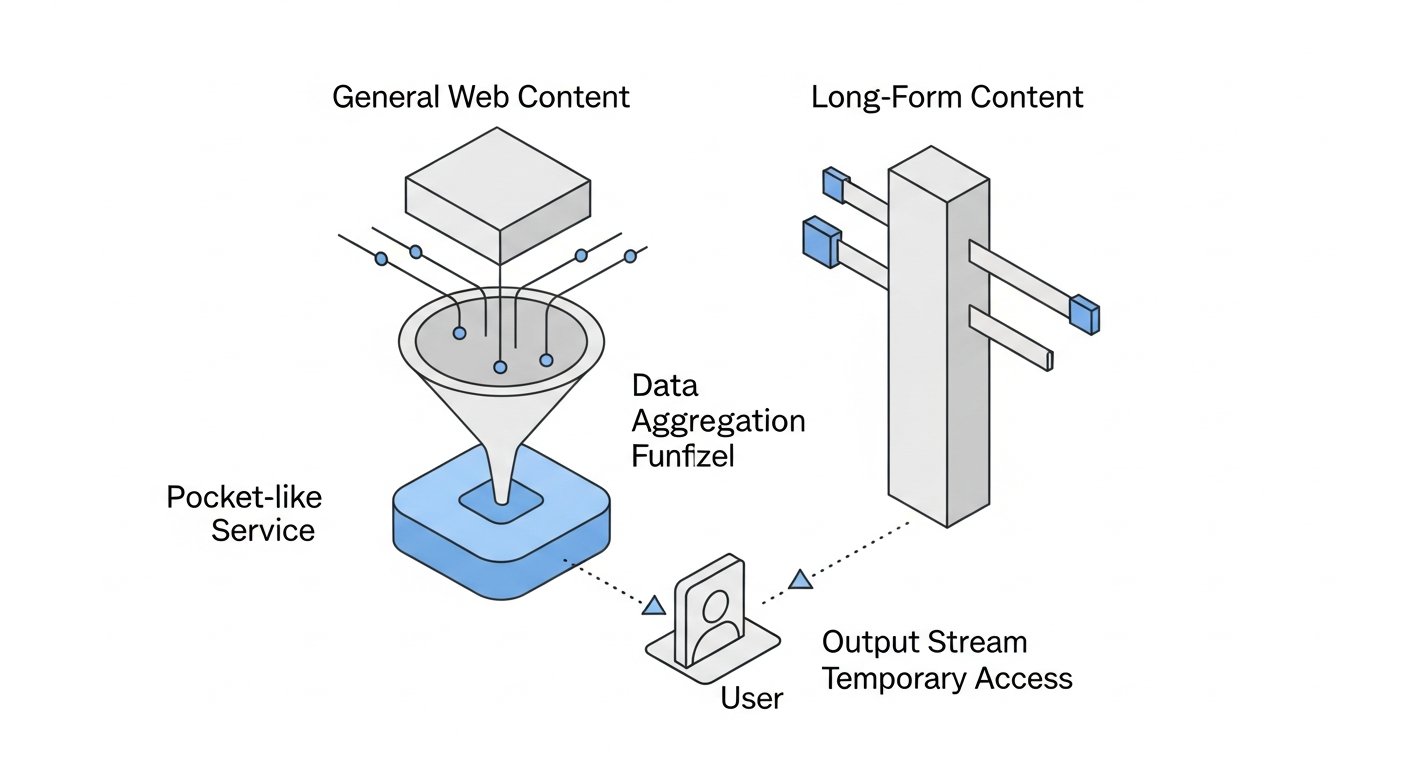
For many users, a read-it-later app isn’t just about saving articles; it’s about actively engaging with them, extracting key insights, and building a knowledge base. Highlighting and annotation tools are crucial for this, and this is an area where Pocket vs Instapaper show significant differences.
Pocket’s Highlighting Limitations and Strengths
Pocket offers a basic highlighting feature. Users can select text within an article and highlight it, typically in a single color. Pocket Premium expands this with more color options and an unlimited number of highlights. The highlighting experience is simple and works well for marking key sentences or paragraphs. All your highlights are collected in a dedicated section for easy review, making it convenient to revisit crucial points. While functional, it lacks the depth and precision that power users of annotation often seek. It’s more about marking than dissecting.
Instapaper’s Precision Annotations
Instapaper truly shines in its highlighting and annotation capabilities, especially for those who need to deeply engage with text. It offers a more robust and precise highlighting tool, allowing users to select text with granular control. Instapaper Premium provides multiple highlight colors, but more importantly, it allows you to add notes to your highlights. This transforms simple highlighting into a powerful tool for active reading, enabling you to jot down thoughts, questions, or summaries directly linked to specific text passages. This feature is invaluable for students, researchers, and anyone performing critical analysis.
Exporting Your Insights: PKM Integration
The ability to export your highlights and annotations is a critical feature for integrating your read-it-later app into a broader Personal Knowledge Management (PKM) system. Both Pocket and Instapaper offer some export functionality, though with varying degrees of flexibility.
- Pocket: Highlights can be viewed within the app and on the web, and there are third-party tools and integrations (like IFTTT or Zapier) that can help you export them to services like Evernote or Notion. However, direct, native export options for structured annotations are less prominent.
- Instapaper: Instapaper makes it easier to export your highlights and notes. You can export them to services like Evernote, OneNote, or even send them directly to your Kindle. The structured nature of Instapaper’s notes makes these exports more useful for academic or research purposes, allowing for easier integration into note-taking apps and knowledge bases. This makes it a stronger contender for those actively building a PKM system.
Offline Reading and Accessibility: Content Anytime, Anywhere
One of the primary advantages of any read-it-later app is the ability to access your saved content even without an internet connection. Both Pocket and Instapaper deliver excellent offline reading experiences, but they also offer unique accessibility features like Text-to-Speech (TTS).
Robust Offline Capabilities
Both applications are designed with offline access in mind. When you save an article, it’s typically downloaded to your device (mobile or tablet) automatically, or you can manually trigger downloads. This means you can save content while on Wi-Fi and then read it later on a commute, flight, or anywhere without data. This is a core strength for both services, ensuring your content is always available when you’re ready to read.
- Pocket: Downloads articles, images, and often videos for offline viewing. This makes it particularly robust for multimedia content.
- Instapaper: Focuses on downloading the clean text version of articles, ensuring that even very long articles are quickly available for offline reading. While it doesn’t typically download videos, its priority is text accessibility.
Text-to-Speech (TTS) Functionality: Listen While You Learn
Text-to-Speech (TTS) has become an increasingly popular feature, allowing users to listen to articles rather than read them, which is perfect for multitasking or for those with visual impairments. Both Pocket and Instapaper have integrated TTS, offering distinct user experiences.
- Pocket’s TTS: Pocket offers a built-in TTS feature with natural-sounding voices (some premium voices available with a subscription). It’s easy to activate from within an article, and it allows for background playback, so you can listen while performing other tasks on your device. The interface for controlling playback is intuitive, often feeling like a podcast player. This makes Pocket a great choice if you frequently switch between reading and listening.
- Instapaper’s TTS: Instapaper also includes a robust TTS feature. It allows for highly customizable playback speed, and like Pocket, supports background playback. Instapaper’s TTS is praised for its clarity and reliability, ensuring a smooth listening experience even with lengthy academic papers. For those who rely heavily on listening to content, Instapaper provides a reliable and customizable option.
Accessibility Features for Diverse Users
Beyond TTS, both apps strive to be accessible. Instapaper, with its extensive font and display customizations, can be particularly beneficial for users with dyslexia or specific visual needs, allowing them to tailor the reading environment precisely. Dark mode and sepia mode in both apps reduce eye strain in different lighting conditions. These considerations make both Pocket and Instapaper valuable tools for a wide range of users, prioritizing comfortable and accessible content consumption.
[INLINE IMAGE 2: place after fourth H2 | alt=”pocket vs instapaper comparison illustration”]
Discovery, Curation, and Organization: Finding and Managing Content
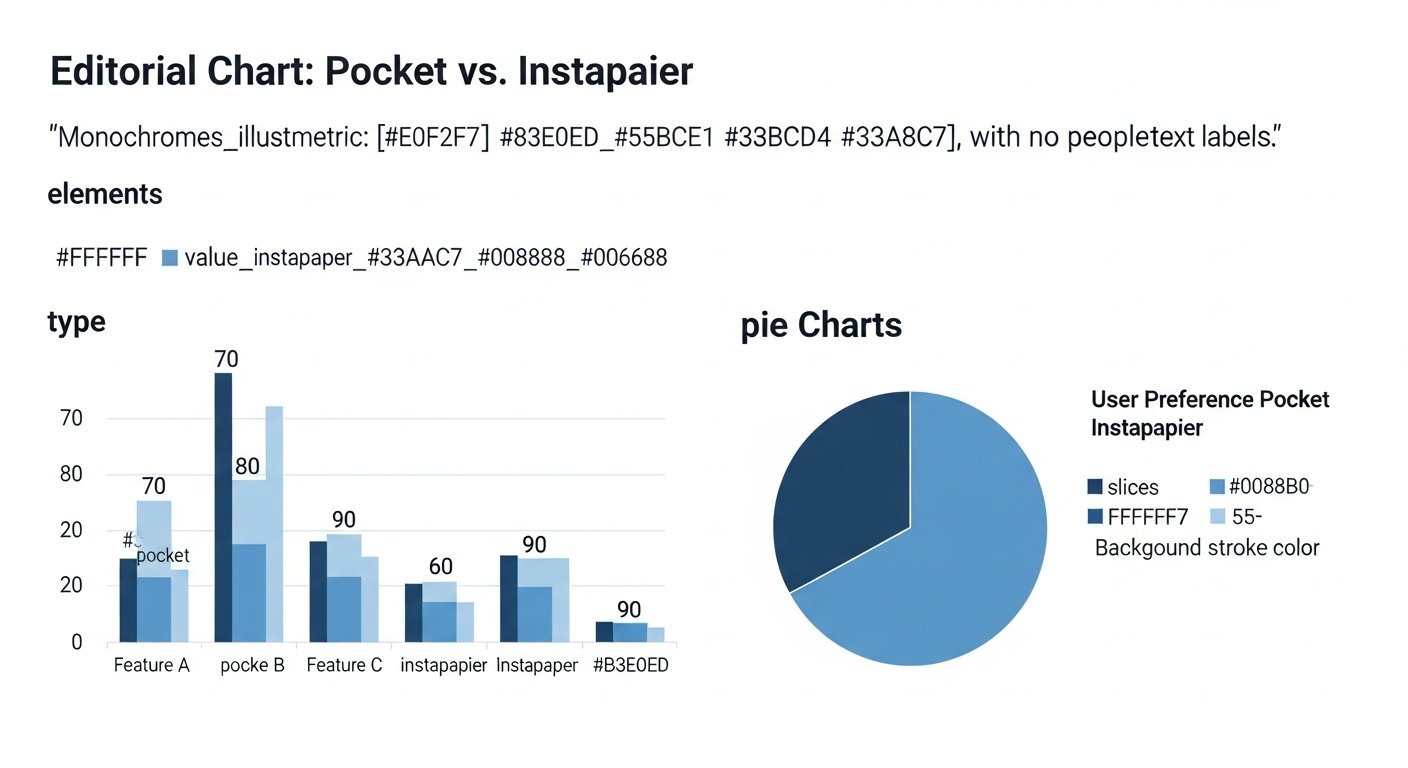
Beyond just saving articles, how well an app helps you discover new content and organize your existing library plays a significant role in its overall utility. Here again, Pocket and Instapaper offer different strengths.
Pocket’s Content Discovery and Recommendations
Pocket excels in content discovery. It integrates a “Discover” section that surfaces trending articles, popular content saved by other users, and personalized recommendations based on your saved items and interests. This makes Pocket not just a repository but also a dynamic source of new information. It can be a great way to broaden your reading horizons and find content you might not have encountered otherwise. This discovery engine is a key differentiator in the Pocket vs Instapaper debate for many users who value content exploration.
Additionally, Pocket allows you to follow topics and even other users, creating a more social and community-driven content experience. This feature is particularly appealing for those who enjoy curated lists and staying abreast of developments in specific fields.
Instapaper’s Focus on Your Saved List
Instapaper, true to its minimalist ethos, does not offer any built-in content discovery or recommendation features. Its sole focus is on the content you intentionally save. There’s no “trending” section or personalized feed. For some, this is a distinct advantage, as it removes potential distractions and keeps the app purely about processing your curated content. If you prefer to discover content through other channels (newsletters, social media, RSS feeds) and only use your read-it-later app for focused consumption, Instapaper’s approach will resonate more.
Tagging, Archiving, and Search Capabilities
Both apps provide robust tools for organizing your saved content:
- Tagging: Both Pocket and Instapaper allow you to add tags to articles, which is essential for categorization and retrieval. You can create custom tags like “work,” “personal,” “research,” “recipes,” etc., to keep your library well-structured.
- Archiving: Once you’ve finished an article, you can archive it, moving it out of your main list but keeping it accessible for future reference. This helps maintain a clean active reading list.
- Full-Text Search: This is a premium feature for both apps. With a subscription, you can search not just titles and tags, but the entire content of your saved articles. This is invaluable for finding specific information within your extensive library and is a must-have for researchers or anyone building a robust PKM system.
Integrations and Ecosystem: Connecting with Your Workflow
A read-it-later app isn’t an island; it needs to seamlessly integrate with your existing digital tools and workflows. Both Pocket and Instapaper offer a range of integrations, though their focus areas differ.
Browser Extensions and Sharing Tools
Both services provide excellent browser extensions for Chrome, Firefox, Safari, and Edge, making it incredibly easy to save articles with a single click. They also integrate deeply with mobile operating systems, allowing you to share content directly from almost any app (e.g., news apps, Twitter, social media) to your read-it-later list. This ubiquitous saving capability is a cornerstone of their utility.
Syncing Across Devices
Seamless synchronization across all your devices (smartphone, tablet, desktop web interface) is standard for both Pocket and Instapaper. Your saved articles, reading progress, and any highlights/notes are instantly updated across platforms, ensuring you can pick up exactly where you left off, regardless of the device you’re using. This cross-platform consistency is crucial for a smooth reading experience.
Third-Party Integrations for Productivity (e.g., IFTTT, Zapier, Notion)
This is where the ecosystems show more distinct flavors:
- Pocket Integrations: Pocket boasts a broader range of integrations, particularly with services like IFTTT (If This Then That) and Zapier. These automation platforms allow you to create powerful workflows, such as automatically saving articles from specific RSS feeds, sending favorited tweets to Pocket, or pushing your Pocket highlights to other note-taking apps like Notion or Evernote. Its popularity and open API have fostered a vibrant ecosystem of complementary tools.
- Instapaper Integrations: Instapaper also offers valuable integrations, notably with Evernote and the ability to send articles directly to Kindle devices. The Kindle integration is a significant advantage for users who prefer reading on an e-ink display, as it sends a perfectly formatted version of the article. While it might have fewer general automation hooks than Pocket, its specialized integrations are highly effective for specific workflows, especially for academic or research purposes.
Pricing Models and Value Proposition: Free vs. Premium Features
Both Pocket and Instapaper offer free tiers, but their premium subscriptions unlock additional features that can significantly enhance the user experience, particularly for power users. Understanding the value proposition of each paid plan is crucial when making your Pocket vs Instapaper decision.
Pocket’s Free Tier and Premium Benefits
Pocket’s free tier is quite generous. It allows you to save an unlimited number of articles, read them offline, and utilize basic highlighting. For casual users who primarily want a distraction-free reading experience without advanced features, the free version of Pocket is often sufficient.
Pocket Premium (subscription required) unlocks several powerful features:
- Permanent Library: Ensures that saved articles are always available, even if the original web page changes or disappears.
- Full-Text Search: Search within the entire content of all your saved articles, not just titles and tags.
- Suggested Tags: AI-powered suggestions for organizing your content faster.
- Premium Fonts and Reading Experience: Additional customization options for a more comfortable read.
- Unlimited Highlighting Colors: More options for categorizing your highlights.
- Ad-Free Experience: Removes ads within the app and on the web interface.
The value of Pocket Premium largely lies in the enhanced organization, search capabilities, and the permanent library feature, which is a major draw for researchers and archival purposes.
Instapaper’s Approach to Paid Subscriptions
Instapaper also offers a very capable free tier. Like Pocket, it allows for unlimited article saving, offline reading, and basic highlighting. For many who simply want a clean reading interface, the free version is perfectly adequate.
Instapaper Premium (subscription required) focuses on refining the deep reading and annotation experience:
- Unlimited Highlights & Notes: This is a cornerstone feature, removing the highlight limit and allowing you to attach notes to highlights. Essential for academic or critical reading.
- Full-Text Search: Similar to Pocket, this allows you to search the entire content of your saved articles.
- Send to Kindle: A highly valued feature for Kindle owners, allowing perfectly formatted articles to be sent directly to their e-reader.
- Text-to-Speech Customization: Advanced options for voices and playback control.
- Ad-Free Experience: Removes ads from the app and web.
Instapaper Premium’s value proposition is clear: it caters directly to power readers, researchers, and anyone who uses their read-it-later app as a serious study or knowledge acquisition tool. The unlimited highlights with notes and the Kindle integration are often the primary reasons users upgrade.
Understanding the ROI for Power Users
For casual users, both free tiers offer tremendous value. However, for those who integrate a read-it-later app deeply into their workflow, the premium features are often worth the investment.
- If content discovery, a permanent archive, and broad automation integrations are key, Pocket Premium offers a strong return on investment.
- If advanced annotation, precise text control, Kindle integration, and meticulous knowledge extraction are your priorities, Instapaper Premium provides superior value.
Ultimately, the “better” premium plan depends entirely on your specific needs and how you intend to use the service in your daily life and PKM practices.
Which Read-It-Later App is Better for You? A Use Case Analysis
The choice between Pocket and Instapaper isn’t about one being objectively “better” than the other; it’s about finding the best fit for your personal reading habits, workflow, and goals. Let’s break down who each app is best suited for.
Choose Pocket If You Are…
- A content explorer: You love discovering new articles, videos, and news from a wide range of sources. Pocket’s “Discover” feed and recommendations will keep you engaged and informed.
- A visual learner or multimedia consumer: You save not just articles but also videos, images, and other rich media. Pocket’s visually rich interface handles this content beautifully.
- A casual reader: You want a clean, distraction-free space for your saved items but don’t need extensive annotation tools. The free tier will likely suffice.
- Someone who shares content frequently: Pocket has strong social sharing features, making it easy to send articles to friends, colleagues, or social media.
- Looking for broad integrations: You want to connect your saved articles with a wide array of other services through IFTTT or Zapier for automation.
- Concerned about content permanence: Pocket Premium’s “Permanent Library” ensures articles are always available, even if the original source disappears.
Opt for Instapaper If You Are…
- A deep reader or researcher: You engage with long-form articles, academic papers, and complex texts critically. Instapaper’s minimalist design and superior annotation tools are designed for this.
- A meticulous note-taker: You need to highlight precisely and add detailed notes to your highlights for later reference or integration into your note-taking system.
- A minimalist who prioritizes text: You prefer an interface that gets out of the way, focusing solely on the words on the page without visual clutter or discovery features.
- A Kindle owner: The seamless “Send to Kindle” feature is a significant advantage for reading saved articles on an e-ink display.
- Someone with specific readability needs: Instapaper’s extensive customization options for fonts, line spacing, and margins allow you to create the perfect reading environment.
- Someone who uses TTS extensively for focused listening: Instapaper’s reliable and customizable text-to-speech is excellent for audio consumption of articles.
The Hybrid Approach: Can You Use Both?
While most users will settle on one primary read-it-later app, there’s no rule against using both for different purposes. For example, you might use Pocket for casual browsing, discovering new content, and saving videos, while reserving Instapaper for serious research, academic papers, and articles requiring in-depth annotation. This allows you to leverage the unique strengths of each application without compromising your workflow. However, managing two separate read-it-later libraries can sometimes lead to redundancy or fragmentation of your content, so consider the overhead carefully.
Conclusion: Your Ultimate Read-It-Later Decision in 2026
The choice between Pocket and Instapaper ultimately boils down to your personal needs and preferences. Both are mature, highly capable read-it-later applications that effectively strip away web clutter and provide a focused reading environment. However, their strengths lie in different areas, appealing to distinct types of users.
Pocket shines as a versatile content hub, excellent for discovery, multimedia saving, and a more visually engaging experience. It’s perfect for the casual reader, the content curator, and anyone who enjoys a blend of saving and exploring new content. Its broader integration ecosystem also makes it a strong choice for those looking to automate parts of their digital workflow.
Instapaper stands out as the minimalist’s dream, offering an unparalleled environment for deep, focused reading and precise annotation. It’s the go-to for academics, researchers, writers, and anyone whose primary goal is to critically engage with long-form text. Its powerful highlighting with notes and dedicated Kindle integration are significant advantages for this user segment.
In 2026, both services continue to evolve, but their core identities remain distinct. Reflect on your daily habits: Do you crave discovery and a visually appealing library, or do you prioritize deep work and meticulous annotation? Understanding these preferences is the key to making the best decision in the Pocket vs Instapaper debate, empowering you to build a more efficient and enjoyable digital reading workflow. Whichever you choose, you’ll be taking a significant step towards reclaiming control over your online content consumption.
Frequently Asked Questions
Q1: Is Pocket or Instapaper better for students and researchers?
A1: Instapaper is generally considered superior for students and researchers due to its more advanced highlighting and annotation tools, which allow users to add detailed notes to specific text passages. Its minimalist interface also reduces distractions, fostering deeper concentration on academic content. Pocket’s basic highlighting is less suited for in-depth analytical work.
Q2: Can I use Pocket or Instapaper offline?
A2: Yes, both Pocket and Instapaper offer robust offline reading capabilities. Once an article is saved, it is typically downloaded to your device (or you can manually trigger a download), allowing you to read it without an internet connection. Pocket also downloads multimedia content, while Instapaper focuses primarily on text.
Q3: Which app has better text-to-speech (TTS) functionality?
A3: Both apps offer excellent built-in Text-to-Speech (TTS) features. Pocket provides natural-sounding voices and an intuitive playback interface, suitable for casual listening. Instapaper offers highly customizable playback speed and reliable performance, which can be particularly useful for listening to long or complex articles. The “better” choice depends on your specific listening preferences and needs.
Q4: Do Pocket and Instapaper integrate with other productivity tools like Notion or Evernote?
A4: Yes, both integrate with other tools, but in different ways. Pocket has broader automation capabilities via IFTTT and Zapier, allowing for more flexible connections to services like Notion, Evernote, or other PKM tools. Instapaper offers direct integrations with services like Evernote and a highly valued “Send to Kindle” feature, which is crucial for e-reader users.
Q5: Is there a free version of Pocket and Instapaper, and what are the limitations?
A5: Yes, both Pocket and Instapaper offer generous free tiers. The free versions allow you to save unlimited articles and read them distraction-free offline. Premium features, typically requiring a subscription, include full-text search, unlimited highlighting with notes (Instapaper), more highlight colors (Pocket), a permanent content library (Pocket), and ad-free experiences.
Q6: Which app is better for discovering new content?
A6: Pocket is significantly better for content discovery. It includes a “Discover” section with trending articles, personalized recommendations based on your interests, and the ability to follow topics. Instapaper, by contrast, focuses solely on the content you explicitly save and does not offer any built-in discovery features.
Pocket vs Instapaper: The Definitive 2026 Showdown for Your Reading Workflow
Affiliate disclosure: This article may contain affiliate links. Recommendations are independent and editorially driven.
In the ever-expanding digital landscape, our screens are barraged with articles, long-form content, videos, and research papers. Keeping track of everything worth reading (or watching) later can feel like an impossible task, leading to an endless stream of open browser tabs or a cluttered bookmarks folder. This is where read-it-later apps step in, acting as your personal content curation assistants, designed to save, organize, and present articles in a clean, distraction-free environment. For years, two names have consistently dominated this space: Pocket and Instapaper. When it comes to managing your digital reading list, the choice often boils down to a direct comparison: Pocket vs Instapaper.
Both applications promise to transform your online reading experience, but they approach this goal with distinct philosophies, feature sets, and user interfaces. Deciding which one is the right fit for your unique workflow, whether for casual browsing, in-depth research, or knowledge management, requires a close examination. Are you a visual learner who thrives on discovery and multimedia content? Or do you prefer a minimalist, text-focused environment for deep annotation and analytical reading? This comprehensive guide will dissect Pocket and Instapaper in 2026, comparing their strengths, weaknesses, unique features, and target audiences to help you make an informed decision and elevate your personal knowledge management (PKM) system.
TL;DR: Pocket vs Instapaper Quick Verdict
For those short on time, here’s the essential takeaway: Pocket is generally better for content discovery, multimedia saving, and a more visually engaging experience, appealing to casual readers and those who enjoy a curated feed. Instapaper excels in providing a minimalist, text-focused reading environment with superior highlighting and annotation tools, ideal for deep readers, researchers, and students.
Here’s a quick comparison of their core offerings:
| Feature | Instapaper | |
|---|---|---|
| Best For | Content discovery, casual reading, multimedia, visual learners. | Deep reading, research, annotations, minimalist text experience. |
| Core Philosophy | Save anything, discover more, highly visual. | Save articles, read distraction-free, robust annotation. |
| Highlighting | Basic, limited to a few colors (premium), less precise. | Advanced, multiple colors, notes, precise selection (premium). |
| Text-to-Speech (TTS) | Built-in, natural-sounding voices (premium), mobile-first. | Built-in, customizable speed, multiple voices, background playback. |
| Content Discovery | Robust built-in recommendations, trending articles. | Limited to your saved content, no discovery features. |
| UI/UX | Visually rich, card-based, modern. | Clean, minimalist, text-focused, highly customizable reading view. |
| Offline Reading | Excellent, downloads articles and videos automatically. | Excellent, downloads text content for offline access. |
| Integrations | Strong (IFTTT, Zapier, social media). | Decent (Evernote, Kindle, custom integrations). |
| Free Tier | Generous, core saving/reading functionality. | Generous, core saving/reading functionality. |
| Premium Features | Permanent library, full-text search, premium fonts, unlimited highlights. | Unlimited highlights, full-text search, send to Kindle, ad-free. |
Pocket vs Instapaper: A Deep Dive into Read-It-Later Giants
The concept of “read it later” emerged from the frustration of losing valuable web content amidst daily browsing. Before these dedicated apps, users relied on traditional browser bookmarks, which quickly became unmanageable, or simply kept dozens of tabs open, slowing down their computers and minds. Pocket and Instapaper revolutionized this by stripping away distractions, optimizing content for readability, and providing a centralized hub for all your saved items.
The Core Philosophy: Saving for Later, Smarter
While both apps share the fundamental goal of saving web content for later, their underlying philosophies diverge. Pocket, originally known as “Read It Later,” leans into the idea of a comprehensive content repository. It’s designed to save not just articles, but also videos, images, and other rich media. Its interface often feels more like a personalized magazine or social feed, encouraging discovery alongside consumption.
Instapaper, on the other hand, was founded with a purist vision: to provide the ultimate distraction-free reading experience for text-based articles. It prioritizes clean typography, a minimalist design, and powerful annotation tools, making it a favorite among academics, writers, and anyone who engages with long-form text critically.
Who Are They For? Identifying Your Reading Persona
Understanding the target audience for each app is key to determining which will best suit you.
- Pocket’s User Profile: If you’re someone who enjoys stumbling upon interesting articles, videos, and news from various sources, and you appreciate a visually engaging interface, Pocket is likely for you. It’s excellent for casual readers, content curators, and those who want a blend of saving and discovery. Its robust sharing features also make it popular for those who frequently share content with others.
- Instapaper’s User Profile: If your primary goal is deep, focused reading, critical analysis, and detailed annotation of text-heavy articles, Instapaper is your ally. It’s favored by students, researchers, journalists, and anyone who needs to extract key information and insights from saved content without visual clutter.
User Interface and Experience (UI/UX): Navigating Your Saved Content
The look and feel of a read-it-later app significantly impact how you interact with your saved content. Both Pocket and Instapaper have refined their interfaces over the years, but they maintain distinct design languages that cater to their respective philosophies.
Pocket’s Visual-First Approach
Pocket boasts a modern, visually rich interface. When you open the app, you’re greeted with a feed of your saved items, often presented as cards with prominent images, titles, and brief descriptions. This makes scanning your list for something interesting quick and intuitive. The overall aesthetic is vibrant and engaging, encouraging users to browse and explore. Content is categorized visually, and the “Discover” section further emphasizes this by presenting trending articles and personalized recommendations with attractive thumbnails.
Navigating Pocket feels fluid, with clear sections for your saved list, recommendations, and archives. Saving content is straightforward via browser extensions, email, or direct sharing from other apps. The focus here is on ease of use and making your saved items look appealing.
Instapaper’s Minimalist Sanctuary
Instapaper, by contrast, adopts a starkly minimalist design. Its primary goal is to get out of your way and let the text shine. Upon opening Instapaper, you’re typically presented with a list of saved articles, often in a simple, text-heavy format with minimal graphical embellishment. The emphasis is entirely on readability and content.
Within an article, Instapaper truly excels. It strips away all ads, sidebars, and extraneous elements, leaving you with a clean, customizable reading experience. You can adjust fonts, text size, line spacing, margins, and background colors (white, sepia, or dark mode) to create your ideal reading environment. This level of customization ensures comfort during long reading sessions and significantly reduces eye strain. The interface is purposefully uncluttered, reflecting its dedication to focused reading.
Readability and Customization Options
Both apps offer excellent readability, transforming cluttered webpages into clean article views. However, Instapaper offers more granular control over the reading experience. While Pocket allows some font and theme adjustments, Instapaper’s range of typographic options (multiple fonts, extensive size control, line height, paragraph spacing) provides a truly personalized reading environment. For users who spend hours reading articles, Instapaper’s dedication to customizable typography can be a significant advantage.
[INLINE IMAGE 1: place after second H2 | alt=”pocket vs instapaper concept illustration”]
Annotation and Highlighting: Tools for Deeper Engagement
For many users, a read-it-later app isn’t just about saving articles; it’s about actively engaging with them, extracting key insights, and building a knowledge base. Highlighting and annotation tools are crucial for this, and this is an area where Pocket vs Instapaper show significant differences.
Pocket’s Highlighting Limitations and Strengths
Pocket offers a basic highlighting feature. Users can select text within an article and highlight it, typically in a single color. Pocket Premium expands this with more color options and an unlimited number of highlights. The highlighting experience is simple and works well for marking key sentences or paragraphs. All your highlights are collected in a dedicated section for easy review, making it convenient to revisit crucial points. While functional, it lacks the depth and precision that power users of annotation often seek. It’s more about marking than dissecting.
Instapaper’s Precision Annotations
Instapaper truly shines in its highlighting and annotation capabilities, especially for those who need to deeply engage with text. It offers a more robust and precise highlighting tool, allowing users to select text with granular control. Instapaper Premium provides multiple highlight colors, but more importantly, it allows you to add notes to your highlights. This transforms simple highlighting into a powerful tool for active reading, enabling you to jot down thoughts, questions, or summaries directly linked to specific text passages. This feature is invaluable for students, researchers, and anyone performing critical analysis.
Exporting Your Insights: PKM Integration
The ability to export your highlights and annotations is a critical feature for integrating your read-it-later app into a broader Personal Knowledge Management (PKM) system. Both Pocket and Instapaper offer some export functionality, though with varying degrees of flexibility.
- Pocket: Highlights can be viewed within the app and on the web, and there are third-party tools and integrations (like IFTTT or Zapier) that can help you export them to services like Evernote or Notion. However, direct, native export options for structured annotations are less prominent.
- Instapaper: Instapaper makes it easier to export your highlights and notes. You can export them to services like Evernote, OneNote, or even send them directly to your Kindle. The structured nature of Instapaper’s notes makes these exports more useful for academic or research purposes, allowing for easier integration into note-taking apps and knowledge bases. This makes it a stronger contender for those actively building a PKM system.
Offline Reading and Accessibility: Content Anytime, Anywhere
One of the primary advantages of any read-it-later app is the ability to access your saved content even without an internet connection. Both Pocket and Instapaper deliver excellent offline reading experiences, but they also offer unique accessibility features like Text-to-Speech (TTS).
Robust Offline Capabilities
Both applications are designed with offline access in mind. When you save an article, it’s typically downloaded to your device (mobile or tablet) automatically, or you can manually trigger downloads. This means you can save content while on Wi-Fi and then read it later on a commute, flight, or anywhere without data. This is a core strength for both services, ensuring your content is always available when you’re ready to read.
- Pocket: Downloads articles, images, and often videos for offline viewing. This makes it particularly robust for multimedia content.
- Instapaper: Focuses on downloading the clean text version of articles, ensuring that even very long articles are quickly available for offline reading. While it doesn’t typically download videos, its priority is text accessibility.
Text-to-Speech (TTS) Functionality: Listen While You Learn
Text-to-Speech (TTS) has become an increasingly popular feature, allowing users to listen to articles rather than read them, which is perfect for multitasking or for those with visual impairments. Both Pocket and Instapaper have integrated TTS, offering distinct user experiences.
- Pocket’s TTS: Pocket offers a built-in TTS feature with natural-sounding voices (some premium voices available with a subscription). It’s easy to activate from within an article, and it allows for background playback, so you can listen while performing other tasks on your device. The interface for controlling playback is intuitive, often feeling like a podcast player. This makes Pocket a great choice if you frequently switch between reading and listening.
- Instapaper’s TTS: Instapaper also includes a robust TTS feature. It allows for highly customizable playback speed, and like Pocket, supports background playback. Instapaper’s TTS is praised for its clarity and reliability, ensuring a smooth listening experience even with lengthy academic papers. For those who rely heavily on listening to content, Instapaper provides a reliable and customizable option.
Accessibility Features for Diverse Users
Beyond TTS, both apps strive to be accessible. Instapaper, with its extensive font and display customizations, can be particularly beneficial for users with dyslexia or specific visual needs, allowing them to tailor the reading environment precisely. Dark mode and sepia mode in both apps reduce eye strain in different lighting conditions. These considerations make both Pocket and Instapaper valuable tools for a wide range of users, prioritizing comfortable and accessible content consumption.
[INLINE IMAGE 2: place after fourth H2 | alt=”pocket vs instapaper comparison illustration”]
Discovery, Curation, and Organization: Finding and Managing Content
Beyond just saving articles, how well an app helps you discover new content and organize your existing library plays a significant role in its overall utility. Here again, Pocket and Instapaper offer different strengths.
Pocket’s Content Discovery and Recommendations
Pocket excels in content discovery. It integrates a “Discover” section that surfaces trending articles, popular content saved by other users, and personalized recommendations based on your saved items and interests. This makes Pocket not just a repository but also a dynamic source of new information. It can be a great way to broaden your reading horizons and find content you might not have encountered otherwise. This discovery engine is a key differentiator in the Pocket vs Instapaper debate for many users who value content exploration.
Additionally, Pocket allows you to follow topics and even other users, creating a more social and community-driven content experience. This feature is particularly appealing for those who enjoy curated lists and staying abreast of developments in specific fields.
Instapaper’s Focus on Your Saved List
Instapaper, true to its minimalist ethos, does not offer any built-in content discovery or recommendation features. Its sole focus is on the content you intentionally save. There’s no “trending” section or personalized feed. For some, this is a distinct advantage, as it removes potential distractions and keeps the app purely about processing your curated content. If you prefer to discover content through other channels (newsletters, social media, RSS feeds) and only use your read-it-later app for focused consumption, Instapaper’s approach will resonate more.
Tagging, Archiving, and Search Capabilities
Both apps provide robust tools for organizing your saved content:
- Tagging: Both Pocket and Instapaper allow you to add tags to articles, which is essential for categorization and retrieval. You can create custom tags like “work,” “personal,” “research,” “recipes,” etc., to keep your library well-structured.
- Archiving: Once you’ve finished an article, you can archive it, moving it out of your main list but keeping it accessible for future reference. This helps maintain a clean active reading list.
- Full-Text Search: This is a premium feature for both apps. With a subscription, you can search not just titles and tags, but the entire content of your saved articles. This is invaluable for finding specific information within your extensive library and is a must-have for researchers or anyone building a robust PKM system.
Integrations and Ecosystem: Connecting with Your Workflow
A read-it-later app isn’t an island; it needs to seamlessly integrate with your existing digital tools and workflows. Both Pocket and Instapaper offer a range of integrations, though their focus areas differ.
Browser Extensions and Sharing Tools
Both services provide excellent browser extensions for Chrome, Firefox, Safari, and Edge, making it incredibly easy to save articles with a single click. They also integrate deeply with mobile operating systems, allowing you to share content directly from almost any app (e.g., news apps, Twitter, social media) to your read-it-later list. This ubiquitous saving capability is a cornerstone of their utility.
Syncing Across Devices
Seamless synchronization across all your devices (smartphone, tablet, desktop web interface) is standard for both Pocket and Instapaper. Your saved articles, reading progress, and any highlights/notes are instantly updated across platforms, ensuring you can pick up exactly where you left off, regardless of the device you’re using. This cross-platform consistency is crucial for a smooth reading experience.
Third-Party Integrations for Productivity (e.g., IFTTT, Zapier, Notion)
This is where the ecosystems show more distinct flavors:
- Pocket Integrations: Pocket boasts a broader range of integrations, particularly with services like IFTTT (If This Then That) and Zapier. These automation platforms allow you to create powerful workflows, such as automatically saving articles from specific RSS feeds, sending favorited tweets to Pocket, or pushing your Pocket highlights to other note-taking apps like Notion or Evernote. Its popularity and open API have fostered a vibrant ecosystem of complementary tools.
- Instapaper Integrations: Instapaper also offers valuable integrations, notably with Evernote and the ability to send articles directly to Kindle devices. The Kindle integration is a significant advantage for users who prefer reading on an e-ink display, as it sends a perfectly formatted version of the article. While it might have fewer general automation hooks than Pocket, its specialized integrations are highly effective for specific workflows, especially for academic or research purposes.
Pricing Models and Value Proposition: Free vs. Premium Features
Both Pocket and Instapaper offer free tiers, but their premium subscriptions unlock additional features that can significantly enhance the user experience, particularly for power users. Understanding the value proposition of each paid plan is crucial when making your Pocket vs Instapaper decision.
Pocket’s Free Tier and Premium Benefits
Pocket’s free tier is quite generous. It allows you to save an unlimited number of articles, read them offline, and utilize basic highlighting. For casual users who primarily want a distraction-free reading experience without advanced features, the free version of Pocket is often sufficient.
Pocket Premium (subscription required) unlocks several powerful features:
- Permanent Library: Ensures that saved articles are always available, even if the original web page changes or disappears.
- Full-Text Search: Search within the entire content of all your saved articles, not just titles and tags.
- Suggested Tags: AI-powered suggestions for organizing your content faster.
- Premium Fonts and Reading Experience: Additional customization options for a more comfortable read.
- Unlimited Highlighting Colors: More options for categorizing your highlights.
- Ad-Free Experience: Removes ads within the app and on the web interface.
The value of Pocket Premium largely lies in the enhanced organization, search capabilities, and the permanent library feature, which is a major draw for researchers and archival purposes.
Instapaper’s Approach to Paid Subscriptions
Instapaper also offers a very capable free tier. Like Pocket, it allows for unlimited article saving, offline reading, and basic highlighting. For many who simply want a clean reading interface, the free version is perfectly adequate.
Instapaper Premium (subscription required) focuses on refining the deep reading and annotation experience:
- Unlimited Highlights & Notes: This is a cornerstone feature, removing the highlight limit and allowing you to attach notes to highlights. Essential for academic or critical reading.
- Full-Text Search: Similar to Pocket, this allows you to search the entire content of your saved articles.
- Send to Kindle: A highly valued feature for Kindle owners, allowing perfectly formatted articles to be sent directly to their e-reader.
- Text-to-Speech Customization: Advanced options for voices and playback control.
- Ad-Free Experience: Removes ads from the app and web.
Instapaper Premium’s value proposition is clear: it caters directly to power readers, researchers, and anyone who uses their read-it-later app as a serious study or knowledge acquisition tool. The unlimited highlights with notes and the Kindle integration are often the primary reasons users upgrade.
Understanding the ROI for Power Users
For casual users, both free tiers offer tremendous value. However, for those who integrate a read-it-later app deeply into their workflow, the premium features are often worth the investment.
- If content discovery, a permanent archive, and broad automation integrations are key, Pocket Premium offers a strong return on investment.
- If advanced annotation, precise text control, Kindle integration, and meticulous knowledge extraction are your priorities, Instapaper Premium provides superior value.
Ultimately, the “better” premium plan depends entirely on your specific needs and how you intend to use the service in your daily life and PKM practices.
Which Read-It-Later App is Better for You? A Use Case Analysis
The choice between Pocket and Instapaper isn’t about one being objectively “better” than the other; it’s about finding the best fit for your personal reading habits, workflow, and goals. Let’s break down who each app is best suited for.
Choose Pocket If You Are…
- A content explorer: You love discovering new articles, videos, and news from a wide range of sources. Pocket’s “Discover” feed and recommendations will keep you engaged and informed.
- A visual learner or multimedia consumer: You save not just articles but also videos, images, and other rich media. Pocket’s visually rich interface handles this content beautifully.
- A casual reader: You want a clean, distraction-free space for your saved items but don’t need extensive annotation tools. The free tier will likely suffice.
- Someone who shares content frequently: Pocket has strong social sharing features, making it easy to send articles to friends, colleagues, or social media.
- Looking for broad integrations: You want to connect your saved articles with a wide array of other services through IFTTT or Zapier for automation.
- Concerned about content permanence: Pocket Premium’s “Permanent Library” ensures articles are always available, even if the original source disappears.
Opt for Instapaper If You Are…
- A deep reader or researcher: You engage with long-form articles, academic papers, and complex texts critically. Instapaper’s minimalist design and superior annotation tools are designed for this.
- A meticulous note-taker: You need to highlight precisely and add detailed notes to your highlights for later reference or integration into your note-taking system.
- A minimalist who prioritizes text: You prefer an interface that gets out of the way, focusing solely on the words on the page without visual clutter or discovery features.
- A Kindle owner: The seamless “Send to Kindle” feature is a significant advantage for reading saved articles on an e-ink display.
- Someone with specific readability needs: Instapaper’s extensive customization options for fonts, line spacing, and margins allow you to create the perfect reading environment.
- Someone who uses TTS extensively for focused listening: Instapaper’s reliable and customizable text-to-speech is excellent for audio consumption of articles.
The Hybrid Approach: Can You Use Both?
While most users will settle on one primary read-it-later app, there’s no rule against using both for different purposes. For example, you might use Pocket for casual browsing, discovering new content, and saving videos, while reserving Instapaper for serious research, academic papers, and articles requiring in-depth annotation. This allows you to leverage the unique strengths of each application without compromising your workflow. However, managing two separate read-it-later libraries can sometimes lead to redundancy or fragmentation of your content, so consider the overhead carefully.
Conclusion: Your Ultimate Read-It-Later Decision in 2026
The choice between Pocket and Instapaper ultimately boils down to your personal needs and preferences. Both are mature, highly capable read-it-later applications that effectively strip away web clutter and provide a focused reading environment. However, their strengths lie in different areas, appealing to distinct types of users.
Pocket shines as a versatile content hub, excellent for discovery, multimedia saving, and a more visually engaging experience. It’s perfect for the casual reader, the content curator, and anyone who enjoys a blend of saving and exploring new content. Its broader integration ecosystem also makes it a strong choice for those looking to automate parts of their digital workflow.
Instapaper stands out as the minimalist’s dream, offering an unparalleled environment for deep, focused reading and precise annotation. It’s the go-to for academics, researchers, writers, and anyone whose primary goal is to critically engage with long-form text. Its powerful highlighting with notes and dedicated Kindle integration are significant advantages for this user segment.
In 2026, both services continue to evolve, but their core identities remain distinct. Reflect on your daily habits: Do you crave discovery and a visually appealing library, or do you prioritize deep work and meticulous annotation? Understanding these preferences is the key to making the best decision in the Pocket vs Instapaper debate, empowering you to build a more efficient and enjoyable digital reading workflow. Whichever you choose, you’ll be taking a significant step towards reclaiming control over your online content consumption.
Frequently Asked Questions
Q1: Is Pocket or Instapaper better for students and researchers?
A1: Instapaper is generally considered superior for students and researchers due to its more advanced highlighting and annotation tools, which allow users to add detailed notes to specific text passages. Its minimalist interface also reduces distractions, fostering deeper concentration on academic content. Pocket’s basic highlighting is less suited for in-depth analytical work.
Q2: Can I use Pocket or Instapaper offline?
A2: Yes, both Pocket and Instapaper offer robust offline reading capabilities. Once an article is saved, it is typically downloaded to your device (or you can manually trigger a download), allowing you to read it without an internet connection. Pocket also downloads multimedia content, while Instapaper focuses primarily on text.
Q3: Which app has better text-to-speech (TTS) functionality?
A3: Both apps offer excellent built-in Text-to-Speech (TTS) features. Pocket provides natural-sounding voices and an intuitive playback interface, suitable for casual listening. Instapaper offers highly customizable playback speed and reliable performance, which can be particularly useful for listening to long or complex articles. The “better” choice depends on your specific listening preferences and needs.
Q4: Do Pocket and Instapaper integrate with other productivity tools like Notion or Evernote?
A4: Yes, both integrate with other tools, but in different ways. Pocket has broader automation capabilities via IFTTT and Zapier, allowing for more flexible connections to services like Notion, Evernote, or other PKM tools. Instapaper offers direct integrations with services like Evernote and a highly valued “Send to Kindle” feature, which is crucial for e-reader users.
Q5: Is there a free version of Pocket and Instapaper, and what are the limitations?
A5: Yes, both Pocket and Instapaper offer generous free tiers. The free versions allow you to save unlimited articles and read them distraction-free offline. Premium features, typically requiring a subscription, include full-text search, unlimited highlighting with notes (Instapaper), more highlight colors (Pocket), a permanent content library (Pocket), and ad-free experiences.
Q6: Which app is better for discovering new content?
A6: Pocket is significantly better for content discovery. It includes a “Discover” section with trending articles, personalized recommendations based on your interests, and the ability to follow topics. Instapaper, by contrast, focuses solely on the content you explicitly save and does not offer any built-in discovery features.


