
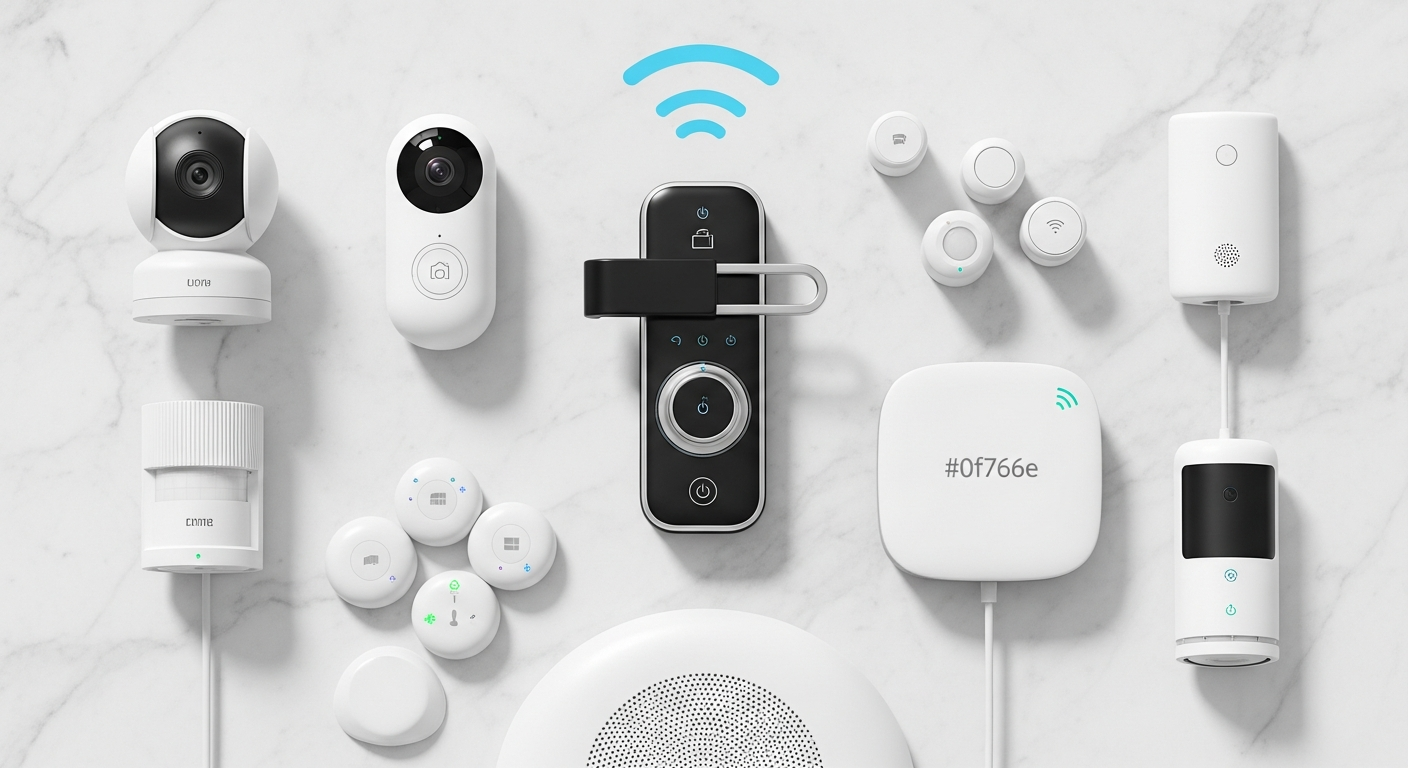

Smart Home Security Systems: A Comprehensive Buyer’s Guide for 2026
By Bookmark Sharer Team, a Smart Home Technology Expert at Bookmark Sharer | Published: | Last Updated:
For discerning homeowners navigating the complexities of modern home tech, understanding the nuances of these advanced systems is crucial. This comprehensive buyer’s guide for 2026 from Bookmark Sharer is meticulously crafted to empower you with the knowledge needed to make an informed decision. We’ll cut through the jargon, highlight essential features, and compare leading options, ensuring you select a smart home security system that perfectly aligns with your needs, budget, and lifestyle. Prepare to unlock a new level of home protection, guided by expertise and insight.
What Defines a Smart Home Security System?
At its core, a smart home security system transcends the capabilities of a conventional alarm. It’s an integrated network of internet-connected devices designed to protect your home through monitoring, automation, and remote control. Unlike older systems that primarily reacted to breaches, smart systems are proactive, predictive, and incredibly versatile. They leverage connectivity—primarily Wi-Fi, but also dedicated mesh protocols like Zigbee and Z-Wave—to communicate both with each other and with you, often through a central hub or a smartphone app.
The defining characteristics of these systems include:
- Connectivity: Devices are internet-enabled, allowing for remote access and real-time alerts.
- Integration: Seamless communication with other smart home devices, such as smart lights, thermostats, and voice assistants, creating a cohesive ecosystem.
- Automation: The ability to set rules and schedules, like locking doors when you leave (geofencing) or turning on lights when motion is detected.
- Remote Control: Manage your entire security setup from anywhere in the world via a smartphone, tablet, or computer.
- Intelligence: Often incorporates AI for advanced features like person detection, facial recognition, and activity zone customization, reducing false alarms.
The transition from a traditional “dumb” system to a smart one means moving from mere detection to intelligent prevention and active management. For instance, a traditional system might trigger a siren when a door opens. A smart system, however, could detect an unfamiliar face at your door, record it, alert you via a push notification, automatically turn on floodlights, and even lock additional doors, all while you’s hundreds of miles away. This level of control and insight is what truly sets smart home security systems apart.
Practical Tip: Before diving into specific products, conduct an audit of your home. Identify all entry points, valuable assets, and areas of concern. This initial assessment will help you determine the types of sensors and cameras you’ll need and whether a basic or more advanced system is appropriate for your specific security gaps.
Key Components of Modern Smart Home Security Systems
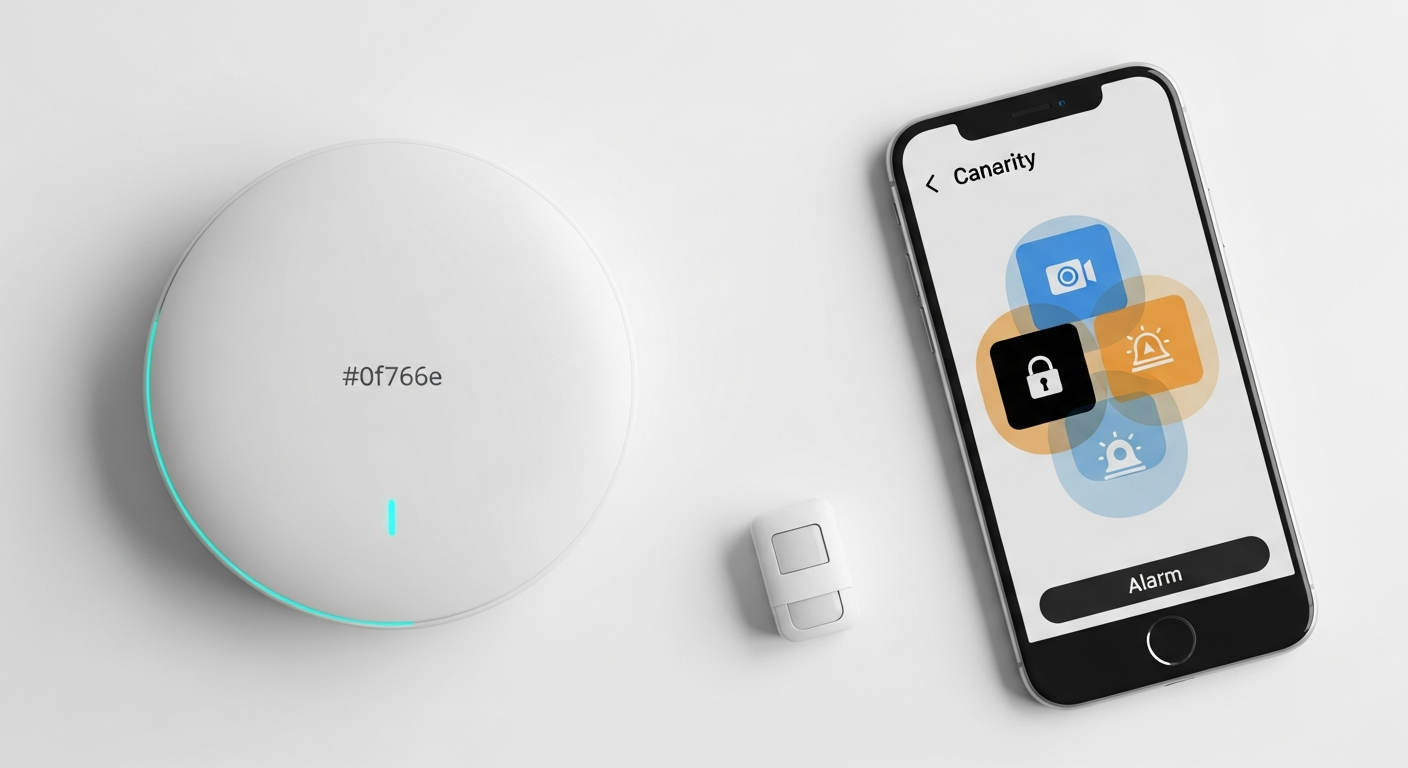
Modern smart home security systems are modular, allowing homeowners to build a custom defense layer by layer. Understanding the core components is crucial for selecting the right system for your property. Here’s a breakdown of the essential elements you’ll encounter:
Smart Cameras: Your Eyes on the Property
- Types: Indoor, outdoor, doorbell cameras, and floodlight cameras. Outdoor cameras like the Arlo Ultra 2 offer 4K resolution and color night vision, while indoor cameras might feature pan/tilt capabilities for wider coverage.
- Connectivity: Wired (for constant power) or wireless (for flexible placement, usually battery-powered).
- Resolution: Ranging from 1080p Full HD to 2K and 4K Ultra HD for crystal-clear footage. Higher resolution aids in identifying faces and license plates.
- Features: Night vision (infrared or color), two-way audio for communication, motion detection with customizable activity zones, and AI-powered person/vehicle/package detection to minimize false alerts. Many now offer local storage options via an SD card or network-attached storage (NAS) as a backup or alternative to cloud subscriptions.
Sensors: The First Line of Defense
- Door and Window Sensors: These magnet-based sensors trigger an alarm when a door or window is opened. Essential for every entry point.
- Motion Sensors: Detect movement within a specified area. Advanced models are often pet-immune to prevent false alarms from Fido or Mittens.
- Glass Break Sensors: Acoustic sensors that listen for the specific sound of breaking glass, offering protection for large windows or sliding doors.
- Environmental Sensors: Go beyond security by detecting smoke, carbon monoxide, water leaks, and extreme temperatures, providing comprehensive home safety.
Smart Locks: Keyless Entry and Remote Access
- Replace traditional deadbolts, allowing you to lock/unlock doors remotely via an app, use keypads, or even fingerprint readers.
- Many integrate with other smart devices, enabling automation like unlocking the door when you arrive home or providing temporary access codes for guests or service providers. Brands like August and Yale offer robust smart lock solutions.
Video Doorbells: The Essential Gatekeeper
- Combining a camera, motion sensor, and two-way audio, video doorbells allow you to see, hear, and speak to visitors from anywhere. Popular choices include Ring and Nest Hello.
- Advanced features include package detection, pre-recorded quick replies, and integration with smart displays.
Control Hubs and Panels: The Brain of the System
- This central device links all your security components together, acting as the communication bridge between devices and the internet.
- Often includes a keypad for arming/disarming, a siren, and cellular backup for continued operation during power or internet outages.
Alarms and Sirens: The Deterrent
- Loud sirens (often 90+ dB) designed to deter intruders and alert neighbors.
- Some systems also offer silent alarms that send alerts directly to you or a monitoring center without immediately notifying the intruder.
Actionable Tip: Prioritize the components based on your home’s unique vulnerabilities. For example, if you have many ground-floor windows, prioritize glass break sensors and outdoor cameras. If you frequently have packages delivered, a video doorbell with package detection is a must-have.
Connectivity and Integration: Building Your Smart Ecosystem
The true power of smart home security systems lies in their ability to connect and integrate, forming a cohesive ecosystem that enhances both security and convenience. Understanding the various communication protocols and platforms is crucial for ensuring compatibility and maximizing your system’s potential.
Wireless Protocols: The Language of Smart Devices
- Wi-Fi: Ubiquitous and easy to set up, most smart cameras and video doorbells use Wi-Fi. Its main drawback can be higher power consumption for battery-powered devices and potential network congestion if you have many Wi-Fi devices.
- Zigbee & Z-Wave: These low-power mesh networking protocols are staples for smaller sensors, smart lights, and locks. They create their own dedicated network, extending range and improving reliability without bogging down your Wi-Fi. A single Z-Wave network can support up to 232 nodes, making it ideal for larger homes or extensive setups. Devices from different manufacturers can often communicate if they adhere to the same protocol standard.
- Bluetooth: Less common for primary security components due to its limited range, but often used for initial device setup or for short-range communication with local devices, like some smart locks.
- Proprietary Frequencies: Some systems, particularly those with professional monitoring, use proprietary radio frequencies for enhanced security and reliability, reducing interference and making them harder to jam.
Smart Home Platforms: The Orchestrators
Modern security systems often integrate with broader smart home platforms, allowing you to control and automate your security alongside other smart devices. Key platforms include:
- Google Home/Assistant: Seamless integration with Google Nest devices, voice control, and automation routines.
- Amazon Alexa: Broad compatibility with countless third-party devices, voice commands for arming/disarming, and displaying camera feeds on Echo Show devices.
- Apple HomeKit: Known for its strong privacy features and robust local processing, HomeKit allows for secure control via the Home app and Siri.
- Samsung SmartThings: A versatile hub-based platform that supports Zigbee, Z-Wave, and Wi-Fi devices, offering extensive automation possibilities.
Interoperability is key. Look for systems that are “open” rather than “closed” ecosystems. An open system allows you to mix and match devices from different brands that support common protocols or integrate with popular smart home platforms. A closed system typically limits you to devices from that specific brand, which can restrict your options and future expansion.
Automation Rules and Voice Control
The magic of a smart security system truly shines with automation:
- Geofencing: Uses your smartphone’s location to automatically arm your system when you leave home and disarm it when you return.
- “If This Then That” (IFTTT) Rules: Create custom rules, e.g., “If motion is detected on the outdoor camera after sunset, then turn on the smart floodlights.”
- Voice Control: Arm or disarm your system, check camera feeds, or lock doors using simple voice commands through your preferred voice assistant.
Actionable Tip: Before purchasing, verify the connectivity protocols and platform compatibility of any smart home security system with your existing smart devices. This ensures a smooth, integrated experience rather than a collection of disparate gadgets.
DIY vs. Professional Monitoring: Choosing Your Level of Protection
One of the most significant decisions when investing in smart home security systems is whether to opt for a self-monitored DIY setup or subscribe to a professional monitoring service. Each approach offers distinct advantages and disadvantages in terms of cost, convenience, and peace of mind.
DIY (Do-It-Yourself) and Self-Monitoring
This approach involves purchasing a system, installing it yourself, and taking responsibility for monitoring alerts. You receive notifications directly on your smartphone, and it’s up to you to verify the threat and contact emergency services if necessary.
- Pros:
- Lower Monthly Costs: Typically, there are no ongoing monthly fees, or significantly lower fees for cloud storage and advanced app features.
- Full Control: You have complete autonomy over your system, its settings, and how you respond to alerts.
- Flexibility: No long-term contracts, allowing you to change or upgrade components as needed.
- Instant Alerts: Notifications go directly to your phone, giving you immediate awareness.
- Cons:
- Requires Self-Response: You must be available and able to act on alerts, which might not be feasible if you’re sleeping, in a meeting, or without cell service.
- Potential for Missed Threats: If you miss an alert, there’s no backup to notify authorities.
- False Alarms: You’re responsible for distinguishing real threats from false alarms, which can be stressful.
- Ideal For: Tech-savvy individuals, those on a tighter budget, or homeowners who are frequently home or have trusted neighbors who can respond. Brands like Ring Alarm, Arlo, and some SimpliSafe setups can be self-monitored.
Professional Monitoring
With professional monitoring, your smart home security system is connected to a central monitoring station staffed by trained professionals 24/7. When an alarm is triggered, the station verifies the alert (often by contacting you first) and then dispatches emergency services if a real threat is confirmed.
- Pros:
- 24/7 Vigilance: Constant monitoring ensures that even if you miss an alert, someone is always watching.
- Emergency Dispatch: Professionals handle contacting police, fire, or medical services, saving critical time.
- Cellular Backup: Most professional services include cellular backup, ensuring your system remains connected even if your internet goes down or power is cut.
- Increased Credibility: Some insurance companies offer discounts for professionally monitored homes.
- Cons:
- Monthly Fees: Involves recurring costs, typically ranging from $20 to $60+ per month, adding to the long-term expense.
- Contract Commitments: Many providers require multi-year contracts, limiting flexibility.
- Potential for False Alarm Fines: If police are dispatched frequently for false alarms, you could incur fines from your municipality.
- Installation Costs: Some systems require professional installation, adding to the upfront expense.
- Ideal For: Homeowners seeking maximum peace of mind, those who travel frequently, or individuals who prefer not to manage security responses themselves. Leading providers include ADT, Vivint, Brinks Home, and SimpliSafe (with their professional monitoring plan).
Hybrid Models
Many modern smart home security systems offer a hybrid approach, allowing for DIY installation with an optional professional monitoring subscription. SimpliSafe is a prime example, giving users the flexibility to choose between self-monitoring or affordable professional plans. This can be an excellent middle ground, offering the initial cost savings of DIY while providing the option for expert backup when needed.
Actionable Tip: Carefully calculate the long-term costs. While DIY saves on monthly fees, consider the value of professional intervention during emergencies. For instance, a professional monitoring service costing $30/month amounts to $360/year. Over five years, that’s $1,800. Weigh this against the peace of mind and the potential for a quicker emergency response.
Essential Features to Look for in 2026 Smart Home Security Systems
As we look to 2026, the landscape of smart home security systems is continuously evolving, with new features enhancing both protection and user experience. When evaluating potential systems, prioritize these cutting-edge capabilities:
Advanced AI & Analytics
- Person, Vehicle, & Animal Detection: Move beyond basic motion detection. Systems equipped with AI can differentiate between a person, a car, and a wandering animal, drastically reducing irrelevant alerts. Google Nest and Arlo cameras excel in this area.
- Facial Recognition: Some high-end cameras can learn familiar faces, allowing you to receive specific alerts for strangers or even welcome notifications for family members.
- Package Detection: Alerts you specifically when a package is delivered or picked up, crucial for combating “porch pirates.”
- Activity Zones: Define specific areas within your camera’s field of view where motion detection is active, ignoring busy streets or neighbor’s yards.
Privacy & Data Security
With more devices connected, data privacy and security are paramount:
- End-to-End Encryption: Ensures that your video feeds and data are encrypted from your device to your cloud storage, making it unreadable to unauthorized parties.
- Local Storage Options: Look for systems that offer local storage (SD card, NVR/DVR) in addition to or as an alternative to cloud storage. This provides a backup and reduces reliance on internet connectivity for recordings.
- Transparent Data Policies: Choose brands with clear, easy-to-understand privacy policies regarding how your data is collected, stored, and used.
- Two-Factor Authentication (2FA): A non-negotiable security layer for your account login, requiring a second verification step (e.g., a code sent to your phone).
Specific Data Point: A recent survey by the Pew Research Center indicated that over 70% of smart home device owners express concerns about data privacy and how their information is used. Prioritizing systems with robust privacy features is no longer a luxury but a necessity.
Reliable Power & Connectivity
- Battery Backup: The control hub should have a battery backup to keep the system operational during power outages.
- Cellular Backup: For professional monitoring systems, cellular backup ensures communication with the monitoring center even if your internet connection goes down.
- Local Processing: Some advanced cameras can process AI detections on the device itself, reducing reliance on cloud processing and improving response times.
Ease of Use & Installation
- DIY-Friendly Design: Many systems are designed for easy self-installation with clear instructions and minimal tools, saving on installation costs.
- Intuitive Mobile App: A well-designed, user-friendly app is essential for managing your system, receiving alerts, viewing feeds, and configuring settings.
Scalability & Future-Proofing
- Modular Design: The ability to easily add more sensors, cameras, or smart locks as your needs evolve.
- Open Ecosystems: Systems that integrate with popular smart home platforms (Alexa, Google Home, HomeKit) will offer greater long-term flexibility and device compatibility.
Geofencing & Smart Automations
- Geofencing: Automates arming/disarming based on your location.
- Smart Scenes/Routines: Create custom automations like “If the front door opens, then turn on the hallway lights and disarm the alarm.”
Actionable Tip: Always read the privacy policy and understand how your data is handled. Opt for systems that offer end-to-end encryption and have a strong reputation for data security. If local storage is an option, consider it a significant advantage for both privacy and reliability.
Navigating the Market: Top Considerations and Leading Brands
With a myriad of options available, choosing the right smart home security system requires careful consideration of your specific circumstances and priorities. Here’s what to think about and some of the key players in the market for 2026:
Key Considerations Before Buying
- Budget: Beyond the initial hardware cost, factor in recurring subscription fees for cloud storage, advanced features, or professional monitoring. These monthly costs can add up significantly over time.
- Home Size and Layout: Larger homes or properties with multiple outbuildings may require systems with extended range capabilities (like Z-Wave or Zigbee mesh networks) or more cameras and sensors. Consider wireless signal strength and potential dead zones.
- Pet Ownership: If you have pets, look for motion sensors with “pet immunity” to avoid constant false alarms.
- Renting vs. Owning: If you’re renting, confirm any landlord restrictions on drilling or permanent installations. DIY, wireless systems are often ideal for renters.
- Existing Smart Home Ecosystem: Does the new security system integrate with your current smart devices (e.g., Alexa, Google Home, Apple HomeKit)? Choosing compatible brands simplifies management and expands automation possibilities.
- Installation Preference: Do you prefer DIY installation to save costs, or do you require professional installation for peace of mind or for more complex setups?
Leading Smart Home Security System Brands for 2026
While the market is dynamic, several brands consistently lead in innovation, reliability, and user satisfaction:
- Ring:
- Strengths: Highly user-friendly, excellent ecosystem of video doorbells, cameras, and alarm components. Strong integration with Amazon Alexa. Offers affordable professional monitoring plans.
- Considerations: Primarily cloud-based video storage (requires subscription).
- Arlo:
- Strengths: Known for its high-quality wireless cameras (up to 4K resolution), robust battery life, and option for local storage via a SmartHub. Good for those prioritizing video quality and flexible camera placement.
- Considerations: Premium price point, advanced features often tied to a subscription.
- SimpliSafe:
- Strengths: Very popular DIY installation system with an emphasis on ease of use. Offers flexible, affordable professional monitoring plans without long-term contracts. Good range of sensors.
- Considerations: Cameras are not as advanced as Arlo or Nest, siren is on the quieter side compared to some competitors.
- Google Nest:
- Strengths: Seamless integration with the Google ecosystem, advanced AI (person, animal, vehicle detection, facial recognition with Nest Aware subscription), and sleek design. Offers strong video quality.
- Considerations: Higher price point for hardware and subscriptions, sometimes perceived as less privacy-centric than HomeKit.
- ADT & Vivint:
- Strengths: Traditional leaders in professional monitoring and installation. Offer comprehensive security packages, dedicated cellular backup, and white-glove service. Excellent for homeowners who want a fully managed, hands-off approach.
- Considerations: Typically involve higher upfront costs, long-term contracts, and higher monthly fees. Less flexible for DIY customization.
Actionable Tip: Don’t rely solely on brand reputation. Read recent, unbiased reviews from reputable tech publications (e.g., TechRadar, CNET, Tom’s Guide) and consumer review sites to get a balanced perspective on performance, reliability, and customer service for specific models you are considering.
Setting Up Your Smart Security: Practical Steps and Best Practices
Once you’ve chosen your ideal smart home security system, proper setup and ongoing maintenance are crucial for maximizing its effectiveness. Follow these practical steps and best practices to ensure your home remains securely protected.
1. Conduct a Thorough Site Survey
- Identify Vulnerabilities: Walk around your home, both inside and out. Note all entry points (doors, windows, garage doors, basement access), potential weak spots (large glass panes, secluded areas), and valuable items that need protection.
- Map Out Placement: Sketch a floor plan and mark optimal locations for cameras (focus on entry points, high-traffic areas, and outdoors facing access points), motion sensors (corners for wider coverage, avoiding direct sunlight or heat vents), and door/window sensors. Consider angles, obstructions, and power sources.
- Check Connectivity: Before installation, test Wi-Fi signal strength in all planned device locations, especially for wireless cameras. Wi-Fi extenders or a mesh network might be necessary for larger homes.
2. Strategic Component Placement
- Cameras: Place outdoor cameras strategically to cover entry points, driveways, and backyards, ideally at a height where they can’t be easily tampered with (8-10 feet) but can still capture clear facial features. Indoor cameras should cover main living areas or hallways.
- Sensors: Install door/window sensors on all accessible windows and doors. Place motion sensors in rooms where intruders are likely to pass through, but avoid areas with significant pet activity if your sensors aren’t pet-immune.
- Control Hub/Panel: Position the central hub in a discreet, central location, preferably near a power outlet and away from direct sunlight or extreme temperatures. Ensure it has a good cellular signal if relying on cellular backup.
3. Prioritize Network Security
- Strong Wi-Fi Password: Use a complex, unique password for your home Wi-Fi network.
- Guest/IoT Network: If your router supports it, consider setting up a separate Wi-Fi network specifically for your smart home devices (IoT devices). This isolates them from your main network, enhancing security.
- Router Firmware Updates: Keep your router’s firmware updated to patch any security vulnerabilities.
- Two-Factor Authentication (2FA): Enable 2FA for all your smart security app accounts immediately after setup. This is a critical layer of defense against unauthorized access.
4. Thorough Testing and Configuration
- Test Every Component: After installation, activate each sensor, camera, and siren to ensure it’s functioning correctly and communicating with the hub and app. Trigger alarms intentionally to confirm they work and that you receive alerts.
- Customize Settings: Adjust motion sensitivity, set up activity zones for cameras, configure notification preferences, and create geofencing rules for automated arming/disarming.
- Practice Disarming: Ensure all household members know how to arm and disarm the system, including using keypads, remotes, or the mobile app, to prevent accidental false alarms.
5. Ongoing Maintenance and Vigilance
- Regular Battery Checks: For wireless, battery-powered devices, monitor battery levels regularly and replace them proactively to avoid security gaps.
- Firmware Updates: Keep all your smart security devices (cameras, hubs, sensors) updated to their latest firmware. Manufacturers frequently release updates to fix bugs, enhance features, and patch security vulnerabilities.
- Review Recordings: Periodically review camera recordings to ensure they are capturing the desired areas clearly.
- Privacy Settings: Regularly review the privacy settings within your security app and on linked smart home platforms to ensure they align with your preferences.
Practical Step: Create a detailed floor plan marking all potential entry points and vulnerable areas. Use this map as a guide for strategic placement of your smart security components, ensuring no blind spots are left unprotected. This proactive approach ensures comprehensive coverage.
Conclusion: Your Home, Secure and Smart for 2026
Investing in a smart home security system is more than just buying gadgets; it’s investing in peace of mind, unparalleled convenience, and a higher standard of protection for your most valuable asset. As we’ve explored, the technology available in 2026 offers a powerful blend of intelligent monitoring, seamless integration, and remote control, far surpassing the capabilities of traditional security measures.
From understanding the core components like AI-powered cameras and advanced sensors to navigating the choice between DIY and professional monitoring, and prioritizing crucial features like privacy and scalability, this guide has armed you with the essential knowledge. Remember, the “best” system isn’t a one-size-fits-all solution; it’s the one that perfectly aligns with your home’s unique needs, your budget, and your personal comfort level with technology.
As you step forward into securing your home, take these insights, assess your requirements, and confidently choose a smart home security system that will stand as a vigilant guardian for years to come. Your journey to a smarter, safer home begins now.
Next Step: Begin comparing specific models and brands, utilizing free trials where available, and reading the most recent user reviews to find the perfect fit for your smart home security needs.
Frequently Asked Questions


