
By BookmarkSharer SEO Team | Last Updated: July 26, 2024
Technical SEO Checklist: Optimizing Your Website for Search Engine Performance
The Foundations: Ensuring Crawlability and Indexability
Before any content can rank, search engines must first be able to find and understand it. This foundational stage of technical SEO is all about ensuring your site is accessible and intelligible to bots like Googlebot. Without proper crawlability and indexability, even the most compelling content remains invisible.
1. XML Sitemaps: Your Site’s Blueprint for Search Engines
An XML sitemap acts as a roadmap, guiding search engines to all the important pages on your website. It doesn’t guarantee indexing, but it significantly helps crawlers discover your content, especially for large sites, new sites, or sites with isolated pages.
- Practical Steps:
- Generate and Maintain: Use a plugin (e.g., Yoast SEO, Rank Math for WordPress) or an online generator to create an XML sitemap. Ensure it’s always up-to-date with new content and reflects your site’s current structure.
- Include Essential Pages Only: Your sitemap should only list canonical versions of pages you want indexed. Exclude duplicate content, non-canonical pages, and low-value pages.
- Submit to Search Consoles: Submit your sitemap to Google Search Console (GSC) and Bing Webmaster Tools. Monitor the “Sitemaps” report in GSC for any errors or warnings.
- Monitor Coverage: Regularly check the “Index > Pages” report in GSC to see which pages have been indexed and identify any issues like “Excluded by ‘noindex’ tag” or “Page with redirect.”
- Real-world Example: A large e-commerce site with thousands of product pages relies heavily on a well-structured XML sitemap to ensure Google discovers new product listings quickly. Without it, many products might go unnoticed for extended periods, impacting sales.
2. Robots.txt: Guiding Crawler Behavior
The robots.txt file is a simple text file that tells search engine crawlers which pages or sections of your site they are allowed or not allowed to access. It’s a directive, not an absolute block on indexing, but crucial for managing crawl budget and preventing search engines from wasting resources on unimportant pages.
- Practical Steps:
- Locate and Create: Ensure you have a robots.txt file at the root of your domain (e.g.,
yourwebsite.com/robots.txt). If not, create one. - Block Unnecessary Pages: Use
Disallowdirectives for pages like admin logins, staging environments, internal search results, thank-you pages (if noindexed), or duplicate content you don’t want crawled. - Allow Important Areas: Ensure essential directories (e.g., CSS, JS folders if needed for rendering) are not accidentally disallowed. Google explicitly states that if critical resources for rendering are blocked, it can harm indexing.
- Specify Sitemap Location: Always include a line specifying the location of your XML sitemap:
Sitemap: https://www.yourwebsite.com/sitemap.xml. - Test with Google Search Console: Use the “Robots.txt Tester” in GSC to verify your directives and ensure you haven’t accidentally blocked important content.
- Locate and Create: Ensure you have a robots.txt file at the root of your domain (e.g.,
- Specific Data Point: A common mistake is disallowing CSS and JavaScript files. Google clarified in 2014 that it needs to “see” CSS and JS to understand how a page renders, which impacts its ability to accurately assess mobile-friendliness and user experience.
3. Meta Directives: Controlling Indexing at the Page Level
While robots.txt provides site-wide crawl directives, meta directives (or X-Robots-Tag in HTTP headers) offer granular control over how individual pages are indexed and displayed in search results.
- Practical Steps:
- Noindex for Low-Value Pages: Use
<meta name="robots" content="noindex">for pages you don’t want indexed (e.g., internal search results, tag archives with sparse content, privacy policy pages unless you want them showing up in SERPs). - Nofollow for Specific Links: Use
rel="nofollow"on individual links if you don’t want to pass link equity (PageRank) to the destination page or imply endorsement. - Noarchive for Caching Control: If you don’t want Google to store a cached version of your page, use
<meta name="robots" content="noarchive">. - Combined Directives: Directives can be combined (e.g.,
<meta name="robots" content="noindex, follow">to prevent indexing but allow link following). - Audit Regularly: Periodically review your site’s meta directives, especially after plugin installations or theme changes, to ensure no critical pages are accidentally noindexed.
- Noindex for Low-Value Pages: Use
- Real-world Example: An online forum might use
noindex, followon user profile pages to prevent them from cluttering SERPs while still allowing Google to discover content through links on those profiles.
Site Performance: Speed, Core Web Vitals, and Mobile Experience

In today’s fast-paced digital world, users expect instant gratification. Google has increasingly emphasized page speed and user experience metrics as ranking factors. Your technical SEO checklist must prioritize these aspects to provide a seamless experience and perform well in search.
4. Page Speed Optimization: Faster Sites Rank Better
Page speed is not just a ranking factor; it’s a critical component of user experience. Slow pages lead to higher bounce rates and frustration, directly impacting conversions and SEO.
- Practical Steps:
- Compress Images: Use modern formats (WebP, AVIF) and optimize JPEGs/PNGs without sacrificing quality. Tools like TinyPNG or image optimization plugins can automate this.
- Minify CSS, JavaScript, and HTML: Remove unnecessary characters, comments, and whitespace from your code to reduce file sizes.
- Leverage Browser Caching: Configure your server to tell browsers how long to store static resources (images, CSS, JS) so repeat visitors load pages faster.
- Reduce Server Response Time: Optimize your server, database, and application code. Consider upgrading hosting, using a CDN, or implementing server-side caching.
- Eliminate Render-Blocking Resources: Defer non-critical CSS and JavaScript to prevent them from delaying the rendering of your page’s visible content.
- Use a CDN (Content Delivery Network): A CDN serves your content from servers geographically closer to your users, significantly reducing load times.
- Specific Data Point: Research by Akamai indicates that a 2-second delay in web page load time can increase bounce rates by 103%. Faster sites also see higher conversion rates.
5. Core Web Vitals: Measuring User Experience
Core Web Vitals (CWV) are a set of specific metrics that Google uses to quantify the user experience of a webpage. They measure loading performance, interactivity, and visual stability.
- Practical Steps:
- Largest Contentful Paint (LCP): Optimize server response time, remove render-blocking resources, optimize images, and pre-load critical resources to improve LCP (should be under 2.5 seconds).
- First Input Delay (FID): Reduce JavaScript execution time, break up long tasks, and use web workers to improve FID (should be under 100 milliseconds).
- Cumulative Layout Shift (CLS): Specify image and video dimensions, ensure ads/embeds have reserved space, and avoid injecting content above existing content to reduce CLS (should be under 0.1).
- Monitor with Tools: Regularly check your Core Web Vitals performance in Google Search Console’s “Core Web Vitals” report and use tools like PageSpeed Insights, Lighthouse, or GTmetrix for detailed diagnostics and recommendations.
- Real-world Example: A news website might experience a high CLS if ads load late and push down the main article content, leading to a frustrating experience for readers who accidentally click on ads instead of the text they intended. Fixing this means pre-allocating space for ad slots.
6. Mobile-Friendliness and Responsive Design
With Google’s mobile-first indexing, having a mobile-friendly website is no longer optional; it’s a prerequisite for visibility. Your site must adapt seamlessly to various screen sizes and devices.
- Practical Steps:
- Implement Responsive Design: Ensure your website uses a responsive design that automatically adjusts layout and content to fit the user’s screen size.
- Readable Text: Use font sizes that are easy to read on mobile devices without pinching or zooming.
- Tap Targets: Ensure buttons and links are large enough and spaced far enough apart to be easily tappable on a touchscreen.
- Avoid Flash and Pop-ups: Flash is not supported on most mobile devices, and intrusive interstitials (pop-ups) can negatively impact user experience and rankings.
- Test Your Site: Use Google’s Mobile-Friendly Test tool and check your “Mobile Usability” report in Google Search Console for any issues.
- Specific Data Point: As of 2023, mobile devices generate approximately 58.6% of global website traffic. Google’s mobile-first indexing means they use the mobile version of your site for indexing and ranking.
Site Structure & User Experience: Clear Paths for Bots and Humans
A well-organized website is not only easier for search engines to crawl but also provides a superior experience for users. This part of your technical SEO checklist focuses on creating logical pathways and a secure environment.
7. HTTPS: The Foundation of Trust and Security
HTTPS (Hypertext Transfer Protocol Secure) encrypts communication between a user’s browser and your website, protecting sensitive data. Google has long confirmed HTTPS as a minor ranking signal, but more importantly, it builds trust and is a web standard.
- Practical Steps:
- Obtain an SSL Certificate: Purchase or obtain a free SSL certificate (e.g., Let’s Encrypt). Many hosting providers offer free SSL.
- Install and Configure: Install the certificate on your server and configure your website to use HTTPS.
- Implement 301 Redirects: Ensure all HTTP versions of your URLs permanently redirect (301) to their HTTPS counterparts.
- Update Internal Links: Audit your site and update all internal links to use HTTPS URLs.
- Update External Resources: Ensure all external resources (images, scripts, CSS) loaded on your site are also served over HTTPS to avoid mixed content warnings.
- Verify in GSC: Add the HTTPS version of your site to Google Search Console and monitor for any security issues.
- Real-world Example: Imagine visiting an online store, only to see a “Not Secure” warning in your browser. Most users would immediately leave, leading to lost sales and damaged reputation.
8. URL Structure: Clean, Descriptive, and Consistent
Clean, descriptive URLs are easier for users to understand and share, and they provide search engines with valuable context about the page’s content.
- Practical Steps:
- Descriptive and Keyword-Rich: Include relevant keywords in your URLs, but avoid keyword stuffing. Make them descriptive and human-readable (e.g.,
/blog/technical-seo-checklistinstead of/?p=123). - Concise: Keep URLs as short as possible while remaining descriptive.
- Use Hyphens: Separate words with hyphens (
-) instead of underscores (_) for readability and search engine parsing. - Lowercase: Use lowercase characters to avoid potential duplicate content issues (e.g.,
/Pagevs./page). - Avoid Unnecessary Parameters: Minimize the use of dynamic parameters (
?sessionid=) unless absolutely necessary, and manage them carefully in GSC. - Static URLs Preferred: Opt for static URLs over dynamic ones where possible.
- Descriptive and Keyword-Rich: Include relevant keywords in your URLs, but avoid keyword stuffing. Make them descriptive and human-readable (e.g.,
- Specific Data Point: A study by MarketingSherpa found that URLs are a strong indicator of trust. Clean, descriptive URLs make users more likely to click.
9. Internal Linking: Spreading Link Equity and Guiding Users
A robust internal linking strategy helps distribute “link equity” (PageRank) throughout your site, signals the importance of certain pages to search engines, and helps users navigate your content.
- Practical Steps:
- Contextual Links: Link naturally from relevant content to other related pages on your site, using descriptive anchor text.
- Navigation Menus: Ensure your main navigation and footer links are well-structured and provide easy access to important sections.
- Breadcrumbs: Implement breadcrumb navigation to show users (and search engines) their path on your site, improving navigation and context.
- Hub Pages: Create “hub” or “pillar” pages that link out to many related sub-pages, acting as central resources.
- Identify Orphan Pages: Use a crawler tool to find pages with no internal links pointing to them and add links from relevant content.
- Deep Linking: Ensure important content isn’t buried too many clicks deep from your homepage. Aim for a maximum of 3-4 clicks.
- Real-world Example: A blog post about “Advanced Keyword Research” might link to an introductory post on “What is Keyword Research?” and a follow-up post on “Long-Tail Keywords Strategy,” creating a logical content flow and reinforcing keyword relevance.
Data & Semantics: Helping Search Engines Understand Your Content
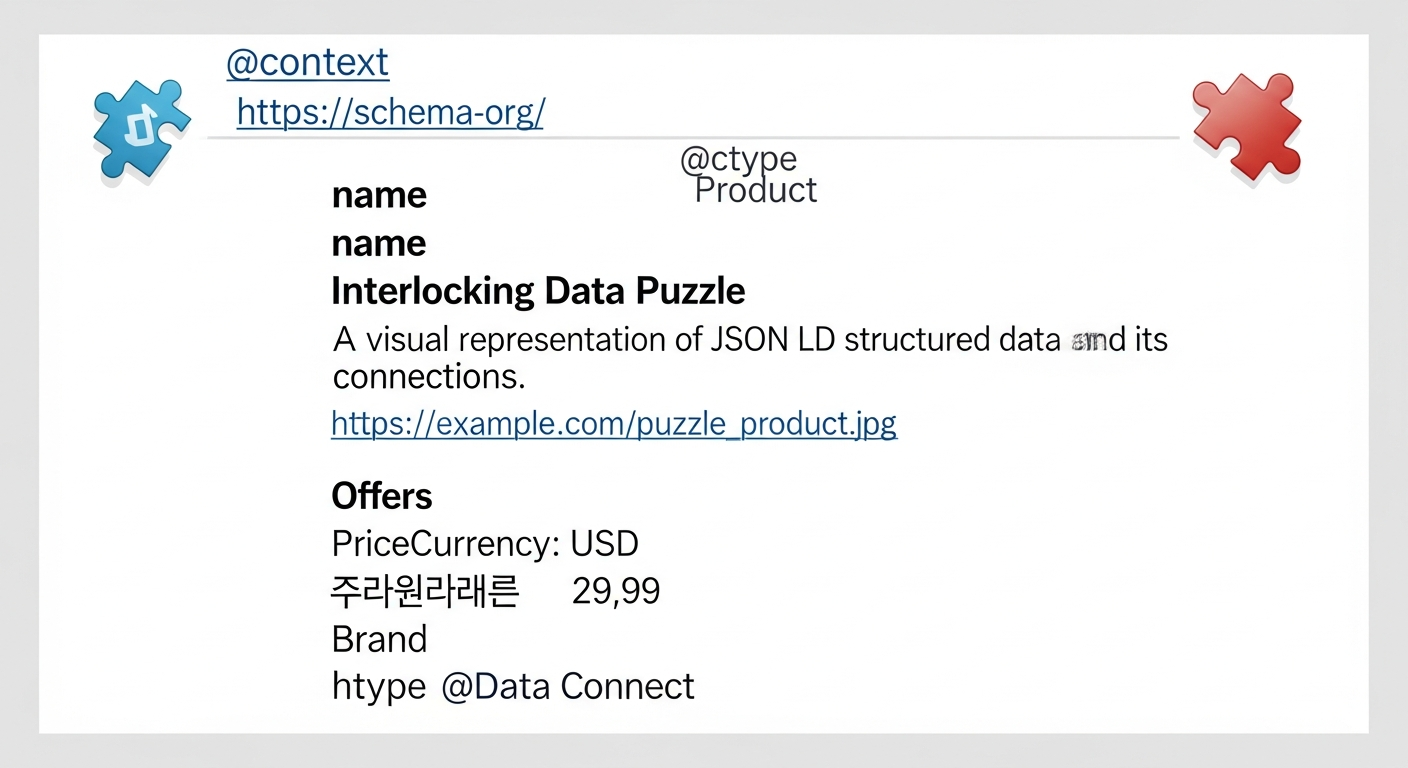
Modern search engines are increasingly sophisticated, but they still benefit from explicit signals about your content’s meaning. Structured data provides this context, leading to richer search results.
10. Structured Data and Schema Markup: Enhancing SERP Visibility
Schema markup is a form of microdata that helps search engines understand the context and specific entities on your page, enabling them to display rich results (rich snippets) in SERPs.
- Practical Steps:
- Identify Relevant Schema Types: Visit Schema.org to find relevant schemas for your content (e.g., Article, Product, Recipe, LocalBusiness, FAQPage, Organization, Review).
- Implement JSON-LD: Use JSON-LD format for implementing schema markup, as it’s Google’s preferred method and easier to implement.
- Be Accurate and Complete: Provide accurate and complete information for each property. Don’t markup hidden content or irrelevant data.
- Test with Google’s Tools: Use Google’s Rich Results Test tool and the Schema Markup Validator to check for errors and ensure your schema is valid and eligible for rich results.
- Monitor in GSC: Check the “Enhancements” section in Google Search Console (e.g., “Products,” “FAQs”) for any issues with your structured data.
- Specific Data Point: Studies by sites like Search Engine Land have shown that rich snippets can significantly increase click-through rates (CTR) by making your listing stand out in crowded SERPs, sometimes by 20-30% or more.
11. Canonicalization: Tackling Duplicate Content
Duplicate content can dilute link equity and confuse search engines about which version of a page to rank. Canonicalization is the process of telling search engines which version of a URL is the “master” or preferred version.
- Practical Steps:
- Implement
rel="canonical"Tag: For pages with identical or very similar content, use<link rel="canonical" href="https://example.com/preferred-page/">in the<head>section of the duplicate pages. - Use 301 Redirects for Permanent Moves: If content has permanently moved, use a 301 redirect. This also consolidates link equity.
- Be Consistent: Ensure your canonical tags point to a consistent, indexed version of the URL (e.g., always HTTPS, always non-www or www).
- Parameter Handling in GSC: Use the URL Parameters tool in GSC if you have dynamic URLs that create duplicate content (e.g., filtering options).
- Audit for Self-Referencing Canonicals: Ensure every page you want indexed has a self-referencing canonical tag pointing to itself.
- Implement
- Real-world Example: An e-commerce site might have the same product accessible via multiple URLs (e.g.,
/category/product-name,/brand/product-name,/product-name?color=blue). A canonical tag tells Google which URL is the primary one to index and rank.
Error Handling & Maintenance: Keeping Your Site Healthy
A well-maintained website is free of broken links, redirect chains, and other issues that frustrate users and waste crawler budget. This part of your technical SEO checklist ensures a smooth experience for all.
12. Custom 404 Pages: Guiding Users Back
A 404 “Not Found” error occurs when a user or crawler tries to access a page that doesn’t exist. While 404s are natural, a well-designed custom 404 page can mitigate user frustration and guide them back to valuable content.
- Practical Steps:
- User-Friendly Design: Create a custom 404 page that clearly states the page isn’t found, uses your site’s branding, and is helpful.
- Include Navigation and Search: Provide links to your homepage, main navigation, popular content, and a search bar to help users find what they’re looking for.
- Don’t Block Crawling: Ensure your 404 page returns a true 404 HTTP status code (not a 200 OK code with 404 content, known as a “soft 404”).
- Monitor in GSC: Regularly check the “Index > Pages” report in GSC for “Not found (404)” errors and fix important broken links.
- Real-world Example: A popular tech blog experienced a huge spike in 404 errors after a site migration. By implementing a custom 404 page with popular article suggestions, they significantly reduced bounce rates from broken links.
13. Redirect Management: Smooth Transitions
Redirects are essential for guiding users and search engines from old URLs to new ones. Proper redirect implementation ensures link equity is passed and prevents broken links.
- Practical Steps:
- Use 301 (Permanent) Redirects: For content that has permanently moved to a new URL, use a 301 redirect. This passes almost all link equity.
- Use 302 (Temporary) Redirects Sparingly: Only use 302 redirects for temporary moves where you expect the old URL to return. They do not pass link equity effectively.
- Avoid Redirect Chains: A redirect chain occurs when one URL redirects to another, which then redirects to a third. This slows down page load and can cause loss of link equity. Aim for single-hop redirects.
- Fix Redirect Loops: Ensure redirects don’t lead back to themselves, creating an endless loop.
- Audit Regularly: Use a site crawler (like Screaming Frog) to identify redirect chains, loops, and broken redirects.
- Specific Data Point: While Google states that 301s pass 100% of PageRank, redirect chains can still negatively impact crawl budget and user experience. Aim to minimize them.
Advanced Technical SEO Considerations
Beyond the core elements, several advanced considerations can further optimize your site’s technical foundation, especially for specific types of websites or global audiences.
14. Hreflang Tags for International SEO
If your website targets multiple languages or regions, hreflang tags tell search engines about the different language/country versions of your content, ensuring users see the most appropriate version.
- Practical Steps:
- Identify Language/Region Versions: For each page, identify all equivalent versions in different languages or for different regions.
- Implement Hreflang: Use
<link rel="alternate" hreflang="lang_code" href="URL" />in the<head>section of each page. Thelang_codecan be just a language (e.g.,esfor Spanish) or a language-region combination (e.g.,en-GBfor English in Great Britain). - Self-Referencing: Each page should also include a self-referencing hreflang tag (pointing to itself).
- Bidirectional Links: Ensure that if page A links to page B with an hreflang tag, page B also links back to page A with a corresponding tag.
- Use an X-Default Tag: Consider using
hreflang="x-default"to specify a default page when no other language/region matches the user’s browser settings. - Test with GSC: Monitor the “International Targeting” report in Google Search Console for any errors related to hreflang implementation.
- Real-world Example: A global software company has product pages in English, Spanish, and German. Hreflang tags ensure that a user in Germany searching for their product sees the German version of the page, while a user in Mexico sees the Spanish version, improving local relevance.
15. JavaScript SEO: Ensuring Renderability
Modern web development increasingly relies on JavaScript for dynamic content. However, search engines can struggle to crawl and render JavaScript-heavy sites, potentially hindering indexing.
- Practical Steps:
- Server-Side Rendering (SSR) or Prerendering: Implement SSR or prerendering to deliver a fully formed HTML version of your page to search engine crawlers, even if the user sees a JavaScript-rendered version.
- Hydration/Rehydration: Combine SSR with client-side rendering (hydration) to ensure interactivity.
- Dynamic Rendering: Serve a server-side rendered version to bots and a client-side rendered version to users.
- Avoid Hashbangs (#!) in URLs: Google deprecated support for hashbangs in 2015. Use standard URLs.
- Lazy Loading Best Practices: If lazy loading images or content, ensure it’s implemented in a way that Googlebot can still discover and index that content (e.g., using
<noscript>fallback or Intersection Observer API). - Test with Google’s Tools: Use Google Search Console’s URL Inspection Tool (specifically the “View Rendered Page” and “More Info” sections) to see how Googlebot renders your page and identify any issues where content might not be visible.
- Specific Data Point: Google itself states that while it can render JavaScript, it’s a resource-intensive process. Providing fully rendered HTML via SSR or prerendering is often more reliable and faster for indexing.
Implementing this comprehensive technical SEO checklist isn’t a one-time task; it’s an ongoing commitment. The digital landscape is always shifting, and search engine algorithms evolve constantly. By regularly auditing your site, staying informed about best practices, and diligently applying these technical optimizations, you’ll build a robust foundation that not only delights users but also commands the attention and trust of search engines.
Conclusion: Your Blueprint for Sustained Search Engine Success
Mastering technical SEO is no longer optional; it’s a fundamental requirement for achieving and sustaining high visibility in search engine results. From ensuring your site is easily crawlable and indexable to delivering lightning-fast speeds and a seamless mobile experience, every item on this technical SEO checklist contributes to a stronger, more resilient online presence. We’ve traversed the critical elements, from the foundational robots.txt and XML sitemaps to advanced considerations like structured data and JavaScript SEO, providing actionable steps and insights along the way.
The beauty of technical SEO lies in its tangible impact. By addressing these behind-the-scenes factors, you directly influence how search engines perceive your site’s quality, authority, and relevance. This, in turn, translates into improved rankings, increased organic traffic, and ultimately, enhanced digital productivity and business growth. Don’t let your valuable content be hampered by a shaky foundation. Begin today by auditing your website against this checklist, prioritize the most impactful changes, and commit to regular maintenance. Your investment in technical SEO is an investment in your website’s long-term success. Start optimizing, start winning.
Frequently Asked Questions
Related Articles
- What is Technical SEO and Why is it Important?
- How to Create and Optimize XML Sitemaps for Better Indexing
- A Guide to Improving Core Web Vitals: LCP, FID, and CLS
- Advanced JSON-LD Schema Markup Techniques for Semantic SEO
- Mastering Robots.txt for Efficient Search Engine Crawling
- Understanding Canonical Tags to Prevent Duplicate Content Issues
- Strategic Internal Linking for SEO: Boosting PageRank and User Flow
- Comprehensive Guide to Page Speed Optimization for Better Rankings
- Ensuring Mobile-Friendly Website Design in a Mobile-First World
- A Practical Guide to Implementing Hreflang Tags for International SEO