
Your Ultimate Smart Home Setup Guide for Beginners (2026 Edition)
Laying the Foundation: Your Network & Hub Choices
Before you even think about smart bulbs or thermostats, the bedrock of any reliable smart home is a robust, stable Wi-Fi network. Smart devices rely heavily on consistent connectivity, so don’t skimp here. For 2026, Wi-Fi 6 or even Wi-Fi 6E mesh systems are highly recommended. These systems offer faster speeds, better handling of multiple devices, and wider coverage, eliminating dead zones that can plague single routers.
Recommended Network Hardware:
- Eero Pro 6E: A fantastic mesh system known for its simplicity, strong performance, and reliable connectivity. It’s easy to set up via an intuitive app and provides excellent coverage for most homes.
- TP-Link Deco XE75: Another strong contender in the Wi-Fi 6E mesh category, offering great value and performance. TP-Link’s Deco app makes management straightforward.
- Netgear Orbi RBKE963: For larger homes or those demanding the absolute best performance, the Orbi Wi-Fi 6E system delivers unparalleled speed and range, albeit at a premium price.
Next, let’s talk about the “brain” of your smart home: the hub. While many devices can connect directly to your Wi-Fi, a central hub often provides greater stability, local control (meaning devices work even if your internet goes down), and enables more complex automations across different brands. With the advent of the Matter standard, dedicated hubs are becoming even more versatile.
Understanding Smart Home Hubs:
- Ecosystem Hubs (Voice Assistants): These are often your entry point.
- Amazon Echo (e.g., Echo Show 8, Echo Dot): Many Echo devices include a Zigbee radio, allowing them to directly control Zigbee-compatible smart devices without an additional bridge. Newer models also support Thread and Matter, making them future-proof.
- Google Nest Hub (e.g., Nest Hub Max, Nest Hub 2nd Gen): Google’s hubs are excellent for visual control and integrate deeply with Google services. Recent models include Thread radios and are being updated to support Matter.
- Apple HomePod Mini: If you’re an Apple ecosystem user, the HomePod Mini is a great choice. It acts as a Thread border router and a HomeKit hub, enabling remote access and automations for your HomeKit devices.
- Dedicated Hubs: For more advanced control and broader compatibility.
- Samsung SmartThings Hub (now a dongle for SmartThings Station or a software hub on Samsung TVs): Historically a powerhouse, SmartThings supports Zigbee, Z-Wave, and is rapidly embracing Matter. It offers a user-friendly app and a vast ecosystem of compatible devices.
- Hubitat Elevation: Favored by power users, Hubitat prioritizes local processing, meaning your automations run even without an internet connection. It supports Zigbee, Z-Wave, and offers extensive customization. The learning curve is steeper but the control is unmatched.
- Software Hubs (DIY):
- Home Assistant: The ultimate open-source smart home platform. It runs on a mini-computer (like a Raspberry Pi) and integrates with virtually every smart device imaginable. Home Assistant gives you complete control and privacy, but it requires technical know-on and commitment.
Recommendation: For beginners, start with an ecosystem hub like an Amazon Echo Show or Google Nest Hub. They offer a great balance of features, ease of use, and growing Matter compatibility. If you find yourself wanting more control or have many non-Wi-Fi devices, consider adding a dedicated hub like SmartThings or exploring Home Assistant later.
Essential Smart Devices to Kickstart Your Setup
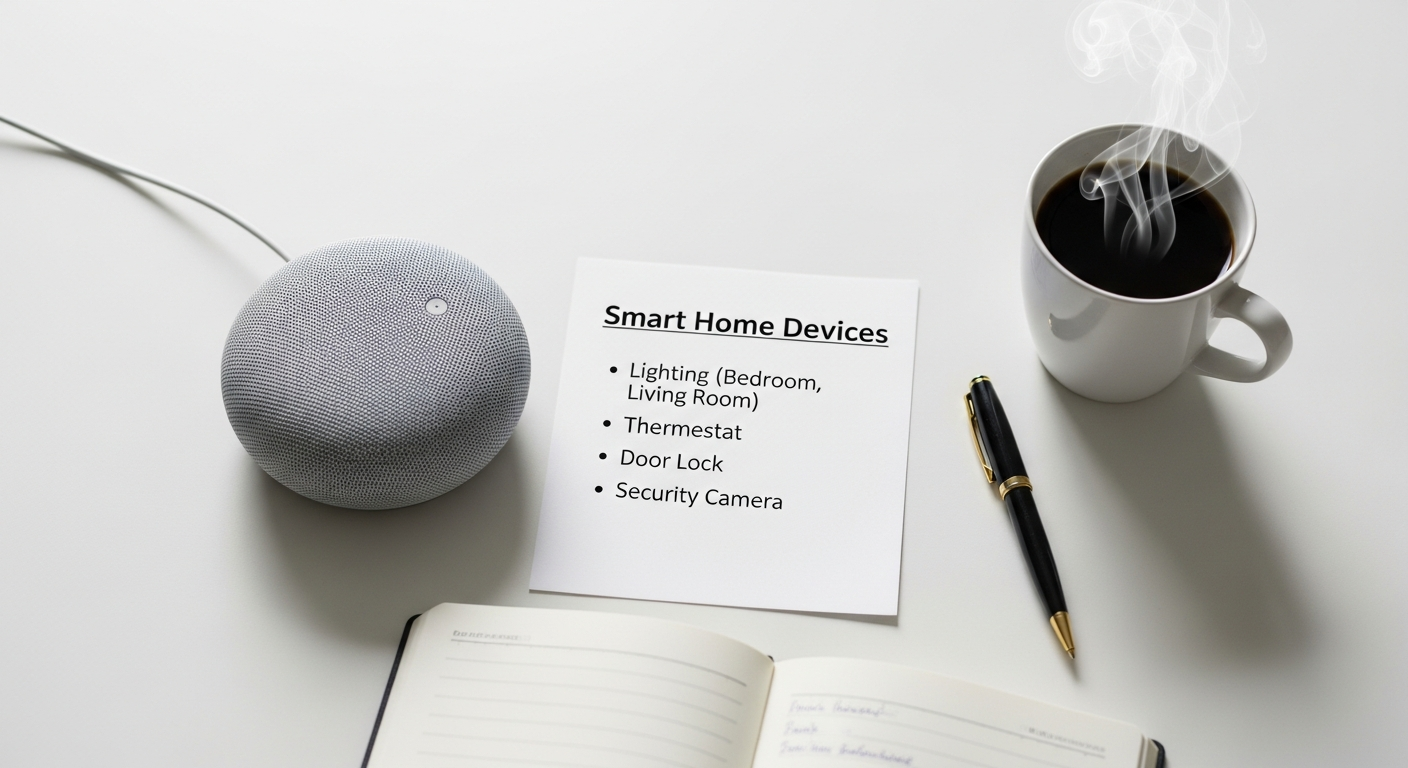
Now that your network and hub are sorted, it’s time for the fun part: choosing your first smart devices. Focus on areas that offer the most immediate impact on convenience, comfort, or energy savings.
1. Smart Lighting: Set the Mood, Save Energy
Lighting is often the first smart device people adopt, and for good reason. It’s impactful and relatively easy to implement.
- Smart Bulbs:
- Philips Hue: The gold standard. Offers unparalleled color quality, reliability, and a vast ecosystem. While pricier, their bridge system ensures rock-solid performance. Great for ambient lighting, mood setting, and specific fixture control.
- Govee Smart Bulbs/Light Strips: Excellent value for vibrant colors and dynamic effects. Connect via Wi-Fi or Bluetooth, often without a separate hub, making them a good entry point.
- Nanoleaf Essentials: A fantastic option for Thread and Matter compatibility, offering great color and brightness at a competitive price.
Use Case: “Hey Google, turn living room lights to movie mode” or “Alexa, set bedroom lights to sunset.”
- Smart Switches/Dimmers:
- Lutron Caséta: Premium, ultra-reliable smart switches and dimmers. They require their own bridge but offer unparalleled dimming performance and integrate well with all major ecosystems. Ideal for controlling entire light fixtures (e.g., recessed lights, ceiling fans) and ensuring guests can still use physical switches.
- Kasa Smart by TP-Link (Smart Wi-Fi Light Switch): Affordable, reliable Wi-Fi switches that don’t require a hub. A great choice for basic on/off and dimming control of existing fixtures.
Use Case: Automate outdoor lights to turn on at dusk, or control kitchen lights even if a smart bulb isn’t installed in every fixture.
Recommendation: For individual lamps and mood lighting, start with a few Philips Hue or Nanoleaf bulbs. For controlling ceiling lights or fixtures connected to a wall switch, invest in Lutron Caséta or Kasa Smart switches.
2. Smart Thermostats: Comfort & Savings
A smart thermostat is a powerful tool for energy efficiency and comfort, learning your habits and adjusting temperatures automatically.
- Ecobee Smart Thermostat Premium: My top pick. It comes with a remote sensor to monitor temperature and occupancy in different rooms, ensuring comfort where you are. It also has a built-in air quality sensor and supports Alexa voice control directly.
- Google Nest Learning Thermostat: Known for its sleek design and “learning” capabilities, which predict your preferences and build a schedule automatically. Integrates seamlessly with Google Home.
Use Case: Automatically adjust the temperature when you leave for work, cool down the house before you arrive home, or set different temperatures for day and night.
3. Security & Monitoring: Peace of Mind
Enhance your home’s security and keep an eye on things from anywhere.
- Smart Cameras:
- Arlo Pro 5S 2K: Excellent wire-free outdoor/indoor cameras with 2K HDR video, color night vision, and a long-lasting battery. Offers local storage options and cloud plans.
- Ring Stick Up Cam Pro: Versatile battery-powered cameras that integrate well into the broader Ring ecosystem. Good for general outdoor or indoor surveillance.
- EufyCam 3: Standout for its local storage (with a HomeBase) and solar charging capabilities for truly wire-free operation. Offers 4K resolution.
Use Case: Monitor package deliveries, check on pets, or receive alerts for unusual activity.
- Door/Window Sensors:
- Aqara Door and Window Sensor: Affordable, small Zigbee sensors that integrate well with Aqara hubs (and often other Zigbee hubs like Echo) for simple open/close detection.
- Ring Alarm Contact Sensor: Integrates seamlessly with the Ring Alarm system for comprehensive security monitoring.
Use Case: Get an alert if a window is opened while you’re away, or automatically turn on a light when a door opens at night.
- Smart Locks:
- August Wi-Fi Smart Lock: Installs over your existing deadbolt, allowing you to keep your original keys. Offers remote locking/unlocking, guest access, and auto-lock/unlock based on your presence.
- Yale Assure Lock 2: A full deadbolt replacement available in Wi-Fi, Z-Wave, or Apple HomeKit (Thread) versions. Offers keyless entry via keypad or app.
Use Case: Let a friend in remotely, never worry about forgetting to lock the door, or provide temporary access codes for service providers.
4. Smart Plugs: Automate Anything
These are incredibly versatile and affordable. A smart plug turns any “dumb” appliance into a smart one.
- Kasa Smart Plugs by TP-Link: Reliable, easy to set up, and don’t require a hub. Great for lamps, fans, coffee makers, or holiday lights.
- Meross Smart Plugs: Similar to Kasa, offering good value and Wi-Fi connectivity. Some models also support Apple HomeKit directly.
Use Case: Automate your coffee maker to start brewing at 7 AM, turn off a curling iron remotely, or schedule a fan to run during specific hours.
Building Your Smart Home Ecosystem: Compatibility & Integration
The biggest hurdle for many beginners is understanding how different devices talk to each other. This is where the concept of a “smart home ecosystem” comes into play.
The Importance of Communication Standards:
- Wi-Fi: Ubiquitous, but can consume more power and sometimes overwhelm your network with too many devices.
- Bluetooth: Good for short-range, direct connections (e.g., setting up a device), but not ideal for whole-home automation.
- Zigbee & Z-Wave: Low-power mesh networks designed specifically for smart home devices. They create their own network, reducing strain on your Wi-Fi. Require a compatible hub.
- Thread: A newer, low-power mesh networking protocol that’s IP-based. It’s fast, reliable, and a key component of the future.
- Matter: This is the game-changer for 2026. Matter is an open-source connectivity standard built on IP, designed to make smart devices from different brands work together seamlessly, regardless of the underlying wireless technology (Wi-Fi, Thread, Ethernet). Look for devices labeled “Matter-certified” to ensure broad compatibility.
Choosing Your Primary Ecosystem:
Most beginners will gravitate towards one of the big three voice assistants as their primary control interface:
- Amazon Alexa (via Echo devices): Boasts the largest selection of compatible devices and powerful routine creation. Great for general smart home control and voice commands.
- Google Home (via Nest devices): Excellent for natural language processing, deep integration with Google services (calendar, search), and a strong focus on AI and personalized experiences.
- Apple HomeKit (via HomePod/Apple TV): Prioritizes privacy, strong security, and seamless integration within the Apple ecosystem. Known for its elegant interface and reliable performance.
Recommendation: Pick the ecosystem that aligns best with your existing smartphone and digital habits. If you’re an iPhone user, HomeKit might feel most natural. If you use Android and Google services, Google Home is a strong contender. Alexa is a solid all-rounder with vast device support.
Cross-Platform Solutions & Bridges:
- IFTTT (If This Then That): A powerful web service that connects different apps and devices that might not natively communicate. You create “applets” (now called “automations”) with a trigger (“If This”) and an action (“Then That”).
Use Case: If your smart doorbell detects motion (IFTTT trigger), then blink your Philips Hue lights red (IFTTT action).
- Home Assistant: As mentioned, Home Assistant can act as a central brain, bridging almost any device or service, regardless of its native ecosystem. It offers unparalleled customization and local control.
Step-by-Step for Integrating a New Device:
- Unbox & Power On: Plug in your new smart device and ensure it’s in pairing mode (often indicated by a blinking light).
- Open Ecosystem App: Launch your primary smart home app (e.g., Amazon Alexa, Google Home, Apple Home, or the device’s native app if required).
- Initiate Discovery: Look for “Add Device” or “Set Up Device” within the app. Follow the on-screen prompts. Many apps use QR codes or Bluetooth to quickly find new devices.
- Connect to Network/Hub: If it’s a Wi-Fi device, you’ll enter your Wi-Fi credentials. If it’s Zigbee/Z-Wave/Thread, your compatible hub should discover it.
- Name & Assign to Room: Give your device a descriptive name (e.g., “Living Room Lamp 1,” “Bedroom Fan”) and assign it to a room for easier organization and voice control.
- Test Functionality: Manually control the device via the app or voice command to ensure it’s working correctly.
- Create Basic Routine: Immediately set up a simple automation to see the power of your new device (e.g., “Turn on at sunset”).
Automations & Routines: Making Your Home Work for You
This is where the magic truly happens. Automations (often called “routines” in Alexa and Google Home, or “scenes” and “automations” in HomeKit) allow your devices to work together intelligently, responding to triggers and conditions without your direct input.
Understanding Automations:
An automation consists of three main parts:
- Trigger: What starts the automation? (e.g., “Good Morning” voice command, motion detected, time of day, door opening).
- Conditions (Optional): Are there any specific requirements for the automation to run? (e.g., “only if it’s after 6 PM,” “only if I’m not home,” “only if the temperature is above 75°F”).
- Actions: What do your devices do? (e.g., turn on lights, adjust thermostat, lock doors, play music).
Simple Routine Examples to Get Started:
- “Good Morning” Routine:
- Trigger: Voice command “Good morning,” or scheduled for 6:30 AM on weekdays.
- Actions: Gradually brighten bedroom lights to 50% warm white, turn on the smart coffee maker, play your preferred news briefing on a smart speaker, adjust the thermostat to 72°F.
- “Good Night” Routine:
- Trigger: Voice command “Good night,” or scheduled for 10:30 PM.
- Actions: Turn off all lights in the house, lock all smart doors, arm your security system, set the thermostat to 68°F.
- “Arriving Home” Routine:
- Trigger: Your phone’s location (geofencing) enters your home zone.
- Conditions: Only if it’s after sunset.
- Actions: Turn on entryway lights, adjust the thermostat to a comfortable temperature, play your favorite playlist on the living room speaker.
Advanced Routine Examples:
- Motion-Triggered Hallway Light:
- Trigger: Motion detected by a smart motion sensor in the hallway.
- Conditions: Only between 10 PM and 6 AM.
- Actions: Turn on the hallway light to 20% brightness for 5 minutes, then turn it off.
- Humidity-Triggered Bathroom Fan:
- Trigger: Smart humidity sensor in the bathroom detects humidity above 60%.
- Actions: Turn on a smart plug connected to the exhaust fan.
- Secondary Automation: When humidity drops below 55%, turn off the fan.
- Door Ajar Notification:
- Trigger: Front door contact sensor detects “open” for more than 5 minutes.
- Conditions: Only if everyone is away (based on phone location).
- Actions: Send a notification to your phone and flash an exterior smart light.
Tools for Automation:
- Native App Routines: Amazon Alexa, Google Home, and Apple Home apps all have robust, user-friendly routine builders. Start here.
- IFTTT: For connecting devices and services that don’t natively integrate with your primary ecosystem.
- Home Assistant: For the most complex, conditional, and highly customized automations, Home Assistant’s YAML-based automation engine is incredibly powerful.
Practical Tip: Start small. Identify one or two repetitive tasks you do daily, like turning off lights before bed or adjusting the thermostat when you leave. Build simple routines for these first. As you get comfortable, gradually add more complexity and integrate more devices.
Security, Privacy, and Maintenance Best Practices
A smart home should be a secure and private home. As you connect more devices, it’s crucial to adopt best practices to protect your network and personal data.
1. Network Security: Your First Line of Defense
- Strong, Unique Passwords: Use complex passwords for your Wi-Fi network and all smart device accounts. Consider a password manager.
- Guest Wi-Fi Network: If your router supports it, create a separate guest Wi-Fi network for your smart devices. This isolates them from your main network where sensitive data (computers, phones) resides, preventing potential breaches from spreading.
- Regular Firmware Updates: Keep your router’s firmware and all smart device firmware up to date. Manufacturers frequently release updates to patch security vulnerabilities and improve performance. Enable automatic updates if available.
- Review Router Settings: Familiarize yourself with your router’s administration panel. Disable UPnP (Universal Plug and Play) if you don’t explicitly need it, as it can be a security risk.
2. Data Privacy: Know What You’re Sharing
- Understand Privacy Policies: Before investing in a device, quickly review the manufacturer’s privacy policy. Understand what data they collect, how it’s used, and if it’s shared with third parties.
- Opt-Out of Data Collection: Many apps offer options to opt-out of certain data collection or usage for “product improvement.” Take advantage of these.
- Local Processing vs. Cloud: Devices that process commands and data locally (like many Hubitat or Home Assistant setups, or devices supporting Matter with local control) offer greater privacy than those that send all data to the cloud.
- Camera Placement: Be mindful of where you place smart cameras. Avoid pointing them at private areas or public spaces unless absolutely necessary. Use privacy shutters or disable them when not needed.
- Microphone Control: Most smart speakers have a physical mute button for their microphones. Use it when you don’t want them actively listening.
3. Regular Maintenance: Keep Things Running Smoothly
- Firmware Updates: Beyond security, updates often bring new features and performance improvements. Make it a habit to check for updates for your devices every few months.
- Battery Checks: For battery-powered sensors and cameras, monitor battery levels within their respective apps and replace them proactively.
- Clean Sensors: Dust and grime can interfere with motion sensors, contact sensors, and camera lenses. Periodically clean them gently.
- Review Automations: As your needs change or you add new devices, review your existing automations. Are they still relevant? Can they be improved? Sometimes, old routines can conflict with new ones.
- Backup & Documentation: For more complex setups (especially Home Assistant), regularly back up your configuration. Even for simpler setups, keep a list of your devices, their locations, and any specific settings.