How to Declutter Your Digital Workspace: A 2026 Guide to Peak Productivity
In the modern landscape of remote work and digital learning, our computers have become more than just tools—they are our offices, our classrooms, and our archives. However, as we move deeper into 2026, many professionals and students are discovering a silent productivity killer: digital clutter. Just as a physical desk buried under stacks of paper inhibits focus, a desktop littered with icons, an inbox reaching 5,000 unread messages, and a “Downloads” folder containing every PDF since 2022 creates significant cognitive load.
Digital clutter is “invisible weight.” It slows down your operating system, makes finding critical information a scavenger hunt, and contributes to burnout by creating a sense of perpetual “unfinished business.” Whether you are a project manager juggling global teams or a graduate student managing complex research, a streamlined digital environment is the foundation of high performance. This guide provides a comprehensive framework to audit, organize, and maintain your digital workspace, ensuring your technology serves your goals rather than distracting from them.
—
Taming the Desktop: Building a Logical File Hierarchy
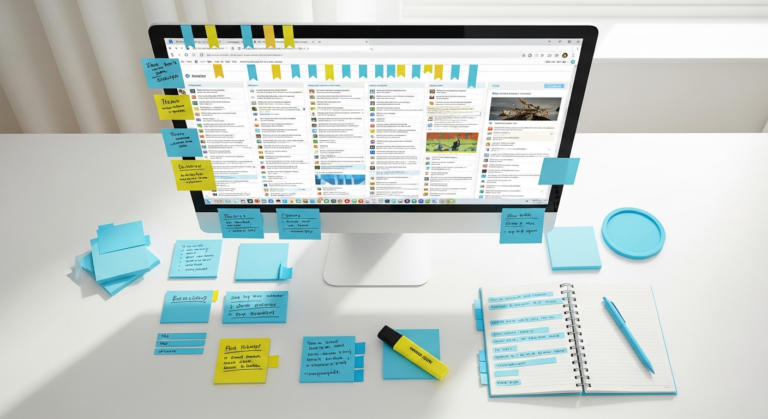
The desktop is often the first thing you see when you start your workday, yet it frequently becomes a graveyard for temporary files. A cluttered desktop is the digital equivalent of working in a room filled with sticky notes. To reclaim this space, you must adopt a philosophy of “zero-resident files.”
Start by creating a master folder system in your primary storage drive. For professionals, this might be organized by **Client > Project > Year**. For students, a **Degree > Semester > Course Code** structure is often most effective. The key is to avoid the “Miscellaneous” or “To Sort” folder trap, which invariably becomes a black hole for data.
When naming files, consistency is your greatest ally. Moving into 2026, AI-driven search tools have become more powerful, but they still rely on logical metadata. Use a standard format like `YYYY-MM-DD_FileName_Version`. This ensures that files remain in chronological order even when sorted alphabetically. Once your files are moved into their designated homes, your desktop should be reserved exclusively for active, high-priority projects you are working on *today*. At the end of every week, clear the desktop entirely. If a file is worth keeping, file it; if not, delete it.
Revolutionizing Email: From Overflow to Overview
Email remains the primary communication channel for most professionals, but it is also the largest source of digital anxiety. “Inbox Zero” is often dismissed as a myth, but in a world of 2026 automation, it is more achievable than ever. The secret lies in moving from a “storage” mindset to a “processing” mindset.
Your inbox should function like a physical mailbox: you check it, take the contents out, and decide where they go. Use the “Four D’s” method:
1. **Delete/Archive:** If the email requires no action.
2. **Delegate:** Forward it to the person responsible.
3. **Do:** If it takes less than two minutes, respond immediately.
4. **Defer:** Move it to a “To Action” folder or your task manager.
Beyond processing, you must also stop the influx at the source. Mass-unsubscribe from newsletters you haven’t read in three months. Use “Roll-up” services or built-in mail filters to automatically move social notifications and receipts out of your primary view. By categorizing your mail through automated rules, you ensure that when you open your email, you are only seeing the messages that require your specific expertise or attention.
Optimizing Cloud Storage and Collaborative Platforms
With the rise of collaborative tools like Notion, Slack, Google Drive, and Microsoft Teams, our data is no longer confined to a single hard drive. However, this fragmentation creates “digital silos.” Students often find their lecture notes in one app, their research papers in another, and their schedule in a third. Professionals face the same issue with project boards and chat threads.
To declutter your cloud ecosystem, you must designate a “Single Source of Truth” (SSOT). Decide which platform is the master record for your projects. If you use Notion for project management, ensure all relevant links to Google Drive files or Slack threads are embedded there. This prevents the “Where did I see that?” loop.
Furthermore, perform a “Permission Audit.” Over time, we accumulate shared folders from past projects or graduated classes. These not only clutter your sidebar but pose a security risk. Every six months, go through your shared drives and “Remove” yourself from projects that are no longer active. This clarifies your sidebar and ensures your cloud storage only displays the work that currently matters.
Browser Hygiene: Managing Tabs and Extensions
For many, the web browser *is* the workspace. Yet, we have all experienced the “tab-pocalypse”—where dozens of tabs are open, each so small you can only see the favicon. This isn’t just a resource hog for your computer’s RAM; it’s a major distraction. Every open tab represents an uncompleted thought or a potential rabbit hole.
To declutter your browsing experience, utilize “Tab Groups” or dedicated workspace browsers. Modern browsers in 2026 allow you to save groups of tabs and hide them when they aren’t needed. For instance, a student might have a “Thesis Research” group and a “Personal Admin” group. Only one is visible at a time.
Additionally, audit your browser extensions. While extensions can add functionality, too many can slow down your browser and compromise privacy. Delete any extension you haven’t used in the last thirty days. For bookmarks, treat them like a library. Use a nested folder structure and use a “Bookmark Manager” to find and delete dead links or duplicates. If you are bookmarking an article “to read later,” consider using a dedicated app like Pocket or Instapaper instead of cluttering your browser bar.
Digital Security and Data Legacy Management
Decluttering isn’t just about what you see; it’s also about what’s hidden in the background. Old software installers, cached files, and “ghost” accounts from 2023 or 2024 contribute to a sluggish digital experience. Moreover, maintaining accounts for services you no longer use increases your “attack surface” for data breaches.
Start by uninstalling applications you no longer use. On macOS and Windows, use a dedicated uninstaller tool that removes the library files and caches associated with the app, not just the icon itself. Next, use a password manager to identify accounts you haven’t logged into for a year. If the service is no longer needed, take five minutes to delete the account entirely rather than just deleting the app.
Finally, address your “Data Legacy.” We often keep gigabytes of old photos, videos, and project drafts “just in case.” Invest in a high-capacity external cold-storage drive or a dedicated long-term cloud archive (like AWS Glacier or Google Cloud Archive). Move anything you don’t need access to within 24 hours off your primary machine. This keeps your local drive lean and your backups fast.
The Digital Sunset: Creating a Weekly Maintenance Ritual
The biggest mistake professionals and students make is treating digital decluttering as a “spring cleaning” event that happens once a year. In reality, digital clutter is like dust; it accumulates daily. To maintain a high-performance workspace, you must implement a “Digital Sunset” ritual.
Every Friday afternoon (for professionals) or Sunday evening (for students), spend 15 to 20 minutes performing the following:
* **Clear the Downloads folder:** Move files to their permanent homes or the bin.
* **Empty the Trash:** Physically and symbolically ending the week’s accumulation.
* **Close all tabs:** Start Monday with a blank slate.
* **Update Software:** Ensure your OS and primary tools are running the latest versions to prevent mid-week interruptions.
By turning decluttering into a habit rather than a chore, you prevent the “invisible weight” from ever building up. This ritual provides psychological closure to your week, allowing you to truly disconnect and recharge, knowing that your digital environment is primed for a fresh start.
—
Frequently Asked Questions (FAQ)
#
1. How often should I perform a deep clean of my digital workspace?
While a weekly “Digital Sunset” is recommended for daily maintenance, a deep audit should occur once every quarter (every three months). This is when you should look at your folder structures, delete old accounts, and archive completed projects to external storage.
#
2. What is the “One-Click Rule” for file organization?
The “One-Click Rule” suggests that your most important and frequently used files should be accessible within one or two clicks from your main directory. If you find yourself clicking through six layers of subfolders to find a daily spreadsheet, your hierarchy is too deep and needs to be flattened.
#
3. Are AI tools helpful for digital decluttering in 2026?
Yes. Many 2026 productivity suites now include AI assistants that can automatically categorize emails, suggest file names based on content, and identify duplicate photos or documents. However, use them as assistants, not replacements for a logical system you understand.
#
4. How do I handle “Fear Of Missing Out” (FOMO) when deleting old files?
The “Just-In-Case” mentality is the primary cause of clutter. Ask yourself: “If I needed this, could I find it online or recreate it in 15 minutes?” If the answer is yes, delete it. For unique personal work, move it to “Cold Storage” (an external drive) so it isn’t cluttering your active workspace.
#
5. Should I use different browsers for work and study?
Highly recommended. Using separate browser profiles or different browsers (e.g., Chrome for work, Firefox for study) keeps your history, bookmarks, and saved passwords separate. This prevents work notifications from distracting you during study sessions and vice versa.
—
Conclusion: The Clarity of a Clean Digital Environment
As we navigate the complexities of 2026, the ability to focus is our most valuable asset. A cluttered digital workspace is a series of micro-distractions that, over time, erode our concentration and increase our stress levels. By taming your desktop, mastering your email, and optimizing your cloud storage, you aren’t just “cleaning up”—you are designing a cockpit for your professional and academic success.
Decluttering is not about being a minimalist for the sake of aesthetics; it is about removing the friction between your ideas and their execution. When your files are where they should be, your inbox is under control, and your browser is focused, you free up mental energy for the deep work that truly moves the needle. Start small: clear your desktop today, set your folder hierarchy tomorrow, and commit to a weekly ritual. Your future self will thank you for the clarity.