
Published: | Last updated:
Todoist vs. TickTick: Which Task Manager App is Best for Your Productivity Workflow?
From core task management to advanced features, collaboration capabilities, and pricing structures, we’ll dive deep into what makes each app tick. By the end of this article, you’ll have a clear understanding of which task manager is the ideal partner to help you achieve your goals and master your time.
First Impressions: User Interface and Experience (UI/UX)
The first interaction with any productivity app sets the tone for its long-term usability. Both Todoist and TickTick offer clean, functional interfaces, yet their aesthetic and navigational approaches differ significantly, catering to varying user preferences.
Todoist: Minimalist Efficiency
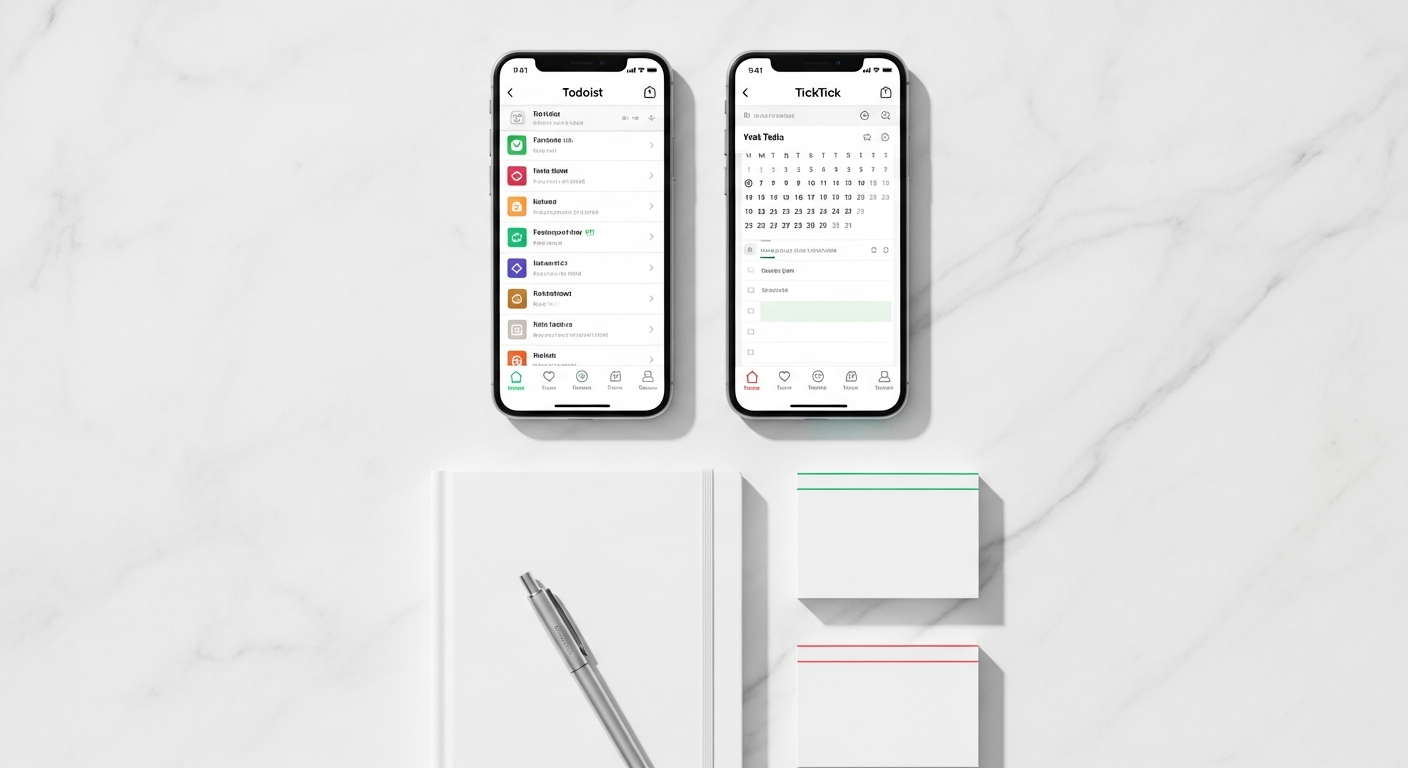
Todoist prides itself on a clean, uncluttered, and highly intuitive interface. Its design philosophy leans heavily towards minimalism, prioritizing quick task entry and clear organization over visual flair. When you open Todoist, you’re greeted with a straightforward list view, typically defaulting to your “Inbox” or “Today” view. Adding tasks is incredibly fast, thanks to its exceptional natural language processing (NLP). You can type “Buy groceries every Friday at 5 PM starting next week #Errands p1” and Todoist intelligently parses the due date, recurrence, project, and priority level.
Navigation is project-centric, with a sidebar listing your projects, labels, filters, and an overview of your upcoming tasks. The use of color is subtle, primarily to denote priority levels. This minimalist approach reduces cognitive load, allowing users to focus purely on their tasks rather than being distracted by excessive visual elements. It’s particularly appealing to users who prefer a streamlined, text-based experience and those who adhere to methodologies like Getting Things Done (GTD).
Practical Tip for Todoist UI: Experiment with keyboard shortcuts. Todoist has a robust set of shortcuts that allow for incredibly fast navigation and task management, further enhancing its efficiency-focused UI. For example, pressing ‘q’ opens the quick add task box from anywhere in the app.
TickTick: Feature-Rich Flexibility
TickTick, while also maintaining a clean design, offers a richer, more visually dynamic experience. Its interface feels more modern and playful, with a greater emphasis on customization and diverse viewing options. Beyond standard list views, TickTick provides built-in Kanban boards, a comprehensive calendar view, and even an Eisenhower Matrix for priority management, all easily accessible from the main navigation.
The color palette is more vibrant, and users have more control over themes and display options. Task entry is also efficient, with good natural language processing, though perhaps not as universally praised as Todoist’s. TickTick’s strength lies in its ability to consolidate multiple productivity tools into one interface. If you value seeing your tasks as a list, then switching to a board view for project oversight, and then to a calendar to see your schedule, TickTick handles this fluidity exceptionally well.
Practical Tip for TickTick UI: Explore TickTick’s “View Options” for each list or project. You can toggle between List, Day, 3-Day, Week, Month, Kanban, and Timeline views, allowing you to visualize your workload in the way that best suits the context.
Which UI/UX is Best for You?
- Choose Todoist if you prefer a minimalist, text-focused, and incredibly fast interface that gets out of your way and prioritizes pure task management efficiency. It’s ideal for those who love simplicity and powerful filtering.
- Choose TickTick if you appreciate a more visually rich, customizable interface with multiple built-in views (Kanban, Calendar) and a desire to consolidate several productivity functions into one app.
Core Task Management: Mastering Your To-Do List
At the heart of any task manager is its ability to effectively capture, organize, and execute your to-do list. Both Todoist and TickTick excel here, but their nuances cater to different organizational styles and priorities.
Todoist: Structure and Precision
Todoist’s core task management revolves around a robust hierarchical structure: projects, sub-projects, tasks, and sub-tasks. This makes it incredibly powerful for breaking down larger goals into manageable steps. Its natural language processing (NLP) for task entry is arguably the industry leader, allowing users to quickly input due dates, recurrences (“every Monday,” “every 2nd Tuesday”), priorities (“p1,” “p2”), and even assign tasks to projects or add labels without ever touching a dropdown menu.
Key features include:
- Projects & Sub-projects: Create an unlimited hierarchy to organize your tasks by area of responsibility or goal.
- Labels: Flexible tags that allow for cross-project organization (e.g., “#email”, “#waiting-on”).
- Filters: A standout feature, allowing users to create custom views based on a complex set of criteria (e.g., “tasks due today & p1 & #work”). This is incredibly powerful for custom workflows.
- Priorities: Four distinct levels (p1-p4, with p1 being highest importance) denoted by color.
- Reminders: Location-based and time-based reminders (Premium).
- Comments & File Uploads: Attach context and files directly to tasks.
Todoist’s strength lies in its ability to handle complex task structures with grace and its powerful filtering system, which allows users to slice and dice their task list in virtually any way imaginable. It’s particularly favored by users who employ methodologies like GTD, where tasks are processed and organized meticulously.
Actionable Tip for Todoist Core Management: Master the use of filters. Instead of constantly browsing through projects, create custom filters for “Today’s Critical Tasks,” “Next 7 Days – Work,” or “Waiting On Others.” This dramatically reduces decision fatigue and helps you focus on what’s important right now.
TickTick: Versatility and Richness
TickTick also offers comprehensive task management with a slightly different flavor, emphasizing versatility and a richer set of options directly integrated into task creation. Its natural language input is strong, allowing for quick entry of dates, recurrences, and priorities.
Key features include:
- Lists & Subtasks: Similar to projects, but often referred to as “lists.” Subtasks can be nested multiple levels deep.
- Tags: Equivalent to Todoist’s labels, used for cross-list organization.
- Smart Lists: Pre-built filters like “Today,” “Next 7 Days,” “All,” plus the ability to create custom filters based on various criteria (date, priority, tag, assignee).
- Priorities: Five priority levels (High, Medium, Low, None, Urgent), offering slightly more granularity than Todoist.
- Reminders: Highly flexible reminders, including multiple reminders per task, sound and vibration customization, and location-based alerts.
- Description & Attachments: Markdown support for task descriptions and file attachments.
- Checklists within tasks: Allows for micro-steps within a single task, distinct from subtasks.
TickTick’s strength comes from its integrated approach. While it offers excellent task handling, it also builds in features that others might relegate to separate apps, making it a more self-contained solution for personal productivity. Its flexible priority system and detailed reminders are significant advantages for users who need fine-grained control over their task alerts.
Actionable Tip for TickTick Core Management: Utilize the “add checklist” feature within a task. For simple, multi-step tasks that don’t warrant full subtasks, this keeps your main task list cleaner while still allowing you to track progress on micro-actions.
Which App for Core Task Management?
- Choose Todoist if your workflow demands deep project hierarchy, complex filtering for dynamic task views, and a minimalist, text-first approach to capturing and organizing information. It’s excellent for GTD and precise task categorization.
- Choose TickTick if you prefer a broader range of priority levels, highly customizable reminders, and a slightly richer visual experience for task details. Its embedded checklists offer a unique way to manage simple multi-step tasks.
Advanced Features for Enhanced Productivity Workflows
Beyond the basics, both Todoist and TickTick extend their capabilities with advanced features designed to cater to more specific productivity needs, from project visualization to habit formation.
Todoist: The Hub for Integrated Workflows
Todoist, while minimalist in appearance, is a powerhouse when it comes to integrations and enabling complex workflows, especially for project management and team collaboration (which we’ll cover next). Its approach is often to be the central hub that connects with other specialized tools rather than trying to be an all-in-one solution.
- Integrations: Todoist boasts an impressive array of integrations with hundreds of third-party apps like Google Calendar, Slack, Trello, Zapier, IFTTT, GitHub, and many more. This makes it incredibly adaptable to existing tech stacks and allows for extensive automation. For example, you can automatically turn starred Slack messages into Todoist tasks or sync projects with calendar apps.
- Boards View: A more recent addition, Todoist now offers a Kanban-style board view for projects. While not as fully featured as a dedicated Kanban tool like Trello, it provides a visual drag-and-drop interface for managing tasks through different stages (e.g., To Do, Doing, Done) directly within a project.
- Karma & Productivity Trends: Todoist includes a gamification aspect called “Karma,” which tracks your productivity by rewarding you for completing tasks, hitting goals, and using advanced features. It also provides visual productivity trends to help you understand your work patterns.
- Templates: You can create project templates, which is invaluable for recurring projects or onboarding new team members with predefined task lists.
Todoist shines for users who need a powerful task manager that integrates seamlessly with a broader ecosystem of tools, supporting complex project workflows and analytical insights into their productivity.
Practical Step for Todoist Advanced Features: Explore the integration possibilities. If you use Google Calendar, set up two-way sync to see your tasks as calendar events and add new tasks directly from your calendar. If you use a team communication tool, connect it to streamline task creation.
TickTick: The All-in-One Personal Productivity Suite
TickTick’s advanced features are geared towards making it a comprehensive personal productivity hub, reducing the need for multiple separate apps. It aims to offer an integrated experience for managing not just tasks, but also habits, time, and focus.
- Built-in Pomodoro Timer: This is a major differentiator. TickTick includes a fully functional Pomodoro timer directly within the app, allowing you to work on tasks in focused sprints and track your Pomodoro sessions. It even integrates with a white noise generator.
- Habit Tracker: Another standout feature. You can create and track habits (e.g., “Drink 8 glasses of water,” “Meditate for 10 minutes”) directly within TickTick, complete with streaks, progress charts, and reminders. This turns your task manager into a holistic life organizer.
- Rich Calendar Views: TickTick offers extremely robust calendar integrations and views. You can connect multiple external calendars (Google, Outlook) and view all your tasks, habits, and calendar events in one unified calendar interface, with day, week, month, and even agenda views. You can also drag-and-drop tasks onto the calendar to schedule them.
- Markdown Support: For detailed notes within tasks, TickTick supports Markdown formatting, allowing for richer descriptions with headings, bold text, lists, and code blocks.
- Eisenhower Matrix: A built-in feature that helps you categorize tasks by urgency and importance, aiding in priority management.
TickTick is ideal for individuals who want a single app to manage their tasks, habits, schedule, and focus sessions, without needing to jump between different tools. Its emphasis is on personal growth and a holistic approach to productivity.
Practical Step for TickTick Advanced Features: If you’re trying to build new routines, set up a few habits in the habit tracker and link them to your daily review. Also, try using the Pomodoro timer for your most important tasks to truly harness the app’s focus capabilities.
Which App for Advanced Features?
- Choose Todoist if you operate within a larger digital ecosystem and need powerful integrations, project templates, and sophisticated filtering to manage complex work scenarios and track long-term productivity trends. Its Kanban board is a useful addition for visual project management.
- Choose TickTick if you seek an all-in-one solution for personal productivity, including habit tracking, integrated Pomodoro timers, and robust calendar management. It’s designed to be your central hub for both tasks and personal growth.
Collaboration and Teamwork: Sharing the Load
For many, tasks aren’t just personal; they’re part of shared projects, family chores, or team initiatives. Both Todoist and TickTick offer collaboration features, but their emphasis and capabilities differ slightly.
Todoist: Structured Team & Project Collaboration
Todoist has historically been a strong contender for light-to-medium team collaboration. Its project-centric structure naturally lends itself to shared workspaces. With Todoist, you can invite collaborators to specific projects, allowing them to view, add, complete, and comment on tasks within that project. This makes it excellent for managing small team projects, family to-do lists, or shared responsibilities.
Key collaboration features include:
- Shared Projects: Invite others to specific projects via email. They can have full editing rights or more restricted access depending on their role.
- Assign Tasks: Easily assign tasks to specific team members within a shared project.
- Comments & File Uploads: Collaborators can add comments, attach files, and discuss tasks directly within the task interface, keeping all communication centralized.
- Activity Log: A clear log shows who completed what, when, and any changes made to tasks, providing transparency and accountability.
- Notifications: Team members receive notifications for new tasks, assignments, and comments.
Todoist is particularly effective for teams that need clear task ownership, straightforward communication around specific tasks, and a structured way to manage project progression. While it’s not a full-fledged project management suite like Asana or Jira, it serves as a powerful and simple solution for task-based collaboration.
Actionable Tip for Todoist Collaboration: When sharing a project, establish clear guidelines for using priorities and due dates. This ensures all team members are on the same page regarding critical tasks and deadlines, avoiding confusion.
TickTick: Essential Sharing for Groups
TickTick also offers solid collaboration features, allowing you to share lists and assign tasks, making it suitable for similar use cases as Todoist – family planning, group projects, or shared responsibilities. While robust, its collaboration features are generally seen as more utilitarian compared to Todoist’s slightly more refined implementation for larger teams.
Key collaboration features include:
- Shared Lists: Invite members to a list, giving them the ability to add, edit, complete, and comment on tasks.
- Assign Tasks: Assign tasks to specific members within a shared list.
- Comments: Add comments to tasks for discussion and context.
- Notifications: Get alerts for changes and new assignments.
TickTick’s collaboration is perfectly adequate for most personal and small-group sharing needs. It integrates well with its other features, meaning collaborators also benefit from seeing tasks within the calendar view, for example. The core functionality is there to ensure tasks are shared, discussed, and completed effectively.
Actionable Tip for TickTick Collaboration: If you’re managing a recurring team task (e.g., “Weekly Team Meeting Agenda”), share the list and designate one person to populate it. Use task descriptions for agenda items and comments for specific discussion points to keep the meeting focused.
Which App for Collaboration?
- Choose Todoist if you need robust, structured collaboration for small teams or family projects, with clear activity logs, strong notification systems, and an emphasis on project-level task assignment and discussion. Its integrations can also extend collaboration capabilities.
- Choose TickTick if your collaboration needs are simpler, focusing on sharing basic task lists and assigning duties within those lists. It’s a reliable choice for everyday sharing and integrates well with its holistic productivity features.
Pricing and Platform Availability: Accessibility and Investment
The cost and accessibility of an app are crucial factors. Both Todoist and TickTick offer freemium models, providing basic functionality for free while reserving advanced features for their premium subscriptions.
Todoist: Freemium and Pro Subscription
Todoist is available on virtually every platform imaginable, ensuring your tasks are always at your fingertips, regardless of your device.
- Platforms: Web, Windows, macOS, Linux, iOS, Android, Apple Watch, Wear OS, browser extensions (Chrome, Firefox, Safari, Edge), and integrations with various email clients (Gmail, Outlook).
- Free Version:
- 5 active projects
- 5 collaborators per project
- 3 filters
- Limited activity history
- No reminders
- No file uploads
- Todoist Pro (Paid Subscription):
- Unlimited projects
- 25 collaborators per project
- Unlimited filters & labels
- Reminders (time and location-based)
- File uploads
- Productivity trends
- Project templates
- Full activity history
- Backups
- Costs approximately $5/month or $48/year.
The free version of Todoist is surprisingly capable for individual basic task management, but the Pro version unlocks its true power, especially for complex workflows, collaboration, and custom views. The consistent performance across all platforms is a major selling point.
Practical Tip for Todoist Pricing: If you’re unsure, start with the free version. It gives you ample opportunity to test the core task management and see if the minimalist interface and natural language processing resonate with your style before committing to Pro.
TickTick: Freemium and Premium Subscription
TickTick also boasts impressive cross-platform availability, ensuring you can manage your tasks from almost anywhere.
- Platforms: Web, Windows, macOS, Linux, iOS, Android, Apple Watch, Wear OS, browser extensions (Chrome, Firefox, Safari, Edge), and email integration.
- Free Version:
- 9 lists (equivalent to projects)
- 99 tasks per list
- 19 subtasks per task
- 2 habits
- Basic calendar views
- Limited reminders (only 1 per task)
- No task descriptions (only notes)
- Limited attachment size (2 images per day)
- TickTick Premium (Paid Subscription):
- Unlimited lists & tasks
- Unlimited subtasks, reminders, attachments
- Full calendar features (integrations, various views)
- Full habit tracker (unlimited habits, detailed statistics)
- Pomodoro timer
- White Noise
- Custom Smart Lists
- Advanced search
- Markdown support
- Costs approximately $2.79/month or $27.99/year. (Pricing may vary by region and promotions)
TickTick’s free version is also quite generous for casual users, but its core differentiating features – the habit tracker, Pomodoro, and advanced calendar – are exclusive to Premium. It offers excellent value given the breadth of features included in the Premium plan, making it an attractive option for those seeking an all-in-one personal productivity suite.
Practical Tip for TickTick Pricing: If the habit tracker, Pomodoro timer, or advanced calendar views are crucial to your desired workflow, test them out during a free trial of Premium to ensure they meet your expectations before subscribing.
Which App for Pricing & Platforms?
- For core task management on a budget, both free versions are strong. Todoist Free might feel slightly less restrictive for projects and collaborators, while TickTick Free offers more in terms of task limits within lists.
- For premium features, TickTick Premium generally offers a wider array of integrated personal productivity tools (habits, Pomodoro) at a slightly lower price point. Todoist Pro is excellent for those who value deep integrations, complex filtering, and robust project collaboration.
- Both offer exceptional cross-platform support, so device compatibility is unlikely to be a deciding factor for either.
Unique Selling Points: What Sets Them Apart?
While both apps are excellent task managers, their unique strengths define their target audience and overall value proposition. Understanding these differentiators is key in the Todoist vs TickTick debate.
Todoist’s Unique Edge: Simplicity, Power, and Integrations
Todoist’s primary unique selling points revolve around its minimalist design coupled with incredible underlying power, especially in workflow automation and information retrieval.
- Best-in-Class Natural Language Processing: This is often cited as Todoist’s killer feature. The speed and accuracy with which it parses dates, times, recurrences, projects, and labels from plain text input are unparalleled. It drastically reduces the friction of task entry.
- Powerful Filters & Labels: For users who need dynamic, highly customized views of their tasks (e.g., “all P1 tasks due this week for Project X, but not Project Y”), Todoist’s filter system is unmatched. It allows for incredibly granular control over how you slice and dice your task list, making it perfect for complex workflows or GTD practitioners.
- Extensive Integrations: Todoist’s commitment to being a central hub rather than an all-in-one tool means it plays exceptionally well with others. Its vast ecosystem of integrations makes it incredibly versatile for those who use multiple apps in their workflow.
- Project-First Organization: The strong emphasis on projects and sub-projects makes it excellent for breaking down larger goals and managing complex, multi-step initiatives.
Todoist thrives when used by individuals and small teams who value speed, precision, and a highly customizable, integrated workflow, especially those who prefer a “Getting Things Done” approach to productivity.
Actionable Tip for Leveraging Todoist’s USP: Experiment with creating complex filters that mimic different “contexts” or “perspectives” from GTD (e.g., “@home & today,” “p1 & #work”). This is where Todoist truly shines in personal workflow management.
TickTick’s Unique Edge: The All-in-One Productivity Hub
TickTick’s strength lies in its ambition to be a holistic personal productivity solution, combining several functions that typically require separate applications into a single, cohesive environment.
- Integrated Habit Tracker: This is a massive differentiator. The ability to manage your to-dos and build positive habits within the same application streamlines your daily routine and reinforces consistent action.
- Built-in Pomodoro Timer & White Noise: For individuals struggling with focus and distractions, having these tools directly integrated means fewer app switches and a more focused work environment.
- Robust Calendar Views: TickTick’s calendar is more than just a place to see due dates; it’s a fully functional calendar that can sync with external calendars and display tasks, events, and habits in a unified, visually appealing manner. Its drag-and-drop scheduling is incredibly intuitive.
- Flexible Views & Customization: With Kanban boards, calendar views, and smart lists, TickTick offers more built-in ways to visualize your workload without needing third-party tools.
- Value for Money: For the sheer breadth of features (task management, habit tracking, Pomodoro, full calendar), TickTick Premium offers exceptional value at its price point.
TickTick is ideally suited for individuals who want a single, comprehensive app to manage their entire personal productivity ecosystem – tasks, schedule, habits, and focus – and prefer an integrated, visually richer experience.
Actionable Tip for Leveraging TickTick’s USP: If you’re looking to form new habits, use the habit tracker to set up daily or weekly habits, then combine them with the Pomodoro timer when you’re working on tasks. This creates a powerful synergy for personal growth and focus.
Performance and Reliability: A Smooth User Experience
Even the most feature-rich app can become a source of frustration if it’s slow, buggy, or unreliable. Both Todoist and TickTick generally offer excellent performance, but subtle differences can influence the long-term user experience.
Todoist: Consistent and Dependable
Todoist is renowned for its reliability and consistent performance across all its platforms. The apps are typically lightweight, fast, and respond quickly to user input. Syncing between devices is almost instantaneous, which is crucial for users who frequently switch between desktop, mobile, and web versions. Updates are regular, and the development team is responsive to bug reports and user feedback.
Users report minimal downtime or significant bugs, contributing to a smooth, uninterrupted workflow. Its minimalist design also contributes to its perceived speed and responsiveness, as there are fewer graphical elements or complex animations to render.
Practical Tip for Todoist Performance: Ensure your app is always updated to the latest version. While generally stable, updates often include performance enhancements and bug fixes that contribute to a smoother experience.
TickTick: Feature-Rich and Responsive
TickTick also performs commendably across its many platforms. Despite offering a broader range of features and more graphical elements (like the calendar and Kanban boards), the app generally remains responsive and quick. Syncing is reliable and fast, ensuring your tasks and habits are up-to-date across all your devices.
While some users might occasionally report minor visual glitches or slightly slower loading times compared to Todoist’s bare-bones efficiency, these instances are rare and usually resolved quickly. The integration of so many features into one app without significantly compromising performance is a testament to TickTick’s development quality.
Practical Tip for TickTick Performance: If you experience any slowdowns, especially on older devices, try clearing the app’s cache or reinstalling. This can often resolve minor performance hiccups that accumulate over time.
Which App for Performance?
- Both apps are highly reliable and perform well. Todoist might have a slight edge in raw speed and responsiveness due to its more minimalist design and focus on core task management.
- TickTick maintains excellent performance despite integrating a wider array of features, which is commendable.
Ultimately, neither app is likely to disappoint in terms of performance or reliability. Any differences are often negligible for the average user and might only be noticeable under extreme usage patterns or on very old hardware.
Conclusion: Choosing Your Ideal Productivity Partner
Navigating the “Todoist vs TickTick” debate reveals two exceptional task manager apps, each with a distinct approach to boosting your productivity. There is no universally “best” option; the ideal choice hinges entirely on your specific needs, workflow preferences, and productivity philosophy.
-
Choose Todoist if:
- You prefer a minimalist, clean interface that prioritizes speed and efficiency.
- You thrive on powerful natural language processing for quick task entry.
- You need robust filtering capabilities to create dynamic, custom task views (perfect for GTD).
- Your workflow relies heavily on integrations with other apps (calendar, communication, automation tools).
- You manage complex projects with hierarchical structures and require strong, but straightforward, collaboration features.
- You value insights into your productivity trends with features like Karma.
Todoist is for the power user who wants a lean, mean task-managing machine that integrates seamlessly into a broader digital ecosystem.
-
Choose TickTick if:
- You desire an all-in-one personal productivity hub that combines tasks, habits, and a Pomodoro timer.
- You appreciate rich calendar views that unify your tasks, habits, and external events.
- You benefit from diverse task visualization options like Kanban boards and the Eisenhower Matrix.
- You seek more granular control over reminders and a slightly richer visual experience.
- You’re looking for an excellent value proposition that consolidates multiple productivity tools into one subscription.
TickTick is for the user who wants a comprehensive, self-contained solution to manage not just tasks, but also personal growth, focus, and scheduling within a single, visually appealing application.
Ultimately, the best way to make your final decision is to experience both. Both Todoist and TickTick offer generous free versions that allow you to test their core functionalities and get a feel for their user interfaces. Take advantage of these trials, integrate them into your daily routine for a week or two, and see which one naturally fits your style. Your ideal productivity partner is the one that you instinctively reach for, that reduces friction, and genuinely helps you achieve more with less effort.
Ready to streamline your workflow? Give Todoist or TickTick a try today and take the first step towards a more organized and productive future!
Frequently Asked Questions
Related Productivity Articles
Sources & References